
1. MITRE ATT&CK Fundamentals That Matter in Engineering
1.1 Origins and Intent
ATT&CK began in 2013 at MITRE. It was born out of an experiment called FMX (Fort Meade Experiment), where researchers emulated adversaries on a live network to see if defenders could catch them. They realized that focusing on who the attacker was (attribution) or what tool they used (malware signatures) was less effective than focusing on how they operated. The framework was created to improve post-compromise detection using endpoint telemetry, moving defense “left” of the breach where possible, but acknowledging that breaches happen.
1.2 Tactics vs. Techniques vs. Procedures (The TTPs)
Engineers often conflate these terms, leading to bad data in SIEMs.
- Tactics represent the objective. This is the highest level. Example: Defense Evasion.
- Techniques represent the behavioral approach to achieving that objective. Example: Masquerading.
- Procedures are the specific, distinct implementation details used by a specific threat group or tool. Example: Renaming
nc.exetonotepad.exeto bypass basic allow-lists.
Engineering Impact: You generally write detection logic for Techniques (to catch a broad class of activity) or Procedures (to catch a specific, high-fidelity threat), but you report to leadership on Tactics (strategic risk).
1.3 Domains and Matrices
- Enterprise: The standard matrix for Windows, Linux, macOS, and Cloud environments.
- Mobile: iOS and Android specific vectors.
- ICS: Industrial Control Systems (OT/SCADA). Guidance: Do not map an Enterprise detection to the ICS matrix unless you specifically monitor OT protocols. “Wrong-domain mapping” corrupts coverage metrics.
ATT&CK Objects You Will Touch in Real Work
| Object | Example | Where it Shows Up | Typical Owner |
|---|---|---|---|
| Tactic | TA0003 (Persistence) | Executive Dashboards, Risk Assessments | CISO / SOC Director |
| Technique | T1543 (Create or Modify System Process) | SIEM Correlation Rules, EDR Consoles | Detection Engineer |
| Sub-Technique | T1543.003 (Windows Service) | Threat Intel Reports, Atomic Red Team tests | Threat Hunter / Purple Team |
| Group | G0007 (APT28) | Intel Briefings, Campaign Tracking | Threat Intel Analyst |
| Mitigation | M1042 (Disable or Remove Feature) | Hardening Guidelines, GPO Configs | System Admin / SecEng |
2. The ATT&CK Matrix as an Operational Interface
2.1 Reading the Matrix Like an Engineer
The matrix is not a bingo card. It is a visualization of the adversary’s potential path.
- Chaining: Attacks move left-to-right (generally), but adversaries bounce between tactics.
- Clustering: Techniques often appear together. If you see T1059 (Command and Scripting Interpreter), you should immediately look for T1082 (System Information Discovery).
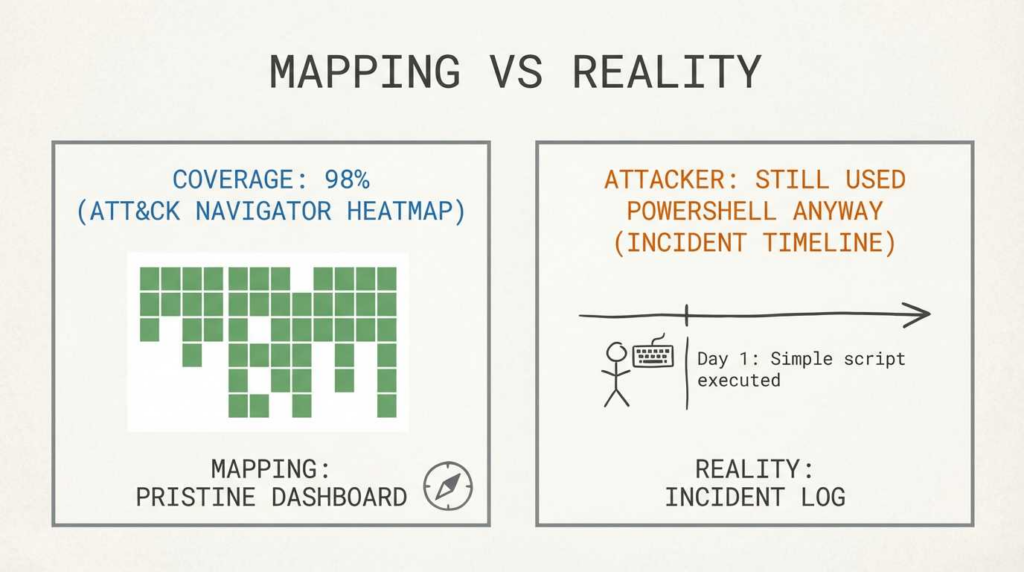
- Coverage Fallacy: Having one rule for a technique does not mean you are “covered.” A technique might have 50 different procedures. Coverage is a gradient, not a binary switch.
2.2 Data Sources: The Unsung Heroes
In recent versions of ATT&CK, “Data Sources” have become a structured object. This is critical for engineering.
If you want to detect T1003 (OS Credential Dumping), ATT&CK tells you the required Data Components are:
Command: Command ExecutionProcess: Process AccessProcess: Process CreationAction: Use this to audit your log shipping. If your EDR isn’t sending “Process Access” events to your SIEM, you cannot detect T1003 reliably, regardless of your analytics.
2.3 Framework Comparison
Security teams drown in acronyms. Here is how to distinguish them:
- ATT&CK: Describes the offense (Adversary behavior).
- D3FEND: Describes the defense (Countermeasures). A project by MITRE that maps back to ATT&CK.
- CAPEC: Focuses on application-level attack patterns (more granular/code-focused).
- ATLAS: Basically “ATT&CK for AI.” Vital for protecting LLM and ML pipelines.
When to Use Which Framework
| Framework | Primary Purpose | Typical Outputs | Best-fit Teams | Common Pitfalls |
|---|---|---|---|---|
| ATT&CK | Modeling adversary behavior | Detection rules, Threat Hunts | SOC, IR, Red Team | Treating it as a checklist to “finish.” |
| D3FEND | Modeling defensive capabilities | Technical architecture, Tool selection | Architects, Blue Team | assuming tools work exactly as defined. |
| CAPEC | Application logic attacks | Software weakness analysis | AppSec, DevSecOps | Confusing it with network/host techniques. |
| CVE | Tracking specific software bugs | Patch lists, Vulnerability scans | Vuln Mgmt, IT Ops | Ignoring misconfigurations (which aren’t CVEs). |
| ATLAS | AI/ML System threats | AI Risk Assessment, Guardrails | AI Security, Data Science | Applying standard enterprise rules to AI models. |

3. Mapping: Turning Messy Reality into Consistent ATT&CK Annotations
3.1 What “Good Mapping” Looks Like
Good mapping requires Context + Evidence.
- Bad: “Our firewall blocks port 445, so we cover T1021 (Remote Services).”
- Good: “Our EDR detects the
sc.execommand creating a service on a remote host (Evidence), which maps to T1021.002 (SMB/Windows Admin Shares) with High Confidence.”
3.2 Mapping Sources
Different sources map differently:
- Threat Intel: Maps observed behaviors to techniques to predict future moves.
- Incidents: Maps forensic artifacts found post-breach to reconstruct the kill chain.
- Detections: Maps logic (regex, query) to the specific technique it is designed to catch.
3.3 Versioning
ATT&CK updates twice a year. Techniques are deprecated, merged, or split (e.g., the “Masquerading” split was painful for many).
Governance: You must track which version of ATT&CK your tools use. If your SIEM is on v12 and your Threat Intel Provider is on v16, your mappings will break.
3.4 Accelerators: Decider and Mappings Explorer
- Decider: A tool by CISA/MITRE to help analysts map correctly by asking guided questions (“Is the adversary trying to steal data or destroy it?”).
- Mappings Explorer: Maintained by the Center for Threat-Informed Defense (CTID). It contains pre-mapped security controls for Azure, AWS, Splunk, etc. Use this as a starting point, but verify.
4. ATT&CK Navigator: Building Coverage Artifacts
4.1 Navigator in One Paragraph
ATT&CK Navigator is the standard web-based tool for visualizing the matrix. It allows you to color-code techniques based on scores, add comments, and filter by platform. It is best used for communicating “Heatmaps” of defense coverage to stakeholders who don’t want to read raw JSON.
4.2 Layer Files are JSON
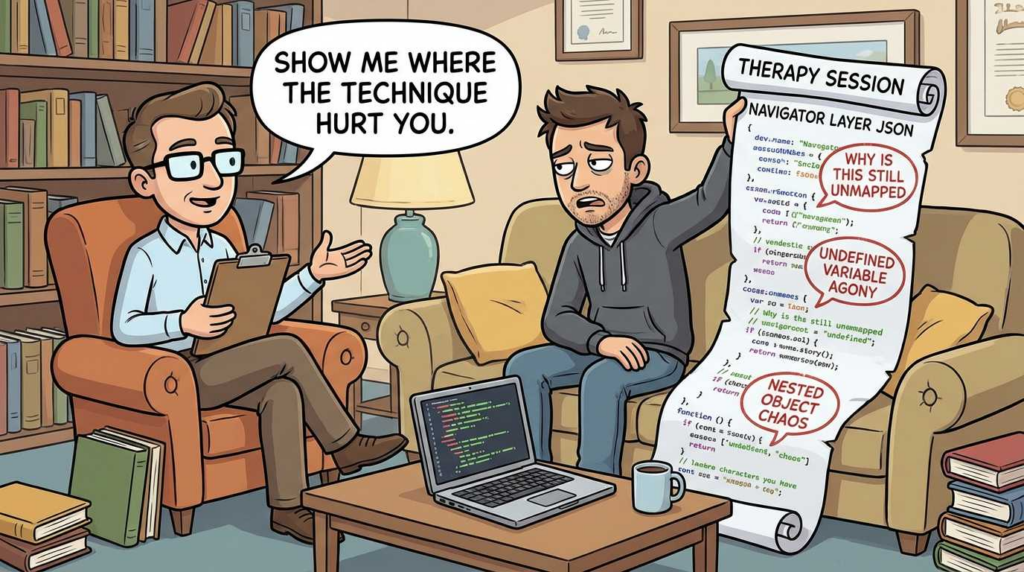
Navigator is a client-side app; it doesn’t send your data to MITRE. You save your work as a .json layer file. This is powerful because you can generate these JSON files programmatically (see Section 5).
4.3 Layer Design Patterns
- Coverage Heatmap: Green = High Confidence Detection, Yellow = Logged only, Red = Blind spot.
- Threat Overlay: Select a Group (e.g., APT29) and overlay your Coverage Heatmap to see “How well do we see APT29?”
Code Block 1: Minimal Navigator Layer JSON
JSON
{ "name": "Engineering Coverage Layer", "versions": { "attack": "16", "navigator": "5.0.0", "layer": "4.5" }, "domain": "enterprise-attack", "techniques": [ { "techniqueID": "T1059.001", "tactic": "execution", "score": 3, "color": "#66ff66", "comment": "Covered by EDR Block Rule: PowerShell Restricted Mode" }, { "techniqueID": "T1003", "score": 1, "color": "#ffff00", "comment": "Logs available, no active alert logic." } ], "gradient": { "colors": ["#ff6666", "#ffff00", "#66ff66"], "minValue": 0, "maxValue": 3 } }
5. Programmatic ATT&CK: STIX/TAXII for Automation
5.1 Why Teams Pull ATT&CK Data
Manual copying leads to errors. Advanced teams treat ATT&CK as a dataset. They pull the latest definitions into their SIEM or SOAR platforms automatically to tag incidents.
5.2 Official Data Access Paths
MITRE provides ATT&CK data via a public TAXII 2.0 server (Formatted in STIX 2.1). This is the machine-readable truth source.
Code Block 2: Python Example Pulling Techniques via TAXII
Python
`from taxii2client.v20 import Server from stix2 import Filter
def get_enterprise_techniques(): # Connect to MITRE’s public TAXII server server = Server(“https://cti-taxii.mitre.org/taxii/“) api_root = server.api_roots[0]
# The 'enterprise-attack' collection usually contains the matrix
# Note: Collection IDs change; dynamically finding the collection is best practice
# For brevity, we assume we found the Enterprise collection object
collection = next(c for c in api_root.collections if c.title == "Enterprise ATT&CK")

# Filter for Attack Patterns (Techniques)
filt = Filter("type", "=", "attack-pattern")
techniques = collection.get_objects(filter=filt)

clean_list = []
for t in techniques:
    # Check if revoked or deprecated
    if getattr(t, 'revoked', False) or getattr(t, 'x_mitre_deprecated', False):
        continue

    # Get external ID (e.g., T1059)
    ext_id = next((ref['external_id'] for ref in t.external_references if ref['source_name'] == 'mitre-attack'), None)

    clean_list.append({
        "name": t.name,
        "id": ext_id,
        "description": t.description
    })

return clean_list
output example: [{‘name’: ‘PowerShell’, ‘id’: ‘T1059.001’, …}]`
Code Block 3: “ATT&CK Diff” Script Idea
To maintain mapping hygiene, you need a “Diff” script.
Logic:
- Load
previous_attack.json(cached locally). - Fetch
current_attackfrom TAXII. - Compare
external_idlists. - Output: * New Techniques: Needs engineering review.
- Deprecated Techniques: Update SIEM tags or migrate to new ID.
- Name Changes: Update documentation.
6. Detection Engineering: From Rules to Measurable Coverage
6.1 A Practical Coverage Model
“We have a rule” is not a metric. Use a maturity tier:
- None: No visibility.
- Visibility: Logs exist (e.g., Sysmon Event ID 1), but no alerts.
- Detection: An alert fires, but may be noisy.
- Actionable: High-fidelity alert with context (User, Host, Parent Process).
6.2 Mapping Rules in SIEM Pipelines
Code Block 4: Sigma Rule Snippet
Sigma is a generic signature format. Note the tags field.
YAML
title: Suspicious PowerShell Download status: experimental logsource: category: process_creation product: windows detection: selection: Image|endswith: '\\powershell.exe' CommandLine|contains: 'Net.WebClient' condition: selection tags: - attack.execution - attack.t1059.001
Code Block 5: KQL (Microsoft Sentinel) Query
Annotating queries directly in the code allows for automated coverage dashboarding.
// @Name: PowerShell Web Client Download // @Technique: T1059.001 // @Tactic: Execution DeviceProcessEvents | where FileName =~ "powershell.exe" | where ProcessCommandLine has "Net.WebClient" | project TimeGenerated, DeviceName, AccountName, ProcessCommandLine
Coverage Score Rubric
| Score | Meaning | Evidence | Common Failure Mode | Fix |
|---|---|---|---|---|
| 0 | Blind | No logs ingested. | “We thought Windows logging was on by default.” | Enable Audit Policies / install EDR. |
| 1 | Logged | Logs exist in SIEM/Data Lake. | Logs roll over too fast (24h retention). | Tune noise, increase retention. |
| 2 | Rules Exist | Logic exists but untested. | Rule is disabled due to false positives. | Tune logic, use allow-listing. |
| 3 | Verified | Validated via Purple Team/Red Team. | Test worked once a year ago. | Continuous validation. |
7. Validation: Purple Teaming and Emulation
7.1 What “Verification” Means
Verification asks: “Does the sensor fire when the behavior actually happens?”
This must be safe. Do not detonate real ransomware. Use emulation tools that mimic the behavior (e.g., creating a file with a specific extension) without the malicious payload.
7.2 MITRE Engenuity ATT&CK Evaluations
These are public evaluations of commercial products (CrowdStrike, SentinelOne, Microsoft, etc.) against specific adversaries (e.g., APT29, Turla).
Engineer’s View: Don’t just look at the “100% coverage” marketing. Look at the type of detection. Did the tool generate a specific “Telemetry” event or a high-fidelity “General” alert? Did it require a configuration change (mss) during the test?
7.3 Building an Internal “Mini-Evals” Loop
- Select Technique: T1003.001 (LSASS Dumping).
- Generate Artifact: Use a safe tool (Atomic Red Team, Caldera) to dump LSASS to a temp file.
- Check SIEM: Did the alert fire?
- Update Navigator: Turn that square Green (Score 3).
8. CVE → ATT&CK: Linking Vulnerabilities to Behaviors
This is where the rubber meets the road. CVEs are the entry point; ATT&CK explains what happens next.
8.1 Why CVSS Fails Triage
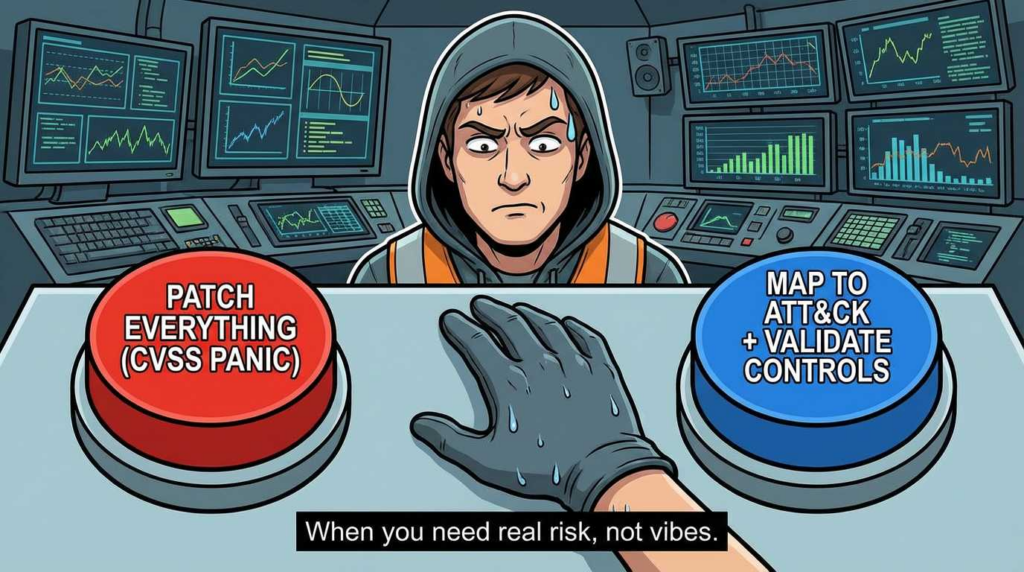
A CVSS 9.8 score tells you “it’s bad.” It doesn’t tell you how to catch the exploitation attempt. Mapping CVEs to ATT&CK Techniques (e.g., T1190 Exploit Public-Facing Application) helps you verify if you have the “safety net” detections in place even if you can’t patch immediately.
8.2 2026 Q1 Watchlist
- CVE-2026-24858 (Fortinet): FortiCloud SSO vulnerability. Exploitation leads to T1078 (Valid Accounts). Detection focus: Abnormal geo-location for admin logins.
- CVE-2026-24061 (GNU InetUtils): Telnetd auth bypass. Rare in modern enterprise, but critical in legacy Linux. Maps to T1133 (External Remote Services).
- CVE-2026-21962 (Oracle HTTP Server): Unauthenticated remote access. Maps to T1190. Detection: Web Application Firewall (WAF) anomalies and subsequent shell spawning (T1059).
8.3 Impactful Historical CVEs
- CVE-2021-44228 (Log4Shell): The ultimate example of T1190. Defenders learned to look for JNDI strings (Initial Access) and outbound LDAP connections (Command & Control).
- CVE-2023-4966 (CitrixBleed): Session token theft. Maps to T1550.002 (Use Flow Authentication Material).
CVE-to-ATT&CK Mapping Worksheet
| CVE | Affected Surface | Likely ATT&CK Techniques | Required Telemetry | Verification Approach |
| CVE-2026-24858 | FortiCloud SSO | T1078 (Valid Accounts) T1133 (External Remote Services) | SSO Identity Logs (IdP) VPN Logs | Attempt login from anomalous IP/Device (Red Team). |
| CVE-2026-21962 | Oracle WebLogic | T1190 (Exploit Public App) T1059 (Cmd/Scripting) | Web Server Access Logs Process Creation (Child processes of Java) | Replay safe HTTP exploitation strings against test instance. |
| CVE-2021-44228 | Java Apps (Log4j) | T1210 (Exploit Remote Svc) T1071 (App Layer Protocol) | Network Traffic (Outbound LDAP/RMI) Process Command Line | trigger JNDI lookup to internal listener (Canary token). |
9. Governance: Keeping ATT&CK Useful
9.1 Ownership Model
- SOC: Owns the Alerts and Triage logic mapped to techniques.
- Threat Intel: Owns the “Threat Actor” layers (Who is targeting us and what techniques do they use?).
- Red Team: Owns the validation (Proving the SOC’s mapping is accurate).
9.2 Metrics That Don’t Lie
Avoid “We cover 90% of the matrix.” That is impossible and likely false.
Better Metrics:
- Coverage by Top Threats: “We have Detection-level coverage for 85% of techniques used by Ransomware groups active in our sector.”
- Detection Quality: “50% of our mapped rules are High Fidelity; 30% are Tuned; 20% are noisy.”
10. Where Penligent Fits
From Mapping to Verification:
While manual mapping and Atomic Red Team tests are foundational, they often struggle to scale against the rapid release of new CVEs and complex attack chains. This is where Penligent fits into the engineering pipeline. Penligent’s AI-driven platform automates the verification loop, acting as an “autonomous purple teamer.” It doesn’t just check for a vulnerability; it attempts to execute the post-exploitation behaviors (The “ATT&CK” part) safely.
CVE Rapid Response + ATT&CK Framing:
When a new vulnerability like CVE-2026-24061 drops, security teams need to know two things: “Are we vulnerable?” and “Would we detect the exploitation?” Penligent validates the exposure and, crucially, maps the successful attack path back to ATT&CK IDs. This feeds directly into your coverage metrics, turning theoretical risk into verified data without burning engineering hours on manual reproduction.
11. FAQ
Q: What is the MITRE ATT&CK matrix?
A: It is a knowledge base of adversary behaviors (tactics and techniques) based on real-world observations, used to describe how attackers operate rather than just who they are.
Q: How is ATT&CK different from the Cyber Kill Chain?
A: The Kill Chain is a high-level, linear model (7 steps). ATT&CK is a granular, non-linear matrix of hundreds of techniques, offering much more detail for detection engineering.
Q: What is ATT&CK Navigator and what is a layer?
A: Navigator is a web tool to visualize the matrix. A “layer” is a JSON file containing scores and colors used to overlay data (like detection coverage) onto the matrix.
Q: How do I keep mappings current across ATT&CK versions?
A: Use tools like the CTID’s “attack-changes” repository or diff scripts. Review deprecated techniques annually and migrate rules to new sub-techniques.
Q: How do STIX/TAXII relate to ATT&CK automation?
A: STIX is the language (data format) ATT&CK uses; TAXII is the protocol (transport) to fetch it. They allow tools to automatically ingest the latest technique data.
Q: How do CVEs map to ATT&CK techniques without overfitting?
A: Map the CVE to the Initial Access technique (e.g., T1190) and the immediate impact (e.g., T1059 Command Execution). Don’t map every possible outcome, just the direct consequences.
12. Resources
- MITRE ATT&CK (Official Site)
- ATT&CK Navigator
- MITRE Engenuity ATT&CK Evaluations
- ATT&CK Data & Tools (STIX/TAXII)
- Microsoft Security 101: What is MITRE ATT&CK
- Center for Threat-Informed Defense (Mappings Explorer)
- NVD – CVE-2021-44228 (Log4Shell)
- PentestGPT vs. Penligent AI in Real Engagements
- The Dawn of Autonomous Offensive Security
- CVE-2026-21962 Analysis (Oracle HTTP/WebLogic)
- CVE-2026-24061 Deep Dive
 English
  German
  French
  Spanish
  Portuguese
  Japanese
  Korean
  Hindi
Hindi  Arabic
  Turkish
  Hebrew