
What CVE-2018-8440 is and why security teams still look it up years later
CVE-2018-8440 is a Windows local privilege escalation vulnerability tied to how Windows handled calls to Advanced Local Procedure Call (ALPC). NVD describes it as a Windows ALPC elevation of privilege issue affecting a broad set of Windows client and server versions, including Windows 7, Windows 8.1, Windows 10, and multiple Windows Server releases. (NVD)
That single sentence matters, but it does not explain why this CVE still gets searched by practitioners. The practical answer is simple: this was not just a theoretical local bug. CERT/CC documented that public exploit code worked on 64-bit Windows 10 and Windows Server 2016 (with 32-bit compatibility achievable with minor changes), and explicitly noted that the vulnerability was being exploited in the wild. (مركز تنسيق فرق الاستجابة للطوارئ والإنقاذ في حالات الطوارئ) ESET later reported real-world malicious use by the PowerPool group shortly after public disclosure. (welivesecurity.com)
There is also a modern prioritization signal: NVD now shows this CVE in CISA’s Known Exploited Vulnerabilities catalog, including a date added (03/28/2022) and a required action deadline for federal agencies (04/18/2022). (NVD) That is not just historical trivia. It tells defenders that the vulnerability crossed the line from “publicly known” to “operationally exploited enough to warrant formal remediation pressure.”
If you manage Windows endpoints, run red/blue exercises, build detection content, or design automation for patch validation, CVE-2018-8440 remains a useful case study because it teaches a durable lesson: privilege boundaries often fail not because cryptography breaks, but because a trusted service performs an operation on behalf of a user without applying the right security context at the right time. That lesson ages very slowly.
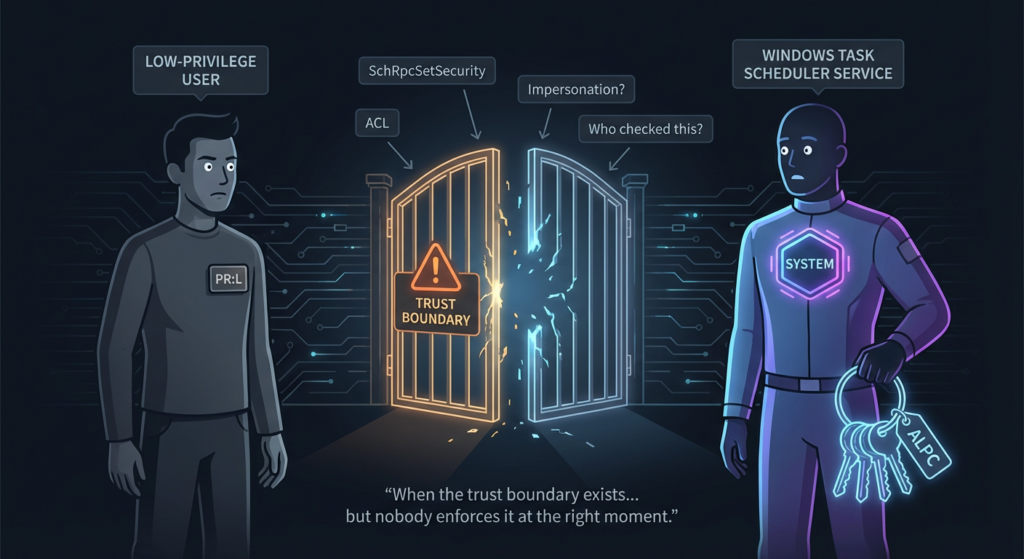
The search intent behind cve-2018-8440 and the terms that actually matter
When practitioners search for cve-2018-8440, they are usually not looking for a one-line CVE description. They are looking for one of a small set of questions, which show up repeatedly across the search results and article titles:
- “Task Scheduler ALPC exploit”
- “Windows ALPC elevation of privilege”
- “CVE-2018-8440 exploit”
- “SchRpcSetSecurity”
- “SandboxEscaper”
- “in the wild”
- “patch / mitigation”
- “how to detect”
- “what versions are affected”
You can see this pattern in NVD’s naming, CERT/CC’s Task Scheduler + ALPC framing, Rapid7’s Metasploit module page title, Exploit-DB’s ALPC local privilege escalation entry, and Kevin Beaumont’s “Task Scheduler ALPC exploit” write-up. (NVD)
That pattern matters for content quality because it reveals the real job-to-be-done for the reader:
- Understand the vulnerability in technical but readable terms.
- Understand how attackers use it in a chain.
- Confirm whether it matters in their environment.
- Patch it (or at least mitigate) safely.
- Verify remediation with evidence.
- Monitor for suspicious behavior that looks like exploitation attempts or post-exploitation effects.
This article is built around those needs.
The canonical definition and what the scoring does and does not tell you
NVD describes CVE-2018-8440 as an elevation of privilege vulnerability caused by improper handling of ALPC calls in Windows. It lists affected Windows versions across clients and servers and assigns a CVSS v3.1 base score of 7.8 (High) with a local attack vector (AV:L) and low privileges required (PR:L). (NVD)
NVD also shows the same v3.1 vector through CISA-ADP enrichment and includes references to Microsoft’s vendor advisory, 0patch research, and CISA KEV. (NVD)
A few practical notes for defenders:
- 7.8 High is useful but incomplete. It tells you this is serious, but it does not capture how often the bug gets chained after initial access or how widely public PoC code circulates.
- Local privilege escalation is often under-prioritized in immature programs. Teams sometimes over-focus on remote CVEs, even when LPE is exactly what turns a foothold into SYSTEM.
- KEV inclusion changes the conversation. Once a vulnerability is known to be exploited in the wild, patch urgency should be driven by exposure + exploitability + operational relevance, not just severity score. NVD’s KEV indicator and dates make that explicit in this case. (NVD)
NVD’s change history is also a good reminder that vulnerability records evolve. For CVE-2018-8440, NVD shows later modifications including CVSS v3.1 normalization and CISA-ADP references added in 2025. (NVD) If your internal vulnerability platform snapshots data once and never refreshes, you can miss important contextual upgrades.
What actually went wrong in Windows Task Scheduler at a high level
The most helpful technical descriptions for practitioners come from CERT/CC, Rapid7, Exploit-DB, and Kevin Beaumont’s analysis. The common thread is the Task Scheduler ALPC endpoint and specifically the SchRpcSetSecurity method. (مركز تنسيق فرق الاستجابة للطوارئ والإنقاذ في حالات الطوارئ)
Here is the core issue in plain terms:
- Task Scheduler exposes functionality through an ALPC interface.
- A method intended to set security descriptors (DACLs) for task-related files behaves differently depending on which path/file it is touching.
- In the vulnerable path, the service does not correctly enforce the caller’s security context (impersonation behavior becomes the critical point).
- A low-privileged local user can abuse this behavior to get the service to write an arbitrary DACL to a file they should not control, provided they can set up the right file indirection conditions.
- Once the ACL on a target file is weakened or rewritten, the attacker can pivot into file overwrite or replacement opportunities and then wait for privileged execution paths to do the rest.
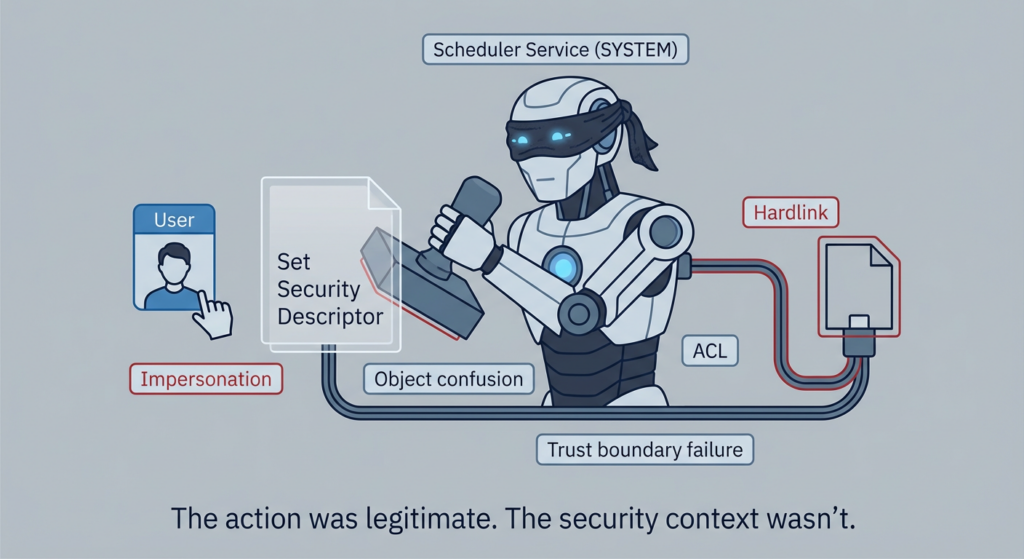
Rapid7’s module page summarizes the flaw in a way defenders should study carefully: on vulnerable versions, the SchRpcSetSecurity method can be used to write arbitrary DACLs to .job files in C:\\Windows\\Tasks because the scheduler does not use impersonation when checking that location; because users can create files in that folder, a hardlink can be created to a file the user can read, and the vulnerability is then triggered to set the DACL on the linked file. (رابيد7)
Exploit-DB’s entry (EDB-ID 45280) provides a similar explanation and notes that the primitive becomes powerful because it gives a path to take control of files that can later be leveraged toward privileged execution, including the demo/hijack path involving a printing-related DLL. (استغلال قاعدة البيانات)
This is why CVE-2018-8440 is such a good training case for serious engineers: it is not “magic Windows exploit dust.” It is a trust-boundary error around who checks permissions, under which identity, and on what object actually ends up being modified.
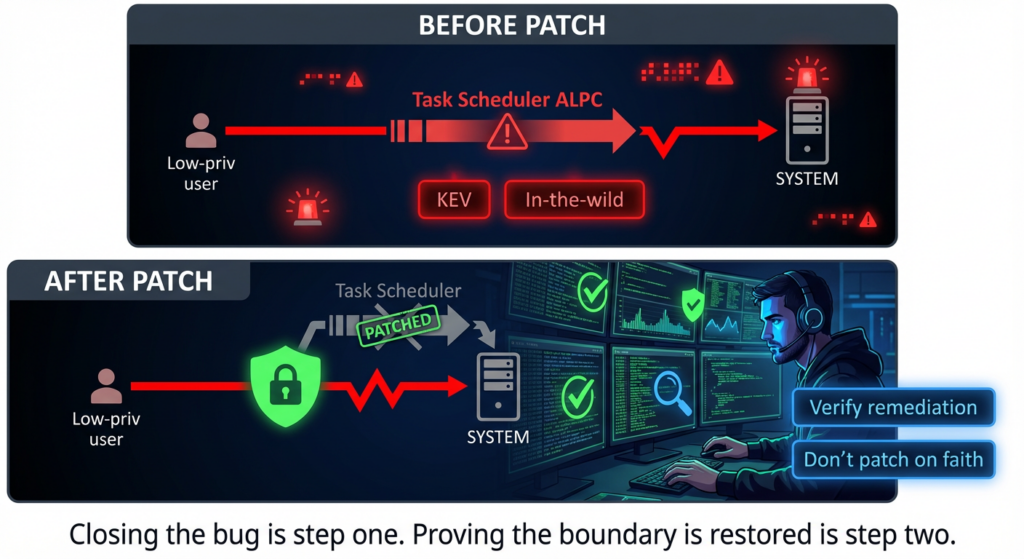
Why this bug became operationally dangerous so fast
The timeline is the story.
Public exploit details and code were released without coordinated disclosure, which immediately reduced the gap between researcher knowledge and attacker capability. Multiple sources describe the rapid transition from disclosure to abuse, including CERT/CC’s “being exploited in the wild” note and ESET’s reporting that PowerPool used the exploit within days. (مركز تنسيق فرق الاستجابة للطوارئ والإنقاذ في حالات الطوارئ)
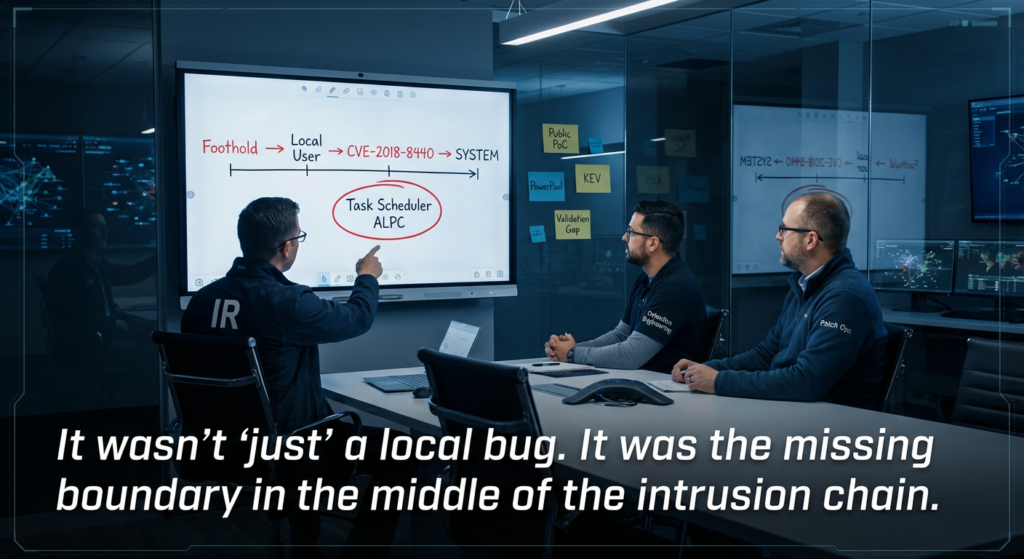
ESET’s write-up is particularly useful because it captures a common defender failure mode: teams treat local privilege escalation bugs as lower priority because “you need code execution first.” In real intrusions, that condition is often already satisfied. Once an attacker lands as a user (malspam, script execution, macro-era foothold, stolen credentials, or a low-privileged agent), local privilege escalation is what improves persistence, credential access, and resistance to cleanup. ESET explicitly frames the vulnerability as an ALPC LPE and documents malicious campaign usage soon after disclosure. (welivesecurity.com)
CERT/CC also confirmed public exploit compatibility across major Windows targets, which likely increased confidence for both defenders and attackers that this was not a fragile, one-machine trick. (مركز تنسيق فرق الاستجابة للطوارئ والإنقاذ في حالات الطوارئ)
From an operations perspective, CVE-2018-8440 had several properties that increase real-world risk:
- public PoC availability,
- broad Windows impact,
- clear SYSTEM escalation potential,
- exploitability after a common attacker milestone (local code execution),
- and a practical path to abuse trusted Windows service behavior.
This is exactly the kind of CVE that can look “merely local” on a spreadsheet and become highly consequential in a breach.
A short, safe mental model of the exploitation chain
Without reproducing or weaponizing exploit steps, it is still useful to understand the attack shape at a high level:
- Attacker gains local execution as a low-privileged user (or authenticated local context).
- Attacker interacts with the vulnerable ALPC path in Task Scheduler.
- Service writes security data under an overly trusted context to the wrong underlying file object (because the check/use path and identity handling are flawed).
- Attacker gains control over a target file’s effective permissions and then overwrites or replaces a file that participates in a privileged execution flow.
- A trusted system process loads/executes the attacker-controlled content, resulting in elevated execution (SYSTEM).
This model matches the descriptions in CERT/CC, Rapid7, and Exploit-DB, while keeping the discussion defender-focused. (مركز تنسيق فرق الاستجابة للطوارئ والإنقاذ في حالات الطوارئ)
If you build detections or threat models, the key insight is not “memorize this CVE.” It is “monitor for suspicious transitions between low-privileged file/object manipulation and privileged process file loads, especially when Task Scheduler and unusual ACL changes appear in the same analytic story.”
Affected platforms and scope, with a note about asset reality
NVD lists a broad range of affected Windows versions, including Windows 7/8.1/10 and Windows Server 2008/2012/2016 variants. (NVD) That historical breadth is why this CVE still shows up in asset audits, security training, and legacy-environment risk reviews.
For modern organizations, the real question is not “is this still affecting fully patched Windows 11 fleets?” The real questions are:
- Do we still have legacy Windows systems in labs, factories, test rigs, or isolated business workflows?
- Do we have gold images, archived VMs, or offline templates that predate this patch?
- Do our patch compliance dashboards confirm installation, or just intended deployment?
- Can we prove remediation on endpoints that are intermittently connected?
Those are the questions that turn an old CVE into a current operational task.
Public exploit references and what they are useful for in defensive work
Exploit-DB lists the public exploit entry as EDB-ID 45280, attributed to SandboxEscaper, with a date of 2018-08-28 and a Windows local exploit classification. The entry includes a technical explanation and references a linked source/advisory. (استغلال قاعدة البيانات) Rapid7 also published a Metasploit module entry for Microsoft Windows ALPC Task Scheduler local privilege elevation, including caveats about behavior and target impact during exploit execution. (رابيد7)
From a defender’s standpoint, these public exploit references are useful for three reasons:
- They help you understand attacker workflow assumptions.
- They surface likely target artifacts and file paths defenders can monitor (even if attacker variants differ).
- They allow validation of security controls in a controlled lab environment without inventing your own tests.
They are not a substitute for patching, and they are not a reason to “test in production and hope.” But they are valuable intelligence for building realistic detections and verification playbooks.
In-the-wild exploitation and the PowerPool signal
CERT/CC states the vulnerability was being exploited in the wild. (مركز تنسيق فرق الاستجابة للطوارئ والإنقاذ في حالات الطوارئ) ESET’s PowerPool reporting adds important context: the exploit was used by a real threat group shortly after public disclosure, and ESET observed modified use rather than simple copy-paste binary reuse, which is a common sign that public exploit release lowers the barrier but not necessarily the creativity of attackers. (welivesecurity.com)
This matters because defenders often ask, “Was it truly exploited, or just a noisy PoC?” In this case, the answer is stronger than rumor. The vulnerability is documented as exploited by reputable sources and later reflected in KEV context. (NVD)
If you run threat-informed defense programs, CVE-2018-8440 is a good example of why your prioritization pipeline should ingest more than CVSS:
- vendor advisories,
- CERT notes,
- exploitation reports,
- KEV status,
- and public exploit availability.
Patching, mitigation, and the tradeoff defenders must manage
CERT/CC’s primary recommendation is straightforward: apply Microsoft’s update for CVE-2018-8440. (مركز تنسيق فرق الاستجابة للطوارئ والإنقاذ في حالات الطوارئ) That is the correct primary action.
CERT/CC also documents a temporary mitigation idea—setting ACLs on C:\\Windows\\Tasks—but includes an explicit caution: the mitigation was not Microsoft-approved and could break components using the legacy task scheduler interface, including SCCM/SCEP-related behavior. (مركز تنسيق فرق الاستجابة للطوارئ والإنقاذ في حالات الطوارئ) This is the kind of detail that separates useful operational guidance from generic “apply workaround” advice.
There are two practical lessons here:
أولاً, mitigations are not free. Temporary controls may reduce exploitability while introducing compatibility risk. If you apply one, you need rollback criteria and monitoring.
ثانياً, patching alone is not enough if you do not validate effective state. Windows fleets drift. Images revert. Systems miss maintenance windows. Security teams need a repeatable way to prove remediation, not just assume it.
Why “patched” is not the same as “safe”
Security programs still lose time and credibility because they stop at deployment intent:
- “The patch was approved.”
- “The patch was pushed.”
- “The patch was included in the monthly ring.”
- “The ticket is closed.”
None of these statements proves the endpoint is no longer vulnerable.
For a vulnerability like CVE-2018-8440, robust remediation means at least four things:
- The relevant Microsoft update actually installed successfully on the endpoint.
- The endpoint reboot/reload state is complete where required by update behavior.
- The vulnerable execution path is no longer reachable in practice.
- Detection logic is updated so any attempted use of legacy exploit patterns is visible, even if blocked.
NVD’s record evolution and KEV linkage also remind us that the metadata around a CVE can change over time. A vulnerability management process that treats the CVE record as static misses context that helps explain risk to stakeholders. (NVD)
Detection strategy for CVE-2018-8440 style abuse
There is no single “magic event ID” that solves this class of problem across every environment. Strong detection for CVE-2018-8440-like behavior is layered and behavior-oriented.
At a high level, you want to detect suspicious combinations of:
- abnormal file ACL changes on protected or high-value paths,
- hardlink abuse or unusual file object relationships (where your telemetry supports it),
- Task Scheduler-related activity paired with unexpected file permission modifications,
- overwrite/replace behavior targeting DLLs or files used by privileged services,
- privileged process loads of recently modified binaries from sensitive paths.
CERT/CC specifically references Sysmon detection guidance from Kevin Beaumont as an additional defensive measure. (مركز تنسيق فرق الاستجابة للطوارئ والإنقاذ في حالات الطوارئ) Even if your environment uses a different telemetry stack, that recommendation reflects a broader truth: instrumentation plus behavior rules is how you narrow the window between exploit publication and reliable defense.
Example detection checklist for engineering teams
Use this as a practical planning checklist rather than a claim that one vendor rule solves everything:
| Control Area | What to Check | ما أهمية ذلك |
|---|---|---|
| Patch compliance | Endpoint has the relevant Windows security update installed | Removes the vulnerable code path |
| Endpoint visibility | Sysmon/EDR coverage includes file, process, and scheduler-adjacent events | Needed for post-patch validation and anomaly detection |
| File integrity monitoring | Sensitive DLLs and service-loaded files are monitored for unexpected modification | Exploit chains often pivot through file replacement |
| ACL change analytics | Watch for abnormal DACL changes on system paths | Vulnerability primitive involves security descriptor abuse |
| Threat hunting | Hunt historical signs of suspicious local escalation chains | Legacy systems may have been abused before patching |
| Exception tracking | Any systems using mitigations instead of patches are documented and monitored | Temporary mitigations can drift or break workloads |
Example Sigma-style analytic sketch for suspicious post-exploitation patterns
The following is intentionally conservative and non-weaponized. It is a starting point for defenders to adapt to their telemetry schema.
title: Suspicious System File Permission Change Followed by Privileged Process Load
id: 8a6c2f0d-cve-2018-8440-pattern
status: experimental
description: |
  Detects a sequence pattern consistent with local privilege escalation abuse
  involving system file ACL modification followed by privileged process image/DLL load.
references:
  - CVE-2018-8440
  - CERT/CC VU#906424
logsource:
  product: windows
detection:
  selection_acl_change:
    EventType|contains:
      - "FilePermissionChanged"
      - "SecurityDescriptorChanged"
    TargetFilename|contains:
      - "\\\\Windows\\\\System32\\\\"
      - "\\\\Windows\\\\Tasks\\\\"
      - "\\\\Windows\\\\System32\\\\DriverStore\\\\FileRepository\\\\"
  selection_privileged_load:
    EventType|contains:
      - "ImageLoad"
      - "ProcessCreate"
    User|contains:
      - "SYSTEM"
  timeframe: 5m
  condition: selection_acl_change followed_by selection_privileged_load
falsepositives:
  - Legitimate admin maintenance
  - Software installation / patching activity
level: high
This kind of analytic will need environment-specific tuning. The value is in the sequence logic, not the exact field names.
Safe, practical verification steps after patching
A mature remediation workflow for a CVE like this should produce evidence, not just compliance percentages.
A defensible remediation verification workflow
- Scope assets Identify Windows systems in the affected families and long-lived server images. Use inventory sources that include version/build and patch state.
- Confirm patch deployment and installation Differentiate “assigned” vs “installed” vs “installed successfully.”
- Prioritize by exposure and role Servers, shared jump hosts, multi-user systems, and any system likely to host untrusted code execution should be verified first.
- Validate telemetry Confirm logging coverage exists before you declare success; otherwise you cannot verify suspicious behavior or attempted exploitation.
- Run non-destructive checks Validate file ACL baselines on sensitive paths and ensure no unexpected deviations remain.
- Document evidence Store endpoint-level proof (patch KB presence, timestamp, collector output, validation log) in a form leadership and auditors can understand.
Example PowerShell inventory and patch evidence collection (defensive)
This example collects patch inventory and basic OS info. It does لا attempt exploitation and is safe to use as a baseline component in remediation reporting.
# Collect Windows version and installed hotfix evidence (defensive inventory)
$computer = $env:COMPUTERNAME

$os = Get-CimInstance Win32_OperatingSystem | Select-Object `
    CSName, Caption, Version, BuildNumber, LastBootUpTime

$hotfixes = Get-HotFix | Select-Object `
    HotFixID, Description, InstalledOn | Sort-Object InstalledOn -Descending

$result = [PSCustomObject]@{
    ComputerName   = $computer
    OSCaption      = $os.Caption
    OSVersion      = $os.Version
    BuildNumber    = $os.BuildNumber
    LastBootUpTime = $os.LastBootUpTime
    HotfixCount    = ($hotfixes | Measure-Object).Count
    CollectedAt    = (Get-Date).ToString("s")
}

$result | Format-List
"`nTop 20 Hotfixes:`n"
$hotfixes | Select-Object -First 20 | Format-Table -AutoSize
In enterprise workflows, this script would typically be extended to export JSON/CSV and sent to a central evidence store.
Example file ACL baseline check for sensitive paths (defensive)
The purpose here is to identify unusual ACL drift on paths often involved in service execution and system trust boundaries.
# Defensive ACL snapshot for selected high-value paths
$paths = @(
    "C:\\Windows\\Tasks",
    "C:\\Windows\\System32",
    "C:\\Windows\\System32\\Tasks"
) | Where-Object { Test-Path $_ }

$aclReport = foreach ($p in $paths) {
    try {
        $acl = Get-Acl -Path $p
        [PSCustomObject]@{
            Path = $p
            Owner = $acl.Owner
            AccessRules = ($acl.Access | ForEach-Object {
                "$($_.IdentityReference):$($_.FileSystemRights):$($_.AccessControlType):Inherited=$($_.IsInherited)"
            }) -join " | "
        }
    } catch {
        [PSCustomObject]@{
            Path = $p
            Owner = "ERROR"
            AccessRules = $_.Exception.Message
        }
    }
}

$aclReport | Format-Table -Wrap -AutoSize
This is not a replacement for full FIM/EDR telemetry, but it is useful for quick validation and baseline documentation during remediation sprints.
What defenders can learn from 0patch’s analysis without copying exploit behavior
0patch’s coverage is useful not only because it reacted quickly, but because it frames the vulnerability around service identity and trust assumptions. The blog explains the publicly dropped 0day context and highlights that a local unprivileged user could change permissions of arbitrary files and then abuse a privileged execution path; it also later notes Microsoft’s official fix availability. (0patch Blog)
For defenders, the key takeaway is conceptual:
- The problem was not “Task Scheduler exists.”
- The problem was what the service was willing to do on behalf of an unprivileged caller under the wrong effective security context.
That distinction helps when you review other Windows bugs. You are looking for recurring anti-patterns:
- privileged service touching attacker-influenced objects,
- mismatched access checks,
- path/object confusion,
- impersonation omissions,
- writable-to-loadable file transitions.
Those patterns show up again and again across operating system and enterprise software vulnerabilities.
CVE-2018-8440 in the broader Patch Tuesday and exploit-chaining context
Trend Micro’s September 2018 Patch Tuesday coverage called out CVE-2018-8440 as the ALPC elevation-of-privilege flaw that had public source disclosure and active malicious use, while also noting other vulnerabilities fixed that month (including serious RCE cases such as CVE-2018-8475). (www.trendmicro.com)
This is worth emphasizing because attackers do not organize themselves around “one CVE per campaign.” They chain capabilities:
- initial access,
- execution,
- privilege escalation,
- persistence,
- lateral movement,
- collection/exfiltration.
A local privilege escalation like CVE-2018-8440 becomes more dangerous in environments where there are also browser, document, script engine, or user-interaction attack paths delivering the initial foothold. The exact chain varies, but the operational logic does not.
CISA’s KEV ecosystem also reflects this chaining reality at a portfolio level. Even the CISA print/search snippets around this CVE mention related exploitation context, and NVD’s KEV linkage formalizes the “this was actually used” signal. (CISA)
Why this old Windows LPE still matters in 2026-era security programs
Some teams dismiss older CVEs as “museum pieces.” That is a mistake for at least five reasons.
Legacy exposure is real
Many organizations still operate Windows versions and server builds that persist in:
- manufacturing environments,
- medical devices,
- test labs,
- air-gapped or intermittently connected networks,
- merger/acquisition inherited systems,
- backup/restore images,
- and training ranges.
If a CVE affects broad Windows generations, it remains relevant as long as those systems exist.
Public exploit knowledge becomes attacker training material
Even when a specific exploit implementation no longer works everywhere, the underlying technique teaches adversaries and defenders alike how to think about Windows trust boundaries. Public exploit write-ups and module notes help attackers iterate and help defenders build better controls. (استغلال قاعدة البيانات)
KEV status changes governance conversations
Once a vulnerability is in KEV, it often gets elevated in executive and audit discussions. NVD explicitly displays CVE-2018-8440 as present in CISA’s KEV catalog and includes the required action date context. (NVD) That matters for policy, exception handling, and prioritization narratives.
“Patched” environments still need verification
Remediation gaps happen for mundane reasons: failed installs, missed reboot windows, dormant systems, and stale images. Vulnerabilities like CVE-2018-8440 are excellent candidates for a verify-first patch assurance process.
The trust-boundary lesson transfers
Even if you never touch this exact CVE again, the engineering lesson transfers to modern bugs in OS services, enterprise agents, backup tools, endpoint software, and management platforms: if a privileged component acts on attacker-controlled input or objects without correct access enforcement, you may get a privilege escalation primitive.
This is one of the cases where a Penligent mention can be natural and useful, because the hard part for many teams is not reading the advisory; it is turning advisory knowledge into repeatable verification across real assets.
A platform like Penligent can help bridge that gap by standardizing a workflow such as: collect asset evidence, confirm patch state, run defensive verification checks, test for risky drift in ACLs or file integrity indicators, and produce a report that clearly separates “patched,” “verified,” and “needs follow-up.” That is especially useful for CVEs like CVE-2018-8440 where exploitation depends on a local chain and the security team needs more than a CVSS score to explain urgency.
It can also help teams operationalize the “confidence vs evidence” problem. Public intelligence (NVD, CERT/CC, KEV, exploit references) tells you what matters; internal validation tells you whether your environment is actually protected. For legacy Windows fleets and mixed operational environments, that evidence-driven loop is what reduces risk, not a dashboard that only shows patch assignment percentages.
A practical remediation and validation playbook you can adopt
Below is a pragmatic playbook that works well for CVE-2018-8440 and other Windows local privilege escalation vulnerabilities with public exploitation history.
Phase 1: Triage and scope
- Pull all Windows assets matching affected OS families from CMDB/EDR/inventory.
- Identify high-risk buckets first: shared hosts, servers, jump boxes, RDP-heavy systems, build agents, and any host where user-level code execution is plausible.
- Mark disconnected or exception-based systems early. These are where “we thought it was patched” stories usually come from.
Phase 2: Patch and configuration action
- Apply vendor updates per Microsoft guidance (via your standard patch channels).
- Avoid relying on temporary mitigations unless patching is not immediately possible.
- If a mitigation is applied (like ACL changes), track owner, rollback plan, and compatibility validation. CERT/CC’s caution about potential breakage should be taken seriously. (مركز تنسيق فرق الاستجابة للطوارئ والإنقاذ في حالات الطوارئ)
Phase 3: Evidence collection
Collect and store:
- OS version/build,
- installed hotfix list,
- patch timestamps,
- reboot status / last boot time,
- relevant security tooling coverage (EDR/Sysmon),
- sample file ACL snapshots for critical paths,
- detection rule deployment state.
Phase 4: Validation and analytics
- Run non-destructive checks to ensure expected hardening state.
- Confirm security logs are arriving and parsable.
- Validate that high-priority detections for suspicious ACL modifications and system file changes are enabled and not obviously broken.
- Review recent endpoint events for signs of local escalation attempts, especially in environments that were patched late.
Phase 5: Report and close with evidence
Close tickets with proof, not assumptions. A strong closure note includes:
- “Patched on X of Y systems”
- “Verified on X systems with endpoint evidence”
- “N systems pending due to exceptions”
- “Temporary mitigations applied to N systems with owner and rollback date”
- “Detection content deployed and tested”
That kind of closure is credible to security leadership, IT operations, and auditors.
Common mistakes when teams handle CVE-2018-8440 style bugs
Treating local privilege escalation as “lower priority by default”
If the attacker already has local execution, LPE can be the step that turns a manageable incident into a full compromise. CVE-2018-8440 was exploited in the wild; history already answered the prioritization argument. (مركز تنسيق فرق الاستجابة للطوارئ والإنقاذ في حالات الطوارئ)
Confusing patch deployment intent with endpoint remediation
“Pushed” is not “installed.” “Installed” is not “verified.” “Verified” is not “monitored.”
Over-relying on brittle IOC-only detections
Public PoC code changes quickly. Behavior-based detection around ACL changes, file replacement patterns, and privileged process loads tends to survive variants better.
Applying mitigations without compatibility testing
CERT/CC’s warning about potential breakage from ACL changes to C:\\Windows\\Tasks is a good example of why workaround governance matters. (مركز تنسيق فرق الاستجابة للطوارئ والإنقاذ في حالات الطوارئ)
Forgetting to refresh CVE context over time
NVD records evolve. CVE-2018-8440 gained additional references and CISA-ADP/KEV context later, and that can affect prioritization and audit messaging. (NVD)
The engineering lesson behind CVE-2018-8440
CVE-2018-8440 is not only a Windows story. It is a systems engineering story.
The recurring pattern is this:
- A privileged service exposes a function that is legitimate in intent.
- The service trusts a path, object, or access check under the wrong assumptions.
- The attacker does not need to break crypto, bypass ASLR directly, or invent a new primitive.
- They only need to get the trusted component to perform a sensitive action on the wrong object, with the wrong security context.
That pattern shows up across operating systems, endpoint software, management platforms, backup products, and enterprise agents. If you train your team to recognize the pattern, your detection and code review quality improves across many CVEs, not just this one.
Final takeaways for security engineers
CVE-2018-8440 remains worth understanding because it combines almost everything that makes a vulnerability operationally important:
- broad Windows exposure at the time,
- public exploit availability,
- strong local privilege escalation impact,
- in-the-wild abuse,
- and a clean lesson about trust boundaries and impersonation errors. (مركز تنسيق فرق الاستجابة للطوارئ والإنقاذ في حالات الطوارئ)
For defenders in 2026, the practical move is not to obsess over a single old CVE. It is to use CVE-2018-8440 as a template for better process:
- prioritize using exploit reality, not just severity,
- patch fast,
- verify with evidence,
- monitor for behavior,
- and preserve institutional knowledge about how privileged services fail.
That is how you turn historical vulnerabilities into durable defensive advantage.
المراجع
- NVD entry for CVE-2018-8440
- CERT/CC VU#906424 advisory
- Exploit-DB entry EDB-ID 45280
- Rapid7 Metasploit module page (ALPC Task Scheduler LPE)
- ESET report on PowerPool exploiting the ALPC LPE zero-day
- 0patch analysis of the publicly dropped Task Scheduler 0day
- Penligent Hacking Labs
- CVE-2026-2441 The Chrome CSS Zero-Day You Must Patch and Prove Across the Fleet
- CVE-2026-22769 and the Backup Infrastructure Trust Problem
- From White-Box Findings to Black-Box Proof

 Arabic
  English
  German
  French
  Spanish
  Portuguese
  Japanese
  Korean
  Hindi
Hindi  Turkish
  Hebrew