
What happened, in one paragraph that you can brief to leadership
A high-severity Chrome vulnerability, CVE-2026-0628, allowed a malicious browser extension to inject script or HTML into a privileged Gemini Live in Chrome panel and effectively “ride” the AI assistant’s higher-trust execution context. The practical impact wasn’t limited to webpage tampering. In the scenario described by Palo Alto Networks Unit 42, a hijacked Gemini panel could enable actions such as accessing local files and directories, taking screenshots of websites, and starting the camera and microphone without user consent beyond launching Gemini. Google fixed the issue in the Stable Channel update for Desktop on January 6, 2026 (Chrome 143.0.7499.192/.193), but the core lesson remains: when AI is embedded as a browser-native component with tool-like privileges, classic boundary mistakes become high-impact again. (Unit 42)
Chrome Gemini Vulnerability, the high-intent terms people are searching with
Security engineers aren’t searching for poetic names. They search the nouns that map to actions, versions, and mitigations. Across the most-circulated reporting and the primary technical write-up, these phrases show up repeatedly in headlines, summaries, and triage workflows:
- Chrome Gemini Vulnerability
- CVE-2026-0628
- Gemini Live in Chrome hijack
- Chrome extension privilege escalation
- declarativeNetRequest abuse
- Chrome WebView tag insufficient policy enforcement
- Disable Gemini in Chrome
- Chrome extension allowlist / blocklist
- Chrome Enterprise GeminiSettings
- Camera microphone access via Chrome (Unit 42)
If you want your article to win search intent, you anchor on those phrases where they naturally belong: in the problem statement, in the fix checklist, in the “how to validate you’re not exposed” steps, and in the enterprise policy section.
What Gemini Live in Chrome is, and why it changes the risk math
Gemini Live in Chrome is positioned as a conversational, real-time assistant embedded into the browsing experience. On a computer, users can “go live” and speak naturally with Gemini while browsing, including asking questions about a page, brainstorming, and getting help finding information on the current page. The help documentation makes the privilege model visible: Live requires access to microphone and speaker, and the feature includes controls such as Share current tab by default و Let Gemini browse for you. It also supports managing shared tabs, potentially across multiple recent tabs. (Google Help)
That is the key security shift.
A conventional browser extension usually operates under a permissions model that still assumes the browser is the “kernel” enforcing separation. But an AI side panel that can read page content, share tabs, take screenshots, and interact with devices is, functionally, a new privileged surface—a browser-native agent that needs broader capabilities to be useful. Unit 42 explicitly frames this as part of a broader wave of “agentic browsers” or “AI browsers,” where the assistant sits in a side panel and performs multi-step operations with a multimodal understanding of what the user sees. (Unit 42)
When you embed that assistant inside the browser, security assumptions flip: an attacker doesn’t need remote code execution to cause meaningful harm. If they can influence the assistant’s privileged surface—through a design gap or enforcement bug—they can often get to the same outcomes: data exposure, stealthy surveillance, and trusted UI phishing.
CVE-2026-0628 facts, the fast sheet
| الحقل | القيمة |
|---|---|
| مكافحة التطرف العنيف | CVE-2026-0628 (NVD) |
| الخطورة | High; CVSS v3.1 base score 8.8 as provided via CISA-ADP in NVD (NVD) |
| Root description | Insufficient policy enforcement in WebView tag allowed a malicious extension to inject scripts or HTML into a privileged page (NVD) |
| الإصدارات المتأثرة | Google Chrome versions prior to 143.0.7499.192 (NVD) |
| الإصدارات الثابتة | Desktop Stable updated to 143.0.7499.192/.193 for Windows and Mac, 143.0.7499.192 for Linux (Chrome Releases) |
| Patch date | Stable Channel Update for Desktop published January 6, 2026 (Chrome Releases) |
| Exploit prerequisite | Victim installs a malicious extension, but the extension can be “basic permissions” in the Unit 42 scenario (Unit 42) |
| Practical impact | Potential access to camera, microphone, screenshots, and local files via the privileged Gemini panel context (Unit 42) |
This table is what incident responders want up front. Everything else is the why.
The core mistake, why a WebView policy gap becomes an AI spying story
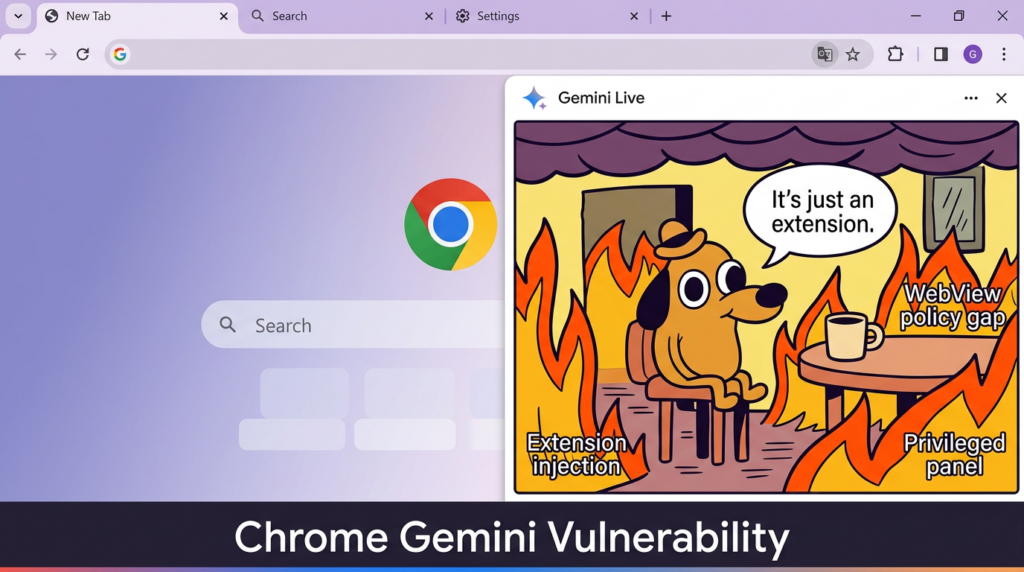
At the NVD level, CVE-2026-0628 is described succinctly: insufficient policy enforcement in a WebView tag allowed a malicious extension to inject script/HTML into a privileged page. That sounds like “just another injection.” It isn’t. The reason it matters is the execution context the injection landed in. (NVD)
Unit 42’s report explains the boundary line clearly: intercepting and injecting JavaScript into the Gemini web app when loaded in an ordinary tab is trivial and does not grant special powers. However, when the Gemini app is loaded within the new Gemini browser panel component, Chrome “hooks it” with access to capabilities like reading local files, taking screenshots, and accessing the camera and microphone—because the assistant needs those powers for legitimate tasks. That “same web app” now sits behind a different trust boundary, and that boundary is what the vulnerability collapsed. (Unit 42)
So the story is not “Gemini is insecure by nature.” The story is:
- A browser integrates an AI assistant as a privileged component.
- The assistant loads web content inside a special panel architecture.
- A policy or enforcement rule that should have prevented extension influence over that component fails.
- The extension doesn’t merely influence a website; it influences a browser-native, trusted surface.
- Privilege escalation becomes possible because the panel context exposes device and OS-adjacent capabilities.
That is why Security Affairs framed it as spying and file theft rather than just “script injection.” (الشؤون الأمنية)

A realistic attack chain, without hand-wavy steps
To keep this operational and defensible, it’s useful to treat CVE-2026-0628 as a chain with clear gates. You don’t need to imagine magic. You need to ask where your org’s controls are weakest.
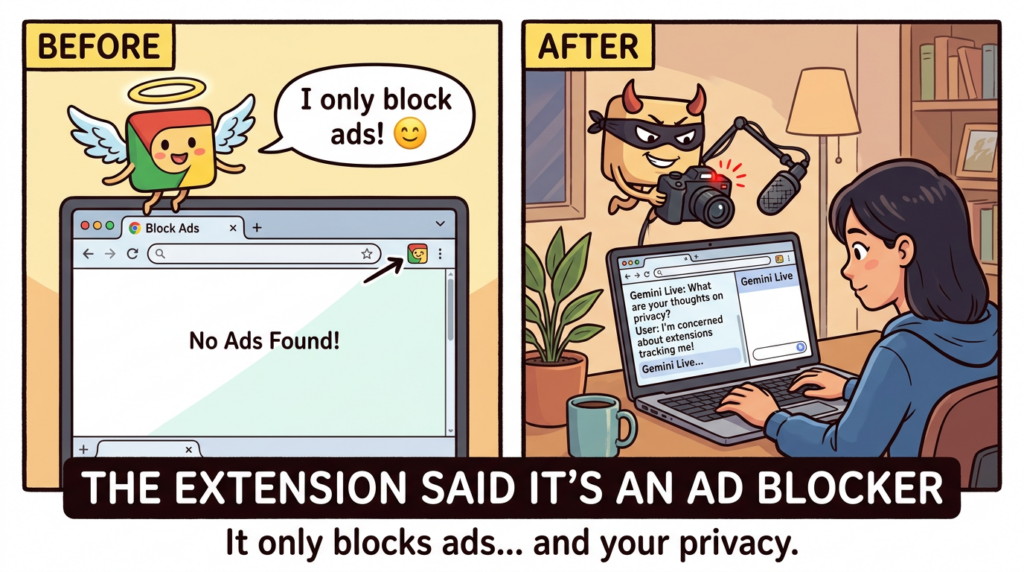
Gate 1, getting an extension installed is easier than we like to admit
A common dismissal is: “But the user has to install a malicious extension.” That is not a strong guarantee in 2026.
There are at least three reasons.
First, malicious extensions at scale are not hypothetical. GitLab Threat Intelligence documented a cluster of malicious Chrome extensions impacting at least 3.2 million users, spanning functionality like screen capture, ad blocking, and emoji keyboards. Their note explains how such extensions can degrade browser protections and inject content through multi-stage behavior. (GitLab)
Second, attackers don’t always need to publish a brand-new extension. They can hijack legitimate ones. BleepingComputer described a phishing campaign targeting extension developers that compromised at least 35 extensions to inject data-stealing code, collectively used by roughly 2.6 million people. The mechanism included a malicious OAuth app that requested permission to manage Chrome Web Store extensions through the developer’s account, then pushed a poisoned update. (كمبيوتر نائم)
Third, enterprises themselves often tolerate extension sprawl because it improves productivity. That sprawl becomes the attacker’s distribution channel.
So “requires extension installation” is best treated as “requires the extension ecosystem,” which is a live risk surface.
Gate 2, the extension needs leverage, and declarativeNetRequest is common
The Security Affairs summary notes that the vulnerable path involved extensions with declarativeNetRequest-type permissions being able to inject into the Gemini panel. The important nuance is that declarativeNetRequest is a legitimate, widely used API class: Chrome’s developer documentation describes it as a way to block or modify network requests by specifying declarative rules, enabling extensions to modify requests without intercepting and viewing their content. (الشؤون الأمنية)
From a defender’s perspective, this matters because it’s not an exotic permission that only shady extensions request. Many “privacy” and “ad blocking” products rely on it. That increases the camouflage potential for malicious behavior, and it complicates policy that tries to filter extensions only by a short “bad permissions” list.
Gate 3, influence reaches the Gemini panel, the privilege boundary breaks
Unit 42 describes the consequences once the Gemini panel is hijacked: an ordinary extension could get the panel to start the camera and microphone without asking for user consent, reach local files and directories, take screenshots of HTTPS tabs, and hijack the panel for phishing—requiring no user interaction other than launching Gemini from the title bar. (Unit 42)
This is the moment the user’s security model breaks psychologically, not just technically. The Gemini side panel is presented as part of the browser. A phishing UI rendered there inherits the browser’s trust. In many organizations, employees have been trained to distrust random websites, not their browser chrome.
Gate 4, impact is broad because the panel is built for capability
If Gemini Live can share tabs, browse, and use a microphone, then “spying” is not a stretch. It’s a reuse of intended capabilities in an attacker-controlled workflow.
Even the official help page implies the reach: Live involves microphone permissions, optional “Share current tab by default,” and “Let Gemini browse for you,” plus management of multiple shared tabs. That is a lot of legitimate data surface area to protect. (Google Help)
Who is most at risk, and why this is an enterprise story
CVE-2026-0628 sits at the intersection of three common enterprise realities:
- Browser as an enterprise workstation Finance, engineering, HR, support, and operations live in web apps. The “browser sandbox” is not a comfort when the browser is the primary interface to sensitive systems.
- Extensions as shadow IT Even in regulated environments, users will push for productivity extensions. If you don’t provide a safe path, they will find an unsafe one.
- AI features expand default permissions Gemini Live’s value proposition relies on broader access: microphone, tab sharing, and browsing assistance. That makes the blast radius bigger when boundary enforcement fails. (Google Help)
Unit 42 makes the enterprise consequence explicit: within an enterprise, a malicious extension gaining access to the camera, microphone, and local files of workers is a real danger. (Unit 42)
The practical mitigation sequence, what to do first and what to do next
A good mitigation plan has a bias toward actions you can verify, not just actions you can announce.
Step 1, update Chrome and force the restart path
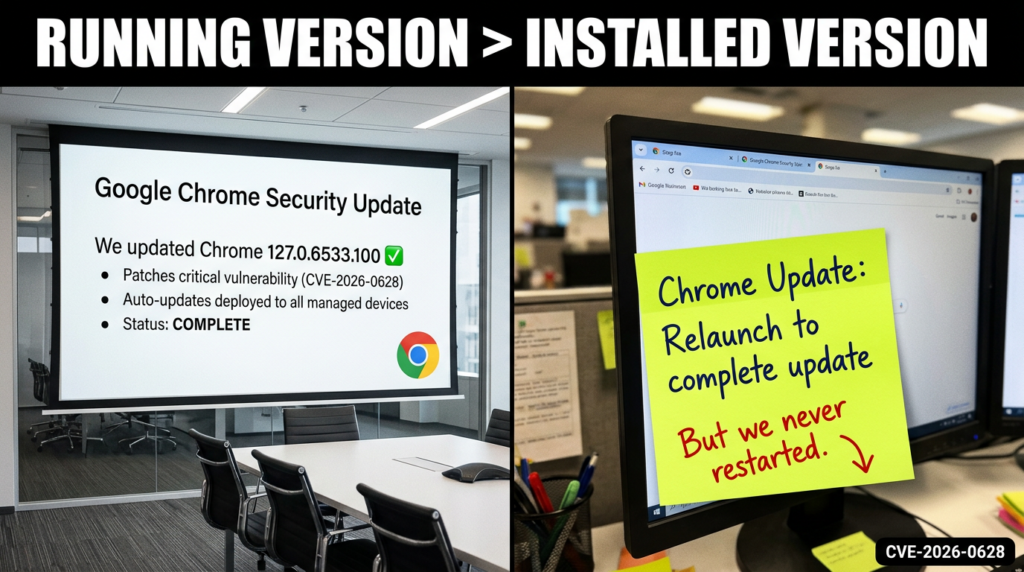
Google’s stable channel update for desktop on January 6, 2026 moved users to 143.0.7499.192/.193 for Windows and Mac and 143.0.7499.192 for Linux. That update includes the CVE-2026-0628 fix. (Chrome Releases)
The operational trap is the same as with many Chrome issues: devices may download updates but not restart the browser, leaving the older version in memory. So the compliance goal is “running version,” not “available update.”
Here are lightweight checks you can operationalize immediately:
# macOS: check Chrome version (Google Chrome must be installed)
"/Applications/Google Chrome.app/Contents/MacOS/Google Chrome" --version

# Linux: check Chrome version
google-chrome --version || google-chrome-stable --version

# Windows (PowerShell): check Chrome version via file metadata
(Get-Item "C:\\Program Files\\Google\\Chrome\\Application\\chrome.exe").VersionInfo.ProductVersion
Then set an enforcement policy: if version < 143.0.7499.192, quarantine or force update.
Step 2, decide whether Gemini in Chrome should be enabled at all
For managed environments, Google’s admin documentation states you can use GeminiSettings in Chrome Enterprise to disable Gemini in Chrome while maintaining access to the Gemini web app and mobile apps. It also notes availability constraints and compliance limitations for Gemini in Chrome, including that certain compliance certifications are not supported at that stage and that some customers may have Gemini in Chrome automatically blocked under specific agreements. (Google Help)
If you don’t have a clear business case for Gemini in Chrome, disable it first and re-enable later with a policy and monitoring plan. That is often the faster route to risk reduction than trying to “partially harden” a feature users don’t yet depend on.
Step 3, treat extension governance as a security control, not an IT hygiene task
Google’s enterprise extension management guide emphasizes why extension sprawl is hard to control and recommends managing extensions according to permissions as a scalable approach. It explains that extension permissions fall into site permissions and device permissions, and it documents that extensions update when Chrome is running, initially on launch and then every five hours. These are not trivia; they are key constraints for incident response and for policy design. (Google)
A reasonable minimum bar for enterprises after CVE-2026-0628 is:
- Default deny for user-installed extensions in high-sensitivity roles
- Allowlist force-installed extensions that are business-critical
- Block or require exception review for extensions requesting high-leverage permissions, including request modification APIs
- Monitor for extension changes and unexpected update behavior, because updates are the most common “flip” from benign to malicious
Google’s Chrome Enterprise help also provides direct guidance for setting app and extension policies, including installation modes like allowed, blocked, force_installed, and normal_installed, and shows example JSON structures for ExtensionSettings deployment. (Google Help)
A defensive inventory script, find risky extensions fast
The fastest way to lose time in an incident is to debate abstractly. Inventory first.
The script below enumerates extension manifests on common endpoints, extracts permissions, and flags extensions requesting declarativeNetRequest-like capabilities. This is not perfect, but it creates a triage list in minutes.
import json
import os
import platform
from pathlib import Path

def chrome_extension_dirs():
    system = platform.system().lower()
    paths = []
    if "darwin" in system:
        # macOS user profile
        paths.append(Path.home() / "Library/Application Support/Google/Chrome/Default/Extensions")
    elif "windows" in system:
        local = os.environ.get("LOCALAPPDATA")
        if local:
            paths.append(Path(local) / "Google/Chrome/User Data/Default/Extensions")
    else:
        # Linux
        paths.append(Path.home() / ".config/google-chrome/Default/Extensions")
        paths.append(Path.home() / ".config/chromium/Default/Extensions")
    return [p for p in paths if p.exists()]

def iter_manifests(ext_root: Path):
    for ext_id_dir in ext_root.iterdir():
        if not ext_id_dir.is_dir():
            continue
        # versions are subdirs
        for ver_dir in ext_id_dir.iterdir():
            manifest = ver_dir / "manifest.json"
            if manifest.exists():
                yield ext_id_dir.name, ver_dir.name, manifest

def main():
    risky = []
    for root in chrome_extension_dirs():
        for ext_id, ver, manifest_path in iter_manifests(root):
            try:
                data = json.loads(manifest_path.read_text(encoding="utf-8"))
            except Exception:
                continue
            name = data.get("name", "unknown")
            perms = set(data.get("permissions", []))
            host_perms = set(data.get("host_permissions", []))

            dnr = any(p.startswith("declarativeNetRequest") for p in perms)
            if dnr:
                risky.append((ext_id, ver, name, sorted(perms), sorted(host_perms), str(manifest_path)))

    print(f"Found {len(risky)} extensions with declarativeNetRequest-related permissions:")
    for ext_id, ver, name, perms, host_perms, path in risky:
        print("\\n---")
        print(f"ID: {ext_id}  Version: {ver}")
        print(f"Name: {name}")
        print(f"Permissions: {perms}")
        if host_perms:
            print(f"Host permissions: {host_perms}")
        print(f"Manifest: {path}")

if __name__ == "__main__":
    main()
This script is intentionally conservative: it flags by permission families. That aligns with Google’s own advice to manage extensions by permissions because allowlists and blocklists alone do not scale. (Google)
Enterprise policy hardening, a concrete baseline you can copy
Chrome Enterprise gives you multiple levers. The two that matter most after this incident are:
- ExtensionSettings to control installation modes and restrict extension sprawl. (Google Help)
- GeminiSettings to disable Gemini in Chrome if your risk posture demands it. (Google Help)
A common pattern for sensitive environments is “block everything by default, allow only what’s force-installed or explicitly allowlisted.”
Here is an illustrative ExtensionSettings JSON policy pattern you can adapt:
{
  "*": {
    "installation_mode": "blocked"
  },
  "ghbmnnjooekpmoecnnnilnnbdlolhkhi": {
    "installation_mode": "force_installed",
    "update_url": "<https://clients2.google.com/service/update2/crx>"
  },
  "lpcaedmchfhocbbapmcbpinfpgnhiddi": {
    "installation_mode": "normal_installed",
    "update_url": "<https://clients2.google.com/service/update2/crx>"
  }
}
This structure follows the same model described in Chrome Enterprise documentation: set a default policy using "*" and then override per-extension by ID, choosing installation modes like blocked, force_installed, and normal_installed. (Google Help)
If you already run with an allowlist model, the post-CVE-2026-0628 improvement is to add a permission-based exception flow. Google’s enterprise guide explicitly recommends managing extensions by permissions as a scalable and secure approach, rather than maintaining endless allowlists and blocklists. (Google)
Detection, what signals you can actually monitor
Because the underlying Chromium issue details may be access-restricted during rollout, detection should focus on what you can measure without privileged bug tracker access. (Chrome Releases)
1 Version drift and restart debt
Start with the simplest: machines running Chrome versions prior to 143.0.7499.192 are in the vulnerable set. That is directly stated in NVD’s affected configuration and in Chrome’s stable channel update. (NVD)
If you track “installed version” only, you will miss restart debt. Track running version or enforce scheduled relaunch.
2 Extension inventory and high-leverage permission usage
Use the inventory script pattern above, or enterprise reporting, to flag:
- Extensions with declarativeNetRequest families
- Extensions with broad host permissions
- Extensions newly installed or recently updated without a corresponding IT ticket
GitLab’s report is useful context here because it shows how malicious extensions can degrade protections like Content Security Policy through extension behaviors and can operate in multi-stage modes. You don’t need to reproduce their whole chain to learn the lesson: extension telemetry matters. (GitLab)
3 Suspicious UI trust events
Unit 42 explicitly calls out the risk of hijacking the panel into phishing. Treat that as a “trusted UI” event: users may not realize content in the side panel can be attacker-driven in a compromised scenario. If you have browser security tooling that can detect DOM overlays, unexpected credential prompts, or unusual navigation within embedded panels, this is where it pays off. (Unit 42)
4 Device permission anomalies
Because the scenario includes camera and microphone activation, you can correlate:
- OS-level camera or mic indicator events
- Browser process access patterns
- Times when Gemini was launched, if you have that telemetry
The official help page shows that microphone permission is a required part of Live. In a high-security environment, that alone may justify disabling the feature or gating it to specific roles. (Google Help)
Why this isn’t a one-off, AI assistants keep turning into attack vehicles
CVE-2026-0628 is not the first time Gemini-related functionality has been involved in a data exposure story, and it won’t be the last. Two adjacent data points matter.
GeminiJack, no-click prompt injection as an enterprise data exfiltration path
Security Affairs reported on “GeminiJack,” a Gemini Enterprise vulnerability described as a zero-click attack triggered via crafted emails, invites, or documents, potentially exposing sensitive corporate data. Dark Reading similarly describes the issue as attackers planting malicious instructions into common corporate artifacts so the AI can retrieve and exfiltrate information without user interaction. (الشؤون الأمنية)
The relevance to CVE-2026-0628 is not code reuse. It’s the shared pattern:
- AI has access to privileged data sources or privileged interfaces
- Indirect influence channels become attack surfaces
- The AI becomes the execution engine for actions that users did not explicitly approve in that moment
Tenable’s Gemini Trifecta, multiple components, one theme
Tenable’s research on three remediated Gemini vulnerabilities is blunt about the core security lesson: AI itself can be turned into the attack vehicle, and protecting AI tools requires visibility and policy enforcement. Their write-up details prompt injection and tool-based exfiltration patterns across Gemini Cloud Assist, search personalization, and browsing. (Tenable®)
Put next to CVE-2026-0628, you get a coherent threat model for “AI-native” surfaces:
- Input channels expand: web pages, browser history, documents, logs, extensions
- Output channels expand: network calls, UI surfaces, tool invocations
- Privilege is delegated: the AI is allowed to act, not merely to answer
That means security teams need to stop treating AI assistant incidents as PR events and start treating them as engineering boundary events.
Related CVEs that security teams are pairing with this story
When one Chrome security narrative is trending, defenders typically look sideways at nearby browser CVEs because patch and restart discipline is usually the real gap.
Two that show up in the same “update now” cycles:
- CVE-2026-2441, a high-severity Chrome issue described by NVD as use-after-free in CSS prior to 145.0.7632.75, with reporting noting active exploitation and urgent patch guidance. (NVD)
- CVE-2025-13223, a V8 type confusion issue that CISA added to its Known Exploited Vulnerabilities catalog in November 2025, reinforcing that browser exploitation remains an active adversary path even without AI features. (NVD)
These are not the same class as CVE-2026-0628, but they matter for one operational reason: if your org routinely lags on browser updates, AI-integrated surfaces will magnify the consequences.
Where Penligent fits naturally, proving exposure across the real attack surface
CVE-2026-0628 is an endpoint and browser boundary story, but the remediation reality is broader: attackers rarely stop at the browser. Once surveillance or credential capture happens, the next step is almost always your internal web estate—SSO portals, admin consoles, cloud dashboards, and the internal apps that were never meant to be internet-grade.
That’s where it becomes practical to pair browser hardening with continuous validation of the web layer.
Penligent is built around turning security intent into executable actions—automating recon, verification, and reproducible evidence so teams can move from “we think we’re patched” to “we can prove it.” That same “prove, not promise” mindset is exactly how you should treat browser AI features: verify versions, verify policy state, verify extension inventory, and then verify that your internal apps don’t become the second-stage blast radius if a browser compromise happens.
If you’re already publishing internal security research and want to keep readers inside a coherent knowledge path, it also helps to link out to prior work on supply-chain boundaries and high-signal Chrome CVEs, because extension ecosystems and browser update discipline are now inseparable from AI browser risk. (بنليجنت)
Conclusion, the durable lesson from CVE-2026-0628
CVE-2026-0628 will be remembered less for its bug class than for what it demonstrated:
- Embedding AI assistants into browsers creates privileged, trusted surfaces.
- If extension influence reaches those surfaces, the permissions model can be bypassed in practice.
- “User must install an extension” is not a safety net when extension ecosystems are routinely abused, hijacked, or socially engineered at scale.
- The right response is not panic. It is discipline: patch verification, restart enforcement, extension governance by permissions, and clear decisions about whether browser-native AI belongs in your environment today. (Unit 42)
المراجع
NVD: CVE-2026-0628: https://nvd.nist.gov/vuln/detail/CVE-2026-0628 Chrome Releases, Stable Channel Update for Desktop (Jan 6, 2026): https://chromereleases.googleblog.com/2026/01/stable-channel-update-for-desktop.html Palo Alto Networks Unit 42 analysis: https://unit42.paloaltonetworks.com/gemini-live-in-chrome-hijacking/ Google Chrome Help, Go Live with Gemini in Chrome: https://support.google.com/chrome/answer/16363185?hl=en Chrome for Developers, declarativeNetRequest API: https://developer.chrome.com/docs/extensions/reference/api/declarativeNetRequest Google Enterprise Guide PDF, Managing Extensions in Your Enterprise: https://services.google.com/fh/files/misc/managing_extensions_in_your_enterprise_guide.pdf Google Workspace Admin Help, Turn the Gemini app on or off (includes Gemini in Chrome + GeminiSettings): https://support.google.com/a/answer/14571493?co=DASHER._Family%3DBusiness-Enterprise&hl=en GitLab Threat Intelligence, malicious browser extensions impacting at least 3.2 million users: https://gitlab-com.gitlab.io/gl-security/security-tech-notes/threat-intelligence-tech-notes/malicious-browser-extensions-feb-2025/ BleepingComputer, hackers hijacked 35 Chrome extensions: https://www.bleepingcomputer.com/news/security/new-details-reveal-how-hackers-hijacked-35-google-chrome-extensions/ Tenable, Gemini Trifecta vulnerabilities: https://www.tenable.com/blog/the-trifecta-how-three-new-gemini-vulnerabilities-in-cloud-assist-search-model-and-browsing Security Affairs, GeminiJack: https://securityaffairs.com/185574/hacking/geminijack-zero-click-flaw-in-gemini-enterprise-allowed-corporate-data-exfiltration.html OpenClaw + VirusTotal supply-chain boundary: https://www.penligent.ai/hackinglabs/openclaw-virustotal-the-skill-marketplace-just-became-a-supply-chain-boundary/ CVE-2026-2441 Chrome CSS zero-day analysis: https://www.penligent.ai/hackinglabs/cve-2026-2441-the-chrome-css-zero-day-that-demands-proof-not-promises/ AI Agents Hacking in 2026, execution boundary: https://www.penligent.ai/hackinglabs/ai-agents-hacking-in-2026-defending-the-new-execution-boundary/ Google warns hackers leveraging Gemini across attacks: https://www.penligent.ai/hackinglabs/google-warns-hackers-are-leveraging-gemini-ai-across-every-stage-of-cyberattacks/ Deep analysis of gemini-mcp-tool command injection CVE-2026-0755: https://www.penligent.ai/hackinglabs/es/deep-analysis-of-gemini-mcp-tool-command-injection-cve-2026-0755-when-an-mcp-toolchain-hands-user-input-to-the-shell/
 Arabic
  English
  German
  French
  Spanish
  Portuguese
  Japanese
  Korean
  Hindi
Hindi  Turkish
  Hebrew