
Why people keep clicking on CVE-2026-2441 headlines
If you skim security news for a living, you’ve already seen the same gravity wells pulling attention toward this one:
- “zero-day”
- “actively exploited”
- “in the wild”
- “emergency update”
- “patch now”
- “remote code execution”
Those phrases show up across high-traffic coverage because they map to one uncomfortable truth: the hard part isn’t understanding the bug. The hard part is moving a fleet fast enough that exploitation doesn’t become your incident ticket backlog. (BleepingComputer)
This article is written for the moment after the headline—when you need a concrete answer to: What version is safe, how do I prove the browser actually restarted, and what should I hunt for if I’m late?
What CVE-2026-2441 is, in plain but precise terms
CVE-2026-2441 is a use-after-free vulnerability (CWE-416) in the CSS component of Google Google Chrome. The National Vulnerability Database description is unambiguous: Chrome versions prior to 145.0.7632.75 can be driven, via a crafted HTML page, into arbitrary code execution inside the browser sandbox. (NVD)
Two more facts matter operationally:
- The Chrome team shipped the fix on February 13, 2026 and explicitly stated they are aware an exploit exists in the wild. (Chrome Releases)
- Multiple independent alerting bodies and outlets echoed the same “in-the-wild exploitation” status and pushed immediate patch guidance. (govcert.gov.hk)
That combination—memory corruption + confirmed exploitation—should automatically move this into your “drop what you’re doing” lane.
Verified timeline you can cite internally
Security teams lose time when they argue about dates, channels, or “is this really exploited?” Here’s the clean timeline, grounded in primary sources:
- Feb 11, 2026: Chrome credits researcher Shaheen Fazim as the reporter (date included in the release notes). (Chrome Releases)
- Feb 13, 2026: Stable Desktop update ships fixed builds; Google states an exploit exists in the wild. (Chrome Releases)
- Feb 13, 2026: Extended Stable update also includes the same fix and the same exploitation note. (Chrome Releases)
- Feb 16, 2026: Major reporting frames it as the first actively exploited Chrome zero-day patched in 2026, with fixed versions reiterated. (BleepingComputer)
If you need “board-ready wording,” you can safely say: this is an actively exploited Chrome memory corruption bug with network reach and user-interaction trigger (visit a page), patched out-of-band into Stable and Extended Stable on Feb 13, 2026. (Chrome Releases)
Affected versions and fixed versions that matter in practice
The part defenders routinely get wrong isn’t the version number—it’s assuming “auto-update” equals “remediated.” Chrome’s update mechanism downloads quickly, but risk remains until the running browser process is replaced.
These are the concrete version gates repeatedly cited across official release notes and high-signal advisories:
| Channel | Windows / macOS fixed version | Linux fixed version | What to enforce |
|---|---|---|---|
| Stable | 145.0.7632.75/76 | 144.0.7559.75 | Block or remediate anything below these |
| Extended Stable | 144.0.7559.177 | N/A in the same note | Apply if you run Extended Stable on Win/Mac |
If you’re writing policy, don’t say “patched.” Say “compliant if version >= X and browser restarted after update.” That one sentence prevents a lot of false confidence.
Why “code execution inside the sandbox” is still a five-alarm fire
It’s tempting to downplay anything that “only” achieves in-sandbox execution. That instinct is how real incidents begin with a shrug.
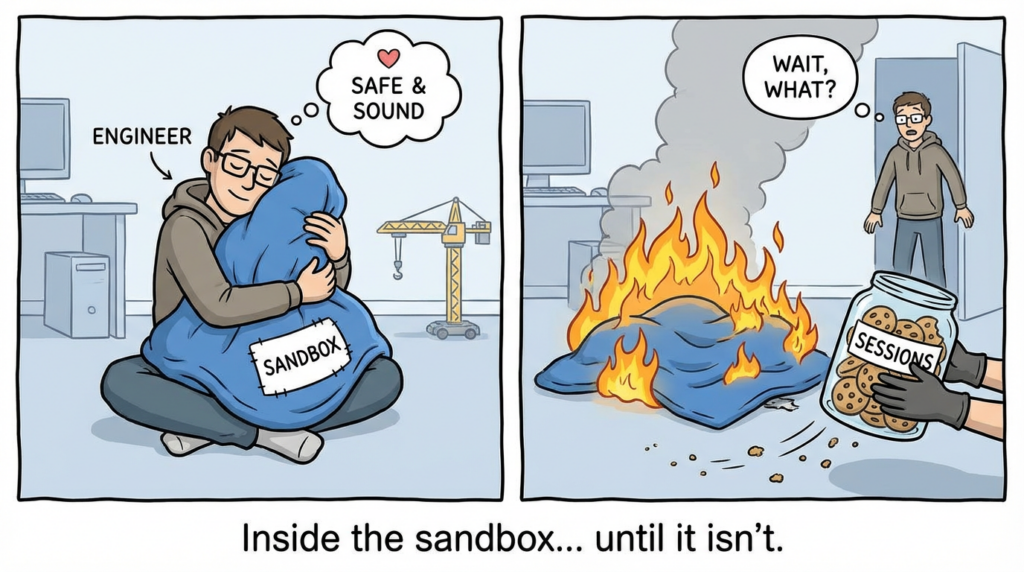
Several outlets point out the realistic next step: exploitation often needs a second bug to escape the sandbox and reach full system compromise—but in-sandbox code execution can still be enough to steal data, hijack sessions, and stage follow-on attacks. (SecurityWeek)
From a defender’s perspective, the risk isn’t a theoretical perfect chain. It’s the boring, repeatable outcomes:
- Session theft (tokens, cookies, browser-stored artifacts)
- Drive-by payload delivery (a downloaded executable that your EDR must catch)
- Credential capture via follow-on user interaction
- Pivot to enterprise apps via authenticated browser context
That is why your patch plan should treat browsers like internet-facing servers: fast SLAs, enforced compliance, and verification.
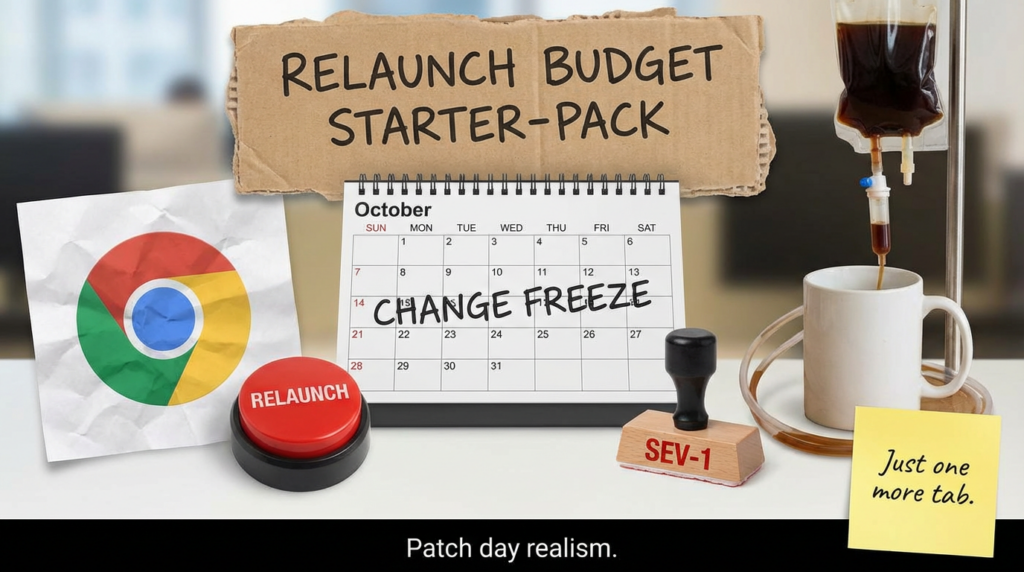
The highest-CTR angles, translated into how engineers actually work
When you compare the language used by top outlets and advisories, the click drivers cluster into three angles:
- Urgency framing: “emergency update,” “patch now,” “under active attack.” (BleepingComputer)
- Exploitation certainty: “exploit exists in the wild,” “actively exploited.” (Chrome Releases)
- Simple trigger story: “crafted page,” “visit a website,” “malicious HTML.” (NVD)
For a security engineering audience, you should keep those phrases—but immediately follow them with the operational translation:
“If you’re below the fixed version, you are exposed. If you updated but didn’t restart the browser, you may still be exposed. The task is not ‘install update’; the task is ‘prove the running process is patched.’”
That single framing shift usually improves internal compliance more than any amount of CVSS discussion.
What to do today in an enterprise, in the right order
Step 1: Patch fast, then verify restart
The official release notes describe the fixed builds and explicitly mention rollout over days/weeks. (Chrome Releases)
That means your job is to override “eventual” with “immediate.”
Your goal for the first wave is simple:
- Endpoints must be on fixed version or higher
- Browser must be restarted
- You must be able to measure both
Step 2: Make non-compliance painful
If you have the ability to gate access, use it. Examples that don’t require exotic infrastructure:
- Block older browser versions at your secure web gateway / proxy
- Use conditional access rules for critical SaaS apps if “device compliance” includes browser requirements
- Push a forced relaunch message and enforce a deadline via endpoint management
Even if you can’t block immediately, make non-compliance visible. “Percent compliant” is a metric leadership understands.
Step 3: Hunt for late-stage signals if you’re late
If patch rollout takes time, shift part of your effort to detection:
- Identify endpoints visiting risky categories or newly registered domains
- Look for suspicious child processes spawned by Chrome
- Watch for downloads followed by execution
This matters because several reports note Google didn’t share details about incidents or threat actors, so defenders should assume opportunistic reuse once coverage spreads. (BleepingComputer)
Proof-of-compliance scripts you can actually run
Below are defensive verification examples. They do not exploit anything; they help you answer “am I still running a vulnerable build?”
Windows: installed version and running process
# 1) Installed version (common path)
$chromePath = "${env:ProgramFiles}\\Google\\Chrome\\Application\\chrome.exe"
if (-not (Test-Path $chromePath)) {
  $chromePath = "${env:ProgramFiles(x86)}\\Google\\Chrome\\Application\\chrome.exe"
}

if (Test-Path $chromePath) {
  $installed = (Get-Item $chromePath).VersionInfo.ProductVersion
  Write-Host "Installed chrome.exe version:" $installed
} else {
  Write-Host "chrome.exe not found in default paths"
}

# 2) Running process version (proves restart happened)
$proc = Get-Process chrome -ErrorAction SilentlyContinue | Select-Object -First 1
if ($proc) {
  $runningPath = $proc.Path
  $running = (Get-Item $runningPath).VersionInfo.ProductVersion
  Write-Host "Running chrome.exe version:" $running
  Write-Host "Running chrome.exe path:" $runningPath
} else {
  Write-Host "Chrome is not currently running"
}
What you’re looking for: if “installed” is fixed but “running” is not, your update deployed but risk may persist until restart.
macOS: version check
# Stable channel default app path
CHROME_APP="/Applications/Google Chrome.app/Contents/MacOS/Google Chrome"
if [ -x "$CHROME_APP" ]; then
  "$CHROME_APP" --version
else
  echo "Google Chrome.app not found in /Applications"
fi
Linux: package + binary version
Debian/Ubuntu style:
dpkg -l | grep -E 'google-chrome-stable|google-chrome' || true
google-chrome --version 2>/dev/null || google-chrome-stable --version 2>/dev/null || true
RHEL/Fedora style:
rpm -qa | grep -E 'google-chrome-stable|google-chrome' || true
google-chrome --version 2>/dev/null || google-chrome-stable --version 2>/dev/null || true
osquery: cross-platform inventory
-- Chrome version from applications table (macOS) or programs table (Windows) varies by platform.
-- Example: running processes that include 'chrome' and their path (all platforms)
SELECT pid, name, path, cmdline
FROM processes
WHERE name LIKE '%chrome%';
If you already run osquery at scale, the fastest win is building a daily compliance view: “devices with Chrome process version < fixed threshold.”
Detection engineering: focus on what exploitation turns into
You usually won’t detect “use-after-free in CSS” directly. You detect the post-exploitation behaviors that tend to follow successful browser compromise.
The same reality shows up in incident-response guidance: browser exploitation often becomes visible through second-stage artifacts like new downloads, suspicious domains, and unusual process trees. (Penligent)
High-signal behaviors to hunt
| Signal | Why it matters | Example telemetry sources |
|---|---|---|
| Chrome spawning unusual child processes | Many payloads require executing a new process | Sysmon EID 1, EDR process tree |
| Download → execution in short time window | Common drive-by pattern | Browser download logs + process creation |
| Chrome making outbound connections to newly seen domains | Delivery / C2 staging | Proxy/DNS logs, EDR network telemetry |
| Persistence shortly after browser activity | Turns initial access into repeat access | Run keys, LaunchAgents, scheduled tasks |
Sigma starter: suspicious Chrome child processes
This is intentionally generic. Tune it to your environment.
title: Suspicious Child Process Spawned by Chrome
id: 9e2f1c2c-3b3d-4d2f-9e43-1b4a7bde2441
status: experimental
description: Detects uncommon child processes spawned by Chrome, often seen after browser exploitation or malicious extensions.
logsource:
  category: process_creation
  product: windows
detection:
  chrome_parent:
    ParentImage|endswith:
      - '\\chrome.exe'
  suspicious_child:
    Image|endswith:
      - '\\powershell.exe'
      - '\\cmd.exe'
      - '\\wscript.exe'
      - '\\cscript.exe'
      - '\\mshta.exe'
      - '\\rundll32.exe'
  condition: chrome_parent and suspicious_child
falsepositives:
  - Admin tools launched from browser-based portals
level: high
The goal is not perfection. The goal is to catch “this browser did something browsers shouldn’t do” quickly enough to contain.
Reporting guidance: what to say, what not to say
Say this
- “We enforced Chrome >= fixed version across the fleet and verified running process versions.”
- “We identified X endpoints that updated but hadn’t restarted; we forced relaunch.”
- “We monitored for suspicious post-exploitation signals during rollout.”
Avoid this
- “Chrome auto-updates, so we’re fine.”
- “It’s only inside the sandbox.”
- “No PoC, so low risk.”
Those statements age badly—especially when “exploit exists in the wild” is explicitly acknowledged by the vendor. (Chrome Releases)
Related CVEs worth mentioning in the same operational breath
When teams get hit, it’s rarely one CVE alone. What you should connect is attack-chain function, not just “same month.”
- Browser RCE inside sandbox (like CVE-2026-2441): reliable initial code execution in a highly exposed client surface. (NVD)
- Friction-removal / prompt-bypass on endpoints (example: CVE-2026-21510 in Windows Shell): increases click success and makes initial access more reliable when a user opens a lure. (If your org is already dealing with “one-click” bypass classes, browser zero-days compound the problem rather than replace it.) (Penligent)
The practical takeaway: your defense posture should be built around repeatable primitives—version enforcement, restart verification, and behavior-based detection—because the specific CVE number changes faster than your policy documents.
If your team is already using Penligent as an AI-assisted pentesting and verification workflow, CVE-2026-2441 is a good reminder of a broader need: turning advisories into measurable remediation. Penligent is useful when you want to convert “patch guidance” into a task list that produces evidence—what was checked, what passed, what failed, and what changed after remediation.
In practice, the most valuable pattern is: inventory → verify → report. You don’t need exploit code to prove risk reduction. You need repeatable checks, a place to store results, and a workflow that keeps humans from forgetting the last mile (like “restart Chrome so the fixed build is actually running”). For teams that operate under audit pressure, that evidence-first posture is often what separates “we think we patched” from “we can prove we’re not exposed.”
FAQ that prevents wasted cycles
Is this only a Chrome desktop issue?
The vendor’s Stable Desktop and Extended Stable Desktop notes are the authoritative references for the fixed builds discussed here. Use those channels’ version gates as your enforcement baseline. (Chrome Releases)
Why does Linux have a different fixed version number?
Release notes and advisories list Linux on a different version line (144.x) while Windows/macOS are on 145.x for Stable Desktop at the time of the fix. Treat each platform’s stated fixed version as a separate compliance gate. (Chrome Releases)
Do we know who is exploiting it?
Public reporting repeatedly notes that Google did not provide incident details, which is common when vendors want to avoid amplifying exploitation before most users update. Operationally, assume opportunistic scanning and copycat use will follow broad coverage. (BleepingComputer)
Links
https://chromereleases.googleblog.com/2026/02/stable-channel-update-for-desktop_13.html https://chromereleases.googleblog.com/2026/02/extended-stable-updates-for-desktop_13.html https://nvd.nist.gov/vuln/detail/CVE-2026-2441 https://www.cve.org/CVERecord?id=CVE-2026-2441 https://www.hkcert.org/security-bulletin/google-chrome-remote-code-execution-vulnerability_20260216 https://www.govcert.gov.hk/en/alerts_detail.php?id=1765 https://www.bleepingcomputer.com/news/security/google-patches-first-chrome-zero-day-exploited-in-attacks-this-year/ https://www.securityweek.com/google-patches-first-actively-exploited-chrome-zero-day-of-2026/ https://www.malwarebytes.com/blog/news/2026/02/update-chrome-now-zero-day-bug-allows-code-execution-via-malicious-webpages https://www.helpnetsecurity.com/2026/02/16/google-patches-chrome-vulnerability-with-in-the-wild-exploit-cve-2026-2441/ https://thehackernews.com/2026/02/new-chrome-zero-day-cve-2026-2441-under.html https://www.penligent.ai/hackinglabs/cve-2026-2441-the-chrome-css-zero-day-that-starts-inside-the-sandbox-and-rarely-ends-there/ https://www.penligent.ai/hackinglabs/virustotal-in-incident-response-how-to-identify-malware-fast-and-pivot-without-leaking-data/ https://www.penligent.ai/hackinglabs/cve-2026-20841-poc-when-notepad-learns-markdown-a-click-can-become-execution/ https://www.penligent.ai/hackinglabs/cve-2026-21510-when-the-prompt-doesnt-show-up/
 English
  German
  French
  Spanish
  Portuguese
  Japanese
  Korean
  Hindi
Hindi  Arabic
  Turkish
  Hebrew