
Burp Suite has always been a tool that rewards discipline: capture the right traffic, isolate variables in Repeater, prove impact with clean request-response evidence, and keep every claim reproducible.
Burp AI is PortSwigger’s attempt to compress the slowest parts of that loop—understanding unfamiliar artifacts, chasing down scanner issues, and reducing noise—without turning Burp into a black box. In PortSwigger’s own framing, the goal is augmentation rather than replacement: you remain in control, and the AI features run only when you explicitly invoke them. (PortSwigger)
This matters because “AI in pentesting tools” is a messy category. Some tools wrap LLM chat around generic advice. Others attempt autonomy but struggle with auditability. Burp AI is different in one important way: it is built around Burp’s existing primitives—Repeater messages, Scanner issues, task logs, and HTTP traffic you can review and replay. (PortSwigger)
What follows is a fact-checked, engineering-first breakdown of Burp AI: its capabilities, its constraints, how the credits model really shapes day-to-day usage, and how to align it with high-impact vulnerability validation without turning your assessment into “AI said so.”
What Burp AI is, and what you need before you can use it
Burp AI is a set of AI-powered features integrated into Burp Suite Professional—most visibly inside Repeater and within the scan results workflow. PortSwigger lists the current feature set as:
- Burp AI in Repeater
- Explore Issue, automated follow-up on Burp Scanner findings
- Explainer, security-focused explanations directly on selected HTTP content
- AI-enhanced scanning, starting with Broken Access Control false-positive reduction
- AI-powered recorded login sequences
- AI-powered extensions via the Montoya API (PortSwigger)
There are two practical prerequisites that affect almost every adoption discussion.
Burp Suite Professional version requirement
AI features are available in Burp Suite Professional 2025.2 and later. If you are on an older build, credits won’t apply. (PortSwigger)
AI credits are mandatory, and they are consumption-based
Burp AI is not “included” in the sense of unlimited use. You need AI credits; every AI-powered tool or extension interaction deducts credits, and the cost varies by request complexity and workflow. (PortSwigger)
PortSwigger’s documentation is explicit about the mechanics that matter in organizations:
- Credits are required to use AI-powered features. (PortSwigger)
- Credits you buy expire after 12 months. (PortSwigger)
- Credits are assigned to individual users and can’t be pooled across multiple users. (PortSwigger)
Those details shape whether Burp AI becomes a daily driver or a “use only when stuck” tool.
The searches people actually make about Burp AI, and why they’re high-intent
If you look at the structure of PortSwigger’s own Burp AI pages and the third-party guides that rank around them, a predictable set of high-intent queries keeps repeating in titles, subheads, and navigation paths:
- “Burp AI credits” and “how credits work”
- “Burp AI Explore Issue”
- “Burp AI Explainer”
- “Burp AI privacy” or “data handling”
- “Burp AI in Repeater” and “how to use Burp AI tasks” (PortSwigger)
These aren’t vanity keywords. They map directly to buying decisions and production risk:
- Credits determine cost predictability.
- Explore Issue determines whether AI is genuinely useful beyond “explain this header.”
- Privacy and data handling determine whether you can use Burp AI on real customer traffic.
- Repeater integration determines whether it fits the way senior testers actually work.
This article is organized around those intents, because that’s the shortest path from curiosity to safe, evidence-driven usage.
Burp AI in Repeater, task-based AI that keeps your workflow auditable
Repeater is where most serious web testing is won: controlled changes, clean deltas, repeatable verification. PortSwigger embedded Burp AI directly into Repeater and framed it as an on-demand assistant that can help analyze, understand, and test HTTP messages while you keep control. (PortSwigger)
Tasks are the unit of work, not chat history
Burp AI operates through tasks. You submit a prompt, Burp creates a task, and you can track it in the Tasks pane. Importantly, Burp AI does not retain conversation history, so each task needs sufficient context. (PortSwigger)
This design is not a minor UX detail. It’s one of the most security-friendly LLM integrations you can make:
- No implicit multi-turn memory reduces “hidden context drift.”
- Each task becomes a record you can review and justify.
- Outputs are tied to concrete HTTP artifacts.
Context control is explicit and granular
In Repeater, you can decide what to provide to Burp AI—selected text, request, response, and optionally Repeater notes. PortSwigger’s own guidance is blunt: relevant context improves quality and can help you use fewer credits. (PortSwigger)
In practice, this means you should treat Burp AI prompts like mini runbooks:
- Provide the minimum traffic required to answer the question.
- Make success criteria explicit.
- Prefer “prove or disprove X” over “analyze everything.”
You get logs, not vibes
Repeater tasks produce progress information, and Burp logs the HTTP traffic generated during the task so you can validate and reproduce. (PortSwigger)
That is the difference between “AI assistant” and “AI liability.” If your report needs evidence, the task’s outputs can be replayed, sanity-checked, and converted into clean artifacts.
Explainer, fast answers without leaving Burp
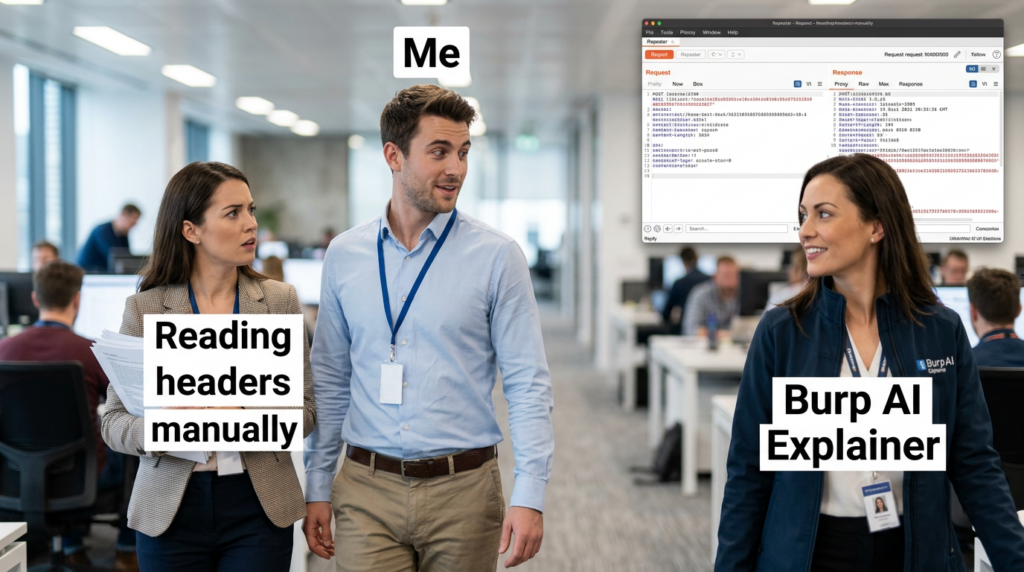
Explainer is the feature that people tend to underestimate until they use it at scale. It lets you highlight any part of a Repeater message and get an AI-generated explanation in Burp. PortSwigger describes it as a way to understand unfamiliar technologies—headers, cookies, JavaScript functions—without context switching. (PortSwigger)
Two practical implications matter:
- Explainer is naturally “low-scope.” You can highlight only a fragment, reducing exposure and cost. (PortSwigger)
- Explainer aligns with the most common “micro-blockers” that slow down a test: odd JWT claims, unfamiliar headers, strange compression or encoding, obfuscated client-side logic.
This is also where Burp AI helps newer team members disproportionately: it shortens the time between “I saw something weird” and “I know whether it matters.”
Explore Issue, the feature that determines whether Burp AI is a force multiplier
Explore Issue is Burp AI’s most “agentic” capability: an AI-powered assistant that performs automated follow-up investigations on vulnerabilities identified by Burp Scanner. PortSwigger states the intention clearly: validate issues, generate proof-of-concept exploits, and uncover additional attack vectors, so you can focus on higher complexity analysis. (PortSwigger)
There are three boundaries here that are easy to miss:
It is scoped to Scanner findings
Explore Issue is anchored to issues identified by Burp Scanner. It’s not a general “go hack this app” autopilot; it’s a follow-up engine attached to a detection event. (PortSwigger)
It tries to behave like a human tester, but you still own the result
PortSwigger’s wording emphasizes that it follows up like a human would: attempts exploitation paths, looks for escalation vectors, and summarizes findings. (PortSwigger)
But the workflow is still designed for you to review, validate, and decide what counts as proof.
It is typically more credit-expensive than Explainer
PortSwigger’s credits documentation highlights that cost varies by request complexity, and third-party guides commonly point out that “follow-up investigations” are more costly than small explanations. (PortSwigger)
If your team adopts Burp AI without setting expectations here, you’ll get two predictable failures:
- Juniors burn credits on broad prompts that don’t converge.
- Seniors avoid Explore Issue entirely because cost feels unpredictable.
The fix is simple: treat Explore Issue as a “prove impact” accelerator, not a discovery engine.
AI-enhanced scanning, why PortSwigger started with Broken Access Control
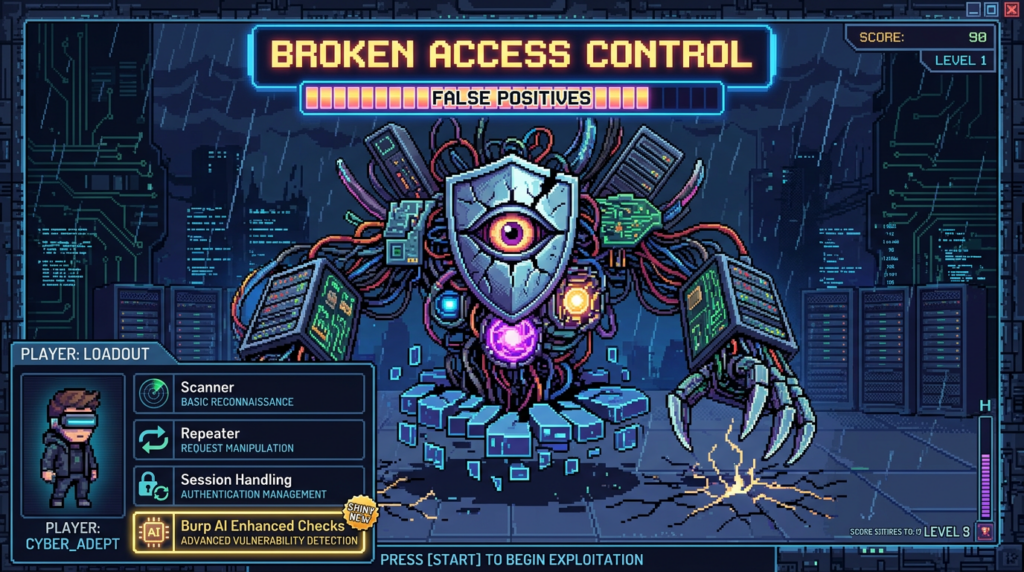
PortSwigger says Burp enhances Broken Access Control checks by filtering out false positives before reporting them, explicitly framing it as a time-saver: less noise, more signal. (PortSwigger)
This is a sensible starting point for AI in scanning, because access control findings are notorious for:
- High severity when real
- High noise when heuristics are naive
- High verification cost due to role and state complexity
OWASP’s work on access control failures captures why these issues matter: authorization gaps allow attackers to sidestep intended controls and modify or access protected resources. (OWASP-Stiftung)
In other words: if you can reduce access control false positives meaningfully, you are not “making scanning smarter” in marketing terms—you are buying back hours of human time.
AI-generated recorded logins, reducing the most common reason scans miss the real app
Authentication configuration is where scanning coverage goes to die. PortSwigger describes AI-generated recorded login sequences as a way to save time and eliminate human error while configuring authentication for web apps. (PortSwigger)
The key word is “recorded login sequences,” because it implies a practical implementation: AI helps generate a sequence you can use, rather than asking you to manually craft a brittle flow. This is the kind of “small-but-high-leverage” automation that pays off in large programs.
AI-powered extensions, Montoya API and the idea of AI inside custom workflows
PortSwigger highlights that the Montoya API enables AI features in Burp extensions without the extension author needing to manage API keys, because AI interactions run through Burp’s AI infrastructure. (PortSwigger)
From a platform perspective, that’s significant:
- It lowers the barrier for extension authors to add analysis helpers.
- It creates a standardized place for AI invocation and accounting.
- It centralizes policy and privacy controls.
PortSwigger also notes that using AI in extensions is opt-in: extensions don’t use AI unless you enable it, and you can disable AI features globally. (PortSwigger)
Privacy and data handling, the part you must read before you use Burp AI on real traffic
PortSwigger’s AI security and data handling documentation is unusually direct, and you should treat it as required reading before adoption:
- AI providers do not store the data they process; requests are handled in real time and returned to Burp. (PortSwigger)
- PortSwigger stores AI request data as part of an encrypted audit trail; unauthorized personnel cannot access it. (PortSwigger)
- There is currently no option for users to review or delete AI data processed by Burp. (PortSwigger)
- AI features only run when you explicitly activate them, and you can disable all AI communication from settings. (PortSwigger)
This leads to a practical compliance conclusion:
If your red line is “no customer data may be retained by a vendor, even encrypted,” then Burp AI may not be acceptable for some engagements. If your red line is “no provider may train on our data,” PortSwigger’s provider statement addresses that specific concern. (PortSwigger)
Either way, the decision should be explicit and documented, because Burp AI is designed to be powerful specifically when you feed it relevant request-response context.
Credits economics, how to avoid burning budget without gaining evidence
PortSwigger says the credit cost depends on request complexity and the tool you use. AI credits are deducted whenever you use an AI-powered tool or an extension that interacts with a model. (PortSwigger)
A realistic way to think about cost is:
- Explainer is your “micro-answer” tool
- Explore Issue is your “impact acceleration” tool
- Repeater tasks sit in the middle, and cost is driven by how much context you attach and how broad your instruction is
Third-party writeups echo the same point: Burp Suite Professional users may start with a free credit allotment, but advanced workflows can consume credits quickly if you don’t constrain scope. (blog.smarttecs.com)
A discipline that saves credits and improves quality
- Always highlight the smallest relevant snippet for Explainer.
- For Repeater tasks, include only one clear hypothesis per task.
- Use Explore Issue when you already have a Scanner finding and you need a defensible PoC narrative.
A practical prompt pattern that works with Burp AI’s no-history design
Because Burp AI tasks don’t remember prior conversation, you need prompts that are complete in a single shot. (PortSwigger)
Here are three templates you can copy into Repeater tasks. They are written to produce reproducible evidence rather than speculative advice.
Template 1 — Validate a hypothesis with clear success criteria
Goal: Determine whether this request indicates an authorization bypass.
Context: Use the attached request and response only.
Constraints: Do not suggest actions outside Burp. Do not assume additional endpoints.
What to do:
1) Identify the minimal parameter(s) that control access.
2) Propose 2–3 controlled modifications to test for IDOR/BOLA.
3) For each modification, state what response change would prove impact.
Output: A step-by-step test plan with exact parameter edits and expected evidence.
Template 2 — Turn a scanner issue into a report-ready verification path
Goal: Confirm the Scanner issue and produce a minimal PoC sequence.
Context: Use the Scanner issue details and the associated HTTP traffic.
What to do:
1) Explain why the issue is likely real or likely a false positive.
2) Produce the smallest set of requests needed to demonstrate impact.
3) List mitigation guidance at the component level and at the app level.
Output: PoC steps + evidence notes suitable for a report.
Template 3 — Explain an unfamiliar artifact without leaking full traffic
Goal: Explain this highlighted token/header/snippet and its security implications.
Context: Only the highlighted selection.
What to do:
1) Identify what it is and what it typically means.
2) List the top 3 security risks it could imply in web apps.
3) Suggest one safe verification check inside Burp.
Output: Short explanation + one verification action.
These patterns align with PortSwigger’s own guidance: relevant, minimal context improves results and can reduce credit spend. (PortSwigger)
Turning Burp AI outputs into evidence you can ship
A recurring complaint about AI tooling is that it creates narrative without proof. Burp AI’s architecture makes proof easier if you lean into it:
- Use Explore Issue to generate a PoC attempt and then replay the key requests. (PortSwigger)
- Use the task progression and HTTP logs as your internal audit trail. (PortSwigger)
- Convert the final reproducer requests into a clean Repeater tab or Intruder attack for deterministic reproduction.
This is also where Burp’s classic reporting discipline still wins: you can attach request-response pairs, show parameter deltas, and state impact without relying on AI phrasing.
Burp AI and high-impact CVEs, how to validate safely without publishing exploit content
A Burp AI article that never touches CVEs misses how engineers actually use Burp: to validate whether a system is exposed to the vulnerability patterns everyone is talking about.
The safest and most useful approach is to focus on verification methodology, indicators, and controlled evidence—not on weaponized exploit code.
CVE-2025-55182, React2Shell and why HTTP-level validation matters
React2Shell, tracked as CVE-2025-55182, was disclosed as a critical vulnerability in React Server Components with a CVSS 10.0 rating, affecting specific RSC packages and versions. (Reagieren Sie)
Multiple major vendors and threat intelligence teams documented widespread exploitation shortly after disclosure, which is exactly the scenario where security teams want fast validation across estates. (Google Wolke)
How Burp AI helps in a responsible workflow:
- Explainer can help you interpret unfamiliar RSC-related request payloads or serialized structures you see in traffic captures. (PortSwigger)
- Repeater tasks can structure controlled tests: confirm whether the target uses vulnerable package versions, whether the relevant endpoints exist, and whether suspicious responses indicate unsafe handling—without embedding weaponized payloads.
- Explore Issue can be useful if Burp Scanner flags suspicious server behavior patterns during active testing, helping you generate a minimal reproducible sequence tied to the issue context. (PortSwigger)
The reporting upgrade: your end result should be “this endpoint path plus this input pattern triggers unsafe processing with these observable response changes,” not an exploit chain.
CVE-2025-49113, Roundcube deserialization in the KEV reality
CISA’s Known Exploited Vulnerabilities catalog is a useful filter for “what attackers are already using.” Roundcube CVE-2025-49113 appears in the KEV catalog listing, which is a signal to prioritize verification and patching. (CISA)
For Burp workflows, KEV-class webmail and admin-panel bugs often share a pattern:
- Exposure is heavily dependent on internet reachability
- Authentication state and CSRF tokens matter
- Evidence is usually easiest to show as “unauthorized state change or data access,” not raw RCE
Burp AI can help you move faster from “I suspect this system is a vulnerable component” to “here is the exact request-response evidence showing exposure or safe behavior,” especially when the app is complex and you need to keep state consistent.
CVE-2025-49844, Redis RCE and why web testers still care
Wiz documented Redis CVE-2025-49844 as an RCE risk involving sandbox escape behavior in Redis Lua scripting. (wiz.io)
Web testers care because Redis often sits behind web apps as a cache or session store, and the on-path indicators can show up in web behavior:
- Strange latency spikes
- Error responses implying backend execution paths
- Debug endpoints or misconfigured admin panels that expose Redis operations
Burp AI isn’t going to replace proper infrastructure testing, but it can help you interpret web-layer signals faster, and structure controlled follow-ups that prove whether the web app can be coerced into dangerous backend interactions.
Broken Access Control, the highest-frequency, highest-impact class Burp AI targets first
PortSwigger explicitly started AI scan enhancements with Broken Access Control false-positive reduction. (PortSwigger)
OWASP emphasizes that access control failures often arise from omitted role checks, trusting client parameters, and identifier tampering—exactly the patterns Burp users validate daily with Repeater. (OWASP-Stiftung)
In practice, the best “Burp AI + access control” strategy is:
- Use AI-enhanced scanning to reduce noise at discovery time
- Use Explore Issue to expand and prove a real finding
- Use Repeater tasks to craft a clean reproduction path for the report
What the better third-party evaluations get right about Burp AI
PortSwigger’s official announcement positions Burp AI as part of the “next generation of Burp Suite,” introducing the core features and reiterating augmentation rather than replacement. (PortSwigger)
The more useful third-party writeups tend to land on the same operational insights:
- Explore Issue is where value concentrates, because it can accelerate validation and PoC building, but it must be reviewed and constrained. (blog.smarttecs.com)
- Credits are real; without a disciplined usage pattern, you can spend quickly without improving evidence quality. (blog.smarttecs.com)
- Privacy and retention details aren’t optional reading; they define whether you can use Burp AI on production traffic. (PortSwigger)
That aligns with what senior testers already know: speed is only valuable if it preserves correctness.
Burp AI is strongest when you are already “inside Burp” and want to move faster on:
- Interpreting artifacts in traffic
- Following up on scanner issues
- Reducing access-control noise
- Building reproducible PoCs from Burp-native context (PortSwigger)
However, Burp’s scope is still the web testing layer. When your engagement requires end-to-end automation across recon, exploitation verification, tool orchestration, and report generation, you typically end up stitching Burp together with Nmap, nuclei, Metasploit, SQLmap, and custom scripts.
Penligent is positioned specifically in that gap: an AI-driven penetration testing platform that merges traditional tools—explicitly including Burp Suite—into an orchestrated workflow designed for validated findings and report-ready artifacts. (Sträflich)
If Burp AI is your “in-Burp force multiplier,” Penligent’s natural role is “workflow-level verification and automation” where the unit of value is not a single request-response, but a complete validated narrative across multiple tools and phases. (Sträflich)
A feature and risk comparison table you can use for internal enablement
| Fähigkeit | Burp AI, Burp-native | Best when you use it | Evidence strength | Primary risk |
|---|---|---|---|---|
| Explainer in Repeater | Yes (PortSwigger) | Quick interpretation of headers, cookies, snippets | Medium, depends on follow-up | Over-trusting explanations |
| Explore Issue | Yes (PortSwigger) | Turning Scanner findings into PoCs and impact | High, can be replayed | Credit burn if unconstrained |
| AI-enhanced BAC scanning | Yes (PortSwigger) | Reducing access control false positives | Medium, still needs manual proof | Missing edge-case bypasses |
| AI generated logins | Yes (PortSwigger) | Faster authenticated scan coverage | Mittel | Fragile auth flows |
| AI in extensions via Montoya | Yes (PortSwigger) | Custom org workflows | Depends on extension | Governance and scope creep |
| End-to-end orchestration across tools | Not the primary scope | Multi-phase engagements | Highest when validated | Toolchain complexity |
A minimal code example, Burp extension skeleton with an AI helper concept
PortSwigger emphasizes that the Montoya API enables AI features in extensions without the author handling API keys, because AI is handled within Burp’s AI infrastructure. (PortSwigger)
The exact API surface evolves, so treat this as a conceptual skeleton, not copy-paste production code.
// Conceptual skeleton — structure for an AI-assisted Burp extension.
// Refer to PortSwigger Montoya API docs for the exact interfaces and types.

public class AiAssistExtension implements BurpExtension {
  @Override
  public void initialize(MontoyaApi api) {
    api.extension().setName("AI Assist - Evidence First");

    // Example: add a context menu item that sends a selected snippet for explanation
    api.userInterface().registerContextMenuItemsProvider(event -> {
      return List.of(
        ContextMenuItem.basic("Explain selection with Burp AI", () -> {
          String selection = event.messageEditorSelection().getSelectedText();
          if (selection == null || selection.isEmpty()) return;

          // Pseudocode: create an AI prompt task through Burp’s AI infrastructure
          String prompt =
              "Explain this HTTP snippet and list 3 security implications. " +
              "Keep it short and actionable.\\n\\n" + selection;

          api.ai().createTask(prompt); // Pseudocode method name
        })
      );
    });
  }
}
Even if you never write extensions, this is the mental model: Burp AI is meant to be invoked in a scoped, auditable way, tied to concrete HTTP artifacts.
A realistic adoption playbook for senior teams
- Start with Explainer Use it on small selections and treat it as a time-saver, not a decision-maker. (PortSwigger)
- Gate Explore Issue usage Use it only on Scanner findings where proving impact is the current bottleneck. (PortSwigger)
- Standardize prompt templates No-history tasks require complete instructions; templates prevent wasted credits. (PortSwigger)
- Decide privacy posture before production Provider non-retention plus PortSwigger encrypted audit trail storage and the lack of deletion controls must be acceptable for your engagements. (PortSwigger)
- Require human sign-off on every claim Use task logs and replayed HTTP evidence as the authoritative source of truth. (PortSwigger)
Referenzen
https://portswigger.net/burp/ai https://portswigger.net/burp/ai/capabilities https://portswigger.net/burp/documentation/desktop/burp-ai https://portswigger.net/burp/documentation/desktop/tools/repeater/http-messages/burp-ai-in-repeater https://portswigger.net/burp/documentation/desktop/running-scans/explore-issue-with-ai https://portswigger.net/burp/documentation/desktop/burp-ai/ai-credits https://portswigger.net/burp/documentation/desktop/burp-ai/ai-security-privacy-data-handling https://portswigger.net/blog/welcome-to-the-next-generation-of-burp-suite-elevate-your-testing-with-burp-ai https://react.dev/blog/2025/12/03/critical-security-vulnerability-in-react-server-components https://cloud.google.com/blog/topics/threat-intelligence/threat-actors-exploit-react2shell-cve-2025-55182 https://www.microsoft.com/en-us/security/blog/2025/12/15/defending-against-the-cve-2025-55182-react2shell-vulnerability-in-react-server-components/ https://www.cisa.gov/known-exploited-vulnerabilities-catalog https://www.wiz.io/blog/wiz-research-redis-rce-cve-2025-49844 https://owasp.org/www-project-top-10-for-business-logic-abuse/docs/the-top-10/broken-access-control https://www.penligent.ai/hackinglabs/the-2026-ultimate-guide-to-ai-penetration-testing-the-era-of-agentic-red-teaming/ https://www.penligent.ai/hackinglabs/pentestgpt-vs-penligent-ai-in-real-engagements-from-llm-writes-commands-to-verified-findings/ https://www.penligent.ai/hackinglabs/the-anatomy-of-ai-agents-a-security-engineers-guide-to-clawdbot-and-crawler-threats/ https://penligent.ai/resources/blog/overview-of-penligentais-automated-penetration-testing-tool https://penligent.ai/resources/blog/the-5-best-pentesting-tools-of-2025
 German
  English
  French
  Spanish
  Portuguese
  Japanese
  Korean
  Hindi
Hindi  Arabic
  Turkish
  Hebrew