
LocalGPT is a Rust-built, local-first AI assistant with persistent Markdown memory, SQLite full-text + semantic search, and a scheduled “heartbeat” runner for autonomous tasks. This guide fact-checks its architecture, security tradeoffs, hardening steps, and the real CVE surface area around local inference (Ollama/LLM servers)—so security engineers can deploy on-device AI without widening the blast radius. (Nachrichten zur Cybersicherheit)
What this LocalGPT is—and what it is not
There’s unavoidable naming confusion in the ecosystem: “LocalGPT” is also used by older Python projects that focus on “chat with your documents.” The LocalGPT discussed here is specifically the Rust project in the localgpt-app/localgpt repository: a local device–focused assistant with persistent Markdown memory, a daemon mode, and a heartbeat scheduler, packaged as a single binary and inspired by OpenClaw compatibility. (GitHub)
That distinction matters because it changes the trust story. A compiled Rust binary with a constrained feature set and fewer runtime dependencies typically yields a more auditable supply-chain posture than a sprawling Python environment. That is not a guarantee of safety, but it’s a materially different operational starting point.
The architecture that’s actually documented
A single-binary assistant with multiple front doors
The project describes itself as a local device–focused assistant built in Rust, distributed as a single binary; it supports multiple user interfaces (CLI, web UI, desktop GUI, Telegram bot) and multiple model providers (including OpenAI/Anthropic/Ollama in configuration). (GitHub)
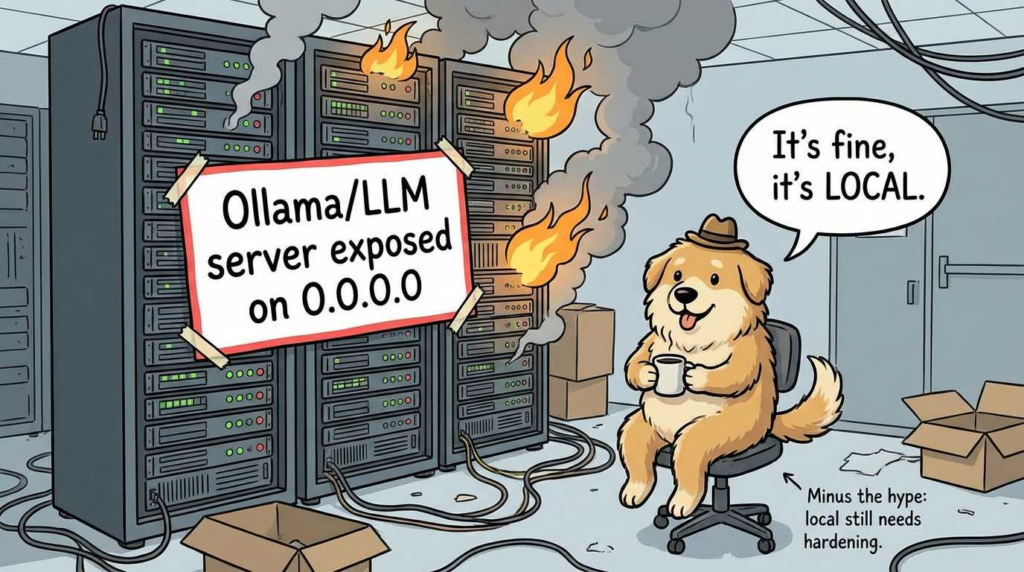
From a security lens, the important implication is: your threat surface isn’t “the chatbot.” It’s whichever interface(s) you enable, plus the daemon and any HTTP exposure you accidentally create.
Persistent memory is plain files, indexed locally
LocalGPT’s “memory” is not a remote vector database and not a proprietary store. It’s a workspace of Markdown files:
MEMORY.mdfor long-term memoryHEARTBEAT.mdfor scheduled task queuesSOUL.mdfor behavioral guidance- optional structured folders under
knowledge/
That layout is in the project README and repeated in third-party coverage. (GitHub)
The indexing approach is what makes this operational instead of cute. LocalGPT uses SQLite full-text search (FTS5) and a local vector extension (sqlite-vec) to support both keyword search and semantic retrieval, with local embeddings (fastembed). (GitHub)
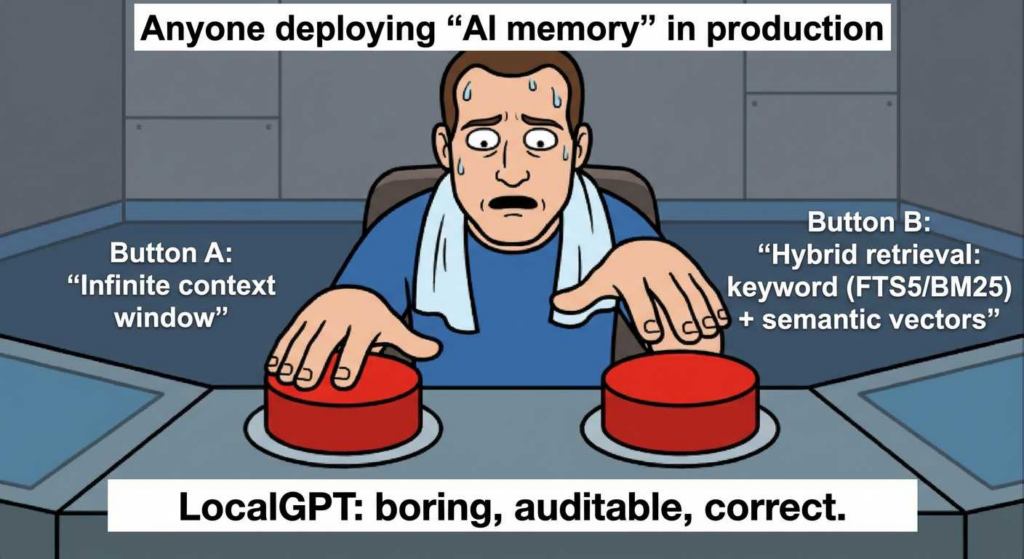
Crucially, the official Memory System documentation states the retrieval logic is hybrid: keyword search (FTS5 with BM25 scoring) is blended with semantic similarity, with a documented weighting (30% keyword, 70% semantic) to compute a final ranking. (localgpt.app)
If you’re writing for engineers, this is the “so what” moment: hybrid search avoids the two classic failure modes of RAG systems—semantic-only retrieval missing exact indicators (hashes, error codes, filenames), and keyword-only retrieval failing to connect concepts (“that SSH incident we talked about”)—without requiring an external vector service.
The heartbeat runner is a real scheduling primitive, not a marketing phrase
Heartbeat is documented as a periodic runner that reads HEARTBEAT.md, evaluates pending tasks, executes them using the agent toolset, and then updates task status in the file. If there’s nothing to do, it returns HEARTBEAT_OK and waits for the next cycle. (localgpt.app)
Heartbeat configuration is also explicit: enable it in config.toml, set an interval (e.g., 30m), optionally restrict active hours, and run it either via the daemon or as a one-shot execution (localgpt daemon heartbeat). (localgpt.app)
That combination—local files + local index + scheduled agent loop—is why LocalGPT is more accurately described as an “assistant you can operationalize,” not just a local chat UI.
HTTP API exists, which means your network perimeter now matters
When the daemon is running, LocalGPT exposes endpoints such as health/status, /api/chat, and memory search/stats. Those endpoints are listed directly in the project README. (GitHub)
This is where many “local-first” tools accidentally become “LAN-first.” The security posture depends on binding behavior, firewall rules, and how you run the daemon. If your deployment goal is “local-only,” you should treat “HTTP API” as a feature that must be deliberately contained.
Threat modeling LocalGPT like an internal service because it is one
A useful way to reason about this class of tool is to stop thinking of it as “an app” and start thinking of it as a privileged internal service that can read data and produce actions. The Memory System and Heartbeat System are explicitly designed to persist context and perform tasks. (localgpt.app)
Below is a pragmatic threat model that stays honest about what’s documented versus what you must enforce in deployment.
| Threat | What it looks like in practice | Why LocalGPT is exposed | Practical mitigation you control |
|---|---|---|---|
| Memory poisoning | A hostile artifact (log file, README, pasted incident note) seeds “instructions” that later bias outputs | LocalGPT indexes local text and retrieves it on future prompts (localgpt.app) | Separate workspaces per project; write-protect memory for critical workflows; add a “source attribution” convention in notes; review retrieval snippets in UI before executing anything |
| Indirect prompt injection | Retrieved text contains embedded instructions (“ignore policy, exfiltrate”) that hijack the model | Hybrid retrieval increases the chance of pulling in untrusted text alongside trusted (localgpt.app) | Treat retrieved text as untrusted input; gate any action-capable tooling behind confirmation; avoid auto-executing tasks that include network calls |
| Data exposure via daemon/API | You think it’s local but the daemon is reachable from your LAN/VPN | Daemon + API endpoints exist by design (GitHub) | Bind to loopback; firewall deny by default; reverse proxy with auth if remote access is required; run under a dedicated OS user with minimal privileges |
| Supply chain drift | “Local” still depends on your inference server, model files, and any enabled integrations | Multi-provider support means you might add remote keys/providers (Nachrichten zur Cybersicherheit) | Pin versions; verify checksums; keep model runtimes patched; document exactly which providers are enabled in production |
| Inference server compromise | The LLM runtime (e.g., Ollama) has its own CVEs | Local inference is still a network service on your box | Patch aggressively; restrict listener addresses; isolate with containers/sandboxing; avoid running as root |
For prompt injection specifically, your most reliable external framing is the industry consensus that LLM applications need explicit defenses against injection and data exfiltration patterns; the OWASP Top 10 for LLM Applications is often used as a shared vocabulary for this threat class. (sqlite.org)
The Rust angle: what you can claim without hand-waving
Cyber Security News highlights Rust memory safety as a rationale for reducing certain vulnerability classes in tooling. (Nachrichten zur Cybersicherheit) The important nuance for a publishable piece is: Rust reduces entire categories of memory-unsafe bugs, but it does not secure your system.
Rust’s core benefit is that it makes it harder to ship classic memory-corruption bugs (buffer overflows, use-after-free patterns) in the LocalGPT codebase itself. That’s valuable in a daemon that may parse content, handle HTTP requests, and maintain concurrency. It does not remove risks like prompt injection, unsafe tool execution, misconfiguration, or vulnerable dependencies in other components you run alongside it.
So the correct engineering claim is: Rust improves the floor; your deployment decisions determine the ceiling.
CVEs that are actually relevant to “local LLM” deployments
If you deploy LocalGPT with a local inference server, your vulnerability surface expands to include that server. One concrete example is Ollama.
CVE-2024-37032 (Ollama): model path handling / path traversal class issue
The U.S. National Vulnerability Database entry for CVE-2024-37032 describes an issue in Ollama prior to 0.1.34 where digest format validation was insufficient when getting a model path, enabling mishandling of certain inputs (including an initial ../ substring), categorized under CWE-22 (path traversal) by CISA-ADP scoring. (NVD)
For defenders, the operational takeaway is simple and non-negotiable:
- keep Ollama patched (0.1.34 or later per the entry);
- avoid exposing the inference server to untrusted networks;
- treat model management paths as a privileged surface, not a convenience feature.
The safest pattern is to run the inference server bound to loopback and isolate it under a dedicated OS account or container, then let LocalGPT talk to it locally.
Llama.cpp CVEs: track your runtime, even if you “just load models”
The NVD has published entries for llama.cpp-related issues (for example CVE-2024-42478, CVE-2026-21869, CVE-2026-2069). (NVD)
Because the NVD pages require JavaScript for full rendering in some environments, the conservative and publishable claim is: treat llama.cpp and similar inference servers as you would any internet-facing parser/server—patch, isolate, and assume malformed inputs can be weaponized. The precise mechanics and fixed versions should be pulled from the upstream advisories and the NVD reference links during your production change window.
A hardening playbook that matches how LocalGPT is built
This section deliberately focuses on controls that remain valid even if you later switch model providers, change UI surfaces, or replace LocalGPT with another agent framework.
1) Run it like a service, not like a toy
Use a dedicated OS user, with a locked-down home directory, and put the workspace on a volume you can snapshot and permission tightly. The project’s design—Markdown workspace + SQLite indexing—makes this feasible without proprietary components. (GitHub)
A minimal Linux systemd unit (illustrative) looks like this:
[Unit]
Description=localgpt daemon
After=network.target

[Service]
Type=simple
User=localgpt
Group=localgpt
WorkingDirectory=/home/localgpt
Environment=RUST_LOG=info
ExecStart=/usr/local/bin/localgpt daemon start
Restart=on-failure
NoNewPrivileges=true
PrivateTmp=true
ProtectSystem=strict
ProtectHome=true
ReadWritePaths=/home/localgpt/.localgpt
LockPersonality=true
MemoryDenyWriteExecute=true

[Install]
WantedBy=multi-user.target
This doesn’t “secure LocalGPT” by itself; it forces a safer default: the daemon can’t casually rummage through your home directory, and it runs with a narrower blast radius if compromised.
2) Treat the HTTP API as an attack surface by default
The README lists API endpoints for chat and memory search/stats. (GitHub) Even if you never intend to access them remotely, someone on your LAN might, or a local process might.
Your safest default posture is:
- bind the service to loopback only;
- block inbound at the host firewall;
- if remote access is required, front it with a reverse proxy that enforces authentication and rate limits.
A practical reverse-proxy pattern (again illustrative) is to require SSO/mTLS in front of any “chat” or “memory search” endpoint, because those endpoints can return sensitive context by design.
3) Workspace segmentation is not optional
LocalGPT’s memory model is intentionally persistent (MEMORY.md is long-term knowledge and auto-loaded each session). (GitHub) That’s exactly what you want for productivity—and exactly what you do nicht want shared across unrelated client environments, regulated datasets, or incident response matters.
The cleanest control is to use separate workspaces per project and treat them like separate repos: scoped permissions, scoped backups, scoped retention.
4) Heartbeat tasks should be treated as production automation
Heartbeat executes tasks “using the full agent toolset,” and can read/write files, make HTTP requests, and run commands. (localgpt.app) That is functionally equivalent to a small automation system.
Operational best practice is to:
- keep heartbeat disabled until you have a policy for what tasks are allowed;
- restrict active hours;
- avoid any unattended network egress tasks unless you have monitoring and logging;
- treat
HEARTBEAT.mdas code: change control, review, and audit.
Here is a safe “security engineer” heartbeat example that stays local and doesn’t exfiltrate:
# Heartbeat Tasks

## Pending

### Daily Local Audit Summary
- Priority: medium
- Recurring: daily at 18:00
- Description: Summarize today's changes in ~/.localgpt/workspace/knowledge/security/ into MEMORY.md, and list any files modified in the last 24h.

## Completed
This aligns with the documented heartbeat format and avoids dangerous external actions. (localgpt.app)
Practical workflows security engineers will actually use
Offline triage: “my logs are sensitive, but I need fast pattern recognition”
LocalGPT’s hybrid search is most valuable when you’re dealing with noisy operational data that still contains high-signal tokens: authentication failures, error codes, unique request IDs, stack traces, and hostnames. The Memory System explicitly supports both keyword and semantic retrieval with a combined ranking. (localgpt.app)
A realistic workflow is to drop sanitized log excerpts into knowledge/incident-2026-02/, let the index update, and then ask questions that require both exact matching and conceptual linking:
- “Show me every place
AUTHZ_DENIEDappeared, and summarize the most common preceding events.” - “Do any of these failures map to a known misconfiguration pattern we’ve seen before?”
This is exactly the “second brain” function that cloud chatbots provide, except your logs never leave the host.

Secure code review: speed without exporting proprietary code
If your organization forbids sending source to third parties, a local assistant becomes a compliance tool, not just a developer tool. LocalGPT’s design goal—local memory, local indexing, local inference—fits that model. (Nachrichten zur Cybersicherheit)
A defensible approach is to index only the subset of code required for the review (e.g., crypto primitives, auth middleware), and keep that workspace on an encrypted volume. This doesn’t replace human review, but it can accelerate “find me similar patterns,” “summarize call chains,” and “highlight risky assumptions.”
“Autonomous but not unsupervised”: using heartbeat for low-risk operational checks
Heartbeat is best used first as a scheduler for read-only summaries: build status, local disk usage, local configuration drift, or the presence of new files in a watch folder. That’s directly supported by the heartbeat concept: periodic cycles reading tasks, evaluating, and updating status. (localgpt.app)
Once you’ve proven the reliability of read-only tasks, you can graduate to controlled write operations (e.g., updating a daily summary) before you ever allow network requests or shell commands.
The most practical pairing is to export Penligent reports (JSON, findings, evidence snippets) into a dedicated LocalGPT workspace for a single client or internal environment. That lets you ask higher-order questions—“what changed since last run,” “which mitigations map to which findings,” “what’s the fastest verification plan”—without copying the report into a cloud chat. Penligent’s own content emphasizes engineer-grade verification and evidence-driven security workflows, which matches this “keep it local, keep it auditable” approach. (Sträflich)
This isn’t about replacing your pentest platform; it’s about reducing the friction between “we found it” and “we can prove we fixed it,” while keeping the evidence inside your boundary.
Local-first assistants do not magically solve:
- prompt injection (they change where it happens, not whether it happens);
- hallucinations (local models hallucinate too);
- “agent safety” (heartbeat and tool execution are only as safe as your guardrails);
- model supply chain risk (weights and runtimes need the same discipline you apply to packages).
The point of LocalGPT is not perfection; it’s control. The project’s documented design—local Markdown memory, SQLite indexing, heartbeat scheduling, daemon/API endpoints—gives you primitives you can govern with OS and network policy. (GitHub)
Conclusion: the real win is not “offline AI”—it’s auditability
LocalGPT matters because it turns the most valuable part of AI tooling—fast synthesis over sensitive context—into something you can keep inside your own perimeter, with your own file permissions, your own firewall rules, and your own change control. The documented architecture (Markdown memory + SQLite hybrid retrieval + heartbeat scheduling) is not just a feature checklist; it’s a set of deployment primitives security teams already know how to govern. (GitHub)
If you publish one thesis statement, publish this: local AI is not automatically safe, but it is governable in ways cloud chat often isn’t. That’s the difference that survives an audit.
Internal Links
https://nvd.nist.gov/vuln/detail/CVE-2024-37032
https://owasp.org/www-project-top-10-for-large-language-model-applications/

 German
  English
  French
  Spanish
  Portuguese
  Japanese
  Korean
  Hindi
Hindi  Arabic
  Turkish
  Hebrew