
Why CVE-2025-49132 Deserves Immediate Attention
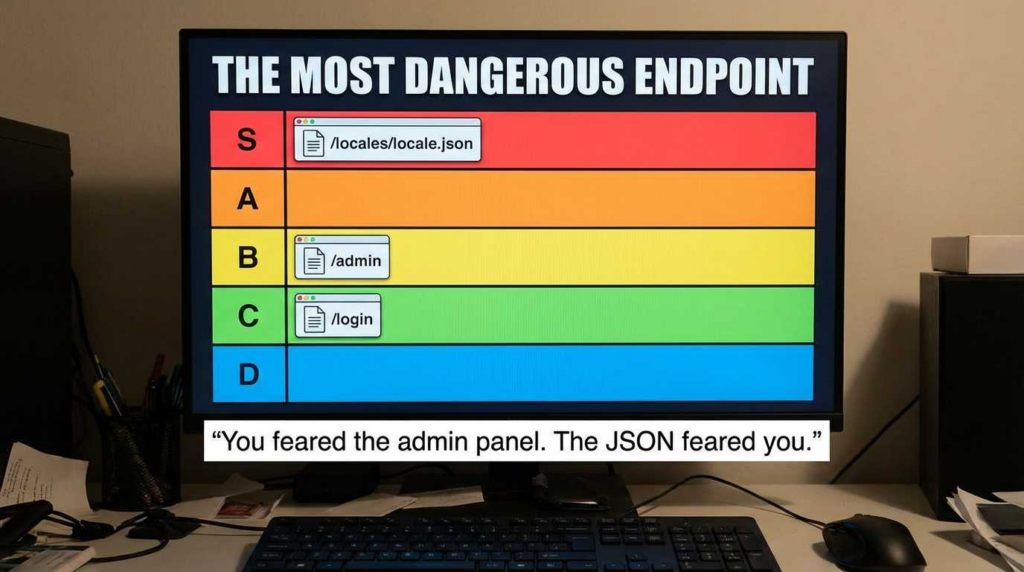
In the hierarchy of vulnerabilities, unauthenticated Remote Code Execution (RCE) sits at the very top. CVE-2025-49132 is not a theoretical risk or a complex race condition requiring specific user interaction; it is a direct, network-reachable flaw in the Pterodactyl Panel that allows an attacker to execute arbitrary code simply by sending a crafted request to the /locales/locale.json endpoint.
For security engineers managing game server infrastructure or hosting providers relying on Pterodactyl, this is a “drop everything” event. The vulnerability affects all Pterodactyl Panel versions prior to 1.11.11.
The urgency is compounded by real-world signals. Shortly after the GitHub Security Advisory (GHSA-24wv-6c99-f843) was published, the DIVD CSIRT reported observing exploitation attempts and began conducting internet-wide scanning to notify affected server owners. This indicates that weaponized proof-of-concepts are likely circulating in private circles or are trivial enough for threat actors to reverse-engineer from the patch diffs.
Unlike complex deserialization bugs that might require specific gadget chains, this vulnerability exploits insufficient input validation in a localization loader. It turns a standard feature—loading language files—into a gateway for full server compromise. Once code execution is achieved on the Panel, an attacker can read configuration files (exposing database credentials), manipulate running game servers (Wings), and potentially pivot deeper into the hosting infrastructure.
The Impact Ladder:
- Initial Access: Unauthenticated HTTP request to
/locales/locale.json. - Ejecución: Arbitrary PHP code execution under the web server user (usually
www-data). - Persistencia: Modification of crontabs, web shells in public directories, or backdoor injection into startup scripts.
- Data Exfiltration: Acceso a
.envfiles containing database credentials, mail server keys, and API tokens. - Infrastructure Dominance: Control over all connected “Wings” (nodes), allowing the attacker to hijack game servers, install crypto-miners, or delete customer data.
Vulnerability Facts: At a Glance
Before we dive into the mechanics, here is the verified data you need for your asset inventory and risk assessment.
| Atributo | Detail |
|---|---|
| ID CVE | CVE-2025-49132 |
| Gravedad | Crítica (Unauthenticated RCE) |
| Affected Component | Pterodactyl Panel (Web Interface) |
| Vulnerable Endpoint | /locales/locale.json |
| Vulnerable Parameters | locale, espacio de nombres |
| Versiones afectadas | All versions < 1.11.11 |
| Fixed Version | 1.11.11 |
| Patch Availability | Upstream patch released; full upgrade recommended. |
| Vector de ataque | Network (HTTP), Low Complexity, No Authentication. |
| Interim Mitigation | Block access to endpoint (breaks localization); WAF rules (partial). |
Timeline & Disclosure
Understanding the disclosure timeline helps in assessing the “time-to-exploit” window for your infrastructure.
- June 19, 2025: GitHub Security Advisory GHSA-24wv-6c99-f843 is published. The advisory explicitly details the unauthenticated RCE vector and identifies the fix in version 1.11.11.
- June 20, 2025: NIST NVD publishes the CVE entry, cementing the “Critical” rating and providing the Common Weakness Enumeration (CWE) classification.
- Post-Disclosure: En DIVD CSIRT (Dutch Institute for Vulnerability Disclosure) initiates case DIVD-2025-00032. They report observing scanning activity and begin notifying verifiable owners of exposed instances.
- Current State: Public exploit details are widely understood by the security community. If you have a public-facing Pterodactyl Panel that has not been patched since June 2025, you must assume it is compromised.
Technical Mechanics: The Engineering of the Flaw
Note: This section explains the vulnerability mechanics for defense and verification purposes. No weaponized payloads are provided.
The core of CVE-2025-49132 lies in how the Pterodactyl Panel handles localization (i18n) requests. Modern web applications often load translation strings dynamically to support multiple languages without reloading the page. Pterodactyl uses the /locales/locale.json endpoint to fetch these strings.
The Input-to-Interpreter Boundary Failure
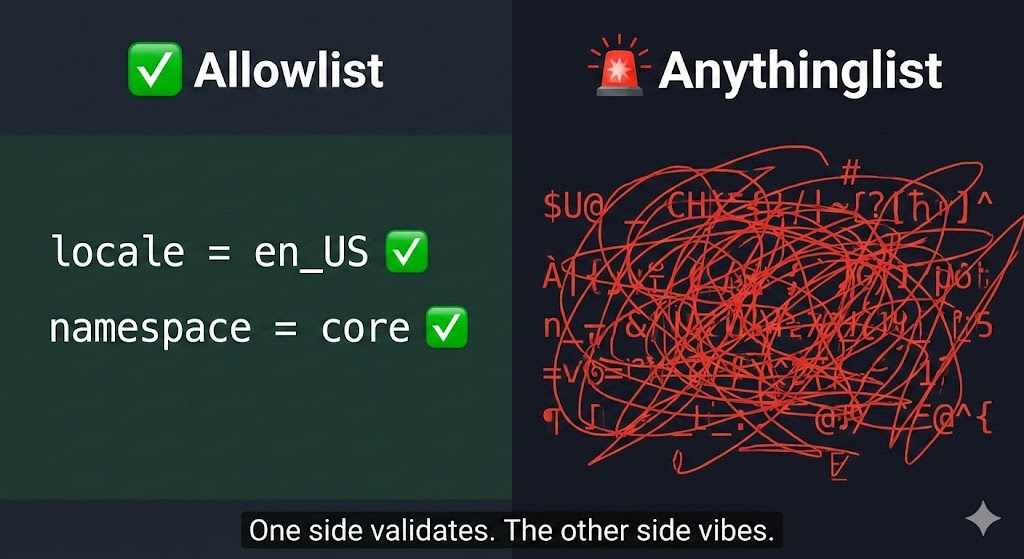
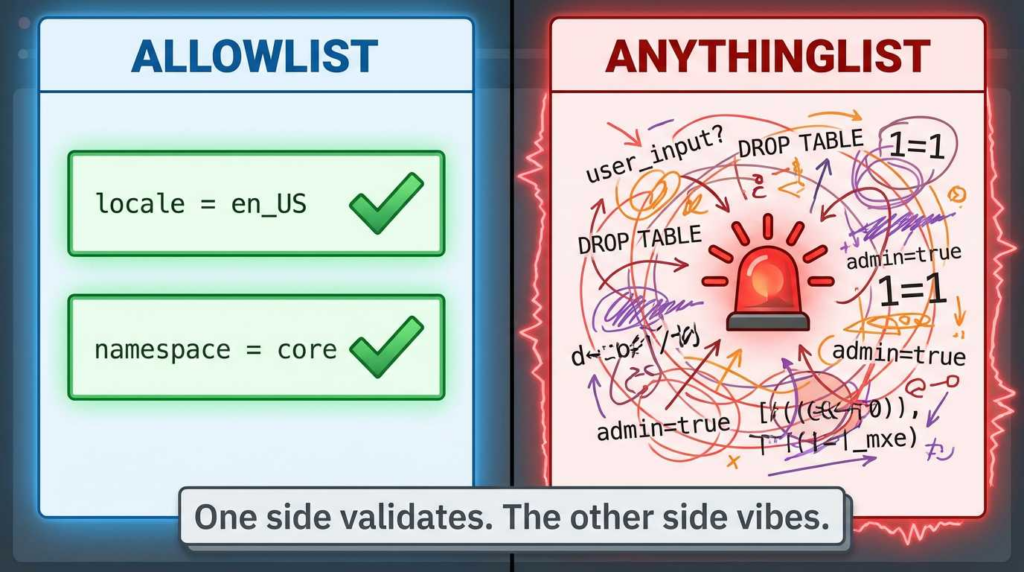
The endpoint accepts user-controlled input, specifically the locale y espacio de nombres parameters, to determine which file to read or which strings to return. Ideally, a secure application treats these parameters as keys in a strict allowlist (e.g., “only allow ‘en’, ‘fr’, ‘de'”).
In vulnerable versions (< 1.11.11), the application failed to sufficiently validate this input before passing it to internal functions that process files or evaluate paths.
- Dynamic Routing: The application takes the input from the URL parameters.
- Insufficient Sanitization: The input is not rigorously checked against a “known good” list of locales or namespaces.
- Execution Context: The application attempts to load the requested resource. Because of the loose validation, an attacker can manipulate the path or the content being loaded. In PHP environments, if user input is concatenated into file system calls (like
include,requiere, or specific file readers that parse content) without strict typing, it can lead to code execution.
The fix in version 1.11.11 introduces strict validation. It ensures that the requested locale and namespace exactly match expected alphanumeric patterns and exist within the legitimate directory structure before any processing occurs.
Impact Analysis: Beyond the “RCE” Label
While “Remote Code Execution” is the technical classification, the operational impact on a Pterodactyl environment is specific and devastating.
1. The .env File: The Keys to the Kingdom
Pterodactyl stores sensitive configuration in a .env file in the web root. An attacker with RCE can immediately read this file. It contains:
APP_KEY: Used for encryption.DB_PASSWORD: Direct access to the MySQL/MariaDB database.MAIL_PASSWORD: SMTP credentials, often allowing the attacker to send spam or phishing emails from your trusted domain.
2. Managed Server Compromise (The “Wings”)
The Panel controls the “Wings” (the daemons running on separate physical servers that host the actual game containers). By gaining control of the Panel, an attacker can:
- Modify server startup commands to execute malware.
- Access the file systems of all running Docker containers managed by the Panel.
- Delete backups or hold data for ransom.
3. Global Exposure
According to data from Bitsight and other attack surface management firms, Pterodactyl is widely deployed on consumer hosting and hobbyist networks, which often lag in patching. This creates a massive “botnet-ready” population of servers. If your organization runs Pterodactyl for community engagement or game hosting, your panel is likely being scanned by automated bots multiple times a day.
“Am I Exposed?” Checks
Do not wait for a breach notification. Proactively verify your exposure status using authorized internal checks.
Asset Discovery
First, identify all Pterodactyl endpoints. If you manage a large network, look for:
- Subdomains often used for panels:
panel.,game.,control.. - Tech stack signatures: The Pterodactyl login page has a distinct HTML structure and title.
Version Verification
You cannot rely on the footer text alone, as it can be hidden or spoofed. Use the command line on the server hosting the Panel to confirm the version.
For Git-based Deployments:
Navigate to your web root (commonly /var/www/pterodactyl) and check the tags.
Bash
`# Check the current git tag git -C /var/www/pterodactyl describe –tags
Alternatively, check the specific commit hash
git -C /var/www/pterodactyl rev-parse –short HEAD`
For Docker-based Deployments:
Inspect the running image tag.
Bash
docker ps --format 'table {{.Names}}\\t{{.Image}}\\t{{.Ports}}'
If the image tag is latest, you must inspect the image creation date or enter the container to check the code, as latest is not a version number.
Logging Focus
If you have centralized logging (ELK, Splunk, Graylog) or access to Nginx/Apache access logs, hunt for the following patterns immediately.
The Hunt Query:
Look for HTTP GET or POST requests to /locales/locale.json where the query parameters look suspicious.
- Normal:
GET /locales/locale.json?locale=en&namespace=global - Suspicious: Requests containing
..,/, null bytes (%00), or unusually long strings in thelocaleoespacio de nombresfields.
Bash
# Quick Grep Hunt in Nginx Logs grep "/locales/locale.json" /var/log/nginx/pterodactyl.access.log | grep -E "(\\.\\.|%00|%2e%2e)"
Remediation You Can Prove
The only permanent fix is upgrading the code. However, “I think I patched it” is not a strategy. Here is how to apply the fix and pruebe it worked.
The Gold Standard: Upgrade to v1.11.11
This is the official remediation path supported by the developers.
Step 1: Maintenance Mode
Bash
cd /var/www/pterodactyl php artisan down
Step 2: Update Codebase
Bash
curl -L <https://github.com/pterodactyl/panel/releases/download/v1.11.11/panel.tar.gz> | tar -xzv chmod -R 755 storage/* bootstrap/cache/ composer install --no-dev --optimize-autoloader php artisan view:clear php artisan config:clear
Step 3: Database Migrations (if applicable)
Bash
php artisan migrate --seed --force
Step 4: Restore Service
Bash
php artisan up
Remediation Path B: Applying the Patch File
If you cannot perform a full upgrade due to heavy customizations, you can cherry-pick the patch. Note: This is risky if you drift too far from upstream.
Refer to the commit associated with version 1.11.11 in the GitHub repository. The key changes will be in the controller handling the localization route. Ensure the validation logic is identical to the upstream fix.
Post-Fix Proof Checklist
After applying the patch, perform a “safe” validation:
- Version Check: Ejecutar
php artisan --versionor the git command again to confirm the system recognizes the new version. - Functional Check: Log out and visit the login page. Ensure the language loads correctly (e.g., switch to English or another language). If the page loads but language strings are broken, the patch may have been applied incorrectly.
- Negative Testing: Attempt a request to the endpoint with an invalid locale (e.g.,
invalid_locale). The server should return a404o422error, or a default fallback, but no a500error or a successful execution of a payload.
If You Can’t Upgrade Today: Safe Interim Mitigations
If operational constraints prevent an immediate upgrade, you must cut off the attack vector.
The “Emergency Brake”: Blocking the Endpoint
You can block access to the specific endpoint at the web server level. Advertencia: This will break dynamic localization loading. Users may see raw translation keys (e.g., auth.login_button) instead of text (“Login”). This is a UX degradation, not a functionality break.
Nginx Configuration:
Add this block antes de your main PHP processing block.
Nginx
location = /locales/locale.json { return 403; # Or, to be more obscure: # return 404; }
Reload Nginx (service nginx reload) immediately after saving.
WAF Mitigation (Cloudflare / ModSecurity)
If you are behind Cloudflare, you can create a Custom Firewall Rule.
- Field: URI Path
- Operator: equals
- Valor:
/locales/locale.json - Acción: Block
Threat Hunting & Incident Response
If you find evidence of exploitation in your logs (Section 6.3), you must shift to Incident Response (IR) mode.
1. Assume Persistence
Attackers rarely run one command and leave. They install backdoors.
- Consulte
crontab -lycat /etc/crontabfor scheduled tasks curling remote scripts. - Consulte
/var/www/pterodactyl/publicfor unrecognized.phpfiles (webshells). - Check user accounts:
cat /etc/passwdfor new users.
2. Rotate All Secrets
Porque el .env file was exposed:
- Change your Database Password.
- Regenerate your
APP_KEY(note: this invalidates existing encrypted sessions/data). - Revoke and reissue all API keys (Stripe, Mailgun, Discord, etc.).
3. Isolation
Disconnect the compromised panel from the internet. If you are using virtualization, snapshot the compromised state for forensics, then restore from a pre-incident backup if available. If no backup exists, a clean reinstall of the OS and Panel is the only way to be 100% sure the machine is clean.
Automation: Make “Proof-of-Fix” Repeatable
Manual checks are prone to error. Automate the verification of this vulnerability to ensure regression testing catches it in the future.
You can use open-source scanners like Núcleos to detect this specific CVE. The community has developed templates that check for the vulnerability safely (non-destructive).
Implementing a Validation Gate (CI/CD):
If you manage Pterodactyl using Infrastructure as Code (Ansible/Terraform), add a verification step that runs after deployment.
| Verification Level | Acción | Tooling |
|---|---|---|
| L1 (Static) | Check installed version number. | Bash/Ansible |
| L2 (Config) | Verify Nginx config denies the endpoint (if using mitigation). | grep / OPA |
| L3 (Active) | Send a benign probe to /locales/locale.json and expect a 403/404/Clean Response. | rizo / Python script |
| L4 (Deep) | Full vulnerability scan. | Nuclei / Penligent AI |
Risk Scoring & Context
- CVSS Score: Critical (9.0+ range).
- EPSS (Exploit Prediction Scoring System): High. The probability of exploitation is elevated due to the ease of attack and the public availability of technical details.
- Internet Exposure: Bitsight and Shodan data suggest thousands of Pterodactyl instances remain unpatched. The “long tail” of hobbyist servers provides a training ground for botnets, which then pivot to attack enterprise infrastructure.
Related CVEs and The RCE Map
CVE-2025-49132 is not an isolated incident in the landscape of web application security. It shares DNA with other input-validation disasters.
- EternalBlue: While an SMB protocol flaw, it taught us that unauthenticated network-level RCEs are the most dangerous class of bugs. See our guide on EternalBlue CVE… and How to Prove You’re Not Exposed for a comparison of network-layer vs. app-layer RCEs.
- Agentic Red Teaming: Modern pentesting doesn’t just look for one CVE; it looks for the impacto of that CVE. As discussed in The 2026 Ultimate Guide to AI Penetration Testing, agentic systems can autonomously chain a Pterodactyl RCE into a full cloud compromise.
Bringing It All Together with Penligent
Penligent.ai is designed for exactly this scenario. It is an AI-driven penetration testing and verification platform that moves beyond simple “vulnerability scanning.” Instead of just listing CVE-2025-49132 as a line item, Penligent agents can safely verify the exploitability of the /locales/locale.json endpoint using authorized, non-destructive proofs. It helps security teams turn “we think we patched it” into “we have evidence it is secure.”
For example, you can create a custom verification run in Penligent that specifically targets your Pterodactyl assets. The AI agent will perform the asset discovery, version checking, and safe active probing described in this guide, generating a compliance-ready report. This allows you to scale the expertise of a senior security engineer across your entire external attack surface. Read more about how we verify risks in our comparison: AutoPentestX vs Penligent AI: The Practical Differences You’ll Feel on Day One.
The 24-Hour Defender Checklist
If you are reading this and haven’t patched yet, here is your immediate action plan:
- [ ] Inventory: Identify all public-facing Pterodactyl Panels.
- [ ] Mitigate: Apply the Nginx block or Cloudflare WAF rule immediately.
- [ ] Verifícalo: Check the version. If
< 1.11.11, schedule an emergency window. - [ ] Hunt: Grep logs for
/locales/locale.jsonabuse. - [ ] Parche: Upgrade to 1.11.11.
- [ ] Validate: Utilice
rizoor a scanner to confirm the endpoint is no longer vulnerable. - [ ] Monitor: Watch for failed attempts in the logs for the next 72 hours.
Referencias
- [NVD] National Vulnerability Database — CVE-2025-49132
- [GitHub] GitHub Security Advisories — GHSA-24wv-6c99-f843
- [DIVD CSIRT] DIVD-2025-00032 Case File
- [VulnInfoGuide] Snyk — SNYK-PHP-PTERODACTYLPANEL-10442150
- [bitsight.com] Bitsight — CVE-2025-49132 Global Footprint
- [FortiGuard] Fortinet — FortiGuard IPS Detection
- [Penligent] EternalBlue CVE… and How to Prove You’re Not Exposed
- [Penligent] La Guía Definitiva 2026 para Pruebas de Penetración con IA: La era del Red Teaming Agentic
- [Penligent] AutoPentestX vs Penligent AI: The Practical Differences You’ll Feel on Day One
- [Penligent] ¿Qué son las pruebas de penetración? La ingeniería del riesgo verificado


 Spanish
  English
  German
  French
  Portuguese
  Japanese
  Korean
  Hindi
Hindi  Arabic
  Turkish
  Hebrew