The “Check-Box” Failure: Why MS17-010 Still Haunts Us
If you ask a junior analyst what EternalBlue is, they will likely recite: “It is a remote code execution vulnerability in Windows SMBv1.” If you ask a seasoned security engineer, the answer is different: “It is the reason we still lose sleep over legacy medical devices, OT networks, and unpatched servers sitting in forgotten VLANs.”
EternalBlue is the colloquial name for the exploit that leverages CVE-2017-0144. However, strictly focusing on that single CVE ignores the broader reality. EternalBlue is part of the MS17-010 bulletin, a critical update released by Microsoft on March 14, 2017, to address how the Server Message Block (SMB) version 1 protocol handles specially crafted packets.
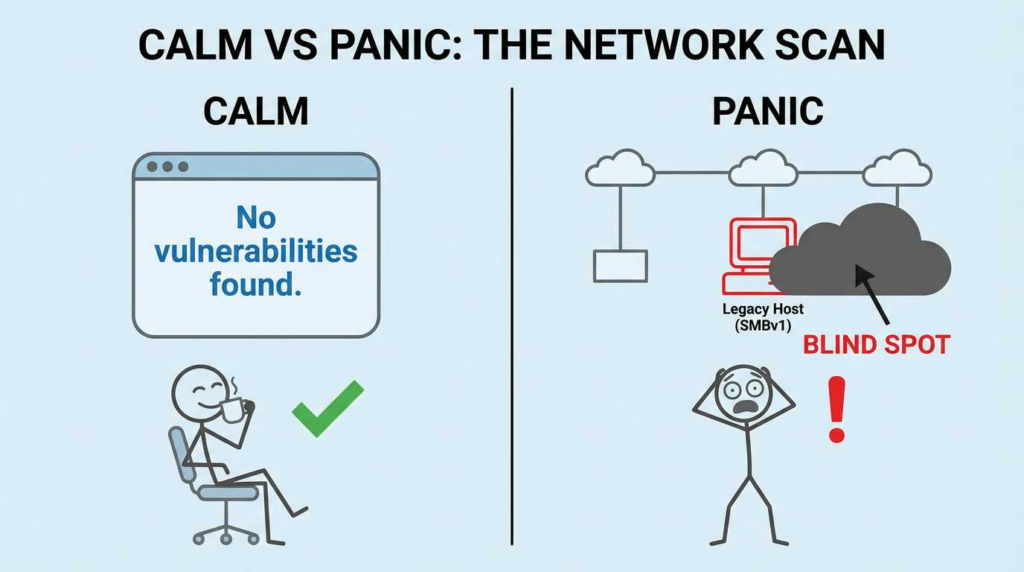
Almost a decade later, the “EternalBlue CVE” remains a top-tier threat not because patches don’t exist, but because verification is hard. Organizations rely on “check-box compliance”—assuming that because a WSUS policy was pushed in 2018, the network is safe. They fail to verify if the registry keys actually changed, if the service restart occurred, or if a rogue engineer re-enabled SMBv1 for a legacy printer.
The Thesis: Stop trusting patch management dashboards. You are not safe until you can produce forensic evidence that SMBv1 is disabled and the specific KB is active on the kernel. Verification is the only metric that matters.
EternalBlue CVE
Which CVE is the “EternalBlue CVE”?
There is a persistent confusion in the industry where “EternalBlue” is used interchangeably with “MS17-010.” This conflation is dangerous for remediation teams. MS17-010 is not a single vulnerability; it is a family of vulnerabilities.
En CVE-2017-0144 is the specific vulnerability used by the NSA-linked “EternalBlue” exploit tool (and subsequently WannaCry), the bulletin patched six distinct CVEs. If you only scan for 0144, you might miss the Information Disclosure vulnerability (0147) that often precedes the attack, or the other RCEs that can be triggered via similar mechanisms.
MS17-010 CVE Family Mapping
ID CVE
Vulnerability Name
Gravedad
Tipo de impacto
The “EternalBlue” Connection
CVE-2017-0143
Windows SMB Remote Code Execution Vulnerability
Crítica
RCE
Part of the EternalRomance y EternalSynergy exploit chains.
CVE-2017-0144
Windows SMB Remote Code Execution Vulnerability
Crítica
RCE
This is EternalBlue. The specific heap overflow in srv!SrvOs2FeaListSizeToNt.
CVE-2017-0145
Windows SMB Remote Code Execution Vulnerability
Crítica
RCE
Associated with EternalRomance.
CVE-2017-0146
Windows SMB Remote Code Execution Vulnerability
Crítica
RCE
Associated with EternalChampion.
CVE-2017-0147
Windows SMB Information Disclosure Vulnerability
Important
Info Disc.
Allows attackers to peek at kernel memory to bypass ASLR (Address Space Layout Randomization).
CVE-2017-0148
Windows SMB Remote Code Execution Vulnerability
Crítica
RCE
Associated with EternalChampion.
Source: Microsoft Security Bulletin MS17-010 / Microsoft Learn
When you audit for “EternalBlue,” you are really auditing the integrity of srv.sys v1. You must confirm that the entire MS17-010 patch set is applied, as the exploits often chain these CVEs (e.g., using 0147 to map memory before launching 0144).
Why SMBv1 Makes This Wormable
To understand why the EternalBlue CVE is so dangerous, you have to look at the mechanics of SMBv1.
SMBv1 (Server Message Block version 1) is a chatty, inefficient protocol designed in the 1980s for small local networks. It operates with a level of trust that is incompatible with the modern internet.
The Mechanics of the Exploit
Technically, CVE-2017-0144 is a logical error in how the Srv!SrvOs2FeaListSizeToNt function handles “FEA” (File Extended Attributes) lists.
The Trigger: An attacker sends a crafted packet with a specific FEA list size.
The Overflow: The server calculates the buffer size needed incorrectly (a mathematical integer overflow leading to a smaller-than-needed buffer allocation).
The Write: The kernel writes the data into this undersized buffer, overflowing into adjacent memory.
The Grooming: Because this happens in the Non-Paged Kernel Pool, attackers can use “Heap Grooming” (spraying the heap with predictable data) to ensure the overflow overwrites a function pointer.
El resultado: The attacker gains SISTEMA level access.
Why It “Won’t Die” (SentinelOne Viewpoint)
According to analysis from SentinelOne and other threat researchers, EternalBlue persists because:
Protocol Dependency: Legacy OT (Operational Technology) and IoT devices often hardcode SMBv1 for file sharing. They cannot speak SMBv2 or SMBv3.
The “Air Gap” Fallacy: Engineers assume that because a machine is not on the internet, it doesn’t need the patch. But once a perimeter is breached (via phishing), EternalBlue becomes the perfect lateral movement tool.
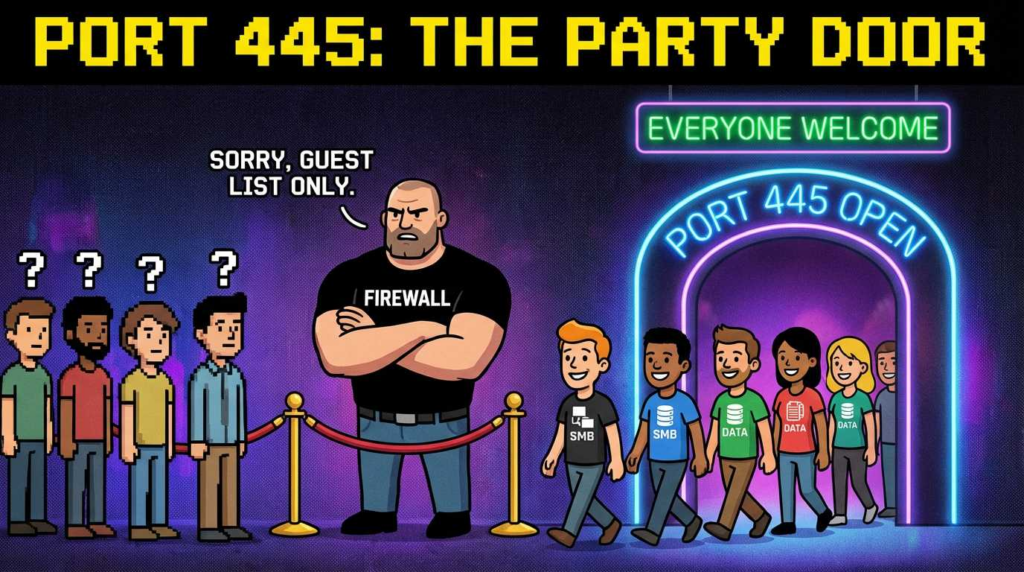
Wormability: Unlike many RCEs that require user interaction, this listens on Port 445. If the port is open and the packet arrives, the code executes. No clicks required.
How WannaCry & NotPetya Used the Exposure
The history of 2017 serves as the ultimate use case for why verification beats assumption.
When WannaCry hit in May 2017, the MS17-010 patch had been available for two months (released March 14, 2017). The world didn’t burn because there was no fix; it burned because organizations had poor visibility.
The Attack Cycle
Entry: Usually phishing or exposed RDP (not EternalBlue initially).
Escanea: The malware scans the local subnet (and random public IPs) for TCP port 445.
Exploit: It fires the EternalBlue exploit (CVE-2017-0144) against identified hosts.
Install: It installs the DoublePulsar backdoor to maintain persistence.
Carga útil: It drops the ransomware and encrypts.
Propagate: The cycle repeats from the newly infected host.
The WIRED Narrative & Defense Gaps
As highlighted in WIRED’s retrospectives, the catastrophe was exacerbated by flat networks. Hospitals and logistics companies had “hard outer shells” (firewalls) but “soft centers.” Once WannaCry was inside, there were no internal firewalls or VLAN ACLs to stop port 445 traffic between departments.
The “Can I Check?” Dilemma:
During the outbreak, admins struggled to answer simple questions:
Is SMBv1 enabled? (Most didn’t know).
Is KB4012212 installed? (SCCM was too slow to report back accurately).
Is Port 445 blocked between Client VLAN and Server VLAN? (Usually no).
Turn “EternalBlue Risk” into Verification Tasks
Moving from history to engineering, how do we validate this today? We cannot rely on the GUI. We need command-line proof.
Evidence Chain
To declare an asset safe, you need three pieces of evidence:
Patch Status: Is the MS17-010 update (or a superseding Cumulative Update) installed?
Protocol Status: Is SMBv1 disabled in the registry?
Network Status: Is Port 445 reachable from untrusted segments?
Code Block #1: PowerShell Verification
This script checks for the patch and the specific registry configuration required to disable SMBv1.
PowerShell
`<# .SYNOPSIS Verifies MS17-010 Patch Status and SMBv1 Configuration. Intended for local verification or PowerShell Remoting. #>
Function Get-EternalBlueStatus { $Evidence = @{}
# 1. Check for SMBv1 Registry Disable
# Path: HKLM:\\SYSTEM\\CurrentControlSet\\Services\\LanmanServer\\Parameters
$RegPath = "HKLM:\\SYSTEM\\CurrentControlSet\\Services\\LanmanServer\\Parameters"
$SMB1Val = (Get-ItemProperty -Path $RegPath -Name "SMB1" -ErrorAction SilentlyContinue).SMB1

If ($SMB1Val -eq 0) {
    $Evidence.SMBv1_Enabled = $false
    $Evidence.SMBv1_Status = "SECURE (Registry Disabled)"
} Else {
    $Evidence.SMBv1_Enabled = $true
    $Evidence.SMBv1_Status = "RISK (Enabled or Not Configured)"
}

# 2. Check for Patch (simplified for modern Cumulative Updates)
# Note: Modern Windows versions (Server 2019/2022) have this patched by default in base image.
# For older OS (2008/2012/Win7), we look for specific KBs or supersedence.

$Hotfixes = Get-HotFix
# MS17-010 KBs: KB4012212, KB4012215, KB4012213, KB4012216, KB4012214, KB4012217
$PatchFound = $Hotfixes | Where-Object {
    $_.HotFixID -match "KB4012212|KB4012215|KB4012213|KB4012216|KB4012214|KB4012217"
}

If ($PatchFound) {
    $Evidence.Patch_Status = "PATCHED ($($PatchFound.HotFixID))"
} Else {
    $Evidence.Patch_Status = "REVIEW REQUIRED (Check for superseding Cumulative Updates)"
}

Return $Evidence
}
Get-EternalBlueStatus`
On Windows 10/11 and Server 2016+, checking specifically for the 2017 KB often returns false because it has been superseded by years of cumulative updates. In these cases, verifying the Build Number or the presence of recent Cumulative Updates is the correct validation method.
Once you have verified the host configuration, you must verify the network surface. The principle is simple: SMB should rarely, if ever, be exposed to the public internet.
Internet Exposure Checks
Using tools like Shodan or Censys, organizations can monitor their external IP space for Port 445. If you see Port 445 open to the world, you are being scanned by EternalBlue exploits thousands of times a day.
Internal Lateral Exposure (Safe Detection)
To check your internal network without crashing legacy systems, use Nmap’s vulnerability detection scripts. The smb-vuln-ms17-010 script detects the vulnerability by checking the response to a specific transaction request sin triggering the buffer overflow exploit.
Code Block #2: Nmap Detection-Only
Bash
`# Nmap SAFE check for MS17-010
-Pn: Treat hosts as online (skip ping)
-p445: Target SMB port
–script smb-vuln-ms17-010: Use the specific detection script
Output confirms vulnerability status without crashing the service.
Verifícalo: Run authenticated PowerShell check to confirm it’s not a false negative due to firewalls.
SMBv1 Detected (No Vuln)
System is patched, but SMBv1 protocol is active.
Endurecimiento: Disable SMBv1 via GPO/Registry unless explicitly required for legacy app.
Remediation That Survives Audits
Remediation is not just “installing the update.” It is about architecture. The SANS Internet Storm Center and Microsoft Support explicitly recommend a tiered approach.
1. The Kill Switch: Disable SMBv1
Even if patched, SMBv1 is an insecure protocol (no encryption, inefficient). It should be disabled globally.
You must implement a “Block Default” policy for Port 445 at the perimeter firewalls and internal VLAN boundaries. Workstations (Client VLANs) generally have no business accepting incoming connections on Port 445 from other workstations.
3. The Audit Artifact
When an auditor asks, “Are we safe from EternalBlue?”, do not show them a policy document. Show them:
A report of all assets with HKEY_LOCAL_MACHINE\\SYSTEM\\CurrentControlSet\\Services\\LanmanServer\\Parameters\\SMB1 set to 0.
A firewall rule export showing Port 445 blocked inbound from the internet.
Detection Engineering Playbook
If prevention fails, detection is the safety net. You cannot rely on generic AV signatures. You need behavioral detection via SIEM (Splunk, Sentinel, ELK).
Network Intrusion Detection (Snort/Suricata)
The SANS Institute recommends monitoring for the specific shellcode patterns or the oversized FEA list transmittal.
Signature ID: SID 41978 (ET EXPLOIT Possible ETERNALBLUE MS17-010 Echo Response).
Host Telemetry (SIEM Queries)
When EternalBlue succeeds, it usually installs DoublePulsar or executes a payload. This often looks like spoolsv.exe o lsass.exe spawning unexpected child processes (like cmd.exe or PowerShell).
Splunk / KQL Query Concept:
`// Azure Sentinel / KQL Example // Detects suspicious child processes spawning from LSASS or SpoolSV // Common behavior of EternalBlue exploitation post-activity
You may see legitimate admin tools spawning from these services in rare legacy environments (e.g., print drivers executing scripts). You must whitelist known-good binaries (hash-based) to reduce noise.
EternalBlue CVE
Why “EternalBlue in 2026” Is Still a Thing
We are approaching the 10-year anniversary of MS17-010, yet it remains a top finding in penetration tests. Why?
Governance Patterns: Organizations merge and acquire. You inherit a network that hasn’t been patched since 2016.
Segmentation Debt: It is easy to patch the Domain Controller. It is hard to patch the MRI machine running Windows XP Embedded that the vendor says “cannot be touched.”
The CVE Family Tree: EternalBlue taught attackers that SMB is a goldmine. It paved the way for subsequent vulnerabilities.
Modern Parallels (What to Watch)
EternalBlue is the grandfather of a specific class of “Wormable Windows Service” vulnerabilities.
Vulnerabilidad
Nombre
Year
Componente
Why it relates to EternalBlue
CVE-2019-0708
BlueKeep
2019
RDP
Like EternalBlue, it is pre-auth RCE, wormable, and targets a core service (RDP vs SMB).
CVE-2020-0796
SMBGhost
2020
SMBv3
The successor. Proved that moving to SMBv3 didn’t magically solve compression vulnerability risks.
CVE-2020-1472
Zerologon
2020
Netlogon
Privilege escalation that is often chained after an initial foothold.
CVE-2021-34527
PrintNightmare
2021
Spooler
High-profile RCE leveraging a default-enabled service.
PREGUNTAS FRECUENTES
Q: Is EternalBlue the same as CVE-2017-0144?
A: Strictly speaking, yes. CVE-2017-0144 is the specific vulnerability ID for the buffer overflow exploit known as EternalBlue. However, it is part of the larger MS17-010 bulletin.
Q: What does the MS17-010 patch actually fix?
A: The patch corrects how the Windows SMBv1 server handles specially crafted requests. Specifically, it fixes the buffer overflow calculation in the Srv!SrvOs2FeaListSizeToNt function, preventing attackers from overwriting kernel memory.
Q: How do I verify MS17-010 is installed on Windows 10/11?
A: Do not look for the 2017 KB number. Check your OS Build number. If your system is updated to any Cumulative Update after March 2017, you are patched. Run winver or use PowerShell Get-HotFix.
Q: Should I disable SMBv1 even if I am patched?
A: Yes. Absolutely. SMBv1 is an insecure, deprecated protocol that lacks encryption and efficiency. Microsoft and SANS recommend disabling it regardless of patch status to reduce attack surface.
Q: Why does blocking Port 445 still matter?
A: Blocking Port 445 (SMB) at the perimeter prevents external attackers from even attempting the exploit. Internally, blocking it between workstations prevents “wormable” spread (lateral movement) if one laptop gets infected.
The Missing Layer — Continuous Validation
Security is not a state; it is a drift. You might be patched today, but if a backup restoration rolls a server back to a 2016 snapshot tomorrow, you are vulnerable again.
The only defense against EternalBlue CVE risks in the modern era is validación continua. You cannot rely on a quarterly scan. You need automated, evidence-based checks that run daily to verify the patch status and the protocol state.


 Spanish
  English
  German
  French
  Portuguese
  Japanese
  Korean
  Hindi
Hindi  Arabic
  Turkish
  Hebrew