
For years, defenders treated Notepad as a rounding error in threat models: no macros, no plugin ecosystem, no scripting runtime. Then Windows 11’s modern Notepad started absorbing features people associate with docs and wikis—Markdown formatting, tables, clickable links. That’s not cosmetic. The moment an app renders a link and hands it to the operating system, it becomes a launcher. A launcher sits on the boundary between contenido y ejecución.
That boundary is exactly where CVE-2026-20841 lives.
Multiple outlets describe the same core idea: a crafted Markdown file opened in Notepad can trick a user into clicking a malicious link, and the click can lead to code execution via protocol/handler behavior—often without the “security friction” users expect (warnings, prompts, or obvious browser context). (BleepingComputer)
This isn’t “Notepad became a hacker tool.” It’s simpler—and more concerning:
- A default app gained a link-click path.
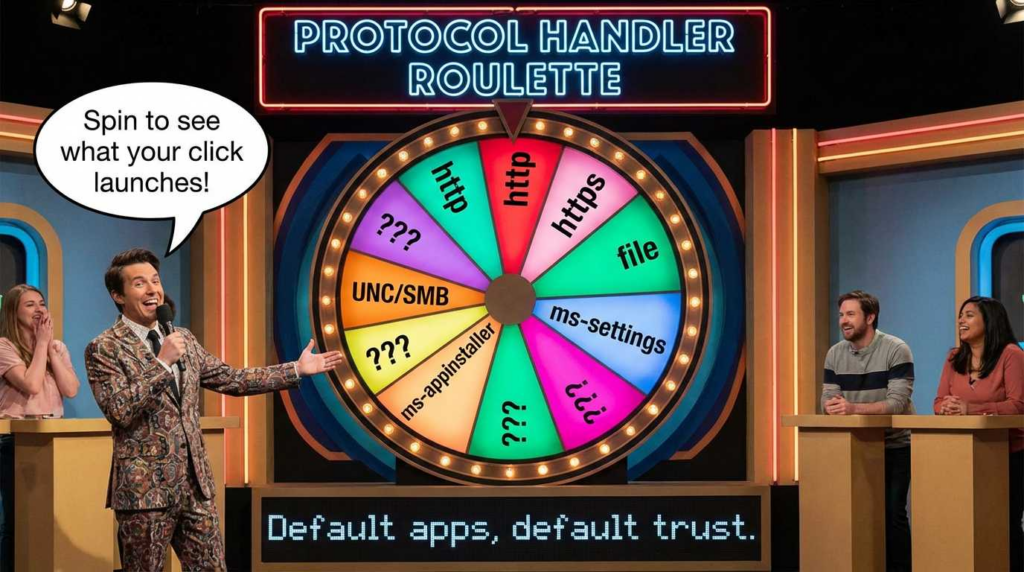
- The OS has many handlers for non-HTTP(S) URIs and special schemes.
- A single click can become a low-friction execution primitive when input is not correctly neutralized or when protocol handling is overly permissive. (NVD)
If you’re building detection and hardening programs for fleets, the question isn’t “Can Notepad do RCE?” It’s “How quickly can a threat actor turn common endpoint behavior into a repeatable kill-chain step?”
Why “notepad rce” is spiking: the click psychology behind the keyword
You asked for “the highest-CTR words” around the term and a synthesis of the top-performing viewpoint. We don’t have access to Google Search Console CTR data from here, but we puede infer which phrases are drawing clicks by looking at how major publishers frame the story—because those headline phrases are engineered to match high-intent curiosity and defensive urgency.
Across high-visibility coverage, the most “clickable” adjacent phrases cluster into three buckets:
- “Windows 11 Notepad RCE” / “Notepad remote code execution” This is the shock-value hook: a default utility becomes an execution surface. (The Verge)
- “Markdown links” / “clicking a Markdown link” This answers cómo in a way defenders can map to policy (“don’t open untrusted Markdown” won’t scale, so controls must). (BleepingComputer)
- “CVE-2026-20841” + “Patch Tuesday” This is the operational hook: teams search by CVE to drive remediation workstreams. (NVD)
The strongest “defender viewpoint” thread running through the coverage is: feature creep expands trust boundaries, and prompt-based mitigations (“warning dialogs”) reduce silent abuse but don’t remove the underlying class of risk once the click path exists. (BleepingComputer)
The vulnerability you actually need to understand: CVE-2026-20841
What Microsoft (via NVD/MSRC) says it is
NVD describes CVE-2026-20841 as improper neutralization of special elements used in a command (“command injection”) in Windows Notepad App and associates it with CWE-77. It also lists a CVSS v3.1 vector AV:N/AC:L/PR:N/UI:R/S:U/C:H/I:H/A:H (user interaction required, network attack vector, high impact). (NVD)
Two details matter for defenders:
- UI:R means the “one click” is real; you should treat this as a social engineering amplifier.
- AV:N means the conditions are reachable via remote influence (e.g., delivering files/links), not “local-only tinkering.” (NVD)
How the exploit class is described publicly
Public reporting converges on a practical narrative:
- Attackers craft a Markdown file with a malicious link.
- The victim opens it in Notepad and clicks.
- The click can launch an unverified protocol/scheme or otherwise trigger behavior that results in code execution (often in the user’s context). (BleepingComputer)
Some sources emphasize that this could happen “without displaying Windows security warnings” (a “silent execution” angle), which is exactly the kind of detail that changes risk perception for security leadership and endpoint teams. (BleepingComputer)
Severity, versions, and patch context
Several outlets report a CVSS 8.8 rating, and Windows Central notes impacted Notepad versions up to (but not including) a specific build line, with patching delivered in February 2026 updates. (Windows Central)
For program management: treat this as a fleet hygiene + behavior verification initiative, not “tell users to stop clicking links.”
This isn’t a “Notepad problem.” It’s a protocol/handler problem.
Once clickable links exist, these are the recurring sources of pain across Windows applications:
- Non-HTTP(S) schemes that can invoke system components (settings, installers, file handlers, custom registered protocols).
- UNC / SMB paths where a “link” is actually a remote resource reference.
- Command-line construction bugs (“command injection”) where unsafe characters/segments become executable semantics.
- Inconsistent warning surfaces (some paths show prompts, others don’t; some are suppressed by policy; some differ by handler). (NVD)
From a defensive architecture standpoint, any app that can pass a URI to the OS is effectively a mini-browser. You don’t secure it by hoping the UI always warns—you secure it by controlling the handlers, monitoring the process graph, and reducing the number of “high-leverage” launch paths.
Threat model: what “one-click RCE” looks like in real operations
This is how this class of bug gets used (defensively described, no weaponization):
- Delivery: A Markdown file arrives via email attachment, ticketing system, chat, repo docs, or a shared drive.
- Trust cue: The file looks like harmless notes, runbooks, or a “how-to.”
- Disparador: The user opens it in Notepad (because it’s default, fast, and “safe”) and clicks a highlighted link.
- Acción: Notepad hands the link to a handler; the handler performs privileged work or launches an executable path.
- Resultado: Code runs as the user; persistence and lateral movement follow using normal Windows primitives, not exotic shellcode.
The most important point: UI-driven execution is operationally attractive because it blends with normal workflows. That’s why UI:R vulnerabilities can be disproportionately impactful in the wild even when they aren’t 0-click.
Triage checklist: how to decide if you should care today
Use this table to structure response priorities:
| Question | Por qué es importante | What to do if “yes” |
|---|---|---|
| Do you have Windows 11 endpoints using modern Notepad regularly? | Broad exposure surface | Prioritize patch compliance & telemetry |
| Are users opening Markdown from untrusted sources (tickets, chat, external repos)? | Increases trigger probability | Gate external Markdown, apply file-origin controls |
| Do you allow risky protocol handlers (custom schemes, installers, legacy handlers)? | Handlers are the actual “execution bridge” | Restrict/monitor handlers; reduce launchable surfaces |
| Are daily accounts overly privileged (local admin)? | Execution inherits user rights | Remove local admin; adopt JIT elevation |
| Do you lack process-graph telemetry for Notepad launches? | You can’t prove the fix | Deploy detections (KQL/Sigma) and verify behavior |
Patch and prove: verification beats checkbox compliance
Public reporting indicates Microsoft patched the issue in its February 2026 security updates. (Ayuda a la seguridad de la red)
But “patched” is not the end state. Your goal is:
- Confirm the vulnerable build line is removed from your fleet.
- Validar the high-risk behavior pathways no longer work silently (even if warnings exist).
- Instrument detections so any future regression or parallel handler abuse is visible.
Fleet inventory: confirm Notepad package/version at scale
On Windows 11 endpoints, modern Notepad is a Store app. A common inventory approach:
# Enumerate Notepad app package versions for the current user
Get-AppxPackage -Name Microsoft.WindowsNotepad |
  Select-Object Name, Version, PackageFullName

# For all users on a machine (may require admin):
Get-AppxPackage -AllUsers -Name Microsoft.WindowsNotepad |
  Select-Object Name, Version, PackageFullName
Operationally, you’ll likely collect this via your EDR live response, Intune proactive remediations, SCCM, or a custom inventory script. The point is to move from “we think it’s patched” to “here is the version distribution.”
Behavior verification: what you should test (safely)
You do no need exploit strings to validate outcomes. You’re validating classes of behavior:
- Does Notepad pass non-HTTP(S) URIs directly to handlers?
- Are there warnings/prompts consistently surfaced?
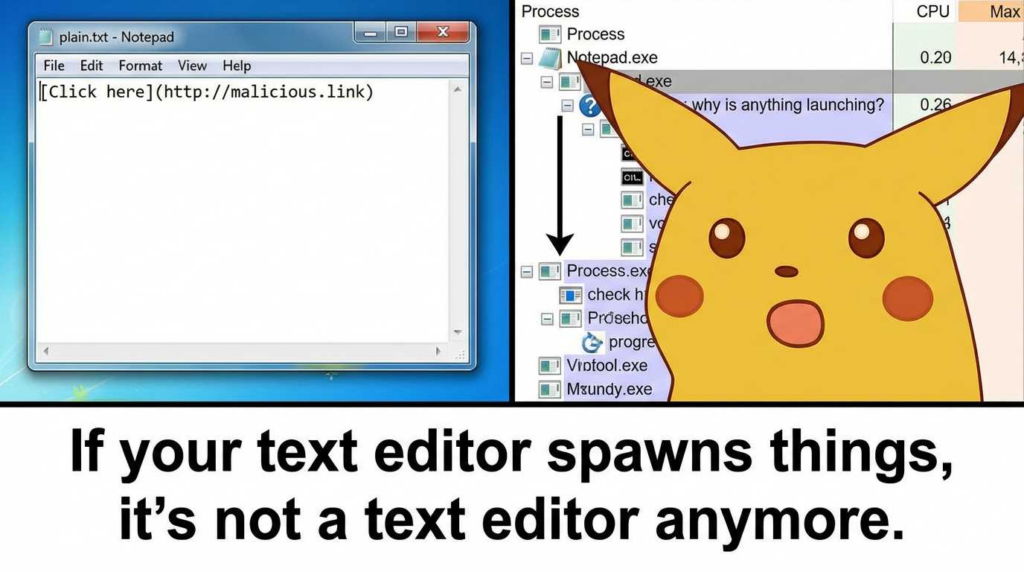
- Does clicking a link cause Notepad to spawn unusual child processes, or does it hand off to a broker process you can monitor?
- Do policy controls (SmartScreen, Attack Surface Reduction, App Control) intervene consistently?
Your verification output should be an evidence bundle: screenshots/logs + version numbers + event IDs + policy baselines.
Detection engineering: make “Notepad launched something weird” actionable
This is where many teams underperform: they patch, then move on. But the clase of risk persists anywhere the OS can be tricked into launching handlers from user content. Your detection strategy should be stable even if CVE details change.
Microsoft Defender KQL: Notepad-triggered suspicious launch graph
Hunt for Notepad launching interpreters, LOLBins, or suspicious protocol hints:
DeviceProcessEvents
| where InitiatingProcessFileName in~ ("notepad.exe", "Notepad.exe")
| where FileName has_any ("powershell.exe","pwsh.exe","cmd.exe","wscript.exe","cscript.exe","rundll32.exe","mshta.exe")
   or ProcessCommandLine has_any ("ms-appinstaller:", "ms-settings:", "file:", "\\\\\\\\")
| project Timestamp, DeviceName, AccountName,
          InitiatingProcessFileName, InitiatingProcessCommandLine,
          FileName, ProcessCommandLine, FolderPath, SHA1
| order by Timestamp desc
Why this works: reporting around CVE-2026-20841 centers on a Notepad click leading into handler-based execution, and NVD characterizes it as command injection. You’re therefore monitoring the observable boundary: a text editor causing system execution paths. (BleepingComputer)
Sigma rule: Notepad spawning suspicious child processes
This is a portable “high-signal” rule for many SIEM pipelines:
title: Suspicious child process spawned by Notepad
id: 8c2f2d0e-0b8a-4d5d-9b5d-4c1dbe2fe1a4
status: experimental
description: Detects Notepad spawning common Windows LOLBins rarely expected from a text editor.
author: Detection Engineering
logsource:
  category: process_creation
  product: windows
detection:
  selection_parent:
    ParentImage|endswith:
      - '\\notepad.exe'
  selection_child:
    Image|endswith:
      - '\\powershell.exe'
      - '\\pwsh.exe'
      - '\\cmd.exe'
      - '\\wscript.exe'
      - '\\cscript.exe'
      - '\\rundll32.exe'
      - '\\mshta.exe'
  condition: selection_parent and selection_child
fields:
  - UtcTime
  - Computer
  - User
  - ParentImage
  - ParentCommandLine
  - Image
  - CommandLine
falsepositives:
  - Rare admin workflows; validate expected parent-child graph
level: high
Tune it with allowlists for known automation. But keep the default posture aggressive: a text editor spawning these binaries is rarely benign in normal user work.
Hardening: reduce the number of “dangerous clicks” that can become code
You won’t fix this class permanently with user training. You fix it by reducing handler leverage and increasing policy friction for risky paths.
1) Remove local admin from daily drivers
Because execution happens in the user context, “admin by default” turns UI:R vulnerabilities into effectively higher-impact compromise events. PC Gamer’s coverage explicitly notes the risk is worse if the user has admin privileges. (PC Gamer)
2) Control what can execute and from where
- WDAC/App Control: restrict execution from user-writable locations.
- ASR rules: block common abuse primitives (even if Notepad triggers them).
- SmartScreen / Mark-of-the-Web: ensure file origin signals persist through your content workflows.
3) Treat Markdown as “active content” in policy
This is a mindset change: Markdown looks like text but can contain action surfaces in apps that render it. If your environment uses Markdown heavily (engineering, docs, tickets), define a policy:
- external Markdown must be rendered in controlled viewers (e.g., web apps with strict link restrictions)
- endpoints should not be the first place untrusted Markdown becomes clickable
4) Monitor protocol handler abuse
The vulnerability narrative repeatedly references protocol launches and untrusted protocols. (The Verge)
So make protocol launches observable: broker process logs, command-line telemetry, and event-based monitoring.
The comparison you should include in any serious “Notepad RCE” article: Notepad++ supply chain (CVE-2025-15556)
If you want authority, you don’t stop at Microsoft Notepad. You connect the lesson to a parallel execution surface: updates.
CVE-2025-15556: what it is
NVD states that Notepad++ versions prior to 8.8.9, when using the WinGUp updater, had an update integrity verification weakness: update metadata and installers were not cryptographically verified, and an attacker who can intercept or redirect traffic can cause the updater to download and execute an attacker-controlled installer. (NVD)
Tenable’s Nessus plugin write-up mirrors that framing, which matters for vulnerability management and scanning teams. (Tenable®)
Notepad++ also published an incident update describing compromise targeting its domain/update service, reinforcing that “update channels are execution surfaces.” (notepad-plus-plus.org)
Why you should care (even if you don’t run Notepad++)
Because it’s the same trust-boundary movement:
- CVE-2026-20841: “Content click” becomes code through handlers / command injection.
- CVE-2025-15556: “Update click” becomes code because integrity isn’t enforced end-to-end.
If you manage endpoints at scale, both issues are reminders to build controls around how code starts, not just around “which app is vulnerable.”
Prioritization map: what to fix first in real organizations
Use a pragmatic ordering:
- Patch compliance for modern Notepad (CVE-2026-20841) across Windows 11 endpoints. (Ayuda a la seguridad de la red)
- Remove local admin from daily accounts (reduces blast radius). (PC Gamer)
- Deploy process-graph detections (Notepad launching LOLBins / protocol hints). (BleepingComputer)
- Audit protocol handlers and high-risk schemes in your environment (reduce launch leverage). (The Verge)
- Harden software update integrity for third-party apps (Notepad++ class). (NVD)
If you’re doing real-world defense, you already know the gap: teams patch, then lose the ability to pruebe the environment is safe—and they discover regressions months later during an incident.
This is where Penligent can be referenced without forcing it:
- Penligent’s content consistently frames the idea of “fixes you can prove” and continuous validation, which is exactly the right posture for link-to-code and handler abuse risks. (Penligente)
- For teams building continuous security verification pipelines, Penligent’s “one-click RCE via malicious link” write-up (in the OpenClaw ecosystem) is a conceptual parallel: it’s the same attack psychology—turn a link into an action boundary violation—just in a different stack. (Penligente)
Two concise paragraphs you can publish safely:
Penligent is useful when your program needs repeatable, auditable validation instead of “patch status optimism.” For UI-driven execution paths (like link launches), the hardest part isn’t identifying the CVE—it’s proving the risky behavior is no longer reachable in your specific endpoint + policy configuration.
In practice, that means coupling remediation with verification: inventory endpoints, validate handler behavior under policy controls, and continuously monitor for regressions in process graphs and protocol launches. That “patch and prove” loop is the core discipline Penligent’s research content keeps pushing, and it maps cleanly to Notepad-class vulnerabilities where click paths and OS handlers do the real damage. (Penligente)
Links
- NIST NVD — CVE-2026-20841 (description, CWE-77, CVSS vector, MSRC reference). (NVD)
- BleepingComputer — “Windows 11 Notepad flaw let files execute silently via Markdown links” (public exploit narrative and mitigation framing). (BleepingComputer)
- The Verge — Microsoft fixes Notepad flaw tied to Markdown links and protocol behavior (high-visibility summary). (The Verge)
- Help Net Security — Patch Tuesday context for CVE-2026-20841 (defender framing). (Ayuda a la seguridad de la red)
- NIST NVD — CVE-2025-15556 (Notepad++ WinGUp updater integrity verification weakness). (NVD)
- Notepad++ official incident update (update channel compromise context). (notepad-plus-plus.org)
- Tenable Nessus plugin write-up (scanner-facing description, helpful for VM teams). (Tenable®)
- Penligent — “CVE-2026-25253… One-Click Remote Code Execution via Malicious Link” (parallel link-to-action pattern, AI ecosystem). (Penligente)
- Penligent — “RCE in Clawdbot: The CVEs, the Real Kill-Chains, and the Fixes You Can Prove” (continuous validation framing). (Penligente)
- Penligent — Hacking Labs index for additional internal linking. (Penligente)
 Spanish
  English
  German
  French
  Portuguese
  Japanese
  Korean
  Hindi
Hindi  Arabic
  Turkish
  Hebrew