
Pourquoi les gens continuent à cliquer sur les titres de CVE-2026-2441
Si vous parcourez les informations relatives à la sécurité pour gagner votre vie, vous avez déjà constaté que les mêmes puits de gravité attirent l'attention sur ce sujet :
- "zero-day
- "activement exploité"
- "dans la nature"
- "mise à jour d'urgence"
- "patch now"
- "exécution de code à distance"
Ces phrases se retrouvent dans les articles à fort trafic parce qu'elles renvoient à une vérité inconfortable : la difficulté n'est pas de comprendre le bogue. La partie difficile est déplacer une flotte suffisamment rapidement pour que l'exploitation ne devienne pas un dossier d'incident. (BleepingComputer)
Cet article est rédigé pour le moment qui suit le titre de l'article, lorsque vous avez besoin d'une réponse concrète : Quelle version est sûre, comment prouver que le navigateur a réellement redémarré, et que dois-je chercher si je suis en retard ?
Ce qu'est CVE-2026-2441, en termes clairs et précis
CVE-2026-2441 est une sans utilisation (CWE-416) dans l'application CSS composante de Google Google Chrome. Les Base de données nationale sur les vulnérabilités La description est sans ambiguïté : les versions de Chrome avant 145.0.7632.75 peut être conduit, par le biais d'une page HTML élaborée, dans le système d'information de l exécution de code arbitraire à l'intérieur du bac à sable du navigateur. (NVD)
Deux autres faits sont importants d'un point de vue opérationnel :
- L'équipe de Chrome a livré le correctif le 13 février 2026 et ont explicitement déclaré qu'ils étaient conscients de l'existence d'un exploit dans la nature. (Communiqués de presse Chrome)
- De nombreux organismes d'alerte indépendants se sont fait l'écho du même état d'"exploitation sauvage" et ont préconisé l'application immédiate d'un correctif. (govcert.gov.hk)
Cette combinaison - corruption de la mémoire + exploitation confirmée - devrait automatiquement vous faire passer dans la catégorie "abandonnez ce que vous êtes en train de faire".
Une chronologie vérifiée que vous pouvez citer en interne
Les équipes de sécurité perdent du temps lorsqu'elles discutent des dates, des canaux ou de la question de savoir si la faille a vraiment été exploitée. Voici une chronologie claire, fondée sur des sources primaires :
- 11 février 2026 : Crédits chrome chercheur Shaheen Fazim en tant que rapporteur (la date figure dans les notes de version). (Communiqués de presse Chrome)
- 13 février 2026 : La mise à jour de Stable Desktop fournit des versions corrigées ; Google affirme qu'un exploit existe dans la nature. (Communiqués de presse Chrome)
- 13 février 2026 : La mise à jour Extended Stable inclut également le même correctif et la même note d'exploitation. (Communiqués de presse Chrome)
- 16 février 2026 : D'après les principaux rapports, il s'agit du premier zero-day de Chrome activement exploité, qui a été corrigé en 2026, avec des versions corrigées réitérées. (BleepingComputer)
Si vous avez besoin d'un "texte prêt à l'emploi", vous pouvez le dire sans crainte : il s'agit d'un bogue de corruption de mémoire activement exploité dans Chrome avec une portée réseau et un déclenchement d'interaction utilisateur (visiter une page), patché hors bande dans Stable et Extended Stable le 13 février 2026. (Communiqués de presse Chrome)
Versions affectées et versions corrigées importantes dans la pratique
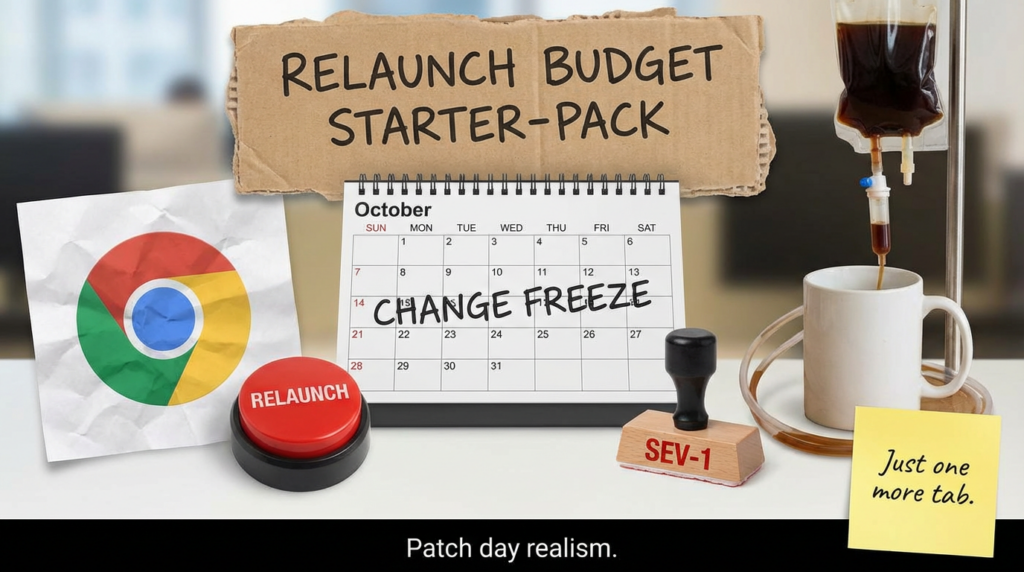
Ce n'est pas le numéro de version que les défenseurs des droits se trompent le plus souvent, mais l'idée que "mise à jour automatique" équivaut à "remédiation". Le mécanisme de mise à jour de Chrome se télécharge rapidement, mais le risque subsiste jusqu'à ce que la mise à jour soit effectuée. processus de navigation en cours est remplacé.
Il s'agit des barrières de version concrètes citées à plusieurs reprises dans les notes de mise à jour officielles et les avis d'alerte :
| Chaîne | Version fixe Windows / macOS | Version corrigée de Linux | Ce qu'il faut faire respecter |
|---|---|---|---|
| Stable | 145.0.7632.75/76 | 144.0.7559.75 | Bloquer ou remédier à tout ce qui se trouve en dessous |
| Stable prolongé | 144.0.7559.177 | N/A dans la même note | Appliquer si vous utilisez Extended Stable sur Win/Mac |
(Communiqués de presse Chrome)
Si vous rédigez une politique, ne dites pas "patché". Dites "conforme si la version >= X et si le navigateur a été redémarré après la mise à jour". Cette phrase permet d'éviter beaucoup de fausses confidences.
Pourquoi "l'exécution de code à l'intérieur du bac à sable" est toujours un feu à cinq alarmes
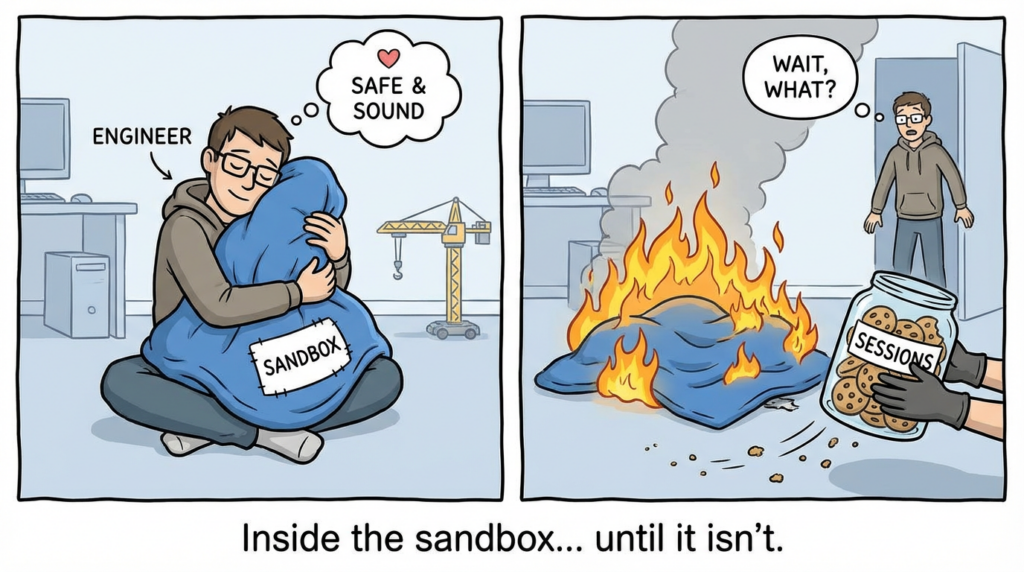
Il est tentant de minimiser tout ce qui n'est "que" de l'ordre de l'exécution en bac à sable. C'est par cet instinct que les incidents réels commencent par un haussement d'épaules.
Plusieurs points de vente soulignent le réalisme de l'étape suivante : l'exploitation nécessite souvent un deuxième bogue pour échapper au bac à sable et compromettre totalement le système, mais l'exécution du code dans le bac à sable peut toujours suffire à voler des données, à détourner des sessions et à organiser des attaques ultérieures. (SecurityWeek)
Du point de vue du défenseur, le risque n'est pas une chaîne théorique parfaite. Ce sont les résultats ennuyeux et répétables :
- Vol de session (jetons, cookies, artefacts stockés dans le navigateur)
- Livraison de la charge utile au volant (un exécutable téléchargé que votre EDR doit détecter)
- Saisie des données d'identification par l'intermédiaire d'une interaction avec l'utilisateur
- Pivoter vers les applications d'entreprise via un contexte de navigation authentifié
C'est pourquoi votre plan de correction doit traiter les navigateurs comme des serveurs orientés vers l'internet : accords de niveau de service rapides, respect de la conformité et vérification.
Les angles à plus fort taux de clics, traduits dans la réalité du travail des ingénieurs
Si l'on compare le langage utilisé par les principaux médias et les avis, on constate que les moteurs de clics se répartissent en trois catégories :
- Encadrement de l'urgence : "mise à jour d'urgence", "patch now", "under active attack". (BleepingComputer)
- Certitude de l'exploitation : "l'exploit existe dans la nature", "activement exploité". (Communiqués de presse Chrome)
- Une simple histoire de déclenchement : "page conçue", "visite d'un site web", "HTML malveillant". (NVD)
Pour un public d'ingénieurs en sécurité, vous devez conserver ces phrases, mais les faire suivre immédiatement de la traduction opérationnelle :
"Si vous êtes en dessous de la version corrigée, vous êtes exposé. Si vous avez effectué une mise à jour mais n'avez pas redémarré le navigateur, vous pouvez encore être exposé. Il ne s'agit pas d'installer une mise à jour, mais de s'assurer que le processus en cours est corrigé".
Ce simple changement de cadre améliore généralement la conformité interne plus que n'importe quelle discussion sur le CVSS.
Ce qu'il faut faire aujourd'hui dans une entreprise, dans le bon ordre
Étape 1 : Patch rapide, puis vérification du redémarrage
Les notes de version officielles décrivent les versions corrigées et mentionnent explicitement un déploiement sur plusieurs jours/semaines. (Communiqués de presse Chrome)
Cela signifie que votre travail consiste à remplacer "éventuel" par "immédiat".
Votre objectif pour la première vague est simple :
- Les points d'extrémité doivent être activés version fixe ou supérieure
- Le navigateur doit être redémarré
- Vous devez être capable de mesurer à la fois
Étape 2 : Rendre la non-conformité douloureuse
Si vous avez la possibilité de contrôler l'accès, utilisez-la. Exemples ne nécessitant pas d'infrastructures exotiques :
- Bloquer les anciennes versions de navigateurs au niveau de votre passerelle web sécurisée / proxy
- Utiliser des règles d'accès conditionnel pour les applications SaaS critiques si la "conformité de l'appareil" inclut des exigences en matière de navigateur.
- Envoyer un message de relance forcée et imposer un délai via la gestion des points d'extrémité
Même si vous ne pouvez pas bloquer immédiatement, rendez la non-conformité visible. Le "pourcentage de conformité" est une mesure que les dirigeants comprennent.
Étape 3 : Chassez les signaux de retard si vous êtes en retard
Si le déploiement des correctifs prend du temps, consacrez une partie de vos efforts à la détection :
- Identifier les points de terminaison qui visitent des catégories à risque ou des domaines nouvellement enregistrés
- Rechercher les processus enfants suspects créés par Chrome
- Veillez à ce que les téléchargements soient suivis d'une exécution
En effet, plusieurs rapports indiquent que Google n'a pas communiqué de détails sur les incidents ou les acteurs de la menace, de sorte que les défenseurs doivent s'attendre à une réutilisation opportuniste une fois que la couverture se sera étendue. (BleepingComputer)
Des scripts de preuve de conformité que vous pouvez réellement exécuter
Ci-dessous vérification défensive exemples. Ils n'exploitent rien ; ils vous aident à répondre à la question "Est-ce que j'utilise toujours une version vulnérable ?".
Windows : version installée et processus en cours
# 1) Version installée (chemin commun)
$chromePath = "${env:ProgramFiles}\Google\\Chrome\Application\\chrome.exe"
if (-not (Test-Path $chromePath)) {
  $chromePath = "${env:ProgramFiles(x86)}\Google\\Chrome\\\Application\\chrome.exe"
}

if (Test-Path $chromePath) {
  $installed = (Get-Item $chromePath).VersionInfo.ProductVersion
  Write-Host "Version installée de chrome.exe :" $installed
} else {
  Write-Host "chrome.exe introuvable dans les chemins d'accès par défaut"
}

# 2) Version du processus en cours d'exécution (prouve que le redémarrage a eu lieu)
$proc = Get-Process chrome -ErrorAction SilentlyContinue | Select-Object -First 1
if ($proc) {
  $runningPath = $proc.Path
  $running = (Get-Item $runningPath).VersionInfo.ProductVersion
  Write-Host "Exécution de la version de chrome.exe :" $running
  Write-Host "Chemin d'accès à chrome.exe en cours d'exécution :" $runningPath
} else {
  Write-Host "Chrome n'est pas en cours d'exécution"
}
Ce que vous recherchez : si "installed" est fixe mais que "running" ne l'est pas, votre mise à jour a été déployée mais le risque peut persister jusqu'au redémarrage.
macOS : vérification de la version
# Chemin d'accès à l'application par défaut de la chaîne stable
CHROME_APP="/Applications/Google Chrome.app/Contents/MacOS/Google Chrome"
if [ -x "$CHROME_APP" ] ; then
  "$CHROME_APP" --version
else
  echo "Google Chrome.app introuvable dans /Applications"
fi
Linux : paquet + version binaire
Style Debian/Ubuntu :
dpkg -l | grep -E 'google-chrome-stable|google-chrome' || true
google-chrome --version 2>/dev/null || google-chrome-stable --version 2>/dev/null || true
Style RHEL/Fedora :
rpm -qa | grep -E 'google-chrome-stable|google-chrome' || true
google-chrome --version 2>/dev/null || google-chrome-stable --version 2>/dev/null || true
osquery : inventaire multiplateforme
-- La version de Chrome dans le tableau des applications (macOS) ou des programmes (Windows) varie selon la plateforme.
-- Exemple : processus en cours d'exécution qui incluent 'chrome' et leur chemin d'accès (toutes les plateformes)
SELECT pid, name, path, cmdline
FROM processus
WHERE name LIKE '%chrome%' ;
Si vous utilisez déjà osquery à grande échelle, la solution la plus rapide consiste à créer une vue quotidienne de la conformité : "Appareils dont la version du processus Chrome est inférieure au seuil fixé".
Ingénierie de la détection : se concentrer sur ce que l'exploitation devient
En général, vous ne détecterez pas directement "use-after-free in CSS". Vous détecterez l'élément les comportements post-exploitation qui tendent à suivre un compromis réussi entre les navigateurs.
La même réalité se retrouve dans les conseils en matière de réponse aux incidents : l'exploitation d'un navigateur devient souvent visible par le biais d'artefacts de seconde étape tels que de nouveaux téléchargements, des domaines suspects et des arborescences de processus inhabituelles (Penligent)
Comportements de chasse à signaux élevés
| Signal | Pourquoi c'est important | Exemples de sources de télémétrie |
|---|---|---|
| Chrome lance des processus enfants inhabituels | De nombreuses charges utiles nécessitent l'exécution d'un nouveau processus | Sysmon EID 1, arbre de processus EDR |
| Téléchargement → exécution dans une courte fenêtre de temps | Modèle courant de drive-by | Journaux de téléchargement des navigateurs + création de processus |
| Chrome établit des connexions sortantes vers des domaines nouvellement vus | Livraison / Mise en place du C2 | Journaux proxy/DNS, télémétrie réseau EDR |
| Persistance peu de temps après l'activité du navigateur | Transforme l'accès initial en accès répété | Clés d'exécution, agents de lancement, tâches programmées |
Sigma starter : processus enfants suspects dans Chrome
Il s'agit d'un texte volontairement générique. Adaptez-le à votre environnement.
titre : Processus enfant suspect créé par Chrome
id: 9e2f1c2c-3b3d-4d2f-9e43-1b4a7bde2441
statut : expérimental
description : Détecte les processus enfants inhabituels créés par Chrome, souvent observés après l'exploitation d'un navigateur ou d'extensions malveillantes.
source des logs :
  catégorie : process_creation
  produit : windows
détection :
  chrome_parent :
    ParentImage|endswith :
      - '\Nchrome.exe'
  suspicious_child :
    Image|endswith :
      - '\Npowershell.exe'
      - '\Ncmd.exe'
      - '\N-wscript.exe'
      - '\\N-cscript.exe'
      - '\N-mshta.exe' '\N-mshta.exe' '\N-mshta.exe'
      - \N- '\Nrundll32.exe' - '\N-'.
  condition : chrome_parent et suspicious_child
faux positifs :
  - Outils d'administration lancés à partir de portails basés sur un navigateur
niveau : élevé
L'objectif n'est pas la perfection. L'objectif est d'attraper "ce navigateur a fait quelque chose que les navigateurs ne devraient pas faire" assez rapidement pour le contenir.
Orientations en matière de rapports : ce qu'il faut dire, ce qu'il ne faut pas dire
Dites ceci
- "Nous avons appliqué la version fixe de Chrome >= à l'ensemble de la flotte et nous avons vérifié processus en cours versions".
- "Nous avons identifié X points d'extrémité qui avaient été mis à jour mais n'avaient pas redémarré ; nous avons forcé le redémarrage".
- "Nous avons surveillé les signaux suspects de post-exploitation pendant le déploiement".
À éviter
- "Chrome se met à jour automatiquement, donc tout va bien.
- "C'est seulement à l'intérieur du bac à sable".
- "Pas de PoC, donc peu de risques.
Ces déclarations vieillissent mal, surtout lorsque l'éditeur reconnaît explicitement l'existence d'un "exploit" dans la nature. (Communiqués de presse Chrome)
Les CVE connexes méritent d'être mentionnés dans le même souffle opérationnel
Lorsque des équipes sont touchées, il est rare qu'un seul CVE soit en cause. Ce qu'il faut connecter, c'est fonction de la chaîne d'attaqueet pas seulement "le même mois".
- RCE du navigateur dans le bac à sable (comme CVE-2026-2441) : exécution fiable du code initial dans une surface client très exposée. (NVD)
- Suppression de la friction / contournement de l'invite sur les points d'extrémité (exemple : CVE-2026-21510 dans Windows Shell) : augmente le taux de réussite des clics et rend l'accès initial plus fiable lorsqu'un utilisateur ouvre un leurre. (Si votre organisation est déjà confrontée à des classes de contournement "en un clic", les jours zéro du navigateur aggravent le problème au lieu de le remplacer). (Penligent)
En pratique, votre dispositif de défense doit s'articuler autour des éléments suivants primitives répétables-L'application de la version, la vérification du redémarrage et la détection basée sur le comportement - parce que le numéro CVE spécifique change plus rapidement que les documents de votre politique.
Si votre équipe utilise déjà Penligent en tant que flux de travail de pentesting et de vérification assisté par l'IA, CVE-2026-2441 est un bon rappel d'un besoin plus large : transformer les avis en mesures correctives mesurables. Penligent est utile lorsque vous souhaitez convertir les "conseils en matière de correctifs" en une liste de tâches qui produit des preuves - ce qui a été vérifié, ce qui a été accepté, ce qui a échoué et ce qui a changé après la remédiation.
Dans la pratique, le modèle le plus utile est le suivant : inventaire → vérification → rapport. Il n'est pas nécessaire de disposer d'un code d'exploitation pour prouver la réduction des risques. Vous avez besoin de vérifications répétables, d'un endroit où stocker les résultats et d'un flux de travail qui empêche les humains d'oublier la dernière étape (comme "redémarrer Chrome pour que la version corrigée soit réellement en cours d'exécution"). Pour les équipes qui travaillent sous la pression d'un audit, cette posture de la preuve d'abord est souvent ce qui sépare "nous pensons que nous avons patché" de "nous pouvons prouver que nous ne sommes pas exposés".
FAQ qui évite les cycles gaspillés
S'agit-il uniquement d'un problème lié à Chrome ?
Les notes Stable Desktop et Extended Stable Desktop du fournisseur sont les références qui font autorité pour les versions fixes dont il est question ici. Utilisez les portes de version de ces canaux comme base d'application. (Communiqués de presse Chrome)
Pourquoi Linux a-t-il un numéro de version fixe différent ?
Les notes de publication et les avis mentionnent Linux sur une ligne de version différente (144.x) alors que Windows/macOS sont sur 145.x pour Stable Desktop au moment de la correction. Traitez la version fixe déclarée de chaque plate-forme comme une porte de conformité distincte. (Communiqués de presse Chrome)
Savons-nous qui l'exploite ?
Les rapports publics indiquent à plusieurs reprises que Google n'a pas fourni de détails sur l'incident, ce qui est courant lorsque les fournisseurs veulent éviter d'amplifier l'exploitation avant que la plupart des utilisateurs ne mettent à jour. D'un point de vue opérationnel, il faut s'attendre à ce que l'analyse opportuniste et l'utilisation d'imitateurs suivent une large couverture. (BleepingComputer)
Liens
https://chromereleases.googleblog.com/2026/02/stable-channel-update-for-desktop_13.html https://chromereleases.googleblog.com/2026/02/extended-stable-updates-for-desktop_13.html https://nvd.nist.gov/vuln/detail/CVE-2026-2441 https://www.cve.org/CVERecord?id=CVE-2026-2441 https://www.hkcert.org/security-bulletin/google-chrome-remote-code-execution-vulnerability_20260216 https://www.govcert.gov.hk/en/alerts_detail.php?id=1765 https://www.bleepingcomputer.com/news/security/google-patches-first-chrome-zero-day-exploited-in-attacks-this-year/ https://www.securityweek.com/google-patches-first-actively-exploited-chrome-zero-day-of-2026/ https://www.malwarebytes.com/blog/news/2026/02/update-chrome-now-zero-day-bug-allows-code-execution-via-malicious-webpages https://www.helpnetsecurity.com/2026/02/16/google-patches-chrome-vulnerability-with-in-the-wild-exploit-cve-2026-2441/ https://thehackernews.com/2026/02/new-chrome-zero-day-cve-2026-2441-under.html https://www.penligent.ai/hackinglabs/cve-2026-2441-the-chrome-css-zero-day-that-starts-inside-the-sandbox-and-rarely-ends-there/ https://www.penligent.ai/hackinglabs/virustotal-in-incident-response-how-to-identify-malware-fast-and-pivot-without-leaking-data/ https://www.penligent.ai/hackinglabs/cve-2026-20841-poc-when-notepad-learns-markdown-a-click-can-become-execution/ https://www.penligent.ai/hackinglabs/cve-2026-21510-when-the-prompt-doesnt-show-up/


 French
  English
  German
  Spanish
  Portuguese
  Japanese
  Korean
  Hindi
Hindi  Arabic
  Turkish
  Hebrew