
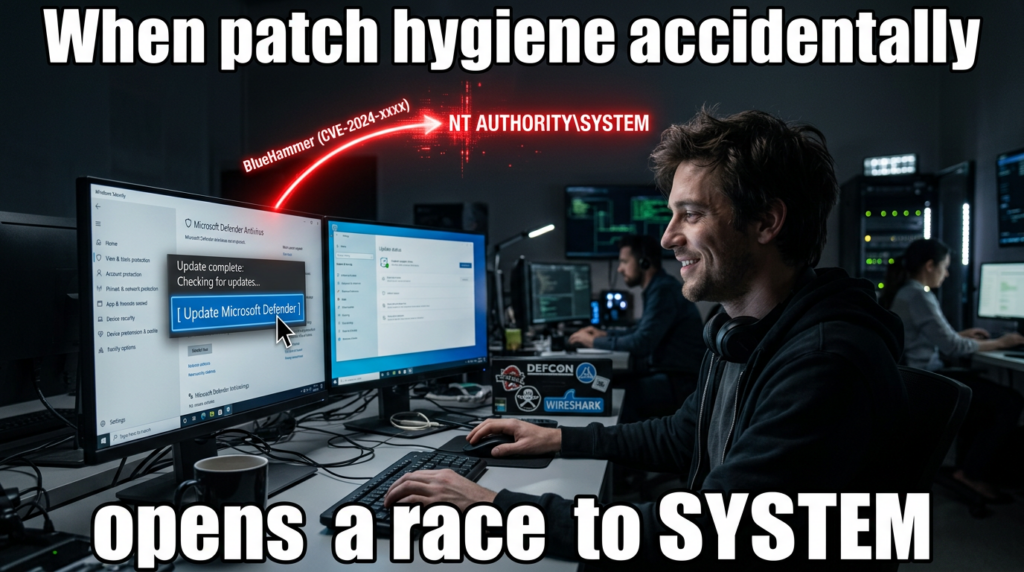
BlueHammer is what a modern Windows local privilege escalation bug looks like when no kernel memory corruption is required. The public exploit chain released in early April 2026 abuses the interaction between Microsoft Defender’s signature update workflow, Volume Shadow Copy Service, Cloud Files callbacks, and opportunistic locks to turn a low-privileged local foothold into NT AUTHORITY\SYSTEM. Public reporting, the leaked source code, and independent validation all point in the same direction: this is not a noisy proof of concept that crashes boxes for show. It is a post-exploitation chain that can expose the SAM database, recover local credential material, take over an administrator account, and then pivot into SYSTEM. (BleepingComputer)
That alone would make BlueHammer worth attention. What pushes it higher is the way it gets there. The exploit does not rely on injecting into Defender, exploiting a browser renderer, or racing a kernel heap allocator. Cyderes’ technical analysis says the weakness emerges when legitimate Windows features are chained in the right order, and Will Dormann told BleepingComputer the issue combines time-of-check time-of-use behavior with path confusion. The public GitHub code also shows explicit interaction with a Defender RPC interface and a call into ServerMpUpdateEngineSignature, which is a concrete clue that this is tied to Defender’s update path rather than a generic file-locking trick. (cyderes.com)
As of April 9, 2026, BlueHammer appears to be in the uncomfortable category Microsoft itself defines as zero-day: a vulnerability with no official patch or security update available yet. Public reporting says Microsoft has not assigned a public CVE, and Microsoft’s own zero-day guidance explains that when a flaw has no CVE yet, Defender tooling can track it under a temporary internal name until a formal identifier exists. That does not make the problem less real. It only means defenders are dealing with a moving target whose final naming and servicing path is still unsettled. (Microsoft Learn)
The most dangerous mistake is to dismiss BlueHammer as “local only.” In real intrusions, local privilege escalation is often the hinge between a disposable user-level foothold and full operating-system control. BlueHammer matters because it does not stop at “admin-ish” effects. Public analysis says successful exploitation can recover local password hashes from shadow-copy access to the SAM, SYSTEM, and SECURITY hives, forcibly reset a local administrator password, authenticate with that account, create a temporary Windows service, spawn a SYSTEM shell, and then restore the original password hash to reduce visible damage. That is the difference between a curiosity and a serious post-exploitation primitive. (cyderes.com)
BlueHammer, what is public and what is not
The public timeline is messy but usable. A blog post under the Chaotic Eclipse alias appeared on April 2, 2026, linking directly to the BlueHammer GitHub repository and stating that the author would not explain how it worked. BleepingComputer then reported that the GitHub repository went public on April 3, while Cyderes dated its own analysis from that same early-April release window. Those sources differ slightly on how they tell the story, but they agree on the important point: exploit source code entered the public domain before Microsoft had published a patch. (deadeclipse666.blogspot.com)
The GitHub repository itself is unusually candid. Its README says the repository hosts the BlueHammer vulnerability and includes an edit stating that there are bugs in the proof of concept that could prevent it from working. That matters for two reasons. First, it explains why early public discussion included claims that the released code was unreliable. Second, it reminds defenders not to anchor on the exact first-drop binary. If the author admits there are bugs, and a third party later confirms the chain works after fixing them, then blocking one sample is not the same thing as understanding the exploit class. (GitHub)
BleepingComputer’s report adds two important external validations. One is that Will Dormann described BlueHammer as a working local privilege escalation issue combining TOCTOU and path confusion, and said the result was access to the SAM database and, from there, practical SYSTEM compromise. The other is that some researchers saw different behavior on Windows Server, where the original public code was reportedly less reliable and could land at elevated administrator rather than a clean, silent SYSTEM path. That client-versus-server split is not a reason to relax. It is a reason to avoid overly broad claims about “all Windows” until Microsoft publishes an official affected-version matrix. (BleepingComputer)
Cyderes fills in another part of the public picture. Its write-up says the published exploit had bugs, that Howler Cell resolved those issues, and that it then verified exploitation end to end on patched Windows 10 and Windows 11 systems. It also says there is still no public CVE and no patch. That combination is unusual enough to deserve precise wording. BlueHammer is not just “a rumored technique.” Public source code exists. Independent researchers say the chain works after fixing issues in the original release. Microsoft has not published a root-cause fix. (cyderes.com)
Microsoft’s public comment, at least in the reporting available as of today, has been generic rather than technical. BleepingComputer quotes a Microsoft spokesperson saying the company investigates reported security issues and supports coordinated vulnerability disclosure. That statement is standard and does not answer the questions defenders actually care about: which builds are affected, whether the root cause is in Defender, VSS, Cloud Files, or their interaction, whether a CVE will be assigned, and whether any interim mitigation beyond sample detection exists. Until Microsoft publishes more, the honest answer is that those points remain open. (BleepingComputer)
The only concrete Microsoft-side change visible publicly so far is that Defender security intelligence has begun detecting the original proof of concept as Exploit:Win32/DfndrPEBluHmr.BB. Cyderes says that directly, and Microsoft’s own security intelligence release notes search results show that detection name in the update stream. That is useful, but it should not be overstated. Signature coverage can stop the public binary. It does not repair a design flaw caused by documented Windows features interacting in a dangerous order. (cyderes.com)
The table below separates public facts from unresolved questions as of April 9, 2026. It is derived from the disclosure blog, the public GitHub repository, Microsoft’s zero-day documentation, BleepingComputer’s reporting, and Cyderes’ technical validation. (deadeclipse666.blogspot.com)
| Topic | Publicly confirmed | Still unclear |
|---|---|---|
| Public exploit | Source code is publicly available in a GitHub repository named BlueHammer | Whether later private variants differ materially from the public release |
| Patch status | No official patch or update has been publicly documented | Whether Microsoft has a private mitigation path not yet announced |
| CVE status | No public CVE appears to be assigned yet | Whether Microsoft will assign a CVE and how it will scope the root cause |
| Impact | Public analysis says the chain can expose SAM, SYSTEM, and SECURITY and lead to SYSTEM | Exact affected-version boundaries across Windows client and server builds |
| Reliability | The original repo says the PoC has bugs; third-party analysis says the chain works after fixes | Whether the public sample’s behavior cleanly generalizes across all Windows SKUs |
| Détection | Defender can detect the original PoC sample by name | Whether Microsoft has any behavioral or platform-level mitigation beyond sample detection |
Why BlueHammer is a serious local privilege escalation bug
Local privilege escalation bugs are often misunderstood because people think in initial-access categories instead of attack paths. A remote code execution bug is easy to explain. A phishing document that runs a payload is easy to explain. A browser exploit that drops malware is easy to explain. But those events do not automatically give an attacker SYSTEM. They often land in the context of a standard user, an application sandbox, a service account, or a limited token. BlueHammer matters because it sits at exactly that boundary: the point where “I can run code here” becomes “I control this machine.” (BleepingComputer)
BleepingComputer captured the practical version of that risk well. Dormann told the outlet that BlueHammer lets a local attacker access the SAM database, which contains password hashes for local accounts, and that from there the attacker can escalate to SYSTEM and “basically own the system.” That is not rhetorical inflation. On Windows, the gap between standard user and SYSTEM determines whether an attacker can tamper with security tooling, establish durable persistence, move into credential theft, or abuse the machine as a staging point for broader operations. (BleepingComputer)
What makes BlueHammer more uncomfortable than a lot of older LPEs is its cleanup path. Cyderes says the exploit does not simply dump a hash and leave the host in a visibly changed state. Instead, it reportedly uses SamiChangePasswordUser to change a local administrator password to an attacker-controlled value, logs in, duplicates the token, creates a service to execute the payload in SYSTEM context, and then restores the original NTLM hash. The user’s password appears unchanged after the fact. That shrinks the forensic window and creates a false sense of safety if teams are only hunting for persistent configuration drift. (cyderes.com)
There is another reason BlueHammer deserves attention: it does not appear to need a pre-existing administrator context, a kernel exploit, or code execution inside Defender itself. Cyderes says the chain can start from a low-privileged user and relies instead on how documented Windows features behave when composed carefully. That means the bug is conceptually closer to a workflow failure than to a classic memory-safety error. Those bugs can be harder to recognize early because every individual component looks legitimate in isolation. (cyderes.com)
For defenders, that shifts the question from “Did we block the malware sample?” to “Can a standard user in our environment create the preconditions this chain needs?” The public reporting already points to some of those preconditions: a pending Defender signature update, the ability to run local code, the ability to register or abuse a Cloud Files sync root, and enough room to interact with password-change and service-creation pathways once hashes are recovered. Not every enterprise image will expose the same combination of conditions, but that variability is exactly why environment-specific validation matters more than generic severity labels. (cyderes.com)
The original public PoC’s mixed behavior on Windows Server reinforces that point. Reporting says some researchers could not get the public code to work cleanly on Server, and that in some cases it led to elevated administrator with an explicit user authorization step rather than a transparent SYSTEM result. That does not weaken the client-side risk. It simply means teams cannot responsibly say “BlueHammer affects everything the same way” or “BlueHammer only affects one branch.” The right operational assumption is narrower and more useful: the public chain is credible, harmful, and build-sensitive. (BleepingComputer)
A practical way to think about severity is to compare what a low-privileged foothold can do before and after the chain succeeds. The table below summarizes that shift. It reflects public BlueHammer analysis and standard Windows privilege boundaries. (cyderes.com)
| Capability | Standard user foothold | BlueHammer after successful exploitation |
|---|---|---|
| Read locked SAM, SYSTEM, SECURITY hives | Normally no | Public analysis says yes, via mounted shadow-copy paths |
| Recover local credential material | Limitée | Public analysis says NTLM hashes can be decrypted |
| Use local administrator context | Normally no | Public analysis says the chain can reset and use a local admin account |
| Spawn SYSTEM shell | Normally no | Public analysis says yes |
| Install a transient service for execution | Normally restricted | Public analysis says yes, after privilege pivot |
| Leave obvious persistent password change | Not applicable | Public analysis says the original hash can be restored |
The Windows pieces BlueHammer turns against each other
To understand BlueHammer, it helps to stop thinking about it as “a Defender bug” and start thinking about it as a cross-component timing problem. Public analysis says the exploit needs Microsoft Defender’s update workflow, Volume Shadow Copy Service, Cloud Files callbacks, and opportunistic locks. The public source code also shows a direct call into a Defender RPC update routine. None of those pieces is strange by itself. The risk appears when one component creates a privileged view of the filesystem and another component gives an attacker enough timing control to keep that view open. (GitHub)
Start with Defender updates. Microsoft’s documentation says keeping Microsoft Defender Antivirus up to date is critical, that engines are updated monthly, and that security intelligence updates are delivered multiple times a day. Microsoft also documents that updates can come from Microsoft Update, WSUS, Configuration Manager, a network share, or Microsoft’s security intelligence update infrastructure, with Microsoft Update enabling rapid releases. In other words, Defender’s update machinery is not an edge case. It is part of the default protection path on Windows. BlueHammer matters because it appears to weaponize that normal path rather than something obscure that most endpoints never touch. (Microsoft Learn)
The public BlueHammer code makes that connection explicit. In the leaked FunnyApp.cpp, the code binds to a Defender-related RPC endpoint and prints Calling ServerMpUpdateEngineSignature... before invoking Proc42_ServerMpUpdateEngineSignature. That does not by itself prove root cause, but it does firmly ground the exploit path in Defender’s signature-update workflow instead of in generic registry parsing or a random service bug. If you are defending Windows systems, that matters because Defender updates are routine, frequent, and normally trusted. (GitHub)
Volume Shadow Copy Service is the next important piece. Microsoft’s VSS documentation says the service exists to coordinate consistent point-in-time copies of data for backup and restore use cases. VSS can create a shadow copy while applications are still running, and those copies are meant to be used for backup, restore, and related workflows. Public BlueHammer analysis says Defender’s activity can temporarily create a new VSS snapshot and that the exploit then races to keep that snapshot available long enough to access files that would normally be locked at runtime. That is a subtle but important distinction: VSS is not the bug. VSS is the privileged filesystem vantage point the chain tries to hold open. (Microsoft Learn)
Cloud Files is the timing lever. Microsoft documents CfRegisterSyncRoot as the call that lets a sync provider claim a directory tree as a sync root and CfConnectSyncRoot as the interface that initiates bidirectional communication between a sync provider and the sync filter API by registering callbacks. Microsoft’s Cloud Filter documentation also enumerates placeholder-related callback types, including fetch-placeholder behavior, and even notes in the CfConnectSyncRoot documentation that antivirus software can implicitly hydrate placeholders when it scans non-hydrated cloud files. That single line in Microsoft’s own documentation is easy to miss, but it is a major clue. It means Defender and Cloud Files are expected to interact. BlueHammer appears to turn that expected interaction into a trap. (Microsoft Learn)
Opportunistic locks are what make the trap reliable enough to matter. Microsoft describes oplocks as a mechanism used for caching and consistency across clients and servers, and it documents that applications can request them through overlapped I/O and DeviceIoControl. Public BlueHammer analysis says the exploit uses oplocks as precise tripwires and blockers: first to detect when Defender touches a target file, then to stall Defender at a specific moment so the new shadow copy remains mounted and readable. Again, the point is not that oplocks are malicious. The point is that they provide timing control, and timing control is exactly what a TOCTOU-style exploit needs. (Microsoft Learn)
The last piece is the registry hive set. Microsoft’s registry documentation explains that a hive is a logical group of keys backed by files loaded into memory at startup or login, and that HKEY_LOCAL_MACHINE\SAM, HKEY_LOCAL_MACHINE\Security, and related hives live in %SystemRoot%\System32\Config. Those are the files BlueHammer is reported to read from the shadow-copy device path. Once a local attacker can read SAM, SYSTEM, and SECURITY together, they are no longer dealing with an abstract registry problem. They are holding the raw material needed for boot-key reconstruction, LSA secret handling, and local hash recovery. (Microsoft Learn)
The component map below shows why BlueHammer is best understood as a chain rather than a single bug report keyword. The normal purpose of each component is benign. The risk emerges from composition. (Microsoft Learn)
| Composant | Normal purpose | Role in the public BlueHammer chain | Defender-relevant signal |
|---|---|---|---|
| Defender security intelligence updates | Keep signatures and engine data current | Public analysis says the chain needs a pending Defender definition update and calls into Defender update RPC | Unexpected update-path abuse around low-privileged user activity |
| VSS | Create consistent point-in-time snapshots | Public analysis says a snapshot is created and kept mounted long enough to read locked files | User-space enumeration of HarddiskVolumeShadowCopy* |
| Cloud Files sync root and callbacks | Support placeholder files and sync-provider logic | Public analysis says the exploit registers a sync root and uses callbacks as a programmable pause point | CfRegisterSyncRoot et CfConnectSyncRoot from unusual processes |
| Oplocks | Coordinate caching and file access timing | Public analysis says oplocks are used to detect and stall Defender | Suspicious oplock-heavy file timing around Defender activity |
| SAM, SYSTEM, SECURITY hives | Store local account and security state | Public analysis says these hives are opened from shadow-copy device paths | Access to shadow-copy hive paths by non-system processes |
| Service creation | Install and run Windows services | Public analysis says the chain uses service creation after taking over local admin | Transient service creation following password-change activity |
How the public BlueHammer exploit chain works
The public exploit chain starts by checking whether there is a pending Defender signature update. Cyderes says the code queries Windows Update COM interfaces and looks specifically for updates classified as both Microsoft Defender Antivirus and Definition Updates. If there is no pending update, the exploit stops. That precondition is operationally important. It means BlueHammer is not simply “run executable, get SYSTEM.” It depends on being able to line up a specific Defender workflow that, according to the public analysis, is what causes the relevant VSS behavior in the first place. (cyderes.com)
That first step also explains why Microsoft’s own update documentation matters to defenders here. Defender intelligence updates arrive multiple times per day, and Microsoft treats staying current as a core protection requirement. In most cases that is exactly what you want. But if a public exploit chain depends on update timing, then update cadence becomes part of exposure analysis. It does not follow that frequent updates are bad. It does mean teams validating BlueHammer have to test on realistic update schedules instead of assuming all hosts are in the same state. (Microsoft Learn)
Public analysis says the next move is to obtain a legitimate Defender update package and unpack it in memory. Cyderes reports that the exploit pulls a real Defender update executable from Microsoft’s update infrastructure, extracts the embedded CAB content, and then uses that material as input to spoofed Defender RPC update calls. The public source reinforces the RPC side of that claim by showing an RPC string binding for a Defender-related interface and a call into ServerMpUpdateEngineSignature. The exploit, at least in its public form, is not pretending Defender does not exist. It is explicitly trying to drive Defender down a legitimate-but-dangerous workflow edge. (cyderes.com)
Cyderes says the chain then creates a temporary directory, drops an EICAR test file as bait, and opens RstrtMgr.dll with a batch oplock as a tripwire. A worker thread continuously enumerates \Device and records existing HarddiskVolumeShadowCopy* objects so it can notice when a new snapshot appears. This is one of the most important details in the public analysis because it shows the exploit is not passively hoping a snapshot exists. It is synchronizing around snapshot creation in real time. That turns VSS from a background service into an actively monitored exploitation milestone. (cyderes.com)
The Cloud Files phase is where the exploit becomes more interesting than a simple shadow-copy reader. Microsoft documents that a sync provider can register a sync root with CfRegisterSyncRoot and establish callbacks with CfConnectSyncRoot. Cyderes says the exploit registers the current directory as a sync root, drops a randomly named placeholder file, and waits for Defender to touch it. When Defender accesses the placeholder, the callback fires, verifies the caller PID, and confirms that Defender has entered the trap. This is not generic filesystem abuse. It is targeted exploitation of a Windows abstraction designed for cloud-backed placeholder files. (Microsoft Learn)
That design choice matters for another reason. Microsoft’s CfConnectSyncRoot documentation explicitly says antivirus software can trigger implicit hydration of non-hydrated placeholders. BlueHammer appears to exploit that exact kind of cross-component contact. The exploit does not need Defender to behave “wrong” in the obvious sense. It only needs Defender to behave like security software that scans files under a sync-root abstraction, while the attacker controls enough callback timing to make that behavior harmful. This is the kind of design-flaw territory that often survives first-wave detection because every individual API call looks legitimate. (Microsoft Learn)
Once Defender touches the placeholder, public analysis says the exploit acquires a second batch oplock on the same file and refuses to complete the callback until the lock is in place. Defender blocks while waiting on that file operation, and the VSS snapshot that was created moments earlier remains mounted. That is the core exploitation window. BlueHammer is not about bypassing a file lock with magic. It is about manufacturing a moment in which the system has already created a privileged filesystem view, but has not yet closed it, and then widening that moment just long enough for a low-privileged process to use it. (cyderes.com)
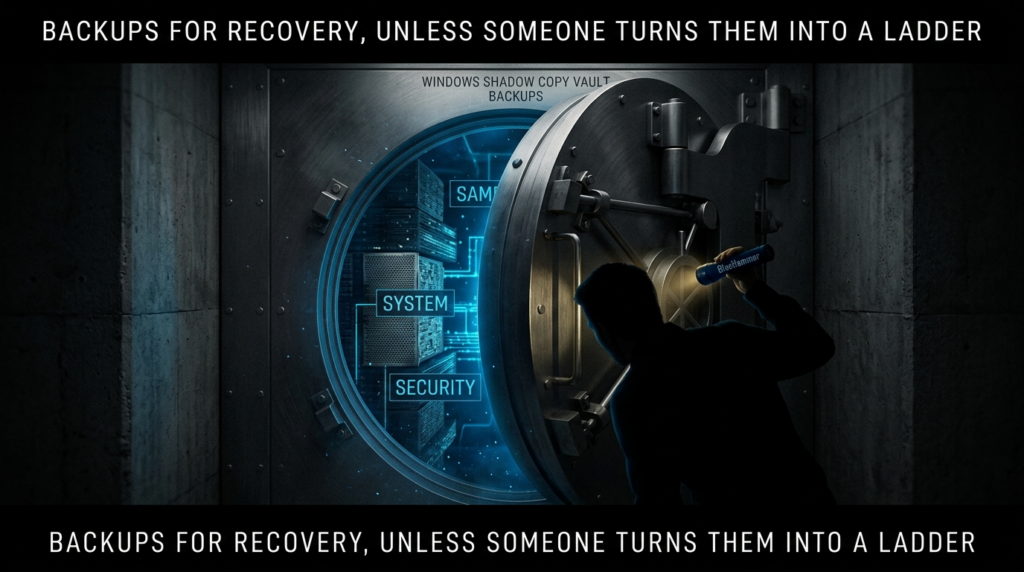
With Defender stalled, Cyderes says the exploit opens the SAM, SYSTEM, and SECURITY hive files directly from the \Device\HarddiskVolumeShadowCopyX\Windows\System32\Config\... paths. Under normal conditions those files are locked and not directly readable by an unprivileged process at runtime. But a mounted shadow copy changes the access geometry. The public analysis says BlueHammer reads those hives from the snapshot, reconstructs the boot key from the SYSTEM hive’s JD, Skew1, GBGet Données values, decrypts LSA material, and then extracts and decrypts NTLM password hashes from the SAM. That is standard credential-extraction logic applied to a filesystem view the attacker should never have had in the first place. (cyderes.com)
At that point, the exploit stops being subtle. Cyderes says it uses SamiChangePasswordUser to change a local Administrator password to an attacker-controlled value, logs on with that password, duplicates the resulting token, and then uses CreateService to register a temporary service that re-executes the payload and spawns a SYSTEM shell. Microsoft’s CreateService documentation explains that the API creates a service object and installs it in the Service Control Manager database under HKEY_LOCAL_MACHINE\System\CurrentControlSet\Services, which is why service-creation telemetry is an important hunting signal here. The public analysis further says the exploit then restores the original NTLM hash, reducing outward evidence that a password change occurred. (cyderes.com)
This is also where the “local only” framing falls apart. BlueHammer does not need to be a remote exploit to be strategically dangerous. If malware, a malicious insider, a rogue browser extension, a document lure, or some other initial vector lands code execution as a standard user, BlueHammer can become the next move. That is exactly why BleepingComputer noted that local access can come from social engineering, other software vulnerabilities, or credential-based attacks. In practice, post-exploitation chains are what turn one compromised account into one compromised machine. BlueHammer appears tailored for that role. (BleepingComputer)
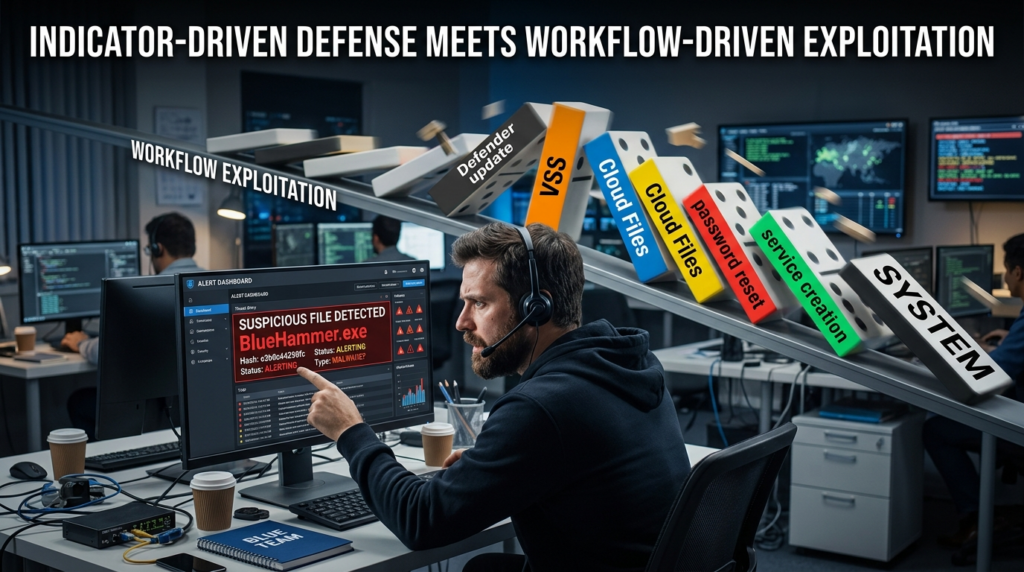
The safest way for defenders to think about the chain is as five transitions rather than a single exploit. First, from ordinary Defender update activity into snapshot creation. Second, from snapshot creation into attacker-controlled timing through Cloud Files callbacks and oplocks. Third, from that timing control into shadow-copy access to registry hives. Fourth, from hive access into credential recovery and local administrator takeover. Fifth, from local administrator into SYSTEM through service creation. Every one of those transitions offers a different point for monitoring, hardening, or validation. BlueHammer is dangerous precisely because most teams do not watch all five. (cyderes.com)
For blue teams running safe internal validation, the immediate goal is not to reproduce the public exploit line for line. The immediate goal is to answer simpler questions. Do low-privileged processes on your gold image ever enumerate new shadow-copy device objects? Can an unsigned or unapproved process register a Cloud Files sync root? Do local password-change events correlate with suspicious service creation? Can your EDR tell the difference between a legitimate sync provider and a throwaway one? Those questions are less flashy than a SYSTEM shell screenshot, but they are more useful operationally. (cyderes.com)
The following PowerShell snippet is defensive rather than offensive. It gives an administrator a quick view of Defender version state and current shadow copies on a test machine so they can establish a baseline before deeper validation work. Microsoft documents that keeping Defender current matters, that engines update monthly, and that security intelligence updates arrive multiple times a day; VSS is the mechanism BlueHammer is publicly reported to abuse. (Microsoft Learn)
# Defensive baseline only
# Run in an elevated PowerShell session on a test system

Write-Host "=== Microsoft Defender status ==="
Get-MpComputerStatus |
    Select-Object AMProductVersion,
                  AMEngineVersion,
                  AntivirusSignatureVersion,
                  AntivirusSignatureLastUpdated,
                  RealTimeProtectionEnabled,
                  AntispywareEnabled,
                  AntivirusEnabled

Write-Host "`n=== Existing shadow copies ==="
Get-CimInstance Win32_ShadowCopy |
    Select-Object ID, InstallDate, DeviceObject, VolumeName

Write-Host "`n=== VSSADMIN view ==="
vssadmin list shadows
BlueHammer is not just another SAM story
BlueHammer feels new because the exploit chain is new, but the underlying lesson is familiar: exposing privileged views of the registry or filesystem to low-privileged code is rarely survivable. The closest comparison point is HiveNightmare, tracked as CVE-2021-36934. NVD describes that flaw as an elevation-of-privilege vulnerability caused by overly permissive ACLs on multiple system files, including the SAM database, and says successful exploitation could allow arbitrary code execution with SYSTEM privileges. NVD also notes an especially important cleanup detail: after installing the security update, administrators still had to manually delete all shadow copies of system files, including SAM, because patching alone did not fully mitigate already-created shadow copies. (nvd.nist.gov)
That comparison matters because BlueHammer and HiveNightmare are similar in outcome, not in root cause. HiveNightmare was about bad ACLs exposing sensitive files directly. BlueHammer, based on current public analysis, is about manipulating system timing so a privileged VSS snapshot remains readable long enough to access those same classes of files indirectly. One bug is a permissions mistake. The other appears to be a design and race condition across subsystems. But both teach the same operational lesson: if low-privileged code can reach SAM, SYSTEM, and SECURITY through live or leftover shadow-copy paths, your host is in trouble. (nvd.nist.gov)
BlueHammer also sits next to a broader pattern in the Windows Cloud Files stack. NVD describes CVE-2025-55680 as a TOCTOU race condition in the Windows Cloud Files Mini Filter Driver that allows a local authenticated attacker to elevate privileges. It describes CVE-2025-62221 as a use-after-free in the same driver, and several other recent entries such as CVE-2024-30085, CVE-2024-49114, and CVE-2025-21271 as Cloud Files Mini Filter Driver elevation-of-privilege vulnerabilities. These CVEs are not BlueHammer, and they should not be treated as proof that BlueHammer is the same bug class. But they do show that Cloud Files is not a quiet corner of Windows. It has been an active local-privilege-escalation surface. (nvd.nist.gov)
That context makes one Penligent resource worth reading alongside the public BlueHammer material. Penligent published a detailed article on CVE-2025-55680, another Cloud Files race condition, framing it as a real-world privilege-escalation case and explicitly connecting it to exploitability validation rather than headline severity. That is useful because BlueHammer should push teams away from “Is this CVE famous?” and toward “Can our actual Windows image expose this class of timing-dependent escalation?” The naming and root cause may differ, but the testing discipline carries over. (penligent.ai)
The comparison table below is meant to sharpen that distinction. BlueHammer is not a relabeled HiveNightmare, and it is not automatically the same as Cloud Files driver CVEs with formal identifiers. But it lives in the same neighborhood of Windows mistakes: privileged data becomes reachable because boundary assumptions fail. (nvd.nist.gov)
| Issue | Public status | Root cause style | Conditions préalables | Core impact | Key defensive lesson |
|---|---|---|---|---|---|
| BlueHammer | Public exploit, no public patch, no public CVE as of Apr 9 2026 | Public analysis points to cross-component design flaw, TOCTOU, and path confusion | Low-privileged local code execution plus BlueHammer-specific timing conditions | Shadow-copy access to SAM/SYSTEM/SECURITY, local admin takeover, SYSTEM shell | Watch behavior across Defender, VSS, Cloud Files, and service creation |
| CVE-2021-36934, HiveNightmare | Patched and in CISA KEV | Overly permissive ACLs on sensitive system files | Ability to execute code locally | Potential SYSTEM-level impact via SAM exposure | Patching alone may not be enough if old shadow copies remain |
| CVE-2025-55680 | Public CVE | TOCTOU race in Cloud Files Mini Filter Driver | Local authenticated attacker | Local elevation of privilege | Treat Cloud Files as a standing local-privilege boundary |
| CVE-2025-62221 | Public CVE | Use-after-free in Cloud Files Mini Filter Driver | Local authenticated attacker | Local elevation of privilege | Cloud Files exploitation is not limited to one bug type |
| CVE-2024-30085, CVE-2024-49114, CVE-2025-21271 | Public CVEs | EoP in Cloud Files Mini Filter Driver | Local authenticated attacker | Local elevation of privilege | Repeated Cloud Files EoP history should influence hardening priorities |
There is one more subtle similarity between BlueHammer and HiveNightmare that defenders should not ignore. In both cases, the exploit value depends heavily on what already exists on disk or in the system state. HiveNightmare taught defenders that stale shadow copies matter after patching. BlueHammer suggests the inverse: even a temporary, newly created shadow copy can be enough if the attacker can widen the access window. In both scenarios, shadow-copy handling becomes part of privilege-boundary security, not just backup hygiene. (nvd.nist.gov)
Detection logic that actually matters for BlueHammer
The public binary name is not the priority. Behavior is. BlueHammer’s exploit value comes from a sequence of actions that are unusual in combination even if each one can look normal by itself. Cyderes’ guidance is a good starting point here. It recommends monitoring VSS enumeration by non-system processes, watching CfRegisterSyncRoot from untrusted processes, alerting on low-privileged processes that create Windows services or acquire SYSTEM-like access, and paying attention to unexpected local Administrator password changes followed by rapid restoration. Those recommendations line up cleanly with the public exploit chain. (cyderes.com)
The first high-signal area is shadow-copy awareness in user space. Cyderes specifically calls out unexpected calls that enumerate HarddiskVolumeShadowCopy* objects from user-space processes. Most general-purpose desktop applications do not need to walk device objects looking for newly created shadow copies. Backup software, forensic tools, and some administrative utilities might do it. A throwaway user process doing it right before other suspicious behavior is a very different story. That is why BlueHammer hunting needs a baseline: “Shadow copy access exists in our estate” is not the same thing as “any process can enumerate it and we do not care.” (cyderes.com)
The second high-signal area is Cloud Files provider behavior. Microsoft documents CfRegisterSyncRoot as something a sync provider uses to claim a managed directory tree. In a consumer environment, that usually means well-known software such as OneDrive or another sync client. Cyderes argues that calls to CfRegisterSyncRoot from untrusted processes should be investigated because the API is central to BlueHammer’s timing trap. That advice is practical. It acknowledges that the API has legitimate users while still treating off-baseline callers as suspicious. (Microsoft Learn)
The third signal is credential churn that does not fit the user story on the box. Microsoft’s documentation says Event ID 4723 is generated when a user attempts to change their own password, and Event ID 4724 is generated when an account attempts to reset another account’s password. Cyderes says BlueHammer uses SamiChangePasswordUser to reset a local Administrator password, uses it briefly, and then restores the original hash. In a real environment, that can compress into a short event burst that looks bizarre if you have the right context and invisible if you do not. A quick password reset-and-restore on a local admin account should not be treated as routine noise. (Microsoft Learn)
The fourth signal is transient service creation after user-space weirdness. Microsoft’s CreateService documentation explains that the API installs a service object in the Service Control Manager database. Cyderes says the BlueHammer chain uses that exact step after local admin takeover to relaunch itself and produce a SYSTEM shell. Service creation is common in enterprise Windows. Service creation by a process that only minutes earlier had no reason to touch Cloud Files APIs, shadow-copy device paths, or local password reset logic is not common. Correlation is what turns this from background noise into a useful detection. (Microsoft Learn)
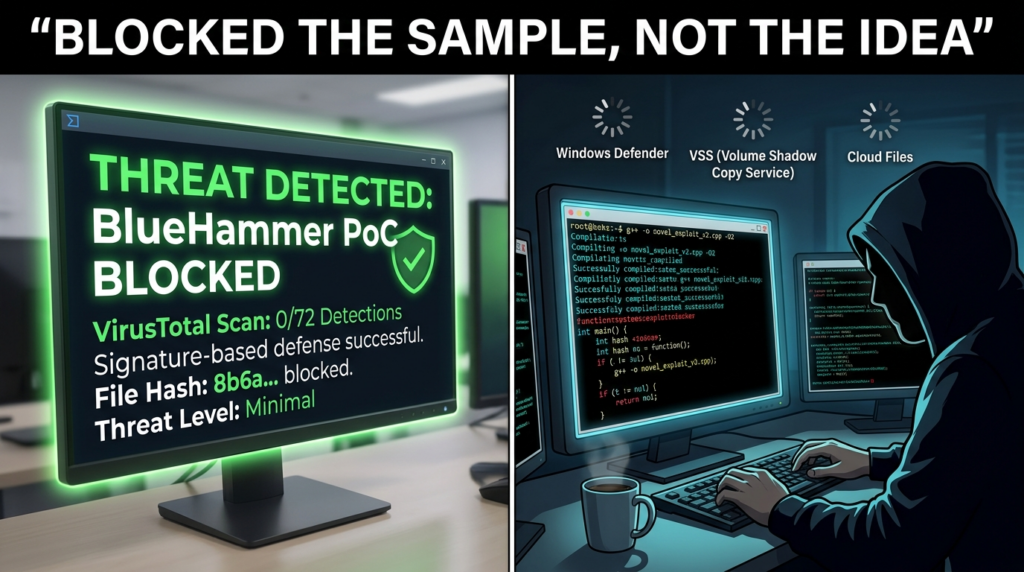
The fifth signal is defensive complacency around the sample detection. Microsoft’s public intelligence notes indicate the original proof of concept is now detected as Exploit:Win32/DfndrPEBluHmr.BB, and Cyderes says that detection is not a fix. That matters for operations. A recompiled or lightly modified variant may never match the original static signature, while the VSS enumeration, sync-root registration, password-reset burst, and transient service creation still happen. Teams that close the incident because the PoC EXE is quarantined are solving the wrong problem. (Microsoft)
The table below groups the most useful BlueHammer-aligned signals by priority and explains where they can mislead you. It is based on the public exploit analysis, Microsoft’s event documentation, and Windows API behavior. (cyderes.com)
| Signal | Why it matters for BlueHammer | Likely benign sources | What extra context you need |
|---|---|---|---|
User-space enumeration of HarddiskVolumeShadowCopy* | Public analysis says the exploit watches for new shadow copies in real time | Backup, IR, or admin tools | Parent process, signer, user context, timing relative to Defender activity |
CfRegisterSyncRoot from an unexpected process | Public analysis says the exploit uses a fake sync root to trap Defender | Legitimate sync clients | Process reputation, signer, path, whether the caller is a known sync provider |
| 4723 or 4724 events on local admin accounts | Public analysis says the exploit resets and later restores admin credentials | Legitimate admin actions | Whether events occur in a tight burst and correlate with other suspicious behavior |
| Transient service creation after user-level anomaly | Public analysis says the exploit uses CreateService to reach SYSTEM | Software installation and management tooling | Was the initiating process recently involved in password events or shadow-copy access |
Detection of Exploit:Win32/DfndrPEBluHmr.BB | Catches the public sample | The original PoC itself | Whether related behaviors exist even if the sample is blocked |
For local defensive triage, the following PowerShell snippet can surface recent password-change events that might be relevant when you are already investigating a suspicious host. It is not BlueHammer-specific, and that is the point. BlueHammer hunting works best when it is blended into normal Windows security telemetry rather than treated as a one-off IOC hunt. Microsoft documents 4723 and 4724 as the key password-change and password-reset events. (Microsoft Learn)
# Defensive triage for recent local password change or reset events

Get-WinEvent -FilterHashtable @{
    LogName   = 'Security'
    Id        = 4723, 4724
    StartTime = (Get-Date).AddHours(-24)
} | Select-Object TimeCreated, Id, ProviderName, Message |
    Format-List
In Microsoft Defender XDR or a SIEM, the more useful pattern is correlation rather than a single event match. The example below is intentionally simple. It looks for password-change or reset events and then checks for suspicious process execution in the next ten minutes. The field names vary across telemetry sources, so the query should be treated as a starting point rather than a drop-in signature. The logic, however, lines up with the public BlueHammer sequence: account manipulation followed by rapid privilege-bearing activity. (cyderes.com)
let pw =
    SecurityEvent
    | where EventID in (4723, 4724)
    | project PwTime=TimeGenerated, DeviceName=Computer, TargetAccount=TargetUserName, SubjectAccount=SubjectUserName, EventID;
let suspicious_proc =
    DeviceProcessEvents
    | where FileName in~ ("sc.exe", "powershell.exe", "cmd.exe")
    | where ProcessCommandLine has_any (" create ", "New-Service", "Start-Service", "psexec", "cmd.exe")
    | project ProcTime=TimeGenerated, DeviceName, FileName, ProcessCommandLine, InitiatingProcessFileName, InitiatingProcessAccountName;
pw
| join kind=innerunique suspicious_proc on DeviceName
| where ProcTime between (PwTime .. PwTime + 10m)
| order by PwTime desc
Hardening while there is no official patch
The first defensive rule is boring but still necessary: keep Defender current anyway. Microsoft says staying up to date is critical, that platform and engine updates arrive on a monthly cadence, and that security intelligence is delivered multiple times a day. Even if signature updates do not fix the root cause, they can still block the public sample and some low-effort variants. Teams should not skip baseline hygiene simply because hygiene does not solve the whole problem. (Microsoft Learn)
The second rule is to separate sample blocking from execution control. If you are trying to constrain what a low-privileged user can actually run on Windows, Microsoft’s own documentation draws a meaningful distinction between App Control for Business and AppLocker. Microsoft says App Control for Business is a security feature under MSRC servicing criteria and controls which drivers and applications can run across the managed computer, while AppLocker is presented as defense in depth and “doesn’t meet the servicing criteria for being a security feature.” That matters. For high-assurance Windows environments that want to contain recompiled exploit variants, WDAC, now branded App Control for Business, is the stronger control model. AppLocker still has value, especially for older estates and targeted rule sets, but it should not be confused with the same class of protection. (Microsoft Learn)
The third rule is to use Attack Surface Reduction as a choke point for the broader execution story around BlueHammer, not as a magic BlueHammer switch. Microsoft says ASR rules target risky software behaviors, recommends running them in audit mode first, and allows deployment through Intune, MDM, Group Policy, Configuration Manager, and PowerShell. ASR is not a published root-cause mitigation for BlueHammer. What it can do is shrink the surrounding room an attacker needs: script abuse, suspicious downloads, risky app behavior, and other noisy precursor activity. The public exploit chain still needs local code execution to start. If you make that initial user-space execution harder, you are reducing real risk even before Microsoft ships a specific fix. (Microsoft Learn)
The fourth rule is to baseline Cloud Files usage deliberately. BlueHammer’s public chain leans on CfRegisterSyncRoot et CfConnectSyncRoot, but those APIs also exist for legitimate sync clients. The right question is not “Can this API ever be used?” It is “Which signed processes in our environment are expected to use it?” That is a tractable problem. On many fleets, the list is short. Once you know the legitimate providers, unusual callers become much easier to isolate. BlueHammer is one more reason to treat sync-provider registration as a security-relevant event rather than a file-management detail. (Microsoft Learn)
The fifth rule is to take local admin hygiene seriously even when the exploit starts from a standard user. Public analysis says BlueHammer’s later stages rely on taking over a local administrator account and then converting that into SYSTEM. The fewer machines that have unmanaged, broadly reachable local admin pathways, the less frictionless that transition becomes. Even where BlueHammer can still dump local credential material, reducing the number and utility of reusable local admin contexts changes the value of the result. This is not unique to BlueHammer, but BlueHammer is a sharp reminder that local account design is still a security boundary. (cyderes.com)
The sixth rule is to validate on the Windows images you actually deploy, not on a hypothetical “Windows 11” bucket. BlueHammer’s public reporting already suggests behavior differences between client and server. Enterprises also have different mixes of Defender onboarding state, update sources, VDI images, sync software, and application-control policy. That is why controlled exploitability validation matters more than static product comparison. A team does not need a blog headline that says “BlueHammer bad.” It needs a repeatable answer to “Can our current image expose the preconditions this chain requires?” (BleepingComputer)
That is the point in the workflow where automation becomes useful in a disciplined way. When a team is validating BlueHammer-like attack paths, the hard part is rarely naming the technique. The hard part is preserving the test state, recording evidence, rerunning the check after a policy change, and proving whether a path is still reachable on the next gold image. Penligent’s own public material is strongest when it frames automated offensive tooling in those terms—proof, reproducibility, and continuous retesting—rather than as a substitute for security engineering judgment. That mindset is a better fit for BlueHammer than headline-driven scanning. (penligent.ai)
Common mistakes teams will make with BlueHammer
The first mistake is to equate “local” with “lower priority.” That is still one of the most expensive misunderstandings in Windows defense. BlueHammer does not have to be your initial access vector to become your incident. If the attacker already has code execution as a standard user, then a local privilege escalation chain can be the move that converts an isolated compromise into durable host control. BleepingComputer explicitly noted that local access can come from social engineering, credential-based attacks, or other vulnerabilities. That is normal intrusion reality, not an edge case. (BleepingComputer)
The second mistake is to treat Defender’s detection of Exploit:Win32/DfndrPEBluHmr.BB as closure. It is not. Sample detection is valuable. Cyderes says so explicitly, and Microsoft’s own intelligence notes show the detection exists. But if the root cause is really a design flaw in how documented Windows components interact, then the public sample is only one packaging of the problem. Teams that report “protected” because the GitHub EXE no longer runs are measuring the easiest part of the defense problem. (cyderes.com)
The third mistake is to overlearn the Windows Server caveat. Public reporting says some researchers saw the original code fail or behave differently on Server, but that should not be turned into “servers fine” or “clients only.” Build-sensitive bugs often surface in exactly this way: one branch proves the concept, another branch changes the exact privilege outcome or reliability envelope, and defenders talk themselves into false certainty because the first test was inconclusive. The correct response to mixed early testing is more validation, not less. (BleepingComputer)
The fourth mistake is to ignore the cleanup path. BlueHammer is publicly reported to restore the original NTLM hash after abusing a local administrator password. That means responders looking only for obvious “before and after” account changes may miss the most important evidence. Short-lived, tightly clustered password events matter. So does service-creation telemetry that appears only once. So does the timing relationship between Cloud Files activity and shadow-copy enumeration. BlueHammer rewards analysts who can think in sequences instead of artifacts. (cyderes.com)
The fifth mistake is to make the scope too narrow by blaming one product. BlueHammer is discussed publicly as a Defender zero-day because Defender’s workflow is central to the chain. But the public analysis says the exploitation window appears only because Defender, VSS, Cloud Files, and oplocks interact in a specific order. That means defenders who think “our AV team owns this” are already falling behind. The right owners are broader: Windows engineering, endpoint security, identity, detection engineering, and whoever manages application control on the fleet. (cyderes.com)
What red teams, blue teams, and technical buyers should test now
For red teams and pentesters, the right validation question is not “Can I run the public PoC?” The better question is “Can I reproduce the prerequisite states the public chain depends on?” Public reporting says those include a low-privileged starting point, a relevant Defender update state, observable shadow-copy creation, Cloud Files sync-root control, and a path from local credential material to temporary service-backed SYSTEM execution. If your assessment methodology cannot reason about those preconditions, it will tend to reduce BlueHammer to a logo check: detected or not detected, without understanding whether the path is actually viable. (cyderes.com)
For blue teams, the first task is telemetry validation. Can you see non-system processes enumerating shadow-copy device objects? Can you attribute CfRegisterSyncRoot to a process and signer? Do you collect 4723 and 4724 consistently on endpoints where local accounts matter? Can you correlate suspicious process execution with short-lived service creation? Microsoft’s documentation and the public BlueHammer analysis provide enough detail to answer those questions in a lab without attempting to weaponize the exploit. Most organizations will learn more from validating telemetry coverage than from replaying the public payload. (Microsoft Learn)
For platform owners, the next task is policy validation. Are WDAC or App Control for Business policies broad enough to block unsigned or unapproved binaries in the user contexts where BlueHammer would start? Is AppLocker being used where it makes sense, even if it is not the final line of defense? Are ASR rules deployed in audit mode where you still need compatibility data, and in block mode where you already understand the blast radius? Microsoft’s guidance is clear that ASR should be tested in audit first, and its application-control documentation is clear that App Control for Business is the stronger security primitive. BlueHammer gives teams a concrete reason to stop postponing those decisions. (Microsoft Learn)
For technical buyers evaluating offensive security tooling, BlueHammer is a useful filter. Plenty of products can summarize a CVE, explain what VSS is, or flag the leaked binary. That is not the hard part. The harder part is whether a tool can maintain state across a multi-step Windows workflow, verify exploitability without collapsing into noisy guesswork, capture artifacts a human can trust, and then rerun the same validation after an image change or policy update. Penligent’s recent public writing on AI pentest tooling is relevant here because it argues that the real distinction is not “AI or non-AI” but whether the tool can actually execute a recognizable testing workflow and produce evidence. BlueHammer is the kind of case that exposes the difference immediately. (penligent.ai)
The most useful operational exercise is simple. Take one representative Windows 10 or Windows 11 image, one Windows Server image if you rely on Server endpoints, your real Defender update source configuration, your real sync-provider mix, and your real application-control policies. Then answer four questions. Can a standard user execute arbitrary unsigned code? Can an unexpected process interact with Cloud Files registration? Do your detections notice shadow-copy enumeration and password-reset bursts? After a policy change, can you prove the answer changed? That kind of validation loop is more valuable than any abstract severity debate around BlueHammer. (Microsoft Learn)
BlueHammer’s real lesson for Windows security
BlueHammer is a reminder that the most damaging Windows privilege escalations do not always arrive as tidy single-component bugs. Sometimes the operating system behaves exactly as documented in each individual place, and the vulnerability appears only when those behaviors are composed. Defender updates are normal. VSS snapshots are normal. Cloud Files callbacks are normal. Oplocks are normal. Registry hives in shadow copies are normal enough to power legitimate backup and recovery workflows. Public BlueHammer analysis suggests the danger appears when those normal behaviors line up in a way the platform did not defend as a security boundary. (Microsoft Learn)
That is why the right response is broader than waiting for a patch. Teams should absolutely take a vendor fix when Microsoft ships one. But between now and then, the practical work is to hunt the behavior, tighten execution control, baseline Cloud Files usage, and validate whether low-privileged code on your actual images can reach the preconditions this chain needs. BlueHammer is not important because it has a memorable name. It is important because it shows how fast a public post-exploitation path can move from “interesting” to “operational” when defenders are watching binaries instead of workflows. (cyderes.com)
The deeper point is not limited to BlueHammer. HiveNightmare already taught Windows defenders that shadow-copy handling can preserve risk even after a vendor patch. The Cloud Files CVE stream has already shown that local privilege escalation around sync abstractions is not a one-time anomaly. BlueHammer connects those lessons and adds a new one: when a security product, a backup mechanism, and a sync abstraction share the same filesystem reality, cross-component trust assumptions become part of the attack surface. Defenders that model those boundaries explicitly will be faster on the next one. Defenders that only memorize names will not. (nvd.nist.gov)
Autres lectures et références
The most useful external references for BlueHammer are the public disclosure blog, the public GitHub repository, BleepingComputer’s reporting, Cyderes’ technical analysis, Microsoft’s documentation for Defender updates, VSS, Cloud Files APIs, App Control, AppLocker, and ASR, and NVD’s records for HiveNightmare and recent Cloud Files local privilege escalation CVEs. (deadeclipse666.blogspot.com)
For directly related Penligent reading, the strongest internal match is its article on CVE-2025-55680, a Windows Cloud Files race condition that helps frame why Cloud Files should be treated as a standing privilege-escalation surface. Penligent’s article on what a real AI pentest tool looks like in 2026 is also relevant for teams evaluating whether they can validate exploitability and preserve evidence rather than just identify names. The homepage is the broadest product entry point if you want the high-level workflow language behind those pieces. (penligent.ai)
 French
  English
  German
  Spanish
  Portuguese
  Japanese
  Korean
  Hindi
Hindi  Arabic
  Turkish
  Hebrew