
For years, Notepad was the safest kind of Windows utility to reason about. It opened plain text. It let you read logs, paste snippets, and save notes. Nobody built a serious threat model around it because there was almost nothing there to model.
That changed the moment Notepad stopped being just a text editor.
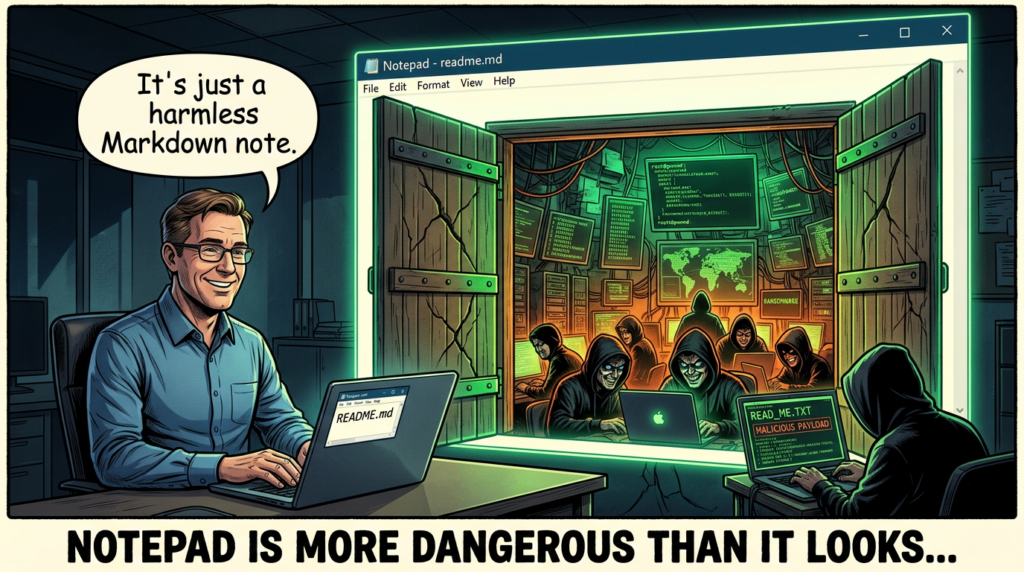
CVE-2026-20841 is the kind of vulnerability that security engineers should pay attention to even if they never expected to care about Notepad. The issue is not simply that Microsoft patched another Windows bug. The more important lesson is that a familiar content viewer became part of an execution path. Once Markdown rendering, clickable links, and protocol handlers entered the picture, “open a text file” no longer meant “stay inside a text context.” It meant “render content, let a user interact with it, then pass control to the OS.” That is a very different trust boundary. (NVD)
Public records describe CVE-2026-20841 as an improper neutralization flaw in the Windows Notepad App, mapped to CWE-77, that allows code execution with user interaction. NVD’s change history is especially important here: the record was initially published as allowing code execution “over a network,” then later corrected to “locally,” with a local attack vector and required user interaction. That correction matters because it changes how defenders should explain the issue internally. This is not a wormable remote service bug. It is a content-to-execution boundary failure that can still be operationally serious because it rides on normal user behavior and trusted software. (NVD)
The affected range, according to NVD and multiple downstream writeups, is the Microsoft Store version of Windows Notepad before 11.2510. Public reporting from Help Net Security and BleepingComputer also notes that the vulnerable behavior is tied to Markdown support introduced into modern Notepad builds, and that exploitation centers on malicious links embedded in Markdown files opened in Notepad’s rendered view. (NVD)
What CVE-2026-20841 actually is
The official description is short, but it hides the real mechanics. CVE-2026-20841 is a command-injection-class issue in Windows Notepad App. In practice, the problem is that Notepad’s Markdown link handling did not adequately restrict or validate certain link targets before handing them off to the operating system. That handoff created an execution opportunity through protocol handlers and shell behavior. (NVD)
Help Net Security captured Microsoft’s explanation in more operational language: an attacker could trick a user into clicking a malicious link inside a Markdown file opened in Notepad, causing the app to launch unverified protocols that load and execute remote files, with any code running in the security context of the user who opened the file. BleepingComputer’s testing and screenshots reinforced the key practical point: specially crafted Markdown links could trigger local or remote programs without the usual Windows security warning being shown before patching. (Help Net Security)
This is why the bug drew so much attention. It took a component users treat as low-risk and turned it into a launch point for process execution. Once you understand the chain, the novelty disappears and the risk model becomes familiar:
- Deliver or host a malicious
.mdfichier - Get the victim to open it in Notepad
- Get the victim to Ctrl-click a rendered link
- Let Notepad pass the target to the OS
- Let the OS resolve the protocol handler or file target
- Execute in the current user’s context
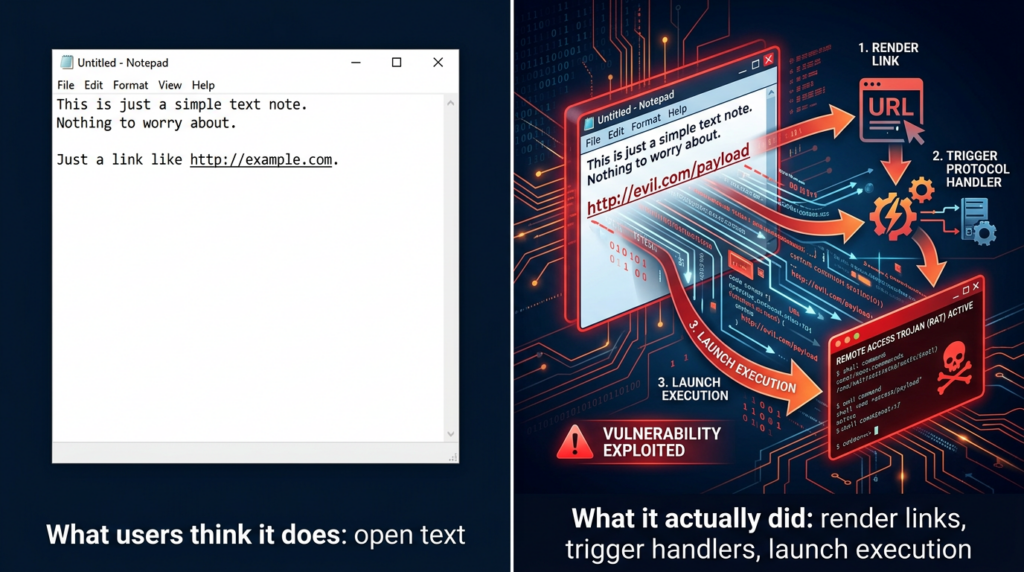
That is not magic. It is just a modern example of content rendering becoming process launch. (Zero Day Initiative)
Why this vulnerability mattered so much
There are plenty of higher-severity Windows bugs every year, but most of them never spread beyond patch notes and vulnerability databases. CVE-2026-20841 spread because it landed on a pattern that defenders, researchers, and even general users instantly recognize: a “boring” built-in app unexpectedly acting like an execution primitive.
The first reason is trust. Notepad is one of the most familiar applications in Windows. Users open text files in it without friction or suspicion. That makes it an ideal place for attackers to hide behavior behind normal workflow. A malicious .exe raises alarms. A Markdown note usually does not. (BleepingComputer)
The second reason is framing. Markdown is broadly associated with READMEs, notes, docs, and wikis. In many environments, .md carries none of the intuitive danger of macro-enabled Office documents, LNK files, or script extensions. That gap between perceived safety and actual behavior is exactly what makes these issues useful in real intrusion chains. ZDI explicitly described the vulnerability as stemming from improper validation of links in Markdown files and showed how protocol URIs such as file:// et ms-appinstaller:// could be used to reach arbitrary files or handlers. (Zero Day Initiative)
The third reason is that the exploit path depends on a user action that is realistic, not exotic. Opening a file and clicking a link are ordinary actions. Even though Notepad requires Ctrl-click for link activation in this flow, that is not a meaningful barrier against social engineering. Help Net Security pointed out the same thing directly: exploitation depends on the victim opening the Markdown file and Ctrl-clicking the link, but that kind of interaction is easily obtained through social engineering, especially because Markdown files are not widely seen as an execution risk. (Help Net Security)
How the bug worked under the hood
The most useful public technical explanation came from Zero Day Initiative’s writeup of the issue. Their summary is the clearest source for defenders who want more than headline-level understanding.
According to ZDI, Notepad detects Markdown rendering based on the .md file extension, tokenizes the file, and processes links inside the rendered output. The relevant link-clicking code path ultimately passes the link target into ShellExecuteExW(). The flaw is that the filtering on link values was insufficient, allowing malicious protocol URIs such as file:// et ms-appinstaller:// to reach protocol handlers or remote resources and produce arbitrary command execution in the victim’s user context. ZDI also noted that ShellExecuteExW() may expose additional exploitable protocols depending on local system configuration. (Zero Day Initiative)
That last point deserves emphasis. This was not only about one hard-coded URI scheme. It was about Notepad delegating trust to the shell in a way that made protocol handler abuse possible. On Windows, protocol handlers are powerful because they bridge content and action. If an application says, “Here, OS, handle this URI,” the real security question becomes, “What can that URI cause the system to launch?” In other words, the link renderer inherits the risk of the protocol ecosystem around it. (Zero Day Initiative)
BleepingComputer’s tests turned that into a practical exploit narrative. Before patching, a crafted Markdown file could contain links to executables or to URI schemes such as ms-appinstaller://. If the victim opened the file in a vulnerable Notepad build and Ctrl-clicked the link, the target could be invoked without a standard Windows warning. The article also highlighted another realistic scenario: links to files on remote SMB shares. That matters because it expands the delivery model beyond “download a local payload first” into more flexible attacker-controlled hosting and lure chains. (BleepingComputer)
The core idea is simple: a text editor gained renderer behavior, the renderer exposed clickable links, the click path reached shell execution, and the validation in the middle was not restrictive enough.
The NVD correction is more important than it looks
One of the most useful details in the public record is NVD’s change history. The original CVE entry described the bug as allowing code execution “over a network” and used a network attack vector. Two days later, the description and vector were revised to “locally,” with AV:L and required user interaction retained. (NVD)
That change matters for three reasons.
First, it improves communication discipline. Many teams read the first wave of Patch Tuesday summaries and then keep repeating the initial framing in tickets, meetings, and executive updates. For this CVE, that would overstate the exposure in the wrong way. The better phrase is not “network-exploitable Notepad RCE.” The better phrase is “user-assisted code execution through malicious Markdown links in Notepad.” (NVD)
Second, it changes prioritization logic. A local user-interaction bug in a Store app is not the same operational class as a pre-auth service RCE. It still matters, especially in phishing-heavy environments, but response should focus on patch deployment, endpoint telemetry, and user-facing controls, not perimeter emergency response.
Third, it sharpens detection thinking. If your detection story assumes inbound exploit traffic against a listening service, you will miss what actually matters here: delivery of .md content, abnormal Notepad child process launches, and protocol-handler execution following user interaction. ZDI’s detection guidance makes that explicit by focusing on Markdown file transfers and suspicious link patterns using file: et ms-appinstaller:. (NVD)
What Microsoft fixed, and what it did not
Public reporting indicates that Microsoft did not solve the issue by categorically blocking all non-standard links in Notepad. Instead, after patching, Notepad displays a warning when the clicked link uses protocols other than http:// ou https://. Help Net Security described the same design choice, and BleepingComputer’s testing confirmed it: non-standard URIs such as file:, ms-settings:, ms-appinstaller:, mailto:et ms-search: now trigger a warning dialog. (Help Net Security)
This is a meaningful improvement because it removes the silent execution property that made the pre-patch behavior especially dangerous. That alone is worth patching quickly. But the fix also has obvious limits. A warning dialog is not the same as a hard block. If the adversary’s social engineering already convinced the target to open the file and click the link, the same campaign may also be able to convince the target to click “Yes.” BleepingComputer questioned the same design decision and noted that attackers may still socially engineer users into approving the warning. (BleepingComputer)
From a defender’s perspective, that means patching is necessary but not sufficient. You should treat the update as removal of a dangerous silent path, not total elimination of link-driven execution risk. The residual risk model becomes: “non-standard URI invocation is now gated by a prompt, but still deserves control and detection.” (Help Net Security)
Safe validation without weaponizing the bug
Security teams do need to validate remediation, but they do not need to weaponize the CVE to do it. The safest approach is to check three things:
- whether vulnerable Notepad versions still exist
- whether Markdown links can still trigger non-HTTP handlers without warning
- whether endpoint visibility is sufficient to catch suspicious Notepad-to-process behavior
The PowerShell below is a simple example for fleet-side version checking. It is not a full enterprise inventory solution, but it is useful for spot validation on endpoints where you suspect Notepad may not have updated through the Microsoft Store.
# Check the installed Windows Notepad package version
Get-AppxPackage -Name Microsoft.WindowsNotepad |
    Select-Object Name, PackageFullName, Version
NVD lists affected builds as versions before 11.2510, so any endpoint reporting an earlier build deserves follow-up. Because this is a Store app, auto-update assumptions should not replace verification, especially in managed environments with update controls, offline hosts, gold images, or VDI templates that do not refresh as expected. (NVD)
For safe behavior validation, do not test with payloads that launch real binaries from remote locations. Instead, use a benign .md file containing ordinary https:// links and one deliberately non-standard but non-destructive link in an isolated VM, then confirm the post-patch behavior shows a warning for the non-HTTP target. The validation question is not “Can I pop calc?” The validation question is “Does the app still allow unsafe link classes to launch silently?” That is the control boundary you care about.

Detection logic that actually helps defenders
ZDI published specific detection guidance that defenders can adapt. Their recommendations focus on inspecting transferred .md files for risky link patterns, especially links containing file: ou ms-appinstaller:. They also published regex patterns that can help identify remote-resource variants of those links. That guidance is useful because it shifts attention away from generic “look for markdown” monitoring and toward concrete suspicious scheme usage. (Zero Day Initiative)
A practical detection strategy should combine file-content inspection, process telemetry, and protocol-handler monitoring.
Example 1, Python scanner for risky Markdown links
This script is a simple defensive helper for repositories, shared drives, or ingest pipelines that routinely handle Markdown content.
import re
from pathlib import Path

RISKY_SCHEMES = [
    "file:",
    "ms-appinstaller:",
    "ms-settings:",
    "ms-search:",
    "shell:",
]

pattern = re.compile(
    r'(\\[[^\\]]+\\]\\(([^)]+)\\)|<([^>]+)>)',
    re.IGNORECASE
)

def scan_markdown_file(path: Path):
    text = path.read_text(encoding="utf-8", errors="ignore")
    findings = []
    for match in pattern.finditer(text):
        target = match.group(2) or match.group(3) or ""
        lower = target.lower()
        if any(lower.startswith(s) for s in RISKY_SCHEMES):
            findings.append(target)
    return findings

for md in Path(".").rglob("*.md"):
    hits = scan_markdown_file(md)
    if hits:
        print(f"\\n[!] {md}")
        for hit in hits:
            print(f"    -> {hit}")
This is not a substitute for endpoint detection, but it is useful for content hygiene. It is especially valuable in environments where Markdown files move through ticketing systems, internal docs, user uploads, support attachments, or code repositories.
Example 2, Sigma-style rule for suspicious child processes from Notepad
Pre-patch exploitation centered on Notepad handing off dangerous targets to the OS. A good first approximation is to look for process creation where Notepad is the parent and the child belongs to a known risky class.
title: Suspicious Child Process Spawned by Windows Notepad
id: 0f2d2d1b-1e32-46e8-bb2d-cve202620841
status: experimental
logsource:
  category: process_creation
  product: windows
detection:
  selection_parent:
    ParentImage|endswith:
      - '\\Notepad.exe'
  selection_child:
    Image|endswith:
      - '\\cmd.exe'
      - '\\powershell.exe'
      - '\\wscript.exe'
      - '\\cscript.exe'
      - '\\mshta.exe'
      - '\\rundll32.exe'
      - '\\AppInstaller.exe'
  condition: selection_parent and selection_child
fields:
  - ParentImage
  - Image
  - CommandLine
  - ParentCommandLine
level: high
This rule is intentionally conservative. Not every child process from Notepad is malicious, and not every malicious path will use this exact child set. But if your environment rarely expects Notepad to spawn installers, shells, or script hosts, this is a strong hunting lead.
Example 3, KQL hunting query for Microsoft Defender XDR or Sentinel
DeviceProcessEvents
| where InitiatingProcessFileName =~ "Notepad.exe"
| where FileName in~ ("cmd.exe","powershell.exe","wscript.exe","cscript.exe","mshta.exe","rundll32.exe","AppInstaller.exe")
| project Timestamp, DeviceName, InitiatingProcessFileName, InitiatingProcessCommandLine,
          FileName, ProcessCommandLine, AccountName, SHA1
| order by Timestamp desc
A second query can focus on endpoints still running older Notepad builds if your telemetry includes application inventory. The important thing is to correlate version state with behavior. A vulnerable build with no suspicious launches is still patch debt. A patched build with suspicious launches may indicate social-engineering follow-on activity or abuse of other handler paths.
Comparing CVE-2026-20841 to related Windows trust-boundary bugs
The best way to understand CVE-2026-20841 is not to isolate it. It fits a recognizable family of Windows issues where content, shortcuts, or links cross a boundary into execution or security-bypass territory.
| CVE | Composant | Core pattern | Pourquoi c'est important |
|---|---|---|---|
| CVE-2026-20841 | Windows Notepad | Markdown-rendered links lead to unsafe protocol or file handling | A trusted text editor became part of an execution chain |
| CVE-2024-21412 | Internet Shortcut Files and SmartScreen | Malicious shortcut handling bypassed a warning boundary | User-initiated content bypassed expected safety prompts |
| CVE-2024-21413 | Microsoft Outlook | Improper input validation in link handling led to dangerous follow-on behavior | Email content became an execution or credential-exposure pathway |
| CVE-2022-30190 | MSDT via Office, Follina | A URL protocol invoked a powerful diagnostic tool from document content | A document-rendering context escaped into code execution |
NVD lists CVE-2024-21412 as a SmartScreen-related Internet Shortcut Files security feature bypass and notes that it entered CISA’s Known Exploited Vulnerabilities catalog in February 2024. Trend Micro’s reporting tied active exploitation of that bug to Water Hydra campaigns that used disguised internet shortcuts to bypass SmartScreen and compromise hosts. That is a strong reminder that “user-click” issues are not academic when the lure is credible and the application is trusted. (NVD)
NVD also shows CVE-2024-21413, the Outlook improper input validation issue often discussed as MonikerLink, entered the KEV catalog in February 2025. That makes it a particularly relevant comparison because it reinforces the same operational lesson: links inside everyday productivity contexts can become execution or credential-theft pathways if validation and security boundaries are weak. (NVD)
Follina, CVE-2022-30190, remains the classic modern example. NVD describes it as a remote code execution vulnerability where MSDT is called using a URL protocol from a calling application such as Word. That is the same general architectural smell defenders should recognize in CVE-2026-20841: a content-processing application delegates a crafted URI to a powerful downstream component, and the downstream behavior turns a document into an execution path. (NVD)
This is the pattern worth teaching to engineers and SOC analysts:
rendered content + user interaction + protocol handler + permissive trust transfer = execution boundary failure
Once your team sees Windows issues through that lens, CVE-2026-20841 stops looking quirky and starts looking familiar.
Real enterprise implications
For most enterprises, the biggest risk from this CVE is not mass exploitation. It is inconsistency.
A well-managed fleet may auto-update Store apps and close the issue quickly. A mixed environment with hardened images, disconnected systems, kiosks, developer workstations, and policy-managed Store behavior may not. If some endpoints still run vulnerable Notepad builds while the organization assumes “Windows patched itself,” you get silent drift between policy and reality. Help Net Security noted that users will typically receive the fixed version automatically if Store auto-updating is enabled, but that caveat matters. “Typically” is not a control. Verification is. (Help Net Security)
The second enterprise implication is that this bug lives in a part of the stack many security teams do not track closely. Teams usually inventory Office, browsers, Java runtimes, VPN clients, and agents. Store-delivered utilities often receive less scrutiny. NVD’s CPE entry for Windows Notepad App versions before 11.2510 is a reminder that even “small” packaged apps deserve inclusion in asset and exposure management workflows. (NVD)
The third implication is behavioral. Even after patching, Microsoft’s design choice to warn rather than hard-block unsafe schemes leaves room for user approval under pressure. That means security teams should think in layers:
- patch the app
- verify the version
- monitor Notepad-to-process execution
- inspect risky Markdown content in relevant channels
- reinforce user awareness for unexpected links in
.mddossiers
This is not about turning every Markdown file into a critical alert. It is about treating rendered-link contexts with the same skepticism you already apply to email links and internet shortcuts.
A practical remediation playbook
The best response to CVE-2026-20841 is disciplined and boring. That is a good thing.
Step 1, verify app version state
Do not assume the February 2026 update cycle closed the issue everywhere. Pull package version data from representative endpoints, virtual desktop pools, golden images, and systems with restricted Microsoft Store behavior. Anything below 11.2510 should be treated as exposed until proven remediated. (NVD)
Step 2, validate post-patch behavior
In a VM, open a benign Markdown file containing both normal https:// links and a harmless non-standard URI. Confirm that the latter now produces a warning. This matters because it validates the control, not just the version number.
Step 3, hunt for suspicious Notepad activity
Look back for process creation where Notepad is the parent of shell, scripting, installer, or DLL-hosting binaries. On a quiet fleet, this should be rare enough to investigate aggressively.
Step 4, inspect content pipelines
If your environment ingests Markdown from users, vendors, contractors, Git repositories, ticket attachments, or knowledge-base imports, add lightweight scanning for risky schemes. ZDI’s guidance around file: et ms-appinstaller: is a strong starting point. (Zero Day Initiative)
Step 5, align awareness guidance with reality
Users do not need a generic “be careful with files” reminder. They need a concrete statement: Markdown files can contain actionable links, and Notepad is no longer just a plain text viewer. That message is specific enough to change behavior.
Where automated validation helps
This is also the part where an AI-assisted validation platform can make sense, but only if it is used for evidence, not marketing slogans.
A bug like CVE-2026-20841 creates a familiar enterprise problem: the patch is one task, but proving the patch changed real behavior is a second task. In practice, security teams need to answer questions like these:
- Which endpoints still have vulnerable Notepad builds
- Which systems can still reach risky handler paths through
.mdworkflows - Which controls now produce warnings and which do not
- Which detections fire when Notepad spawns abnormal child processes
- Which remediation actions are verified rather than assumed
That is the kind of gap where an automated validation workflow is useful.
Penligent fits naturally here if you use it as a verification layer rather than a branding exercise. For a case like CVE-2026-20841, the value would be in automating repeatable checks across endpoints and workflows: inventorying exposed versions, replaying safe validation steps in controlled environments, correlating process telemetry, and producing remediation evidence that engineering and leadership can review. The point is not “AI found a CVE.” The point is “the organization can prove that the execution boundary changed after remediation.” (penligent.ai)
That framing also matches the broader way endpoint trust-boundary bugs should be handled. When a text editor, email client, shortcut file, or document renderer gains execution-adjacent behavior, patching alone is not enough. What matters is whether you can show, with evidence, that the risky path no longer works silently and that suspicious follow-on behavior would be detected. That is exactly the kind of validation work automation should help with. (penligent.ai)
The bigger lesson from CVE-2026-20841
Security teams often reserve the phrase “execution boundary” for browsers, Office, scripting engines, and developer tooling. CVE-2026-20841 is a reminder that this boundary moves whenever a previously passive application starts rendering richer content and delegating actions to other system components.
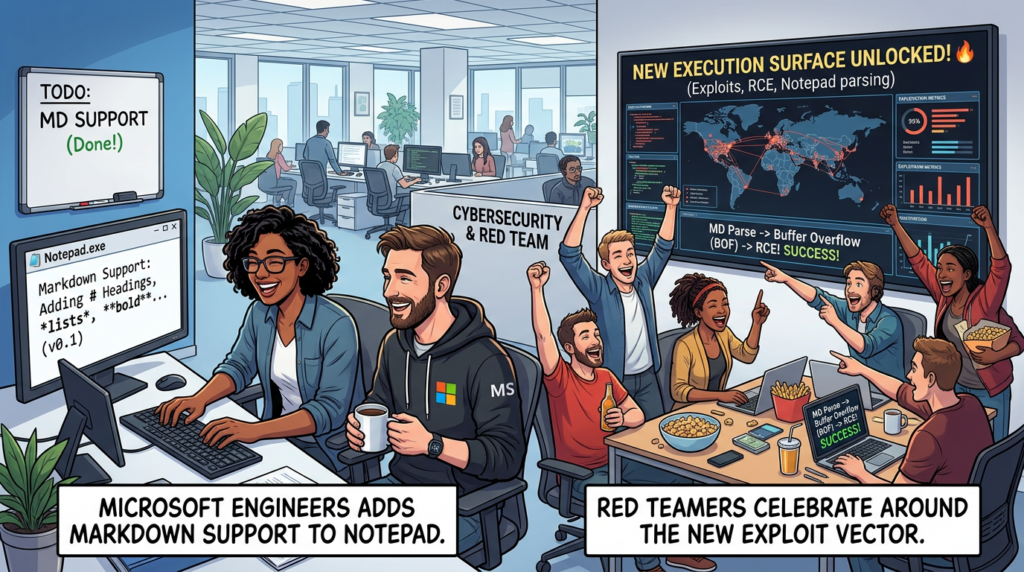
Notepad did not become dangerous because text editors are inherently dangerous. It became dangerous because feature growth changed its trust assumptions. Markdown rendering sounds harmless until rendered links call into the shell. The shell sounds routine until it resolves a protocol handler. The protocol handler sounds ordinary until it launches something with the user’s privileges. By then, your “simple text editor” is part of a real attack chain. (Zero Day Initiative)
That same lesson is visible in older and related Windows flaws. Internet shortcuts bypassing SmartScreen, Outlook link handling bugs, and Follina all tell the same story in different wrappers: when content is allowed to activate trusted downstream components, the application holding the content inherits more risk than its UI suggests. (NVD)
So the right takeaway from CVE-2026-20841 is not “Microsoft should never add features to Notepad,” even though many people reacted that way. The better takeaway is this:
every time a low-risk utility gains rendering, linking, protocol activation, or AI-assisted workflow behavior, defenders should redraw the trust boundary before attackers do.
That is the enduring value of this CVE. It is not merely an odd Patch Tuesday footnote. It is a compact case study in how modern endpoint software drifts from content handling into action handling, and how small UX upgrades can create security questions large enough for real adversaries to care about. (Le registre)
Further reading
- National Vulnerability Database, CVE-2026-20841 Detail (NVD)
- CVE.org, CVE-2026-20841 record (CVE)
- Microsoft Security Update Guide, CVE-2026-20841 (Microsoft Security Response Center)
- Zero Day Initiative, CVE-2026-20841 Arbitrary Code Execution in the Windows Notepad (Zero Day Initiative)
- BleepingComputer, Windows 11 Notepad flaw let files execute silently via Markdown links (BleepingComputer)
- Help Net Security, Windows Notepad Markdown feature opens door to RCE (Help Net Security)
- NVD, CVE-2024-21412 (NVD)
- Trend Micro, CVE-2024-21412 Facts and Fixes (www.trendmicro.com)
- NVD, CVE-2024-21413 (NVD)
- NVD, CVE-2022-30190 (NVD)
- Windows Notepad CVE-2026-20841 PoC, When Markdown Links Turn a Text Editor Into an Execution Boundary (penligent.ai)
- CVE-2024-6387 regreSSHion, The OpenSSH sshd Regression That Turns a Timeout Into an Incident (penligent.ai)
- OpenClaw + VirusTotal, The Skill Marketplace Just Became a Supply-Chain Boundary (penligent.ai)


 French
  English
  German
  Spanish
  Portuguese
  Japanese
  Korean
  Hindi
Hindi  Arabic
  Turkish
  Hebrew