
Why “7-Zip CVE” stays a high-intent search term
“7-Zip CVE” is sticky because it maps to a real operational problem, not just a security headline: archives are trusted by users ו parsed like complex programs. When either trust or parsing fails, the attack path is simple: deliver a crafted archive and wait for someone (or some automation) to open or extract it.
That’s why the most widely discussed 7-Zip issues aren’t always “instant RCE.” The breakout case in early 2025—CVE-2025-0411—is a Mark-of-the-Web bypass: it undermines Windows’ internet-origin trust signals so downstream execution happens with less friction. NVD and CVE.org both describe it as a MotW bypass that requires user interaction (opening a file or visiting a malicious page). (NVD)
The second reason this topic keeps ranking is purely practical: 7-Zip updates are often manual, and portable copies are common. Kaspersky explicitly notes that lack of automatic updating leaves users on vulnerable builds longer than they realize. (Kaspersky)
The 7-Zip CVEs that matter most in the real world
CVE-2025-0411: MotW bypass that strips away Windows’ “this came from the internet” safety friction
What it is
CVE-2025-0411 is documented as a 7-Zip Mark-of-the-Web bypass vulnerability. Exploitation requires user interaction. (NVD)
Why defenders should care even if it’s not “direct RCE”
MotW is one of the quiet load-bearing controls in Windows security UX: it influences warning prompts and restrictions in other apps. Kaspersky’s analysis explains how MotW metadata affects Windows’ risk handling and highlights that attackers repeatedly try to remove or bypass MotW to mislead users. (Kaspersky)
Practical fix threshold
Many public references converge on “upgrade to a fixed build.” A widely used summary (Wiz vulnerability database) states the issue affects 7-Zip versions prior to 24.09 and that it was fixed in that line. (wiz.io)
CVE-2025-11001 and CVE-2025-11002: ZIP directory traversal via symbolic links, turning extraction into a write-anywhere primitive
What they are
NVD describes CVE-2025-11001 as a “ZIP File Parsing Directory Traversal Remote Code Execution Vulnerability,” with exploitation requiring interaction. (NVD)
Ubuntu’s security page for CVE-2025-11002 highlights the core mechanism: symbolic-link handling inside ZIP files can cause traversal to unintended directories, enabling writes outside the intended extraction folder. (Ubuntu)
Why this class is dangerous in enterprise environments
Traversal bugs in extractors are rarely “just traversal.” They’re a controlled write primitive. Once an attacker can write outside the destination directory, the rest depends on environment specifics:
- If extraction happens near startup paths, script load paths, or application folders, you get reliable footholds.
- If extraction happens under elevated context (admin shells, service accounts, automation runners), the primitive becomes significantly more damaging.
ThreatLocker’s engineering-style breakdown makes this concrete: extracting a crafted ZIP under privileged context can lead to writes of malicious executables to unintended locations, and then to execution. (ThreatLocker)
PoC availability nuance (important for threat comms)
A UK advisory page notes a public PoC existed for CVE-2025-11001 and later explicitly removed erroneous references to in-the-wild exploitation. That distinction is worth keeping in your internal messaging: PoC availability still increases opportunistic targeting, even without confirmed active exploitation. (NHS אנגליה דיגיטלית)
Parser-class 7-Zip vulnerabilities: SquashFS, Zstandard, and RAR handlers
Even if MotW bypass and traversal dominate headlines, parser bugs persist because archive tooling is a broad input surface.
- CVE-2023-40481: SquashFS parsing out-of-bounds write leading to code execution (user interaction required). (NVD)
- CVE-2024-11477: Zstandard decompression integer underflow leading to code execution. (NVD)
- CVE-2025-53816: RAR5 handler issue that can cause memory corruption and denial of service; NVD notes it affects versions prior to 25.0.0 and is fixed in 25.0.0. (NVD)
Engineering takeaway: treat “extracting” as processing hostile input, especially in automated pipelines.
2026 reminder: patching isn’t enough if users download the wrong “7-Zip”
In February 2026, multiple outlets reported a lookalike domain distributing trojanized 7-Zip installers that still install a working 7-Zip but quietly add malware that turns machines into residential proxy nodes. (Windows Central)
Operational takeaway: “7-Zip security” includes software sourcing and verification (official download locations, signature/hashes, and user guidance), not just CVE patching.
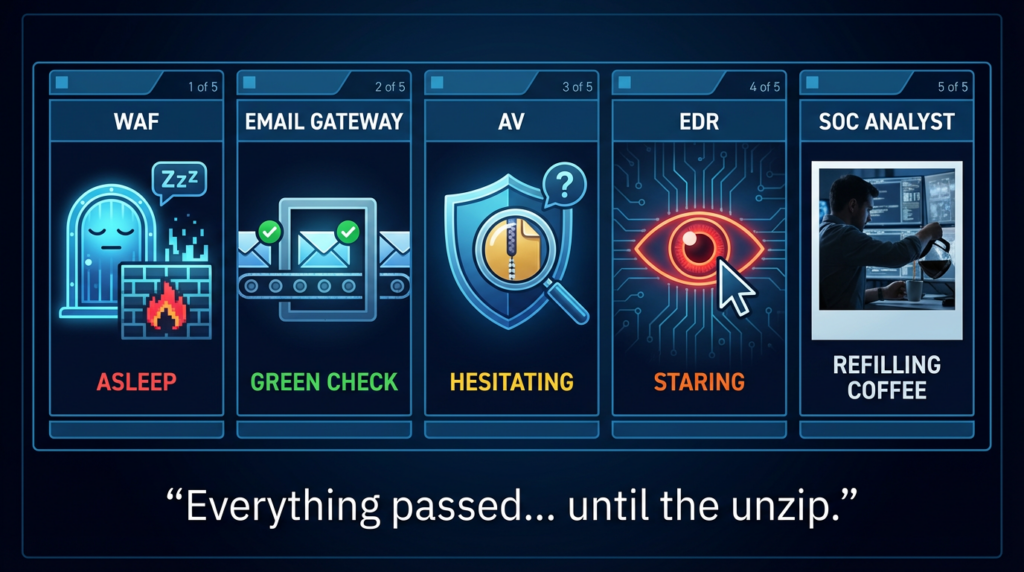
A practical enterprise playbook: inventory, patch, harden, detect
Inventory: you can’t remediate what you can’t count
7-Zip typically exists in three forms:
- Standard installs (registry uninstall entries)
- Portable copies dropped into folders
- Bundled utilities shipped with other software
Use both uninstall inventory and filesystem discovery, then reconcile.
# Inventory 7-Zip installations and file versions (Windows)
$results = @()

# Uninstall registry (x64 + x86)
$uninstallPaths = @(
  "HKLM:\\Software\\Microsoft\\Windows\\CurrentVersion\\Uninstall\\*",
  "HKLM:\\Software\\WOW6432Node\\Microsoft\\Windows\\CurrentVersion\\Uninstall\\*"
)

foreach ($p in $uninstallPaths) {
  Get-ItemProperty $p -ErrorAction SilentlyContinue |
    Where-Object { $_.DisplayName -match "7-Zip" } |
    ForEach-Object {
      $results += [pscustomobject]@{
        Source = "RegistryUninstall"
        Name   = $_.DisplayName
        Version= $_.DisplayVersion
        InstallLocation = $_.InstallLocation
      }
    }
}

# Common binaries (covers some portable copies)
$binaryCandidates = @(
  "$env:ProgramFiles\\7-Zip\\7z.exe",
  "$env:ProgramFiles(x86)\\7-Zip\\7z.exe"
)

foreach ($b in $binaryCandidates) {
  if (Test-Path $b) {
    $v = (Get-Item $b).VersionInfo.ProductVersion
    $results += [pscustomobject]@{
      Source = "BinaryPath"
      Name   = "7z.exe"
      Version= $v
      InstallLocation = (Split-Path $b -Parent)
    }
  }
}

$results | Sort-Object Source, InstallLocation |
  Export-Csv ".\\7zip_inventory.csv" -NoTypeInformation -Encoding UTF8

Write-Host "Saved: 7zip_inventory.csv"
Two practical thresholds to drive remediation priority:
- Upgrade to 24.09+ to address CVE-2025-0411 MotW bypass exposure. (wiz.io)
- Upgrade to 25.x to address the ZIP symlink traversal class (CVE-2025-11001/11002). (NVD)
Patching at scale: don’t write “update 7-Zip,” write “how we push and verify”
Because patch lag is common when updates are manual, build a closed loop:
- Standardize the source (official domain, approved package repository, internal software center)
- Push upgrades via your enterprise distribution path (MDM, SCCM, package manager, etc.)
- Re-inventory versions and fail the machines that didn’t move
This is also where the 2026 fake-installer story matters: even a “working” install can carry malware if users get it from the wrong source. (Windows Central)
Hardening: make extraction a controlled action
Hardening controls that actually change outcomes:
- Avoid extracting untrusted archives in elevated shells or privileged service contexts; traversal-to-write primitives get far worse under privilege. (ThreatLocker)
- Use a controlled extraction directory and monitor for writes outside it (behavior beats IOCs).
- Expand user guidance beyond “don’t click attachments”: MotW bypass narratives work because they make dangerous files feel ordinary. (Kaspersky)
- Document a single official download location and discourage lookalike domains explicitly. (Windows Central)
Detection: focus on the stable chain “extract write execute”
Detections should not depend on one CVE ID. The most durable approach is to hunt the behavior chain.
Microsoft Defender for Endpoint (KQL): 7-Zip process followed by a suspicious payload drop
let lookback = 7d;
let suspiciousExt = dynamic(["exe","dll","js","vbs","ps1","lnk","bat","cmd","scr"]);
DeviceProcessEvents
| where Timestamp > ago(lookback)
| where FileName in~ ("7z.exe","7zg.exe","7zFM.exe")
| project DeviceId, DeviceName, Timestamp, ProcessCommandLine, InitiatingProcessId
| join kind=inner (
    DeviceFileEvents
    | where Timestamp > ago(lookback)
    | where tolower(FileName) has_any (suspiciousExt)
    | project DeviceId, FileTimestamp=Timestamp, FolderPath, FileName, SHA1, InitiatingProcessId
) on DeviceId
| where FileTimestamp between (Timestamp .. Timestamp + 5m)
| project DeviceName, Timestamp, ProcessCommandLine, FolderPath, FileName, SHA1
| order by Timestamp desc
Sigma: extraction and near-term execution where 7-Zip is the parent
title: 7-Zip Extraction Followed by Execution
id: 1c3b2d6b-7c4f-4b3a-9a6a-7a9f1b2d0f99
status: experimental
description: Detects a common archive-borne initial access pattern: extraction via 7-Zip followed by rapid execution of dropped payload.
author: SOC Engineering
date: 2026/02/15
logsource:
  category: process_creation
  product: windows
detection:
  selection_extract:
    Image|endswith:
      - '\\7z.exe'
      - '\\7zFM.exe'
    CommandLine|contains:
      - ' x '
      - ' e '
  selection_exec:
    ParentImage|endswith:
      - '\\7z.exe'
      - '\\7zFM.exe'
    Image|endswith:
      - '.exe'
      - '.dll'
      - '\\powershell.exe'
      - '\\wscript.exe'
      - '\\cscript.exe'
      - '\\cmd.exe'
  condition: selection_extract or selection_exec
falsepositives:
  - Legitimate packaging workflows that use 7-Zip to unpack installers
level: medium
If your team already has basic patching and inventory, the hardest part is usually proof: demonstrating you’re no longer exposed, and catching regressions when portable copies re-appear.
That’s the natural place for an AI-assisted validation workflow: continuously reconcile versions, test hardened extraction workflows in authorized environments, and generate evidence-ready outputs for security leadership without turning every validation into a manual exercise.
Reference links
- NVD — CVE-2025-0411: https://nvd.nist.gov/vuln/detail/CVE-2025-0411
- CVE.org — CVE-2025-0411 record: https://www.cve.org/CVERecord?id=CVE-2025-0411
- Kaspersky — CVE-2025-0411 MotW bypass analysis: https://www.kaspersky.com/blog/cve-2025-0411-motw-subvert/52907/
- NVD — CVE-2025-11001: https://nvd.nist.gov/vuln/detail/CVE-2025-11001
- Ubuntu Security — CVE-2025-11002: https://ubuntu.com/security/CVE-2025-11002
- NHS England Cyber Alert (PoC; corrected “active exploitation” wording): https://digital.nhs.uk/cyber-alerts/2025/cc-4719
- ThreatLocker analysis of CVE-2025-11001/11002: https://www.threatlocker.com/blog/analysis-of-7-zip-vulnerabilities-cve-2025-11001-and-cve-2025-11002
- NVD — CVE-2023-40481: https://nvd.nist.gov/vuln/detail/CVE-2023-40481
- NVD — CVE-2024-11477: https://nvd.nist.gov/vuln/detail/CVE-2024-11477
- NVD — CVE-2025-53816: https://nvd.nist.gov/vuln/detail/CVE-2025-53816
- Windows Central (Feb 2026 fake 7-Zip installer): https://www.windowscentral.com/microsoft/windows/downloaded-7-zip-from-the-wrong-site-that-installer-mightve-turned-your-pc-into-a-proxy-bot
- Malwarebytes (Feb 2026 fake 7-Zip downloads): https://www.malwarebytes.com/blog/threat-intel/2026/02/fake-7-zip-downloads-are-turning-home-pcs-into-proxy-nodes
- Official 7-Zip site: https://www.7-zip.org/
- Zip bomb / decompression bomb background: https://www.penligent.ai/hackinglabs/zip-of-death-explained-2025-how-decompression-bombs-still-crash-systems-and-what-you-can-do/
- SEO/GEO/AEO poisoning as initial access: https://www.penligent.ai/hackinglabs/when-search-becomes-the-payload-defending-against-seo-geo-aeo-poisoning-in-the-real-world/
- Supply-chain poisoning playbook: https://www.penligent.ai/hackinglabs/when-skill-md-becomes-an-installer-the-openclaw-clawhub-poisoning-playbook/

 Hebrew
  English
  German
  French
  Spanish
  Portuguese
  Japanese
  Korean
  Hindi
Hindi  Arabic
  Turkish