
CVE-2026-110447 affects Nextcloud installations with the Collabora Online built-in CODE Server application, richdocumentscode. official advisory identifies unauthenticated operating-system command injection through its PHP proxy, fixed in app version 26.4.303. It also gives the condition that makes this issue unusually easy to misjudge: the attack works while the built-in CODE server is not running. Disabling the app is insufficient; the affected package must be updated or removed.
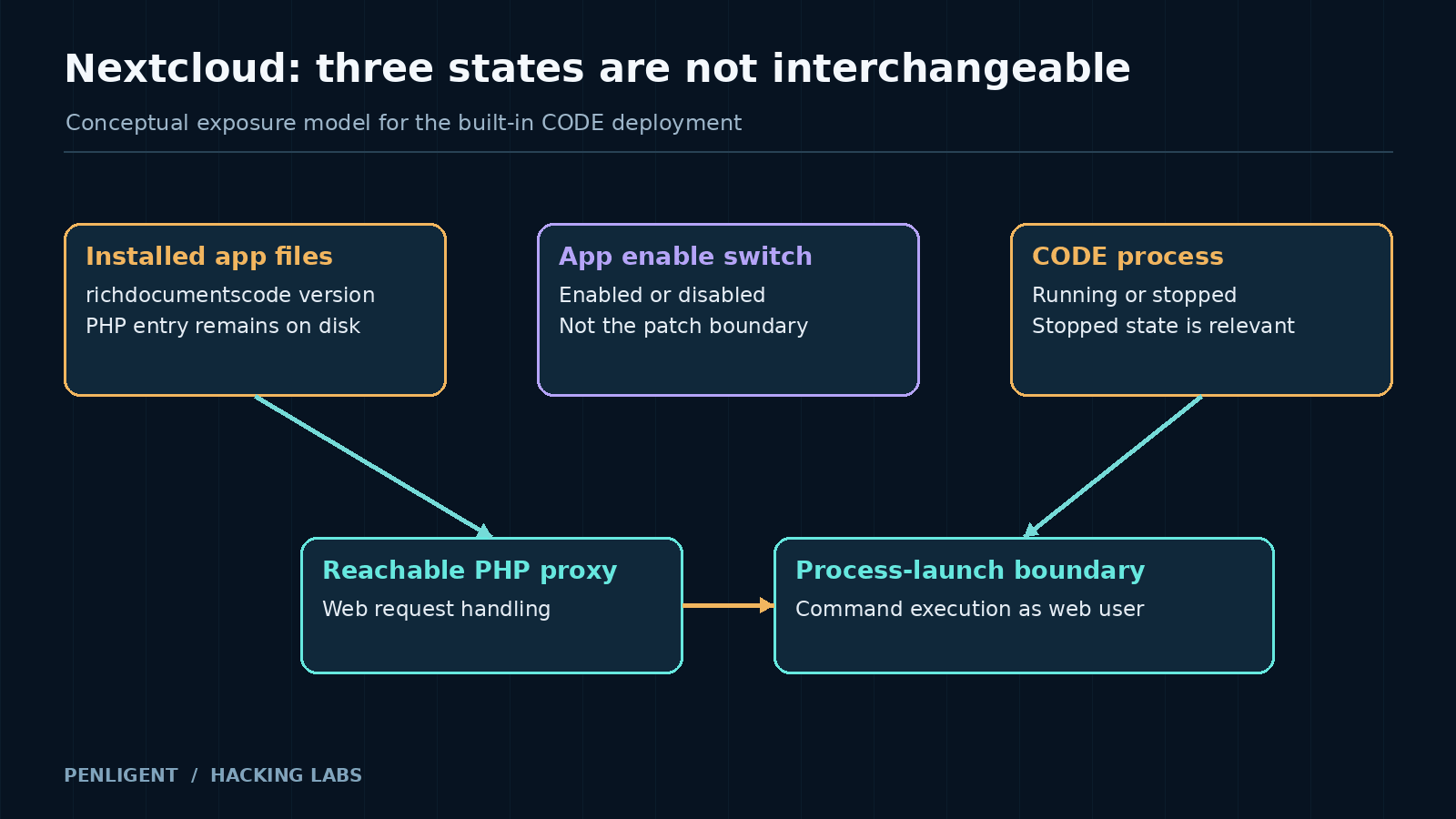
There are three states to keep separate: the application files installed on disk, Nextcloud’s enabled-app setting, and the document-server process. A dashboard showing a disabled app answers only the second question. A healthy document service answers the third at that moment. Neither observation, by itself, establishes that vulnerable startup code has been replaced.
Identify the integration before assessing the server
Nextcloud Office can be connected to a separate document service or use an embedded deployment. The built-in CODE app repository describes its role as supplying a local document-editing server. The names richdocuments ו richdocumentscode should not be treated as interchangeable inventory labels: the office integration and the built-in server package are different components.
ה vendor’s scope statement excludes standalone Collabora Online servers and identifies built-in app versions below 26.4.303 as affected. For end-of-life Nextcloud releases at version 29 or below, it directs users to upgrade Nextcloud or remove the app. The decision therefore depends on the installed component and supported deployment, not simply on whether users can edit documents.
| Observed installation | How to interpret it | Action for this CVE |
|---|---|---|
| Built-in richdocumentscode below 26.4.303 | Matches the affected app range | Update to a supported patched app or remove it |
| Built-in app disabled but still installed | The enable switch does not establish remediation | Inspect the installed package and follow update or removal guidance |
| Separate standalone Collabora Online service | Excluded from the advisory’s product scope | Confirm that no affected built-in package remains alongside it |
| App identity or version unknown | Exposure is unresolved | Inventory the installation before assigning patch status |
The third row is important after migrations. A site may now use an external document service while retaining an older built-in application directory from its previous arrangement. The active integration describes how documents are edited today; installed files describe what code remains on the host. Check both instead of inferring one from the other.
Why a stopped document server can increase exposure
A built-in integration has to arrange for the local document service to start. The advisory places the vulnerability in the PHP proxy path and identifies the web-server user as the command-execution identity. That is a transition from handling a web request to launching operating-system work. Data accepted while preparing that work must remain data when it crosses the process-launch boundary.
The stopped-service prerequisite changes the usual operational intuition. A service that is not listening often has less exposure than one accepting connections. Here, the reachable PHP entry and the local document process are different parts of the system. The PHP path can remain available while the process is absent, and that absence selects the affected behavior.
Routine maintenance can create the relevant state. An upgrade, restart, or crash can leave the built-in server temporarily unavailable. That does not mean every restart is an attack, or that the service should never be restarted. It means a fixed package is the durable control; keeping an affected process running is not a dependable security policy.
Authentication at the Nextcloud interface and execution as the web-server user are also different boundaries. The vendor describes an unauthenticated path into commands under that service identity, not automatic root access. The operational consequence depends on what the web-server user can read, modify, or contact. Assess application secrets, writable application locations, and connected services according to the actual host permissions.
The fix predates the formal October advisory
The project’s changelog dates release 26.4.303 to September 11, 2026. The formal security advisory appeared on October 14. Those dates describe different milestones: availability of the corrected app and publication of the vulnerability explanation. Reporting this simply as an October fix would lose part of the exposure timeline.
The public project issue discussing compromise contains September user reports of unexpected PHP files and maintainer responses directing users to 26.4.303. That is firsthand project discussion with observable artifacts reported by users. It supports taking historical compromise seriously, but it is not a measured count of affected installations or an independent forensic assessment of every reported host.
For a local investigation, reconstruct when the vulnerable package was installed, when the corrected files were deployed, and what service interruptions occurred in between. A recent timestamp on the core Nextcloud update does not necessarily identify when this separate app changed. An application that was disabled weeks earlier also needs an installed-file timeline rather than an assumed end to exposure.
Keep suspicious artifacts tied to their provenance. A PHP filename from one report is a useful lead, not an exhaustive signature. An attacker can choose another filename, while an unfamiliar file can also have an innocent origin. Preserve a copy and its context for investigation before deleting it simply to make an integrity warning disappear.
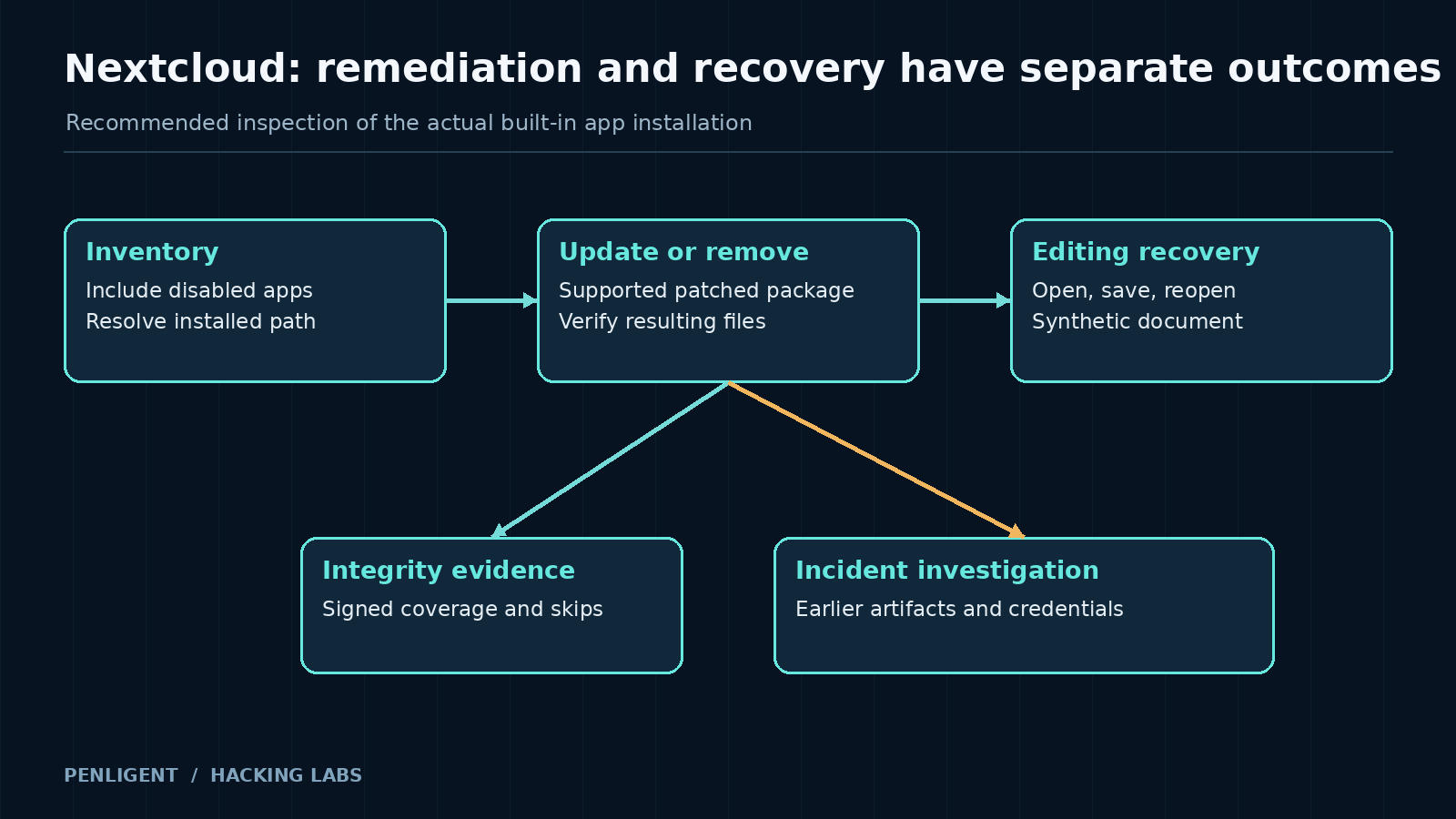
Inventory enabled and disabled apps with occ
Nextcloud documents its administrative CLI in the app command reference. The examples below assume a conventional Linux installation, the Nextcloud root as the working directory, an appropriate PHP CLI, and www-data as the web-service user. Substitute the account and supported execution method for the deployment. Container and managed-hosting installations may require different access.
sudo -E -u www-data php occ app:list
sudo -E -u www-data php occ app:getpath richdocumentscode
These are documented administrative examples, not commands executed against a Nextcloud installation for this article. Read the enabled and disabled sections of the app list. Record the package version where available and use the path result to identify the directory under review. Do not publish sensitive host paths or configuration contents in a public ticket merely because the inspection command is read-only.
If the package is not listed, investigate the deployment’s actual app directories and release history. An application-management record and an old directory left in a custom location can disagree. The correct next step is to reconcile the installation, not to label a leftover path vulnerable or safe from its name alone. A hosting provider may need to establish that state when shell access is unavailable.
Record process state alongside that inventory, without using it as a package-version substitute. A running CODE process can be using launcher files that still need correction; an absent process can be the ordinary result of maintenance. Package state decides the update requirement. Process and request history help locate the periods in which the affected startup path could matter.
Check integrity without treating silence as a clean bill of health
The documented integrity commands compare signed application or core files against their expected state. Under the same installation assumptions, an administrator can inspect the built-in app and Nextcloud core separately:
sudo -E -u www-data php occ integrity:check-app richdocumentscode
sudo -E -u www-data php occ integrity:check-core
Interpret the result using the command’s coverage. The manual explains that a passing check normally produces no output, while apps without a signature file can be skipped with an informational message. “No integrity errors displayed” and “every relevant file was checked successfully” are not equivalent observations. Preserve the complete command output, including skips and failures.
A mismatch narrows the investigation to a file or package state; it does not assign the cause automatically. Compare the artifact with the trusted release, deployment customizations, and change history. Unexpected executable files deserve prompt attention, particularly when they align with suspicious requests or process activity. Avoid opening them through a browser to see what they do.
A passing application check also has a boundary. It cannot certify every writable directory, external mount, scheduled task, credential, or connected account. If there is credible evidence of command execution, widen the investigation according to the web-service user’s reach. Integrity checking is one source of evidence inside that investigation, not a replacement for it.
Update or remove the package through a supported maintenance path
For a maintained installation that still needs the built-in server, choose a supported corrected app release and check compatibility with the Nextcloud core version. Version 26.4.303 is the original fixed boundary, not a reason to downgrade from a newer supported release. Preserve relevant evidence and a recoverable application backup before maintenance when compromise is suspected.
The official app commands include an update operation and an operation that disables and removes a package. With an approved maintenance window and the installation assumptions above, the two alternative routes are:
# Update the built-in package when it remains part of the deployment:
sudo -E -u www-data php occ app:update richdocumentscode

# Alternatively, remove it when the built-in deployment is no longer needed:
sudo -E -u www-data php occ app:remove richdocumentscode
Choose one route according to the intended integration; this is not a sequence to run indiscriminately. Removal can interrupt document editing if the site depends on the built-in server. A migration to an external service needs its own functional configuration and test. Updating a package can also fail because of compatibility or deployment restrictions, so retain the result and verify the installed state afterward.
Do not use a service restart as the remediation record. After the supported change, establish which app files are present and which version they belong to. Then verify the intended editing workflow with a synthetic document, including opening, saving, and reopening it. If the app was removed, verify that the replacement service works and that the obsolete built-in package is no longer part of the supported installation.
When patching and incident recovery become different jobs
A corrected launcher prevents the disclosed path from remaining in the application. It does not remove an executable file already planted elsewhere or invalidate a credential previously read by the web-service account. If the available evidence points to compromise, give containment and recovery their own owner and timeline rather than closing the incident with the update ticket.
Review web requests, application records, process telemetry, and file changes over the relevant period where those records exist. Preserve gaps in coverage. A request to a proxy path is not automatically malicious, and a clean search over short-retention logs cannot resolve an older exposure. Correlate independent observations before assigning a cause to a particular outage or artifact.
Recovery may include restoring from a trusted source, reviewing persistence, and rotating potentially exposed application or integration secrets. Order those actions so a still-compromised host does not receive replacement credentials. The necessary scope depends on observed access and host permissions; the vulnerability alone does not prove that every connected system was reached.
For this CVE, the decisive operational distinction is between switching off a feature and correcting the code that can start it. Inventory the built-in package even when it is disabled, use the supported update or removal path, and verify document editing separately from integrity and incident findings. That closes the actual exposure instead of relying on a favorable moment in the service’s lifecycle.


 Hebrew
  English
  German
  French
  Spanish
  Portuguese
  Japanese
  Korean
  Hindi
Hindi  Arabic
  Turkish