
Safari passwords refers to the credentials that Apple’s Safari browser stores locally or in iCloud Keychain. For security engineers, understanding how these passwords are managed, protected, and occasionally exposed in real-world attacks is essential to building secure applications and evaluating credential theft risk.
Safari integrates password storage and autofill deeply with Apple platforms and iCloud Keychain, enabling convenient login reuse across devices but also introducing complex security considerations. In this guide, we’ll analyze not just the mechanisms behind password handling, but also documented vulnerabilities, threat models, and hardened defensive practices.
What “Safari Passwords” Actually Means
Safari’s password system spans several components:
- Local credential storage in the OS Keychain
- iCloud Keychain synchronization across devices
- AutoFill functionality in the browser and apps
- User-driven password management via system settings
The underlying storage is encrypted and, when synced via iCloud, end-to-end encrypted using device keys. Apple’s design intentionally prevents even Apple servers from decrypting user passwords in transit or at rest. However, the autofill logic and UI layers have historically been areas of attack surface, as they interact with web pages and user input—two domains rife with adversarial potential. (support.apple.com)

Historical Vulnerabilities in Safari Password Handling
Several CVEs demonstrate how Safari’s password and autofill components have been exploited or could be abused when safeguards were insufficient:
CVE-2018-4137: Safari Login AutoFill Exposure
CVE-2018-4137 is a documented vulnerability in Apple iOS and Safari where the Login AutoFill functionality lacked explicit user confirmation before filling saved credentials. This flaw allowed a crafted website to read autofilled username/password data without the user’s direct consent. “Safari Login AutoFill” was the vulnerable component, and Apple published updates to address the issue. yisu.com
This is a class of vulnerability where credentials are exposed via logic flaws rather than cryptographic weakness. It underscores that the “autofill UX layer” is technically a powerful interface between stored secrets and remote content.
Other Related Issues
- Logic/UI spoofing vulnerabilities could trick Safari into displaying incorrect URLs or dialogs, potentially influencing autofill behavior. apple support
- Historical auto-fill misuse and API logic bugs have existed in both browser extensions and built-in password managers, illustrating that credential handling depends heavily on both UI integrity and backend logic. apple suppor
Although most of these older issues have been patched, they are instructive in illustrating why security engineers must scrutinize autofill mechanisms like any credential API surface.
Threat Models for Safari Passwords
The key risk categories for safari passwords include:
| Threat Model | विवरण | Example Impact |
|---|---|---|
| Remote credential leakage | Attacker tricks autofill logic | Password exposed to malicious script |
| UI spoofing | Fake login forms capture credentials | Credential theft |
| Extension abuse | Malicious or compromised extension extracts data | Password exfiltration |
| Local compromise | Malware or physical access to device | Keychain extraction |
| Network hijacking | Man-in-the-middle forces credential submission on HTTP | Risk tied to insecure forms |
This table helps frame threats not just as “browser bugs” but as system and interface risks that require layered defenses.
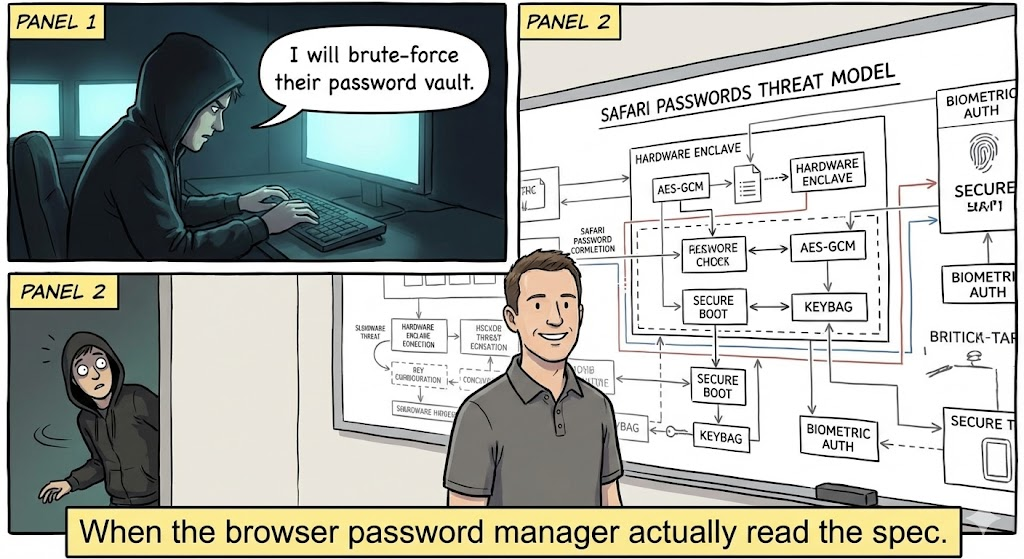
How Safari Stores and Protects Passwords
Safari’s password security is underpinned by:
- Keychain encryption – Local passwords are stored securely using platform cryptographic APIs.
- iCloud end-to-end sync – When enabled, credentials sync across trusted devices using device-specific encryption keys.
- User authentication gates – Access to password details usually requires Face ID / Touch ID / passcode.
- Secure AutoFill policies – Safari generally only autofills over HTTPS and prompts for user action.
However, convenience features often expand interfaces between untrusted page content and credential access logic.

Attack & Defense Code Examples
To illustrate credential exposure and defensive best practices, here are 5 real examples relevant to Safari password autofill and form handling.
Example 1: Detecting Insecure HTTP Login Forms (Attack Surface)
जावास्क्रिप्ट
document.querySelector("form").addEventListener("submit", function (e) {
if (location.protocol !== "https:") {
console.error("Blocking insecure password submission");
e.preventDefault();
}
});
This blocks form submissions over HTTP, which could otherwise allow leakage or downgrade attacks.
Example 2: Prevent Autofill on Sensitive Fields
एचटीएमएल
<input type="password" autocomplete="new-password" />
The autocomplete="new-password" attribute signals that browsers should not autofill stored credentials.
Example 3: CSP to Restrict Credential Exposure
एचटीएमएल
<meta http-equiv="Content-Security-Policy" content="default-src 'self'; form-action 'self';">
A strict Content Security Policy helps prevent credential theft via malicious form submissions.
Example 4: UI Logic Hardening to Confirm Autofill Permission
जावास्क्रिप्ट
async function requestAutofill() {
if (await authenticateUser()) {
const creds = await browser.passwords.get({ url: location.origin });
fillForm(creds);
}
}
This pattern forces explicit user confirmation before risky autofill operations.
Example 5: Safe Password Storage via Native APIs (iOS/Swift)
swift
let query: [String: Any] = [
kSecClass as String: kSecClassGenericPassword,
kSecAttrAccount as String: "exampleAccount",
kSecValueData as String: passwordData
]
SecItemAdd(query as CFDictionary, nil)
का उपयोग करते हुए platform keychain APIs ensures native protections (touch/face ID gating) apply.
Best Practices to Protect Safari Passwords
Security controls around safari passwords should include:
- Enforce HTTPS for all form submissions
- Use strict CSP and form-action restrictions
- Validate and sanitize any password autofill trigger logic
- Monitor and limit extension permissions
- Audit iCloud Keychain access with device authentication
These practices address both UI logic और credential pipeline security.
Penligent: AI-Driven Credential Exposure Detection
In complex web applications, automated testing often misses subtle credential path issues—especially those involving autofill or script-driven form logic. Platforms like पेनलिजेंट help engineering teams by:
- Identifying risky autofill triggers in front-end JavaScript
- Correlating form fields with credential APIs and storage patterns
- Detecting unauthorized autofill behaviors across dynamic pages
- Integrating into CI/CD to catch issues early
Rather than just scanning pages statically, Penligent’s AI analyzes how scripts interact with form and credential APIs at runtime, uncovering logic flaws that could expose passwords—even if browser and OS layers are technically secure.
Related CVEs Worth Reviewing
Referencing past CVEs helps illustrate how autofill and password logic have been a meaningful attack surface:
- CVE-2018-4137: Safari Login AutoFill did not require explicit confirmation and could expose credentials to crafted content. yisu.com
- CVE-2018-4134: Safari UI spoofing leading to incorrect domain or credential context. cve.mitre.org
- CVE-2024-23222 & other WebKit impact CVEs demonstrate how browsing engine flaws influence security broadly. cve.mitre.org
Understanding these shows that password security isn’t only about storage—it’s about how browsers interact with untrusted content.
निष्कर्ष
safari passwords sit at the intersection of convenience and security. While iCloud Keychain and AutoFill provide ease of use, they expand the attack surface into client logic and browser interaction layers. Historical CVEs show that logic and UI flaws—not just cryptographic weakness—drive real risk. By combining strict form and CSP policies, defensive programming patterns, and automated testing (e.g., AI-powered platforms like Penligent), engineering teams can more reliably secure credential workflows—even in complex web environments.


 Hindi
Hindi  English
  German
  French
  Spanish
  Portuguese
  Japanese
  Korean
  Arabic
  Turkish
  Hebrew