If you’re here because a scanner screamed “10.0 critical,” you’re not alone. If you’re here because a change-control board asked, “prove we’re not exposed,” that’s also normal. CVE-2023-20198 sits in the uncomfortable intersection of internet exposure, network edge devices, और fast exploitation cycles—the exact place where “we’ll patch next window” becomes a bet you don’t get to make twice.
This isn’t a rehash of a database entry. It’s a field playbook: scope → triage → compromise determination → durable remediation → proof.
Here’s the key mindset shift:
The exploit is quick.
The blast radius is huge.
The cleanup is not “reboot and relax.”
In observed campaigns, attackers used CVE-2023-20198 to create a high-privilege local account (Privilege Level 15), then often chained a second issue (CVE-2023-20273) to gain OS-level command execution and install the BadCandy implant. (Cisco Talos Blog)
By the end, you should be able to do three things confidently:
Know your exposure (not guess).
Decide compromise status using concrete artifacts.
Apply fixes that hold—and produce evidence that your auditors will accept.
What CVE-2023-20198 Actually Enables
CVE-2023-20198 is a vulnerability in the web UI feature of IOS XE. When that web UI is enabled and reachable from untrusted networks, a remote unauthenticated attacker can create an account with privilege level 15 and then use that account to control the device. (एनवीडी)
Let’s translate that into operations language.
The “two planes” reality: IOS admin vs OS root
Privilege 15 means full administrative control in IOS XE’s CLI world: routing, configs, interfaces, AAA, tunnels, ACLs, logging—everything most networks rely on for trust and traffic flow.
But IOS XE also sits atop an underlying OS. Getting from “IOS admin” to “OS root” is where CVE-2023-20273 shows up in real-world chains. (Cisco Talos Blog)
That distinction matters for two reasons:
It explains why you may see configuration artifacts even if you don’t find a filesystem implant.
It explains why attackers who do gain OS-level execution can install implants like BadCandy. (Cisco Talos Blog)
CVE-2023-20198
CVE-2023-20198
आइटम
Verified Detail
Why Defenders Care
गंभीरता
CVSS rated critical (often referenced as 10.0)
Treat as emergency if exposed
Precondition
Web UI feature enabled and reachable from untrusted networks
Your exposure posture is the real control
परिणाम
Unauthenticated account creation with privilege level 15
The vendor and threat intel coverage explicitly describes the “create local user with privilege 15” behavior as part of observed exploitation, and Talos describes the follow-on chain to CVE-2023-20273 and the BadCandy implant. (सिस्को)
The Exploitation Chain You Should Assume
Defenders don’t need payload details. They need breakpoints—places to interrupt the chain.
Stage A — Initial access (CVE-2023-20198)
Observed exploitation used CVE-2023-20198 to create a local user (privilege level 15) and password combo. That is not a hypothetical; it’s described by Cisco and tracked publicly. (सिस्को)
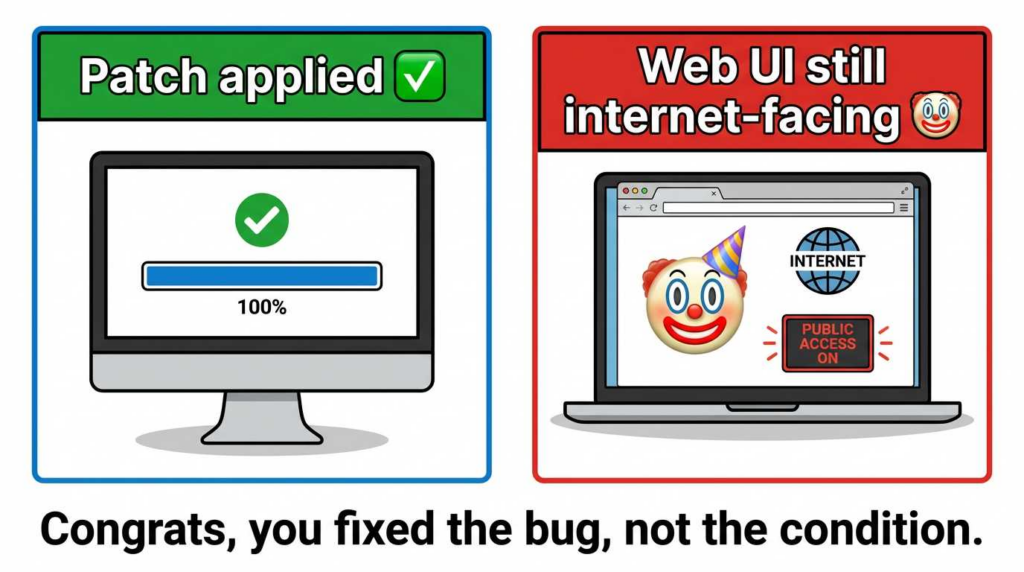
Breakpoint: if you can remove web UI exposure (or disable it), you can slam the door even before patching finishes.
Stage B — Post-auth escalation / OS-level execution (CVE-2023-20273)
Talos describes attackers exploiting another web UI component to execute commands with elevated/root privileges and write an implant to the filesystem. (Cisco Talos Blog)
Breakpoint: patching and re-imaging decisions are driven here. If Stage B is suspected, treat the device as untrusted.
Stage C — Persistence / tooling (BadCandy)
Australia’s ASD describes renewed activity across 2024–2025 and notes actors can re-exploit after implant removal—meaning “remove the implant” is not the end state. (cyber.gov.au)
Breakpoint: if you patch and remove exposure, re-exploitation becomes far harder.
Kill-Chain Map for Defenders (practical signals)
मंच
Defender-Visible Evidence
Where You’ll See It
What You Do Next
Recon
Scans to 80/443 on device management interface
Firewall/NetFlow/IDS
Block exposure; verify scope
Initial access
Unexpected user creation / config change
Syslog + config diffs
Credential audit; IR decision
Escalation
Unusual processes / OS-level artifacts
Device forensics where possible
Assume full compromise
अटलता
Implant indicators / unusual web responses
Vendor/Talos fingerprint checks
Re-image + patch + harden
BadCandy in Plain English: Why Reboot Isn’t a Fix Strategy
BadCandy is described as an implant used in this campaign family, and ASD notes that actors can detect removal and re-exploit devices—especially if the root cause (unpatched vulnerability / exposure) remains. (cyber.gov.au)
The reboot myth, dismantled
A reboot might remove a non-persistent implant instance, but it does नहीं guarantee:
the malicious privilege 15 account is gone (if saved to config), and
the vulnerable web UI condition is fixed, and
your management plane is no longer exposed.
ASD explicitly warns about re-exploitation after implant removal and highlights the need to patch CVE-2023-20198. (cyber.gov.au)
So a better framing is:
Reboot can be part of containment. It is not remediation.
Remediation is patch + exposure control + account cleanup + proof.
Fast Triage: Are You Exposed Right Now?
This section is about speed. Not elegance.
Define “exposed” the way attackers do
You’re exposed if all three are true:
Web UI is enabled (ip http server या ip http secure-server)
The interface is reachable from untrusted networks
It wasn’t patched to a fixed release (or mitigated) during the vulnerable window
Cisco’s advisory focuses on web UI exposure to internet/untrusted networks as the condition that made exploitation observed in the wild. (एनवीडी)
Offline config parsing at scale (safe, fast, audit-friendly)
Your script is good. I’m keeping it, but adding two improvements engineers will thank you for:
track which directive triggered the match (http vs https)
collect “mgmt VRF / interface hints” if your configs include them (optional)
Code Block #1 (improved): Web UI Exposure Scanner
import re
import csv
from pathlib import Path

CONFIG_DIR = Path("configs")
OUT_FILE = "ios_xe_webui_exposure_report.csv"

HTTP = re.compile(r"^\\s*ip http server\\s*$", re.I | re.M)
HTTPS = re.compile(r"^\\s*ip http secure-server\\s*$", re.I | re.M)

def scan(text: str) -> dict:
    return {
        "http_enabled": bool(HTTP.search(text)),
        "https_enabled": bool(HTTPS.search(text)),
    }

def status(row: dict) -> str:
    if row["http_enabled"] or row["https_enabled"]:
        return "webui_enabled"
    return "webui_not_found"

def main():
    rows = []
    for f in CONFIG_DIR.glob("**/*"):
        if not f.is_file():
            continue
        try:
            text = f.read_text(errors="ignore")
            row = scan(text)
            row.update({
                "device_filename": f.name,
                "path": str(f),
            })
            row["status"] = status(row)
            rows.append(row)
        except Exception as e:
            rows.append({
                "device_filename": f.name,
                "path": str(f),
                "status": "read_error",
                "http_enabled": "",
                "https_enabled": "",
                "error": str(e),
            })

    fieldnames = ["device_filename", "path", "status", "http_enabled", "https_enabled", "error"]
    for r in rows:
        r.setdefault("error", "")

    with open(OUT_FILE, "w", newline="") as fp:
        w = csv.DictWriter(fp, fieldnames=fieldnames)
        w.writeheader()
        w.writerows(rows)

    print(f"Wrote {len(rows)} rows -> {OUT_FILE}")

if __name__ == "__main__":
    main()
Prioritization that actually works
Once you have a webui_enabled list, prioritize in this order:
Internet-facing (public IPs / NAT / published VIPs)
Partner-facing (B2B VPN edges / shared networks)
Internal but reachable from user subnets (guest Wi-Fi, BYOD VLANs)
Because this CVE is about reachability, the order you patch should mirror reachability. (एनवीडी)
Compromise Checks: Look for the Things That Persist
The minimum evidence set (what you need to decide “compromised”)
You don’t need perfect certainty to act. You need enough evidence to justify:
isolating a device,
rebuilding it,
rotating secrets tied to it, and
writing the incident narrative.
High-confidence signals:
Unexpected Privilege 15 local users
Implant fingerprint check returning the characteristic response (when applicable)
Suspicious config change logs tied to web UI context
Any sign of chaining to CVE-2023-20273 behavior (OS-level artifacts / unexpected binaries / system anomalies)
Cisco Talos describes the chain and implant installation behavior following exploitation. (Cisco Talos Blog)
The well-known “implant check” fingerprint (use carefully)
Multiple public defensive references cite a fingerprint check using:
curl -k -X POST "<https://DEVICEIP/webui/logoutconfirm.html?logon_hash=1>"
…and note that a hexadecimal string response can indicate an active implant. (गिटहब)
That said, treat this as one signal, not your only signal. It can be impacted by device state, proxies, or changes in server behavior over time.
Safer operational guidance
Run it from a controlled IR host
Record exact command + timestamp + response
Don’t “poke” production devices repeatedly during active incident response unless you’ve coordinated with NetOps
IOC & Evidence Checklist (expanded)
Evidence Type
Where to Look
यह क्यों मायने रखता है
Confidence
Next Action
Unknown username ... privilege 15
`show run
include ^username`
Direct artifact of Stage A
उच्च
Config change from unusual source
Syslog / TACACS
Shows attacker activity window
Med–High
Correlate with change calendar
Implant fingerprint response
curl POST check
Suggests active implant
उच्च
Isolate + rebuild
Repeated web UI hits
FW/NetFlow
Indicates scanning/exploit attempts
मध्यम
Block + hunt other devices
“Clean” fingerprint but weird users
Config + AAA logs
Implant removal ≠ safe
उच्च
Treat as compromise until proven otherwise
ASD’s re-exploitation warning is the reason you should never declare victory solely because an implant check is negative. (cyber.gov.au)
Durable Remediation: Fix the Bug, Then Fix the Condition
If you read only one section, read this one.
Patch strategy you can defend in an audit
Cisco maintained a rolling “software fix availability” view for IOS XE platforms, including fixed releases and (in some cases) SMUs. Use vendor guidance as your source of truth for your platform/version combination. (एनवीडी)
What auditors tend to accept as strong evidence:
a ticketed maintenance record
before/aftershow version
mapping to vendor “fixed release” documentation
verification that the vulnerable feature is disabled or restricted
Emergency mitigations
If the web UI is not strictly required:
no ip http server
no ip http secure-server
This is the cleanest risk reducer because it removes the exposed component that made exploitation possible. Cisco and other responders repeatedly centered “web UI exposure” as the key condition. (एनवीडी)
If you must keep web UI, restrict it hard:
dedicated management VRF / VLAN
source-IP allowlist ACLs
management VPN jump host
no direct internet exposure, ever
Credential and secret rotation
If a device was exposed and you have any compromise indicators, assume credentials that traversed or terminated there might be at risk:
local admin passwords
shared SNMP strings
TACACS/RADIUS secrets (depending on your architecture)
VPN-related secrets and certificates, if the device terminates tunnels
This isn’t fearmongering—it’s the realistic consequence of giving an attacker high-privilege control on an edge device.
When you should re-image instead of “cleaning”
Re-image (and treat as compromised) when:
implant check is positive
you see suspicious Priv15 users with unclear provenance
you suspect OS-level execution (Stage B chain)
you can’t establish a trustworthy timeline
Talos’s description of OS-level command execution and filesystem writes is why re-imaging is a reasonable default when Stage B is suspected. (Cisco Talos Blog)
Detection Engineering: Make the Next Attempt Loud
What you want your SIEM to scream about
Good detection for this incident family tends to cluster around:
configuration changes outside change windows
new user creation or privilege jumps
web UI access patterns from unfamiliar sources
spikes in management-plane traffic
Practical logging advice
If your logs only live on the device, you don’t have logs—you have hopes.
Export syslog remotely
Ensure time sync is correct (NTP)
Preserve firewall/NetFlow around the affected window
SIEM templates
Splunk (SPL)
index=network_logs sourcetype="cisco:ios"
("SYS-5-CONFIG_I" OR "CONFIG_I")
| stats count min(_time) as first_seen max(_time) as last_seen by host, user, src_ip
| where count > 0
Then tune down false positives by excluding known automation accounts and known admin jump hosts.
The Pattern: Edge Devices Are the Prize
This isn’t about Cisco alone. This is about the modern perimeter: VPN gateways, edge routers, load balancers, management planes.
Your comparables are good; just keep the rhetoric disciplined. You’re trying to teach a durable lesson:
Internet exposure
Fast exploitation
Delayed patching
Persistence via config + tooling
Re-exploitation when defenses are shallow
ASD’s reporting about renewed activity and re-exploitation is a rare, explicit example of this pattern in public government guidance. (cyber.gov.au)
CVE-2023-20198
Operationalizing at Scale
This section is already in the right shape: restrained, engineering-first. I’ll add one more “human” angle that makes it feel lived-in:
People don’t fail at CVE response because they don’t care. They fail because every environment is messy—multiple device models, uneven config hygiene, and a change calendar that was already full before the incident started.
Automating validation without turning it into noisy scanning
If you manage hundreds or thousands of devices, the core workflow you’re trying to automate is:
That can be done with scripts, with existing tooling, or with orchestration platforms. Penligent can sit in the “orchestration + evidence collection” role—especially if your team keeps reinventing one-off scripts whenever the next edge-device CVE hits.
Closing the loop with evidence you can hand to leadership
Leadership usually asks two questions:
Are we exposed?
Can you prove we fixed it?
If your process can produce artifact bundles (CSV exposure reports, before/after configs, version evidence, and validation outputs), you can close that loop faster—and without forcing your best engineers to become full-time screenshot machines.
अक्सर पूछे जाने वाले प्रश्न
What is CVE-2023-20198?
A critical IOS XE Web UI vulnerability that can allow a remote unauthenticated attacker to create a local account with privilege level 15 access on affected devices. (एनवीडी)
Is exploitation truly unauthenticated?
Yes—network reachability to the vulnerable Web UI is the key prerequisite cited in vendor/government reporting. (एनवीडी)
Does reboot remove the threat?
A reboot may remove a non-persistent implant instance, but it doesn’t reliably remove attacker-created accounts or prevent re-exploitation if the vulnerability and exposure remain. ASD explicitly highlights re-exploitation behavior. (cyber.gov.au)
What should I do in the first hour?
Remove exposure: disable Web UI if possible, or restrict it to trusted management networks. Then start evidence capture (configs/logs) before making irreversible changes.
How do I prove I’m not compromised?
You build a case: exposure status, privileged user audit, config-change logs correlated to your change calendar, vendor fingerprint checks where applicable, and post-remediation verification. If you can’t build the case, treat the device as untrusted and rebuild.
How is CVE-2023-20273 related?
Talos describes observed chaining where attackers used CVE-2023-20198 for initial access, then exploited CVE-2023-20273 for elevated OS-level command execution and implant installation. (Cisco Talos Blog)
Citrix NetScaler administrators are dealing with another edge-device emergency. On September 27, 2026, Citrix disclosed CVE-2026-88771, a critical remote code



 Hindi
Hindi  English
  German
  French
  Spanish
  Portuguese
  Japanese
  Korean
  Arabic
  Turkish
  Hebrew