
What you should be able to do after reading this
If you landed here from a search for CVE-2026-22769, your real need is rarely “more background.” It’s usually one of these:
- Decide whether you need an emergency change window today.
- Find out whether RP4VM exists anywhere in your estate (including forgotten VMware clusters).
- Shrink reachability to the management plane immediately (containment) before patching finishes.
- Apply the vendor remediation in a way that survives audit scrutiny.
- Produce proof artifacts that show: patched + not exposed + monitored.
- If compromise is plausible, pivot into a defensible triage and hunting workflow grounded in public, credible reporting.
This article is written for security engineers who need operational certainty: it sticks to what Dell, NVD/CVE.org, CISA, and Google/Mandiant confirm, then translates those facts into steps you can automate. (Dell)
The canonical definition of CVE-2026-22769
CVE-2026-22769 is a hardcoded credential vulnerability in Dell RecoverPoint for Virtual Machines (RP4VM) affecting versions prior to 6.0.3.1 HF1. Dell and NVD describe it as critical because an unauthenticated remote attacker with knowledge of the hardcoded credential could exploit it to gain unauthorized access to the underlying operating system and achieve root-level persistence. (Dell)
Two additional signals make this a “drop what you’re doing” item for most orgs:
- Dell’s advisory frames it as a maximum-severity issue and provides remediation paths. (Dell)
- CISA added CVE-2026-22769 to the Known Exploited Vulnerabilities (KEV) Catalog, meaning there’s evidence of active exploitation and agencies are expected to remediate on a defined timeline. (सीआईएसए)
If you need one sentence for leadership: This is a pre-auth path into backup/replication infrastructure with KEV-backed exploitation; treat it as an emergency until proven otherwise. (Dell)
Timeline you can put directly into an incident ticket
- February 17, 2026: Dell publishes DSA-2026-079, describing CVE-2026-22769 and the remediation options. (Dell)
- February 18, 2026: CISA announces CVE-2026-22769 has been added to the KEV Catalog. (सीआईएसए)
- February 2026: Google/Mandiant publish analysis on exploitation activity tied to UNC6201 and provide detection/hardening guidance for defenders. (गूगल क्लाउड)

Why a hardcoded credential in backup/DR infrastructure is worse than it sounds
Hardcoded credentials are a special kind of failure mode: once the secret is known, your security posture collapses to “who has the key.” That’s already bad on a random service. On backup/replication infrastructure, it’s more dangerous because of where it sits:
- Close to virtualization clusters, replication networks, and recovery workflows.
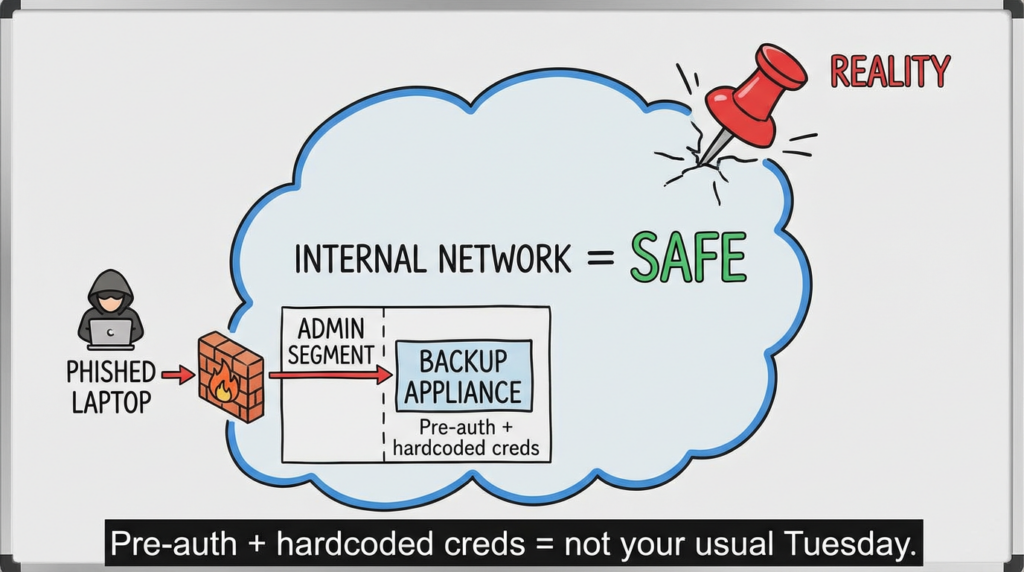
- Often inside privileged network zones with “trusted” routing.
- Operated by reliability-oriented teams where availability pressure can override security friction.
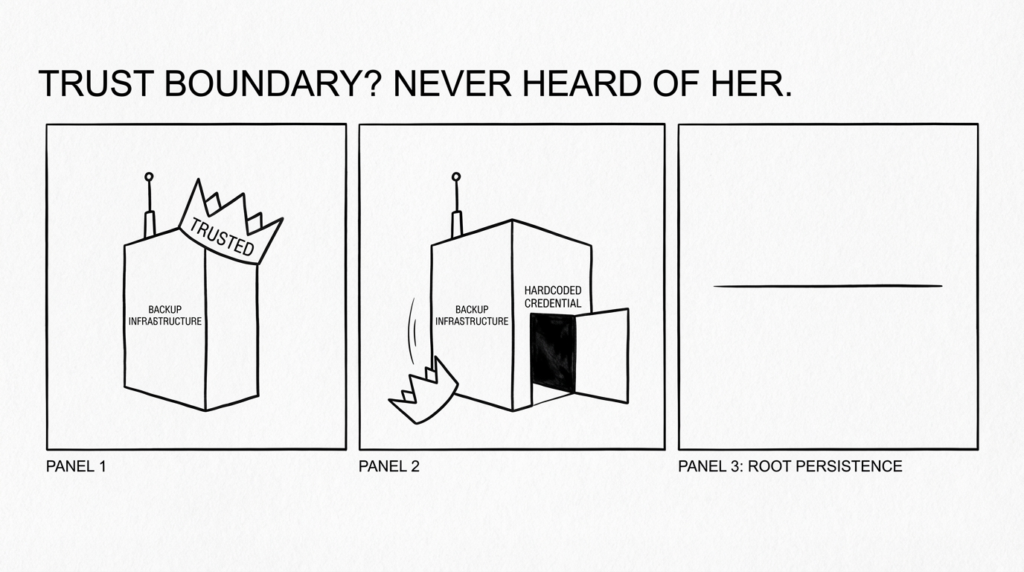
Dell explicitly warns the impact can reach the underlying OS साथ root-level persistence. That’s not a nuisance login. That’s an appliance-grade foothold that can be used for long-lived access. (Dell)
Security coverage has highlighted the strategic value of such footholds, especially in targeted intrusions, because backup and recovery systems sit at a critical trust boundary. (गूगल क्लाउड)
What “exploited in the wild” means here
You should not rely on social posts or unverified “PoC claims.” Use sources that stand up to review:
- CISA KEV inclusion is a strong operational signal: it’s a public government acknowledgment of exploitation evidence. (सीआईएसए)
- Google/Mandiant threat intelligence provides investigative context and publishes actionable defensive guidance tied to observed exploitation activity associated with UNC6201. (गूगल क्लाउड)
- Dell’s own advisory is the authoritative reference for affected versions and remediation. (Dell)
For additional supporting context (useful for internal comms), major security outlets and advisory aggregators summarize the same core facts and reference the above sources. (Cybersecurity Dive)
Affected versions and remediation (keep this table in your runbook)
This table is intentionally tight: it captures only what Dell and NVD/CVE.org state.
| आइटम | What’s confirmed |
|---|---|
| उत्पाद | Dell RecoverPoint for Virtual Machines (RP4VM) (एनवीडी) |
| संवेदनशीलता वर्ग | Use of hard-coded credentials / hardcoded credential vulnerability (एनवीडी) |
| प्रभावित संस्करण | Versions prior to 6.0.3.1 HF1 (एनवीडी) |
| प्रभाव | Unauthenticated remote attacker with knowledge of the credential may gain OS access and root-level persistence (एनवीडी) |
| उपचार | Dell recommends upgrading or applying Dell-provided remediation as soon as possible; Dell advisory provides the specific paths and steps (Dell) |
| Exploitation signal | Added to CISA KEV Catalog (सीआईएसए) |
The fastest triage path: contain first, then fix, then prove
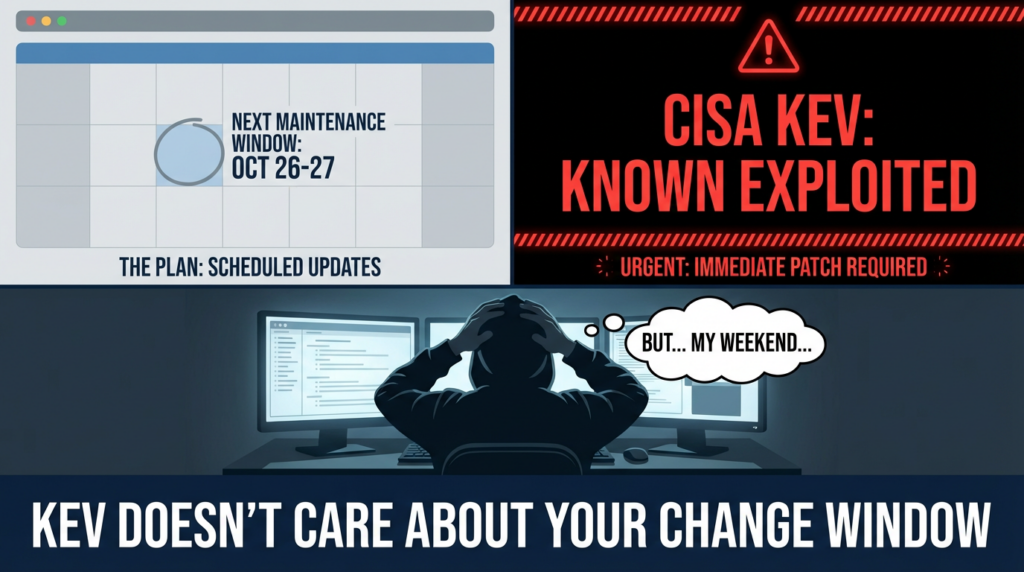
When an issue is pre-auth and KEV-listed, speed matters—but so does correctness. Here’s a practical sequence that avoids “patch theater.”
1) Inventory: do we run RP4VM anywhere?
Don’t assume your CMDB is perfect. Your goal is to find both “known” and “forgotten” instances.
High-yield places to look:
- VMware inventory and templates (names often include “RecoverPoint” / “RP4VM”).
- Backup/DR team tooling and runbooks.
- Network segments dedicated to replication/backup.
- Vendor support portals and asset lists.
If you have multiple VMware environments, don’t forget lab clusters and regional DR sites—they’re where “abandoned but reachable” appliances tend to live.
2) Exposure: who can reach the management plane?
Answer these two questions with evidence:
- Is the management interface reachable from the Internet?
- Is it reachable from broad corporate networks instead of an admin-only segment?
Even if Internet exposure is “no,” broad internal reach is still high-risk. A workstation compromise becomes a pivot point.
3) Version: are we on the fixed line (6.0.3.1 HF1) or not?
Dell and NVD are clear: versions prior to 6.0.3.1 HF1 are affected. Document how you verified versions (UI, package, system info) so your audit trail is clean. (एनवीडी)
Defensive automation: discovery and evidence capture
These examples are deliberately framed as inventory/exposure verification और IR evidence capture, not exploitation.
Network reachability inventory
# Example: identify HTTPS endpoints in an admin subnet (adjust scopes and rate limits).
# Use only on networks you own and are authorized to assess.

nmap -sS -p 443,80 --open --min-rate 50 10.50.0.0/16 -oG admin-web.gnmap

# Extract IPs with open 443 for follow-up correlation (DNS, CMDB, VMware inventory).
awk '/443\\/open/ {print $2}' admin-web.gnmap | sort -u > https_hosts.txt
What to do next: correlate https_hosts.txt with known backup/DR assets. The value is not the scan; it’s the reconciliation step that finds unknown assets.
Appliance triage: quick persistence checks on a Linux-based host
# Snapshot-like evidence capture (paths vary by appliance build)
sudo last -a | head -n 50
sudo cat /etc/passwd
sudo cat /etc/group

# Privilege and persistence
sudo cat /etc/sudoers
sudo ls -la /etc/sudoers.d/ 2>/dev/null

# Scheduled tasks
sudo crontab -l 2>/dev/null
sudo ls -la /etc/cron.* /var/spool/cron 2>/dev/null

# systemd persistence
sudo systemctl list-unit-files --type=service --state=enabled
sudo systemctl list-timers --all

# Network situational awareness
sudo ss -plant
Dell’s impact language (“root-level persistence”) is why this matters: patching removes the original door, but it does not evict whoever is already inside. (एनवीडी)
Detection and hunting: practical pivots that survive scrutiny
Because the vulnerability is described as pre-auth with OS-level impact, your hunting needs to cover both:
- Inbound access to management interfaces, और
- host-level changes consistent with persistence.
Google/Mandiant’s write-up is particularly valuable because it’s defender-oriented and includes detection/hardening opportunities tied to observed activity. (गूगल क्लाउड)
SIEM queries: inbound access and suspicious admin-like activity (examples)
Splunk-style inbound visibility (adapt indexes/fields):
index=netfw OR index=proxy
(dest_port=443 OR dest_port=80)
dest_ip IN (<RP4VM_IP_LIST>)
| stats count min(_time) as firstSeen max(_time) as lastSeen values(src_ip) as srcIPs by dest_ip dest_port
| where count > 0
Splunk-style privileged auth pivots (only if you have those logs):
index=auth OR index=linux
host IN (<RP4VM_HOST_LIST>)
(user="admin" OR user="root")
| stats count values(src_ip) values(process) min(_time) max(_time) by host user
Microsoft Sentinel / KQL-style inbound pivots (if you ingest network telemetry):
DeviceNetworkEvents
| where RemotePort in (80, 443)
| where LocalIP in ("<RP4VM_IP_1>", "<RP4VM_IP_2>")
| summarize count(), min(Timestamp), max(Timestamp), make_set(RemoteIP, 50) by LocalIP, RemotePort
The purpose of these queries is not “perfect detection.” It’s to answer the operational questions that matter:
- Who touched the management plane during the risk window?
- Are there anomalous sources or patterns you can’t explain?
- Do you see any host-level changes consistent with persistence?
Containment: actions you can take before patching completes
Because the attack is pre-auth and KEV-listed, your default stance should be to reduce reachability now, then remediate.
Containment actions that usually pay off fast:
- Restrict management access to VPN/jump hosts only.
- Enforce admin-only network segments with strict ACLs.
- Remove Internet exposure if any exists.
- Monitor and alert on any new inbound attempts to admin endpoints.
These are not substitutes for remediation. They’re blast-radius controls that reduce the chance you get hit while scheduling change windows.
Remediation: what Dell actually tells you to do
Dell’s advisory DSA-2026-079 provides the authoritative remediation guidance, including the fixed line (6.0.3.1 HF1) and vendor-provided remediation steps. (Dell)
Operationally, you should capture:
- Which remediation path you chose and why (upgrade vs interim mitigation).
- The exact timestamp of completion.
- The evidence artifacts (version output, admin screenshots, change record).
- Post-fix validation steps (below).
If you’re under governance: link the Dell advisory, the NVD entry, and the CISA KEV alert directly in the ticket so urgency and scope are not “opinion-based.” (Dell)
Post-fix validation: how to prove you’re no longer exposed
Most orgs fail not because they can’t patch—but because they can’t prove closure. You want three kinds of evidence:
1) Version proof
- Evidence you’re on 6.0.3.1 HF1 (or vendor-documented remediated state). (एनवीडी)
2) Exposure proof
- Firewall/ACL diffs showing management plane reachability is constrained.
- A reachability test from a non-admin segment demonstrating access is blocked.
3) Monitoring proof
- Logs forwarded to your SIEM from the appliance and surrounding network.
- Alerts for new inbound attempts, unusual admin sessions, new privileged users, and unexpected egress.
Here’s a copy/paste validation worksheet you can attach to your change request:
| Control | Evidence artifact | Owner | Status |
|---|---|---|---|
| Patched to fixed line (6.0.3.1 HF1) / vendor remediation applied | Version output + change record | Backup/DR | |
| Management plane restricted | ACL/firewall diff + test result | Network | |
| Logs forwarded and searchable | SIEM onboarding proof | सिक्योरिटी ऑपरेशंस | |
| Hunt run for suspicious access/persistence | Query outputs attached | IR |
If compromise is plausible: what to assume, what not to assume
Dell’s language about OS access and root-level persistence is why you should treat this as “appliance intrusion risk,” not just a web issue. (एनवीडी)
Assume:
- Attackers may have created persistence before you patched.
- Attackers may pivot from the appliance into adjacent systems (especially if segmentation is weak).
Do not assume:
- “We patched, so we’re clean.”
- “It’s internal, so exploitation can’t happen.”
Google/Mandiant’s reporting ties exploitation to real intrusion investigations and provides defender guidance for detection and hardening, which is precisely what you want in this situation. (गूगल क्लाउड)
A conservative incident workflow (high-level, safe, and practical):
- Preserve logs and snapshots before destructive changes.
- Identify first access time and suspicious source IPs.
- Check for persistence artifacts (users, services, cron, SSH keys).
- Validate recovery processes (attackers often target confidence in recovery).
Why hardcoded credentials keep producing maximum-severity crises
Hardcoded secrets fail differently than typical bugs:
- You can’t rotate them safely without vendor changes.
- Once discovered, they can spread quickly through private sharing and reverse engineering.
- The “attacker cost” drops dramatically compared to exploit development.
That’s why hardcoded credential flaws frequently behave like “instant privileged access”—and why CISA KEV inclusion is such a powerful prioritization signal when it happens. (सीआईएसए)
Related high-impact CVEs to track alongside CVE-2026-22769
This is not to conflate vulnerability classes. It’s to help defenders maintain a consistent rule: confirmed exploited + high-impact belongs in the same emergency lane.
- CVE-2026-2441 (Chrome): widely reported as exploited in the wild and rapidly patched by Google; endpoint fleet patching is typically urgent. (TechRadar)
- Other KEV-listed items: use the KEV Catalog as your continuously updated shortlist of “real-world exploited” vulnerabilities. (सीआईएसए)
Most teams don’t struggle to read advisories—they struggle to convert advisories into repeatable evidence.
CVE-2026-22769 is a clean use case for an AI-assisted verification workflow because “closure” is not one screenshot. It’s a bundle: asset discovery, version validation, reachability reduction, and monitoring/hunting outputs.
If you’re using an AI-driven pentesting and verification workflow like पेनलिजेंट, the best-fit contribution is the evidence loop: help teams translate vendor and KEV statements into a checklist that can be executed consistently across environments, then generate a ticket-ready artifact pack. (This is particularly valuable when leadership asks for proof that the organization is not exposed, not just reassurance.)
संदर्भ
- Dell advisory: DSA-2026-079 (RecoverPoint for Virtual Machines) (Dell)
- NVD: CVE-2026-22769 (एनवीडी)
- सीवीई डॉट ऑर्ग record: CVE-2026-22769 (सीवीई)
- CISA alert announcing KEV additions (includes CVE-2026-22769) (सीआईएसए)
- CISA KEV Catalog entry (includes CVE-2026-22769) (सीआईएसए)
- Google Cloud / Mandiant: UNC6201 exploiting Dell RecoverPoint zero-day (गूगल क्लाउड)
- Additional context coverage (useful for comms, not a substitute for vendor/KEV/GTIG): (Cybersecurity Dive)
- https://penligent.ai/
- https://www.penligent.ai/hackinglabs/
- https://www.penligent.ai/hackinglabs/cve-2026-2441-the-chrome-css-zero-day-that-demands-proof-not-promises/
- https://www.penligent.ai/hackinglabs/cve-2026-2441-the-chrome-css-zero-day-that-starts-inside-the-sandbox-and-rarely-ends-there/

 Hindi
Hindi  English
  German
  French
  Spanish
  Portuguese
  Japanese
  Korean
  Arabic
  Turkish
  Hebrew