
On April 16, 2026, a small VS Code pull request landed with a large trust footprint. The PR, titled “Enabling ai co author by default,” changed the Git extension’s git.addAICoAuthor behavior so AI co-author trailers would be enabled by default. In practical terms, VS Code could automatically append Co-authored-by: Copilot <copilot@github.com> to commits when it detected AI-generated code contributions. The pull request changed the default from off को all, meaning the feature was not limited to Copilot Chat or agent edits but included all AI-generated code, including inline completions. (गिटहब)
The code change was tiny. The meaning was not. A Git commit message is not just a text box inside an editor. It is part of a project’s permanent history. It can be parsed by GitHub, used in contribution graphs, pulled into release notes, read by auditors, inspected during incident response, and treated as evidence of who contributed to a change. GitHub’s own documentation says a commit can be attributed to more than one author by adding one or more Co-authored-by trailers, and that co-authored commits are visible on GitHub. (GitHub दस्तावेज़)
That is why the VS Code Copilot co-author controversy matters. The strongest reading of the event is not that Microsoft “added an ad” to commit messages, even though some developers described it that way. It is also not accurate to call the PR a direct fix for a specific CVE. The better reading is more useful for security teams: after a wave of Copilot and VS Code security flaws, AI code provenance became a reasonable governance goal, but the implementation crossed a line by making attribution a default write to Git history instead of an explicit, reviewable user decision.
The incident sits at the intersection of AI-assisted development, secure software supply chain practice, developer autonomy, and audit evidence. It shows how hard it is to add provenance to AI coding tools without breaking the trust model of the development environment itself.
The security context behind the VS Code Copilot attribution change
The timing matters because VS Code Copilot attribution did not appear in a vacuum. In early 2026, multiple CVEs tied to GitHub Copilot, Visual Studio, or Visual Studio Code were published. They did not all describe the same product component or the same exploit path, and they should not be collapsed into one story. But together they show that AI coding assistants had moved from “editor convenience” into the security boundary of developer tools.
CVE-2026-21523 is described by NVD as a time-of-check time-of-use race condition in GitHub Copilot and Visual Studio that allows an authorized attacker to execute code over a network. NVD lists it with CVSS 3.1 base score 8.0 high and CWE-367. (एनवीडी)
CVE-2026-21518 is described by NVD as improper neutralization of special elements used in a command in GitHub Copilot and Visual Studio Code, allowing an unauthorized attacker to bypass a security feature over a network. NVD shows the Microsoft CNA CVSS 3.1 score as 8.8 high after a February 23 modification, with CWE-77 listed as the weakness. (एनवीडी)
CVE-2026-21256 is another command injection record involving GitHub Copilot and Visual Studio. NVD describes it as allowing an unauthorized attacker to execute code over a network, with a Microsoft CNA CVSS 3.1 score of 8.8 high and weaknesses including CWE-77 and CWE-94. (एनवीडी)
CVE-2026-21257 is also command injection related, but the impact described by NVD is privilege elevation over a network by an authorized attacker. NVD lists CVSS 3.1 score 8.0 high and CWE-77. (एनवीडी)
Then came CVE-2026-23653, published to the GitHub Advisory Database on April 14, 2026. It describes improper neutralization of special elements used in a command in GitHub Copilot and Visual Studio Code, allowing an authorized attacker to disclose information over a network. GitHub’s advisory lists it as moderate severity with CVSS 3.1 score 5.7, network attack vector, low privileges required, required user interaction, high confidentiality impact, and no integrity or availability impact. (गिटहब)
Tenable’s plugin for CVE-2026-23653 provides a more operational detail: it identifies Microsoft Visual Studio Code Copilot Chat Extension versions prior to 0.37.3 as affected and recommends updating the extension to 0.37.3 or later. Tenable also notes that its check relies on the application’s self-reported version rather than exploit testing. (उपयुक्त®)
None of those facts prove that microsoft/vscode#310226 was a direct vulnerability fix. It was not framed that way in the PR. The public pull request described a default change to Git AI co-author behavior, not a patch for command injection, information disclosure, or RCE. The connection is broader and more important: once Copilot and VS Code become part of the attack surface, organizations need to know how AI touched the development workflow. Provenance becomes security data. The problem is that provenance data must itself be trustworthy.
What VS Code Copilot AI co-author attribution does
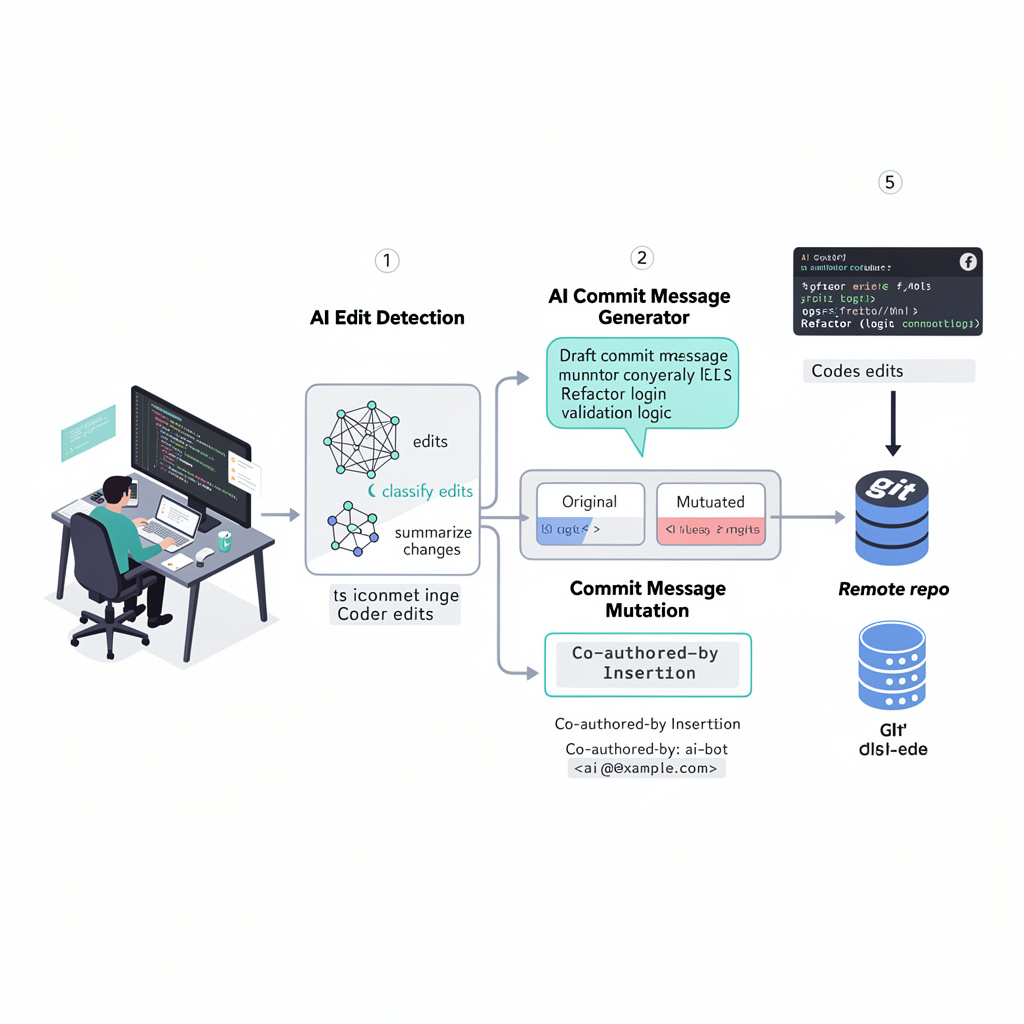
VS Code introduced AI co-author attribution before the April 16 default-change PR. In the February 2026 VS Code 1.110 release notes, the Source Control section described a setting called git.addAICoAuthor. VS Code said it could automatically append a Co-authored-by: trailer when a user commits code that includes AI-generated contributions. The same release notes listed three settings: off, chatAndAgent, और all. At that time, off was documented as the default. (Visual Studio Code)
The three modes matter.
off means VS Code does not add an AI co-author trailer.
chatAndAgent means VS Code adds the trailer for code generated with Copilot Chat or agent mode.
all means VS Code adds the trailer for all AI-generated code, including inline completions.
VS Code’s documentation also says the trailer is added only for commits made from inside VS Code. Commits made through external Git tools or the command line do not include the trailer because of this setting. The current staging and commit documentation shows the same three options, though documentation and main-branch code may not always update at the same moment during a fast-moving change cycle. (Visual Studio Code)
Technically, this is a Git trailer problem. Git trailers are structured lines placed near the end of a commit message. Git’s interpret-trailers documentation describes trailer lines as structured information at the end of the otherwise free-form part of a commit message. Platforms and tools can parse those lines for workflow metadata. (Git)
A Co-authored-by trailer is more visible than many other trailer types because GitHub recognizes it as co-author attribution. That makes it different from an internal note, a local telemetry event, or a UI-only badge. Once pushed, it becomes part of the shared repository history. It is visible to other contributors and may be consumed by tooling that treats commit metadata as evidence.
That is the first security lesson. AI attribution in a Git commit is not just a product feature. It is a write to the software supply chain record.
What microsoft/vscode#310226 actually changed
The pull request itself was small. GitHub shows it was merged into microsoft/vscode:main on April 16, 2026. The title was “Enabling ai co author by default.” (गिटहब)
The pull request overview generated during review summarized the intent clearly: it changed the Git extension’s git.addAICoAuthor setting so AI co-author trailers would be enabled by default, automatically adding a Co-authored-by trailer when AI-generated code contributions were detected. It also summarized the code change: the default moved from "off" को "all". (गिटहब)
The interesting part is that the first version did not fully align the runtime fallback with the schema default. Copilot’s own code review flagged that the schema default had been changed to "all", जबकि extensions/git/src/repository.ts still called config.get('addAICoAuthor', 'off'). The review warned that this mismatch could cause unexpected behavior in contexts where contributed configuration defaults were not loaded, such as some tests or hosts. (गिटहब)
That feedback was not about whether the default should be enabled. It was about consistency. The later commit updated the fallback as well, making the intended behavior clearer. From a narrow engineering perspective, that is a reasonable review comment. From a product-security perspective, it underlines the problem: once a default writes into Git history, “schema default versus runtime fallback” stops being a minor implementation detail. It decides whether a user’s commit metadata changes.
| अवयव | Before the PR | के बाद #310226 | Practical effect |
|---|---|---|---|
extensions/git/package.json setting schema | git.addAICoAuthor defaulted to off | default changed to all | Users without an explicit setting could receive AI co-author trailers by default |
extensions/git/src/repository.ts runtime fallback | fallback still used off at first | fallback updated to align with all | Runtime behavior matched the schema default |
| Commit message behavior | No AI co-author trailer unless configured | AI co-author trailer added when VS Code detected AI contributions | Git history could include Copilot co-author attribution without explicit per-commit confirmation |
| Scope of default attribution | None by default | all detected AI-generated code, including inline completions | Broader than chat or agent generated code |
This is why the PR became controversial despite being small. The blast radius was not measured in lines of code. It was measured in who controls authorship metadata.
Why developers objected
Developer feedback in the PR thread centered on consent, accuracy, and trust. One user asked why this would be the default. Another said making it default behavior without notifying users was “crazy.” A contributor reported having "chat.disableAIFeatures": true जबकि co-authored by copilot still appeared in most commits. Another commenter said they were not using Copilot and had chat.disableAIFeatures set, yet Copilot co-author trailers still appeared. (गिटहब)
Those are user reports, not a formal root cause analysis. They should be read carefully. But they identify exactly the kind of failure mode that security teams should worry about. If attribution is wrong, the audit record is wrong. If attribution appears when AI features are disabled, the feature boundary is wrong. If the user does not see the final commit message before the trailer is added, the commit UX is wrong.
There is a deeper reason the reaction was so strong. Many developer tools modify intermediate state: they format code, suggest imports, stage changes, run tests, and generate patch suggestions. But commit authorship sits closer to identity. A developer expects that when they write a commit message, the final message will match what they approved. If an editor appends a trailer after the user’s last meaningful review, the tool has changed the developer’s public statement.
That breaks a simple expectation: what I commit is what I meant to commit.
The concern is not that AI-generated code should never be labeled. In regulated environments, it may need to be labeled. The concern is that labeling cannot be silent, broad, and occasionally wrong. A provenance system that creates false records is not a provenance system. It is metadata pollution.
The follow-up PRs show the design moved back toward opt-in
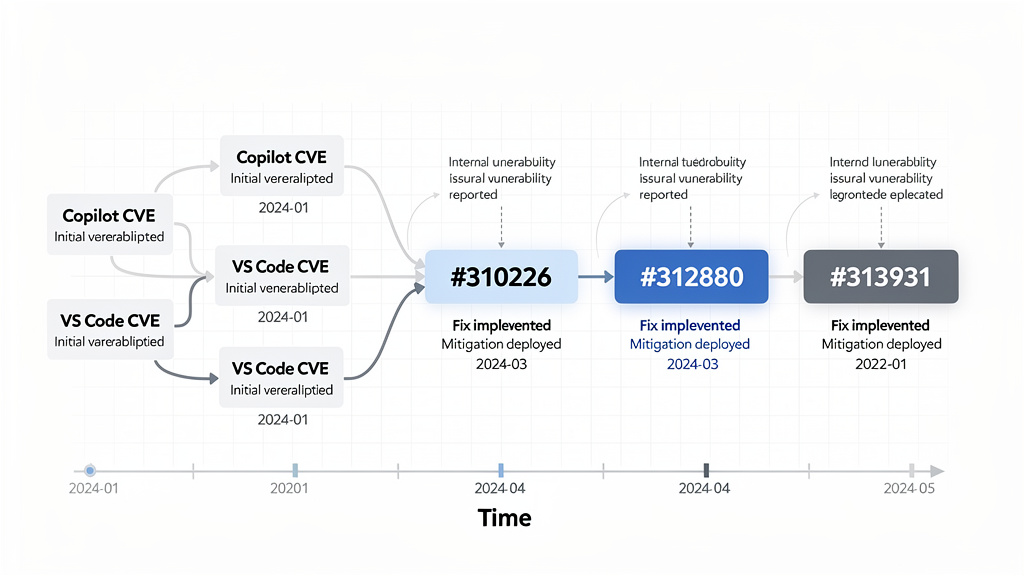
The VS Code team later narrowed and then reversed the default.
On April 27, 2026, microsoft/vscode#312880 was merged. Its title was “Update default to chatAndAgent.” The PR overview says it changed git.addAICoAuthor so the AI co-author trailer would be added by default only for chat or agent edits. It changed the schema default from "all" को "chatAndAgent" and updated the runtime default in Repository.appendAICoAuthorTrailer to match. (गिटहब)
That was a partial retreat. It recognized that "all" was too broad, especially because inline completions can be subtle. A developer may accept a single-line completion, heavily edit it, and reasonably disagree that Copilot should be listed as a co-author of the whole commit.
Then, on May 3, 2026, microsoft/vscode#313931 was merged. Its title was “Change default for git.addAICoAuthor to off.” The PR overview says it changed Git’s AI co-author behavior to be opt-in by default and ensured AI contribution tracking does not run when built-in AI features are disabled. The listed changes included setting git.addAICoAuthor को "off" in both schema and runtime defaults, preventing AiContributionFeature from activating when AI features are disabled or hidden, and skipping the AI co-author trailer when chat.disableAIFeatures is enabled. (गिटहब)
That final change is the most important governance signal. The team did not just change a default. It also tied attribution behavior to the AI feature-disable state. That matters because privacy, telemetry, AI assistance, and attribution settings must not contradict each other. If a user disables built-in AI features, AI contribution tracking should not keep running as a side channel.
A short timeline helps frame the event.
| Date | Event | Security or trust meaning |
|---|---|---|
| February 10, 2026 | Several Copilot, Visual Studio, or VS Code related CVEs were published, including command injection, RCE, security feature bypass, privilege elevation, and TOCTOU categories | AI coding assistants were visibly part of the developer-tool attack surface |
| April 14, 2026 | CVE-2026-23653 was published for GitHub Copilot and Visual Studio Code information disclosure via command injection | Copilot Chat Extension security posture became a fresh concern |
| April 16, 2026 | #310226 merged, changing git.addAICoAuthor default from off को all | AI attribution moved from opt-in to broad default behavior |
| April 27, 2026 | #312880 merged, changing default from all को chatAndAgent | Default attribution was narrowed after feedback |
| May 3, 2026 | #313931 merged, changing default back to off and disabling tracking when AI features are disabled | The design moved back toward explicit opt-in and setting consistency |
This sequence does not prove a private internal motivation. It does show the public design pressure: AI provenance is useful, but default writes to Git history are a sensitive security and trust decision.
AI attribution is a real security need
It would be a mistake to conclude that AI code attribution is useless. The opposite is true. Security teams increasingly need a way to answer simple questions that become hard during an incident:
Which commits included AI-generated code?
Which files were touched by an agent versus a developer?
Was the AI-generated code reviewed by a human?
Were vulnerable patterns introduced through chat, inline completion, agent mode, or a third-party extension?
Did the team rely on a model suggestion for security-critical code?
Can the organization prove that AI-assisted code went through the same review, testing, and approval process as human-written code?
Those questions matter because AI coding tools now operate inside developer workflows that have access to source code, build scripts, local secrets, test environments, private dependencies, issue descriptions, and sometimes terminals or agent tools. The risk is no longer only that a model might write insecure code. The risk is that the tool becomes part of the execution path.
OWASP’s AI Agent Security Cheat Sheet recommends least privilege for tools, per-tool permission scoping, separate tool sets for different trust levels, and explicit tool authorization for sensitive operations. Those recommendations make sense for AI agents, but they also apply to AI coding assistants as they gain more agency inside IDEs. (OWASP चीट शीट श्रृंखला)
OpenAI’s 2026 discussion of prompt injection makes a related point from another angle. It describes prompt injection as instructions placed in external content to make a model do something the user did not ask for, and notes that real-world attacks increasingly resemble social engineering rather than simple prompt overrides. OpenAI argues that the goal is not just to perfectly detect malicious inputs, but to constrain the impact of manipulation even when it succeeds. (ओपनएआई)
That reasoning applies to AI coding workflows. You should assume AI tools may sometimes misinterpret instructions, over-trust workspace content, call the wrong tool, or generate risky code. Provenance is one control for understanding what happened. But provenance must be accurate, user-visible, and bounded by policy. Otherwise it creates false confidence.
Why wrong attribution is worse than no attribution
A clean absence of AI attribution tells you little. Wrong attribution tells you something false.
That is dangerous in three different directions.
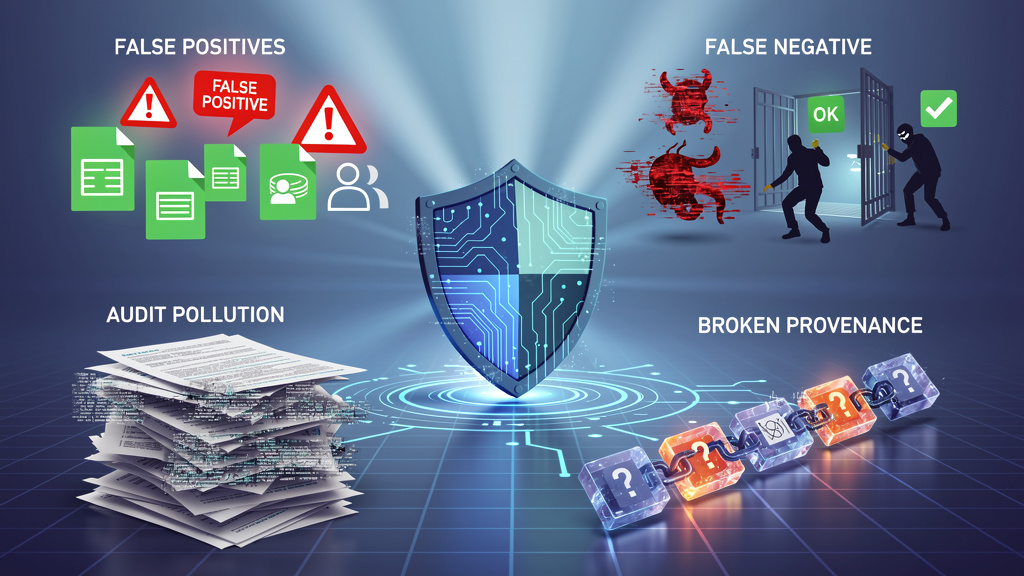
First, false positives pollute audit records. If a commit is marked Co-authored-by: Copilot even though the developer did not use Copilot for that commit, any later analysis of AI involvement becomes suspect. An enterprise trying to measure AI-assisted code volume may overcount. A legal team reviewing contribution history may ask unnecessary questions. A security team investigating a defect may spend time on the wrong evidence trail.
Second, false negatives break accountability. If a model or agent generated a vulnerable code path but no attribution appears, the team may never connect the defect to the AI-assisted workflow that produced it. The same problem appears in incident response when logs are incomplete: the absence of a record becomes misleading.
Third, silent defaults change user behavior. Developers who discover that their tool changed commit metadata without clear consent may disable the feature entirely, even if a better version would help the organization. Bad provenance design trains users to distrust provenance.
This is a known pattern in security tooling. A noisy scanner can cause teams to ignore real findings. A secret scanner with too many false positives can lead developers to bypass checks. An AI attribution system that mislabels commits can make the whole concept look like product branding rather than security evidence.
That is the core failure of the VS Code Copilot co-author controversy. The goal was defensible. The default was not.
Co-author is the wrong primitive for every AI contribution
Co-authored-by is a familiar GitHub mechanism, but it may not be the right semantic primitive for every AI-assisted change.
A human co-author usually shares authorship responsibility. In pair programming, a co-author contributed intent, design judgment, code, or review in a way the committer chooses to acknowledge. With AI, the situation is more varied. A model may have suggested one expression. It may have generated an entire function. It may have refactored a file through agent mode. It may have proposed test cases. It may have summarized an error message. It may have been used only to ask a question before the developer wrote the code manually.
Those cases do not all mean “co-author” in the same way.
A better metadata model would separate the type of AI involvement.
| Metadata concept | Better meaning | Example use |
|---|---|---|
AI-assisted-by | AI helped with suggestions or reasoning, but the human authored the final change | Inline completion, explanation, small generated snippet |
Generated-by | A tool produced a substantial code artifact | Agent generated a file or large patch |
Reviewed-by | Human reviewer validated the AI-generated or AI-assisted change | Required for security-critical repos |
Tool-session | Internal pointer to an audit record, not necessarily public Git metadata | Links commit to an internal trace of prompt, tool calls, approval, and diff |
Co-authored-by | Shared authorship in the GitHub-recognized sense | Use only when the organization intentionally treats the AI tool as a co-author identity |
This is not just semantic purity. It affects security operations. If a vulnerability is introduced in an AI-generated authentication middleware, the security team needs to know more than “Copilot was a co-author.” It needs to know whether the code came from chat, inline completion, agent mode, a third-party extension, a copied snippet, or a generated PR. It needs to know who approved it and which tests ran.
A single public trailer cannot carry that burden.
The attack surface is bigger than VS Code settings
The VS Code Copilot incident should be read as a warning about a broader class of tooling risks. Any component with access to commit messages can change provenance metadata.
That includes:
Local IDE extensions.
Git prepare-commit-msg hooks.
Git commit-msg hooks.
Developer shell aliases.
AI coding agents that run Git commands.
CI bots that rewrite or squash commits.
Merge queues and release automation.
Third-party source control integrations.
Compromised extensions.
Malicious templates or scaffolding tools.
In other words, the provenance layer is itself an attack surface. If an attacker can modify a commit message, they may be able to remove evidence, add misleading evidence, or trigger downstream automation that trusts trailers.
For example, a repository may later adopt a policy where AI-marked commits require extra review. If the marker is only a plain string in a commit message, a malicious actor can omit it. Conversely, if an internal dashboard treats Co-authored-by: Copilot as proof that code was generated by an approved tool, an attacker could insert the trailer manually. Plain-text trailers are useful metadata, not cryptographic evidence.
That distinction matters. Git trailers are easy to inspect and easy to parse, but they are not proof by themselves. For high-assurance workflows, provenance needs to be backed by signed commits, review records, CI logs, tool execution traces, and access-controlled audit events.
A realistic abuse scenario
Imagine an enterprise repository where AI-assisted code is allowed only if it goes through extra review. The policy says any commit with Co-authored-by: Copilot <copilot@github.com> must be reviewed by a senior engineer and must pass additional security tests.
That policy looks reasonable, but it has two weaknesses.
A developer can use AI heavily and remove the trailer before pushing.
A non-AI commit can be marked accidentally or maliciously, triggering unnecessary review and corrupting metrics.
Now imagine the organization uses AI contribution statistics in quarterly engineering reports. Suddenly, the trailer becomes a metric. That creates pressure to manipulate it. Some teams may remove the trailer because they do not want AI usage to be visible. Others may leave it because they want to show adoption. Neither behavior helps security unless the attribution is accurate and verifiable.
This is why AI provenance should not depend on a single optional string. The Git trailer can be a human-readable signal. It should not be the only record.
Detection, how to find Copilot co-author trailers in a repository
The first practical step is to inspect existing history. The following command searches commit messages for the exact Copilot co-author trailer and prints a short timeline.
git log \
  --grep='Co-authored-by: Copilot <copilot@github.com>' \
  --format='%h %ad %an %s' \
  --date=short
To inspect a specific commit without showing the patch:
git show --format=fuller --no-patch <commit>
To count how often the trailer appears in the repository history:
git log --format=%B \
  | grep -c 'Co-authored-by: Copilot <copilot@github.com>'
To see all co-author trailers, not just Copilot:
git log --format=%B \
  | grep -i '^Co-authored-by:'
To review commits that contain any trailer-like metadata, Git’s trailer parser can help. This example prints each commit hash and parsed trailers from its message.
#!/usr/bin/env bash
set -euo pipefail

git rev-list --all | while read -r commit; do
  message="$(git log -1 --format=%B "$commit")"
  trailers="$(printf '%s\n' "$message" | git interpret-trailers --parse || true)"

  if [ -n "$trailers" ]; then
    echo "commit $commit"
    printf '%s\n' "$trailers"
    echo
  fi
done
This does not prove whether AI was actually used. It only shows what the repository history says. Treat it as the first step in a review, not the conclusion.
Checking local VS Code and Copilot configuration
For developers who do not want VS Code to add AI co-author trailers, the direct setting is:
{
  "git.addAICoAuthor": "off"
}
If the intent is to disable built-in AI features as well, the setting may be paired with:
{
  "git.addAICoAuthor": "off",
  "chat.disableAIFeatures": true
}
Teams should avoid relying only on individual developer memory. Put the setting into workspace recommendations or policy documentation where appropriate. For example, a repository that does not allow AI attribution trailers by default can include a .vscode/settings.json file:
{
  "git.addAICoAuthor": "off"
}
That choice should be made carefully. Some teams may not want repository-level settings to control personal IDE behavior. In that case, document the required setting in onboarding material instead. The point is not that every team must disable attribution. The point is that the behavior should be intentional.
Developers can also inspect installed extensions:
code --list-extensions | grep -i copilot
On systems where VS Code is not in the shell path, use the VS Code command palette to install the code command or inspect extensions through the UI.
For CVE-2026-23653, Tenable’s plugin points specifically at Microsoft Visual Studio Code Copilot Chat Extension versions prior to 0.37.3 and recommends updating to 0.37.3 or later. That check should be part of endpoint inventory for organizations using Copilot Chat Extension. (उपयुक्त®)
Removing an unwanted trailer from an unpushed commit
If the trailer was added to the most recent commit and the commit has not been pushed to a shared branch, amend the commit message:
git commit --amend
Remove the trailer line:
Co-authored-by: Copilot <copilot@github.com>
Save and close the editor.
If the commit has already been pushed to a shared branch, do not blindly amend and force-push. Rewriting shared history can disrupt collaborators and CI systems. In that case, the safer path may be a follow-up commit, a documented exception, or a team-approved history rewrite.
To remove the trailer from several unpushed commits on a feature branch, use interactive rebase:
git rebase -i origin/main
Mark the affected commits as reword, then edit the messages one by one. This is safe only when the branch is private or the team has agreed to rewrite it.
CI policy, warn on AI attribution without blocking everything
A good CI check should start as a warning. Blocking every commit with an AI co-author trailer may be too blunt. Some projects may allow AI-assisted code but require review. Others may ban it in specific directories. The policy should match the repository.
This script detects Copilot co-author trailers in a pull request range and emits a warning.
#!/usr/bin/env bash
set -euo pipefail

base_ref="${BASE_REF:-origin/main}"
range="${base_ref}..HEAD"
pattern='Co-authored-by: Copilot <copilot@github.com>'

if git log "$range" --format=%B | grep -q "$pattern"; then
  echo "::warning title=AI co-author trailer detected::"
  echo "This branch contains one or more commits with:"
  echo "$pattern"
  echo
  echo "Review whether the attribution is intentional, accurate, and allowed by project policy."
fi
A stricter version can block only for sensitive paths. For example, if AI-attributed commits modify authentication code, payment code, cryptography, infrastructure-as-code, or production deployment logic, require explicit review.
#!/usr/bin/env bash
set -euo pipefail

base_ref="${BASE_REF:-origin/main}"
range="${base_ref}..HEAD"
pattern='Co-authored-by: Copilot <copilot@github.com>'

sensitive_regex='^(auth/|payments/|crypto/|infra/|.github/workflows/)'

ai_commits="$(git log "$range" --format='%H%x00%B%x00ENDMSG' \
  | awk -v RS='ENDMSG' -v pat="$pattern" 'index($0, pat) { print $1 }')"

if [ -z "$ai_commits" ]; then
  exit 0
fi

while read -r commit; do
  [ -z "$commit" ] && continue

  if git diff-tree --no-commit-id --name-only -r "$commit" \
    | grep -Eq "$sensitive_regex"; then
    echo "::error title=AI-attributed commit touches sensitive code::"
    echo "Commit $commit contains an AI co-author trailer and modifies sensitive paths."
    echo "Require security review before merging."
    exit 1
  fi
done <<< "$ai_commits"
This is still not proof of AI use. It is a policy trigger. Use it to route review, not to decide guilt.
Better provenance requires more than a Git trailer
The right long-term design is not “always add Co-authored-by” or “never add it.” The right design is layered.
A useful AI provenance system should answer five questions:
What tool or model contributed?
What files or hunks were affected?
What level of agency was involved?
What human approved the change?
What evidence exists if the decision is challenged later?
A public Git trailer can answer only a fraction of that. The rest belongs in an internal audit record.
A better commit-time UX would look like this:
AI-generated changes detected in this commit.

Source:
  Copilot Chat session
  3 accepted edits across 2 files

Proposed trailer:
  Co-authored-by: Copilot <copilot@github.com>

Choose:
  Add once
  Always add for this workspace
  Never add for this workspace
  Show affected hunks
The user should see the final commit message before it is written. The UI should explain why the trailer is being suggested. If the user has disabled AI features, no tracking should run. If the user rejects the trailer, the system should remember that choice according to workspace or user policy.
For teams with stricter requirements, the UI could create a private provenance record instead of public co-authorship. That record could include a local session ID, tool source, file list, diff hash, and review status. The commit message could contain a neutral internal reference rather than public AI co-author attribution.
For example:
AI-Provenance-Record: internal://ai-provenance/2026-05-03/abc123
Reviewed-by: Jane Doe <jane@example.com>
This kind of design separates two concerns: public authorship and private auditability. The VS Code controversy happened partly because those concerns were collapsed into one trailer.
What security teams should do now
Security teams should treat the VS Code Copilot co-author incident as a reason to formalize AI development tooling policy. The policy does not need to be hostile to AI. It needs to be explicit.
Start with inventory.
Which AI coding tools are allowed?
Which versions of Copilot Chat Extension are deployed?
Which IDEs and extensions are used on developer workstations?
Which tools can execute shell commands?
Which tools can read the workspace?
Which tools can access private repositories?
Which tools can call external services?
Which repositories allow AI-generated code?
Then define attribution rules.
If AI is used for security-critical code, does the commit need a trailer?
Is Co-authored-by: Copilot acceptable, or should the team use a different internal marker?
Does AI-assisted code require a reviewer who did not generate the change?
Are certain directories off-limits to AI-generated code?
Should AI-attributed commits trigger extra tests or static analysis?
Should the organization retain prompt and tool execution logs, and if so, where?
Then enforce the parts that can be enforced.
Branch protection can require review. CI can detect trailers. Endpoint management can track extension versions. Secret scanning can detect accidental exposure. EDR can monitor unexpected child processes from IDEs. Network controls can restrict outbound connections from development environments handling sensitive code. None of those controls is perfect, but together they reduce dependence on a single marker.
Developer workstation monitoring for AI IDE risk
The Copilot-related CVEs make one point hard to ignore: developer workstations are valuable targets. They contain source code, credentials, cloud tokens, SSH keys, package registry access, issue context, and deployment knowledge. An AI IDE extension expands that surface if it processes untrusted content, launches commands, or integrates with agent tools.
Defenders should monitor high-risk process behavior from IDEs. For example:
Unexpected shell children from VS Code.
Unexpected outbound network connections after opening untrusted workspace content.
Access to .env, SSH keys, cloud credentials, or package tokens by extensions.
Execution of package manager scripts triggered by generated code.
New Git hooks created after opening a repository.
Changes to .vscode/settings.json, .गिटहब/वर्कफ़्लो, or CI configuration.
The goal is not to block normal development. The goal is to identify behavior that turns an editor into an execution bridge.
A simple local check for Git hooks can catch one class of persistence or metadata manipulation:
find .git/hooks -type f -maxdepth 1 -print -exec sed -n '1,80p' {} \;
A simple check for workspace settings can identify repository-level overrides:
find . -path '*/.vscode/settings.json' -maxdepth 4 -print -exec cat {} \;
A simple check for commit message mutation hooks:
for hook in .git/hooks/prepare-commit-msg .git/hooks/commit-msg; do
  if [ -f "$hook" ]; then
    echo "Found $hook"
    sed -n '1,160p' "$hook"
  fi
done
These checks are basic, but they reinforce the point: commit metadata can be changed by more than one component. If provenance matters, watch the whole path.
AI attribution and legal ambiguity
The legal side should be handled carefully. It is easy to overstate. A Co-authored-by trailer does not automatically settle copyright ownership, license obligations, contributor license agreements, employment assignments, or model indemnity terms. Those questions depend on jurisdiction, policy, contracts, and facts.
But it is also wrong to say the trailer has no consequence. It is a public attribution signal. It can appear in GitHub UI. It can be pulled into repository statistics. It can be read by lawyers, auditors, maintainers, customers, and compliance teams. It can become part of the story told about how code was produced.
That means accidental attribution is not harmless. Even if it creates no legal liability by itself, it creates ambiguity. In regulated or high-assurance development, ambiguity is expensive.
A safer policy is to avoid using Co-authored-by as a catch-all AI marker. If the organization wants AI usage records for compliance, it should define a purpose-built internal record. If it wants public attribution, it should require explicit human confirmation.
क्यों all was especially sensitive
The move from off को all was more sensitive than a move from off को chatAndAgent would have been.
Chat and agent workflows are more visible. The developer asks Copilot to generate code, transform files, or perform a task. There is usually a stronger argument that AI materially contributed.
Inline completions are different. They can be tiny, frequent, and heavily edited. A user may accept three tokens from a suggestion and then rewrite the line. Another user may accept a full function. Treating both cases as the same kind of co-authorship is too coarse.
That is why the April 27 change to chatAndAgent was a meaningful narrowing. But it still did not fully resolve the consent issue. Even a chat-generated change should not silently alter the final commit message. The developer still needs to see and approve the exact metadata being written.
The May 3 change back to off was the cleaner trust model. Default off does not prevent teams from enabling attribution. It simply makes the decision explicit.
What a good enterprise policy can look like
A practical enterprise policy does not need to ban AI coding tools. It can define risk tiers.
| Tier | Example use | नीति |
|---|---|---|
| Low risk | Documentation drafts, local scripts, tests for non-sensitive utilities | AI use allowed, normal review required |
| Medium risk | Application code, API handlers, frontend logic, internal tools | AI use allowed, attribution encouraged, reviewer must inspect generated logic |
| High risk | Authentication, authorization, payment flows, cryptography, CI/CD, infrastructure | AI use allowed only with explicit approval, required security review, provenance record retained |
| Restricted | Secrets handling, signing infrastructure, production incident response changes | AI generation disabled unless approved under exception process |
Then define metadata rules:
AI usage should be recorded in a way the team can verify.
Public Co-authored-by should be optional unless the project explicitly requires it.
Sensitive changes should store internal provenance records, not only public commit trailers.
AI-attributed commits should not bypass review.
Non-AI commits should not be automatically labeled.
The policy should also say how to handle mistakes. If a trailer is added incorrectly, developers need a safe process for amending unpushed commits or documenting pushed commits without shame. A policy that punishes honest corrections will drive usage underground.
How to test an AI coding workflow before trusting it
A security team evaluating VS Code Copilot, agent mode, or any coding assistant should run controlled tests before rolling out policy.
Use a test repository and try the following cases:
Enable git.addAICoAuthor and generate code through Copilot Chat.
Enable git.addAICoAuthor and accept inline completions.
Set git.addAICoAuthor को off and verify no trailer is added.
Set chat.disableAIFeatures को सच्चा and verify tracking does not run.
Commit through VS Code UI and through command line to compare behavior.
Add a prepare-commit-msg hook and confirm the team understands hook precedence.
Try amending commits and squashing branches to see how trailers survive.
Inspect whether co-author trailers appear in GitHub UI and internal analytics.
This test suite is not complicated. It gives the team evidence before policy decisions are made.
Security work becomes more reliable when the team can reproduce tool behavior instead of arguing from assumptions. That is also the right mindset for broader AI security validation. Penligent’s writing on AI pentesting makes a similar point in a different domain: AI security workflows become useful when they operate inside a controlled execution field with scope, permissions, tool output, evidence, and human approval, rather than acting as prompt-only assistants. (पेनलिजेंट.एआई)
That framing applies beyond offensive testing. A coding assistant with commit access, shell access, or agent tools needs an execution field too. The organization should know what is in scope, what can be changed, what must be approved, and what evidence is retained.
Prompt injection changes the provenance problem
Prompt injection is often discussed as a web or agent issue, but coding assistants are exposed to similar patterns. A model may read a README, issue description, test failure, dependency documentation, or tool output that contains adversarial instructions. If the assistant has access to edit files or run commands, those instructions may influence behavior.
OpenAI describes prompt injection as instructions placed in external content to make the model do something the user did not ask for, and notes that real attacks increasingly resemble social engineering. That is directly relevant to developer tools because code repositories contain large amounts of external or semi-trusted text. (ओपनएआई)
Now connect that to attribution. Suppose an AI coding agent is manipulated by malicious workspace content and makes a risky change. A Git trailer saying Co-authored-by: Copilot is better than nothing, but it does not explain what happened. It does not show which input influenced the model. It does not show whether a tool call was approved. It does not show whether the developer reviewed the diff. It does not show whether the model followed a poisoned instruction.
That is why provenance should include session context and tool traces for high-risk workflows. Public commit metadata can show that AI was involved. Internal audit records should explain how.
Penligent’s agentic security material describes agent applications as systems that plan, decide, and act across tools, with a security surface that includes natural language instructions, tool descriptors, schemas, memory, delegation chains, and inter-agent communication. That broader execution-boundary view is the right lens for AI IDEs too. (पेनलिजेंट.एआई)
What not to do
Do not treat the VS Code Copilot co-author trailer as a reliable standalone control.
Do not use it as the only measure of AI-generated code.
Do not punish developers solely because a trailer appears.
Do not assume that absence of a trailer means no AI was used.
Do not let AI-attributed commits skip review because “the tool is approved.”
Do not allow IDE extensions to execute commands in sensitive repositories without policy.
Do not let workspace settings silently override organization rules.
Do not confuse attribution with safety.
Attribution answers who or what may have contributed. It does not answer whether the code is secure.
What a better commit-time implementation would require
A secure-by-default implementation would satisfy several requirements.
First, it would be opt-in by default. Teams that want AI attribution can enable it at user, workspace, or organization level.
Second, it would show the exact trailer before commit. No invisible mutation after the developer writes the message.
Third, it would explain the reason. “Copilot Chat generated edits in src/auth/session.ts और tests/session.test.ts” is more useful than “AI contribution detected.”
Fourth, it would allow a one-time override. Developers sometimes use AI for throwaway scaffolding or comments that do not materially affect the commit. The tool should not force a binary global setting.
Fifth, it would honor AI-disable settings. If built-in AI features are disabled, AI contribution tracking should not run. The May 3 VS Code PR explicitly moved in that direction. (गिटहब)
Sixth, it would separate public authorship from private audit. Public Co-authored-by may be appropriate in open-source projects or teams that want that convention. Enterprise teams may prefer private provenance records.
Seventh, it would be testable. Security teams should be able to create known AI and non-AI changes and verify attribution behavior.
A sample organization policy
Here is a practical starting point for a repository-level AI coding policy.
ai_coding_policy:
  allowed_tools:
    - GitHub Copilot
    - VS Code built-in AI features
  default_attribution:
    git_add_ai_co_author: off
  allowed_public_trailers:
    - "Co-authored-by: Copilot <copilot@github.com>"
  require_review_for_ai_changes: true
  sensitive_paths:
    - "auth/**"
    - "payments/**"
    - "crypto/**"
    - "infra/**"
    - ".github/workflows/**"
  sensitive_path_rules:
    ai_generated_changes_allowed: approval_required
    required_reviewers:
      - security
      - codeowners
  evidence:
    retain_ai_session_record: true
    retain_diff_review_record: true
    retain_ci_results: true
  prohibited:
    - storing secrets in prompts
    - allowing AI tools to run destructive commands without approval
    - accepting AI-generated auth or crypto code without human review
This kind of policy is not magic. It forces clarity. Developers know what is allowed. Reviewers know what to check. Security teams know where to focus.
A sample pull request checklist
For teams using AI coding tools, add a short checklist to PR templates.
## AI-assisted development

- [ ] No AI-generated or AI-assisted code was used.
- [ ] AI assistance was used, but only for explanation, comments, tests, or low-risk scaffolding.
- [ ] AI assistance was used for application code and the diff has been reviewed carefully.
- [ ] This PR changes sensitive code paths and has been routed for security review.
- [ ] No secrets, customer data, or private credentials were pasted into AI tools.
- [ ] Any AI attribution trailers in commits are intentional.
This is better than relying only on trailers. It combines human attestation, review, and repository metadata.
The role of automated security validation
AI coding assistants increase development speed, but speed without validation can increase defect throughput. Teams should pair AI-assisted coding with automated checks that verify behavior, not just style.
For application code, that means unit tests, integration tests, static analysis, dependency scanning, secret scanning, and targeted security tests.
For web applications and APIs, it means validating whether code changes create new attack paths. AI can generate code that appears correct while weakening authorization, mishandling session state, trusting client-side fields, or breaking input validation.
For agent workflows, it means testing tool boundaries, prompt injection resilience, permission scoping, and whether dangerous actions require human approval.
Penligent’s material on agentic AI security in production argues that teams need continuous validation after adding agent endpoints, MCP servers, wider tool scope, or memory changes, including asset discovery, exposed MCP testing, parameter fuzzing, and verification that dangerous actions remain blocked by policy and environment controls. (पेनलिजेंट.एआई)
That is the right operating model for AI-assisted development too. Do not rely on attribution to prove safety. Use attribution to route validation.
How bug bounty hunters and red teamers should read this event
For bug bounty hunters, the lesson is that AI developer tooling is becoming part of the target’s real attack surface. A vulnerability in a coding assistant, extension, agent tool, or source-control integration can affect high-value developer environments. But reports need to be careful. “Copilot added a co-author trailer” is not automatically a security vulnerability. The security case becomes stronger when there is impact:
Can an attacker influence the metadata?
Can an extension or workspace file cause unauthorized commit mutation?
Can prompt injection cause an AI agent to make a code change or commit without clear approval?
Can AI-disable settings be bypassed?
Can sensitive data be disclosed through a Copilot or VS Code command injection path?
Can provenance records be forged or removed in a way that bypasses policy?
For red teams, the event suggests useful tabletop exercises:
A developer opens a malicious repository with AI assistance enabled.
A poisoned README attempts to manipulate an agent.
A compromised extension modifies commit hooks.
A CI bot trusts Co-authored-by trailers for policy routing.
An AI-generated change introduces an authorization bypass.
A false AI attribution triggers noisy review and hides the real malicious commit.
These exercises are not about blaming AI. They are about understanding new trust boundaries.
How open-source maintainers should respond
Open-source projects need a lightweight version of the same policy. Maintainers may not have endpoint management or enterprise audit logs, but they can still define expectations.
A project can state:
Whether AI-generated contributions are allowed.
Whether contributors must disclose substantial AI-generated code.
Whether Co-authored-by: Copilot is acceptable.
Whether AI-generated security-sensitive code needs extra explanation.
Whether maintainers may ask for manual reproduction or tests.
Whether generated code must comply with project licensing rules.
The policy should avoid hostile language. Many contributors use AI tools for accessibility, translation, boilerplate, tests, or learning. The goal is not to shame usage. The goal is to preserve review quality and trust.
A short open-source policy might look like this:
AI-assisted contributions are allowed when the contributor has reviewed and understands the submitted code. For substantial AI-generated changes, please mention the use of AI assistance in the pull request description. Do not submit code you cannot explain. Security-sensitive changes may require additional review or manual test evidence. Commit trailers such as `Co-authored-by: Copilot <copilot@github.com>` are optional unless explicitly requested by maintainers.
That is a more human policy than silent tooling.
The difference between telemetry and Git history
One reason this controversy escalated is that Git history feels different from telemetry.
Telemetry is usually internal to a product. Users may still object to it, especially if it is poorly disclosed, but it does not usually appear in a public repository. Git history is shared. It travels with the project. It can be mirrored, forked, archived, indexed, and copied into other systems. Once pushed, it may be hard to clean up without rewriting history.
That makes Git metadata closer to a public statement than an internal event log.
AI tools need internal telemetry and local state to work well. They may need to know which edits came from which feature. But deciding to publish that information into Git history is a separate action. It should be treated as a user-visible publication step.
This distinction also helps reduce false conflict. A tool can track AI contribution locally for the purpose of showing the user an attribution prompt. That does not mean it should automatically publish the attribution. Local detection and public disclosure are separate.
Why the final default should be conservative
Default settings encode product values. In security-sensitive workflows, conservative defaults usually win trust.
A conservative default does not mean the feature is bad. It means the feature changes a sensitive boundary. git.addAICoAuthor writes to commit metadata. That metadata affects authorship representation and audit trails. Therefore the safe default is off, with clear opt-in paths for teams that want it.
There is a parallel with shell execution in coding agents. A tool can propose a command by default. Running the command should require more care. A tool can detect AI involvement by default for local UX. Publishing that involvement into Git history should require more care.
That is also consistent with OWASP’s recommendation that sensitive agent actions require explicit authorization. Adding a public authorship trailer is not as dangerous as deleting a production database, but it is still a sensitive action in the development record. (OWASP चीट शीट श्रृंखला)
What this means for the future of AI IDEs
AI IDEs are becoming more agentic. They can edit multiple files, inspect errors, call tools, run tests, open pull requests, and reason across repositories. Visual Studio’s April 2026 update, for example, described agentic workflows such as cloud agent sessions, custom agents, and debugger agent capabilities in the Visual Studio ecosystem. (गिटहब ब्लॉग)
As those tools become more capable, the trust questions get harder.
Who approved a tool call?
Which model generated a patch?
Which files were read?
Which secrets were protected?
Which external content influenced the model?
Which commands ran?
Which commit metadata was changed?
Which human reviewed the final diff?
The answer cannot be “trust the editor.” It has to be enforceable through UI, policy, logs, and reproducible evidence.
The VS Code Copilot co-author controversy is a preview of that future. It shows that even a simple attribution feature becomes difficult when placed inside a real developer workflow.
Practical recommendations
For individual developers:
Set git.addAICoAuthor explicitly instead of relying on defaults.
Review commit messages before pushing.
Search your recent commits for unwanted Copilot co-author trailers.
Update Copilot Chat Extension and VS Code when security advisories affect your environment.
Avoid pasting secrets or sensitive customer data into AI tools.
Be cautious when opening untrusted repositories with AI features enabled.
For engineering managers:
Define an AI coding policy that distinguishes low-risk and high-risk code.
Do not measure AI adoption solely through Git trailers.
Require review for AI-assisted changes in sensitive areas.
Create a process for correcting mistaken attribution.
Make sure developer onboarding covers AI tool settings.
For security teams:
Inventory AI IDE extensions and versions.
Monitor high-risk IDE process behavior.
Treat developer workstations as sensitive assets.
Add CI checks for AI attribution where useful, but start with warnings.
Require stronger provenance for high-assurance repositories.
Test whether AI-disable settings actually disable tracking and attribution.
For tool vendors:
Default public attribution features to opt-in.
Show final commit metadata before writing it.
Explain why attribution is suggested.
Honor global AI-disable settings.
Separate public authorship from private provenance.
Provide enterprise controls and audit APIs.
Final read on the VS Code Copilot event
The VS Code Copilot co-author controversy was not just a noisy developer backlash. It was a useful stress test for AI-native development.
The original default change tried to make AI contribution tracking visible. That is a legitimate goal. But it implemented visibility by defaulting to a public authorship trailer, broadening the scope to all AI-generated code, and relying on detection behavior that users reported as inaccurate in some cases. The follow-up changes narrowed the default and then moved it back to off, while also ensuring tracking would not run when built-in AI features were disabled. (गिटहब)
That sequence tells the real story. AI provenance matters. But provenance that developers do not control will not be trusted. Attribution that is not accurate will not help audits. Commit metadata that is silently changed will be treated as a supply chain risk, not a safety feature.
The future of AI coding security is not “hide AI use.” It is also not “stamp every commit with an AI co-author.” The future is explicit provenance: clear user consent, accurate detection, reviewable metadata, internal evidence records, and policies that match the risk of the code being changed.
VS Code Copilot did not create the AI provenance problem. It exposed it.
अधिक पठन और संदर्भ
GitHub pull request microsoft/vscode#310226, “Enabling ai co author by default.” (गिटहब)
VS Code February 2026 release notes on AI co-author attribution for commits. (Visual Studio Code)
VS Code documentation on staging, committing, and AI co-author attribution. (Visual Studio Code)
GitHub Docs on creating commits with multiple authors using Co-authored-by trailers. (GitHub दस्तावेज़)
Git documentation for git interpret-trailers. (Git)
GitHub pull request microsoft/vscode#312880, “Update default to chatAndAgent.” (गिटहब)
GitHub pull request microsoft/vscode#313931, “Change default for git.addAICoAuthor to off.” (गिटहब)
GitHub Advisory Database entry for CVE-2026-23653. (गिटहब)
Tenable plugin for Microsoft Visual Studio Code Copilot Chat Extension prior to 0.37.3, CVE-2026-23653. (उपयुक्त®)
NVD entry for CVE-2026-21523. (एनवीडी)
NVD entry for CVE-2026-21518. (एनवीडी)
NVD entry for CVE-2026-21256. (एनवीडी)
NVD entry for CVE-2026-21257. (एनवीडी)
OWASP AI Agent Security Cheat Sheet. (OWASP चीट शीट श्रृंखला)
OpenAI, “Designing AI agents to resist prompt injection.” (ओपनएआई)
Penligent, “Pentest ai agents, Real Tool Execution Is the Line Between AI Pentesting and a Toy.” (पेनलिजेंट.एआई)
Penligent, “Agentic Security Initiative — Securing Agent Applications in the MCP Era.” (पेनलिजेंट.एआई)
Penligent, “Agentic AI Security in Production — MCP Security, Memory Poisoning, Tool Misuse, and the New Execution Boundary.” (पेनलिजेंट.एआई)
Penligent homepage for AI-powered penetration testing workflows. (पेनलिजेंट.एआई)
 Hindi
Hindi  English
  German
  French
  Spanish
  Portuguese
  Japanese
  Korean
  Arabic
  Turkish
  Hebrew