
The “We Rebooted” Fallacy: Why You Are Reading This
It usually starts with a frantic Slack message or a generic anomaly alert. An internet-facing Cisco router is behaving strangely. The Web UI, which perhaps shouldn’t have been exposed to the public internet in the first place, was left open for convenience. The team sees the advisory, panics, and reboots the device. The alerts stop. The team marks the ticket as “Resolved.”
This is a false confidence that leads to disaster.
साथ CVE-2023-20198, a reboot clears the active implant (often dubbed BadCandy) from memory, but it does नहीं remove the unauthorized privilege-15 user accounts the attacker created. The attacker still has keys to your front door and can simply walk back in, re-implant the device, and pivot deeper into your network.
If you are responsible for network security engineering, you need answers to six specific questions right now:
- Am I exposed?
- Am I currently owned?
- Is a reboot sufficient? (Spoiler: No).
- What specific release do I patch to?
- How do I scale these checks across a fleet?
- How do I turn this failure into a permanent regression test?
This guide moves beyond the initial hype to provide a verified, engineer-grade playbook for authorized validation, detection, and operational hardening, citing confirmed intelligence from Cisco Talos, Rapid7, and Tenable.
Engineer Brief: CVE-2023-20198 at a Glance
This vulnerability is not a theoretical buffer overflow; it is a logic flaw in the web server component of Cisco IOS XE that allows total device takeover.
Table 1: The Technical Brief
| अवयव | Details |
|---|---|
| Vulnerability ID | CVE-2023-20198 (CVSS 10.0 – Critical) |
| Core Mechanism | Unauthenticated Privilege Escalation via the Web UI feature. Allows an attacker to create a local user with Privilege Level 15 (full admin). |
| The Chain Partner | Often chained with CVE-2023-20273, which allows the newly created admin user to inject commands at the underlying Linux OS root level. |
| The Artifact | BadCandy (also known as the purely Lua-based implant). It resides in memory and modifies the HTTP server configuration to intercept traffic. |
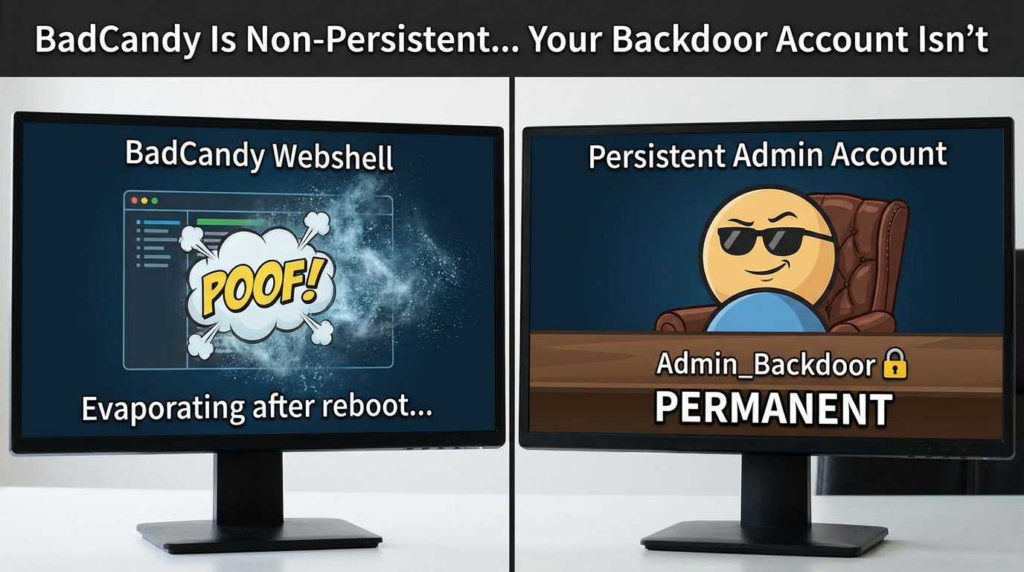
| अटलता | The implant is non-persistent (cleared on reboot). The attacker account is persistent (saved to running-config). |
| दायरा | Affects physical and virtual devices running Cisco IOS XE software with the Web UI enabled (ip http server या ip http secure-server). |
Critical Note: The presence of the implant allows the attacker to execute arbitrary commands at the system level. Even if you cannot find the implant (because the device was rebooted), you must hunt for the rogue accounts.
What CVE-2023-20198 Actually Is
To understand how to defend against this, you must understand the “Web UI as a control plane” concept. In modern IOS XE, the Web UI isn’t just a reporting dashboard; it is a functional equivalent to the CLI for many administrative tasks.
The Exploit Chain
- Exposure: The device has the HTTP/HTTPS server enabled and accessible via the WAN interface (or a compromised LAN segment).
- Bypass (CVE-2023-20198): The attacker sends a crafted HTTP request to the web server. Due to insufficient input validation, the attacker bypasses authentication completely.
- Account Creation: With the auth bypass, the attacker issues a command to create a local user account with privilege level 15. In the Cisco world,
privilege 15is the highest standard admin level—granting full control over the router’s configuration. - Root Escalation (Optional but common): Once authenticated as this new admin, the attacker exploits CVE-2023-20273. This is a command injection vulnerability in the web UI that allows the attacker to escape the IOS XE CLI sandbox and execute commands as
rooton the underlying Linux operating system.
According to Rapid7, this chaining capability turns a router into a highly privileged, tough-to-detect beachhead for lateral movement.
The Threat Story: From Account Creation to BadCandy
The “BadCandy” implant is sophisticated because of what it doesn’t do: it doesn’t write itself to the bootflash in a way that survives a reload (typically).
The Implant Behavior
As analyzed by Cisco Talos, the implant is largely Lua-based. It patches the web server’s configuration in memory to intercept specific HTTP requests.
- Installation: The attacker uses their new priv-15 account to upload the configuration.
- Operation: The implant listens for HTTP POST requests to specific URI paths.
- Evasion: It often includes logic to check if it is being scanned and can return fake “404 Not Found” errors to confuse vulnerability scanners.
The Reinfection Loop
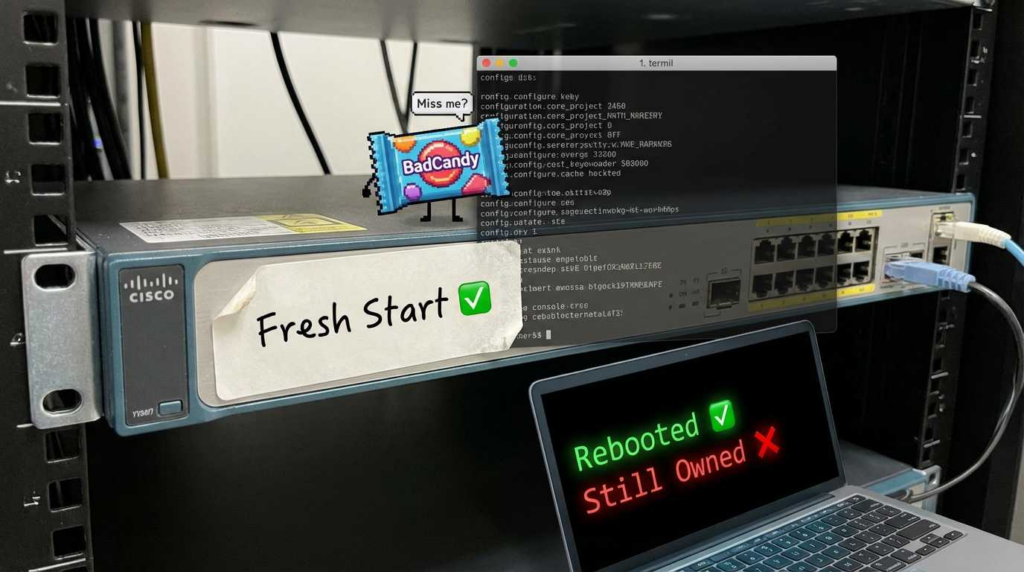
This is where teams fail. They identify the issue, reboot the router, and confirm the BadCandy beacon is gone. However, they fail to audit the running-config for new usernames.
- Day 0: Reboot clears the implant.
- Day 1: Attacker logs in using the valid (rogue) username/password they created.
- Day 1: Attacker re-installs BadCandy.
Agencies like the Australian Cyber Security Centre (Cyber.gov.au) have issued renewed warnings in 2024 and 2025 regarding this specific behavior, noting that adversaries automate the reinfection of devices that were merely rebooted rather than sanitized.
The Timeline That Matters
Understanding the timeline helps you correlate your logs with global attack waves.
Table 2: Exploitation & Disclosure Timeline
| Date | Event | Significance |
|---|---|---|
| Sept 2023 | Early signals | Likely initial testing by threat actors in the wild. |
| Oct 16, 2023 | Disclosure | Cisco releases advisory. Talos confirms active exploitation. |
| Oct 17-20, 2023 | Mass Scan/Exploit | Censys reports tens of thousands of compromised hosts visible on the public internet. |
| Oct 22, 2023 | Fix Released | Cisco releases the first wave of fixed images (e.g., 17.9.4a). |
| Nov 2023 | The “Reboot” Dip | Infection numbers drop due to reboots, then climb again as attackers use persistent accounts to re-implant. |
| 2024-2025 | Renewed Alerts | Cyber.gov.au and others warn of “BadCandy” variants and persistent access in unpatched edge environments. |
Am I Vulnerable? (Decision Tree)
You need to determine if your configuration exposes the attack surface.
The Check:
You are vulnerable if your IOS XE device meets both criteria:
- Running an affected version of IOS XE Software.
- The Web UI is enabled (
ip http serverयाip http secure-server).
The Nuance:
According to Rapid7, if your configuration includes ip http active-session-modules none, the exploit chain is broken because the specific authenticated session management module required for the attack is disabled. However, relying on this nuance is risky; patching is the only guarantee.
Code Block 1: Verification and Emergency Mitigation
Run this on your device to check status and kill the vector immediately.
Cisco CLI
`! 1. Check if HTTP server is running show running-config | include ip http
! Output examples: ! ip http server <– VULNERABLE if active ! ip http secure-server <– VULNERABLE if active
! 2. EMERGENCY MITIGATION (Does not fix past compromise, prevents new attempts) configure terminal no ip http server no ip http secure-server no ip http active-session-modules none end write memory`
Am I Compromised? Think Evidence Chain
If you found the Web UI exposed to the internet, assume compromise until proven otherwise. Do not rely on a simple version check.
Table 3: Indicators of Compromise (IoC)
| Artifact Type | What to Look For | Source |
|---|---|---|
| Local Accounts | Check `show run | sec username. Look for usernames like cisco_tac_admin, cisco_support, or random strings that do not match your IAM policy. Look specifically for privilege 15`. |
| System Logs | Look for %SYS-5-CONFIG_I logs indicating configuration changes from unknown IP addresses or at odd hours. | Talos |
| File System | While the implant is memory-resident, check bootflash: for unknown filenames, though sophisticated attackers clean this up. | Talos |
| Implant Check | Run this curl command from a trusted external host against the device IP: curl -k -X POST "https://<DEVICE_IP>/webui/logoutconfirm.html?logon_hash=1". If it returns a hexadecimal string, the implant is active. | Talos/Rapid7 |
The Response Playbook: 48 Hours to 30 Days
If you find evidence of compromise (IoCs), invoke your Incident Response (IR) plan.
Phase 1: Containment (Hours 0-4)
- Sever Access: Physically unplug the WAN cable or apply an upstream ACL blocking all traffic to the device’s management IP.
- Disable Web UI: Execute the mitigation commands in Code Block 1.
- Snapshot: If a forensic image is required by legal/compliance, do not reboot yet. Capture
show tech-supportand active memory if you have the tooling.
Phase 2: Eradication (Hours 4-24)
- Remove Rogue Accounts: Delete the specific local users created by the attacker.
- Credential Rotation: Assume all local credentials and SNMP strings on that box are burned. Rotate them.
- Reboot: Perform a cold boot to clear the memory-resident BadCandy implant.
- Patch: Upgrade to the “Fixed Release” immediately (see next section).
Phase 3: Recovery (Hours 24-48)
- Verify Config: Line-by-line diff of the
running-configagainst a known good backup. - Restore Connectivity: Re-enable interfaces only after the patch is verified.
Patch Exactly What?
Cisco’s naming convention can be confusing. For CVE-2023-20198, they released specific “SMUs” (Software Maintenance Upgrades) and completely new images.
Table 4: General Fix Mapping (Consult Official Cisco Doc for Dynamic List)
| Current Train | Typical Vulnerable Version | Fixed Version (Example) |
|---|---|---|
| 17.9.x | 17.9.4 and earlier | 17.9.4a |
| 17.6.x | 17.6.6 and earlier | 17.6.6a |
| 17.3.x | 17.3.8 and earlier | 17.3.8a |
| 16.x | Various | 16.12.10a |
Consult the Cisco Software Fix Availability page (linked in References) for the exact file names. Do not guess.
Hardening: Stop Exposing Management Surfaces
The root cause here wasn’t just code quality; it was architectural. Management interfaces should never be exposed to the public internet.
- Management Plane Isolation: Use a dedicated Out-of-Band (OOB) management network or a specific VRF for management that does not route to the internet.
- Access Control Lists (ACLs): If you must manage via the WAN, restrict
ip httpऔरsshaccess to a specific whitelist of trusted source IPs (e.g., your HQ VPN gateway). - Jump Hosts: Require all administrative access to tunnel through a hardened bastion host or VPN concentrator.
Automation at Scale
Checking 500 routers manually is impossible. Use Python to validate your fleet status.
Code Block 2: Python/Netmiko Auditor
This script checks if the Web UI is enabled and if the mitigation is present.
Python
`from netmiko import ConnectHandler import sys
def check_cve_status(device_info): try: net_connect = ConnectHandler(**device_info) print(f”Checking {device_info[‘host’]}…”)
    # Check for HTTP server config
    output = net_connect.send_command("show running-config | include ip http")

    is_server_on = "ip http server" in output or "ip http secure-server" in output
    is_active_modules_none = "ip http active-session-modules none" in output

    if is_server_on and not is_active_modules_none:
        print(f"[CRITICAL] {device_info['host']} is POTENTIALLY VULNERABLE (Web UI Enabled)")
    elif is_server_on and is_active_modules_none:
         print(f"[WARNING] {device_info['host']} Web UI on, but mitigation active.")
    else:
        print(f"[OK] {device_info['host']} Web UI disabled.")

    net_connect.disconnect()

except Exception as e:
    print(f"[ERROR] Could not connect to {device_info['host']}: {e}")
Example device list – replace with your inventory source
router = { ‘device_type’: ‘cisco_ios’, ‘host’: ‘192.168.1.1’, ‘username’: ‘admin’, ‘password’: ‘password’, }
check_cve_status(router)`
Moving Beyond “Scan and Patch”
While scripts like the above are essential, true security resilience requires moving from point-in-time scanning to evidence-driven validation. Simply asking “is port 80 open?” is not enough; you must ask “can this specific exploit chain be executed in my environment right now?”
This is where treating edge CVEs as continuous validation targets becomes critical. Organizations utilizing advanced validation pipelines, such as those discussed in the पेनलिजेंट internal reading list, integrate these checks into their CI/CD for infrastructure. By simulating the attack path (safely), you confirm that your ACLs, IPS signatures, and config hardening are actually working, rather than just assuming they are.
Related CVEs and Common Confusion
- CVE-2023-20273: The “partner” vulnerability. While 20198 gets you into the Web UI, 20273 is the command injection that grants root access. They are almost always patched together.
- CVE-2023-20109: Another IOS XE vulnerability disclosed around the same time (October 2023) involving the UEBA component. Do not confuse the patch requirements.
- CVE-2021-1435: Early reports erroneously attributed some BadCandy activity to this older vulnerability. Talos later clarified that while the implant code shared similarities with exploits for 1435, the vector was indeed the new zero-day (20198).
अक्सर पूछे जाने वाले प्रश्न
Q: Is rebooting the router enough to fix CVE-2023-20198?
A: No. A reboot removes the memory-resident implant, but it does not remove the attacker-created local admin accounts. The attacker can simply log back in and re-infect the device.
Q: How do I confirm the Web UI is enabled?
A: Run show running-config | include ip http. If you see ip http server या ip http secure-server, it is enabled.
Q: Where is the authoritative list of fixed releases?
A: Use the Cisco Software Checker or the specific “Fix Availability” document for CSCwh87343 (linked below). Do not rely on third-party blogs for version numbers as they change.
निष्कर्ष
CVE-2023-20198 was a wake-up call for network infrastructure security. It demonstrated that network devices are not just pipes for data—they are complex servers with vulnerable web applications that can be fully compromised.
To secure your network, you must adopt three pillars:
- Governance: Strictly forbid internet-exposed management interfaces.
- Patch Governance: Move from “quarterly updates” to “critical advisory response” timelines for edge devices.
- Continuous Verification: Use automated tools to prove you are safe, rather than assuming you are.
संदर्भ और आगे पढ़ने के लिए
Authoritative References (External)
- Cisco Talos: Active exploitation of Cisco IOS XE Web UI vulnerabilities (BadCandy)
- Cisco: Software Fix Availability / Determine Fix for IOS XE Web UI (CSCwh87343)
- Rapid7: CVE-2023-20198 active exploitation write-up (mitigation + config checks)
- Tenable: CVE-2023-20198 background + chain with CVE-2023-20273
- NVD entry: CVE-2023-20198
- Censys: internet-wide compromise observations
- Australia cyber.gov.au (BADCANDY ongoing activity)
- Penligent Product Overview
- Penligent HackingLabs (CVE Category)
- Penligent: CVE-2025-20393 (Cisco AsyncOS) Deep Dive
- Penligent: MITRE ATT&CK for Engineers (Validation Pipelines)
- Penligent: AutoPentestX vs Penligent AI (Evidence-Driven Validation)
- Penligent: Local AI Infrastructure for Pentesting

 Hindi
Hindi  English
  German
  French
  Spanish
  Portuguese
  Japanese
  Korean
  Arabic
  Turkish
  Hebrew