
The 2026 TP-Link Tapo camera disclosures affect specific hardware branches, not every camera carrying the Tapo name. The reviewed notices identify C120 V1, C200 V5, C325WB V2, and C500 V2, with different failures in local administration, streaming, and device control. Match the hardware revision to its supported firmware first. Then restrict access to the affected local services; changing the owner’s cloud password alone does not repair them.
The most consequential research joins an authentication bypass to a factory diagnostic service and, ultimately, operating-system command execution. Other disclosures stop at unauthorized media access or service disruption. Treating them as one generic “camera hack” obscures both the remedy and the operational risk: the control that protects a recorder’s stream is not necessarily the control that protects camera administration.
Match the fixed build to the hardware branch
The following releases are the fixed builds listed in the reviewed TP-Link notices as of October 18, 2026. Install the current supported firmware for the correct model, revision, and region; the table is a remediation reference, not an instruction to downgrade a camera already running a newer supported build.
| Camera | Hardware revision | Fixed build in the advisory | Vendor notice |
|---|---|---|---|
| Tapo C120 | V1 | V1_1.9.4 Build 260813 Rel.79754n | C120/C200 |
| Tapo C200 | V5 | V5_1.4.6 Build 260709 Rel.27675n | C120/C200 |
| Tapo C325WB | V2 | V2_1.3.3 Build 260914 | C325WB |
| Tapo C500 | V2 | V2_1.3.5 Build 260810 | C500 |
The C120/C200 notice has an identifier inconsistency: its title lists CVE-2026-78579, while the wireless-information subsection names CVE-2026-78577. Retain both the exact source and the discrepancy in tracking. OPSWAT’s follow-up also uses 78577. That supports asking for clarification; it does not establish that the two identifiers are interchangeable.
Capture the full installed build, including the hardware branch and build suffix. An inventory entry such as “C200, 1.4.6” drops information needed to reconcile the device with the notice. If a camera reports a different or newer build, consult its regional support record. The table identifies vendor-listed fixed releases, not an exhaustive range of vulnerable versions.
The camera has more than one identity boundary
Start with the distinction between the account used in the Tapo app and the credentials used by a recorder. TP-Link’s RTSP and ONVIF setup documentation requires a separate Camera Account for third-party clients. The app exposes that setting under Device Settings, Advanced Settings, Camera Account. These credentials serve a different integration from the owner’s Tapo account login.
A recorder can therefore lose access after a Camera Account password change even while the Tapo app continues working. Update the recorder’s saved credential as part of that change. Conversely, a cloud-account password rotation leaves a local integration to review separately. For maintenance, name the account being changed and the clients that use it; “reset the camera password” is too ambiguous to be a complete instruction.
Local HTTPS administration adds a third boundary. TLS protects traffic in transit; the application decides which caller may change the camera’s configuration. An authentication bypass in that application can coexist with a correctly encrypted connection. A successful HTTPS handshake consequently tells an operator that a service is reachable, not that its authorization checks are sound.
The disclosed local attack paths put network policy directly in the exposure assessment. In a hypothetical office, a guest network may be blocked from cameras while ordinary workstations retain broad access. Compromising one of those workstations could provide a relevant starting position despite the separate “IoT” network label. Inspect the permitted flows from actual source systems, especially recorders and management clients.
Setup functionality can remain a security boundary after setup
A setup interface is often treated operationally as something used once. Its security relevance depends on whether the device continues accepting its requests after provisioning. In its C120 V1 and C200 V5 advisory, TP-Link describes post-setup onboarding paths involving a service crash, wireless metadata disclosure, and unauthorized Wi-Fi reconfiguration. These are separate outcomes: management unavailability, information about surrounding access points, and loss of the camera’s intended network connection.
These outcomes can look similar in a monitoring dashboard while requiring different recovery steps. A camera moved to another wireless network disappears from its previous address; restarting the recorder will not restore that network selection. A crash confined to HTTPS management may leave a different service available. Establish whether the missing function is management, network attachment, or recording before changing unrelated settings.
The C325WB V2 notice identifies a related authorization problem at a different dispatch boundary. TP-Link reports that an onboarding-scoped object in a JSON request can bypass session verification and reach privileged operations on HTTPS TCP 443. The C325WB advisory identifies possible access to media, settings, and sensitive device information.
Provisioning creates a narrow exception to the normal authentication requirement: a new device needs some setup operations before an owner can sign in. The exception must remain tied to the permitted operation and device state. The C325WB disclosure illustrates the danger of allowing request content associated with setup to influence session verification for privileged work. The public advisory identifies that boundary failure without publishing a complete dispatcher implementation or request format.
How administrative access becomes operating-system execution
OPSWAT’s earlier C200 research explains CVE-2026-15315 as a challenge-response verification failure. In the intended exchange, the client proves knowledge of the password. The researchers found an alternative path that accepted a camera-originated value replayed during authentication, allowing an administrative session without recovering the password. They separately described CVE-2026-15316 as insufficient size validation of encrypted onboarding data that could crash HTTPS processing.
The distinction is between sending something new and proving knowledge of a secret. A fresh challenge provides no useful client authentication if the verifier accepts a camera-supplied value in place of the expected proof. In the path OPSWAT describes, the attacker does not need to guess a weak password. Making the owner’s password longer therefore leaves the faulty verification path intact.
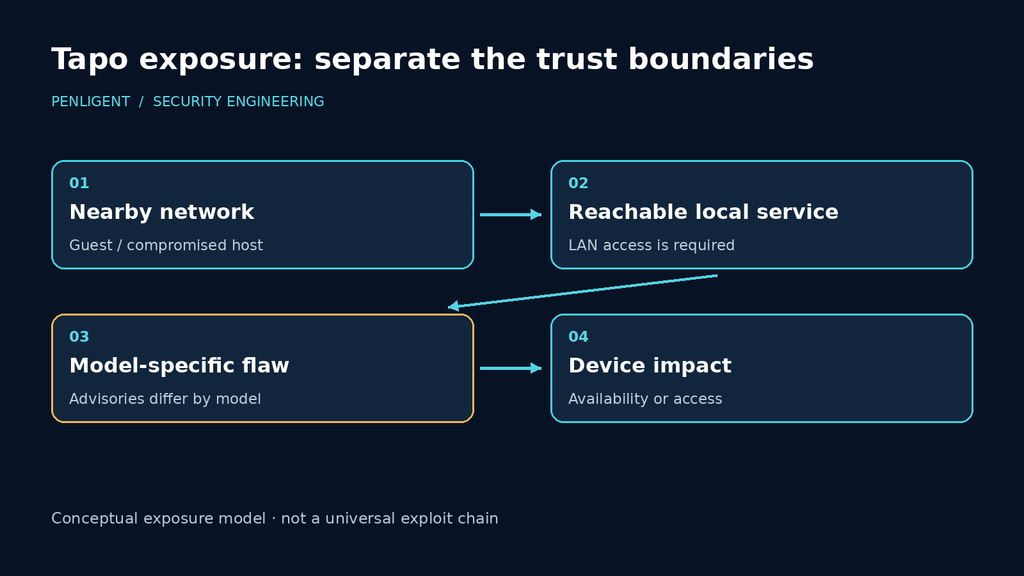
The significance of that administrative session became clearer in OPSWAT’s October 16 follow-up. The researchers connect the bypass to CVE-2026-102369 in the MacTool handler of the TMPD diagnostic service. Their account describes user-controlled TFTP transfer parameters incorporated into command strings passed to a shell. The demonstrated chain obtains administrative access, enables diagnostics, reboots the device, and reaches command execution. OPSWAT reports a controlled laboratory demonstration and withholds exploit payloads.
Follow the authority through that chain. The bypass gives the caller administrative powers; those powers make diagnostics reachable; the diagnostic handler then treats transfer data as shell input. Each transition matters. Restricting MacTool to an administrator cannot compensate for unsafe command construction, while repairing command construction alone would still leave the earlier unauthorized administration to address.
The reboot in the demonstrated chain is especially significant for an operator. It activates a changed service state rather than serving as a cure for the authentication failure. A diagnostic daemon does not have to be continuously exposed to matter if another compromised interface can enable it. Access to camera administration includes authority over those state changes, beyond the settings an owner normally touches.
TP-Link’s C120/C200 advisory describes the same local-access prerequisites and service activation. Apply the supported firmware for the identified hardware rather than improvising an undocumented diagnostic-disable procedure. OPSWAT’s demonstration establishes its laboratory chain; it does not establish Internet-wide exploitation or the compromise of an individual installation.
Media confidentiality can fail without a shell
A camera’s operating system need not be compromised for private video to be exposed. The C325WB notice describes CVE-2026-105674 as predictable generation of a local media pre-shared key using a time-seeded pseudorandom generator. It separately describes CVE-2026-105673 as an unauthenticated RTSP tunneling crash on TCP 554 when Camera Account is enabled. Both require adjacent-network access in the vendor’s stated scenarios.
For an NVR deployment, confidentiality and availability now require separate checks. A predictable media key concerns whether an unauthorized client can obtain video. A daemon crash concerns whether the authorized recorder keeps receiving it. Successful live viewing after an update answers only the latter’s functional side; it does not independently test the key-generation mechanism. The firmware record remains necessary for the software remediation.
Camera Account is an explicit condition of the RTSP crash described in that bulletin. If an installation does not need third-party streaming, disabling the integration may remove that condition. For an installation that does need an NVR, doing so trades away the recording path. Neither choice should be credited with repairing the separate JSON authorization or media-key flaw.
The C500 V2 disclosures are different again. TP-Link describes an unauthenticated TDP UDP dispatch failure and an authenticated ONVIF PTZ stack-write failure, both resulting in denial of service. The C500 bulletin identifies CVE-2026-104944 and CVE-2026-104945 and lists the corresponding fix. The latter requires an authenticated ONVIF client; those credentials and that access path therefore belong in its exposure assessment.
The C500 advisory reports denial of service, including for its stack-write issue. That published impact should remain distinct from the C120/C200 command-execution chain. Availability alone can justify urgent maintenance when a camera covers a critical process; there is no need to inflate the claim to make the operational consequence serious.
Give an NVR the access it needs, without trusting the whole network
TP-Link documents RTSP on port 554 and ONVIF on port 2020 in its integration FAQ. It also notes that discovery is a same-subnet concern and that a camera may need to be added manually across network boundaries. This creates a familiar operational trap: a segmentation change breaks automatic discovery, and the broad access rule that restores discovery is then mistaken for a requirement of recording.
Work outward from the actual integration. An RTSP-only consumer needs the relevant streaming connection; an ONVIF integration may also need the supported discovery or control workflow. Those requirements should be verified for the installed client. They do not automatically justify allowing its entire subnet to reach local HTTPS administration or allowing ordinary workstations to reach every camera service.
| Source | Destination purpose | Proposed policy for a segmented installation |
|---|---|---|
| Authorized recorder | Required streaming and, where used, ONVIF functions | Allow the verified integration paths |
| Designated management workstation | Supported camera administration | Allow the documented maintenance path |
| Guest and ordinary client networks | Camera management and media services | Deny unless an explicit business requirement exists |
| Camera network | Unrelated internal systems | Restrict separately from inbound recording access |
The table is a proposed segmentation policy. Its last row addresses the direction often missed in camera isolation: traffic initiated by the camera. Denying guest access to management does not stop a compromised camera from opening a new connection to another internal system. Preserve the return traffic needed for approved recording while separately controlling new outbound connections and supported cloud dependencies.
When a recorder loses video after isolation, inspect the failed transaction before opening more access. Is the camera undiscovered, is the service unreachable, are the Camera Account credentials rejected, or does the stream start and then stop? Those are different faults. Adding the known camera manually may resolve a discovery limitation; it will not resolve a rejected credential. A successful app view likewise does not demonstrate that the third-party recorder’s connection works.
If a recording arrangement changes during maintenance, check TP-Link’s documented recording-mode limitations as well as credentials and connectivity. Record the original combination of cloud, local, and third-party recording before the update so the functional retest recreates the intended installation.
Verify software state and recording continuity in the same maintenance window
Before changing firmware, identify the physical camera and hardware revision, capture its complete installed build, and record how it supplies footage. Include the recorder, saved integration credential, normal maintenance path, and any deliberate remote-access arrangement. For an important location, arrange alternative coverage during the restart rather than discovering the outage consequence after the camera goes offline.
After restart, read the complete build from the camera itself and compare it with the supported branch. Next, check authorized live viewing, recorded footage, and any ONVIF controls the installation uses. Finally, verify the intended denied paths from the relevant source networks. Test protocols separately: a failed TCP connection does not establish that a UDP service is filtered.
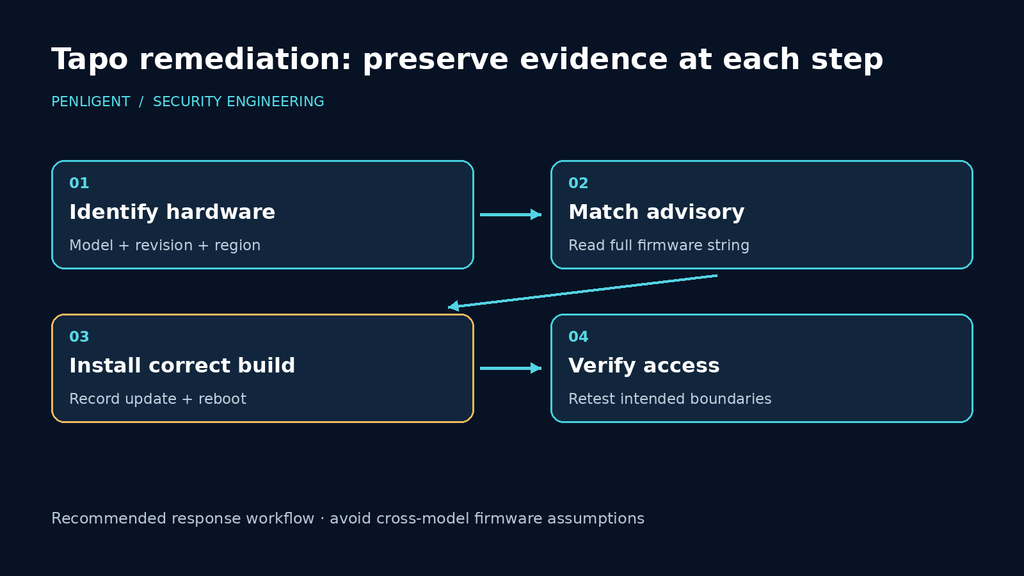
If suspicious access predates the update, preserve the available configuration and network records before a factory reset. Firmware remediation answers what the device is running now. It does not establish who viewed footage or changed settings earlier. Equally, a reboot or missing stream does not identify the disclosed chain without supporting evidence. Keep the incident timeline tied to observed access and configuration, not just to the date a headline appeared.
Close the maintenance window only when the supported running build and the required recording path have both been observed. Keep any suspected earlier unauthorized viewing or configuration change on a separate incident timeline. A patched camera that no longer records is an incomplete operational repair; a working recorder attached to an unpatched camera is an incomplete security repair.

 English
  German
  French
  Spanish
  Portuguese
  Japanese
  Korean
  Hindi
Hindi  Arabic
  Turkish
  Hebrew