
JavaScript filtresi, orijinal diziden bir geri çağırma işlevi tarafından tanımlanan belirli bir koşulu karşılayan öğeleri içeren yeni bir dizi döndüren bir dizi yöntemidir. Uygulamada filtre, özellikle modern JavaScript ekosistemlerinde ön uç, arka uç ve otomatik test senaryolarında veri dönüşümü, koşullu seçim, güvenlik mantığı ve iş kuralları için gereklidir. MDN Web Dokümanları
JavaScript Filtresi Ne İşe Yarar - Temel Kavram
Özünde, filtre geliştiricilere bir ürün üretmek için temiz bir yol sunar. bir dizinin alt kümesi tanımladığınız ölçütleri temel alır. Verileri değiştiren döngülerin aksine, filtre bir yeni dizi ve orijinali değiştirmeden bırakır, bu da onu işlevsel programlama modellerinin temellerinden biri haline getirir. MDN Web Dokümanları
Basit bir kullanım örneği, bir listeden çift sayıları seçmek olabilir:
javascript
const numbers = [1, 2, 3, 4, 5, 6];const evens = numbers.filter(num => num % 2 === 0);console.log(evens); // [2, 4, 6]
Bu örnekte, geri arama şunları döndürür gerçek 2'ye bölünebilen sayılar için ve filtre yalnızca sonuç dizisindekileri içerir.
Bu filtre yöntemi standart JavaScript dizi araç setinin bir parçasıdır ve Array.prototypeYani tüm modern tarayıcılarda ve Node.js ortamlarında kullanılabilir. MDN Web Dokümanları
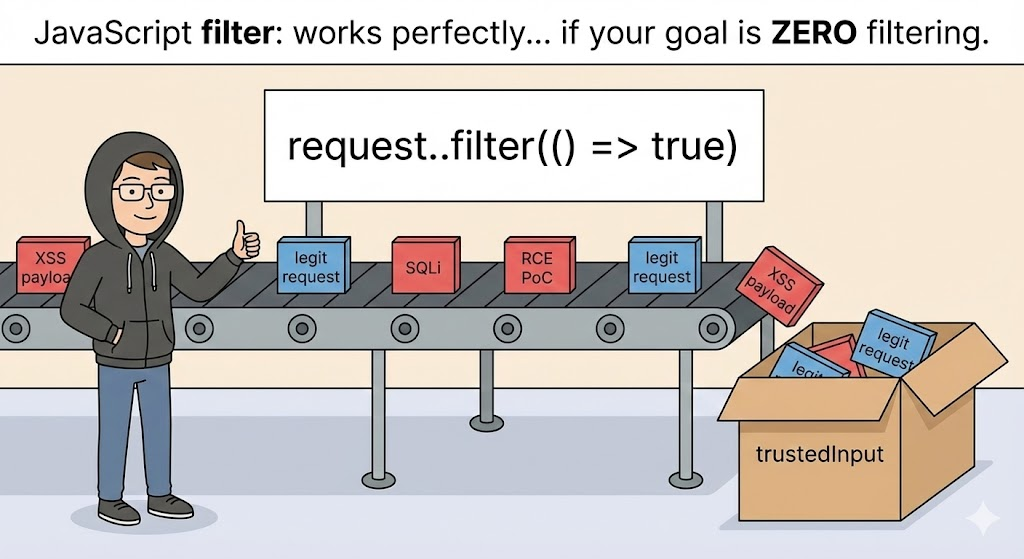
Filtre Kaputun Altında Nasıl Çalışır?
Filtrenin öğeleri nasıl değerlendirdiğini anlamak, uç durumlardaki davranışını netleştirebilir:
- Orijinal dizideki her bir eleman üzerinde yineleme yapar.
- Her öğe için geri aramanızı çağırır.
- Geri arama doğru bir değer döndürürse, eleman yeni diziye dahil edilir.
- Geri aramanın hatalı olduğu öğeler hariç tutulur.
- Orijinal diziye dokunulmadan kalır, bu da değişmez programlama uygulamaları. MDN Web Dokümanları
Filtrenin aşağıdaki durumlarda çalıştığını unutmamak önemlidir O(n) zaman - yani dizi boyutu arttıkça performans doğrusal olarak düşer. Çoğu kullanım durumu için bu kabul edilebilir, ancak büyük veri kümeleri veya yüksek frekanslı işlemler için performans hususları önemlidir.
Pratik Kullanım Örnekleri: Değerleri ve Nesneleri Filtreleme
Basit Dizileri Filtreleme
javascript
const fiyatlar = [9, 20, 15, 30];const pahalı = fiyatlar.filtre(fiyat => fiyat > 15);console.log(pahalı);// Çıktı: [20, 30]
Bu kullanım kullanıcı arayüzü kodunda, arama filtrelerinde, veri işlem hatlarında ve daha fazlasında görülür. DigitalOcean
Nesne Dizisini Filtreleme
Veri nesneleriyle uğraşırken filtreleme daha da güçlü hale gelir:
javascript
const users = [ { name: "Alice", active: true }, { name: "Bob", active: false }, { name: "Carol", active: true } ]; const activeUsers = users.filter(user => user.active);console.log(activeUsers);
Bu, yalnızca aşağıdaki koşulları sağlayan nesneleri döndürür aktif mülk.
Büyük Ölçekli Uygulamalarda Performans Etkileri
Binlerce veya milyonlarca kayıtla çalışırken, özellikle render döngülerinde veya gerçek zamanlı veri panolarında basit dizi filtrelemesi bir sorun haline gelebilir. O zamandan beri filtre her zaman tüm diziyi tarar, performans hakkında düşünmek çok önemlidir:
| Senaryo | Etki |
|---|---|
| Küçük diziler (onlarca eleman) | Hızlı ve ihmal edilebilir |
| Büyük diziler (100k+ eleman) | Fark edilebilir CPU maliyeti |
| Tekrarlanan filtre çağrıları | Bellek çalkantısı |
| UI render döngüleri içindeki filtreler | Kullanıcı arayüzü sıkıntısı / yavaş yanıt verme |
Bazı durumlarda, aşağıdaki gibi alternatif veri yapıları indeksli haritalar veya önceden bölümlenmiş diziler tam filtreleme ihtiyacını azaltabilir.
Sık Karşılaşılan Tuzaklardan Kaçınma filtre
Bir yandan filtre güçlüdür, ancak yanlış kullanımı kolaydır. Örneğin, orijinal dizinin değişmesini beklemek mantık hatalarına yol açabilir. İşte yaygın bir yanlış anlama:
javascript
const items = ["elma", "muz", "kiraz"]; items.filter(item => item.includes("a"));console.log(items); // Hala ["elma", "muz", "kiraz"]
Çünkü filtre bir yeni dizikullanmayı düşünüyorsanız sonucu atamanız gerekir.
Fonksiyonel Kompozisyon: Sıralı Çoklu Filtreler
Genellikle birden fazla koşula ihtiyaç duyarsınız. Naif bir yaklaşım filtreleri birbiri ardına zincirleyebilir:
javascript
const filtrelenmiş = sayılar .filter(n => n > 10) .filter(n => n % 2 === 0);
Bu işe yarar, ancak biraz verimsiz olabilir. Daha optimize edilmiş bir model, tek bir birleştirilmiş fonksiyon veya bir yardımcı program modeli kullanabilir.
javascript
const koşullar = [n => n > 10,n => n % 2 === 0]; const applyFilters = (arr, filters) => arr.filter(item => filters.every(fn => fn(item))); const sonuç = applyFilters(sayılar, koşullar);
Bu model, gelişmiş arama veya kural tabanlı sistemler gibi arayüzlerde dinamik filtreleme için kullanışlıdır.
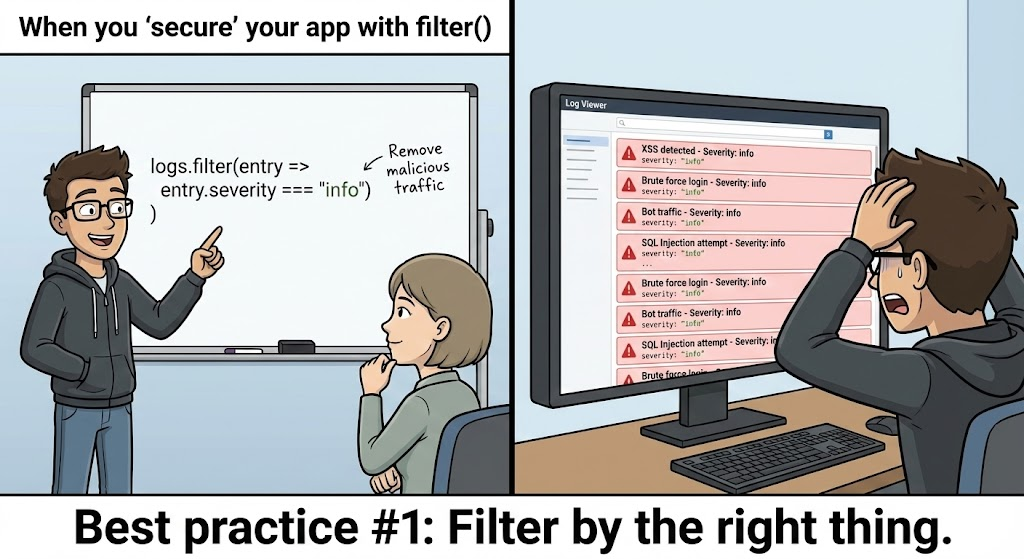
Filtreleme Mantığı için Güvenlik Hususları
API yanıtları veya kullanıcı rolü zorlaması gibi güvenlik açısından hassas kodlardafiltre genellikle bir kullanıcının hangi verileri görmesi gerektiğini belirlemek için kullanılır. Buradaki hatalar veri sızıntılarına veya ayrıcalık artışına neden olabilir.
İstenmeyen Veri Maruziyeti
Yaygın bir model şöyle görünebilir:
javascript
const visibleItems = allItems.filter(item => item.public);
Dahili iş mantığı, kullanıcıların da sahipliğe sahip olmasını gerektiriyorsa, bu yanlışlıkla yetkisiz verileri açığa çıkarabilir. Daha güvenli bir model şudur:
javascript
const visibleItems = allItems.filter(item => item.public || item.owner === request.userId);
Filtreleri her zaman aşağıdakilere karşı doğrulayın sıkı yetkilendirme kontrollerisadece boolean bayrakları değil.
Arka Uç API'lerinde JavaScript filtresi
Node.js REST API'lerinde, veritabanlarından veya diğer hizmetlerden alınan verilerin filtrelendiğini sıklıkla görürsünüz:
javascript
app.get("/api/orders", (req, res) => {const userOrders = allOrders.filter(order => order.userId === req.user.id ); res.json(userOrders); });
Bununla birlikte, güvenlik ekipleri hassas filtrelerin veri deposu seviyesi Çünkü büyük veri kümelerini getirdikten sonra filtreleme yapmak verimsiz olabilir ve uygulama sunucusuna gereksiz yük bindirebilir.
Gerçek Dünya Uygulamalarında Gelişmiş Filtreleme
Arama ve Otomatik Tamamlama
Arama kullanıcı arayüzlerini uygularken, öneriler için dizileri filtreleyebilirsiniz. Büyük/küçük harfe duyarlı olmayan eşleştirme gibi karmaşık koşullar, özenli filtre işlevleri gerektirir:
javascript
function searchItems(arr, query) {const lower = query.toLowerCase();return arr.filter(item => item.name.toLowerCase().includes(lower) ); }
Bu model type-ahead kullanıcı arayüzlerinde yaygındır.
Bileşik Kısıtlamalarının Güvenle Kullanılması
Bazen birden fazla koşulun hepsinin geçmesi gerekir:
javascript
const safeUsers = users.filter(u => u.active && u.roles.includes("editor") );
Rol veya sahiplik gibi önemli bir kontrolün atlanması güvenlik hatalarına yol açabilir. Her zaman açık koruma koşulları tanımlayın.
Performans Optimizasyon Teknikleri
Büyük veri setlerini filtrelerken şunları göz önünde bulundurun:
- İndeksli veri yapıları (Harita / Küme)
- Dizileri parçalara bölme ve eşzamansız olarak filtreleme
- Ağır işlemler için Web Workers kullanma
Hatta bazı büyük ölçekli uygulamalar, filtre mantığının tüm dizi yerine yalnızca ilgili alt kümelere uygulanması için veri bölümlemeden yararlanır. Reddit
Filtre Mantığınızı Test Etme
Otomatik testler, filtre işlevlerinizin beklendiği gibi davranmasını sağlar. Örneğin:
javascript
test("returns only active users", () => {expect(activeUsers.every(u => u.active)).toBe(true); });
Birim testleri, dağıtımdan önce güven sağlar ve uç durumları erkenden yakalar.
Filtre Ne Zaman Kullanılmamalıdır?
Filtre yararlı olsa da, diğer dizi yöntemleri daha uygun olabilir:
- Kullanım
.mapöğeleri dönüştürürken - Kullanım
.findtek bir eşleşmeye ihtiyaç duyduğunuzda - Kullanım
.reducebir değerde toplanırken
Doğru aracın seçilmesi yanlış kullanımı ve mantık hatalarını önler. MDN Web Dokümanları
Penligent : Güvenlik İş Akışlarında Otomatik Mantık Kontrolleri
Gibi modern güvenlik platformları Penligentakıllı bir sızma testi ve otomasyon paketi olan Penligent, kod tabanlarındaki filtre mantığını analiz etmeye yardımcı olabilir. Her filtre koşulunu manuel olarak incelemek yerine Penligent şunları yapabilir:
- Bayrak güvensiz veri filtreleri özel nitelikleri açığa çıkarabilecek
- Tanımlama verimsiz filtreleme modelleri büyük veri süreçlerinde
- Önermek güvenli filtre değişimleri veya mantık korumaları
- Yayınlamadan önce filtre hatalarını yakalamak için CI boru hatlarıyla entegre olun
Örneğin, bir Penligent kuralı, hassas API alanlarının yalnızca genel bayraklar tarafından filtrelendiği kalıpları tespit edebilir; bu da daha güçlü yetkilendirme korumaları önerir.
Bu düzeyde otomatik analiz, 2025'in güvenli kodlama uygulamalarında yaygınlaşıyor ve ekipler arasında hem performansı hem de güvenlik hijyenini geliştiriyor.
Sonuç: Güvenilir ve Güvenli JavaScript için Filtrede Uzmanlaşma
JavaScript'in filtre yöntemi basit görünebilir, ancak uygulama mantığı, UI yanıt verebilirliği, veri güvenliği ve performansta merkezi bir rol oynar. Hem temel programlama modelini hem de bunun mobil kullanıcı arayüzlerinden arka uç API'lerine ve otomatik güvenlik platformlarına kadar gerçek dünya kısıtlamalarıyla etkileşimini anlayarak daha güvenilir, emniyetli ve performanslı uygulamalar oluşturabilirsiniz.
Önerilen Okumalar
- Array.prototype.filter() belgeler - Mozilla MDN MDN Web Dokümanları
- DigitalOcean hakkında eğitim
filtrekullanım DigitalOcean - Yüksek dereceli dizi yöntemlerine genel bakış GeeksforGeeks


 Turkish
  English
  German
  French
  Spanish
  Portuguese
  Japanese
  Korean
  Hindi
Hindi  Arabic
  Hebrew