
If your environment installed [email protected] veya [email protected], the safest starting assumption is not “we pulled a bad patch.” It is “a machine may have executed hostile code during dependency installation.” Public technical analysis from StepSecurity tied both versions to a compromised maintainer account, a newly injected dependency named [email protected], and a postinstall chain that fetched platform-specific malware for macOS, Windows, and Linux. StepSecurity’s recommendation was blunt: treat installations of those versions as potential compromise, roll back to known-good versions, and rotate exposed credentials. (StepSecurity)
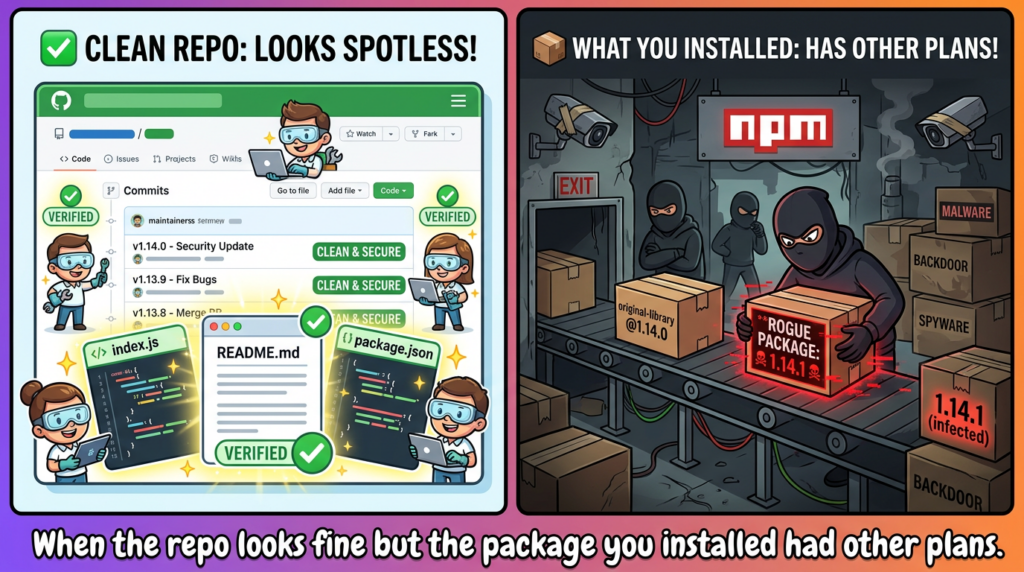
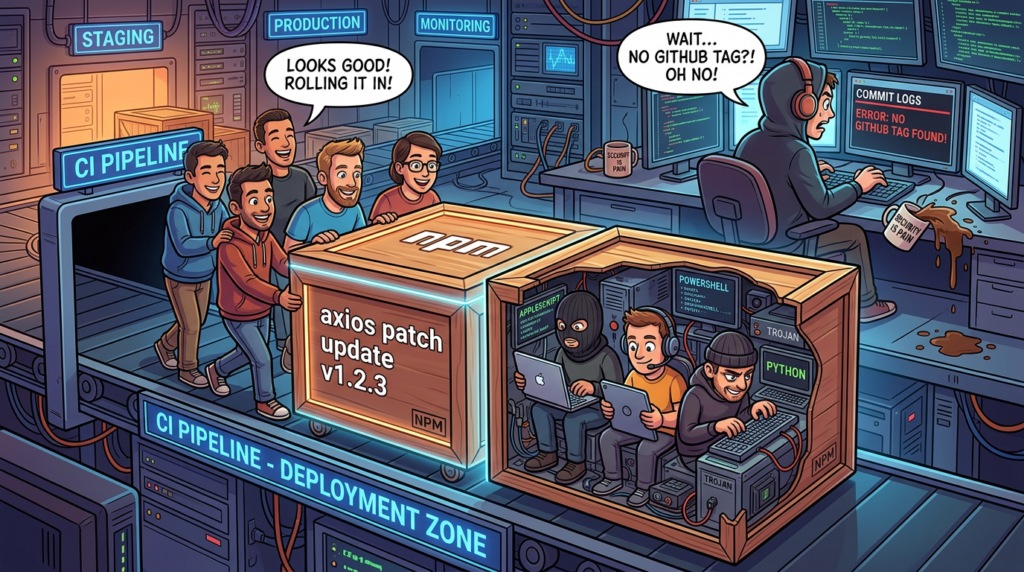
That framing matters because this was not a normal axios product vulnerability. The public evidence points to a release-path compromise. GitHub’s public releases and tags for axios showed v1.14.0 as the latest visible 1.x release, with no corresponding public v1.14.1 release or tag, while Socket separately noted that the affected Axios version did not appear in the project’s official GitHub tags. At the time of writing, npm’s public package listing snippet also pointed to 1.14.0 as the latest public version again. (GitHub)
Axios is also not some obscure leaf dependency. Public package telemetry differs by provider, but both Snyk and Socket place it in the tens of millions of weekly downloads, which is why a short-lived malicious release window still matters. In practice, this kind of event is dangerous less because of the library name by itself and more because the library sits on developer laptops, CI runners, automation scripts, internal SDKs, CLIs, Electron apps, and server-side tooling where dependency installation happens near credentials. (VulnInfoGuide)
The rest of the incident is worth studying carefully because it combines several patterns defenders keep seeing across modern package-ecosystem compromises: maintainer account takeover, a malicious patch release that does not line up with the project’s normal release trail, an install-time execution path instead of an application runtime exploit, a phantom dependency added only to trigger a lifecycle script, cross-platform second-stage delivery, and self-cleanup designed to make a later filesystem review look ordinary. (StepSecurity)
Axios compromised on npm, the verified timeline and public release state
StepSecurity published a public timeline that makes the staging pattern unusually clear. First came [email protected], published on March 30, 2026 at 05:57 UTC as a clean-looking decoy package. Later the same day, [email protected] appeared at 23:59 UTC with the malicious postinstall logic. Only after that staging work did the attacker publish [email protected] at 00:21 UTC on March 31 and [email protected] at 01:00 UTC using a compromised maintainer identity. Socket’s separate timeline observation also placed the suspicious [email protected] publish just minutes before the malicious Axios release, which strengthens the case that this was a coordinated dependency-prep operation rather than an accidental bad publish. (StepSecurity)
Verified public timeline of the malicious Axios releases. (StepSecurity)
| UTC time | Nesne | What changed | Neden önemli |
|---|---|---|---|
| 2026-03-30 05:57 | [email protected] | Clean decoy version published | Establishes package history and lowers suspicion |
| 2026-03-30 23:59 | [email protected] | Kötü niyetli postinstall added | Turns the package into an install-time loader |
| 2026-03-31 00:21 | [email protected] | Malicious dependency injected | Hits the main 1.x consumer line |
| 2026-03-31 01:00 | [email protected] | Same pattern applied | Extends exposure to the 0.x line |
Public release metadata added more warning signs. GitHub’s public releases page showed v1.14.0 as the latest visible release and the tags page showed v1.14.0 with a verified signature, but no public v1.14.1 tag was present. Socket explicitly called out that the affected Axios version did not appear in the official GitHub tags, which is the sort of mismatch security teams should treat as a release-integrity alarm, not as harmless housekeeping. (GitHub)
That distinction is more than cosmetic. In healthy release operations, the package version, repository tag, signed release trail, and maintainers’ normal publication path tend to line up closely enough that missing links are unusual. This case looked different in public: the malicious npm versions existed, but the GitHub release trail did not present them as ordinary project releases. That is one reason this event belongs in the release-compromise bucket, not the “axios shipped a buggy patch” bucket. (GitHub)
Why this was an axios npm supply chain attack, not an axios code bug
The most important mental model for this incident is simple: the attacker did not need to find a remote code execution flaw in axios. They needed to get users to install a malicious artifact that wore the axios name long enough to execute code during installation. Public reporting from StepSecurity tied the publish to compromised npm credentials for a lead maintainer and noted that the attacker changed the account email to ProtonMail. That is a supply-chain event centered on publisher trust and package distribution, not on axios request-parsing logic or some dangerous request API in the library itself. (StepSecurity)
StepSecurity also highlighted metadata anomalies that line up with that interpretation. The public analysis said the malicious versions did not match the project’s usual GitHub-based OIDC Trusted Publisher flow, and instead appeared to have been pushed by a traditional credential path associated with a compromised maintainer account. Their write-up specifically noted missing trustedPublisher, missing gitHead, and the lack of a matching GitHub tag or commit trail for the malicious version. Even if a team never uses those exact metadata fields in tooling, the underlying lesson is clear: package authenticity is not the same thing as repository authenticity, and release provenance must be checked independently. (StepSecurity)
npm’s own documentation explains why this matters. Trusted publishing with OIDC is meant to eliminate the need for long-lived npm tokens by allowing publishes from an authorized CI workflow using short-lived, workflow-specific credentials. But the same documentation also says npm will accept publishes from the trusted workflow in addition to traditional authentication methods such as npm tokens and manual publishes unless the package owner tightens the package settings further. In other words, enabling a safer path is not the same thing as removing the older, weaker path. (npm Docs)
That nuance is easy to miss in postmortems. Teams often say “we use OIDC now” as if that alone closes the story. npm’s documentation does not support that simplification. It recommends restricting traditional token-based publishing access after trusted publishers are configured, including turning on the package setting that requires two-factor authentication and disallows tokens, then revoking old automation tokens that are no longer needed. In release-security terms, the goal is not merely to add a safer publish method. The goal is to remove fallback paths that an attacker can still abuse. (npm Docs)
So the operational takeaway from the Axios incident is broader than “watch for malicious versions.” It is “treat package release paths as security boundaries.” If your threat model stops at source review and never evaluates how artifacts are published, you are defending the wrong edge. (StepSecurity)
How the malicious axios versions were built
The public technical core of this incident is surprisingly compact. According to StepSecurity, the biggest dependency-level difference between the clean and malicious Axios versions was the addition of plain-crypto-js@^4.2.1. Their analysis then checked the Axios package contents and found that plain-crypto-js was never imported or required across all 86 files in [email protected]. The package existed in the dependency graph without being used in the functional code path of axios itself. (StepSecurity)
That is the kind of anomaly defenders should remember because it generalizes well beyond this incident. A dependency that appears in the manifest but never appears in the source often has no honest business being there, especially when it also carries install-time execution. StepSecurity described this as a phantom dependency, and that label is useful because it captures the attack pattern precisely: the dependency is real enough for the package manager to fetch and execute, but operationally “phantom” from the application’s point of view because the library never needs it to do its actual work. (StepSecurity)
The attacker did not need to modify axios request handling, adapters, interceptors, or config merging. The attacker only needed a path that would execute before the victim ever ran application code. npm lifecycle scripts provided that path. By inserting a dependency that existed only to run postinstall, the malicious release turned a trusted HTTP client into a delivery vehicle for a second-stage payload without leaving obvious malicious imports in the main codebase. (StepSecurity)
Clean release versus malicious release in public evidence. (StepSecurity)
| Boyut | Clean public Axios release trail | Malicious Axios release behavior |
|---|---|---|
| Public GitHub release visibility | v1.14.0 visible as the latest 1.x release | No public v1.14.1 release shown |
| Public GitHub tag trail | v1.14.0 tag visible and verified | No public v1.14.1 tag shown |
| Dependency shape | No need for plain-crypto-js | plain-crypto-js@^4.2.1 added |
| Source usage | Functional dependencies appear in code paths | plain-crypto-js not imported anywhere public analysts checked |
| Install-time behavior | Normal library install | postinstall chain used to launch second stage |
| Release confidence signal | Repo and package trail align | Package version exists without a normal visible release trail |
For defenders, the practical heuristic is worth stating bluntly: a new dependency plus no visible code use plus an install script is not “maybe suspicious.” It is a high-signal event. Many dependency review pipelines still focus on version bumps, license diffs, or vulnerability advisories and do not score “new package with install-time execution that the code never imports” as a release blocker. This incident shows why they should. (StepSecurity)
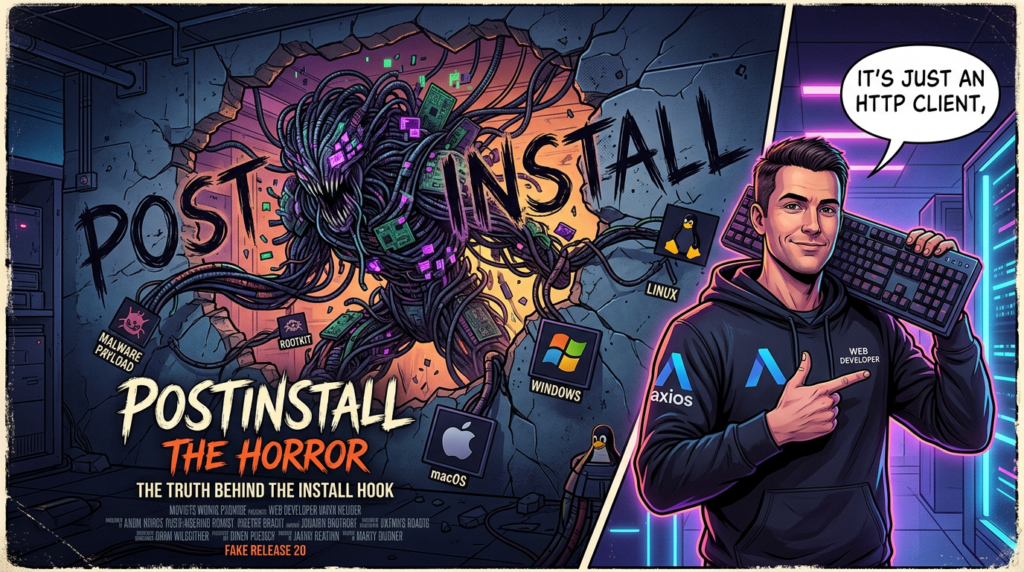
How postinstall turned a common HTTP client into a malware loader
npm’s documented lifecycle behavior explains why this attack path is so effective. The npm CLI documentation shows that both npm install ve npm ci run install lifecycle scripts, including preinstall, installve postinstall. A separate npm configuration page states that ignore-scripts=true prevents npm from running scripts defined in package.json. Those two facts, taken together, explain the central risk: a dependency can execute code during installation long before your application bootstraps, runs tests, or imports the library that pulled it in. (npm Docs)
That means install-time malware is not a niche edge case. It sits on a path many teams trigger every day: fresh clones, CI builds, Docker image creation, dependency refreshes, cache misses, monorepo workspace bootstraps, ephemeral test environments, and one-off scripts on developer laptops. The package does not need a successful application startup to win. It only needs to be resolved and unpacked by npm with lifecycle scripts enabled. (npm Docs)
In the Axios case, public analysis said [email protected] defined postinstall olarak node setup.js. StepSecurity then deobfuscated that file and showed it acted as a single-file dropper with C2 information, OS checks, and execution logic packed into obfuscated strings and decoder helpers. The published decoded values included references to child_process, os, fs, and the base URL http://sfrclak.com:8000/6202033, which is a typical structure for a thin loader whose job is to fetch and hand off to a platform-specific second stage rather than to contain all malware functionality in the first script itself. (StepSecurity)
The important security point is not just that postinstall can run. It is that postinstall runs in a context that often has exactly what an attacker wants: network access, filesystem access, package manager trust, environment variables, repository material, and sometimes CI secrets or cloud credentials. That is why package-ecosystem postinstall abuse keeps returning in different forms. GitHub’s own blog, describing the response to recent npm ecosystem attacks, specifically pointed to a wave of account takeovers and malicious post-install script injection as a serious pattern, not a one-off anomaly. (The GitHub Blog)
You can summarize the Axios chain like this:
npm install or npm ci
    -> resolve malicious axios version
    -> resolve [email protected]
    -> run postinstall
    -> execute obfuscated setup.js
    -> contact remote server
    -> download platform-specific payload
    -> launch payload in background
    -> remove or disguise local evidence
That model is simple enough that it should shape both detection and prevention. If your controls only inspect application startup, runtime imports, or outbound traffic after the app begins serving, you are looking too late. The damage in this class of incident can begin inside the dependency installation step itself. (StepSecurity)
What the payload did on macOS, Windows, and Linux
The public reverse engineering published by StepSecurity gives enough detail to move beyond generic labels like “RAT” and talk concretely about what the installer tried to do on each operating system. That matters because incident response depends on knowing where to look, which artifacts may persist, and what sort of follow-on risk the payload implies. (StepSecurity)
Malicious axios versions on macOS
For macOS, StepSecurity reported that the dropper used AppleScript to fetch the next stage by sending the POST body packages.npm.org/product0 to the attacker-controlled server. The response was saved to /Library/Caches/com.apple.act.mond, then marked executable and run in the background. The choice of /Library/Caches and an Apple-like filename is not random. It blends with the sort of path and naming conventions defenders can overlook during quick filesystem triage, especially if the first review is done manually and under time pressure. (StepSecurity)
From a defensive point of view, the macOS branch tells you two things. First, the attacker was not merely trying to crash builds or tamper with dependency state. The path leads to arbitrary executable delivery and background execution. Second, the infection target is not limited to CI. Any developer Mac that installed the malicious version with lifecycle scripts enabled may have downloaded and launched a second-stage artifact before the engineer ever opened their editor. (StepSecurity)
Malicious axios versions on Windows
For Windows, the public analysis described a more layered path. The dropper searched for PowerShell, copied it to %PROGRAMDATA%\wt.exe to make it look more like a legitimate utility, then wrote a temporary .vbs launcher that invoked a hidden shell and pulled a second-stage PowerShell script. The POST body used for that branch was packages.npm.org/product1. Temporary VBS and PS1 files were part of the chain, but StepSecurity noted that %PROGRAMDATA%\wt.exe was the more durable artifact likely to survive longer than the transient staging files. (StepSecurity)
This branch is useful to study because it reflects a recurring Windows malware pattern in build-environment compromises: stage with built-in scripting, hide execution, rename or copy a common binary to a plausible filename, then pivot to a second-stage script or command sequence. Teams that only hunt for package names in Node project directories can miss that the interesting evidence may have landed in a broad OS-wide location like ProgramData rather than under the repository folder that triggered the install. (StepSecurity)
Malicious axios versions on Linux
For Linux, the chain was direct. The public write-up says the installer used kıvrıl to fetch a Python payload to /tmp/ld.py, then started it with nohup python3 so the process could continue after the parent command completed. The POST body for that branch was packages.npm.org/product2. In StepSecurity’s runtime validation, the process tree showed npm leading to sh, then node, then another shell, then kıvrıl ve nohup, and finally python3 /tmp/ld.py. They also observed the nohup process orphaning to PID 1, which is exactly what you would expect from a daemonized background handoff designed to outlive the install step. (StepSecurity)
That makes Linux CI runners especially important in triage because the path is well suited to ephemeral build systems that still have meaningful secrets during execution. Even if the host is short-lived, the secrets it touched may not be. A malicious process only has to survive long enough to read environment variables, access service credentials, or exfiltrate source and build material. (StepSecurity)
Platform-specific payload behavior and residual artifacts from the public analysis. (StepSecurity)
| Platform | Delivery detail | Execution detail | Residual artifact to check first |
|---|---|---|---|
| macOS | POST body packages.npm.org/product0 | Download to /Library/Caches/com.apple.act.mond, mark executable, run in background | /Library/Caches/com.apple.act.mond |
| Pencereler | POST body packages.npm.org/product1 | Copy PowerShell to %PROGRAMDATA%\wt.exe, use VBS and PS1 staging | %PROGRAMDATA%\wt.exe |
| Linux | POST body packages.npm.org/product2 | İndir /tmp/ld.py, run via nohup python3 | /tmp/ld.py, process history, outbound connection logs |
Why the self-cleanup mattered more than the dropper itself
A lot of incident summaries stop after “the package had a RAT.” That leaves out the part that often determines whether an organization underestimates its exposure. StepSecurity reported that after execution, setup.js deleted itself, removed the malicious package.json, and renamed a clean-looking package.md file back to package.json. The result is that a responder who inspects the package directory later may find something that looks unremarkable unless they know what to compare it against. (StepSecurity)
This is not a sophisticated anti-forensics framework in the nation-state sense, but it is more than enough to defeat the lazy form of package triage that many teams fall back on in the first hours of an incident. If your entire review process is “open the installed package and see whether there is an obvious malicious script in the current package.json,” you can walk away with a false sense of safety. The attacker accounted for that. (StepSecurity)
That is why one of the most useful details in the public analysis is also one of the simplest: the presence of node_modules/plain-crypto-js/ at all is meaningful evidence, even if the malicious script file is gone and the package metadata now looks clean. In a case like this, the dependency directory itself is a stronger signal than a naïve post-execution package.json read. (StepSecurity)
There is another npm-specific nuance worth checking during forensics. npm’s documentation says that modern npm versions create a hidden lockfile at node_modules/.package-lock.json and use it to speed subsequent tree processing when conditions are met. It also notes that the file reflects the most recent dependency tree state and can be ignored or invalidated if the tree changes. In practice, that makes the hidden lockfile a useful artifact to review on an affected host because it can preserve tree information that developers never committed to source control. (npm Docs)
A responder who only reviews the repository’s root package-lock.json may miss evidence created after the host resolved dependencies locally. On npm v7 and later, the hidden lockfile is not just an implementation detail. In the middle of a package-ecosystem incident, it can be part of the trail. (npm Docs)
Detection and verification, practical commands that help in real environments
The fastest way to waste time in an incident like this is to hunt only for [email protected] veya [email protected] in current package.json files. Many affected environments will not preserve the story that neatly. Some will have lockfiles generated during the bad window. Some will have transient CI workspaces. Some will have cleaned dependency trees but residual payload artifacts. Some will have already updated away from the bad version after the install step executed. You need to search the dependency trail, the host, and the logs. The IOC set below comes from StepSecurity’s published analysis. (StepSecurity)
Known IOC quick reference from the public technical write-up. (StepSecurity)
| IOC type | Değer |
|---|---|
| Malicious Axios versions | 1.14.1, 0.30.4 |
| Malicious dependency | [email protected] |
| C2 domain | sfrclak.com |
| C2 IP | 142.11.206.73 |
| C2 URL | http://sfrclak.com:8000/6202033 |
| macOS path | /Library/Caches/com.apple.act.mond |
| Windows path | %PROGRAMDATA%\wt.exe |
| Linux path | /tmp/ld.py |
| POST bodies | packages.npm.org/product0, product1, product2 |
| Malicious shasums | [email protected] 2553649f2322049666871cea80a5d0d6adc700ca, [email protected] d6f3f62fd3b9f5432f5782b62d8cfd5247d5ee71, [email protected] 07d889e2dadce6f3910dcbc253317d28ca61c766 |
Start with the lockfiles and workspace state you still have:
# Search common lockfiles for the known bad versions and dependency
grep -RInE 'axios@1\.14\.1|axios@0\.30\.4|plain-crypto-js|sfrclak\.com' \
  package-lock.json npm-shrinkwrap.json yarn.lock pnpm-lock.yaml . 2>/dev/null

# Inspect installed dependency trees if node_modules still exists
find . -type d -name plain-crypto-js 2>/dev/null
find . -type f \( -name package-lock.json -o -path '*/node_modules/.package-lock.json' \) -print
npm’s package-lock documentation says the lockfile records the exact resolved tree and includes fields such as resolved, integrityve hasInstallScript in modern formats. That makes lockfiles useful not just for version pinning, but also for post-incident inspection. (npm Docs)
If you have a modern package-lock.json, hunt for install-time execution that was introduced unexpectedly:
# List packages that declare an install-time script in lockfile v2 or v3
jq -r '
  .packages
  | to_entries[]
  | select(.value.hasInstallScript == true)
  | .key
' package-lock.json

# Pull out resolved source and integrity for suspicious packages
jq -r '
  .packages
  | to_entries[]
  | select(.key | test("plain-crypto-js$|axios$"))
  | {path: .key, version: .value.version, resolved: .value.resolved, integrity: .value.integrity, hasInstallScript: .value.hasInstallScript}
' package-lock.json
Those fields are documented behavior, not an accident, so they are a stable place to build detection around. The bigger opportunity is not merely checking for this exact IOC set. It is teaching your CI and review process to flag any newly introduced dependency with hasInstallScript when that dependency is not clearly justified by the application code. (npm Docs)
Next, check the host-level artifacts that the public analysis associated with the RAT delivery chain:
# macOS
ls -l /Library/Caches/com.apple.act.mond 2>/dev/null

# Linux
ls -l /tmp/ld.py 2>/dev/null
ps aux | grep -E 'ld\.py|nohup|python3' | grep -v grep

# Windows PowerShell
Get-Item "$env:ProgramData\wt.exe" -ErrorAction SilentlyContinue
Get-ChildItem $env:TEMP -Filter "6202033*" -Force -ErrorAction SilentlyContinue
If you have network telemetry or CI job logs, search for the domain, IP, or URL path directly:
grep -RInE 'sfrclak\.com|142\.11\.206\.73|6202033|packages\.npm\.org/product[012]' \
  /var/log .github/workflows build-logs ci-logs 2>/dev/null
Do not stop when you fail to find one artifact. The public analysis explicitly showed self-cleanup behavior after execution, which means some of the easiest filesystem clues may be absent by the time you start looking. In a situation like this, concordance matters more than a single perfect hit. A suspicious install log, a hidden lockfile entry, a transient dependency directory, and an outbound connection can add up to a high-confidence conclusion even when the original setup.js is gone. (StepSecurity)
Lockfiles, npm ci, and ignore-scripts, what helps and what does not
The easiest way to get this class of incident wrong is to say either “lockfiles solve it” or “lockfiles are useless.” Both are too crude. npm’s documentation says package-lock.json records the exact dependency tree so future installs can reproduce the same tree, and npm ci is designed for automated environments with frozen installs that do not rewrite the lockfile. That repeatability is a real defense against accidental dependency drift. If your repository already had a clean lockfile before the malicious release window, npm ci would normally keep your build on that known dependency graph instead of resolving to a new version opportunistically. (npm Docs)
But the same property cuts the other way. If the lockfile was generated or refreshed during the malicious window, then npm ci will faithfully and repeatably reinstall the malicious tree as recorded. That conclusion is an engineering inference from npm’s documented behavior, not a special Axios-specific claim, but it is exactly the sort of inference incident responders need to make correctly under pressure. Deterministic installs are good. Deterministically reinstalling a poisoned tree is not. (npm Docs)
There is a second nuance that many teams miss. npm ci is not an “install without scripts” mode. npm’s CLI documentation shows that npm ci, like npm install, still runs preinstall, installve postinstall unless you tell it not to. That means a malicious lifecycle script remains dangerous even in pipelines that feel disciplined because they use CI-friendly install commands and committed lockfiles. (npm Docs)
The control that directly targets this risk is --ignore-scripts. npm documents that when ignore-scripts is true, it does not run scripts specified in package.json files. That setting is one of the cleanest ways to reduce exposure to install-time malware in high-sensitivity jobs. The caveat is that some legitimate packages use install-time scripts to compile native modules, download binaries, or prepare runtime assets, so the setting is not friction-free. A mature rollout treats it as a policy decision with compatibility testing, not as a magic flag you drop into every repository blindly. (npm Docs)
A safer CI pattern for sensitive pipelines often looks like this:
name: build-with-safer-dependency-install

on:
  push:
  pull_request:

jobs:
  build:
    runs-on: ubuntu-latest
    permissions:
      contents: read
      id-token: write
    steps:
      - uses: actions/checkout@v4

      - uses: actions/setup-node@v4
        with:
          node-version: 24
          registry-url: https://registry.npmjs.org

      - name: Frozen install without lifecycle scripts
        run: npm ci --ignore-scripts

      - name: Verify registry signatures
        run: npm audit signatures

      - name: Run tests that do not require install-time compilation
        run: npm test -- --runInBand
The signature step deserves its own explanation. npm’s documentation says npm audit signatures verifies ECDSA registry signatures for downloaded packages and will error when versions are missing signatures on registries that provide signing keys. That is valuable as an integrity check, but it should not be mistaken for a full answer to publisher compromise. Inference matters here: signature verification tells you whether the artifact you downloaded matches what the registry signed, while trusted publishing and provenance speak more directly to how and from where the artifact was built and published. You want both classes of control, not one in place of the other. (npm Docs)
The most practical policy split is usually this: use committed lockfiles and npm ci everywhere, use --ignore-scripts in the most sensitive paths by default, make exceptions explicit, and treat every new dependency with install-time execution as a review event. That is not specific to Axios. Axios just supplied a painful proof case. (npm Docs)
Incident response after malicious axios versions were installed
The public payload analysis and remediation guidance support a straightforward rule: if the bad Axios versions were installed on a machine, do not frame the response as a package cleanup task. Frame it as a possible host and secret exposure event. StepSecurity’s published remediation explicitly recommended downgrading to safe versions, removing plain-crypto-js, using npm ci --ignore-scripts, rebuilding affected systems from known-good state where payload artifacts were found, rotating npm, cloud, SSH, and CI secrets, and blocking the attacker infrastructure. (StepSecurity)
Developer workstations
On developer laptops, the first goal is evidence preservation, not aesthetic cleanup. Capture the current dependency tree, lockfiles, hidden lockfiles, shell history, recent outbound connection records, and the platform-specific artifact paths before you start deleting directories. If you wipe the workspace immediately, you may destroy the easiest proof that the machine executed the malicious install chain. (StepSecurity)
Once you have basic evidence, rotate anything that may have been reachable during installation. That usually includes npm tokens, Git credentials, SSH keys, cloud CLI credentials, local .env secrets, browser-stored development credentials if the machine was shared between code and admin workflows, and any PATs or session material stored in shell profiles or password managers that had auto-unlock state during the compromise window. The point is not that the public write-up proves every one of those stores was exfiltrated. The point is that the payload class and execution context make them reachable enough that keeping them unchanged is hard to defend. (StepSecurity)
CI runners and build agents
CI systems deserve more aggressive treatment because they are high-density secret environments. GitHub’s blog on npm ecosystem hardening specifically described the recent wave of account-takeover-driven package attacks as serious enough to trigger registry-wide response measures, including blocking malware IOCs and removing hundreds of compromised packages. In the Axios case, StepSecurity’s runtime testing showed outbound connections continuing across workflow steps and a background process surviving the original install context. That is exactly the sort of behavior that makes ephemeral versus persistent runner design matter. (The GitHub Blog)
If the runner was ephemeral, the host may already be gone, but the secrets used in the job are still in scope for rotation. If the runner was persistent, the safer assumption is that the machine needs to be rebuilt from a clean base image unless you have strong evidence the malicious branch never completed. Review job logs for affected versions, search network logs for the IOC domain and URL path, invalidate cloud credentials used in the pipeline, rotate artifact registry credentials, and examine whether the runner had write access to source repositories or deployment targets. (StepSecurity)
Production artifacts and downstream builds
Not every affected install means your production fleet ran the RAT directly, but downstream artifact trust still has to be revisited. If a build machine pulled the malicious Axios package and then produced a container image, desktop bundle, server package, or front-end build artifact, your real question is not only “did the host get infected?” It is also “what outputs should no longer be trusted because the build environment itself was untrusted at build time?” (StepSecurity)
A useful precedent here is GitHub’s advisory for [email protected], tracked as CVE-2025-59330. That 2025 incident was also described as an npm publishing account takeover, with the malicious version functionally similar to the previous patch except for the embedded malware payload. The remediation advice there included removing node_modules, clearing package-manager caches, and rebuilding browser bundles because the problem was not confined to the package directory itself. The Axios case differs in payload details, but the lesson is the same: do not assume your only cleanup unit is a single dependency. (GitHub)
After initial containment, the hard part is reproducible validation. Teams often need to rerun only a narrow slice of the workflow against known-good dependencies, confirm whether suspicious network activity disappears, and preserve enough evidence that another engineer can reproduce the reasoning without re-exposing the environment. Public Penligent materials emphasize operator-controlled agentic workflows, scope locking, editable steps, and evidence-first output. In practice, that is the right posture for post-incident retesting: keep a human in the loop, constrain the scope tightly, and use automation to collect repeatable evidence rather than to improvise on a compromised surface. (Penligent)
Do not roll back blindly, related axios CVEs still matter
One of the easiest mistakes after a malicious release event is choosing a rollback target only because it is older than the bad version. That is not enough. You also need a version that is actually clean and not reintroducing already known product vulnerabilities in the library itself. Axios is a good example because it has had normal security issues that have nothing to do with this release compromise. (NVD)
The first relevant one is CVE-2026-25639. NVD describes it as a denial-of-service issue in mergeConfig where processing an object containing __proto__ as an own property can crash Axios with a TypeError. GitHub’s advisory for the same issue emphasizes that this is not practical prototype pollution because the code crashes before any assignment occurs, but it is still a network-triggerable availability problem in exposed usage patterns. Official Axios release notes show v1.13.5 and the 0.x maintenance release v0.30.3 as the fixes for that DoS issue. (NVD)
That matters here because public incident guidance pointed users toward 1.14.0 veya 0.30.3 as safe restore points after the malicious release. For 0.x users especially, 0.30.3 is not just “an older clean version.” It is also the security-maintenance release that addressed the 2026 DoS issue on that branch. In other words, the incident rollback advice and the product-security history are aligned there, which is exactly what you want. (StepSecurity)
The second related issue is CVE-2024-39338. NVD and GitHub’s advisory database describe it as an SSRF issue in Axios where path-relative URLs could be processed as protocol-relative URLs under affected versions in the 1.x line, with 1.7.4 as the patched version. That vulnerability is relevant here not because it caused the 2026 malicious release, but because it illustrates the broader rule: a rollback target must be evaluated against the library’s real vulnerability history, not chosen by instinct. (NVD)
The durable rule is straightforward. In a supply-chain incident, “known good” should mean at least three things at once: not part of the malicious publish window, aligned with the project’s public release trail, and not obviously regressing you into older known security defects. A lot of rushed rollbacks fail the third test. (StepSecurity)
The broader npm lesson, account takeover beats code review if release controls are weak
The Axios incident did not arrive in a vacuum. GitHub’s September 2025 plan for a more secure npm supply chain explicitly described a recent surge in package-registry account takeovers and singled out the Shai-Hulud attack as an example of malicious post-install script injection through compromised maintainer accounts. The point of bringing that up here is not to conflate incidents. It is to show that the pattern is established enough that defenders should treat it as a normal threat class. (The GitHub Blog)
The same lesson appears in a more package-specific precedent: the [email protected] takeover from 2025, later tracked as CVE-2025-59330. GitHub’s advisory said the attacker gained control of the publishing account through phishing, published a malicious version, and the maintainer later issued 1.3.4 above it to bust caches and restore the clean line. That sequence matters because it shows how little code change an attacker sometimes needs. A malicious publish can look almost identical to the prior version while still altering the execution path that matters. (GitHub)
This is why pure source review is no longer enough as a release-trust model. Code review can tell you a lot about a repository. It can tell you far less about whether the tarball you installed was produced by the workflow you think it was, whether a maintainer account was hijacked, or whether a new dependency was inserted only at publish time. Provenance, publish-path restrictions, registry signatures, and release-to-repo consistency checks exist because the old model of “the repo looked fine” is inadequate on its own. (npm Docs)
npm’s own trusted publishing guidance is unusually helpful here because it says the quiet part out loud. Long-lived tokens can be exposed in logs or configuration, they require manual rotation, and if compromised they provide persistent access until revoked. Trusted publishing replaces that with short-lived, workflow-specific credentials, and npm recommends going further by disallowing tokens once trusted publishers are configured and the workflow has been verified. That is not theoretical hardening. It is a direct answer to the attacker behavior seen across this incident class. (npm Docs)
Hardening the release path and the consumer side
For maintainers, the most important controls are the ones that shrink publisher ambiguity. Use trusted publishing where possible. Restrict or disable traditional token-based publishing once the trusted workflow works. Revoke historical automation tokens. Keep 2FA mandatory. Preserve public release-to-tag alignment so consumers can tell whether a version actually corresponds to a visible project release. npm’s documentation also says trusted publishing can automatically generate provenance attestations for public packages published from supported providers, which gives consumers stronger evidence about how a package was built. (npm Docs)
For consumers, the controls need to assume publishers can still fail. Committed lockfiles and npm ci reduce accidental drift. --ignore-scripts cuts exposure to install-time malware in sensitive paths. npm audit signatures adds an integrity check. But you also need logic that is specific to this threat class: alert on new dependencies with install scripts, alert on dependencies that appear in the tree but not in the source, alert when public package versions do not line up with the expected release trail, and restrict outbound network access from build steps that should not be fetching arbitrary second stages from the internet. (npm Docs)
One especially useful lockfile-level rule comes straight from npm’s documentation. Because modern lockfiles can record hasInstallScript, resolvedve integrity, you can diff those fields in pull requests and fail builds when a new dependency introduces install-time execution unexpectedly. That control will not stop every malicious release, but it targets exactly the shape of this Axios compromise: a package whose real purpose was to execute during installation rather than to support application functionality. (npm Docs)
A small policy table is often more useful to teams than a long abstract checklist, so the hardening stack can be summarized like this. The controls below combine npm’s documented behavior with the failure mode exposed by the Axios incident. (npm Docs)
| Kontrol | What it helps with | What it does not solve |
|---|---|---|
| Trusted publishing with OIDC | Reduces risk from stolen long-lived publish tokens | Does not fully help if traditional publish methods remain allowed |
| Disallow token-based publishing | Closes common fallback path after OIDC rollout | Does not fix compromised source or CI workflow logic |
Committed lockfiles and npm ci | Prevents surprise dependency drift | Replays a poisoned lockfile if it was generated during the bad window |
--ignore-scripts in sensitive jobs | Blocks install-time execution from dependencies | Can break legitimate packages that need install scripts |
npm audit signatures | Verifies registry-signed package integrity | Does not prove publisher intent or repository-to-package alignment |
| Diffing new install-script dependencies | Catches phantom-dependency style injections | Needs tuning to avoid noise from legitimate native-module workflows |
| Tight egress controls in CI | Makes second-stage fetches harder | Does not prevent local damage from already-downloaded payloads |
The part many teams still underinvest in
A release compromise like this exposes a deeper organizational problem: many teams have good vulnerability scanning, decent dependency inventory, and almost no strong opinion about install-time execution. The risk model still imagines danger arriving when the application runs in production, not when the package manager runs in build or development contexts. Axios is a reminder that this assumption is stale. The hostile code path can begin before a single unit test finishes. (npm Docs)
That shift matters for both security engineering and engineering culture. On the technical side, package management belongs in your threat model as an execution surface, not as a mere distribution convenience. On the operational side, dependency upgrades need provenance checks, lockfile scrutiny, install-script review, and build-network expectations that are explicit enough to be testable. “It came from npm” is not a control. It is the beginning of the trust question. (npm Docs)
Closing judgment
The Axios compromise is important not because it produced the most exotic malware chain the JavaScript ecosystem has ever seen. It is important because it used a path many teams still normalize every day: install a trusted package, let lifecycle scripts run, assume the package name is enough, and move on. Public analysis showed a cleaner and more dangerous lesson. The malicious Axios releases added a dependency the code never used, relied on install-time execution, delivered platform-specific second stages, daemonized a background process, and then cleaned up enough local evidence to fool shallow review. (StepSecurity)
If there is one durable takeaway, it is that source review alone is not a supply-chain defense. You need release-path controls, provenance-aware publishing, lockfile discipline, install-script skepticism, and incident response that treats dependency installation as a high-trust execution event. In the Axios case, that would have meant detecting the abnormal release trail, flagging the phantom dependency, constraining lifecycle scripts in sensitive jobs, and responding to the affected versions as a host-compromise problem rather than as a routine package rollback. (StepSecurity)
Referanslar
- StepSecurity, axios Compromised on npm — Malicious Versions Drop Remote Access Trojan — the most detailed public technical walkthrough of the malicious versions, dependency injection, payload behavior, runtime validation, IOCs, and remediation guidance. (StepSecurity)
- Socket, Compromised npm package
axios— useful for the public timing around[email protected]and the note that the affected Axios version did not appear in official GitHub tags. (Socket) - Axios GitHub releases and tags — public release trail showing
v1.14.0as the latest visible 1.x release and no publicv1.14.1tag. (GitHub) - npm Docs, Trusted publishing for npm packages — official guidance on OIDC-based publishing, the risks of long-lived tokens, restricting token access, and automatic provenance. (npm Docs)
- npm Docs, npm ci ve npm install — official behavior for frozen installs and lifecycle script execution, including why
npm cialone does not blockpostinstall. (npm Docs) - npm Docs, Verifying ECDSA registry signatures — official reference for
npm audit signatures. (npm Docs) - NVD and GitHub Advisory for CVE-2026-25639 — the real Axios DoS issue fixed in
0.30.3ve1.13.5, relevant when selecting a rollback target. (NVD) - NVD and GitHub Advisory for CVE-2024-39338 — the Axios SSRF issue in the 1.x line, relevant to the broader rule that a rollback target must also be secure against prior product vulnerabilities. (NVD)
- GitHub Blog, Our plan for a more secure npm supply chain — broader context on the recent wave of registry account takeovers and malicious post-install injections in npm. (The GitHub Blog)
- GitHub Advisory and NVD for CVE-2025-59330 in
error-ex— a useful prior example of an npm publishing-account takeover that produced a malicious package release and required cleanup beyond a single version pin. (GitHub) - Penligent, CVE-2026-33634 and the Trivy supply chain compromise — how mutable tags turned a security scanner into a credential stealer — relevant if you want a closely related case study on release-path trust, CI exposure, and why the software delivery channel itself becomes the vulnerability. (Penligent)
- Penligent, VirusTotal, Why AI Skill Scanning Is Becoming a Security Baseline — relevant for the broader trust-boundary discussion around artifact intake, screening, validation, and staged execution in modern automation ecosystems. (Penligent)
- Penligent homepage — relevant for its publicly described operator-controlled workflows, scope locking, and evidence-first validation posture, which fit the post-incident retesting and reproducibility problem better than blind unsupervised automation. (Penligent)
 Turkish
  English
  German
  French
  Spanish
  Portuguese
  Japanese
  Korean
  Hindi
Hindi  Arabic
  Hebrew