
Why CVE-2026-2441 Matters More Than a Typical Browser Patch
Some vulnerabilities create debate. Browser zero-days with confirmed exploitation usually end debate.
CVE-2026-2441 is one of those incidents. It is a memory-safety bug in Chrome’s CSS component, and it has been described as a use-after-free issue that can be triggered through crafted web content. Google publicly indicated exploitation in the wild, which changes the operational question from “Should we prioritize this?” to “How fast can we patch and prove coverage?”
For engineering and security teams, the hardest part is often not finding the patch. It is proving that the fix is actually running across real endpoints, across different OSes, and across different Chrome channels.
That is the gap this article is designed to close.
What CVE-2026-2441 Actually Is
CVE-2026-2441 is a use-after-free vulnerability in Chrome’s CSS component. In practical terms, this means memory that should no longer be used may still be referenced, creating a path for memory corruption under attacker-controlled conditions.
The operationally important details are:
- It is triggered via crafted HTML/web content.
- The impact described publicly is arbitrary code execution inside the browser sandbox.
- The affected scope includes Chrome versions below the fixed version floor.
- Bu bir browser memory corruption bug, which means patch speed and validation discipline matter more than speculative technical details.
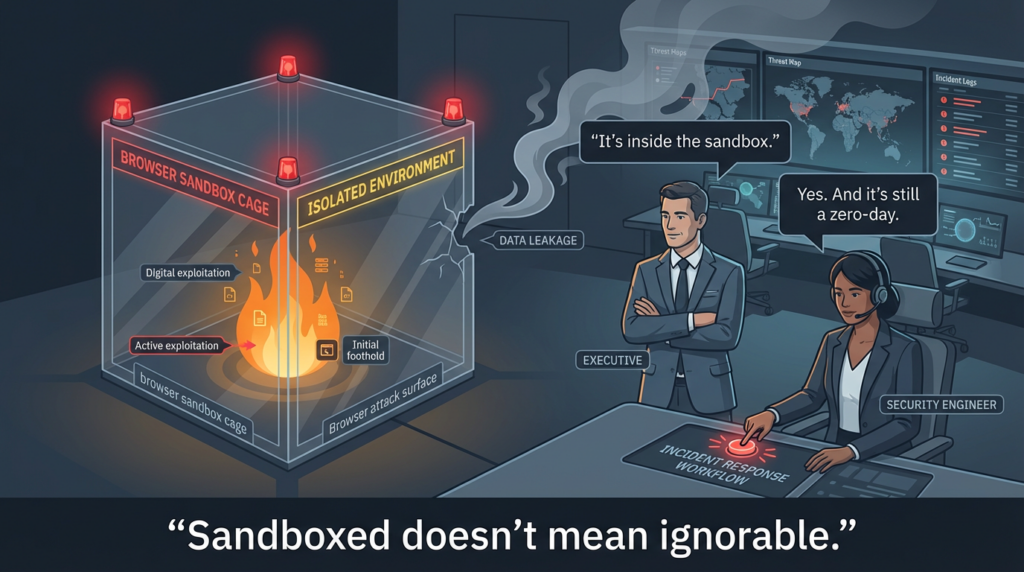
A common mistake is to read “inside the sandbox” and mentally downgrade urgency. That is the wrong instinct in a real environment.
Why “Inside the Sandbox” Still Triggers an Incident-Grade Response
Security teams sometimes hear “sandboxed code execution” and assume the risk is contained. In reality, browser exploitation is often a chain, not a one-step event.
“In-sandbox” code execution can still be the first stage of a broader attack sequence. It can provide an attacker with a foothold in a highly exposed client application, enable follow-on behavior, and create opportunities for chaining with other weaknesses. Even without a public chain, a confirmed exploited browser memory corruption issue is enough to justify fast patching and fast verification.
This is exactly why mature defenders treat browser zero-days differently from routine patch backlog items. The response pattern is simple:
- patch quickly,
- verify precisely,
- document evidence,
- track exceptions until closure.
That process matters more than arguing about whether the initial code execution is “fully escaped” or not.
Verified Timeline You Can Use in Internal or Customer-Facing Communications
A lot of noise appears after a high-profile browser CVE. Your incident notes should stay anchored to the timeline that affects response execution.
February 13, 2026: Chrome desktop updates published
Google published desktop update information and included CVE-2026-2441 in the security fixes. The key operational signal was the statement that an exploit exists in the wild.
This date matters because it is the anchor for:
- emergency patch communications,
- IT change windows,
- SLA start timestamps in some organizations,
- and exception tracking.
February 13, 2026: Extended Stable also matters
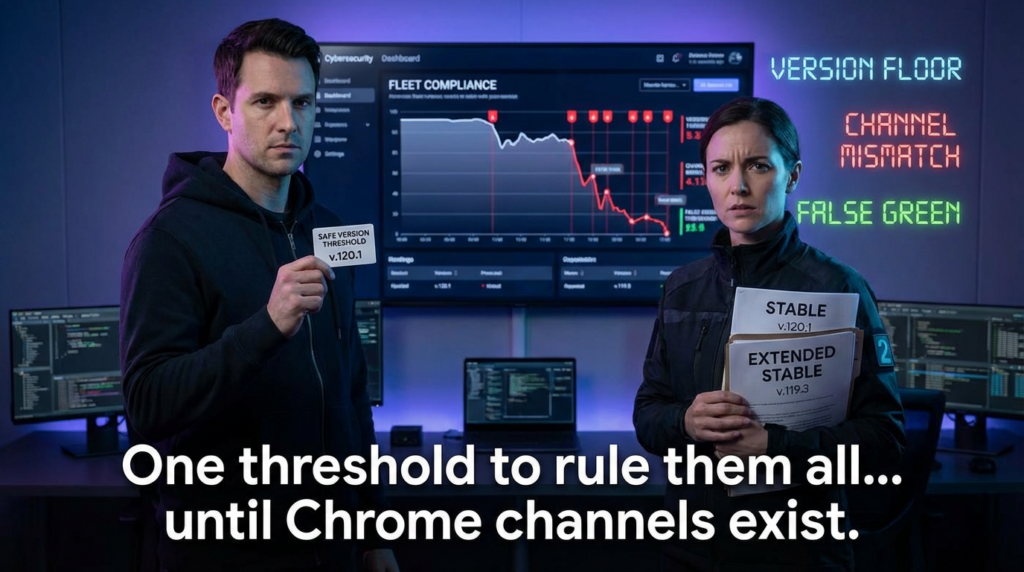
Many enterprises do not run only standard Stable. Some run Extended Stable, and the fixed version floor differs from standard Stable. This is where many vulnerability programs make avoidable mistakes: they define one global “safe version” and accidentally misclassify a large part of the fleet.
February 17, 2026: KEV inclusion changes prioritization for many organizations
CISA KEV inclusion materially changes urgency for public-sector, regulated, and policy-driven environments. Even private organizations often use KEV as a prioritization accelerator for exploited vulnerabilities.
If your organization escalates based on KEV, this is the date you should record in your incident timeline and remediation evidence pack.
Exact Version Floors That Security Teams Should Enforce
This is the most important operational section in the article.
Do not track this as “patched / not patched” without defining exact minimum versions by channel and OS.
Stable channel fixed version floors
- Windows Stable:
145.0.7632.75/76or newer - macOS Stable:
145.0.7632.75/76or newer - Linux Stable:
144.0.7559.75or newer
Extended Stable fixed version floor
- Windows/macOS Extended Stable:
144.0.7559.177or newer
Important nuance that prevents bad reporting
Many teams rely on one generic version threshold copied from a CVE summary. That can break your reporting in Chrome incidents because:
- Stable and Extended Stable are different version lines
- Linux Stable may be on a different version number than Windows/macOS Stable
- Chromium-based browsers are not automatically “fixed” just because upstream Chrome has a patch
Your program should classify endpoints by:
- browser product,
- channel,
- OS,
- running version,
- evidence timestamp.
That is how you avoid false assurance.
What Security Teams Should Do in the First 24 Hours
When active exploitation is reported, teams usually fail for predictable reasons: incomplete inventory, no relaunch enforcement, and no exception proof. The first 24 hours should be focused on execution quality, not technical theater.
1) Identify where browser exposure is highest
Not all endpoints carry equal risk. Prioritize:
- admin workstations
- developer laptops with production access
- SOC analyst endpoints
- jump hosts / bastion-adjacent endpoints
- VDI pools
- high-value users who frequently handle untrusted links or external content
Patching every endpoint matters, but reducing exposure on high-value endpoints first often gives the biggest immediate risk reduction.
2) Patch, then verify the browser actually restarted
This is a classic failure mode in browser incidents. An update can be downloaded, but the vulnerable process can remain in memory until relaunch.
Treat these as separate states:
- update package delivered
- browser binary updated
- browser relaunched and fixed build running
- compliance evidence collected
If you collapse them into one state called “patched,” your dashboard can look green while real risk remains.
3) Enforce version gates, not vague status labels
Your endpoint tools, MDM, EDR, or asset inventory should evaluate exact version floors. “Latest” is not a useful compliance condition in an incident. A concrete threshold is.
4) Track exceptions with owner and deadline
There will always be exceptions:
- offline devices,
- unmanaged systems,
- users who postpone restart,
- legacy application dependency concerns,
- broken update channels.
The difference between a strong program and a weak one is whether exceptions are explicit and owned.
5) Collect evidence that survives review
You want a proof pack that answers:
- What was the exposure at T0?
- What is the exposure at T+2h and T+24h?
- Which systems remain below the floor?
- Who owns each exception?
- What controls are applied while waiting?
This is how you turn patching into a defensible security outcome.
Safe Verification Without Exploit Content
This article does değil include exploit code or weaponized steps. What it does include is the part most teams actually need: safe version validation and evidence collection.
Windows checks
You can verify installed Chrome version from the registry and optionally inspect the running executable version when Chrome is active.
# Check installed Chrome version from registry (64-bit path first, then 32-bit)
$paths = @(
  "HKLM:\\Software\\Google\\Chrome\\BLBeacon",
  "HKLM:\\Software\\WOW6432Node\\Google\\Chrome\\BLBeacon"
)

foreach ($p in $paths) {
  if (Test-Path $p) {
    $v = (Get-ItemProperty -Path $p -Name version -ErrorAction SilentlyContinue).version
    if ($v) { "{0} -> {1}" -f $p, $v }
  }
}

# Optional: check running chrome.exe file version (requires process running)
Get-Process chrome -ErrorAction SilentlyContinue | ForEach-Object {
  $_.Path
} | Select-Object -Unique | ForEach-Object {
  (Get-Item $_).VersionInfo.FileVersion
}
macOS checks
Use the app bundle metadata and (if running) confirm the active process path.
# Installed app bundle version
/usr/libexec/PlistBuddy -c "Print :CFBundleShortVersionString" \\
  "/Applications/Google Chrome.app/Contents/Info.plist" 2>/dev/null

# If Chrome is running, confirm process presence
pgrep -fl "Google Chrome" | head
If you want a direct version string from the app binary:
/Applications/Google\\ Chrome.app/Contents/MacOS/Google\\ Chrome --version
Linux checks
Validate both binary version and package inventory where relevant.
# Debian/Ubuntu
google-chrome --version 2>/dev/null || true
dpkg -l | grep -E "google-chrome-stable|google-chrome" || true

# RHEL/Fedora
rpm -qa | grep -E "google-chrome-stable|google-chrome" || true
Why these checks matter
The goal is not to build a perfect forensics pipeline in the first hour. The goal is to generate repeatable, timestamped evidence that lets you prove:
- which devices were exposed,
- which devices are now at or above the fixed floor,
- which devices are still exceptions.
That is the evidence leadership, customers, and auditors actually ask for after a high-profile CVE response.
A Practical Fleet Validation Pattern That Produces Audit-Ready Output
Most teams do not need complex orchestration to improve quality. They need a reliable format.
Use a simple line-based record such as:
hostname,os,browser_product,browser_channel,browser_version,observed_at_utc,collector_version
Then follow a repeatable cycle:
- T0: capture baseline
- T+0 to T+2h: push patch + relaunch prompts/policies
- T+2h: collect again and publish exception list
- T+24h: collect again and close or escalate remaining exceptions
This pattern has several advantages:
- easy to diff
- easy to summarize
- easy to attach to tickets and incident records
- easy to reuse in the next browser zero-day
What looks “boring” here is exactly what creates credibility in real security operations.
Don’t Forget Chromium-Based Browsers in Enterprise Environments
One of the easiest ways to fail a browser CVE response is to focus only on Google Chrome while ignoring the rest of the Chromium family in your fleet.
Your environment may include:
- Microsoft Edge
- Brave
- Opera
- Vivaldi
- vendor-managed Chromium builds
- internal packaged browser deployments
The right operational rule is not “Chrome is patched, therefore we’re fine.”
The right rule is:
Identify all Chromium-family browsers, confirm vendor-specific fixed builds, enforce restart, and validate running versions.
This is especially important in large organizations where different teams standardize on different browsers.
Detection and Monitoring While Patching Is Still In Progress
You usually will not have a perfect detection labeled “CVE-2026-2441 exploitation.” That is normal.
What you can do is monitor for browser-originated suspicious behavior on endpoints that are below the fixed floor or recently interacted with untrusted content.
High-signal behavior clusters include:
- browser spawning unusual child processes
- scripting engines launched from a browsing session
- suspicious persistence shortly after link-click activity
- anomalous credential access behavior after browser usage
- crash spikes or instability signals in a targeted user population
Example KQL-style hunting sketch
Adapt to your telemetry schema:
DeviceProcessEvents
| where InitiatingProcessFileName in~ ("chrome.exe","msedge.exe","brave.exe","chrome","google-chrome")
| where FileName in~ ("powershell.exe","cmd.exe","wscript.exe","cscript.exe","mshta.exe","rundll32.exe")
| project Timestamp, DeviceName, InitiatingProcessFileName, InitiatingProcessCommandLine, FileName, CommandLine
| order by Timestamp desc
This is not a “CVE signature.” It is an exposure-aware detection tactic designed to catch suspicious browser-to-execution transitions while patch compliance is incomplete.
How to Communicate CVE-2026-2441 Internally Without Creating Panic or False Confidence
A good internal advisory is plain, specific, and free of speculation.
A weak advisory says:
- “Please update Chrome”
- “There is a vulnerability”
- “We are monitoring”
A strong advisory says:
- what the vulnerability class is
- what versions are affected
- what exact version floors are considered fixed
- whether exploitation is confirmed
- what users and IT must do (including relaunch)
- how verification is being measured
- when the next compliance snapshot will be reported
Here is a practical communication pattern you can reuse:
Özet
CVE-2026-2441 is a Chrome CSS use-after-free vulnerability that can allow attacker-controlled code execution inside the browser sandbox through crafted web content. Active exploitation has been publicly reported by the vendor.
Required action
Update Chrome (and other Chromium-based browsers where applicable) to the vendor-confirmed fixed version and relaunch the browser.
Verification standard
Endpoints must be at or above the fixed version floor for their product/channel/OS and must be confirmed by timestamped version evidence.
Exception handling
Exceptions require owner, reason, temporary controls, and deadline.
This structure reduces panic while avoiding the opposite problem: superficial reassurance.
Why This CVE Is a Good Example of Evidence-Driven Security Operations
CVE-2026-2441 is not just a browser bug story. It is a process test.
It tests whether a team can:
- translate a CVE into exact version thresholds,
- separate installed state from running state,
- handle channel differences like Stable vs Extended Stable,
- account for non-Chrome Chromium browsers,
- generate proof that remediation is real,
- and communicate status clearly under time pressure.
That is why this incident maps so well to the broader “prove, don’t promise” mindset. In practice, the hard part is not reading a vendor bulletin. The hard part is building a repeatable verification loop.
If your organization treats this incident as a one-off scramble, you will repeat the same mistakes during the next browser zero-day. If you treat it as a template and formalize the workflow, your response quality improves every time.
SSS
Is CVE-2026-2441 a remote code execution vulnerability?
The public descriptions characterize the impact as arbitrary code execution inside the browser sandbox via crafted HTML content. For defenders, the important point is that it is an actively exploited browser memory corruption issue requiring urgent patching and verification.
Does “inside the sandbox” mean we can wait for the normal patch cycle?
No. Confirmed exploitation plus browser attack surface is exactly the combination that should move this into an urgent response lane.
Is updating enough, or do users need to restart Chrome?
Restarting matters. In many cases, the updated browser code is not fully active until the browser is relaunched. Treat “updated but not relaunched” as incomplete remediation.
Can we use one fixed version threshold for every device?
No. You need to account for:
- OS differences,
- Chrome channel differences (Stable vs Extended Stable),
- and other Chromium-based browsers with vendor-specific patch timelines.
How should we prove remediation to leadership or auditors?
Use timestamped evidence from endpoint inventory or scripted collection showing:
- product,
- channel,
- OS,
- running version,
- collection time,
- exceptions and owners.
That proof pack is more valuable than a generic “we patched” status statement.
Referanslar
- Google Chrome Releases blog (Desktop Stable update, February 13, 2026)
- Google Chrome Releases blog (Desktop Extended Stable update, February 13, 2026)
- NVD record for CVE-2026-2441
- CVE.org record for CVE-2026-2441
- CISA KEV catalog and related alert on KEV additions
- Penligent Hacking Labs coverage on CVE-2026-2441 (proof-first remediation framing)
 Turkish
  English
  German
  French
  Spanish
  Portuguese
  Japanese
  Korean
  Hindi
Hindi  Arabic
  Hebrew