
Public interest in Claude Code’s internals spiked after Anthropic accidentally shipped a release that exposed part of the CLI’s TypeScript codebase through a source map. Anthropic told The Verge that the incident was a packaging issue caused by human error, not a breach, and that no customer data or credentials were exposed. That distinction matters. The story was not about model weights. It was about the architecture of a coding agent that many engineers and security researchers were already using every day. (The Verge)
Claude Code is easy to misread if you only look at the interface. In a terminal, it can feel like a chat box with shell access. Anthropic’s own documentation describes something more specific: an agentic coding tool that reads your codebase, edits files, runs commands, and integrates with development tools across the terminal, IDEs, desktop, and web. The Claude Agent SDK goes one step further and says the SDK exposes the same tools, agent loop, and context management that power Claude Code itself. That is the right starting point for understanding it. This is not just “Claude plus bash.” It is a governed execution environment with a model in the middle. (Claude)
Once you read the official docs with that framing, a lot of confusing discourse around Claude Code clears up. The interesting questions are no longer “Can it code?” or “How smart is the model?” The interesting questions are architectural. What gets loaded into context before a session even starts. Which capabilities are exposed as tools instead of being buried in prompting. Where memory is stored. How side effects are gated. How sandboxes and permission rules interact. Why subagents help with more than delegation. Why MCP is powerful and dangerous at the same time. (Claude)
That architecture also explains why Claude Code is interesting to security engineers. Agentic systems are not only “better chatbots.” They are systems that can read, decide, execute, remember, retry, and extend themselves through external tooling. In offensive and defensive workflows, that changes the real unit of analysis. The model matters, but the control plane around the model often matters more. (Claude)
Claude Code architecture starts with the wrong mental model
The wrong mental model is that Claude Code is a single assistant talking through one long prompt. The official docs show a layered system instead. Claude runs an agentic loop, chooses tools based on the task, accumulates context from files and tool outputs, manages long sessions through compaction, and exposes safety boundaries through permission modes, checkpoints, sandboxing, trust verification, and managed settings. The system is deliberately modular: memory, hooks, skills, subagents, plugins, and MCP all change what the model sees or can do, but they do not do it in the same way. (Claude)
The table below is a practical compression of the official materials into one operational model.
| Layer | What it controls | What loads or executes there | Why it matters |
|---|---|---|---|
| Agent loop | Task decomposition and next-step selection | Tool calls, file reads, shell commands, retries | This is where Claude shifts from text generation into action |
| Context and memory | What Claude knows right now and across sessions | Conversation history, CLAUDE.md, auto memory, tool outputs, loaded skills, MCP tool names | Most “Claude got distracted” problems are really context problems |
| Execution surface | How work touches code and systems | Read, Edit, Bash, WebFetch, subagents, worktrees, checkpoints | This layer determines blast radius and reproducibility |
| Governance and safety | What Claude is allowed to attempt | Permission modes, allow and deny rules, hooks, sandboxing, trust verification, managed settings | This is the real control plane for production use |
| Extensibility | How new capabilities arrive | Skills, plugins, MCP servers, MCP prompts, Agent SDK | This is where flexibility and supply-chain risk both increase |
That is a synthesis, but it follows the official descriptions closely: Anthropic documents Claude Code as an agentic coding tool, describes sessions, context, permissions, memory, and checkpoints in separate pages, and exposes the same tool loop programmatically through the Agent SDK. (Claude)
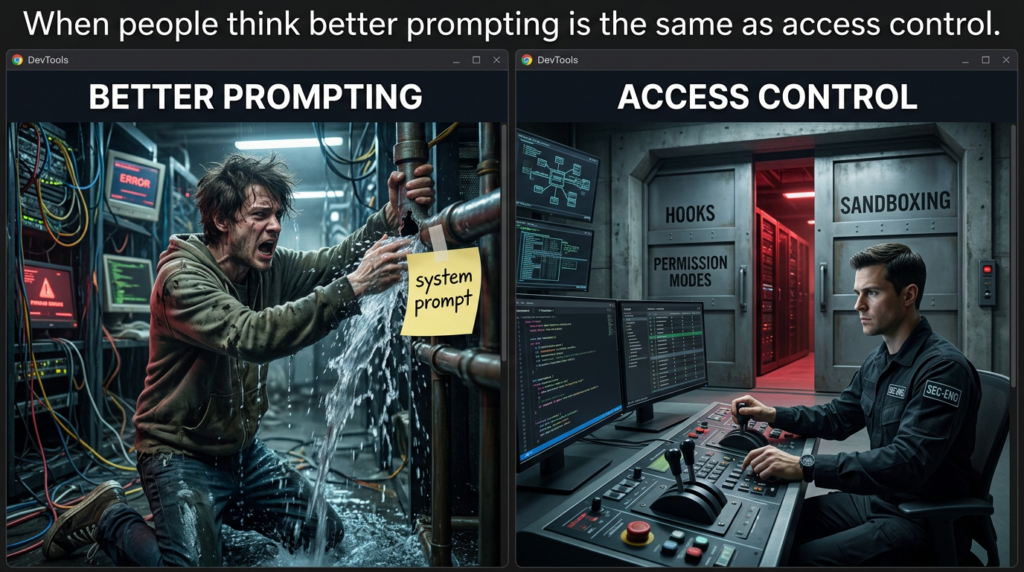
One implication is immediate. When people talk about “Claude Code internals,” they often jump straight to prompts. Prompts matter, but the strongest behaviors in Claude Code are not prompt-only behaviors. They are architectural behaviors. A tool can be denied. A subagent can get its own context window. A hook can deny or defer an action. A sandbox can block a subprocess at the OS level even if the model wants to run it. An MCP server can add an entire new capability surface. Those are system properties, not prompt decorations. (Claude API Docs)
Claude Code tools turn a model into an execution loop
Anthropic’s “How Claude Code works” page says the quiet part out loud: tools are what make Claude Code agentic. Without tools, Claude can only respond with text. With tools, it can read code, edit files, run commands, search the web, and interact with external services. The documentation gives a concrete example. If you ask Claude to fix failing tests, it may run the test suite, read the error output, search for relevant files, read those files, edit them, and rerun the tests. That is not one model completion. That is a loop. (Claude)
Anthropic groups the built-in tools into practical categories: file operations, search, execution, web, and code intelligence. That categorization is more useful than a flat tool list because it maps directly to real engineering work. File operations turn Claude into a code editor. Search gives it codebase navigation instead of blind guessing. Execution lets it verify against tests, linters, package managers, Git, and system utilities. Web tools let it fetch docs and resolve error messages. Code intelligence plugins add structured symbol navigation and post-edit type feedback. (Claude)
This is also where many security-relevant misconceptions start. “Claude can run anything I can run” is true in a narrow sense, but incomplete in the operational sense. The tools are not all the same. The Bash tool is especially important because people assume it behaves like a fully persistent interactive shell. Anthropic’s tools reference is more precise: working directory persists across Bash commands, but environment variables do not persist by default. If you export something in one call, it will not automatically exist in the next one unless you deliberately bridge that state with CLAUDE_ENV_FILE or a hook. For reproducible workflows, incident review, and sensitive environment handling, that detail matters. (Claude)
The same page documents the LSP tool as more than a convenience feature. Once code intelligence is available, Claude can jump to definitions, find references, inspect types, list symbols, and trace call hierarchies. In practice, this changes the quality of code review and audit work. A text-only model can explain code. A model with LSP-backed navigation can trace it. The difference shows up fast when you are following auth flows, trying to understand an abstract interface implementation, or asking why a codebase chose one path over another. (Claude)
The tool system is also the grammar that other Claude Code features reuse. Permission rules refer to tool names. Subagent allowlists and denylists refer to tool names. Hook matchers refer to tool names. MCP tools are surfaced as tools. That means the tool namespace is not just a developer-facing API detail. It is the vocabulary of governance. Once you understand that, the architecture starts to feel much more coherent. (Claude)
The built-in commands sit one layer above the tools and are easy to misunderstand too. Commands like /compact, /tasks, /statusline, and /usage are session controls and operational helpers. MCP prompts can also appear as commands in the form /mcp__<server>__<prompt>, which is a useful reminder that extension points in Claude Code are not limited to one mechanism. A capability may arrive as a tool, a prompt, a skill, a plugin bundle, or a configuration policy, and those paths have different security and context consequences. (Claude)
For teams that want non-interactive automation, Anthropic exposes the same execution surface through CLI flags. The -p flow and --allowedTools support permission-rule syntax, so you can allow exactly the operations you expect and nothing broader. That is a much healthier automation pattern than giving a general-purpose shell blanket approval. (Claude)
claude -p "Review the staged changes and create a commit" \
  --allowedTools "Bash(git diff *),Bash(git log *),Bash(git status *),Bash(git commit *)"
That example is useful for a reason beyond Git. It shows the intended operating model. Claude Code works best when the environment is explicit, the available tools are bounded, and the model is left to decide the sequence inside those boundaries. (Claude)
Claude Code memory and context management are separate systems
Claude Code sessions do not start empty. Anthropic’s memory documentation says every session begins with a fresh context window, but two mechanisms carry knowledge across sessions: CLAUDE.md and auto memory. The same page is careful to say that Claude treats both as context, not as enforced configuration. That line is easy to skip and incredibly important. It means memory influences behavior, but it is not a hard policy engine. Hard policy lives elsewhere. (Claude API Docs)
The distinction between the two systems is sharp enough to matter in daily engineering work:
| System | Who writes it | Scope | What it is for |
|---|---|---|---|
| CLAUDE.md | You | Project, user, or org | Stable rules, architecture notes, workflows, coding standards |
| Auto memory | Claude | Per working tree | Learned build commands, debugging patterns, preferences, recurring corrections |
Anthropic also documents loading limits for auto memory and says subagents can maintain their own auto memory as well. That matters for long-lived codebases where the valuable state is not one conversation but the sediment of many conversations. (Claude API Docs)
CLAUDE.md becomes more interesting when you read the loading rules. Claude Code walks up the directory tree from the current working directory, loading applicable CLAUDE.md files on the way. If you run inside foo/bar, it can load both foo/bar/CLAUDE.md and foo/CLAUDE.md. It can also discover path-scoped rules in subdirectories when files from those subdirectories are read. In monorepos, that makes CLAUDE.md closer to repo-local policy input than a personal note file. (Claude API Docs)
The context window page makes the loading story even more concrete. Before you type anything, Claude Code can already load CLAUDE.md, auto memory, MCP tool names, and skill descriptions into context. As Claude works, file reads add more context, path-scoped rules can load automatically, and hooks can fire after edits. Subagents then create a second pattern: they keep their own file reads in their own context window and return a summary instead of dragging all that text back into the main session. (Claude)
This is why many “Claude drifted” complaints are really context-budget complaints. Anthropic says the context window holds your conversation history, file contents, CLAUDE.md, auto memory, loaded skills, and system instructions. As that fills up, Claude compacts automatically. The docs say older tool outputs are cleared first, then the conversation is summarized if needed. If you want persistent instructions to survive long sessions, the official recommendation is explicit: put them in CLAUDE.md, not just in earlier messages. (Claude)
Compaction is not just “summarization happened.” It is one of the most consequential pieces of agent ergonomics in the whole system. Anthropic documents /compact as a manual command, /context as a way to inspect what is consuming space, and “Compact Instructions” in CLAUDE.md as a way to control what compaction preserves. The context-window walkthrough adds one subtle detail: most startup content reloads automatically after compaction, while the skill listing is the exception. That means the shape of long-session recall is partly programmable and partly structural. (Claude)
Checkpoints sit beside compaction and are often confused with it. They are not the same. Anthropic says checkpointing snapshots file state before each edit, persists across sessions, and lets you restore code, conversation, or both. “Summarize from here” compresses the conversation to free context but does not change files on disk. The docs also document an important limitation: Bash-driven file modifications are not tracked by checkpoint rewind. If Claude runs rm, mv, or cp through Bash, those side effects are outside the edit-tool checkpoint model. That is exactly the kind of detail you want documented before trusting the system in a sensitive repository. (Claude)
A practical CLAUDE.md for security-sensitive work does not need to be long. It needs to be explicit.
# Project instructions

## Build and test
- Use `npm test` for unit tests
- Use `npm run lint` before proposing changes
- Do not start long-running dev servers unless asked

## Security boundaries
- Never edit `.github/workflows/`, `infra/`, or `terraform/` without approval
- Treat `.env*`, credentials, and token files as read-restricted unless the user asks explicitly
- Prefer plan mode for auth, payments, and session-handling changes

## Review style
- When proposing security findings, include exact file paths and line ranges
- Separate hypothesis from verified behavior
- Do not claim exploitability without a reproducible check

## Compact instructions
- Preserve code paths, commands that were run, and any unresolved security questions
- Preserve diff summaries and failed test output
That pattern mirrors Anthropic’s documented advice: put stable rules in CLAUDE.md, use compaction instructions to preserve what matters, and let transient conversation stay transient. (Claude)
Claude Code subagents and worktrees are context and blast-radius boundaries
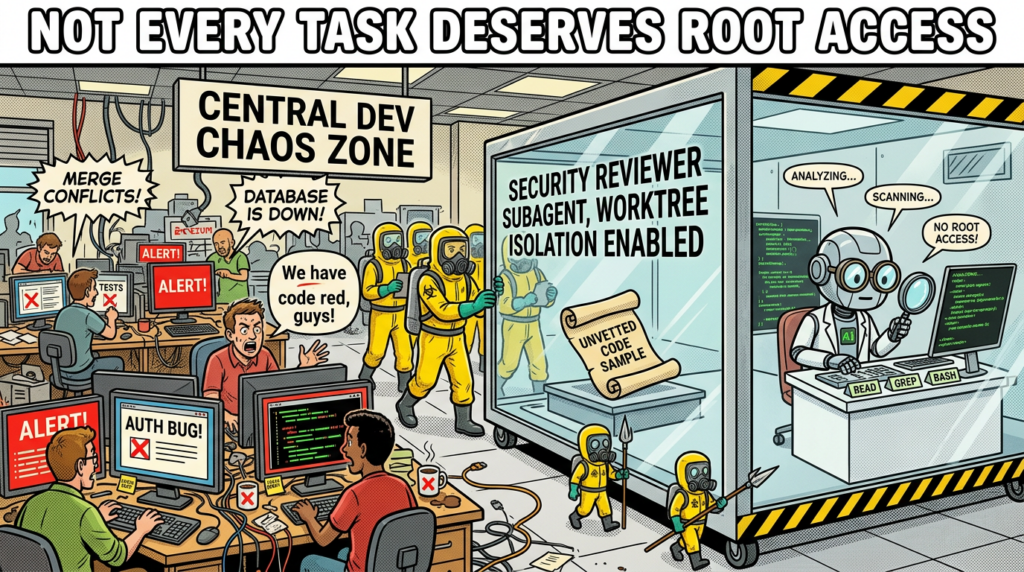
Anthropic’s subagent docs define subagents as specialized AI assistants that run in their own context windows with their own prompts, tool access, and permissions. That is the first key point. A subagent is not just a named prompt template. It is an isolated working context. The second key point is operational: when a task matches a subagent’s description, Claude can delegate to it and get back results without bloating the main thread with every intermediate step. (Claude API Docs)
That isolation is valuable even if you never care about specialization. Large-file research, codebase exploration, and dependency review are verbose. If you keep them in the main session, you burn context budget quickly. Anthropic’s docs explicitly say subagents help because their work happens in a fresh context and only a summary returns. That makes subagents a context-management primitive as much as a delegation primitive. (Claude)
Subagents become much more powerful when you look at the configuration surface. The docs describe custom prompts, tool allowlists and denylists, model selection, persistent memory options, permission modes, and isolation settings. A research subagent can be read-only. A code-review subagent can get Bash plus Grep but no Edit or Write. A specialized agent can preload skills or connect to MCP servers unavailable to the parent conversation. This is a much richer model than “spawn another AI and hope it behaves.” (Claude API Docs)
Anthropic’s best-practices page gives a security reviewer example that is worth taking seriously. It defines a security-reviewer subagent with Read, Grep, Glob, and Bash, and instructs it to review code for injection flaws, auth issues, secrets, and insecure data handling. That is a strong pattern because it lines up a narrow task, a narrow toolset, and a narrow output contract. Even if you never run a separate model, that is simply better engineering hygiene than giving every task the full tool surface. (Claude)
---
name: security-reviewer
description: Reviews code for security vulnerabilities
tools: Read, Grep, Glob, Bash
model: opus
permissionMode: plan
---
You are a senior security engineer.

Review for:
- Injection flaws
- Authentication and authorization mistakes
- Secret exposure
- Unsafe file and process handling

Return:
- exact file paths
- exact line references
- a distinction between likely risk and verified behavior
The YAML above is an adapted operating pattern based on the documented subagent and best-practice examples. The critical design choice is not the wording. It is the tool boundary. A security-review subagent should rarely need write access just to tell you what is wrong. (Claude)
Worktree isolation extends the same logic into the filesystem. Anthropic documents an isolation: worktree mode that runs a subagent in a temporary Git worktree, giving it an isolated copy of the repository. The TypeScript Agent SDK reference documents EnterWorktree as creating and entering a temporary Git worktree for isolated work, and Anthropic’s release notes call out support for declarative worktree isolation in agent definitions. This is not just nice for parallel branches. It is a blast-radius control. If you want a coding agent to attempt a risky refactor, or if you want multiple agents editing in parallel, the worktree is part of the safety model. (Claude API Docs)
There are also security-conscious limitations. Anthropic says plugin subagents do not support hooks, mcpServers, or permissionMode frontmatter fields. If you need those, you move the agent into .claude/agents/ or ~/.claude/agents/ instead of trusting the plugin package to define them. That is a subtle but meaningful example of the product drawing a line between extensibility and privilege inheritance. (Claude API Docs)
Claude Code permission modes are the real control plane
Anthropic’s security pages are blunt about the default posture: Claude Code is strict read-only by default. When it needs to edit files, run tests, or execute commands, it asks for explicit permission. The product is designed around a permission-based architecture, not around unrestricted autonomy. If you want to understand what Claude Code will actually do on a machine, permission modes are more important than any informal system prompt folklore. (Claude)
The documented modes make the tradeoffs explicit:
| Mode | What Claude can do without asking | Best fit |
|---|---|---|
default | Read files | Sensitive work, first use, high oversight |
acceptEdits | Read and edit files | Iterating on code while still gating commands |
plan | Read files and plan | Research and design before modification |
auto | All actions, with background safety checks | Long-running tasks with a governance layer |
bypassPermissions | All actions, no checks | Isolated containers and test VMs only |
dontAsk | Only pre-approved tools | Locked-down and policy-driven environments |
Anthropic publishes this mapping in the permission mode docs and reinforces related variants in the subagent docs. (Claude)
Plan mode deserves more respect than it usually gets in online commentary. Anthropic says plan mode is for read-only exploration: Claude reads files, runs shell commands to explore, asks clarifying questions, writes a plan file, and does not edit source code. The docs also explain that once the plan is ready, you can approve and continue in auto mode, accept-edits mode, or fully manual review. That is a much more mature workflow than “tell the model to think harder before editing.” It gives the planning phase a distinct operating state. (Claude)
Auto mode is where the control plane becomes particularly interesting. Anthropic says auto mode is available on Team, Enterprise, and API plans, requires Claude Sonnet 4.6 or Claude Opus 4.6, and is not available on third-party providers like Bedrock, Vertex, or Foundry. The docs say a separate classifier model reviews each action before it runs and blocks actions that go beyond the task, target untrusted infrastructure, or appear driven by prompt injection. Anthropic’s engineering post on auto mode frames the motivation clearly: too many approval dialogs create approval fatigue. (Claude)
Anthropic also documents a detail that deserves far more attention than it gets: when you enter auto mode, Claude Code drops broad allow rules that would otherwise short-circuit the classifier, including blanket shell access such as Bash(*), wildcarded interpreters, package-manager run commands, and Agent allow rules. Narrow rules like Bash(npm test) can carry over. That is a concrete example of the system protecting itself against unsafe policy combinations, not just exposing knobs and hoping the user configures them well. (Claude)
Permissions are also scoped and layered. Anthropic documents four configuration scopes for Claude Code: Managed, User, Project, and Local. Managed settings are organization-controlled and can be deployed through system-level mechanisms. User settings live under ~/.claude/. Project settings live in .claude/ inside the repository and are team-shareable through Git. Local settings are repo-specific personal overrides that stay out of source control. That scope model is one of the reasons Claude Code is plausible in real teams rather than only in individual hacker setups. (Claude API Docs)
The rule syntax is also deliberately small and composable. Anthropic’s settings docs show allow, ask, and deny arrays using Tool or Tool(specifier) patterns such as Bash(git diff *), Read(./.env), and WebFetch(domain:example.com). The first matching rule wins, with deny rules evaluated before ask and allow. The same rule language is reused in hooks and CLI automation. That reuse is not a cosmetic detail. It means the system’s governance language is coherent across interactive use, non-interactive use, and extension logic. (Claude API Docs)
Managed settings make the governance story even stronger. Anthropic documents managed-only options such as allowManagedHooksOnly, allowManagedMcpServersOnly, and allowManagedPermissionRulesOnly, which can prevent user and project settings from expanding trust or capability in unauthorized ways. That is the kind of feature security teams actually ask for when a tool moves from individual experimentation into enterprise rollout. (Claude)
Claude Code sandboxing turns Bash into a bounded tool
Permissions are not the only safety layer in Claude Code, and Anthropic is explicit about that. The sandboxing docs say permissions and sandboxing are complementary. Permissions control which tools Claude can attempt to use. Sandboxing provides OS-level enforcement for the Bash tool’s filesystem and network access. Those are not interchangeable guarantees. Permissions can still be tricked by bad policy or human error. OS-level boundaries change what the subprocess can actually touch. (Claude)
Anthropic documents the implementation choices clearly. On macOS, the sandboxed Bash tool uses Seatbelt. On Linux and WSL2, it uses bubblewrap. WSL1 is unsupported because bubblewrap needs kernel features WSL1 does not provide. The docs also say all child processes spawned by Claude Code commands inherit those same boundaries. That inheritance is crucial. A sandbox that protects the top-level process but not its children would not be much of a sandbox in real developer environments. (Claude)
The product supports two sandbox modes. In auto-allow mode, Bash commands that can run inside the sandbox are automatically approved. Commands that cannot be sandboxed fall back to the normal permission flow. In regular permissions mode, all Bash commands still go through the standard approval flow even when sandboxed. Anthropic emphasizes that the difference is about prompting, not enforcement: the filesystem and network restrictions remain the same. (Claude)
That distinction matters in practice. People often hear “auto-allow” and assume “unbounded.” In Anthropic’s design, auto-allow inside a sandbox is a constrained autonomy mode. It is closer to “run freely inside this fenced area” than to “do whatever you want.” The docs make that even more explicit by documenting the configuration surface in the SDK and settings. You can enable sandboxing, set autoAllowBashIfSandboxed, exclude commands, disable the unsandboxed escape hatch, restrict network access with allowedDomains, and restrict filesystem access with allowWrite, denyWrite, and denyRead. (Claude API Docs)
{
  "sandbox": {
    "enabled": true,
    "autoAllowBashIfSandboxed": true,
    "allowUnsandboxedCommands": false,
    "excludedCommands": ["docker"],
    "filesystem": {
      "allowWrite": ["/tmp/build"],
      "denyRead": ["~/.aws/credentials"]
    },
    "network": {
      "allowedDomains": ["github.com", "*.npmjs.org"],
      "allowLocalBinding": true
    }
  }
}
That example follows Anthropic’s documented configuration fields and shows the intended pattern: start with a small set of allowed domains and paths, deny obviously sensitive credential locations, and avoid leaving the escape hatch enabled unless you truly need it. (Claude API Docs)
The escape hatch is worth spelling out because it is where many people overestimate sandbox strength. Anthropic says that if a command fails due to sandbox restrictions, Claude may analyze the failure and retry with dangerouslyDisableSandbox. That retry still goes through the normal permission flow. If you set allowUnsandboxedCommands to false, the parameter is ignored and commands must either run sandboxed or be explicitly listed in excludedCommands. That is a clean example of product design acknowledging real-world incompatibilities without pretending they do not exist. (Claude)
The docs are also refreshingly honest about limitations. Broad allowed domains can still create exfiltration risk. Domain fronting may bypass domain-focused filtering in some cases. Allowing dangerous Unix sockets can effectively hand host access to the sandboxed process. Overly broad filesystem write permissions can enable privilege escalation paths. Those warnings are not edge-case trivia. They are the difference between “we turned on sandboxing” and “we designed a meaningful sandbox policy.” (Claude)
For security readers, perhaps the strongest line in the sandbox docs is the simplest: even if prompt injection manipulates Claude’s behavior, the sandbox can still prevent critical file modification, unauthorized network egress, and access outside defined boundaries. That is the right mental model. Sandboxing is not there because the model is always wrong. It is there because you should expect bounded failure. (Claude)
Claude Code hooks let teams write policy, not just prompts
Hooks are where Claude Code stops looking like a product feature bundle and starts looking like a platform. Anthropic defines hooks as user-defined shell commands, HTTP endpoints, LLM prompts, or agent hooks that run at specific points in the Claude Code lifecycle. That one sentence already implies a lot. Hooks can observe the system, but they can also govern it. (Claude)
The most important event is PreToolUse. Anthropic’s hook reference says it fires after Claude creates tool parameters and before the tool call is processed. It can allow, deny, ask, or defer the tool call, modify the tool input, and append additional context. The docs even define precedence when multiple hooks disagree. That is not logging. That is runtime policy control. (Claude API Docs)
PermissionRequest sits nearby and is also useful to security teams. Anthropic says it fires when a permission dialog is about to be shown and can allow or deny on the user’s behalf. The distinction matters. PreToolUse evaluates before execution regardless of permission state. PermissionRequest evaluates at the approval boundary. Once you start thinking in those terms, you can see how a team might encode environment-aware policy, change-management checks, or compliance workflows without building a separate wrapper around Claude Code. (Claude API Docs)
The hook system is broader than preflight checks. Anthropic documents session events, compact-related events, config-change events, and post-tool events. The hooks guide includes patterns such as re-injecting context after compaction and auditing configuration changes to settings or skill files. For teams working in regulated environments or high-trust repositories, that matters. The dangerous thing about agent systems is often not only the code they generate, but the quiet changes to the agent’s own configuration surface. (Claude)
Prompt hooks and agent hooks push the design even further. Anthropic says prompt hooks can send a single-turn prompt to a Claude model for yes or no evaluation, while agent hooks can spawn a subagent with tools like Read, Grep, and Glob, inspect real files, and return a structured decision. That is a powerful idea for security work. Your runtime policy does not have to be a brittle regex or a static rules file. It can be a bounded investigation step. (Claude)
MCP tools also participate naturally in this system. Anthropic’s hooks reference says MCP tools appear as regular tools in tool events and use the naming pattern mcp__<server>__<tool>. That means the governance layer does not need a second mental model for local tools versus remote tools. The same PreToolUse, PermissionRequest, and PostToolUse logic can inspect either. That uniformity is a design win. (Claude API Docs)
#!/bin/bash
# .claude/hooks/block-rm.sh

COMMAND=$(jq -r '.tool_input.command')

if echo "$COMMAND" | grep -q 'rm -rf'; then
  jq -n '{
    hookSpecificOutput: {
      hookEventName: "PreToolUse",
      permissionDecision: "deny",
      permissionDecisionReason: "Destructive command blocked by hook"
    }
  }'
else
  exit 0
fi
That is a lightly adapted version of the pattern Anthropic documents for PreToolUse. The point is not that rm -rf is the only dangerous thing you should block. The point is that Claude Code gives you a native interception point before the tool runs. (Claude API Docs)
A second pattern is just as useful in serious environments: treat .claude/, settings.json, skill files, and plugin configuration as audit targets. Anthropic’s own hooks guide documents ConfigChange for tracking configuration mutations during a session. Security teams should think of that surface the same way they think about CI configuration, Terraform, or GitHub Actions. It is not harmless metadata. It is agent behavior input. (Claude)
Claude Code skills, plugins, and MCP extend the system in different ways
One reason Claude Code discourse gets muddy fast is that “extensions” are treated as one bucket. Anthropic’s docs show at least four distinct extension layers: skills, plugins, MCP, and the Agent SDK. They overlap, but they do different jobs. (Claude API Docs)
Skills are the lightest-weight extension primitive. Anthropic says a skill is defined with SKILL.md, becomes part of Claude’s toolkit, and can be invoked directly with /skill-name or loaded automatically when relevant. That makes skills a strong fit for repeatable methodology, project conventions, and structured operational playbooks. A skill can teach Claude how your team reviews auth flows, how to summarize a bug, or how to prepare a release checklist. What it does not do by itself is create new external system capabilities. It shapes behavior inside the existing capability set. (Claude API Docs)
Plugins are a packaging layer above that. Anthropic’s plugin docs say plugins can bundle skills, agents, hooks, and MCP servers into a single installable unit. That is convenient, but it also means the trust surface gets much larger. You are not only installing “helpful prompts.” You may be installing hook logic, subagents, and external tool connections. The product’s own restrictions around plugin subagents make more sense in that light. (Claude)
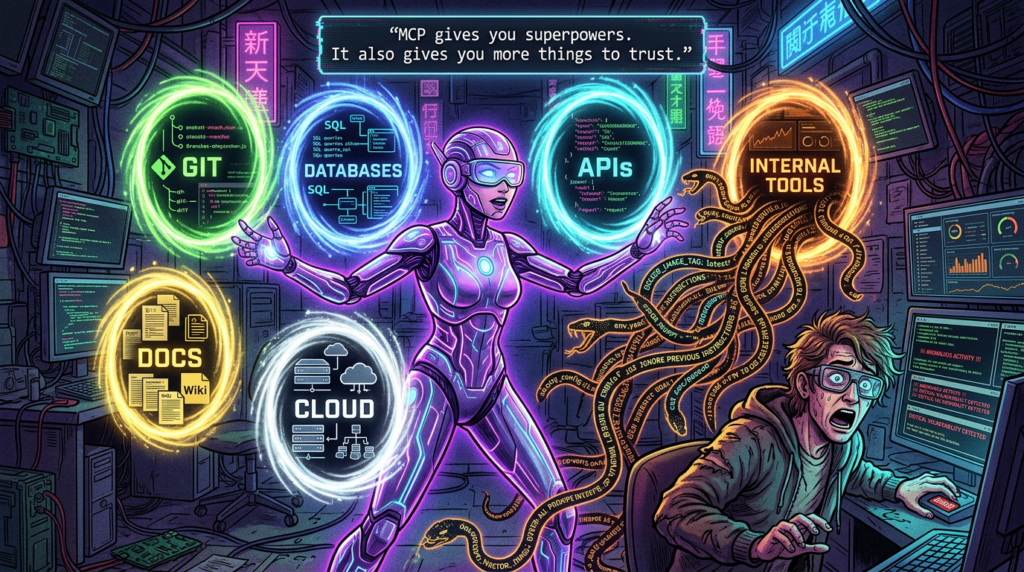
MCP is different again. The protocol itself defines an open client-server architecture for connecting AI applications to external tools, data sources, and workflows. The MCP docs describe it as an open-source standard and explicitly say clients and servers can expose tools, prompts, and resources. The tools section of the specification says tools are model-controlled by design, but also says implementations should keep a human in the loop with UI that makes tool exposure and invocation clear. That combination of openness and human-in-the-loop guidance is central to understanding why MCP is powerful and why it needs governance. (Model Context Protocol)
Claude Code’s MCP docs frame the practical outcome: Claude Code can connect to external tools and data sources through MCP servers, giving it access to databases, APIs, and other systems. Anthropic’s security docs add a blunt caveat: Anthropic does not manage or audit MCP servers. Users should either write their own or use providers they trust, and MCP server allowlists can be configured. That is exactly the kind of sentence security teams should circle in red. (Claude)
The protocol-level details matter when you move beyond local experimentation. The MCP spec says tools are listed and called through structured protocol messages, and its authorization spec for HTTP-based transports requires OAuth 2.0 Protected Resource Metadata discovery and related authorization-server discovery mechanisms. That means “connect an AI tool to a server” is not just a conceptual pattern. It is becoming a real interoperability layer with real authentication semantics. (Model Context Protocol)
Claude Code also manages MCP with context cost in mind. Anthropic’s “How Claude Code works” docs say MCP tool definitions are deferred by default and loaded on demand through tool search, so only tool names consume context until a specific tool is used. That is a small but meaningful piece of engineering. It acknowledges that extension bloat is not just an organizational problem. It is a context-window problem. (Claude)
The cleanest way to distinguish the extension layers is by the kind of power they add:
| Mechanism | Adds new external capability | Changes runtime policy | Best use |
|---|---|---|---|
| Skill | No | No, unless paired with tools you already have | Reusable methodology and playbooks |
| Hook | No by itself | Yes | Policy checks, audit, guardrails, context injection |
| Plugin | Sometimes, via bundled MCP or hooks | Potentially yes | Team-distributed extension bundles |
| MCP | Yes | Indirectly, by enlarging what Claude can reach | External systems, data, APIs, tools |
| Agent SDK | Yes, at the application layer | Up to the builder | Building your own Claude-Code-style agents |
That is a synthesis, but it follows the design lines in Anthropic’s docs and the MCP spec. (Claude API Docs)
Claude Code security risks show up where repos, prompts, and tools meet
Anthropic’s security docs are unusually useful because they do not stop at “be careful.” They list concrete protections and concrete limitations. Sensitive operations require approval by default. Web fetch uses a separate context window to reduce malicious prompt injection risk. First-time codebase runs and new MCP servers require trust verification. Risky commands like curl and wget are blocklisted by default. Complex Bash commands get natural-language descriptions. But the same page also says no system is completely immune and recommends VMs for untrusted content and external web services. That is the right level of honesty. (Claude)
The part many teams still miss is that modern agent risk is often compositional. A repo is not just code. A tool result is not just text. A configuration file is not just metadata. An MCP server is not just “extra data.” All of those can become control inputs to a model that can take action. The best way to make that concrete is to look at actual vulnerabilities that rhyme with Claude Code’s architecture. (Claude)
Start with Anthropic’s own Git MCP server issues. CVE-2025-68143 affected mcp-server-git before version 2025.9.25. GitHub’s advisory says the git_init tool accepted arbitrary filesystem paths and could create repositories in any directory accessible to the server process. The fix was not merely to validate more carefully. Anthropic removed the tool entirely because the server was intended to operate on existing repositories only. That is a strong lesson in capability design: sometimes the safest version of a feature is to stop offering it. (GitHub)
CVE-2025-68144 hit the same server family in a different way. NVD says git_diff and git_checkout passed user-controlled arguments directly to Git CLI commands without sanitization. Flag-like values could be interpreted as command-line options rather than Git refs, enabling arbitrary file overwrites. The fix rejected arguments beginning with - and verified that the value resolved to a valid Git ref before execution. This is exactly the kind of issue that appears when a thin tool wrapper inherits the dangers of the underlying command surface. (NVD)
CVE-2025-68145 shows the path-boundary variant of the same problem. NVD says that when mcp-server-git was started with --repository to restrict operations to a specific repository path, subsequent tool calls did not validate whether their repo_path arguments were actually within that configured path. In other words, the server could be told “stay in this repo,” while later tool calls quietly reached outside it. The fix added path validation that resolved symlinks and verified the requested path stayed inside the allowed repository. (NVD)
Those three issues are directly relevant to Claude Code even if you never use the Git MCP server. They show what happens when agents get thin wrappers around tools that are assumed safe because the underlying program is familiar. Git is familiar. That does not make every agent-facing Git wrapper safe. The same rule applies to filesystem tools, package managers, docs builders, and local automation glue. (GitHub)
CVE-2024-32002 makes the same point from the repository side rather than the MCP side. Git’s own advisory says a malicious repository with submodules could exploit recursive clone behavior on case-insensitive filesystems that support symlinks, causing Git to write a hook into .git/ during clone and execute it before the user could inspect what was happening. The workaround included avoiding untrusted repositories and, in some cases, disabling symlink support. For coding agents, the lesson is simple: repositories are not passive context. They can be execution inputs. If an agent clones, builds, or runs scripts from a repo, the repo is part of the threat model. (GitHub)
CVE-2026-25153 in Backstage TechDocs is another instructive example. GitHub’s advisory says that when TechDocs runs in local mode, a malicious actor who can modify a repository’s mkdocs.yml file can execute arbitrary Python code on the TechDocs build server through MkDocs hooks configuration. The fix allowlisted supported config keys and stripped unsupported ones, including hooks, before generation. That is not a Claude Code bug. It is a perfect illustration of a Claude-Code-adjacent truth: once local automation begins executing repo-controlled configuration, repository content stops being “just documentation.” (GitHub)
These cases map cleanly onto Claude Code’s own official warnings. Anthropic tells users to review commands before approval, avoid piping untrusted content directly into Claude, verify changes to critical files, use VMs for riskier work, and treat MCP servers as trust decisions. Those are not abstract best practices. They are the operating consequences of a system that can reason over text and then act on a machine. (Claude)
The practical threat model looks like this:
| Input or component | Why it is risky | Relevant control |
|---|---|---|
| Repository content | May contain malicious scripts, configs, build behavior, or prompt injection text | Plan mode, permission review, VMs, sandboxing, trust boundaries |
CLAUDE.md and .claude/ files | Directly shape behavior and policy | Code review, managed settings, config audit hooks |
| MCP servers | Extend external reach and can surface unsafe tools or data | Allowlists, trust verification, permissions, hook inspection |
| Tool outputs | Can contain hostile instructions or misleading context | Isolated context windows, human review, hooks, verification discipline |
| Web content | Can contain prompt injection or malicious instructions | Web fetch isolation, network approval, deny broad external access |
| Local build and docs configs | Can cause code execution through normal dev workflows | Sandbox, restricted write and read paths, repo review |
Each cell in that table is a synthesis of the official docs plus the referenced advisories. The broader point is that Claude Code’s risk is not “AI is spooky.” Its risk is that useful agent systems live at the seam between text, tools, repositories, and execution. (Claude)

Claude Code for security work is strongest before proof, not instead of proof
For security researchers, Claude Code is most valuable where the truth already lives close to the repo, the shell, or the local toolchain. It is excellent for large codebase reading, auth-path tracing, patch diff explanation, test drafting, local harness creation, static-analysis triage, and regression-check generation. Anthropic’s own common-workflow and best-practice examples line up with that: understand new codebases, fix bugs, refactor, review code, use subagents for focused work, and rely on concrete artifacts like tests and files instead of vague chat. (Claude API Docs)
That strength should not be overstated into a claim it does not make. Claude Code can propose a convincing exploit path from code and configuration. It can suggest the right commands. It can generate a solid reproduction plan. It can often explain a patch more usefully than a rushed human reviewer. None of that means it has independently established exploitability against a real target. Anthropic’s own safety model reinforces that distinction by insisting on permissions, checkpoints, verification hooks, and bounded execution surfaces. The system is designed to help with action, but not to erase the need for external evidence. (Claude)
That distinction is where workflow-native offensive platforms and coding agents start to diverge. Penligent’s public materials describe a target-facing AI pentest workflow centered on orchestration, evidence-first proof, and reportable artifacts, while its recent Claude Code comparisons correctly treat Claude Code as a powerful governed coding environment rather than a finished pentest workflow. In practice, those are different jobs. Claude Code is a strong reasoning and local-execution surface. A workflow-native pentest platform is trying to preserve state, proof, and repeatability across the whole chain from signal to verified result. (Penligent)
That is not a knock on Claude Code. It is a cleaner job description for it. If your leverage comes from source access, local tooling, patch review, or careful code reasoning, Claude Code can be one of the best workbenches available. If your leverage comes from target-facing validation, evidence capture, and producing artifacts another team can audit without replaying your entire thought process, you probably want an evidence-first workflow around it, whether that is homegrown or productized. (Penligent)
The mature way to operate Claude Code in real teams
The strongest operating model for Claude Code is not maximal freedom. It is progressive trust.
Start sensitive repositories in plan mode. Anthropic’s docs are explicit that plan mode is for research before modification, and the safest way to introduce an agent into a production codebase is to make it earn broader permissions through clarity, not through optimism. (Claude)
Treat .claude/, .mcp.json, plugin assets, and project-shared settings like executable configuration, not convenience files. Anthropic’s settings docs say project scope is specifically for team-shared permissions, hooks, and MCP servers. That means those files materially change what the agent can reach and how it behaves. They belong in review. (Claude API Docs)
Write stable rules in CLAUDE.md, not in a long conversation you hope compaction will remember. Anthropic says early instructions can get lost during compaction and recommends using CLAUDE.md for persistent rules. That is not only about performance. It is about making important operating constraints visible, auditable, and reloadable. (Claude)
Use subagents to narrow capability, not just to parallelize work. A read-only security-reviewer or dependency-auditor is often a better pattern than letting the parent agent keep write access while it is only supposed to inspect. Anthropic’s own examples point in that direction. (Claude)
Assume every untrusted repo, build artifact, tool output, and external page is both data and possible influence. Anthropic’s security docs already say to avoid piping untrusted content directly to Claude and to use VMs for riskier workflows. The MCP Git server and TechDocs CVEs show why that is more than generic caution. (Claude)
Finally, demand a verifier for claims that matter. Claude Code can explain, hypothesize, and automate. It should not be treated as a self-certifying source of exploit truth, safety truth, or production readiness. Tests, target behavior, external tools, and human review still decide whether the work is done. (Claude)
Claude Code’s real achievement is not that it made coding agents feel magical. It is that it made them operable. The official docs show a system built from bounded tools, context controls, layered permissions, OS-level sandboxing, reusable memory, pluggable extensions, and explicit governance surfaces. That is a much more interesting story than “AI can use a terminal now.” It is a story about how agent systems become real software. (Claude)
Further reading on Claude Code, MCP, and related vulnerabilities
- Anthropic official overview of Claude Code and the broader “how it works” model (Claude)
- Anthropic documentation on memory, context windows, checkpoints, and compaction (Claude)
- Anthropic documentation on subagents, permission modes, settings scopes, hooks, skills, plugins, and security (Claude API Docs)
- Anthropic sandboxing documentation and the Agent SDK sandbox reference (Claude)
- MCP introduction, architecture, tools, and authorization specification (Model Context Protocol)
- GitHub and NVD advisories for CVE-2025-68143, CVE-2025-68144, and CVE-2025-68145 in
mcp-server-git(GitHub) - Git’s advisory for CVE-2024-32002 on recursive clone RCE via crafted submodules (GitHub)
- Backstage advisory for CVE-2026-25153 on arbitrary code execution via
mkdocs.ymlhooks in local TechDocs mode (GitHub) - Penligent homepage and Penligent’s related English writing on Claude Code in pentest workflows (Penligent)
 English
  German
  French
  Spanish
  Portuguese
  Japanese
  Korean
  Hindi
Hindi  Arabic
  Turkish
  Hebrew