
iOS 27.2 security fixes need two kinds of verification: the device received the intended update, and the business workflows used on that device still function. Neither a successful website visit nor an update notification answers both questions. Start with Apple’s product-specific advisory, record the installed software state, and keep any investigation of suspicious activity separate from patch completion.
Apple released iOS 27.2 and iPadOS 27.2 on October 26, 2026. This review, prepared October 27, focuses on selected WebKit fixes and a defensive rollout plan. We have not reproduced these vulnerabilities or tested an exploit. The cited notices do not, by themselves, establish a working chain joining the selected issues or exploitation against your devices.
Read the WebKit impacts as separate findings
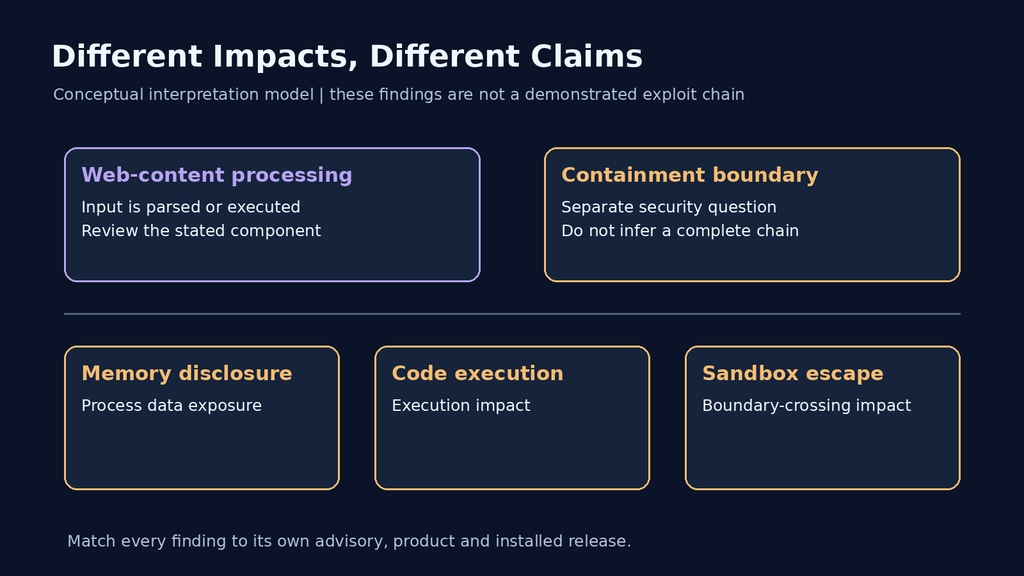
The iOS and iPadOS security-content notice lists distinct outcomes. These three entries illustrate why a crash, memory disclosure, code execution and sandbox escape should not be collapsed into one claim:
| Entry | Apple’s stated impact | Recorded correction |
|---|---|---|
| CVE-2026-113897 · WebKit Process Model | Remote attacker may escape the Web Content sandbox | Vulnerable code removed |
| CVE-2026-112639 · WebKit Process Model | Malicious web content may lead to arbitrary code execution | Use-after-free addressed through memory management |
| CVE-2026-112699 · WebKit | Malicious web content may disclose process memory | Out-of-bounds read addressed through bounds checking |
For these entries, Apple lists iPhone 11 and later; iPad Pro 12.9-inch fourth generation and later; iPad Pro 11-inch second generation and later; iPad Air fourth generation and later; iPad ninth generation and later; and iPad mini sixth generation and later. Match the actual model and update branch before assigning a remediation target.
The table reports advisory outcomes, not a reproduced sequence. Code execution in a web-content context and crossing a containment boundary are different security questions. A public list of both does not show that they are compatible steps, that no interaction is required, or that an attacker has a reliable path to every device privilege. Those conclusions require additional evidence.
This distinction matters when communicating with device owners. “Install the relevant security update” is an actionable instruction. “Every website can now take over the phone” is a much broader statement that these selected entries do not support. Keep the component, stated impact and product mapping attached to each issue instead of using the most alarming phrase from another row.
Keep the Mac Safari update in its own inventory
Apple’s separate Safari 27.2 security notice, also released October 26, lists macOS Sequoia and macOS Tahoe and includes the same three selected CVEs. A Safari record on a Mac and an iOS record on an iPhone are different deployment records. Do not use one as evidence that the other received its update.
For a mixed fleet, create groups by platform and supported maintenance route. Record the OS and browser information relevant to each group. If another supported branch is used, consult its own current Apple security notice; do not infer coverage from a matching vulnerability name elsewhere. An unsupported target or a device unable to install its intended update needs an explicit owner and next action.
For security teams running browser-based administration, prioritize the devices that handle sensitive sessions according to your organization’s risk process. Keep ordinary application availability checks within a short, planned validation window. A long business regression program should not become an undocumented reason for leaving the rest of the fleet unreviewed.
Install the update and then read the installed state
For a personal iPhone or iPad, Apple’s update instructions call for a backup, power and Wi-Fi, then Settings → General → Software Update. That screen shows the installed version and available update. Follow the offered installation steps. Apple distinguishes automatic downloading from automatic installation, so a downloaded package or enabled preference is not evidence that installation finished.
After the update completes, check the installed version again and record when you observed it. If the device has not completed the process, retain its state as pending. Avoid changing an individual device’s management policy simply to force it through a maintenance record; resolve any organization-managed restriction with the responsible administrator.
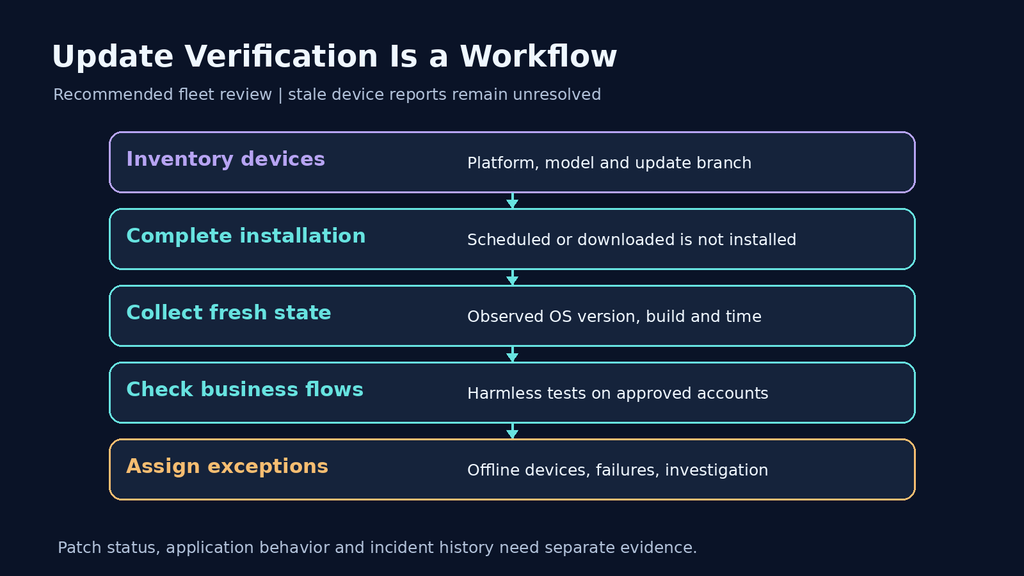
For a fleet, assign different handling to a failed install, an unavailable device and a stale inventory report. They can all appear as “not updated,” but require different actions. A device last seen before the rollout may have updated independently, or may still be outstanding. Until fresh information arrives, neither conclusion is established.
| Observed state | What it establishes | Next action |
|---|---|---|
| Update offered or scheduled | An update path or instruction exists | Confirm installation completion |
| Download completed | The package was obtained | Check the installed software state |
| Fresh installed-version report | Recorded software state on that device | Compare with its approved target |
| Old report or offline device | Current state is unknown | Arrange a fresh check and assign an owner |
| Installation failure | The attempted update did not complete as expected | Resolve the failure through the supported process |
Use device evidence that can survive an audit handoff
Apple’s operating-system query documentation includes OS version and build version for device management. Use the information your management service actually exposes, and preserve the collection time with it. A current device report and a desired-version policy are different records; label them accordingly.
The JSON below is a fictional internal tracking format. It is not an Apple MDM request, API response or measured device record. The missing values deliberately keep the example incomplete until the organization obtains a fresh observation. Do not populate them from a release headline or from another device.
{
  "asset_reference": "synthetic-device-07",
  "target_release": "iOS 27.2",
  "observed_os_version": null,
  "observed_build": null,
  "collected_at": null,
  "installation_state": "pending",
  "application_checks": "not_started",
  "exception_owner": "device-operations"
}
Use an internal asset reference rather than copying personal device identifiers into a broadly shared spreadsheet. Keep the detailed management record accessible to authorized operators. The maintenance ticket should let a reviewer locate the evidence, distinguish unknown from failed, and identify who owns the next action without collecting unnecessary personal information.
Check your application with ordinary authorized traffic
A browser security update and an application security assessment answer different questions. For an owned business application, use harmless fixtures on approved test accounts to check the flows that matter after rollout. Select representative devices and record their software state alongside the application release. That makes a regression report interpretable when another tester sees different behavior.
| Workflow | Harmless check | Record the observable result |
|---|---|---|
| Authentication | Sign in through the approved identity provider and return to the test application | Expected account and authorized landing page |
| Forms and uploads | Submit synthetic fields and an approved benign attachment | Stored record, validation result and normal error handling |
| Media and documents | Open representative safe files through the intended application flow | Successful rendering or a reproducible compatibility failure |
| Session lifecycle | Sign out and revisit a protected test page | Expected authentication requirement for the test account |
These checks evaluate application behavior, not whether the selected WebKit memory-safety defects can be exploited. Do not open an unverified “test exploit” page on a work phone to prove that it is patched. If a specialized vulnerability test is required, it belongs in a separately authorized lab with a defined method and evidence standard.
When a business flow fails, retain the minimal reproducible steps, test data, device state and expected outcome. Distinguish a new failure from a pre-existing issue by using a recorded baseline where available. A page that refuses every request is not evidence of correct authorization; a page that renders successfully is not proof that its access controls are correct either.
Penligent can be evaluated for a separate authorized web or API assessment with dedicated accounts and reviewable evidence. That is not a substitute for Apple’s device update process, and this article does not establish a Penligent detector for these WebKit CVEs. Confirm the supported test environment and the application paths to be assessed before purchasing or scheduling a broader engagement.
Close patching without closing an unresolved investigation
If there is a credible report of suspicious device activity, preserve the relevant organizational evidence and route it through the incident-response process. A new installed version does not establish what happened before it was installed. Equally, a generic browser crash does not establish exploitation of one of the named CVEs. Keep the observation and the attribution separate.
A useful closure record has three parts: verified software state, the outcome of the selected business checks, and any exceptions or investigation work still open. The first supports the patch decision, the second supports operational readiness, and the third preserves uncertainty. That is more useful than a single green status that hides devices not yet checked.
The following video introduces a general Penligent application-testing workflow. It is not an iOS exploit or device-update demonstration.

 English
  German
  French
  Spanish
  Portuguese
  Japanese
  Korean
  Hindi
Hindi  Arabic
  Turkish
  Hebrew