
Shodan is most useful to a defender when it is treated as an external observation source, not an exploit console or an authoritative asset inventory. Its banners can reveal unexpected services, stale certificates, management interfaces and technology fingerprints visible from the internet. Those observations must be reconciled with ownership, current configuration and direct validation before they become a vulnerability finding.
This workflow is only for networks, domains and cloud resources your organization owns or is explicitly authorized to assess. It uses Shodan Monitor and search data to detect exposure changes, then routes them through normal asset, vulnerability and incident-response controls.
Choose the monitoring object
| Monitor type | Best fit | Main limitation |
|---|---|---|
| Network or IP range | Known static address space and data-center ranges | Misses cloud assets outside registered ranges |
| Domain or hostname | Cloud services whose IPs change through DNS | Misses services without relevant DNS names |
| Search query | Shadow IT tied to a distinctive certificate, favicon or product fingerprint | False ownership matches if the query is too broad |
Prefer known network and domain ownership first. Shodan’s documentation treats query-based asset groups as a flexible fallback because an inaccurate query can include infrastructure that does not belong to the organization. Require an ownership check before creating tickets or requesting a scan.
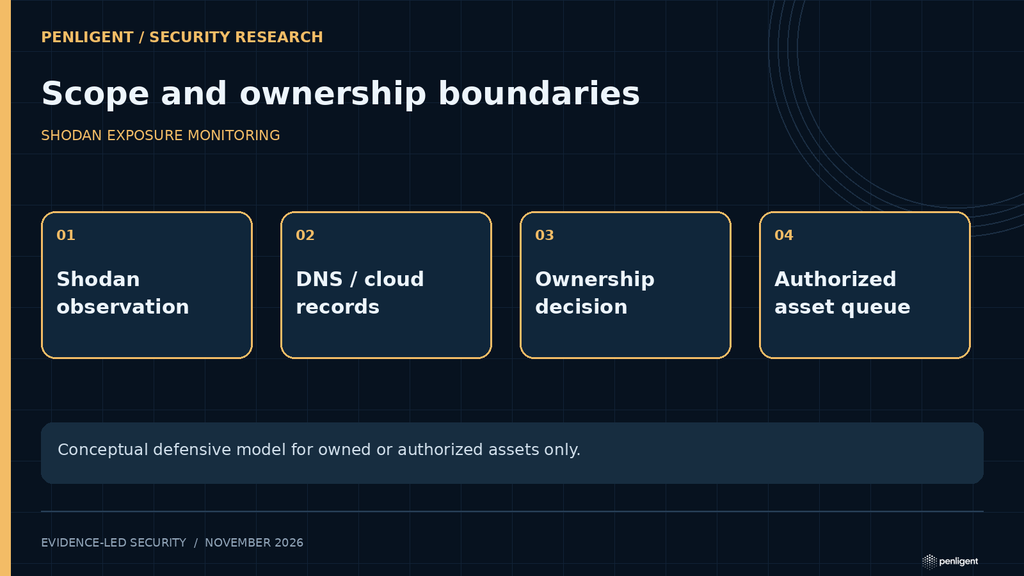
Build an ownership gate
For each candidate asset, collect the IP, port, hostname, observed certificate, autonomous system or cloud provider, observation time and the Shodan query that found it. Match at least one strong ownership signal such as a registered netblock, confirmed DNS record, cloud-account resource ID, certificate inventory or deployment record. A company name in a banner or an old certificate subject is not sufficient by itself.
Classify the result:
- Owned and expected: compare the service with the approved exposure and hardening baseline.
- Owned and unexpected: open an exposure investigation and identify the change owner.
- Likely stale: verify current DNS and cloud state; Shodan search data represents an observation window, not a live socket test.
- Not owned or uncertain: exclude it from automated action until ownership is established.
Prioritize change, not only severity labels
The new_service trigger is valuable because it detects a change in the perimeter, even when no CVE is attached. Enable other relevant triggers for exposed databases, malware, IoT, expired TLS, industrial control systems and verified vulnerabilities. Route alerts through an owner-aware workflow so a newly opened SSH port on a temporary test host does not receive the same response as an unauthenticated database on a production address.
Shodan distinguishes verified and unverified vulnerability associations. An unverified CVE is inferred from metadata such as a reported software version and can be a false positive when vendors backport fixes or hide versions. Treat it as a hypothesis. A verified result is stronger, but still needs asset ownership, current-state and business-context validation.
Validate without relying on stale banners
- Confirm the asset is still assigned to the organization.
- Check the current listener through approved internal telemetry, cloud configuration or an authorized targeted connection.
- Identify the real product, build and security policy from the asset, not only the banner.
- Compare with the vendor advisory and configuration baseline.
- Record whether the Shodan observation was accurate, stale, proxied or a false ownership match.
Do not run exploit payloads against an internet address merely because Shodan lists a CVE. Use safe version, configuration and authentication checks, or an isolated replica when behavioral validation is necessary.
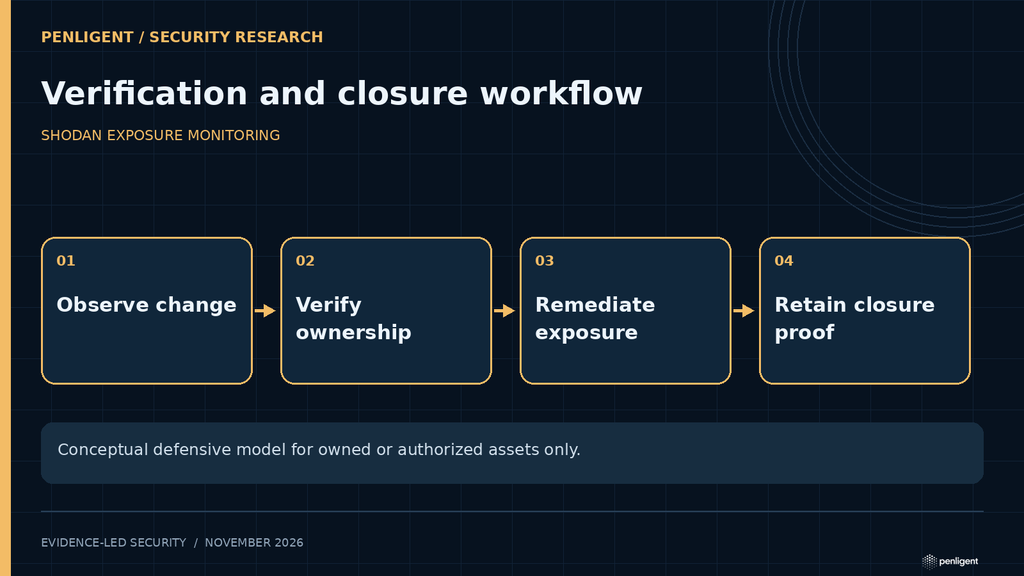
Create an auditable remediation loop
| Stage | Evidence |
|---|---|
| Observation | Banner, timestamp, query, IP, port and certificate fields |
| Ownership | CMDB, cloud account, DNS, netblock or deployment record |
| Validation | Current service, product, version and exposure policy |
| Remediation | Firewall, listener, patch, certificate or decommission change |
| Closure | Internal validation plus later external observation or approved on-demand rescan |
Shodan’s Events Log and API can feed a case-management system. Protect API keys and webhook endpoints as secrets, avoid placing credentials in command history or URLs, and retain only the banner fields required for the security workflow. External disappearance may lag a change because datasets use observation windows; do not keep a critical service exposed while waiting for a search result to refresh.
Useful defensive CLI pattern
After installing and authenticating the official Shodan CLI through the organization’s secret-management process, defenders can create a monitor for owned ranges and enable change-focused triggers. Substitute only reviewed, owned netblocks:
shodan alert create "Production perimeter" 203.0.113.0/24
shodan alert list
shodan alert triggers
shodan alert enable ALERT_ID new_service
shodan alert enable ALERT_ID open_database
shodan alert enable ALERT_ID ssl_expired
shodan alert enable ALERT_ID vulnerable
The documentation examples are administrative operations on the account’s monitor, not permission to scan or test unrelated systems.
Conclusion
Use Shodan to see the perimeter as an external observer sees it, then apply an ownership gate and direct validation. Monitor known networks and domains first, use fingerprint queries carefully, treat inferred CVEs as hypotheses, and close findings with both internal configuration evidence and a later external observation. The value is not the search result itself; it is the controlled response to unexpected exposure.
 English
 German
 French
 Spanish
 Portuguese
 Japanese
 Korean
 Hindi
 Arabic
 Turkish
 Hebrew