
For years, Windows Notepad lived in a category defenders rarely worried about. It was simple, familiar, and culturally filed under “safe utility” rather than “attack surface.” CVE-2026-20841 broke that assumption. According to NVD, the flaw is a command-injection-class issue in Windows Notepad App, mapped to CWE-77, with a CVSS v3.1 base score of 8.8. Public reporting and Microsoft-linked disclosures tied the issue to Markdown link handling, where a crafted Markdown file could lead a user from what looks like ordinary content into unintended execution behavior. (NVD)
What makes this bug important is not just the score. It is the path. Notepad added lightweight formatting and Markdown support in 2025, then expanded that support with tables and additional Markdown features through later Insider releases. That product evolution moved Notepad from plain-text viewer to renderer, from renderer to link surface, and from link surface to something much closer to an execution boundary. Once a default Windows utility starts rendering interactive content, the security expectations change with it. CVE-2026-20841 is a reminder that “small app” does not mean “small blast radius.” (Windows Blog)
The public record is also worth reading carefully because the wording changed. NVD shows that the initial Microsoft-submitted description said an attacker could execute code “over a network,” but the entry was later modified to say the attacker could execute code “locally.” That change matters. It suggests defenders should avoid simplifying this into a classic unauthenticated network worm story. The better mental model is a content-driven execution chain: a user receives a malicious Markdown file, opens it in Notepad, interacts with a crafted link, and Notepad or the surrounding Windows handler flow crosses into unwanted code execution in the user’s context. That is still serious, but it is serious for the reasons phishing and trust-boundary abuse are serious, not because Notepad suddenly became a remotely reachable service. (NVD)
The facts that matter first
Before getting into exploit chains and defenses, it helps to pin down the canonical facts in one place.
| الحقل | Detail |
|---|---|
| مكافحة التطرف العنيف | CVE-2026-20841 |
| المنتج | Windows Notepad App |
| فئة الضعف | Command injection style issue, CWE-77 |
| الخطورة | CVSS v3.1 8.8 |
| Public framing | Remote code execution through malicious Markdown links |
| User interaction | Required |
| Public exploitation at disclosure | No evidence reported in mainstream coverage |
| Patch timing | February 2026 Patch Tuesday |
| Affected versions in public reporting | 11.0.0 up to but not including 11.2510 |
| Key defender takeaway | A text editor became part of a content-to-execution chain |
This summary is consistent across the NVD record, Rapid7’s February 2026 Patch Tuesday analysis, mainstream reporting from BleepingComputer, The Verge, and Windows Central, and Elastic’s later detection content. (NVD)
How Notepad got here
CVE-2026-20841 did not appear in a vacuum. In May 2025, Microsoft announced lightweight formatting in Notepad for Windows Insiders, including Markdown-style input, hyperlinks, lists, and headings. The feature set was explicitly designed to let users work with Markdown files directly inside Notepad. Microsoft also exposed a formatted view and a syntax view, and allowed users to disable formatting in settings. That one release changed Notepad’s role in the Windows desktop experience from a plain-text sink to an interactive Markdown renderer. (Windows Blog)
Then Microsoft kept going. In November 2025, Notepad Insider builds added table support. In January 2026, Microsoft expanded Markdown support further with strikethrough and nested lists, while also adding additional welcome and AI-related features around the app. None of those features are inherently insecure on their own. But every feature that adds rendering, state, or interaction also adds parsing paths, validation responsibilities, and opportunities for a supposedly low-risk application to inherit browser-like or shell-adjacent risk. That is the real backdrop for CVE-2026-20841. It was not just a bug in a text editor. It was a bug in an application whose trust model had recently changed. (Windows Blog)
This is why the story resonated so quickly in English-language coverage. Major outlets did not treat it as an obscure implementation detail. They framed it as a surprisingly dangerous flaw in one of the most ordinary Windows utilities. The Verge focused on malicious Markdown links in Notepad. Windows Central emphasized that Markdown support had introduced a severe vulnerability and tied the affected range to versions before 11.2510. BleepingComputer highlighted that files could execute through Markdown links as part of the February 2026 Patch Tuesday cycle. Those articles all reflect the same deeper truth: users still instinctively trust tools like Notepad more than they trust browsers, email clients, or Office macros. Attackers love that kind of trust gap. (كمبيوتر نائم)
What CVE-2026-20841 actually is
The most authoritative technical summary available in public comes from the NVD entry and Zero Day Initiative’s explanation. NVD classifies the issue as improper neutralization of special elements used in a command. Zero Day Initiative explains it more concretely: the vulnerability is due to improper validation of links in Markdown files, and a remote attacker could exploit it by enticing a victim to download and interact with a malicious file. That phrasing is useful because it grounds the bug in real user behavior rather than in abstract parser theory. (NVD)
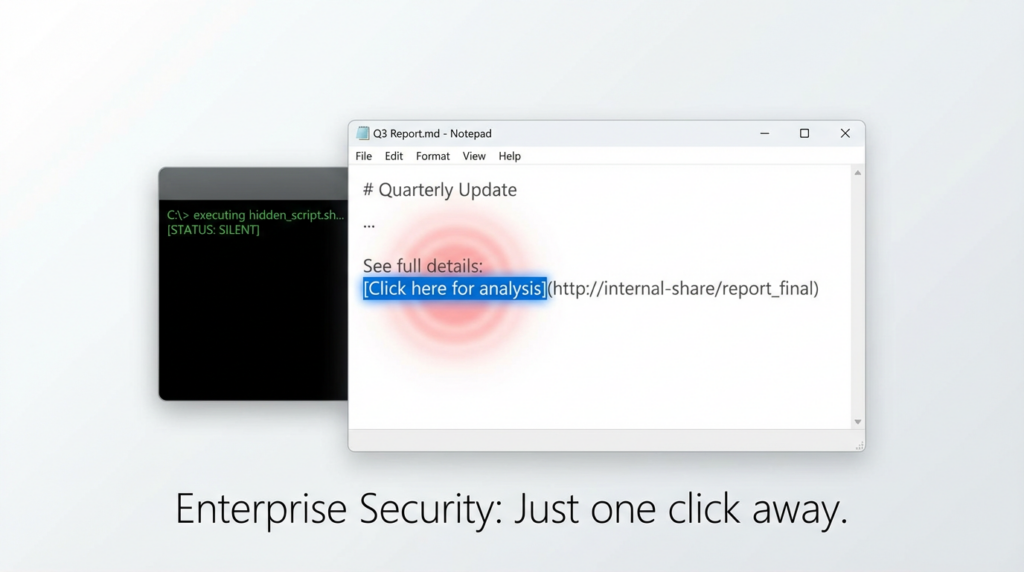
ZDI’s write-up also explains a subtle but important usability angle. Notepad can transform inline links so the displayed text does not necessarily expose the full underlying destination in the most security-relevant way. In practical terms, the victim sees something that looks like a normal link inside a Markdown document, not a flashing red warning that the next click will cross into an external protocol or load path. That is exactly the kind of presentation layer mismatch that makes social engineering work. The exploit chain is not just “parser bug.” It is parser bug plus interface trust. (Zero Day Initiative)
BleepingComputer and The Verge both describe the vulnerable behavior in terms of malicious Markdown links that could launch unverified protocols and enable the loading or execution of remote files. The wording differs slightly across sources, but the operational takeaway is the same: once a Markdown link can hand control to an external protocol or downstream handler without sufficient validation, the text editor is no longer just displaying content. It is brokering actions. That is the security boundary shift defenders need to internalize. (كمبيوتر نائم)
A realistic attack chain
A credible attack chain for CVE-2026-20841 does not need to look exotic. An attacker sends a Markdown file through email, chat, ticketing, cloud sync, or a developer collaboration tool. The file appears harmless because it is “just text.” The target opens it in Notepad, which now supports Markdown-style rendering. The file contains a crafted hyperlink or protocol path. The user clicks it. That action triggers an external handler or follow-on execution behavior in the user’s security context. From there, the attacker may launch a script interpreter, a LOLBin, a dropped payload, or a second-stage fetch. This is consistent with public descriptions from ZDI, BleepingComputer, The Verge, and Elastic’s detection logic, which specifically looks for suspicious child processes spawned by Notepad after a Markdown file is opened. (Zero Day Initiative)
There are two reasons this matters operationally. First, it fits existing phishing tradecraft almost perfectly. Attackers already rely on users opening attachments and trusting content that looks internal, developer-friendly, or documentation-like. Markdown files are common enough in engineering and IT workflows that they do not trigger the same suspicion as macro-enabled Office documents. Second, the vulnerability does not require the attacker to defeat a giant exploit mitigation stack in a hardened network daemon. It leverages a user workflow and a trust assumption. In many organizations, that is the shorter path. (Zero Day Initiative)
The most misleading response to a bug like this is to say, “Well, the user still had to click.” That is not a defense. User interaction is part of an enormous portion of real-world initial access activity. A huge amount of enterprise compromise is built around exactly this model: take a trusted surface, make the malicious action look ordinary, and let normal work habits carry the payload the rest of the way. CVE-2026-20841 is dangerous because it compresses the distance between “viewing content” and “launching execution.” (Zero Day Initiative)
Why a Notepad bug deserves real attention
It is tempting to dismiss this as media novelty. That would be a mistake. The vulnerability deserves attention for three structural reasons.
The first is reach. Notepad is not a niche developer tool installed on a small population of workstations. It is a familiar Windows inbox app with broad user exposure. When a default or near-default application gains new interactive capabilities, every defender has to assume the attack surface scales faster than awareness. Even users who never consciously “adopted” a new Markdown workflow may still encounter a Markdown file associated with Notepad on their system. (Windows Blog)
The second is psychological positioning. Most users treat Notepad as safer than Word, safer than a browser, and safer than a downloaded executable. Attackers benefit from that perception. A malicious Markdown attachment opened in a text editor simply does not trigger the same intuitive caution that an executable attachment does. When a vulnerability lives in a tool that users mentally classify as inert, the social engineering hurdle gets lower. (ذا فيرج)
The third is architectural drift. As software teams modernize old utilities, those utilities begin to inherit the risk classes of the new things they resemble. Add rich formatting, hyperlinks, protocol handlers, previews, AI text flows, or external integrations, and the app stops being a simple file viewer. It starts participating in dataflow and control flow. Once that happens, the security review bar has to rise accordingly. CVE-2026-20841 is not just a reminder to patch Notepad. It is a reminder to re-evaluate any “simple tool” after it gains complex behavior. (Windows Blog)
Affected versions and patch reality
One of the most actionable details in public reporting is the version window. Windows Central reports that the vulnerability affected Notepad versions from 11.0.0 up to but not including 11.2510, and that the flaw was patched as part of the February 2026 Patch Tuesday update. Rapid7’s Patch Tuesday write-up also lists CVE-2026-20841 as a Windows Notepad App Remote Code Execution Vulnerability with a CVSS score of 8.8 and an “Exploitation Less Likely” assessment at release. Microsoft-linked records via NVD show the CVE was received on February 10, 2026 and later modified on February 12, 2026. (Windows Central)
That combination introduces a very practical enterprise problem. Notepad is not the kind of component many organizations inventory with the same rigor they apply to browsers, VPN clients, or Office. Because it is an app whose versioning and rollout can intersect with Microsoft Store or inbox app update behavior, defenders should not assume that “we installed February Windows updates” automatically proves every endpoint is remediated. In environments with delayed Store synchronization, offline images, VDI drift, or policy-driven update exceptions, version validation matters more than patch optimism. (Windows Central)
A simple fleet validation check is worth doing immediately:
Get-AppxPackage *WindowsNotepad* |
    Select-Object Name, Version, PackageFullName
If your fleet management stack can query Store app versions, compare the returned Notepad version against the public reporting that places the vulnerable range below 11.2510. In a mature environment, the better control is not just one-time checking but a standing inventory rule that flags unexpected drift in core Windows apps that have gained new rendering or execution-adjacent features. The need for that control follows directly from the affected-version reporting and from Microsoft’s own feature rollout cadence for Notepad. (Windows Central)
What defenders should detect
Elastic’s public detection content is one of the most useful operational sources on this CVE because it turns the vulnerability story into observable endpoint behavior. Elastic’s “Potential Notepad Markdown RCE Exploitation” rule explicitly states that it identifies a process started by Notepad after opening a Markdown file, and that this may indicate successful exploitation of CVE-2026-20841 leading to arbitrary code execution. The investigation guidance is exactly what defenders need: validate the parent-child relationship, inspect the full command line, identify the Markdown file source, examine descendants for payload execution or LOLBin activity, and correlate with file, registry, and network events around the same time. (Elastic)
That is the right detection philosophy. Do not over-index on one protocol string or one payload type. Focus on the boundary crossing. A text editor opening a Markdown file should not commonly be the direct parent of script engines, shell utilities, installers, or suspicious child processes. When it is, that deserves triage. The exploit is interesting, but the telemetry pattern is more durable than any one write-up. (Elastic)
A Sigma-style heuristic for this kind of activity can look like this:
title: Suspicious Child Process Spawned by Notepad After Markdown File Open
id: 4b6f1c6e-3c8b-4e9b-a9de-cve202620841
status: experimental
logsource:
  category: process_creation
  product: windows
detection:
  selection_parent:
    ParentImage|endswith: '\\notepad.exe'
  selection_md_arg:
    ParentCommandLine|contains: '.md'
  selection_child:
    Image|endswith:
      - '\\cmd.exe'
      - '\\powershell.exe'
      - '\\wscript.exe'
      - '\\cscript.exe'
      - '\\mshta.exe'
      - '\\rundll32.exe'
      - '\\regsvr32.exe'
      - '\\curl.exe'
      - '\\bitsadmin.exe'
  condition: selection_parent and selection_md_arg and selection_child
falsepositives:
  - Rare legitimate automation workflows
level: high
This is not an official vendor rule and should be tuned for your environment, but it follows the behavior model described by Elastic. In many environments, the biggest noise reducer will be allowlisting known benign helper flows while keeping strong scrutiny on shell interpreters and LOLBins launched from Notepad. (Elastic)
A KQL-style hunting query can also be useful in Microsoft-centric environments:
DeviceProcessEvents
| where InitiatingProcessFileName =~ "notepad.exe"
| where InitiatingProcessCommandLine has ".md"
| where FileName in~ ("cmd.exe","powershell.exe","wscript.exe","cscript.exe","mshta.exe","rundll32.exe","regsvr32.exe","curl.exe","bitsadmin.exe")
| project Timestamp, DeviceName, InitiatingProcessCommandLine, FileName, ProcessCommandLine, FolderPath, SHA256
| order by Timestamp desc
The point is not that every exploit will use one of these binaries. The point is that defenders should start by asking a simple question: after opening Markdown in Notepad, what executed next? Elastic’s guidance strongly supports that investigative lens. (Elastic)
What incident responders should ask first
When an alert or suspicious user report lands, the first question should not be “Was CVE-2026-20841 technically exploited in the purest sense?” The first question should be “Did Notepad become the parent or trigger for execution we did not expect?” In real response work, the distinction between parser exploitation and protocol-handler abuse matters less in the first hour than whether the endpoint crossed from content handling into process creation. Elastic’s investigation steps provide a solid triage path: confirm the parent-child relationship, recover the Markdown file path, determine the file source, and trace subsequent network or script activity. (Elastic)
The second question is provenance. Did the Markdown file arrive by email, chat, code repo sync, ticket export, USB transfer, or a browser download? The source tells you how wide the campaign may be and which controls failed first. If the file came through internal collaboration tools, this may indicate that the attacker chose a delivery method that bypassed users’ normal suspicion. If it came from a browser download or external email, check whether Mark-of-the-Web, attachment scanning, or URL rewriting controls should have interrupted the chain earlier. Public reporting on the vulnerability consistently frames it as a user-lure scenario, which makes source tracing especially important. (Zero Day Initiative)
The third question is privilege and follow-on behavior. Did the resulting execution run in a standard user context, or did the endpoint grant more? Did the child process immediately launch PowerShell, reach out to a URL, write a temporary file, register persistence, or invoke common LOLBins? CVE-2026-20841 itself is the opening move. The real incident severity often depends on what the next process did. (Elastic)

Patching is necessary, but it is not the whole job
Microsoft patched CVE-2026-20841 in February 2026, and any unpatched system in the reported affected range should be considered a priority fix. But patching alone leaves too much unsaid. The broader security lesson is that defenders need to manage content-to-execution pathways, not just CVE records. If a user can move from a document-like file into an external protocol, script host, or remote payload path with weak friction, the environment needs hardening even after the specific bug is fixed. (NVD)
The first hardening area is protocol handling. Inventory which custom URI schemes and file handlers exist in your Windows estate. Many organizations accumulate third-party handlers over time, and few of them are reviewed with the same scrutiny as browser extensions or kernel drivers. If a malicious Markdown link can reach a handler that in turn launches code unsafely, the risk surface extends beyond Notepad. Notepad may be where the user clicked, but the handler ecosystem determines how bad the click becomes. Public reporting on “launch unverified protocols” points directly at this control area. (ذا فيرج)
The second hardening area is user privilege. A payload running in the user’s context is not harmless just because it is not SYSTEM. Standard-user endpoints still offer credential material, browser session theft, internal SaaS access, source code, cloud CLI tokens, and lateral movement opportunities. The reason CVE-2026-20841 deserves a CVSS 8.8 discussion is that the confidentiality, integrity, and availability impacts can all be high even when the launch begins in user space. That logic is consistent with the published vector and severity ratings. (NVD)
The third hardening area is attachment and collaboration hygiene. Many security programs heavily gate macro-enabled documents and executable attachments, but far fewer apply meaningful policy to Markdown files. That gap is understandable; Markdown is a legitimate and common format. But if your environment has heavy engineering, DevOps, security, or documentation workflows, Markdown files are both normal and potentially high-leverage. Review mail, chat, and download controls with that in mind. (Zero Day Initiative)
The bigger pattern — content becomes control
CVE-2026-20841 belongs to a broader class of bugs where the attacker does not need a deep memory corruption chain to get meaningful execution. Instead, they abuse a trust boundary mismatch between what the user thinks they are interacting with and what the operating system or application really does next. That pattern has shown up repeatedly in Windows and Office ecosystems.
A useful comparison is CVE-2024-21413 in Microsoft Outlook, a remote code execution issue widely associated with MonikerLink behavior. Public sources describe it as a vulnerability where crafted content could lead to dangerous handling paths, with Microsoft and later industry reporting treating it as serious enough to attract widespread defensive attention and, eventually, inclusion in CISA KEV through follow-on reporting. The details differ, but the family resemblance is clear: seemingly ordinary content becomes a bridge into execution. (NVD)
Another relevant comparison is CVE-2023-36025, a Windows SmartScreen bypass flaw later used in real malware delivery. Trend Micro and Dark Reading both described campaigns that used the vulnerability to reduce warning friction and help malicious files reach execution. Again, the mechanism is different from CVE-2026-20841, but the lesson is the same: when trust indicators, content surfaces, or warning boundaries are weakened, attackers do not need a perfect exploit chain. They only need a believable path from user action to code launch. (www.trendmicro.com)
That is why security teams should think in patterns, not just CVE IDs. “Open content, click link, hand off to handler, launch code” is a durable attack primitive. The specific application may change from Outlook to Notepad to a collaboration client, but the defender’s job is to identify and harden the entire class. CVE-2026-20841 is the current story; the pattern will outlive it. (Zero Day Initiative)
Why public discussion around this CVE became so sharp
One interesting aspect of this story is that the conversation around it quickly became larger than the bug itself. Coverage from The Verge and Windows Central connected the issue to the broader criticism that Microsoft has been expanding Notepad’s scope far beyond what many users expect from a “lightweight” text editor. That criticism is not just product-culture drama. From a security engineering standpoint, it reflects a real principle: every feature added to an old trusted utility must be evaluated as if it were being added to a new attack surface, because in effect it is. (ذا فيرج)
There is also a timing factor. The vulnerability landed in a period when defenders were already paying close attention to content-driven execution chains, protocol abuse, and application trust boundaries. So even though Microsoft and public reporting said there was no evidence of exploitation in the wild at disclosure time, the industry reaction was still strong. Teams have seen too many “just click this file” stories turn into actual campaigns to dismiss a path like this. Rapid7’s Patch Tuesday context and Elastic’s rapid publication of a detection rule both reinforce that this was treated as more than a curiosity. (رابيد7)
For a vulnerability like CVE-2026-20841, the hardest operational problem is often not discovering the CVE. It is proving that your environment is actually no longer exposed. In many enterprises, the question after Patch Tuesday is not “Did Microsoft publish a fix?” but “Which endpoints still have the wrong app version, which user workflows can still trigger dangerous launches, and where is the evidence?” That is the point where an AI-assisted validation workflow is more useful than a static advisory. Penligent fits naturally when you need repeatable verification of exposure assumptions, controlled endpoint checks, and a report that engineering and leadership can both consume. (بنليجنت)
A good workflow here is not to “weaponize the CVE” but to validate the control plane around it. Check version state across approved assets. Test whether risky link-launch behavior is still reachable in a hardened environment. Verify that endpoint telemetry catches Notepad spawning suspicious child processes. Capture evidence that patching, policy, and monitoring all line up. That is exactly the kind of gap between advisory and proof that modern pentest-adjacent automation can close. (بنليجنت)
Practical remediation checklist in narrative form
If I were writing the internal guidance for a Windows security team today, I would frame remediation in five layers.
First, patch or update Notepad everywhere and validate the actual app version, especially on systems where Microsoft Store app behavior may drift from normal OS patching expectations. The public affected-version reporting makes this non-negotiable. (Windows Central)
Second, hunt for the boundary crossing, not just the CVE string. Review endpoint telemetry for Notepad launching child processes after opening Markdown files, especially script hosts, shells, installers, or network-aware utilities. Elastic has already provided a strong model for this. (Elastic)
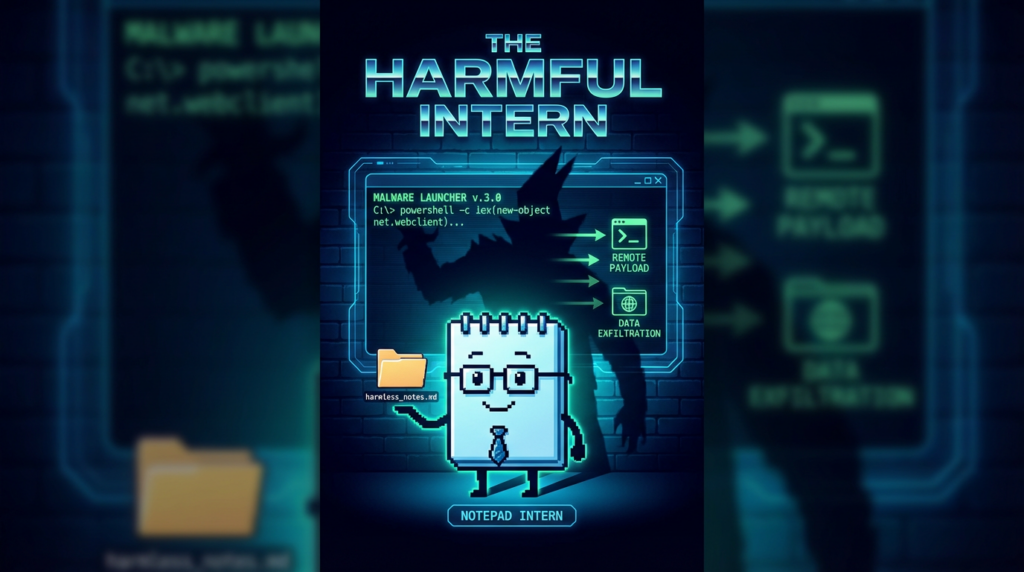
Third, inventory and reduce risky protocol handlers and downstream execution paths. If your Windows image contains software that registers permissive custom URI schemes or launches helper binaries unsafely, fix those now. A text editor bug is often only one hop in a longer chain. (ذا فيرج)
Fourth, review how Markdown files enter your environment. In engineering-heavy organizations, Markdown is routine enough to bypass attention. That makes it an especially attractive lure format. Adjust filtering, detonation, user guidance, and collaboration-tool controls accordingly. (Zero Day Initiative)
Fifth, treat every feature-rich “simple utility” as a moving target. The Notepad story is really a lesson in inventory governance. If a default app gains rendering, AI, protocol, preview, or automation features, add it to the list of components you review like real attack surfaces, because that is what it has become. (Windows Blog)
Final assessment
CVE-2026-20841 matters because it exposes a mistake defenders and vendors both make too often: assuming that trust earned in a simpler era automatically carries forward into a more complex product. Windows Notepad used to be the canonical plain-text utility. Then it gained Markdown rendering, links, tables, richer formatting, and adjacent AI-era expansion. Somewhere in that transition, the security model did not keep pace with the feature model. The result was a high-severity vulnerability in one of the last places many users would think to fear. (Windows Blog)
The lesson is bigger than one CVE. Security teams should read this bug as a warning about execution boundaries migrating upward into everyday interfaces. A text editor can become a renderer. A renderer can become a launcher. A launcher can become an access path. Once that chain exists, the exploit does not need to be flashy to be effective. It only needs to look normal long enough for a user to click. CVE-2026-20841 is a clean example of why modern endpoint defense has to care as much about content flows and application behavior as it cares about classical memory corruption. (Zero Day Initiative)
Recommended English links
- NVD — CVE-2026-20841 detail (NVD)
- Zero Day Initiative — CVE-2026-20841: Arbitrary Code Execution in the Windows Notepad (Zero Day Initiative)
- Microsoft-linked Patch Tuesday coverage from Rapid7 — February 2026 Patch Tuesday (رابيد7)
- Elastic Security — Potential Notepad Markdown RCE Exploitation (Elastic)
- BleepingComputer — Windows 11 Notepad flaw let files execute silently via Markdown links (كمبيوتر نائم)
- The Verge — Microsoft fixes Notepad flaw that could trick users into clicking malicious Markdown links (ذا فيرج)
- Windows Central — Microsoft patches Notepad’s severe Markdown security flaw (Windows Central)
- Windows Insider Blog — Text Formatting in Notepad begin rolling out to Windows Insiders (Windows Blog)
- Windows Insider Blog — Notepad update begins rolling out to Windows Insiders (Windows Blog)
- Windows Insider Blog — Notepad and Paint updates begin rolling out to Windows Insiders (Windows Blog)
- Penligent — CVE-2026-20841, When Windows Notepad Turned Markdown Into an Execution Boundary (بنليجنت)
- Penligent — CVE-2026-20841, When Notepad Became an Execution Boundary (بنليجنت)
- Penligent — CVE-2026-20841 PoC, When Notepad Learns Markdown, A Click Can Become Execution (بنليجنت)
- Penligent — OpenClaw + VirusTotal, The Skill Marketplace Just Became a Supply-Chain Boundary (بنليجنت)
- Penligent — CVE-2024-6387 regreSSHion, Why It’s Trending Again and What Security Teams Should Do Right Now (بنليجنت)


 Arabic
  English
  German
  French
  Spanish
  Portuguese
  Japanese
  Korean
  Hindi
Hindi  Turkish
  Hebrew