
Synology published two DSM security advisories on November 10, 2026: SA-26:19, rated Critical, and SA-26:18, rated Important. Both are marked Resolved, meaning a vendor correction is available. An administrator still needs to match the NAS to the correct DSM branch and verify the full installed build, including its final update suffix.
Keep the two advisory scopes separate
SA-26:19 covers CVE-2026-76954 in the Auth API and CVE-2026-85101 in rsync. Synology describes the first as SQL injection permitting arbitrary-file reads or writes and denial of service, with CVSS 3.1 9.8. The second is an authentication bypass through an alternate path or channel permitting specific-file reads, arbitrary-file writes and limited denial of service, with score 8.6. Their precise impacts differ.
SA-26:18 contains multiple vulnerabilities with different conditions. Examples include authenticated SSOAuth authorization bypass, an nfsd denial-of-service issue, an OTP issue requiring valid user credentials and a User API issue requiring control over a compromised LDAP or Active Directory server. Do not flatten this collection into a claim that every issue is unauthenticated remote code execution.
| DSM branch | SA-26:19 fixed release or later | SA-26:18 published branch row |
|---|---|---|
| 7.4 | 7.4.1-90080-1 | 7.4.1-90080-1 or later |
| 7.3 | 7.3.2-86009-5 | 7.3.2-86009-5 or later |
| 7.2.2 | 7.2.2-72806-10 | No row listed in this advisory |
| 7.2.1 | 7.2.1-69057-13 | No row listed in this advisory |
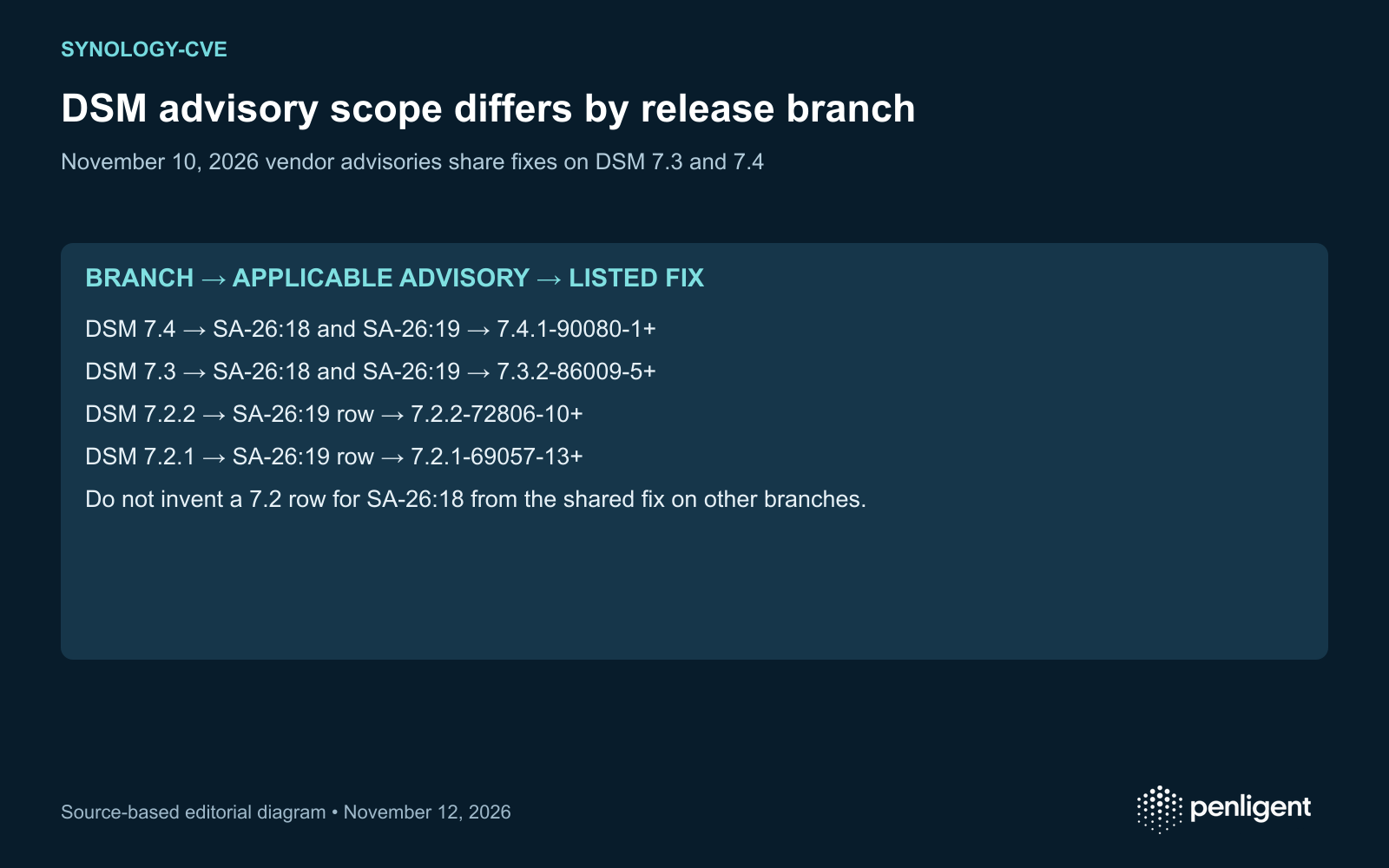
The shared corrections for 7.3 and 7.4 simplify deployment, but they do not make the affected-product lists identical. Do not extend SA-26:18 to a 7.2 branch merely because SA-26:19 includes it. Conversely, a missing row is not an all-vulnerability safety statement for that branch. Recheck the exact advisory and the model’s supported update path when the installed version falls outside this matrix.
Preserve the suffix in every comparison
An inventory value such as “DSM 7.3” or even “7.3.2-86009” is incomplete for this decision. SA-26:19 names 7.3.2-86009-5. Keep the last update suffix when collecting the device version and when writing the remediation ticket. Use the supported DSM update interface and the model-specific vendor download path rather than constructing an update package URL.
Compare within the matching release branch. Treat the table as the advisory’s fixed-release mapping, not a general lexical sort of version strings. A script that compares text can misorder numeric suffixes, and a higher number from another branch does not establish model compatibility. Where a newer supported release is offered, confirm that the vendor release path contains the correction.
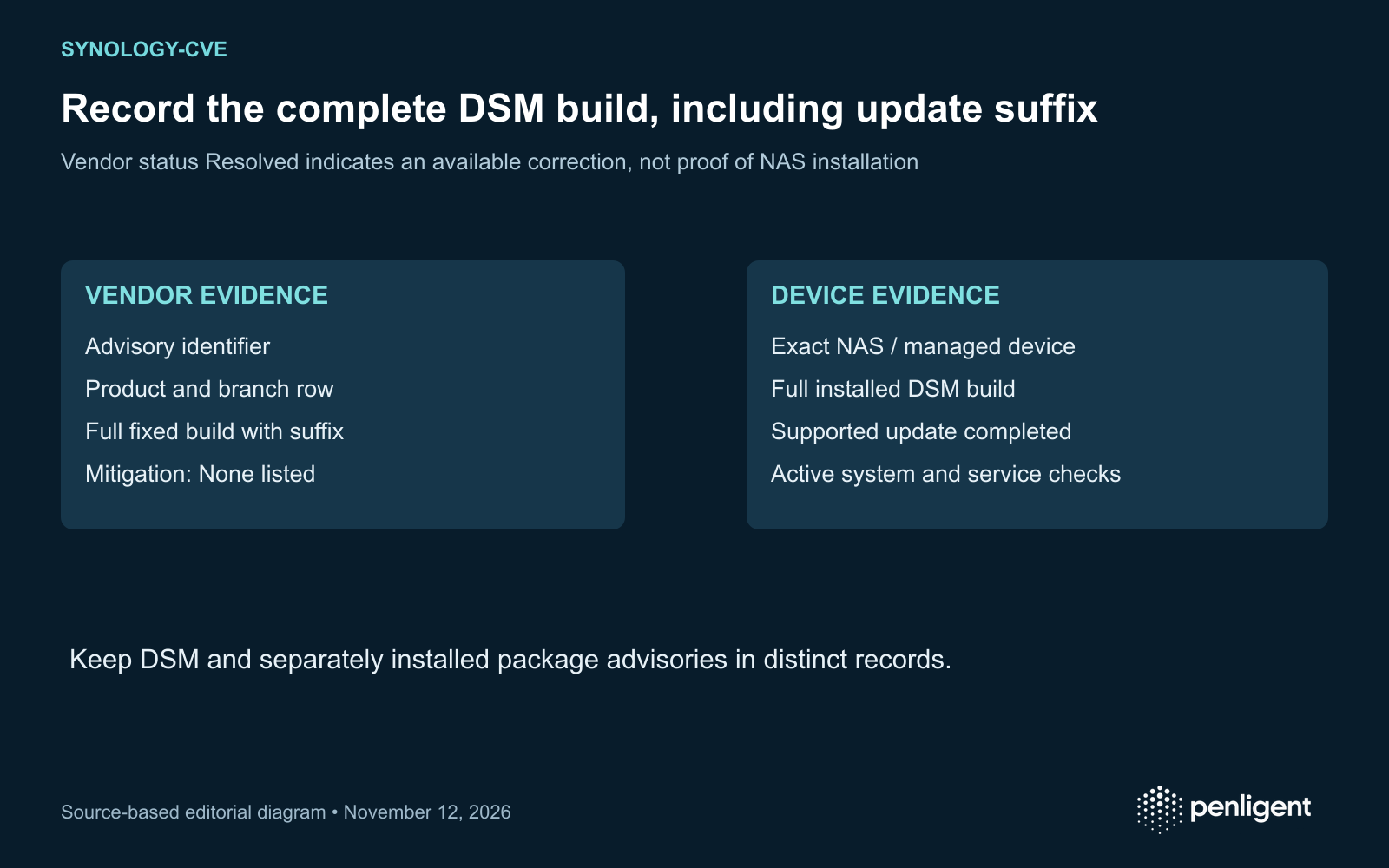
Make one evidence record per NAS
| السجل | Why it changes the decision |
|---|---|
| Model, device ID and owner | Selects the supported release path and accountable operator. |
| Full installed DSM build and observation time | Shows whether the advisory boundary has been crossed. |
| Applicable advisory and branch row | Explains which correction was selected. |
| Update job, restart outcome and active-build observation | Separates installation intent from the state now running. |
| Exposed management, synchronization and file services | Defines which access paths need operational review. |
Before the maintenance window, follow the vendor’s backup and update guidance and identify the services the device provides. After the update, verify the active build in DSM and check ordinary file access, synchronization and backup operations that the organization actually relies on. Retain the results in the device record. A fleet-level “successful” job should not hide a NAS that was offline or deferred.
Review exposure without inventing a workaround
Both advisories list Mitigation as None. Do not describe an unverified permission change, network rule or disabled service as a vendor-approved substitute for the update. An organization can still reduce unnecessary exposure under its ordinary network policy, but the ticket should distinguish that risk-reduction action from the advisory correction.
Record actual access paths, including management access, required file services and any remote connectivity. Reachability changes the local assessment; it does not change which DSM builds the vendor lists. If unusual authentication, file changes or service failures are observed, preserve available records and follow the incident-response process. The advisory publication and a search-interest increase do not establish that a particular device was exploited.
Keep the page current by advisory, not by product keyword
These November advisories are distinct from older Synology issues such as CVE-2024-10441 affecting DSM and BeeStation. A generic “Synology CVE” search should lead to an identified advisory and product branch before an update decision is made. Do not apply a BeeStation version to a DSM NAS or infer a new CVE from the product name alone.
The decisive artifact is a per-device record linking the applicable November advisory to the full corrected DSM build now installed. Keep devices awaiting observation open, and date the matrix so subsequent vendor revisions can be reconciled.
The following official Penligent 3.0 video demonstrates the general product workflow. It does not demonstrate exploitation or certify remediation of the vulnerabilities discussed here.
Source review: November 12, 2026. This analysis uses public primary records and configuration or source-code reasoning; no exploit reproduction is claimed.
 Arabic
 English
 German
 French
 Spanish
 Portuguese
 Japanese
 Korean
 Hindi
 Turkish
 Hebrew