
CVE-2024-38063 is a Windows TCP/IP remote code execution vulnerability first published on August 13, 2024. Renewed interest does not make it a newly disclosed 2026 flaw. For a Windows owner reviewing it now, the useful question is whether each deployed system has an applicable security update and is actually running the repaired build.
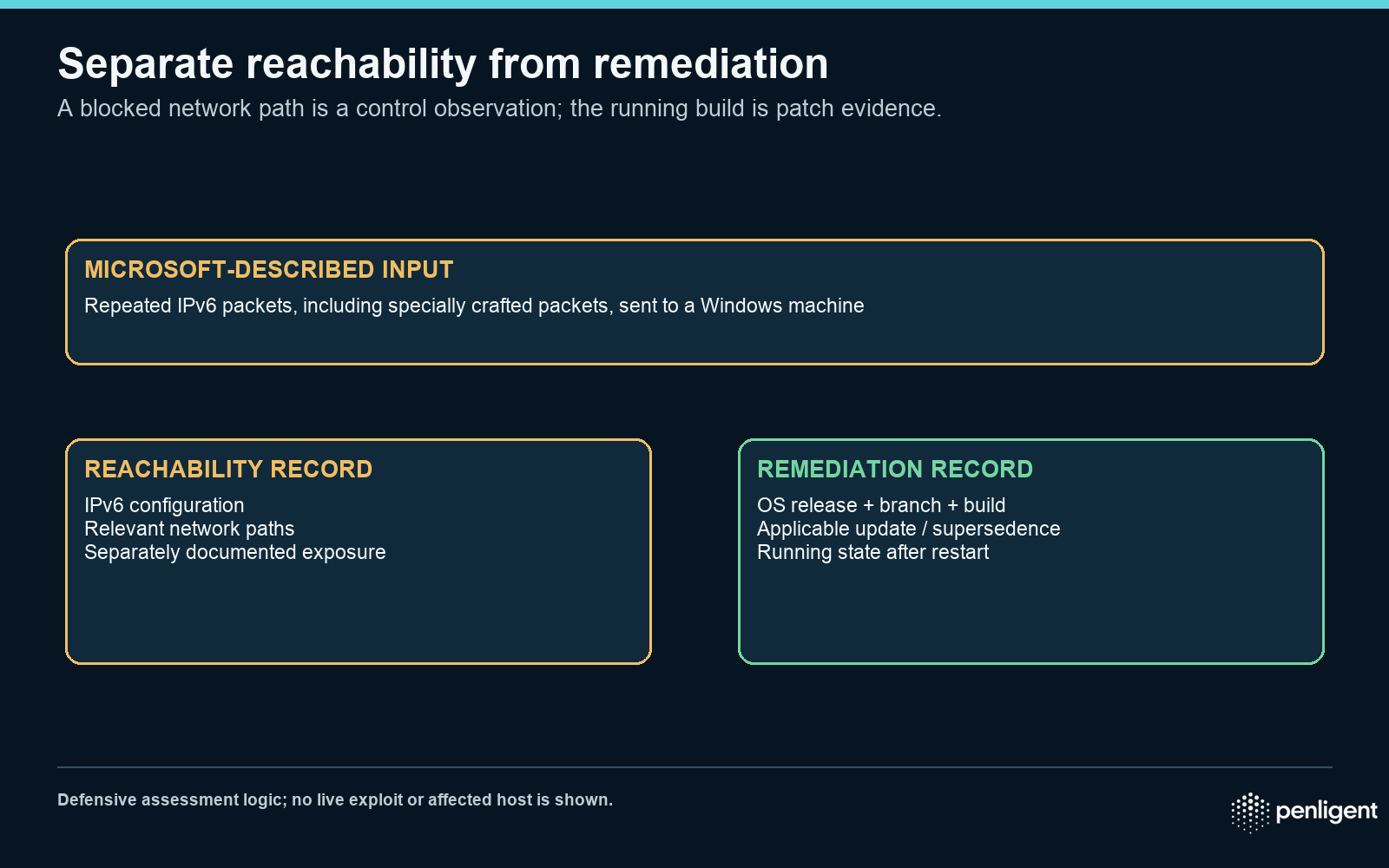
The Microsoft Security Response Center advisory describes an unauthenticated attacker repeatedly sending IPv6 packets, including specially crafted packets, to a Windows machine. Microsoft rates the vulnerability CVSS 9.8. This guide uses advisory and update evidence; it does not claim a Penligent exploit test or reproduce malicious packets.
Keep exposure and patch evidence separate
An asset record needs two conclusions. First, document whether IPv6 is enabled and whether relevant traffic can reach the machine. Second, establish its Windows product, release branch, architecture, running build and applicable update. A blocked path can reduce exposure without proving that the operating system is patched. A successful update deployment can repair the operating system without proving every network control is configured as intended.
Microsoft states that systems with IPv6 disabled are not affected. Treat that as a specific configuration condition to verify, rather than an instruction to disable IPv6 across a fleet. Configuration changes can affect dependencies and need their own operational assessment. Do not use an IPv4-only scan or the absence of a public IPv6 address as sufficient evidence about every reachable IPv6 path.
Capture the running Windows branch before comparing versions
On an authorized Windows host, the following read-only PowerShell inventory records the release label, build revision, architecture and last boot time. It sends no test traffic and changes no settings. Preserve the host identifier and collection time alongside the output so that the evidence can be matched to the deployment record.
Get-ItemProperty 'HKLM:\SOFTWARE\Microsoft\Windows NT\CurrentVersion' |
  Select-Object ProductName, DisplayVersion, CurrentBuild, UBR

Get-CimInstance Win32_OperatingSystem |
  Select-Object Caption, Version, OSArchitecture, LastBootUpTime
Use the registry and operating-system results together. A product label alone does not identify the update branch, and the base build without UBR omits the revision needed for a precise comparison. If inventory sources disagree, reconcile them before closing the finding. These commands provide inventory evidence; they do not independently prove update supersedence or vulnerability status.
Historical Microsoft remediation rows are reference points
The following examples are extracted from the MSRC August 2024 CVRF document for this CVE. They are historical remediation references in the captured document, which includes later update rows. They are not a list of first fixed releases and not recommended November 2026 deployment targets. This is a selected matrix, not the full affected-product inventory.
| Windows release | Historical KB reference | Remediation build in MSRC |
|---|---|---|
| Server 2016 | KB5041773 | 10.0.14393.7259 |
| Server 2019 | KB5043050 | 10.0.17763.6293 |
| Server 2022 | KB5042881 | 10.0.20348.2700 |
| Windows 10 22H2 | KB5041580 | 10.0.19045.4780 |
| Windows 11 22H2 | KB5041585 | 10.0.22621.4037 |
| Windows 11 23H2 | KB5041585 | 10.0.22631.4037 |
| Windows 11 24H2 | KB5041571 | 10.0.26100.1457 |
Compare only within the matching release branch. For example, a 22631 revision must be evaluated against the Windows 11 23H2 branch; the fact that another product has a numerically higher base build establishes nothing about that system. Select an applicable, supported cumulative update using current Microsoft release documentation and the organization’s servicing channel. Confirm that its documented supersedence includes the repair instead of installing an old KB merely because it appears in this table.
Close the finding with deployment and running-state evidence
A defensible closure record joins the asset identity, the matching Microsoft remediation branch, the deployed update or documented superseding update, and the running build collected after servicing. Record restart status and a basic application-health check. An update queued for installation, an installation log without a completed required restart, or a missing old KB number on a cumulatively updated host each needs interpretation rather than an automatic pass or fail.
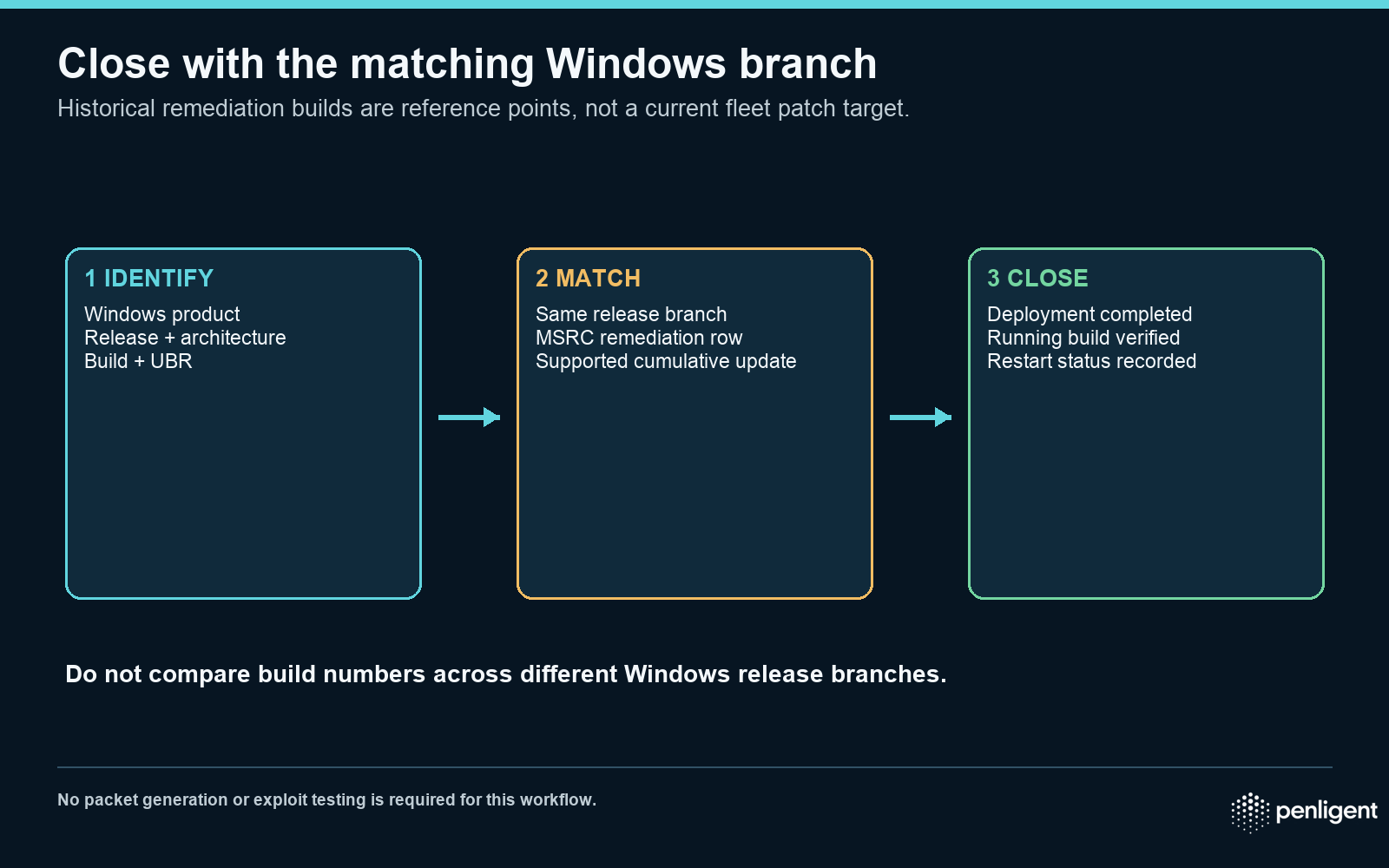
Keep exceptions explicit. If the system cannot receive an applicable supported update, record the reason, owner, compensating controls and review date. If a network control is the temporary mitigation, keep that observation separate from patch closure. Avoid sending crafted IPv6 packets to production systems: version and deployment verification can answer the patch question without a potentially disruptive exploit attempt.
What this workflow establishes
This procedure produces an auditable patch decision for a particular Windows asset. It does not establish that exploitation occurred, prove the absence of compromise, or validate every possible network path. Incident-response conclusions require separate evidence. The CVE Record and MSRC advisory remain the authoritative starting points for scope; current release documentation determines the supported deployment target.
When consolidating assessment evidence in Penligent, retain the source advisory, branch mapping and running-state evidence with the finding. The following official video is a general product workflow demonstration; it is not evidence that this CVE was exploited or that a particular Windows host was repaired.
Methodology: prepared with AI assistance and checked against the linked Microsoft and CVE records on November 24, 2026. The version matrix is a source comparison, not a first-hand exploit or fleet test.
 English
 German
 French
 Spanish
 Portuguese
 Japanese
 Korean
 Hindi
 Arabic
 Turkish
 Hebrew