
The reason this story took off: Notepad stopped being “boring,” and boring was a security feature
Notepad used to be a near-zero-feature editor. As soon as it gained lightweight formatting—Markdown-style input, hyperlinks, lists, headings, and later richer formatting and tables—it stopped being “just a file viewer.” That change is explicitly described in the Windows Insider announcements: Notepad’s formatting experience supports Markdown input and hyperlinks, and later builds added expanded formatting features including tables. (Blog de Windows)
That’s not automatically “bad.” But it moves a trust boundary inside a default tool. The moment a plaintext workflow turns into “render + click + launch,” you inherit the security model of link-handling apps—browsers, document viewers, chat clients—where attackers have spent a decade optimizing for one outcome: turn a normal user click into a meaningful system action.
That’s why the highest-traffic coverage converged on the same phrasing: Markdown links, “execute silently,” and the lack (or reduction) of Windows prompts. (BleepingComputer)
What CVE-2026-20841 is, according to the canonical record—and what changed
The canonical record lives in National Vulnerability Database: CVE-2026-20841 is “improper neutralization of special elements used in a command (‘command injection’) in Windows Notepad App,” mapped to CWE-77. (NVD)
Two details matter for defenders:
1) The official description was modified (network → local)
The NVD change log shows Microsoft modified the description on Feb 12, 2026 from “execute code over a network” to “execute code locally.” (NVD)
That’s not pedantry. It’s your signal to stop arguing about labels like “RCE” and instead model the real chain:
- malicious Markdown file reaches a user (email/chat/ticketing/drive sync),
- user opens it in Store Notepad,
- user clicks/ctrl-clicks a crafted link,
- Notepad triggers a protocol handler / launches a target that results in code execution in the user’s context.
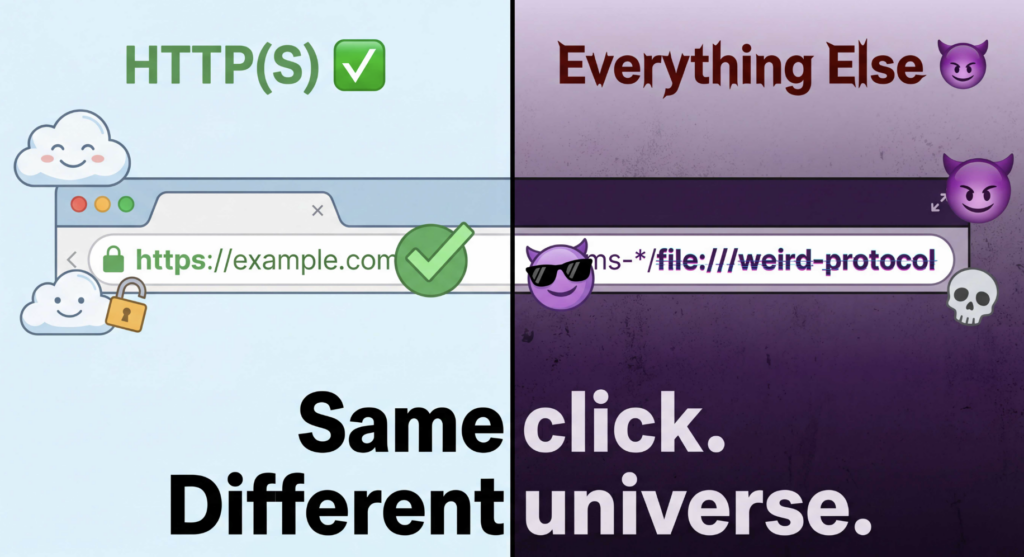
Reporting focuses on “unverified protocols” and link-triggered launching behavior; BleepingComputer’s testing emphasizes the before/after behavior change around link warnings for non-HTTP(S). (BleepingComputer)
2) The CVSS vector was added as AV:N … UI:R
NVD shows a CVSS v3.1 vector added (UI required), which aligns with the attack style: social engineering + click boundary + execution. (NVD)
Bottom line: treat this as click-to-execute boundary expansion, not a Notepad-only “parser exploit” story.
The highest-CTR viewpoint, summarized and “converted” into operational guidance
If you read the most-circulated pieces (the ones your stakeholders will forward you), they cluster into two storylines:
- “Notepad got Markdown; Markdown links can be abused; users can trigger execution by clicking.” (TechRadar)
- “After the patch, Windows shows warnings when the link isn’t HTTP/HTTPS.” (BleepingComputer)
Those viewpoints are accurate enough to brief leadership—but they’re not sufficient to protect a fleet. Here’s the operational translation that actually holds up:
- Patch it (obvious), but verify the Store app version at scale.
- Assume users will click through prompts under pressure.
- Put guardrails at the execution boundary: application control, scheme/handler governance, script/installer containment, and detection focused on downstream behavior (process tree + command line), not UI text.
- Treat this as a template for future “feature creep” boundary shifts in default apps, because the underlying risk pattern is stable. (Blog de Windows)
Scope: this is the Store-based Notepad app, and Store-based patching is its own governance lane
Multiple sources describe the impacted component as the modern Windows Notepad app distributed via Microsoft Store mechanisms, and they cite version boundaries around 11.2510 as a key line. (TechRadar)
This creates a common enterprise failure mode: teams report “Windows is patched,” but Store app versions drift, especially if Store updates are constrained by policy or network controls.
So the real question becomes: Can you prove the Notepad version floor across endpoints, not just OS patch status? (Planeta eSeguridad)
Why defenders should connect this to KEV-era “prompt bypass” vulnerabilities
This Notepad CVE is about expanding what clicks can do. The more dangerous cousin class is: reducing the user’s chance to notice what a click is doing.
CISA added multiple Microsoft “security feature bypass” CVEs to the Known Exploited Vulnerabilities catalog in a Feb 10, 2026 alert. (CISA)
In that set, CVE-2026-21510 (Windows Shell) and CVE-2026-21513 (MSHTML Framework) are explicitly framed as protection mechanism failures / security feature bypasses. (CISA)
Why mention them in a “windows notepad cve” article?
Because this is the combined risk model you should plan for:
- App A (Notepad) turns content into action (links trigger handlers).
- CVE B (Shell/MSHTML bypasses) reduces the friction/warnings around that action (or around downloaded/marked content).
- Attackers win not by “one perfect exploit,” but by making dangerous actions look routine.
Industry coverage of the KEV additions emphasizes the clustering of those bypass CVEs. (The Record from Recorded Future)

A defender’s taxonomy for “windows notepad cve” that stays valid after the news cycle
| Clase | What breaks | Why it scales | What to control |
|---|---|---|---|
| Click-to-action expansion | A viewer/editor becomes a launcher via links/URIs | Social engineering + common file types | Allowed schemes/handlers, parent→child process constraints, execution policy |
| Friction removal | Warnings and prompts don’t appear or can be bypassed | Users can’t choose safely if they don’t see the choice | KEV-driven patch priority + detection of “missing friction” patterns |
| Store-app drift | App patching isn’t governed like OS patching | Silent version lag across fleet | Inventory, enforcement, and auditable proof |
Notepad is your case study. The taxonomy is the durable lesson. (Blog de Windows)
The rollout plan that works: prove version, prove behavior, prove containment
This section is written so you can hand it to endpoint engineering + SOC and get real movement.
Step 1 — Fleet inventory: detect Store Notepad presence and version
The script below outputs a single JSON object per run (SIEM-friendly). It does not exploit anything; it just tells you whether the modern Notepad package exists and what version it is.
# Inventory Microsoft Store Notepad package version (SIEM-friendly JSON).
# Package name: Microsoft.WindowsNotepad

$pkg = Get-AppxPackage -Name "Microsoft.WindowsNotepad" -ErrorAction SilentlyContinue
$now = (Get-Date).ToUniversalTime().ToString("o")

if (-not $pkg) {
  [pscustomobject]@{
    host = $env:COMPUTERNAME
    notepad_store_present = $false
    version = $null
    timestamp_utc = $now
  } | ConvertTo-Json -Compress
  exit 0
}

[pscustomobject]@{
  host = $env:COMPUTERNAME
  notepad_store_present = $true
  version = $pkg.Version.ToString()
  package_fullname = $pkg.PackageFullName
  timestamp_utc = $now
} | ConvertTo-Json -Compress
Por qué es importante: public coverage repeatedly anchors the vulnerable boundary to Notepad versions around 11.2510 and earlier; you need an auditable way to answer “who is below the fixed floor?” (TechRadar)
Step 2 — Store update governance: ensure Store apps are actually updating
This is where many orgs stall. If Store updates are blocked or inconsistent, “Patch Tuesday compliance” can be true while Notepad remains behind.
Practical governance controls:
- Confirm Store update policy state (Intune / GPO / network egress).
- Confirm update cadence and telemetry for Store app updates.
- Build a dashboard: Notepad package version distribution by device group.
The business-facing message: “OS patched” ≠ “default apps patched,” when default apps are Store-delivered. (Planeta eSeguridad)
Step 3 — Containment: assume prompts can be clicked through
BleepingComputer notes Microsoft’s fix now displays warnings when clicking a link that does not use HTTP/HTTPS. That’s helpful, but it’s not a control you should bet a fleet on. (BleepingComputer)
So you add execution-boundary controls:
- Application control (WDAC/AppLocker) to prevent unexpected script/installer hosts from running.
- EDR rules to block or contain suspicious parent→child process chains.
- Restrict risky scheme launches where practical (or alert aggressively when they occur).
Hardening kit: WDAC scaffold + Intune deployment shape you can actually use
This section provides a “sane default scaffold.” You still must tune it for your environment before broad enforcement.
WDAC scaffold: start in audit, then enforce allow-by-signer + deny user-writable execution
<!-- WDAC policy scaffold (illustrative; tailor before deployment). -->
<SiPolicy xmlns="urn:schemas-microsoft-com:sipolicy">
  <VersionEx>1.0.0.0</VersionEx>
  <PolicyID>{YOUR-GUID-HERE}</PolicyID>
  <BasePolicyID>{YOUR-GUID-HERE}</BasePolicyID>

  <Rules>
    <!-- User Mode Code Integrity -->
    <Rule><Option>Enabled:UMCI</Option></Rule>

    <!-- Start in audit mode; switch to enforce after tuning -->
    <Rule><Option>Enabled:AuditMode</Option></Rule>
  </Rules>

  <Signers>
    <!-- Define trusted publishers:
         - Microsoft
         - Your org code-signing certs
         - Critical vendors (only what you truly need) -->
  </Signers>

  <FileRules>
    <!-- Deny execution from user-writable locations (example categories):
         - %USERPROFILE%\\Downloads\\
         - %LOCALAPPDATA%\\
         - %APPDATA%\\
         - %TEMP%\\
       Implement using file path rules or more robust signer+path strategy. -->
  </FileRules>
</SiPolicy>
Why it fits this incident: the Notepad chain is “content → click → execution.” If your environment makes it hard to execute from user-writable paths and constrains script/installer hosts, then even a successful click-through prompt has a much smaller blast radius.
Intune deployment shape: what to deliver, how to roll out, how to roll back
You can implement WDAC policy deployment via Intune (policy as a signed CIP). The safe rollout pattern:
- Ring 0 (Audit only): Security engineering + SOC endpoints.
- Ring 1 (Targeted high-risk): Finance/AP, HR, exec assistants, IT helpdesk.
- Ring 2 (Broad enforce): After tuning false positives.
Roll back strategy:
- Keep a “break-glass” group excluded.
- Maintain a previous-known-good policy ready to re-apply.
- Make enforcement conditional on device compliance state (only enforce after the device reports the policy in audit cleanly for N days).
This is not Notepad-specific; it’s how you make execution-boundary controls survivable.
Detection kit: focus on what Notepad causes downstream
The reporting angle that matters operationally: link clicks can trigger launching behavior; after patching, non-HTTP(S) link clicks produce warnings. (BleepingComputer)
So don’t try to parse Markdown. Watch process trees and suspicious launches.
Sigma rule: Notepad spawning suspicious child processes
title: Suspicious Child Process Spawned by Notepad (Possible Markdown Link Abuse)
id: 4d8d7c4d-6f1f-4c9a-9d2b-example
status: experimental
description: Detects suspicious child processes spawned by Notepad that are rare in normal workflows.
references:
  - <https://nvd.nist.gov/vuln/detail/CVE-2026-20841>
  - <https://www.bleepingcomputer.com/news/microsoft/windows-11-notepad-flaw-let-files-execute-silently-via-markdown-links/>
tags:
  - attack.execution
  - windows notepad cve
logsource:
  category: process_creation
  product: windows
detection:
  parent:
    ParentImage|endswith:
      - '\\WindowsNotepad.exe'
      - '\\notepad.exe'
  suspicious_child:
    Image|endswith:
      - '\\cmd.exe'
      - '\\powershell.exe'
      - '\\pwsh.exe'
      - '\\wscript.exe'
      - '\\cscript.exe'
      - '\\msiexec.exe'
      - '\\rundll32.exe'
      - '\\regsvr32.exe'
  condition: parent and suspicious_child
falsepositives:
  - Rare admin workflows (validate via change ticket / console session)
level: high
Microsoft Defender KQL: Notepad-initiated suspicious processes
DeviceProcessEvents
| where Timestamp > ago(14d)
| where InitiatingProcessFileName in~ ("WindowsNotepad.exe", "notepad.exe")
| where FileName in~ ("cmd.exe","powershell.exe","pwsh.exe","wscript.exe","cscript.exe","msiexec.exe","rundll32.exe","regsvr32.exe")
| project Timestamp, DeviceName, AccountName,
          InitiatingProcessFileName, InitiatingProcessCommandLine,
          FileName, ProcessCommandLine, FolderPath, SHA256
| order by Timestamp desc
Tuning guidance:
- Start with alert-only.
- Add allowlists by device group (packaging/IT admin boxes) rather than weakening globally.
- Escalate severity if the child process executes from user-writable paths or hits suspicious network destinations.
SIEM field mapping table: Sysmon ↔ Windows Security ↔ MDE ↔ Sigma
You asked for a mapping table you can drop into an internal playbook. This table is intentionally practical: it’s the minimum you need to implement the Sigma detection above across common telemetry sources.
| Concept | Sysmon (Event ID 1) | Windows Security (4688) | Microsoft Defender (DeviceProcessEvents) | Sigma field (typical) |
|---|---|---|---|---|
| Tiempo | UtcTime | TimeCreated | Timestamp | EventTime |
| Anfitrión | Computer | SubjectLogonId + host context | DeviceName | ComputerName |
| Parent image | ParentImage | ParentProcessName (varies by parser) | InitiatingProcessFileName | ParentImage |
| Parent cmdline | ParentCommandLine | CommandLine for parent (parser-dependent) | InitiatingProcessCommandLine | ParentCommandLine |
| Child image | Image | NewProcessName | FileName (plus FolderPath) | Image |
| Child cmdline | CommandLine | CommandLine | ProcessCommandLine | CommandLine |
| User | User | SubjectUserName | AccountName | User |
| Hash | Hashes | not always present | SHA256 | Hashes |
Notes:
- Windows Security 4688 often needs enhanced audit policy and careful parsing to reliably capture parent info.
- Sysmon provides the cleanest parent/child story if deployed widely.
- MDE provides consistent device/user/process context at scale.
Incident response runbook: how to handle suspected Notepad-triggered execution
This section is designed to be copy/pasted into an IR wiki.
Triage: confirm the chain
- Identify endpoints that opened suspicious Markdown files (email/chat attachments; file shares; downloads).
- Search for Notepad-initiated child processes (rules above).
- If found, collect:
- the Markdown file,
- the process tree,
- command lines,
- file hashes and on-disk paths,
- outbound network connections from the child process.
BleepingComputer’s reporting highlights the risk of links pointing to remote SMB shares and execution without warnings (pre-fix) and warns post-fix behavior changes around link prompts. That translates directly into “check SMB and remote execution paths in telemetry.” (BleepingComputer)
Containment: assume more than one user got the file
- Isolate affected endpoint(s) if suspicious child execution occurred.
- Block IOCs (hashes/domains/SMB paths) at EDR + network controls.
- Hunt laterally for the same Markdown file hash or similar filename patterns in mailboxes/file shares.
Eradication: remove the precondition
- Ensure Notepad Store app versions are at/above your fixed floor across the fleet.
- Where Store updates are unreliable, push a corrective action: either unblock Store update channels or use enterprise distribution mechanisms to keep Notepad patched.
Lessons learned: make the control durable
- Treat “renderer tools gaining links” as a change-management trigger that requires threat modeling and detection updates.
- Add a SOC use case: “text editor spawns script host” should never be silent.
Why this will repeat: the Notepad roadmap already tells you the risk surface will keep moving
The Windows Insider blog posts show the feature trajectory: Markdown-style formatting, hyperlinks, lists, headings, tables, and more. (Blog de Windows)
A mature security program responds by:
- baking execution-boundary controls into baseline policy,
- building telemetry-first detection for boundary-crossing behavior,
- and treating feature rollouts as a security event, not just a UX change.
If your only goal is to explain the news, you don’t need any product. But if your goal is to turn this work into repeatable value—proof, validation, reporting—then an automation platform is a natural fit.
The Penligent write-up on CVE-2026-20841 frames the exact enterprise goal you should adopt: reduce “content/link/shortcut → execution” pathways, prove version remediation, validate whether risky scheme launches still occur, and ship detection + a repeatable report. (Penligente)
That matches what security leaders actually ask for after a high-CTR vulnerability story hits their inbox: not “is it patched on my laptop,” but “is it eliminated at scale, and can you prove it?”
Appendix: related CVEs worth citing alongside “windows notepad cve”
CVE-2026-20841 — Windows Notepad App
- Command injection classification (CWE-77).
- Description modified on Feb 12, 2026 (network → local).
- References include Microsoft’s update guide entry (JS-rendered page). (NVD)
CVE-2026-21510 — Windows Shell security feature bypass (KEV)
- Listed in CISA KEV catalog; CISA alert covers the addition set. (CISA)
CVE-2026-21513 — MSHTML Framework security feature bypass (KEV set)
- NVD entry describes protection mechanism failure; appears alongside the same KEV-addition narrative. (NVD)

 Spanish
  English
  German
  French
  Portuguese
  Japanese
  Korean
  Hindi
Hindi  Arabic
  Turkish
  Hebrew