
Checked November 12, 2026, at 12:48 UTC. The vendor investigation remains open in the source reviewed.
N-central administrators need two separate checks: confirm the current Legacy API setting, and verify the server, Agent and Probe upgrade state. A server showing 2026.4.1.26 is evidence of the November 10 HF2 release; it does not, by itself, close the additional disclosure that N-able began investigating on November 12.
What N-able has confirmed
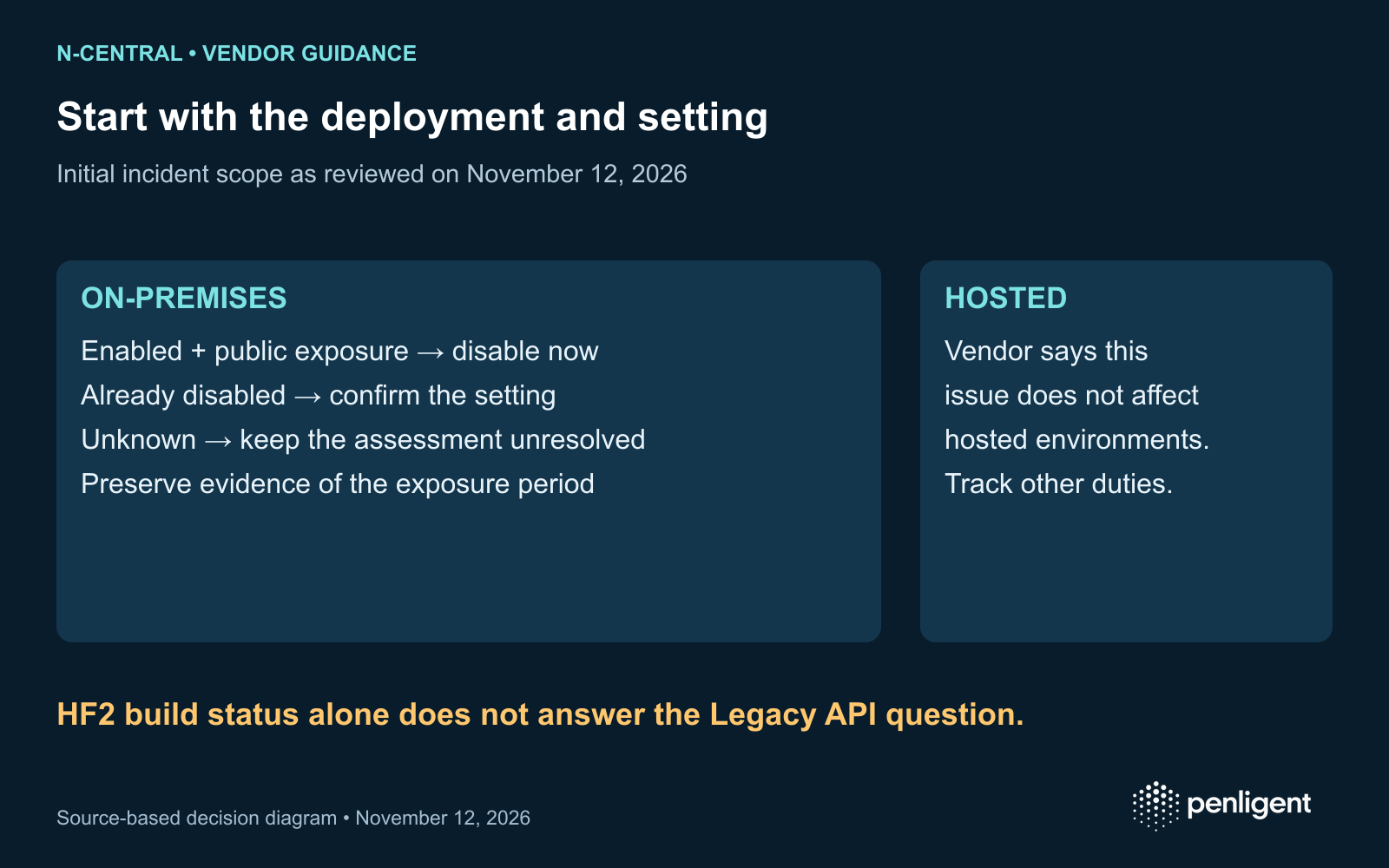
En incident 202609, opened November 12 at 07:00 UTC, N-able says its initial review of the new server issue depends on an on-premises installation with Legacy API enabled and exposed to the public internet. The setting is off by default. The vendor directs on-premises customers to disable it if enabled and otherwise confirm that it remains disabled. It says hosted environments are not affected by this issue and that version scope is still being assessed.
Treat that as the scope of the vendor’s initial statement, not a blanket assurance about every newly claimed Agent or server weakness. Use the incident page for changes. The labels 4EverAble2Shell and Agent2Shell refer to the new public disclosure; this article does not validate the exploit claims or assign an unconfirmed CVE identifier.
Deployment decision table
| Your deployment | Immediate evidence to collect | Decision |
|---|---|---|
| On-premises; Legacy API enabled; publicly reachable | Time-stamped setting, relevant ingress policy and asset owner. Preserve incident evidence according to your response process. | Follow the vendor instruction to disable Legacy API now. Review the exposure period and investigate suspicious activity; an upgrade label alone does not establish closure. |
| On-premises; Legacy API disabled | Configuration evidence from the actual appliance and confirmation that automation will not restore the setting. | Record compliance with current vendor guidance. Continue tracking the incident and evaluate other disclosed issues separately. |
| On-premises; setting or exposure unknown | Owner, appliance identity, setting and external routing path. | Keep the status unresolved until those facts are known. An inventory gap is not a negative finding. |
| N-able hosted | Provider incident statement and the customer’s Agent/Probe inventory. | Use N-able’s statement for the specific hosted-server issue. Continue the separately required endpoint upgrades. |
Do not use exploit traffic to answer a configuration question. Read the setting through the supported administrative interface and compare approved ingress rules with the actual deployment. The vendor links instructions for disabling Legacy API; follow those instructions for your environment rather than substituting guessed menu paths.
HF2 server status and endpoint readiness are different records
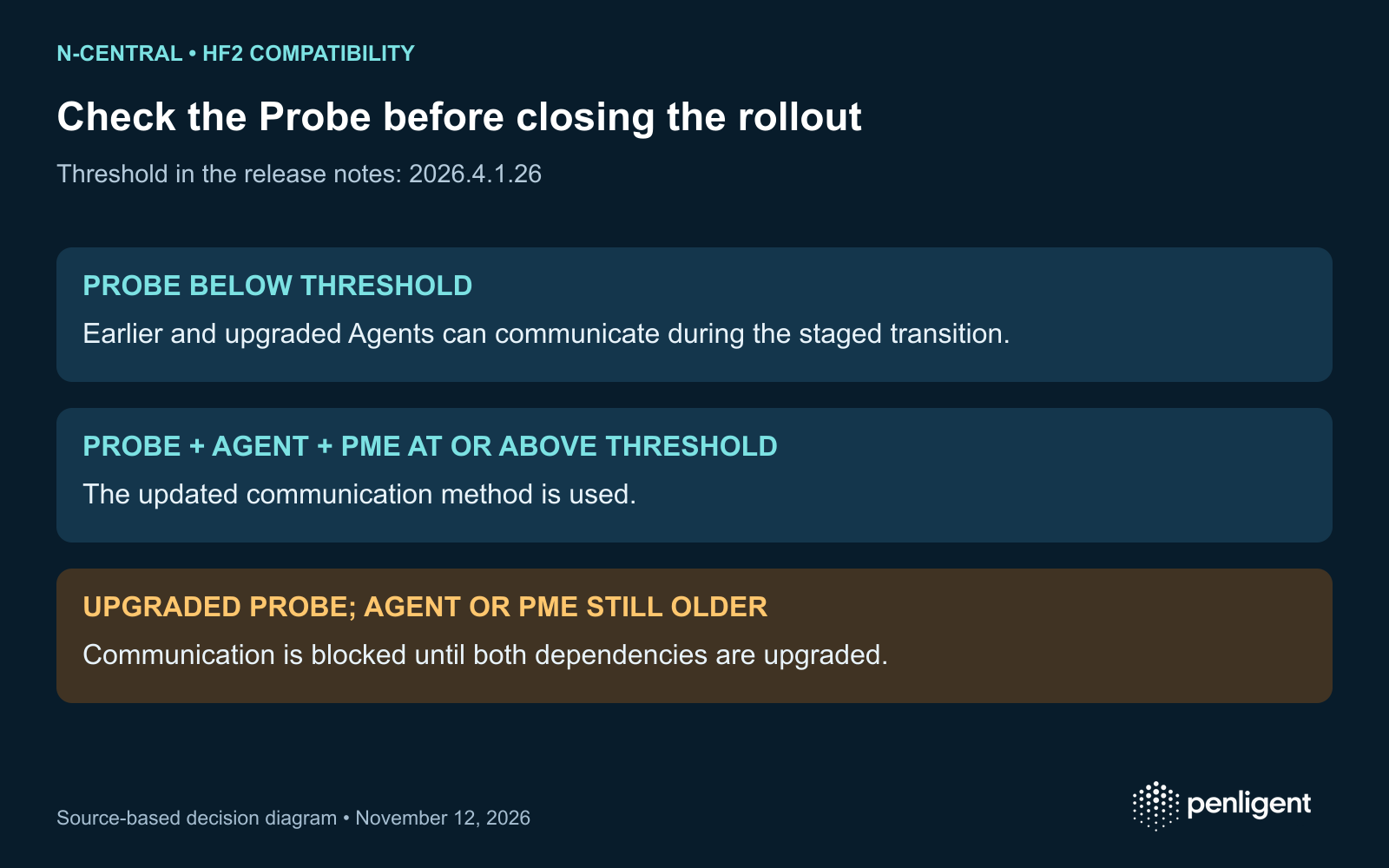
Les November 10 HF2 release notes identify build 2026.4.1.26. N-able upgrades hosted servers; on-premises customers upgrade their own. Both deployment types still require customers to upgrade Agents and Probes. The vendor recommends upgrading Agents before Probes to preserve their communication; PME is delivered separately.
| Observed component combination | Vendor-described communication result | Operational check |
|---|---|---|
| Probe earlier than 2026.4.1.26 | Agents continue communicating with the older Probe, including during staged Agent and PME upgrades. | Keep this as a transition state; it does not mean the endpoint upgrade requirement is complete. |
| Probe, Agent and PME at 2026.4.1.26 or later | The updated communication method is used. | Confirm component inventory and a representative dependent workflow. |
| Probe at 2026.4.1.26 or later; Agent or PME older | The Agent cannot communicate with the upgraded Probe until both dependencies are upgraded. | Investigate dependent functions such as the offline patch cache; do not misclassify a compatibility failure as proof of exploitation. |
These rows describe the documented HF2 compatibility transition, not a security certification of every later build. The release notes also list built-in remote control as temporarily disabled, while Take Control continues to work. Check that known issue before interpreting a lost function as an incident indicator.
Use two closure ledgers for an MSP rollout
The following worksheet is a proposed operational method. Keep one record for exposure containment and incident investigation, and a second for rollout and service validation. This prevents a successful software deployment from silently marking an unresolved compromise investigation complete.
| Ledger | Fields worth retaining | What is insufficient |
|---|---|---|
| Exposure and investigation | Appliance identifier; deployment type; Legacy API setting; relevant external path; first and last known exposure; evidence location; containment time; investigation owner; remaining uncertainty. | A screenshot of the build number, or the absence of an alert, without the configuration and visibility context. |
| Upgrade and functionality | Server build; Agent and Probe versions by managed device; PME readiness; offline devices; maintenance exceptions; representative communication result; retest date and owner. | A server-only success message, an aggregate percentage that hides offline agents, or an untested assumption about the patch cache. |
For example, a hypothetical customer may have a hosted server updated by the provider but an offline Windows device and an older Probe. The vendor’s hosted statement can answer the narrow November 12 server question while the endpoint ledger remains incomplete. Conversely, an on-premises system with every component upgraded can still require an exposure review if Legacy API was publicly accessible. Neither example is a claim about an observed customer incident.
What to require from a remediation handoff
Ask the delivery owner to identify which assertion each piece of evidence supports: setting disabled, server updated, endpoint updated, communication restored or investigation completed. If a managed device was unreachable, record its last contact and next validation step. If logs do not cover the exposure period, retain that limitation instead of reporting “no compromise.”
For a managed remediation or validation engagement, define these outputs in the scope and acceptance terms. The RFP and SOW worksheet can help specify evidence and blocked-work handling. Software-assisted testing should use authorized targets and the same evidence requirements; confirm the relevant workflow and current offering with Penligent before purchase.
Questions the current evidence does not answer
This review does not establish which additional exploit claims will be confirmed, whether a particular appliance was compromised, or whether a future release resolves every claimed chain. It does not label all hosted deployments or all patched servers vulnerable. Keep the November 12 incident separate from older N-central CVEs and revisit the vendor’s evolving version scope before closing the incident.
The following official Penligent 3.0 video demonstrates a general product workflow. It is not evidence that Penligent reproduced these N-central issues or that a particular product plan includes the checks above.
Method: AI-assisted synthesis of N-able’s incident statement and release notes, with a proposed deployment worksheet. No exploit or customer-system testing was performed.
 French
 English
 German
 Spanish
 Portuguese
 Japanese
 Korean
 Hindi
 Arabic
 Turkish
 Hebrew