
Source review: November 12, 2026. Original Arctic Wolf research published November 10.
A denied AWS API call is an authorization result for that call, not proof that an entire credential-abuse sequence failed. Arctic Wolf’s AntiFox-linked intrusion research provides a concrete reason to review successful sensitive operations alongside the much larger volume of denied discovery. For responders, the useful task is to establish which identity touched which resource, what the available logs show and where visibility ends.
What the original research establishes
Arctic Wolf Labs reports malicious web and AWS activity associated with cloud infrastructure hosting AntiFox interfaces. Observations included a compromised IIS worker creating a web shell, configuration discovery, use of valid AWS identities, broad enumeration and a successful production-secret retrieval. Other activity included S3 object operations. The initial IIS vulnerability and the origin of some credentials were not identified.
This is an association reported by the researchers, not proof that every AntiFox deployment is malicious or that a particular model independently performed every step. A console banner, cloud-provider address or scripting SDK is supporting context, not sufficient attribution. The defensive workflow below focuses on observable identities and operations rather than assigning guilt from a tool name.
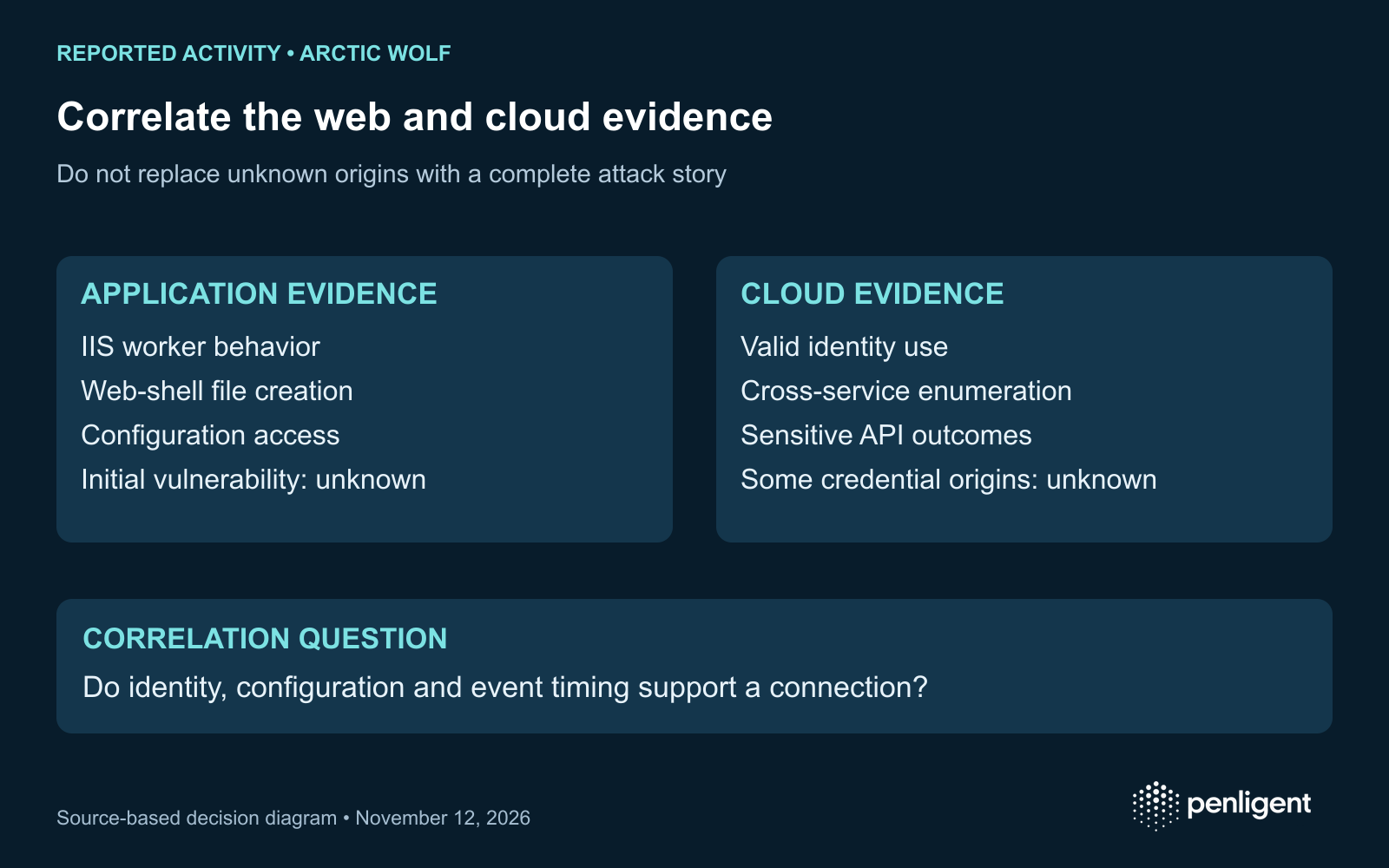
Separate the investigation into three evidence questions
| Question | Evidence to examine | Limit on the conclusion |
|---|---|---|
| Was there an application foothold? | IIS worker process ancestry, file creation, web requests and configuration-file access around the suspected window. | A suspicious child process needs context. Do not invent the initial vulnerability from the later behavior. |
| Was a valid cloud identity used? | CloudTrail identity, source, time, event identifier, requested service and recorded error. Correlate role sessions and access keys through authorized records. | A single denied action does not establish that the identity had no useful permissions. A shared IP is not a unique actor. |
| Was a sensitive operation recorded without an error? | Secret retrieval and relevant S3 data events, with the resource and operation context retained in the protected investigation record. | A logged call does not, by itself, establish all downstream uses of the returned material or every object affected. |
Build a timeline in UTC and retain the original event IDs so another analyst can revisit the source. Record the account and Region searched, the available retention window and relevant log selectors. Do not merge unrelated identities simply because a burst came from the same hosting provider.
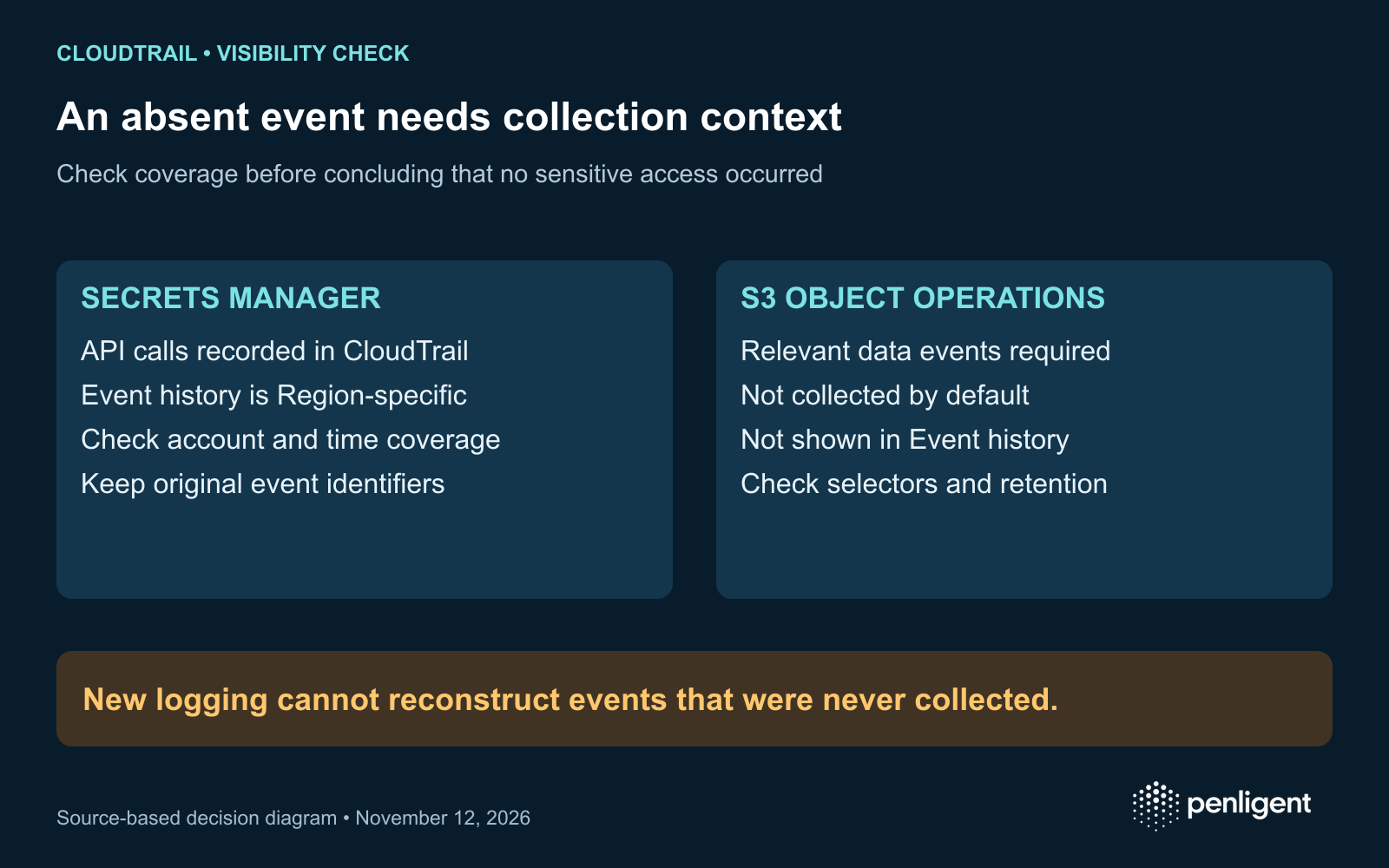
CloudTrail visibility: Secrets Manager and S3 differ
AWS documents Secrets Manager API calls in CloudTrail and warns that Event history is Region-specific. Its documentation describes the last 90 days in the console and ongoing retention through a trail. Review the Regions and accounts relevant to the identity rather than treating one console view as a complete investigation.
For S3, AWS distinguishes management and data events. Object operations such as GetObject, CopyObject and DeleteObject require the relevant data-event visibility; data events are not logged by default and do not appear in Event history. A missing object event is therefore meaningful only after you have checked logging coverage and retention. Enabling a selector now cannot recreate a historical event that was never collected.
A local-only event review aid
The Python example below reads an existing CloudTrail JSON document containing a Records array. It makes no AWS requests, changes no account settings and prints no request or response payloads. Run it only against an authorized export kept in an approved location. Output still contains identity and network information, so handle it as incident data.
"""Review a local CloudTrail JSON file. No network calls; never prints secret values."""
import json
import sys

with open(sys.argv[1], encoding="utf-8") as source:
    records = json.load(source)["Records"]

interesting = {
    "secretsmanager.amazonaws.com": {"ListSecrets", "GetSecretValue"},
    "s3.amazonaws.com": {"GetObject", "CopyObject", "DeleteObject", "DeleteObjects"},
}
for event in records:
    if event.get("eventName") not in interesting.get(event.get("eventSource"), set()):
        continue
    identity = event.get("userIdentity") or {}
    print(json.dumps({
        "time": event.get("eventTime"),
        "event_id": event.get("eventID"),
        "principal": identity.get("arn") or identity.get("principalId"),
        "source_ip": event.get("sourceIPAddress"),
        "event": event.get("eventName"),
        "record_status": event.get("errorCode") or "no_error_recorded",
    }))
python3 cloudtrail_review.py /approved/path/cloudtrail.jsonThe label no_error_recorded means the event lacks an errorCode field. It is a review candidate, not proof that a secret was consumed or an object permanently lost. AWS’s event-record reference defines the fields; inspect the original event and service context before deciding impact. The script does not correlate role chains, read gzip archives, query CloudTrail Lake or prove completeness. It was checked with synthetic records for filtering and field selection, not validated against a production incident.
Correlate success with the denied discovery around it
Use the filtered output as an index into a protected case record. Start with sensitive operations that lack a recorded error. Examine the preceding and subsequent activity for the same identity or role session, then compare source infrastructure and expected business behavior. A scheduled inventory job can generate broad discovery; unexpected secret retrieval by a workload that normally never reads that secret deserves a different response.
| Review item | Record in the case | Follow-up decision |
|---|---|---|
| Identity and session | Principal, session linkage, account, owner and authorized purpose. | Distinguish a workload’s expected access from unexpected use; identify the owner for containment. |
| Sensitive action | Original event ID, time, operation, resource reference and recorded result. | Determine whether the resource contains credentials or data requiring additional response. |
| Surrounding discovery | Service spread, denied operations, successful operations and source context within the reviewed window. | Do not discard a successful read because most neighboring calls failed. |
| Evidence gap | Missing Regions, accounts, selectors, retention periods or unavailable endpoint telemetry. | State what cannot be concluded and assign the next collection or validation step. |
Close the access path and validate the intended boundary
Coordinate containment with the system and cloud owners. Preserve the available application and cloud evidence, determine which credentials may have been exposed and follow the organization’s revocation and rotation process. Separate replacing a credential from removing the application weakness that exposed it. A replacement issued to the same compromised workload can recreate the access path.
For subsequent authorized validation, use synthetic fixtures and a dedicated test identity. Define the expected boundary first: the workload can perform its required operation but cannot retrieve an unrelated test secret or access an unrelated test object. Check that the evidence needed to judge those actions is captured. These are proposed acceptance objectives, not live exploitation instructions or a claim that one universal IAM policy fits every application.
This also makes an assessment purchase more concrete: require the provider to state the tested identity, intended permissions, observed result and logging limitations. When evaluating Penligent or another assessment workflow, apply that evidence standard and confirm its current cloud-testing scope, data handling and deliverables. A general product demonstration cannot establish that a particular account or incident has been investigated.
The official Penligent 3.0 video below is a general product workflow demonstration. It does not reproduce the AntiFox-linked campaign or prove that the specific cloud checks in this article are included in every plan.
Method: AI-assisted review of Arctic Wolf’s original research and AWS documentation, combined with an original evidence worksheet and a local JSON filter checked on synthetic records. No customer environment, malicious infrastructure or exploit was tested.
 Hebrew
 English
 German
 French
 Spanish
 Portuguese
 Japanese
 Korean
 Hindi
 Arabic
 Turkish