
Odoo security depends on two operational questions: who is responsible for installing the fix, and which database an incoming hostname can reach. A current application version does not answer the second question. A hidden database selector does not establish the first. Record update ownership and database routing separately before closing a security review.
This guide uses Odoo 19 documentation to build a practical evidence record for self-managed and hosted deployments. It does not announce a new CVE. No new November 24–25, 2026 Odoo CVE was verified through the vendor-linked public disclosure channel during this review.
Assign the update owner before the change
Use Odoo’s security information and your provider’s service terms to identify the applicable operating model. Then assign a named owner to each layer in your own inventory. The following is a recommended evidence model, not a statement that every hosting contract has the same responsibilities.
| שכבה | Evidence to request | Decision supported |
|---|---|---|
| Odoo application | Advisory, installed branch/build, and deployment timestamp | Whether the applicable application fix is present |
| Managed hosting | Provider change record identifying the affected instance | Whether the provider updated this deployment |
| Custom modules | Module inventory, owner, revision, and compatibility check | Whether customer or partner code needs separate action |
| Database and reverse proxy | Active routing, database privileges, and configuration owner | Whether exposure remains after the application update |
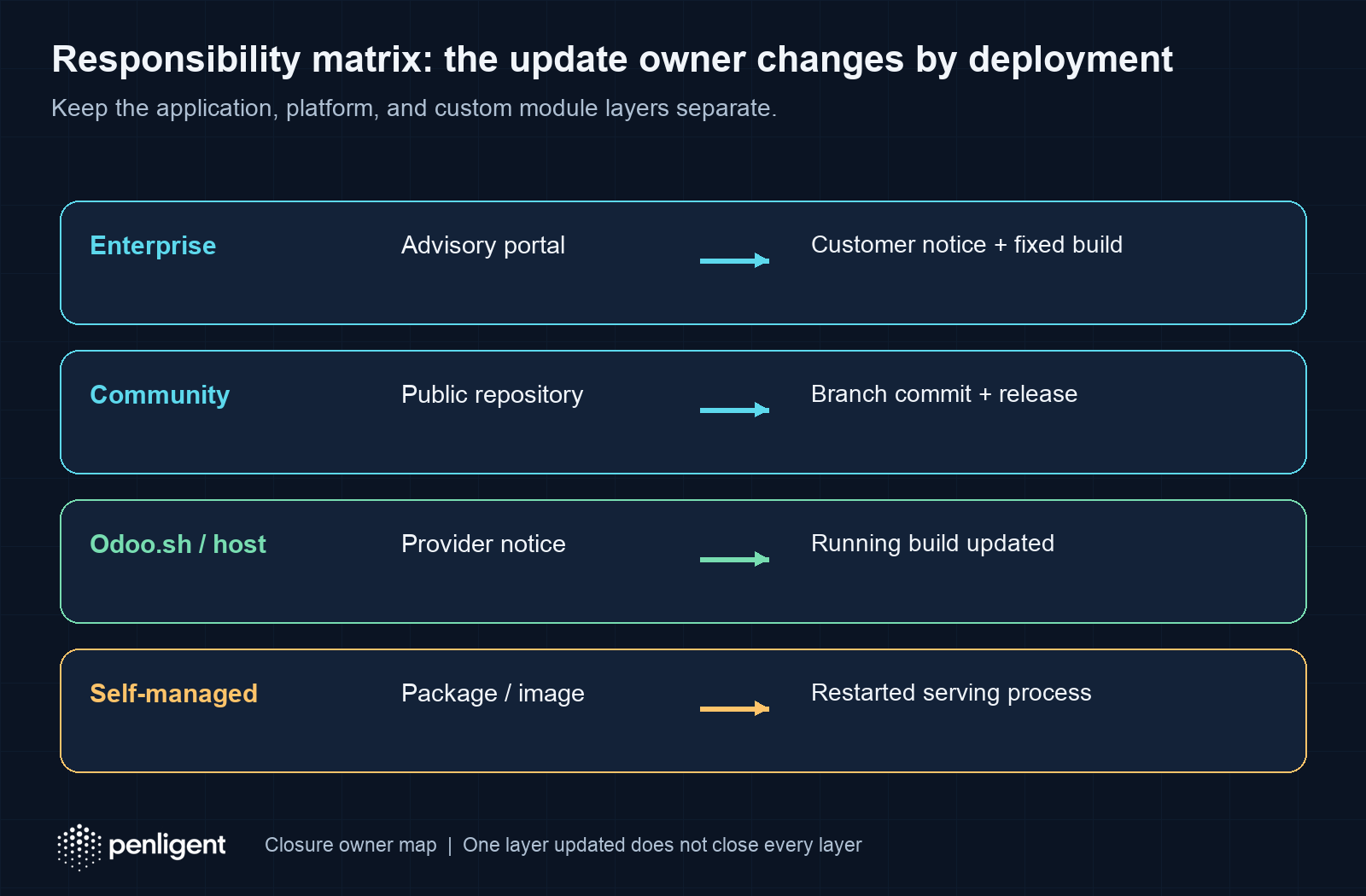
For example, a provider message saying “maintenance complete” should be attached to the instance and change record it covers. If that record omits customer modules, keep their review open. For a self-managed deployment, capture the deployed image digest or package/source revision and the process start time after the change. These are suggested closure fields; they do not imply that this review observed a particular installation.
Resolve the hostname to one intended database
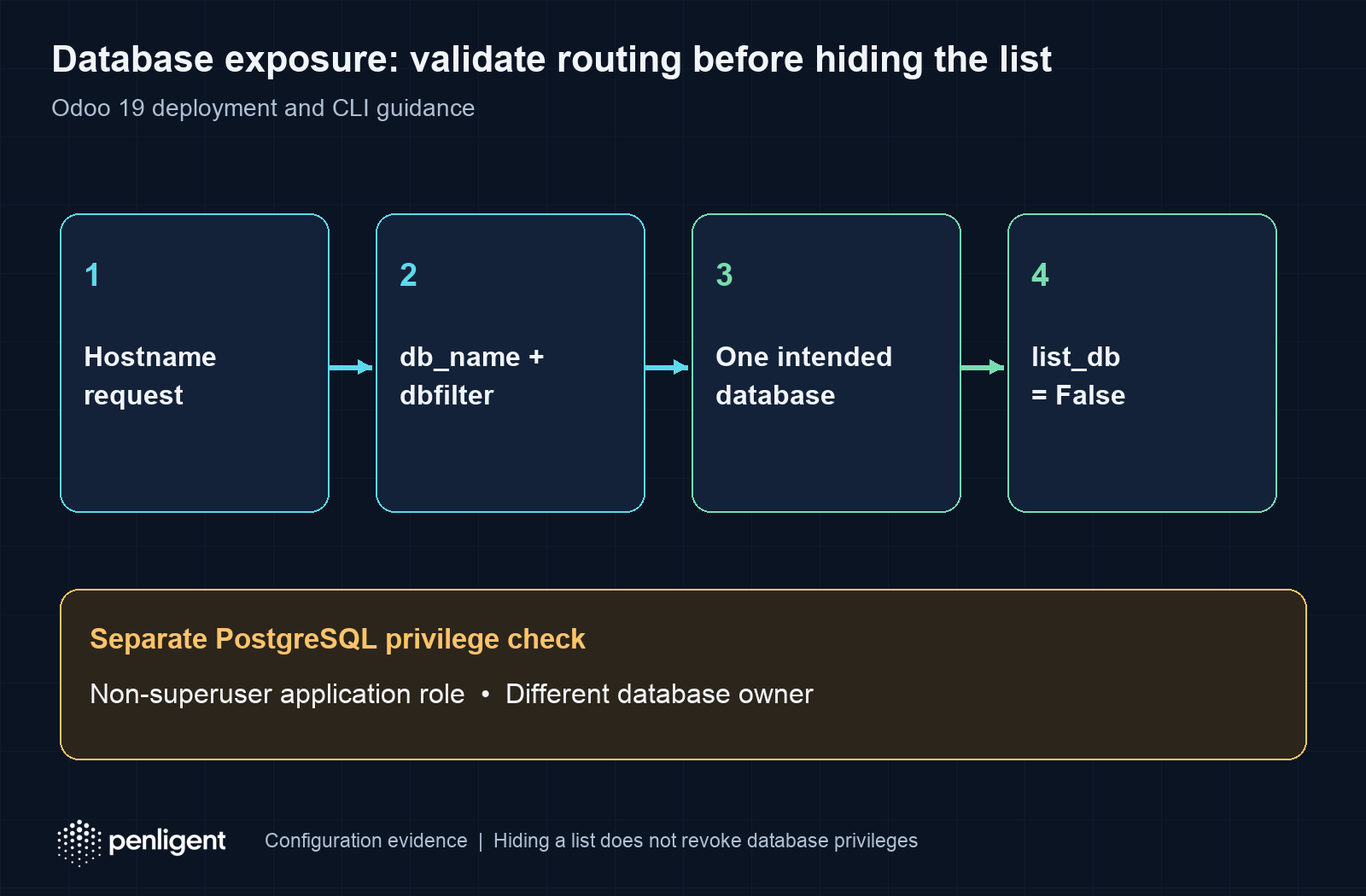
Odoo’s deployment guide gives an important order of operations: configure db_name ו dbfilter so that only one database matches each hostname, then set list_db = False. The guide describes the latter setting as preventing database listing and blocking database-management screens. Hiding the list before confirming the hostname mapping can obscure a routing mistake.
ה Odoo 19 CLI reference documents --db-filter as a regular expression and explains the hostname substitutions: %h uses the whole hostname and %d uses its subdomain, with a special case for www. Matching is case-sensitive unless the expression changes that behavior. It also documents --no-database-list for suppressing the database list. Review the active values instead of copying a generic expression into production.
Turn routing observations into specific decisions
| Observed condition | Assessment | Recommended next step |
|---|---|---|
| A hostname matches more than one database | Database selection is not yet constrained to the intended target | Correct the allowlist/filter and test the expected hostname mapping in staging |
| The selector is hidden but the mapping was never checked | The available evidence proves only a UI/listing control | Inspect the active configuration and record the intended database for each hostname |
| Exactly one database matches, but the application was not updated | Routing evidence cannot close a code-fix ticket | Complete the separately assigned update and running-build verification |
| The fixed build is running but database privileges are excessive | The code update does not remove the privilege exposure | Assign a database-role change and validate required application operations |
Use approved hostnames and test data for these checks. Record the expected database, observed result, configuration revision, and timestamp. Treat an ambiguous or unavailable mapping as unresolved rather than trying arbitrary production database names. The result is a configuration assessment, not an exploit attempt.
Check the database role independently
The same deployment guide says Odoo’s PostgreSQL user must not be a superuser and recommends a different database owner. Its database-manager guidance also describes removing database-creation capability. Have the database owner verify these properties against the active connection role. A hidden management screen does not revoke database privileges.
Keep three results in the review record: the application update, hostname-to-database mapping, and database-role assessment. Each result should name its evidence and owner. This makes an incomplete hosted update, a routing mismatch, or a privilege exception visible without claiming that one successful check cleared the whole system.
Methodology: AI-assisted source analysis checked against Odoo’s official security and version 19 documentation on November 25, 2026. The tables are recommended operational decisions. No customer deployment was tested, no subscriber gate was bypassed, and no new CVE or exploit reproduction is claimed.
The following official Penligent 3.0 video demonstrates a general product workflow. It does not demonstrate an Odoo vulnerability or certify an Odoo configuration.
 Hebrew
 English
 German
 French
 Spanish
 Portuguese
 Japanese
 Korean
 Hindi
 Arabic
 Turkish