
A Claude Code secrets leak investigation should answer three different questions: does a local configuration contain credentials, did Git retain them, and where could copies have reached? A file named settings.local.json is not proof of a breach. Conversely, a clean working tree is not proof that an exposed credential has been contained.
This guide is a defensive configuration and repository audit, not an announcement of a newly confirmed Claude Code incident or CVE. Its practical contribution is an exposure decision table and a closure record that separates repository hygiene from credential validity.
What settings.local.json does—and what its name cannot promise
Anthropic’s settings documentation distinguishes shared project settings in .claude/settings.json from project-local settings in .claude/settings.local.json. The local file is for personal overrides in one project. Current documentation says Claude Code keeps it out of Git when Claude Code creates it; if you create it manually, you must add it to .gitignore yourself.
That documented behavior is useful, but it does not establish how an existing file was created or handled. A developer may have created it manually, force-added it, copied it from another repository, or inherited it in history. Audit the repository’s actual state rather than relying on the word “local.”
Review local and shared settings in a controlled environment for literal credentials, credential-helper configuration, environment variables and commands that might embed secrets. Do not assume every setting is sensitive or every helper contains a secret. Treat a literal token differently from a reference to a protected credential source. Avoid printing suspected values in terminals, tickets, screenshots or AI prompts.
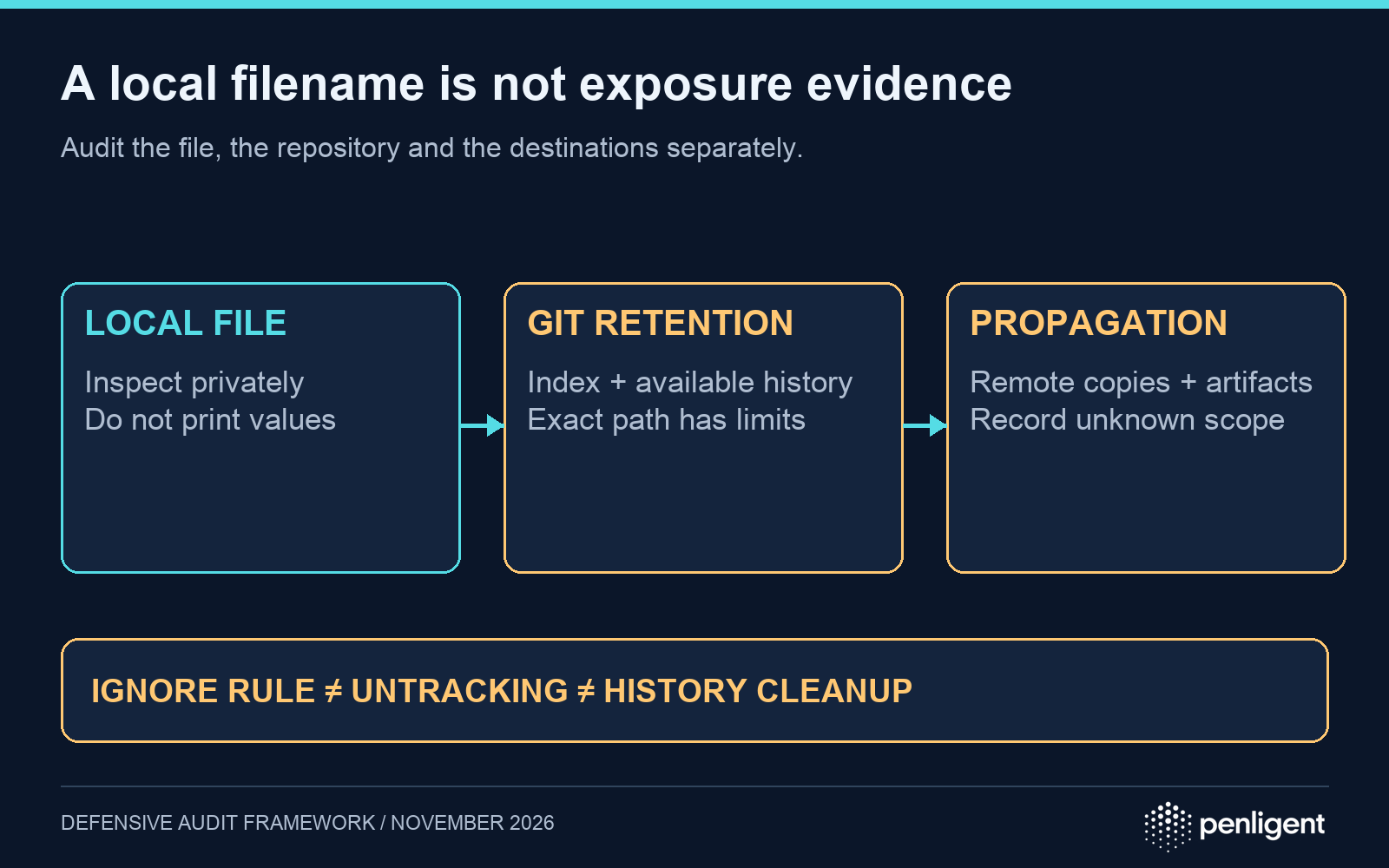
Classify the exposure before choosing cleanup
| Observed state | What it establishes | Next decision |
|---|---|---|
| Local file exists; no tracking or history found in the inspected checkout | The file is present locally. The checked repository evidence does not show retention. | Review its contents privately and investigate other transfer paths if relevant. |
| File is tracked or appears in reachable Git history | This checkout retains, or retained, the path. This does not prove it contained a credential in every revision. | Have an authorized reviewer inspect relevant revisions without copying values to shared logs. |
| A real credential was committed or copied to an unintended destination | The credential crossed an intended storage or access boundary. | Revoke or rotate with the issuer; determine exposure window and review activity. |
| The file is now ignored or removed from the current branch | Future normal staging or the current tree changed. | Verify old history, copies and credential containment separately. |
These are investigation states, not severity labels or proof of exploitation. Record what was inspected and what remains unknown. A shallow clone, an incomplete ref set or a missing build log can leave uncertainty that a “no matches” result cannot resolve.
Check tracking, ignore rules and history without displaying secrets
Run the following read-only checks from the authorized repository root. They inspect the specific project-local path and print filenames, ignore-rule provenance or commit metadata, not file contents. Do not add -p to the history command or paste a suspected secret into a search command.
# Is this path tracked in the current index?
git ls-files --error-unmatch -- .claude/settings.local.json

# Which ignore rule matches it, even if already tracked?
git check-ignore -v --no-index -- .claude/settings.local.json

# Which reachable commits changed this path? No patch output.
git log --all --format="%h %ad" --date=iso-strict -- .claude/settings.local.json
git ls-files עם --error-unmatch reports an error when the path is not in the index. git check-ignore עם --no-index evaluates ignore rules without using tracked status to suppress the result. This matters because a matching rule and a tracked file can coexist. git log inspects the refs available in the current clone; it does not query every fork, deleted ref, backup or remote copy.
A no-match exit from a check is a finding to interpret, not a failed audit script to “fix” by exposing file contents. Verify you are in the correct repository and that the checkout has the history needed for the question. If the file was renamed or a credential appeared in another path, this exact-path check is insufficient. Use your approved secret-scanning process for that broader review, with output redaction and controlled access.
When a credential is exposed, containment comes first
GitHub’s sensitive-data removal guidance says to revoke or rotate an exposed secret first. Removing a line or rewriting history does not invalidate a live credential. Identify the issuing service, owner, permissions, relevant timestamps and workloads that need a replacement. Use the issuer’s supported revocation process and follow its rules for sessions or credentials derived from the exposed value.
Do not test a suspected token by trying it against unrelated systems. Use authorized issuer-side status and audit evidence. Review relevant activity for unexpected API usage, account changes or repository access during the exposure window. Absence of an alert is not evidence that no access occurred; record log coverage and retention limits.
Keep the response ledger free of secret values. An issuer-provided key identifier, owner, revocation time, deployment change and evidence location are usually more useful than a copied token. Where a replacement is needed, move the workload to an approved secret-management or credential-delivery mechanism and verify normal operation using the new credential.
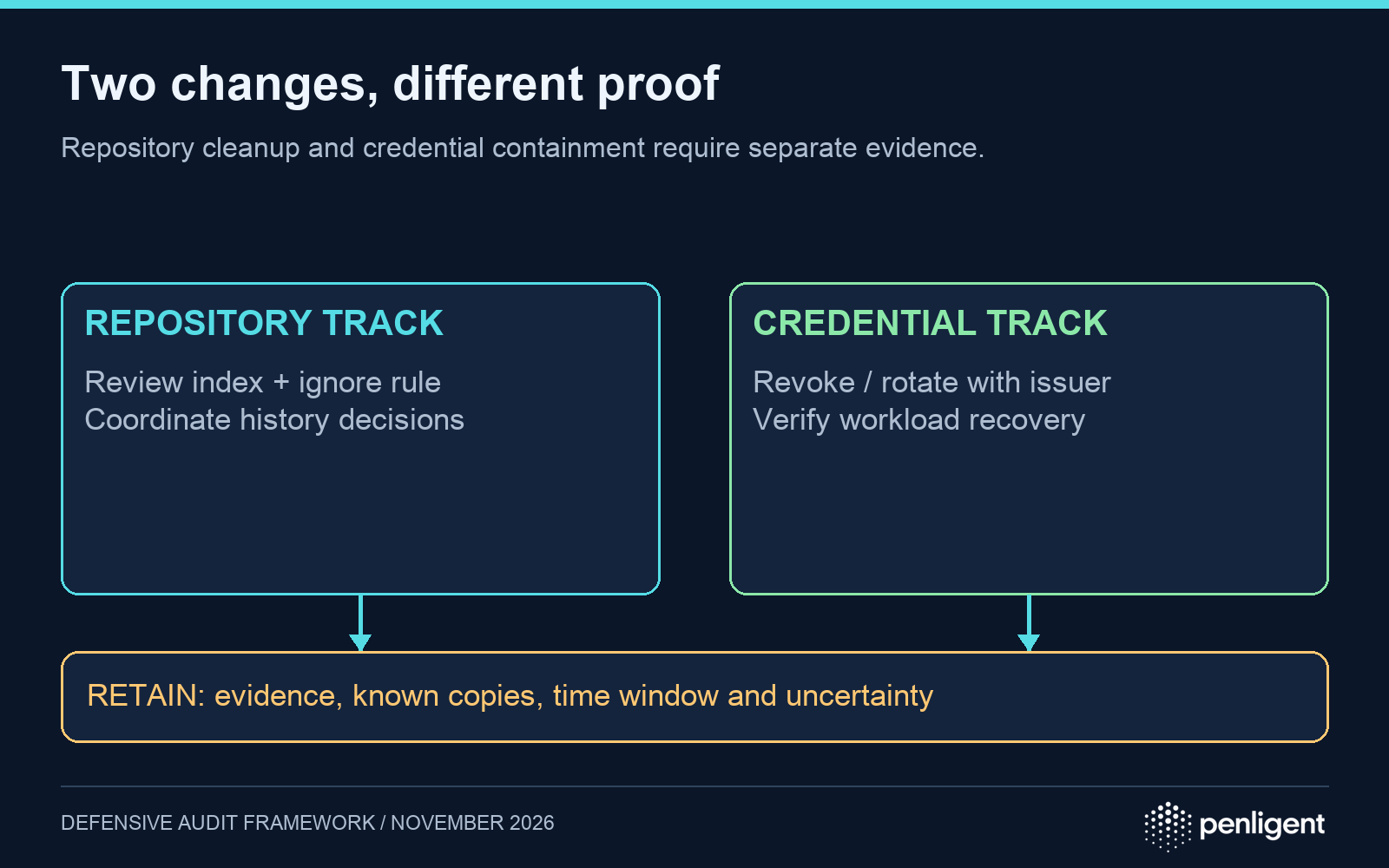
Then repair the repository and coordinate copies
Git’s ignore documentation states that ignore rules do not affect files already tracked. Adding /.claude/settings.local.json to the repository-root .gitignore prevents normal staging of that root path once it is untracked; it does not remove old commits. Review nested projects separately if your repository has multiple project roots.
If the local file must remain on disk but leave the index, an authorized maintainer can review a change using git rm --cached -- .claude/settings.local.json, then commit the removal and appropriate ignore rule. This changes the current repository state; it is not a history purge. Review the staged change without sharing the removed credential content.
Decide separately whether history rewriting is necessary. GitHub documents risks including recontamination from old clones, disrupted collaboration and remaining copies in forks, cached views and pull requests. Coordinate any rewrite with repository owners and follow the current host-specific procedure rather than improvising a force push. A copied secret may remain outside your ability to delete it, which is why revocation is the central containment control.
A closure record that can be reviewed
| Track | Evidence to retain | Insufficient on its own |
|---|---|---|
| Credential containment | Issuer-side revocation or rotation record, owner, time, scope and handling of dependent sessions where applicable. | The file was deleted. |
| Repository hygiene | Current tracking check, matching ignore rule, reviewed commit and any coordinated history decision. | An ignore rule exists. |
| Propagation assessment | Reviewed branches and history, relevant CI artifacts, clones, forks, backups and known exports, plus unknowns. | No matches in one working tree. |
| Recovery | Affected workloads use the approved replacement and pass legitimate operation checks. | A replacement credential was created. |
Close only the tracks supported by evidence. For example, “key revoked; repository cleanup complete; external clone coverage unknown” is a more accurate outcome than “all secrets removed.” Keep the remaining uncertainty attached to the response record.
If this review is part of a broader application-security assessment, tools such as Penligent should receive only the authorized scope and sanitized evidence they need. Keep secret values out of assessment prompts and reports; retain issuer and repository records in the appropriate restricted system.
The following Penligent 3.0 video demonstrates a general product workflow. It does not demonstrate a Claude Code secrets incident or prove credential revocation.
Methodology, November 18, 2026: AI-assisted preparation checked against the linked Anthropic, Git and GitHub documentation. The decision table is a proposed defensive framework. No production credentials were accessed and no first-hand breach or exploitation test is claimed.
 Hebrew
 English
 German
 French
 Spanish
 Portuguese
 Japanese
 Korean
 Hindi
 Arabic
 Turkish