
Searching for a PS5 emulator for PC in 2026 leads to a surprisingly confusing corner of the internet. Some websites promise that PlayStation 5 exclusives can run on an ordinary Windows computer with a single download. Others advertise an emulator capable of playing Astro Bot, Demon’s Souls, or Marvel’s Spider-Man 2 at 60 frames per second. A few even offer what they describe as an official PS5 BIOS package.
The reality is more interesting, and considerably more complicated.
Real PS5 emulation and compatibility projects do exist in 2026. Open-source initiatives such as KytyPS5, SharpEmu, Prosperity, and AnyPS5 have made measurable progress toward running PlayStation 5 software on Windows or Linux. Some projects report reaching gameplay in selected titles, while others focus on executable loading, graphics translation, or system-library compatibility.
However, none of this means that an ordinary PC user can download a finished emulator and expect the entire PS5 library to work reliably. Performance, graphics accuracy, audio, controller support, system-service emulation, and individual game compatibility remain substantial problems.
There is also a cybersecurity dimension that deserves just as much attention as the technical achievements. The search demand surrounding console emulation creates an opportunity for attackers to distribute fraudulent installers, malicious scripts, information-stealing malware, and unwanted software under the appearance of legitimate gaming tools.
In June 2026, Malwarebytes documented a fake GitHub project targeting PlayStation Vita enthusiasts. The malicious package pretended to be a homebrew audio utility but instead delivered Windows malware. The case did not involve a PS5 emulator, but it demonstrated why gaming and emulation communities have become attractive targets for software impersonation.
Understanding the difference between legitimate emulation research and a suspicious download is therefore essential.
Is There a Working PS5 Emulator for PC in 2026?
The short answer is yes, but with significant limitations.
As of October 2026, several publicly available projects have demonstrated at least partial support for executing PlayStation 5 software on non-PlayStation hardware. These are genuine development efforts with publicly accessible source repositories, documentation, and technical work that can be examined independently.
For example, the KytyPS5 GitHub repository describes support for booting 2D games and selected 3D titles, while acknowledging ongoing compatibility and stability work. Meanwhile, AnyPS5 takes a different approach, transforming PS5 executables into formats suitable for Windows and Linux rather than attempting conventional full-system emulation.
These developments are important because they demonstrate progress beyond proof-of-concept discussions and screenshots. At the same time, developer-reported game launches should not be confused with independently verified, consistently playable experiences.
There is a meaningful difference between an emulator that can load a game’s executable, one that can display its main menu, one that reaches an interactive scene, and one that can run an entire game without major errors.
An emulator might successfully execute thousands of CPU instructions yet fail when the game initializes its graphics pipeline. Another might render a scene correctly but crash during audio initialization, save-data access, or an unsupported system call. Even reaching gameplay does not establish that a game can be completed.
For anyone searching for a PS5 emulator for Windows 11, that distinction matters more than an impressive screenshot.
The practical conclusion is that PS5 emulation is an active area of software development, not yet a dependable replacement for a PlayStation 5 console.
Real PS5 Emulator Projects Worth Knowing in 2026
Before downloading anything, it helps to understand which projects are actually developing PlayStation compatibility and what each one is designed to accomplish.
| Project | Technical approach | Platform focus | Current limitations |
|---|---|---|---|
| Kyty | Early PS4/PS5 emulation | Windows x64 | Simple PS4 software and PS5 homebrew; incomplete features |
| KytyPS5 | Experimental PS5 emulation and translation | Windows, Linux; experimental macOS | Limited compatibility, crashes, and incomplete graphics support |
| SharpEmu | PS5 emulation written in C# | Windows, Linux, macOS | Experimental support for real game executables and graphics |
| Prosperity | PS4/PS5 low-level emulation | Primarily Linux; Android support | Requires appropriate game and system-module dumps; Windows support not mature |
| AnyPS5 | Executable relinking and system API reimplementation | Windows, Linux | Individual games require compatibility work; not conventional plug-and-play emulation |
| shadPS4 | PlayStation 4 emulation | Windows, Linux, macOS | Not a PS5 emulator |
These classifications are based on each project’s publicly available documentation as of October 14, 2026. Features and compatibility are evolving, and published demonstrations should not be interpreted as guarantees.
Kyty: One of the Original PS4 and PS5 Emulation Experiments
Kyty is one of the earlier open-source projects that attempted to support both PlayStation 4 and PlayStation 5 software on Windows.
Developed by Vladimir M under the GitHub username InoriRus, the project is written in C++ and uses Vulkan for graphics-related functionality. Its repository explicitly describes the software as an early-stage PS4 and PS5 emulator rather than a finished gaming platform.
The original Kyty project on GitHub states that it can execute certain simple PS4 games and PS5 homebrew applications. Its documentation also identifies missing functionality, including audio input and output, networking, and multi-user support. Graphics glitches, freezes, crashes, and poor frame rates are expected limitations.
This is an important historical reference because the existence of a legitimate PS5-related emulator project does not automatically imply broad support for commercial games.
Kyty established useful groundwork for experimentation with console executable formats, system functionality, and graphics translation. But its public capabilities are far more limited than the promises made by websites advertising fully playable PS5 exclusives.
Users searching for a current Kyty download should begin with the original repository rather than assuming that every similarly named website or fork is maintained by the same developer.
KytyPS5: A More Recent Development Effort
KytyPS5 builds upon a heavily modified version of the original Kyty codebase. Its developers describe the project as an open-source PS5 emulator or translation layer, with Windows and Linux as primary platforms and experimental macOS support.
According to the KytyPS5 project documentation, the software can boot 2D games and a selection of 3D titles built with engines such as Unreal Engine 4, Unreal Engine 5, and Unity. The development focus includes improving boot reliability and expanding compatibility.
That represents a broader technical ambition than the original Kyty project’s early demonstrations. Nevertheless, booting a game is only one stage of compatibility.
A game might successfully reach its menu but fail when loading a complex scene. Features such as advanced GPU rendering, asynchronous compute, texture management, audio processing, and saved-game handling can introduce additional compatibility problems.
The presence of recognizable titles in a compatibility database is also not sufficient evidence that the software delivers stable gameplay. Readers should examine the specific test results, operating system, emulator revision, and known issues associated with each title.
KytyPS5 is a project to follow for future development, but its public documentation is not a promise that a particular PS5 game will run correctly on a consumer PC.
SharpEmu: An Experimental PS5 Emulator Written in C#
SharpEmu approaches the problem from another direction.
Unlike projects primarily implemented in C++, SharpEmu is developed in C#. The project focuses specifically on PS5 compatibility, including executable loading, native CPU execution, kernel-related functionality, and graphics processing.
The official SharpEmu repository describes the software as experimental and emphasizes research and educational development. It documents the ability to load real game executables, along with partial support for GPU-related functionality. It also reports support for Windows, Linux, and macOS hosts, subject to significant compatibility constraints.
The distinction between executable loading and complete emulation is particularly relevant here.
A PS5 game contains much more than instructions that can execute on a compatible CPU. It depends on operating-system services, memory handling, graphics APIs, synchronization mechanisms, and other platform-specific features.
Running a game’s initial executable does not prove that all of those dependencies have been successfully recreated.
SharpEmu also illustrates a broader cybersecurity issue: an authentic open-source project can attract unauthorized websites that reuse its name or branding. Its repository explicitly identifies its own official channels and warns about unaffiliated sites.
This means users should verify the repository owner and release source rather than relying on the project’s name alone.
Prosperity: Low-Level PS4 and PS5 Emulation
Prosperity, formerly associated with the PS4Delta project, is another genuine development effort.
The project attempts to support both PS4 and PS5 software through low-level emulation, using the original system modules supplied by the user and translating graphics instructions for the host GPU.
Its public GitHub repository includes demonstrations involving selected PS5 games, along with documentation covering system modules, graphics requirements, and installation procedures.
Prosperity is particularly interesting because it focuses on reproducing the environment expected by console software rather than presenting itself as a simplified consumer installer.
According to the project’s documentation, Linux is its primary supported platform. Windows development is not at the same maturity level. The project also documents substantial hardware requirements, including a Vulkan-capable GPU and significant system memory.
Users must provide compatible game files and decrypted system modules from hardware they own. The emulator does not distribute proprietary PlayStation firmware or games.
For someone seeking a PS5 emulator for Windows, this distinction matters. A project can demonstrate real technical progress without currently offering a practical Windows download experience.
Prosperity is best understood as an active compatibility and reverse-engineering effort, not a conventional replacement for a PS5 console.
AnyPS5: A Different Approach to Running PS5 Software
Among the more interesting developments in 2026 is AnyPS5, an open-source project that attempts to convert PS5 executables into software that can run natively on Windows or Linux.
AnyPS5 is not a traditional full-system emulator.
Its architecture uses executable relinking, implementation of PS5 system-library interfaces, and graphics translation to adapt software originally designed for Sony’s console.
The AnyPS5 GitHub repository describes a relinker that transforms executable files into native host formats and implements required system libraries for dynamic linking. The project does not aim to run an entirely separate simulated console operating system.
This design takes advantage of an important architectural similarity. The PS5 and many modern desktop PCs use processors based on the x86-64 instruction set.
However, sharing a CPU instruction set does not mean that PS5 executables can run directly on Windows. Their executable formats, system libraries, graphics interfaces, and operating-system expectations remain different.
AnyPS5 attempts to bridge those differences.
In October 2026, Tom’s Hardware reported on an AnyPS5 milestone involving complete shader instruction recognition coverage for AMD RDNA 1 and RDNA 2. The achievement was meaningful, but recognizing GPU instructions is not equivalent to implementing all of their behavior correctly or rendering every game without problems.
The project still faces graphics translation, system-library coverage, game-specific behavior, and performance challenges.
For readers following PS5 emulation in 2026, AnyPS5 is worth watching precisely because it represents a different technical strategy. However, calling it a fully working PS5 emulator would misrepresent its current capabilities.
Is shadPS4 a PS5 Emulator?
No. shadPS4 is a PlayStation 4 emulator, not a PlayStation 5 emulator.
This distinction is frequently overlooked in discussions of modern PlayStation emulation.
The official shadPS4 repository identifies the project as a PS4 emulator for Windows, Linux, macOS, and other supported platforms. Its developers have made notable progress in running PS4 software, including games such as Bloodborne.
However, PS4 compatibility does not imply PS5 compatibility.
Although the two consoles share some architectural foundations and Sony provides backward compatibility on actual PlayStation 5 hardware, the consoles have different system software, hardware capabilities, graphics interfaces, and security mechanisms.
A PS4 emulator does not automatically gain PS5 support by running on a powerful computer.
The same misunderstanding sometimes occurs with RPCS3. RPCS3 is a PlayStation 3 emulator, and its technical architecture is designed around the PS3’s Cell processor and related hardware environment. It cannot execute PS5 games simply because it is a sophisticated PlayStation emulator.
If a website advertises a modified version of shadPS4 or RPCS3 as a complete PS5 emulator, that claim should be independently verified before downloading anything.
Why PS5 Emulation Is Still Technically Difficult
At first glance, emulating a PlayStation 5 might seem simpler than emulating some older consoles.
The PS5 uses an AMD processor architecture related to modern desktop CPUs, while its graphics hardware is based on AMD’s RDNA family. Modern gaming PCs often use similar underlying technologies.
But hardware similarity solves only part of the problem.
A console game is written for an entire execution environment, not merely a CPU. It expects specific graphics interfaces, system libraries, memory-management behavior, threading models, device responses, and resource-handling mechanisms.
Reproducing these expectations accurately requires substantial reverse engineering.
CPU Compatibility Is Not the Same as Operating-System Compatibility
A PS5 executable contains machine instructions intended for a particular execution environment.
On an x86-64 PC, many underlying instructions can potentially execute without the instruction-by-instruction translation required when emulating a fundamentally different CPU architecture.
However, the executable still expects the surrounding PlayStation environment.
It may reference libraries that do not exist in Windows, request memory mappings with console-specific assumptions, invoke system services with different semantics, or depend on thread scheduling and synchronization behavior that the host does not provide.
A compatibility layer must reproduce those interfaces or translate the requests into operations supported by the host operating system.
For example, a game could create a thread, allocate graphics memory, request a synchronization primitive, and then wait for the GPU to complete a rendering operation.
Even if every CPU instruction executes correctly, a subtle difference in synchronization behavior can cause the application to deadlock or crash.
That is why executable launch statistics provide only a limited picture of compatibility.
GPU Translation Is One of the Hardest Problems
Modern games depend on highly specialized graphics pipelines.
A PS5 title may use shader programs, resource descriptors, command buffers, texture layouts, and synchronization behavior that have no direct equivalent in a desktop graphics API.
An emulator or translation layer must interpret those operations and reproduce their intended behavior using APIs such as Vulkan.
This process can involve translating shader instructions into SPIR-V, recreating GPU pipeline state, tracking memory barriers, translating texture formats, and implementing console-specific resource management.
A shader translator may correctly understand an instruction’s encoding yet still fail to reproduce its numerical or synchronization behavior.
Precision rules, unusual memory-access patterns, shader-stage interactions, and resource aliasing can all affect rendering correctness.
This explains why a game may appear to run while displaying corrupted textures, missing characters, flickering geometry, or entirely black scenes.
A developer screenshot showing a rendered menu is useful evidence of progress. It is not evidence that the full graphics architecture has been faithfully implemented.
The PlayStation System Software Matters
Commercial PS5 games rely on system services beyond graphics and CPU execution.
Depending on the title, these can include controller handling, audio processing, save-data management, file-system operations, user profiles, video playback, and other platform-specific functionality.
Some projects attempt to recreate these services independently. Others use legally obtained system modules supplied by the user.
Both approaches have significant engineering costs.
Reimplementing a system library requires developers to understand not only which functions exist, but also how they behave under normal and exceptional conditions.
A function returning the correct value in a simple test may still behave incorrectly when called concurrently, when a game runs out of memory, or when unusual data structures are passed between components.
These compatibility issues help explain why progress can be uneven. One game may reach a playable scene while another fails during initial startup, even when the second game appears graphically simpler.
Performance Requires More Than Powerful Hardware
A high-end gaming PC does not automatically guarantee high performance in an experimental emulator.
Translation layers introduce CPU and GPU overhead. Shader compilation can create noticeable pauses. Differences in memory layout may require additional copies or conversions. Missing optimizations can turn otherwise manageable operations into severe bottlenecks.
The host’s GPU driver can also influence behavior. A game that renders on one graphics card may encounter different errors on another.
Therefore, benchmark claims such as “all PS5 games at 4K 120 FPS” should be treated skeptically unless they are backed by reproducible testing, precise hardware specifications, emulator versions, and independently confirmed results.
There is currently no sound basis for applying a universal FPS guarantee to experimental PS5 emulators.
Can You Play Astro Bot, Demon’s Souls, or Other PS5 Games on PC?
This is the question that motivates many PS5 emulator searches, and it requires a more precise answer than a simple yes or no.
Several experimental projects have published screenshots, compatibility records, or demonstrations involving recognizable PS5 titles.
However, the meaning of those demonstrations varies considerably.
A project’s documentation may report that a game reaches its menu, enters gameplay, renders an initial scene, or executes for a limited period. These are different milestones, and they should not be treated as interchangeable.
For example, SharpEmu’s public documentation includes examples of tested commercial games. Prosperity also publishes examples involving selected PS5 titles. KytyPS5 maintains compatibility-related development information. None of these statements should be interpreted as a blanket guarantee of stable gameplay across different PCs.
A useful compatibility report should identify the exact emulator revision, operating system, graphics hardware, driver version, game build, and test outcome.
It should also distinguish between launching the application and completing substantial gameplay.
If a website claims that its emulator runs every major PS5 exclusive, but provides no public issue tracker, source history, compatibility methodology, reproducible builds, or identifiable maintainers, the claim has little technical credibility.
Users who simply want to play particular PlayStation games on a computer should also investigate whether an official PC version exists.
For example, God of War Ragnarök was officially released on PC in September 2024. Its PlayStation PC product page provides a supported alternative that does not require experimental console emulation.
That approach avoids compatibility problems and removes the need to obtain unofficial game images, firmware packages, or questionable third-party installers.
Fake PS5 Emulator Downloads: Why the Search Results Can Be Dangerous
The existence of real projects does not make every website advertising a PS5 emulator legitimate.
In fact, the gap between what users want and what emulation software can currently deliver creates an opportunity for deception.
A person searching for a PS5 emulator for PC is often looking for a quick solution. They may already have tried several websites, watched video demonstrations, or encountered conflicting claims about compatibility.
An attacker can exploit that uncertainty by publishing a website that resembles a legitimate software distribution page.
The site might promise a free emulator, display fabricated screenshots, advertise a compatibility list, and present a prominent download button.
The malicious component may appear immediately, or only after several steps involving advertisements, verification screens, password-protected archives, or secondary installers.
Importantly, not every misleading PS5 emulator website necessarily distributes malware. Some may simply collect advertising revenue, redirect users to unrelated software, or generate affiliate commissions. Others may attempt phishing or distribute malicious executables.
Those outcomes should be distinguished rather than automatically labeling every fake download as a confirmed malware incident.
PCSX5 and Other Suspicious Emulator Claims
One name that appears in discussions of questionable PS5 emulator websites is PCSX5.
Sites using this type of branding have advertised ambitious capabilities, including support for PS5 games on desktop operating systems. However, such claims should not be confused with an independently established, mature PlayStation 5 emulation project.
A July 2026 review of PCSX5 claims questioned the project’s legitimacy and the absence of a verifiable open-source implementation supporting its marketing promises. That assessment is a warning about credibility, not a malware-forensics finding proving that every file bearing the PCSX5 name is malicious.
The more useful question is not whether a name sounds plausible. It is whether the software has verifiable technical evidence behind it.
An authentic emulator project should be able to explain its architecture, provide meaningful development history, document known limitations, and identify the source of distributed releases.
A polished homepage alone proves none of those things.
How Fraudulent Emulator Download Pages Typically Work
A deceptive download page often follows a recognizable pattern.
The first stage is attraction. The page is optimized around search terms such as “PS5 emulator for PC free download,” “PS5 emulator Windows 11,” or “play PS5 games on PC.” It may include persuasive graphics, compatibility claims, and installation instructions intended to make the software appear approachable.
The second stage establishes credibility. Attackers may copy legitimate technical descriptions, use screenshots from real projects, create fabricated reviews, or display badges that resemble security certifications.
The third stage introduces the download. Instead of providing an authentic release archive, the website may deliver a downloader, redirect the visitor to a separate platform, request completion of a survey, or present a compressed package containing unexpected executable files.
In more dangerous cases, the next step is execution of a malicious payload.
This could lead to credential theft, browser-data collection, additional malware downloads, or unauthorized access to the computer.
The precise behavior depends on the campaign and the actual file involved. The description above is a general threat model, not a claim that all PS5 emulator download websites perform the same attack.
Real Malware Campaigns Show How Gaming Downloads Are Abused
The security risk is not merely hypothetical. Multiple investigations published during 2026 documented attackers using gaming-related software, modding tools, fake downloads, or developer platforms as distribution channels.
These incidents are especially relevant to people searching for unofficial console software because the same trust assumptions can be exploited.
June 2026: Fake PlayStation Vita Tool Distributed Malware Through GitHub
On June 18, 2026, Malwarebytes published an investigation titled Retro gaming fans are the new target for fake GitHub malware.
The report examined a fraudulent PlayStation Vita project named EQVita.
The repository appeared to offer a legitimate homebrew-related audio utility. It included a professional-looking README, screenshots, a structured project page, and a download button.
However, the downloaded package did not deliver the advertised PlayStation Vita functionality.
Instead, it contained Windows files associated with malicious execution. A seemingly harmless text file concealed a script designed to contact attacker-controlled infrastructure.
Malwarebytes also discussed related abuse of fraudulent GitHub repositories to distribute loaders capable of delivering credential-stealing malware.
The significance of this incident extends beyond the Vita ecosystem.
It demonstrates that attackers understand the credibility GitHub provides in software development communities. They can imitate the appearance of a genuine repository while distributing something unrelated to the promised tool.
For PS5 emulator users, the lesson is straightforward: GitHub hosting is not, by itself, proof that a repository or its downloadable files are safe.
Repository provenance, development history, release integrity, and maintainer identity still need to be checked.
July 2026: Fake Game Downloads Delivered Information-Stealing Malware
A separate Malwarebytes investigation published on July 20, 2026 documented campaigns that used fake game downloads, mods, cracks, and software installers to distribute RenPy Loader.
The malicious chain abused legitimate components, including Microsoft Build Engine functionality, before ultimately delivering Amatera Stealer.
Amatera is an information-stealing malware family capable of targeting sensitive information such as browser credentials, cryptocurrency wallet data, browser extensions, messaging information, and local files.
One of the most concerning aspects was the apparent normality of the installer experience.
The victim could see something resembling an ordinary gaming installation process while malicious activity occurred in the background.
This is particularly relevant to fake emulator downloads because attackers do not need to persuade victims to run an obviously malicious program.
They only need to persuade the user that executing a downloaded installer is a necessary step toward playing the desired game.
The malicious functionality can then operate behind a familiar installation interface.
August 2026: Deceptive Download Pages Redirected Users to Unrelated Software
On August 19, 2026, Malwarebytes reported finding 41 deceptive websites impersonating popular games and Windows applications.
The websites advertised legitimate-looking software downloads, but redirected users toward a separate installer called Download Studio.
Some pages even displayed legitimate destination URLs when users hovered over their download links. JavaScript click handlers then sent visitors somewhere else.
This is an important limitation of a commonly recommended safety technique.
Checking a link before clicking it is useful, but it cannot fully protect against a website whose scripts override the expected navigation.
The investigation was primarily about deceptive software distribution and redirects, not proof that each advertised application delivered credential-stealing malware. Nevertheless, it demonstrated how convincingly download pages can conceal the actual destination of a user interaction.
For emulator users, a website that advertises one program but delivers a different installer should be treated as untrustworthy, even if the final application is not immediately classified as malware.
FBI Warning: SEO Poisoning Can Lead Users to Malicious Downloads
On June 18, 2026, the FBI’s Internet Crime Complaint Center issued a public warning about malicious traffic distribution systems.
The advisory explained that cybercriminals use techniques including search engine optimization poisoning, deceptive advertisements, and compromised websites to direct victims toward fraudulent destinations.
These traffic distribution systems can route users to phishing pages, fraudulent software updates, or malware downloads based on attributes such as operating system, geographic location, and browser information.
This matters because a malicious page does not necessarily display the same behavior to everyone.
A security researcher visiting a site from one location may see harmless content, while a Windows user arriving through a particular search result could be redirected to a different download.
The legitimate PS5 emulator search ecosystem is not inherently malicious. The problem is that criminals can target its audience using the same distribution techniques already documented in wider software-download campaigns.
How a Fake PS5 Emulator Could Infect a Windows PC
Consider a hypothetical attack scenario based on behaviors documented in real fake-software and loader campaigns.
A Windows user searches for “PS5 emulator for PC free download” and discovers a page that claims to offer a fully working 2026 emulator.
The website contains professional graphics, a comparison table, installation instructions, and screenshots showing popular PlayStation games.
The user downloads a ZIP archive from a link labeled as the latest release.
Inside the archive is a setup application, perhaps accompanied by several apparently legitimate DLLs and configuration files.
When executed, the installer displays a familiar progress window. At the same time, malicious code launches an additional process and attempts to retrieve another component from attacker-controlled infrastructure.
That secondary component might collect browser credentials, steal authentication cookies, search for cryptocurrency wallet information, or establish persistence.
The user may never receive a working emulator. Alternatively, the installer might open a harmless application to make the installation appear successful.
Illustrative attack chain — not a specific confirmed PS5 campaign
Search engine result“PS5 emulator PC download”
Impersonation websiteFalse compatibility claims and a download button
Downloaded archive or installerUnexpected executable, script, or downloader
User executes the payloadPossible loader execution and secondary download
Potential compromiseCredential theft, persistence, or further malware
This scenario illustrates why the moment of greatest risk is often not visiting an emulator website, but executing software obtained from an untrusted source.
A legitimate project may require technical setup, dependencies, or source compilation. Those requirements should be documented by the actual developers.
A fraudulent website can exploit the same complexity by inventing additional installation steps, including instructions to disable antivirus protection or execute commands copied from a webpage.
Those requests should be treated as warning signs.
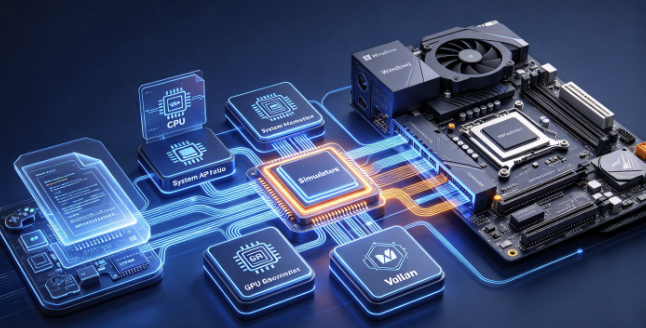
Seven Warning Signs of a Fake PS5 Emulator Download
Several indicators can help identify a suspicious emulator website before a file is executed.
| Warning sign | यह क्यों मायने रखती है |
|---|---|
| Claims every PS5 game runs at 4K or 120 FPS | Not consistent with the documented limitations of experimental projects |
| Requires an unrelated download manager | May substitute additional software for the advertised emulator |
| Demands disabling Windows Defender | Removes an important protection against malicious downloads |
| Offers an unofficial “PS5 BIOS” package | May misrepresent proprietary firmware or system files |
| Requests a survey, payment, or account verification before downloading | May indicate a monetization or phishing scheme |
| Provides no traceable developer or source repository | Makes technical claims and release authenticity difficult to verify |
| Requires running PowerShell commands copied from a website | Can be used to execute unwanted scripts or download malicious payloads |
No single sign proves that a file contains malware, but combinations of these indicators should substantially increase suspicion.
A real open-source emulator may be unfinished, have a difficult installation process, or produce unsigned binaries. Those characteristics are not automatically malicious.
The critical distinction is whether the software’s behavior, origin, and technical claims can be independently verified.
How to Verify a PS5 Emulator Download Before Running It
For users who want to examine an experimental PS5 emulator, the safest approach begins before the download.
The goal is to establish three things: whether the project is authentic, whether the downloaded file actually belongs to that project, and whether the file contains signs of potentially malicious behavior.
No single security check can answer all three questions.
Verify the Original Project Repository
Start with the project’s documented source repository.
A repository can provide useful evidence about development activity, including commit history, release tags, issue discussions, technical documentation, and contributions from maintainers.
However, the existence of source code is not sufficient to establish security. Attackers can create repositories, copy legitimate projects, manipulate release assets, or add malicious components to otherwise convincing software packages.
Look for continuity between the project’s official website, documented maintainers, source repository, and release downloads.
For example, the publicly documented repositories for projects discussed in this article include Kyty, KytyPS5, SharpEmu, Prosperity, और AnyPS5.
These links identify the public project pages used for this article’s research. They are not an independent security certification of the software or of every release asset those repositories may contain.
The safest approach is to verify the source and release provenance before deciding whether to execute any experimental binary.
Check the Downloaded File’s SHA-256 Hash
A SHA-256 hash provides a useful way to verify whether a downloaded file matches an expected release artifact.
On Windows, users can calculate the hash through PowerShell without executing the downloaded application.
Get-FileHash -LiteralPath "C:\Users\YourName\Downloads\emulator.zip" -Algorithm SHA256The command returns a cryptographic hash representing the file’s contents.
If the project publishes a trusted SHA-256 value through its official release process, the locally calculated value can be compared against it.
A mismatch means the files are not identical and should be investigated before proceeding.
Microsoft documents the command in its official Get-FileHash reference.
माइक्रोसॉफ्ट लर्न
There is an important limitation: a hash does not independently prove that a file is safe. If an attacker controls both the download and the webpage publishing the expected hash, the two can match perfectly while the file remains malicious.
A hash comparison is most useful when the expected value comes from an independently trusted source.
Examine Digital Signatures Where Available
Windows also provides a way to inspect Authenticode signatures attached to supported executable files.
For example:
Get-AuthenticodeSignature -FilePath "C:\Users\YourName\Downloads\setup.exe" |
    Format-List Status, SignerCertificate
The command can reveal whether the file carries a valid signature and provide information about the signing certificate.
Microsoft explains its behavior in the Get-AuthenticodeSignature documentation.
माइक्रोसॉफ्ट लर्न
However, many legitimate open-source utilities are distributed without commercial code-signing certificates. An unsigned emulator is not automatically malicious.
Conversely, a valid signature does not guarantee that a program is harmless. Signing helps establish file integrity and publisher identity, subject to certificate trust, but it is not equivalent to a comprehensive malware assessment.
A signature should therefore be evaluated alongside the download source, project history, expected functionality, and other security signals.
Inspect the Archive Before Running Anything
Compressed archives can contain much more than the software advertised on a webpage.
Before executing an unfamiliar program, examine the archive’s contents and compare them with the project’s documentation.
Unexpected batch scripts, PowerShell scripts, shortcut files, or additional executables warrant scrutiny, particularly when their presence is not explained by the developer.
A common danger is assuming that a file inside a ZIP archive is harmless simply because its name resembles a legitimate installer.
File names and icons can be changed easily. They are not trustworthy indicators of software behavior.
If the package requires users to execute a separate downloader or run a command obtained from an unrelated website, determine why that additional step is necessary.
There is rarely a legitimate reason for an experimental emulator installation guide to demand that users disable endpoint protection, ignore malware warnings, or grant unrestricted administrative privileges without a clear technical explanation.
Scan the File With Security Software
Windows users should keep Microsoft Defender Antivirus, reputation-based protection, and other relevant Windows security mechanisms enabled.
Microsoft’s Defender SmartScreen documentation explains how the technology evaluates suspicious websites, downloaded files, and applications.
माइक्रोसॉफ्ट लर्न
A security scan can identify known malicious files and some suspicious behaviors before the software runs.
Services such as VirusTotal may also provide useful multi-engine detection results and file reputation information. However, users should be aware that uploading files to public analysis services may expose their contents to third parties. Private or sensitive files should not be submitted without understanding the service’s data-handling practices.
A file receiving no antivirus detections does not mean it has been proven safe.
New malware variants, heavily modified loaders, and files designed to behave differently under analysis may escape initial detection.
The absence of a detection should never be used as the sole justification for running an untrusted emulator installer.
Verify Release Integrity When the Project Supports It
Some GitHub-hosted projects support release-integrity verification mechanisms.
GitHub provides documentation on verifying release integrity, including methods for checking immutable releases and confirming that local artifacts correspond to their published release assets.
For supported releases, the GitHub CLI can perform checks such as:
gh release verify RELEASE-TAGAnd, where supported:
gh release verify-asset RELEASE-TAG ARTIFACT-PATHThese commands are not universally applicable to every emulator repository. Their usefulness depends on the release configuration and verification features actually implemented by the project.
GitHub’s artifact attestation documentation also makes an important distinction: attestations can establish information about software provenance, but they do not independently guarantee that the underlying code is secure.
For experienced users, verifying build provenance can provide substantially stronger assurance than trusting a random executable linked from a search result.
What to Do If You Already Downloaded a Fake PS5 Emulator
Discovering that a downloaded emulator may be fraudulent does not automatically mean that a computer has been compromised.
The appropriate response depends on what actually happened.
If You Downloaded the File but Did Not Run It
If the file remains unopened, the immediate risk is generally lower than it would be after execution.
Avoid opening the installer, running any scripts, or following additional instructions from the download website.
Delete the suspicious package or quarantine it with your security software. Then run a security scan and check the browser’s download history for other unexpected files.
Downloading a malicious file is not the same thing as executing its payload, although browser or file-parser vulnerabilities can occasionally create exceptions.
There is no reason to deliberately execute a questionable installer merely to discover whether it works.
If You Executed the Installer
If the installer was executed and you suspect malicious activity, treat the situation more seriously.
Disconnecting the affected computer from the network can help interrupt ongoing communications with attacker-controlled infrastructure. Avoid using the potentially compromised machine to access sensitive accounts.
Run a full security scan using updated protection software.
Windows users can also consider Microsoft Defender Offline, which performs scanning outside the normal Windows operating environment and may help identify certain persistent threats.
Microsoft’s guidance on unwanted software recommends updated antivirus protection, full scans, and offline scanning when unwanted software persists.
If information-stealing malware may have executed, cleaning the visible files is only part of the response.
Passwords, authentication cookies, saved browser credentials, cryptocurrency wallet information, and other sensitive data may already have been exposed.
From a separate trusted device, change important passwords, revoke active sessions where supported, and enable multifactor authentication.
Prioritize email accounts, password managers, financial services, developer accounts, and accounts that can be used to reset other passwords.
If a password manager or cryptocurrency wallet was accessible during the suspected compromise, further account-specific recovery may be necessary.
For a confirmed serious compromise, rebuilding the system from trusted installation media may provide greater assurance than relying solely on malware removal.
If You Installed the Emulator on a Work Computer
An unauthorized software download on a managed corporate computer creates additional risk.
The affected system may contain browser sessions, VPN credentials, cloud tokens, development environment secrets, or access to internal applications.
Employees should report suspicious installations to their organization’s security team rather than attempting to conceal the incident.
Security personnel can examine endpoint detection alerts, process execution history, downloaded artifacts, network connections, and identity-provider logs.
If the suspicious installer reached execution, investigators should consider whether credentials or session tokens require revocation even if no active malware remains.
The most important question is not simply whether the file was removed, but whether the incident created an opportunity for unauthorized access.
Why Fake PS5 Emulators Can Lead to Credential Theft
Information-stealing malware is particularly relevant to fraudulent game installers because a single compromised Windows session may expose numerous valuable accounts.
Modern browsers often maintain authenticated sessions for email, gaming platforms, payment services, social networks, and cloud applications.
If malware obtains reusable authentication cookies or other session data, an attacker may be able to access an account without needing to know its password, depending on the service’s security controls.
Some malware also searches for files associated with cryptocurrency wallets, browser extensions, and local credentials.
The July 2026 Malwarebytes investigation into fake gaming downloads is an example of why these threats matter. The documented infection chain delivered Amatera Stealer, which targets several categories of sensitive information.
The infection method is therefore more consequential than merely installing a fake gaming application.
A user expecting a harmless entertainment utility may unknowingly expose accounts unrelated to gaming.
This is also why attackers may prefer attractive software-download keywords.
The victim’s motivation is straightforward, the advertised reward is appealing, and the installation process can be framed as an ordinary technical requirement.
The same technique can apply to emulator plugins, graphics patches, game mods, controller utilities, and unofficial compatibility tools.
Why Antivirus Warnings Should Not Be Disabled for Emulator Installations
One recurring problem in unofficial software communities is the assumption that antivirus warnings are always false positives.
Legitimate programs can certainly trigger incorrect detections, particularly when they use uncommon executable formats, experimental compilers, runtime code generation, or other behaviors unfamiliar to reputation-based security systems.
However, false positives cannot be assumed merely because the file is advertised as an emulator.
A malicious installer may deliberately instruct the user to disable Microsoft Defender before running the payload.
That instruction removes a layer of protection at precisely the moment an untrusted executable is about to run.
The better approach is to investigate the detection.
Determine which security product raised the alert, what category of threat it identified, where the file came from, and whether the developer has documented a reproducible explanation.
If there is insufficient evidence to establish trust, do not execute the file.
The fact that an emulator is experimental does not justify bypassing basic operating-system security protections.
Is Downloading a PS5 Emulator Legal?
The legal status of emulation depends on the jurisdiction, the software involved, and how copyrighted material is obtained or used.
An emulator developed through legitimate independent implementation is not automatically unlawful simply because it recreates aspects of another platform.
However, distributing copyrighted games, firmware, proprietary system libraries, or encryption keys without authorization can introduce separate legal issues.
Circumventing technological protection measures may also be subject to restrictions that vary by country.
Several legitimate projects address these issues in their documentation.
For example, AnyPS5 states that it is intended for interoperability, research, preservation, and compatibility purposes and that it does not distribute copyrighted PlayStation system software.
Prosperity similarly requires users to supply their own console-derived system modules and game files.
These restrictions are relevant to identifying suspicious downloads.
A website claiming to provide a complete emulator bundled with every necessary PS5 game and proprietary system component should receive much closer scrutiny than a development repository that clearly explains its legal and technical boundaries.
This discussion is general information rather than jurisdiction-specific legal advice.
PS5 BIOS Downloads: What Users Should Know
Searches for “PS5 emulator BIOS download” frequently accompany searches for PS5 emulators.
The terminology can be misleading.
Traditional console emulators sometimes require firmware or BIOS images taken from the original hardware. Modern PlayStation systems are considerably more complicated, and different experimental PS5 projects use different approaches to reproducing the platform environment.
Some projects reimplement system interfaces themselves. Others rely on particular system modules obtained from compatible hardware.
There is no reason to assume that a generic file advertised as a universal PS5 BIOS will work with any project.
In fact, a website may use the supposed BIOS requirement as a pretext for offering a second suspicious download.
If an emulator requires additional files, consult the specific project’s technical documentation and understand exactly which components it expects.
Do not download executable “BIOS installers” from unrelated websites simply because an emulator setup guide claims they are necessary.
A firmware image or system module is conceptually different from an arbitrary Windows setup executable.
Safer Ways to Play PlayStation Games on a PC
For users who are primarily interested in playing games rather than experimenting with emulation technology, there are more reliable alternatives.
One option is to purchase officially supported PC versions of PlayStation titles. Games released for Windows through authorized storefronts do not require a PS5 emulator or console firmware.
Another option is PS Remote Play.
Sony’s official PS Remote Play documentation explains how Windows and macOS users can control a compatible PlayStation console remotely using the PlayStation Remote Play application.
Remote Play is not emulation. The game still runs on the PlayStation console, while the computer receives video and audio and sends controller inputs over a network connection.
This distinction is important for users who want to play their existing PlayStation library on a laptop or desktop without moving the console to another location.
Remote Play requires access to a compatible console and a suitable network connection, but it does not require reproducing the PS5 hardware environment through experimental software.
For users without a PS5, officially released PC games are generally the most straightforward option.

PS5 Emulator for PC: Frequently Asked Questions
Is there a real PS5 emulator for PC in 2026?
Yes. Several real projects exist, including KytyPS5, SharpEmu, Prosperity, and AnyPS5. However, they use different technical approaches and remain experimental. Their existence does not mean that PS5 games are universally playable on Windows.
What is the best PS5 emulator for Windows 11?
There is no clearly established best option for ordinary users who want broad, reliable PS5 game compatibility. KytyPS5 and SharpEmu document Windows support, while AnyPS5 explores executable conversion for Windows and Linux. The appropriate project depends on the specific technical experiment or game being investigated.
Can a PS5 emulator run games at 60 FPS?
Some individual development demonstrations report playable performance in selected titles. Those results cannot be generalized to other games or hardware configurations. The performance of experimental software depends on the emulator revision, game, graphics driver, and host hardware.
Is PCSX5 a legitimate PS5 emulator?
Claims associated with PCSX5 should be treated cautiously. The publicly examined marketing claims have not established it as a mature, independently verified PS5 emulator comparable to the open-source projects discussed here. That does not mean every file using the name has been forensically confirmed as malware, but users should not trust unsupported performance and compatibility claims.
Can RPCS3 run PS5 games?
No. RPCS3 is designed for PlayStation 3 emulation. Its architecture is not a substitute for PS5 system emulation or compatibility.
Can shadPS4 play PS5 games?
No. shadPS4 is a PlayStation 4 emulator. Progress in PS4 emulation should not be mistaken for PS5 game compatibility.
Do I need a PS5 BIOS to use an emulator?
There is no universal PS5 BIOS package suitable for all experimental projects. Specific software may require particular system modules or game files, while other projects implement replacement interfaces. Follow the actual project’s documentation and avoid unrelated BIOS download websites.
Are PS5 emulator downloads safe?
Some real emulator projects provide legitimate software releases, but safety cannot be established by a project’s name alone. Download sources, file provenance, release integrity, and security scans should all be considered. Fake gaming download campaigns have demonstrably been used to distribute malware.
Can a fake PS5 emulator steal my passwords?
A malicious installer distributed under a fake emulator label could potentially deploy information-stealing malware. Such malware may target stored credentials, browser session information, cryptocurrency wallets, and other sensitive data. Whether a specific file does so must be established through analysis rather than assumed from its name.
Can I play PS5 games on a PC without an emulator?
Yes, when the game has an official PC release. Users who own a compatible PlayStation console can also use PS Remote Play to access supported games remotely. These options do not require experimental PS5 emulation.
The Future of PS5 Emulation and the Security Risks Around It
PS5 emulation in 2026 is no longer merely a theoretical possibility.
Developers are actively researching PlayStation executable formats, translating GPU instructions, implementing system libraries, and improving game compatibility. The existence of multiple development strategies suggests that progress will continue, although the pace of improvement is difficult to predict.
The most meaningful milestones will not necessarily be eye-catching screenshots or isolated FPS claims.
Instead, progress should be measured by reproducible compatibility results, correct graphics output, stable gameplay, broader system-service coverage, and improvements that can be independently tested.
For the security community, an equally important development is the increasing attractiveness of software discovery itself as an attack surface.
Search engines, developer repositories, video tutorials, software archives, and download websites all influence what users choose to execute.
When a highly searched application category contains a mixture of legitimate research projects and exaggerated promises, attackers gain opportunities to exploit uncertainty.
The threat is not unique to PlayStation emulation.
The same methods can be used against users searching for operating-system utilities, AI applications, game mods, browser extensions, unofficial drivers, and open-source developer tools.
The documented 2026 campaigns involving fake gaming repositories, malicious download packages, and deceptive software distribution illustrate that problem clearly.
For anyone searching for a PS5 emulator for PC, the most useful distinction is not between free and paid software, or between a polished website and a basic GitHub page.
It is between software whose origin, capabilities, and limitations can be examined and software that relies primarily on promises.
Real PS5 emulation projects are worth following. But until the technology becomes substantially more mature, users should be skeptical of websites advertising effortless compatibility with every major PS5 title.
And regardless of how convincing a download page looks, running an unverified installer is never a necessary price for exploring the future of console emulation.
 Hindi
Hindi  English
  German
  French
  Spanish
  Portuguese
  Japanese
  Korean
  Arabic
  Turkish
  Hebrew