
CVE-2024-10441 is a code-execution vulnerability reported in Synology storage software. Synology’s advisories cover DSM and BeeStation product lines, while the Zero Day Initiative (ZDI) describes a reproduced issue in the login handling of a DS1823xs+ and assigns a different network-reachability vector than Synology’s vendor score. For an administrator, the practical response is straightforward: identify every affected device and software branch, compare its exact build with Synology’s advisory, install the applicable vendor update, then verify the result and the management network exposure.
The distinction between those sources matters. Synology rates the issue at CVSS 3.1 9.8 with AV:N, while ZDI rates its analyzed case at 8.8 with AV:A. These values do not describe identical assessment assumptions. The public material supports treating the vulnerability as serious, but it does not justify inventing a universal exploit path or assuming that every NAS is reachable from every network. This article separates what the vendor and researcher state from deployment-specific questions that each operator must answer.
Do not use an exploit attempt to check patch status. A version and build comparison against the relevant Synology advisory is safer and more reliable. If the device is below the applicable fixed build, prioritize the official update and restrict access to its management services while arranging the change. If it is already at or above that build, preserve evidence of the installed version and still review who can reach the management plane.
At a glance
| Question | Evidence-based answer |
|---|---|
| What is the issue? | A Synology software vulnerability associated with unsafe handling of login-related input and system plugin processing. The CVE record summarizes code execution; ZDI publishes a technical analysis. |
| Which product families appear in vendor material? | Synology DSM and BeeStation System, with the precise scope depending on product, branch, and model. Check the current advisory directly. |
| What are the severity scores? | Synology lists CVSS 3.1 9.8 / AV:N; ZDI lists CVSS 3.1 8.8 / AV:A for its analyzed DS1823xs+ case. |
| Is there one universal fixed version? | No. The vendor lists minimum fixed builds by product line and software branch. |
| Is exploitation in the wild confirmed? | The cited CVE and vendor materials establish a vulnerability and remediation. They do not, by themselves, establish active exploitation. Check current CISA and vendor notices before making a time-sensitive claim. |
| What should operators do? | Inventory models and builds, apply the corresponding vendor update, recheck access paths, and retain evidence of the result. |
The authoritative starting points are Synology’s DSM security advisory और BeeStation security advisory, the CVE Record, and the vulnerability’s NVD entry. ZDI’s ZDI-25-214 advisory and Rapid7’s Disguise Delimit research paper offer additional technical context. When two sources disagree about reachability, do not silently average their scores. Record both, assess the actual device and network path, and use the conservative operational posture until the vendor-specific scope is clear.
What the public record establishes
A CVE identifier gives a vulnerability a stable reference, but it is not a complete incident report. The CVE Record for CVE-2024-10441 identifies the issue and associated product information. NVD adds a normalized record and severity metadata. Synology supplies the product-specific remediation information administrators need. ZDI documents a research finding and a case-specific technical assessment. Each source answers a different question; the safest analysis keeps those responsibilities separate.
For defenders, the most useful confirmed facts are the affected vendor product families, the existence of vendor-published fixed builds, and the fact that an unauthenticated code-execution impact is described in the public records. The technical research connects the issue to handling of login-related data as it crosses a boundary into system-side processing. That is enough to justify patching and exposure review. It is not a license to fill gaps with guessed endpoints, request formats, commands, or a claim that all Synology installations are equally exposed.
Synology published its DSM advisory as Synology-SA-24:20 and later product-specific material for BeeStation as Synology-SA-24:23. The advisory revisions are important because vendors sometimes add affected branches or clarify fixed builds over time. Administrators should capture the revision date they consulted, the product branch, and the update installed. A screenshot or exported change record of the current advisory can help explain later why a particular remediation decision was made.
The research story is also distributed across sources. ZDI’s advisory is concise and gives its own CVSS vector. Rapid7’s research paper describes the broader investigation behind the “Disguise Delimit” name. A useful article should not treat a security researcher advisory as a replacement for the device vendor’s support matrix, or treat a vendor summary as if it exposed every implementation detail. Use Synology to determine which builds the vendor considers fixed; use ZDI and Rapid7 to understand why input-boundary handling is security-sensitive; use the CVE and NVD records to correlate naming and standardized metadata.
Products and version scope
Do not search for one “Synology fixed version.” DSM is released on multiple branches, and BeeStation has its own system software. Product model, supported branch, update channel, and maintenance state all affect the version comparison. Synology’s DSM advisory lists branch-specific builds; its BeeStation advisory lists a BeeStation System build. A version number from a different branch is not an equivalent threshold.
The DSM advisory includes the following minimum fixed builds in its affected-product table. Treat this as a working summary, then confirm it against the live vendor page before a change window because advisory content can be revised:
| Product branch listed by Synology | Minimum fixed build shown in the advisory | Operator check |
|---|---|---|
| DSM 7.2.2 | 7.2.2-72806-1 or later in that branch | Confirm the installed build and model support in DSM Update. |
| DSM 7.2.1 | 7.2.1-69057-6 or later in that branch | Do not compare only the leading “7.2” digits. |
| DSM 7.2 | 7.2-64570-4 or later in that branch | Use the complete build identifier. |
| DSM 7.1.1 | 7.1.1-42962-7 or later in that branch | Check the exact branch still supported for the device. |
| DSM 6.2.4 | 6.2.4-25556-8 or later in that branch | Confirm whether this legacy branch remains supported for the model. |
| DSMUC | Use the DSMUC entry and revision in Synology-SA-24:20 | Do not substitute a standard DSM build number. |
| BeeStation System | 1.1-65374 or later as listed by Synology | Use BeeStation’s product update screen and advisory entry. |
This table is not a substitute for the source. The vendor’s page may include branch, model, or product details that are not captured by a short summary. If a device does not show one of the branch names above, or is a specialized model with a different update path, do not infer safety from the mismatch. Search the advisory by exact product and contact Synology support when the mapping is unclear. The safe state is a vendor-confirmed supported build, not simply “the newest number I can find.”
Record four separate attributes for every asset: model, software family, full installed version/build, and update timestamp. A spreadsheet with only “DSM 7” will not support reliable remediation. For virtualized or centrally managed Synology systems, also record the relevant management plane and which team owns patch approval. If you manage customer equipment, keep each customer tenant and serial/model inventory distinct. A shared management console can make multiple devices visible, but it does not make their support branches identical.
There is a second reason to avoid a universal version claim: the public material was published in different advisories and at different times. A later BeeStation advisory does not mean that a DSM entry can be skipped, and a DSM branch fix does not automatically establish BeeStation status. Product scope is a set of explicit vendor rows. If your exact model or branch is absent, treat it as an information gap and ask the vendor instead of deciding that it is either affected or unaffected based on a neighboring product.
Why the CVSS scores differ
Synology lists a CVSS 3.1 score of 9.8 with the attack vector set to Network (AV:N). ZDI lists 8.8 with attack vector Adjacent (AV:A) for its analysis of a DS1823xs+. CVSS is a standardized way to express a severity assessment under a defined vector. It is not a measurement of how many devices are exposed in the world, and it does not encode every firewall, routing, reverse-proxy, or management-network decision in an organization’s environment. The FIRST CVSS v3.1 specification defines AV:N as an attack that can be carried out through the network stack, while AV:A requires the attacker to be logically or physically adjacent to the vulnerable system under the metric’s criteria.
The difference is operationally meaningful: an AV:N assessment usually implies broader possible network reach than an AV:A assessment. But neither score tells an administrator whether a particular device’s relevant service is enabled, bound to a reachable interface, published by a router, placed behind a proxy, or restricted to a management VLAN. Those are local facts. Likewise, an AV:A vector does not simply mean “same Wi-Fi,” and AV:N does not mean “public Internet exposure is proven.” The attack vector describes the scoring model’s required proximity, not the current routing state of every installation.
The records do not provide enough information to collapse the two scores into one definitive universal reachability statement. Synology’s product advisory is the source for vendor remediation and product scope. ZDI’s rating reflects its reproduced research case and analysis. Rapid7’s paper provides additional research context. A responsible report should quote both vectors and explain the scope difference, rather than selecting whichever number makes the article sound more urgent.
For triage, use the higher-risk operational assumption where any affected device is reachable from an untrusted segment or the Internet, while still recording the rating difference accurately. If an affected NAS is isolated on a tightly controlled network, that reduces exposure but does not repair the flaw. If an organization cannot determine whether an interface is reachable, classify the exposure as unknown and restrict it until the network path is verified. This is a risk-management choice, not a claim that the underlying CVSS vector has changed.
When documenting an exception, write down the device identifier, exact build, applicable advisory row, network segments that can reach management services, and the evidence used to establish that reachability. Note whether the device is accessible through a VPN, a management relay, a remote-support channel, or a web publishing rule. Have the system owner confirm whether those paths are required. This creates a decision record that can be revisited if the vendor updates its advisory or the network design changes.
How the input-boundary failure should be understood
Synology describes CVE-2024-10441 as improper encoding or escaping of output in the system plugin daemon. ZDI describes a flaw in handling a supplied username during login: the value was not properly validated before it was used to construct environment variables, and the resulting impact was code execution in a root context on the analyzed DS1823xs+ installation. These descriptions are not necessarily contradictory. They use different abstraction levels. The vendor labels the weakness category and affected component; the researcher describes a particular data path that produced the impact.
At a conceptual level, login information begins as data supplied by a client. The application then needs to parse it, validate what is allowed, and pass the resulting identity into one or more internal components. Every transition can change how characters are interpreted. A string that is data in one context may become a delimiter in another if the receiving component constructs an environment variable, command argument, template, or serialized response without preserving the boundary. The security property to preserve is simple: input must stay data all the way through the processing chain.
That principle is often discussed under injection prevention. MITRE’s CWE-88 covers improper neutralization of argument delimiters; CWE-116 describes improper encoding or escaping of output; and CWE-78 covers operating-system command injection. These are related concepts, not a declaration that CVE-2024-10441 has been formally mapped to every one of these weaknesses. Use the CVE and vendor advisory as the authoritative descriptions for this issue. The CWE references help explain the general engineering lesson: encoding is context-specific, and a value safe for one parser can still be unsafe for a later interpreter.
System plugins deserve special scrutiny because they often bridge a web-facing management workflow to privileged operating-system functions. The web tier may validate a form, while a helper service receives a value through a separate channel. Security depends on both sides agreeing on the representation, trust level, and allowed values. A validation check in the browser does not protect the daemon. A check in one request handler does not prove that every pathway uses the same handler. And input that passed one parser may still need safe handling at a later boundary.
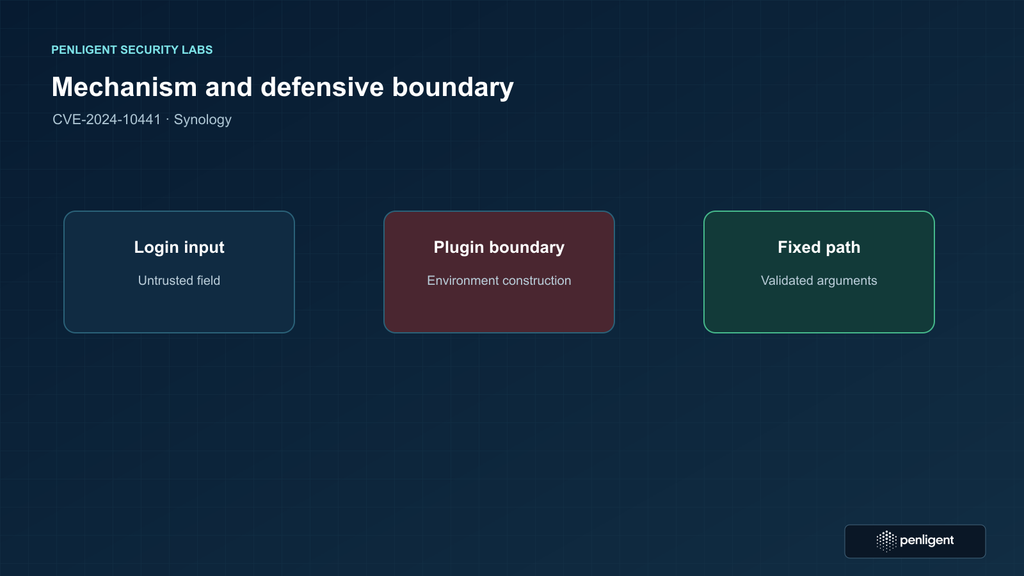
This is why the issue’s name and severity should not encourage a researcher to guess at the actual request syntax. The public vendor description explicitly says the vectors are unspecified. ZDI’s advisory provides enough high-level detail to explain the defect class and impact, but the published material is not an invitation to reproduce a weaponized string against a production device. For defender training, focus on code review, test fixtures, separation of data from executable context, and vendor patch validation. The visual model below is intentionally conceptual rather than a reproduction recipe.
Potential business impact
Synology and ZDI both describe code execution, and ZDI states that its case could execute in the context of root. If a vulnerable service is reachable and the relevant flaw can be triggered under the deployment conditions, the consequences can extend beyond a single login session. A storage appliance may hold business files, backups, identity integrations, virtual machine images, surveillance recordings, or application data. Privileged execution on that system could undermine confidentiality, integrity, or availability of data and services hosted there.
Those are impact categories, not a claim that every data set on every device is automatically compromised. The actual consequence depends on device role, share permissions, encryption configuration, connected services, account integrations, backup independence, and network trust boundaries. A NAS that stores only a replicated copy may still matter if replication credentials permit writes to a second site. A system with encrypted volumes may still expose data if keys are mounted and available to the running system. An appliance that is not a primary file server may still provide a foothold into an administrative network.
Availability impact deserves particular attention. Storage systems often sit underneath services that operators do not associate with a vulnerability in a “login” feature. Applications may depend on network shares, backup repositories, package services, or scheduled synchronization. If a device must be isolated while an update is prepared, identify dependent systems first and use a planned change window. If isolation is immediately required due to suspicious activity, preserve evidence and communicate the service impact to owners rather than silently severing a shared volume used by business applications.
Integrity risk is also distinct from a simple data leak. A privileged process could change system configuration or affect services, but the public CVE record does not specify a complete post-exploitation playbook. Do not state that a particular persistence method, account, file, or lateral-movement path is part of this CVE unless you have separate evidence. For response planning, list the outcomes that would matter in your environment and the logs or telemetry that could establish whether they occurred.
Confidentiality risk can include active data access and the exposure of credentials or tokens available to local services, but access to any particular secret must not be presumed. Inventory where the NAS authenticates, what services it mounts, which identity provider it contacts, and whether administrators reuse credentials. After a confirmed compromise, change credentials that were present on or used by the device from a clean administrative workstation, following the organization’s incident plan. Do not rotate secrets reflexively on an unverified vulnerable device if the process would destroy evidence or disrupt containment; coordinate with incident response.
Reachability is a deployment question
The term “remote” is broad. A service may be reachable from a neighboring office segment but blocked from the Internet. It may be exposed through a VPN, a reverse proxy, a remote-management portal, or a firewall rule maintained by another team. It may be reachable only over IPv6 even though the team reviewed IPv4 policy. The vulnerability score does not inventory those pathways for you. Build a reachability picture from configuration and authorized network evidence.
Start with intended access. Which administrator groups are supposed to manage the NAS? From which managed devices and networks? Is remote administration required, and if so, does it pass through a company-controlled VPN with strong authentication? Does a third-party service provider have a support route? Are user workstations allowed to reach the management interface, or only a hardened jump host? These questions reveal whether a vulnerable management plane crosses trust boundaries that were not part of the original design.
Next inspect actual exposure. Review router and firewall publishing rules, security group equivalents, NAT, reverse-proxy routes, VPN policies, host firewall settings, VLAN ACLs, and any remote-access products. Check DNS records and external asset inventory for hostnames that might resolve to the device or a proxy in front of it. Validate network observations only from approved vantage points and within your organization’s authorization. A generic port check can tell you that an endpoint responds, but it cannot reliably establish that CVE-2024-10441 is fixed or vulnerable.
Do not rely on the device’s displayed hostname or a single inventory source. Older equipment may have duplicate names, replaced hardware, stale DHCP reservations, or a management IP that changed after an upgrade. Match assets by model and a stable organization-controlled identifier, then reconcile that with DHCP, switch, firewall, virtualization, and purchase records. For a service provider, customer ownership and maintenance windows must be explicit. An inventory row without a responsible owner is a task that can be lost between teams.
Classify each device into a simple exposure state: internet-reachable; reachable from a user or server segment; restricted to a dedicated management segment; or unknown. Record why the state is assigned and when it was checked. The “unknown” group deserves attention because it combines uncertainty with a potentially high-impact asset. It is usually faster to restrict management access temporarily than to prove a complicated route is harmless. Network restriction is a compensating measure while patching, not a permanent replacement for the vendor update.
Build a defensible asset inventory
A useful inventory is small enough to maintain and specific enough to support action. Include the device model, product family, full software build, serial or internal asset ID, site, network zone, owner, backup role, Internet exposure state, applicable advisory row, last check time, and remediation ticket. Store sensitive identifiers according to company policy; there is no need to publish serial numbers in reports or share them outside the operational team.
Include devices that are powered off, in disaster-recovery storage, or installed at remote offices if they might be reconnected. A cold spare may have an older image that becomes active during an outage. A lab appliance may hold production credentials or be routable from corporate networks. A device removed from ordinary monitoring might still have a static firewall rule. Inventory should describe real assets, not only systems visible in the main dashboard today.
Map each device to the exact product line before comparing versions. BeeStation System and DSM are not interchangeable labels. DSMUC is not a standard DiskStation Manager branch. When the asset record says only “Synology,” the software owner should resolve the product family from the management interface or vendor support information before closing the task. If the interface is unavailable, use an authorized console or support channel; do not infer branch from the web page appearance.
Use a two-person check for high-impact installations when feasible. One administrator reads the model and full build from the device; another compares it with the current advisory and records the outcome. This is particularly useful when the NAS is part of a backup chain or hosts regulated data. The review need not become a complex audit. A short change record with evidence, reviewer, and timestamp is more useful than a long spreadsheet whose values cannot be traced back to the device.
Prioritize by a combination of vulnerability status and business exposure. An unpatched device reachable from untrusted networks is the first group. An unpatched device on a restricted management VLAN remains urgent but can follow the organization’s patch sequence if temporary access controls are verified. A fixed build with unnecessary public exposure still needs network correction. A device with unknown build or reachability should not be marked low risk until the unknowns are resolved.
Safe validation without exploit traffic
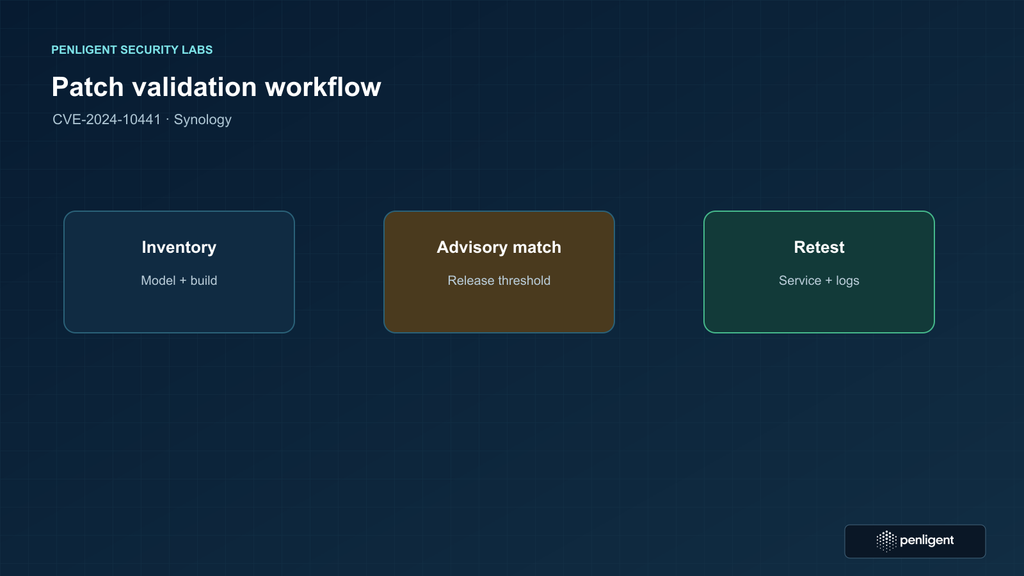
Patch verification should be deterministic and non-destructive. Log in through an approved administrative channel, record the model and complete build identifier, and compare it with the matching row in the live Synology DSM advisory या BeeStation advisory. Then confirm the update process reports success and that the device returns to a supported state. This workflow tests the state that matters: the installed vendor build, not a speculative external exploit response.
Keep the check read-only until the change is approved. Capture the displayed version and model, the advisory version or access date, the relevant fixed threshold, and the maintenance ticket. If you use a configuration-management platform, export the device’s reported product and build fields and compare them with an explicit branch-specific rule. Review exceptions manually. A script that compares strings lexically can misorder build numbers, and a script that checks only the first three version components can miss an update number that carries the security fix.
Do not send a crafted username, fuzz login handlers, or automate requests against production devices as a patch check. A successful response would not prove that the code path is safe; a failure could lock accounts, create logs that resemble an incident, disrupt service, or cause an unintended state change. The attack vector is not required to establish whether a build is below the vendor’s fixed threshold. Use the vendor’s version mapping and controlled tests on synthetic software instead.
After updating, repeat the version comparison and recheck exposure from the approved network inventory. Verify that the intended management routes still work for administrators and that unauthorized segments remain blocked. Review service health, backup jobs, synchronization, and application dependencies. A version check alone does not show that the device rebooted into the expected build or that every cluster member received the update. Confirm all members separately.
For a fleet, validate both the deployment mechanism and the result. A central update job can report that it sent a package while a device remains pending reboot or failed to apply the package. Compare inventory before and after the maintenance window; investigate missing devices rather than treating them as success. Keep a separate result for “not found,” “unreachable,” “update pending,” “updated,” and “verified.” This makes the remaining work visible without overclaiming completion.
Remediation sequence
Use a sequence that reduces exposure quickly and preserves operational control. First, restrict management access to approved administration networks if the device is currently reachable from a broad or untrusted segment. Second, confirm backups and recovery dependencies. Third, schedule the vendor update for the exact product branch. Fourth, verify the resulting build and services. Finally, remove temporary access exceptions and record the evidence. If an asset shows signs of compromise, move it into the incident-response path instead of treating an upgrade as the only action.
Access control should be specific. A rule that allows an entire corporate network to reach every NAS may be convenient but is difficult to defend after a credential compromise. Prefer a small set of hardened jump hosts or management subnets, with strong authentication and logging. Review IPv4 and IPv6 rules, VPN routes, remote support, and reverse-proxy configuration together. If a firewall change is made as an emergency measure, attach an owner and expiry date so the exception does not quietly become permanent.
Plan the maintenance window around the services the device supports. Identify active file shares, backup repositories, virtual machines, container workloads, package services, and synchronization tasks. Confirm whether a reboot is required and whether a failover or read-only period is available. A patch that protects the NAS but causes an unplanned interruption can create pressure to roll back or skip verification. A short, written runbook reduces that pressure by making dependencies explicit.
After the update, verify more than the login page. Confirm the full build, system health, storage pools, scheduled jobs, authentication integration, monitoring, and backup completion. Check that the device is running the supported branch that the advisory expects. If an update changes a service’s certificate, package state, or network binding, compare those changes with the maintenance plan. The objective is a secure and supportable system, not merely a changed version string.
Consider credential exposure based on evidence. A vulnerable device that was reachable from an untrusted segment or shows suspicious activity may justify rotating local, directory, API, backup, and service credentials used by the appliance. Rotate from a clean workstation and follow the order in the incident plan so that backups and integrations do not fail unexpectedly. If there is no evidence of compromise and the device was isolated, credential rotation may be a separate risk decision. Document the rationale either way.
Detecting suspicious activity
CVE-2024-10441 does not provide a universal log signature. Detection should combine device logs, network records, identity events, and changes to system state. Establish the normal administrator source addresses, login times, account names, and management routes for each device. Then look for deviations such as successful administration from an unapproved network, new accounts, unexpected package changes, modified firewall rules, unusual outbound connections, or backup jobs that changed without a ticket.
Preserve logs before rotating or rebuilding the device. Export the relevant DSM or BeeStation event records, authentication logs, firewall and VPN records, reverse-proxy logs, and management-platform audit entries. Record the device clock and the time source used by the organization. If the device is suspected to be compromised, avoid repeated interactive logins that could overwrite evidence. Coordinate with the incident-response owner and collect from a trusted administrative workstation.
Network telemetry can help answer reachability and timing questions. Review inbound connections to the management interface, source addresses, VPN sessions, NAT translations, and DNS or proxy records. Correlate those records with account events and system changes. Do not assume that an unfamiliar connection is the CVE; it may be an authorized backup, monitoring agent, or support session. Conversely, do not dismiss a suspicious session simply because the device was not publicly published. Adjacent or internal paths can still matter.
Look for persistence and tampering at a high level without asserting a CVE-specific technique. Unexpected scheduled tasks, new startup entries, package changes, modified administrator groups, altered certificate material, and disabled logging all deserve review. Compare current configuration with a trusted baseline where one exists. If there is no baseline, preserve the current state and involve a qualified responder rather than guessing which files or services are safe to remove.
When the device stores backups, verify backup integrity from a separate system. Confirm that recovery points are readable, that retention has not been shortened, and that backup credentials or repository permissions did not change. A NAS compromise can affect the recovery path even when production data remains available. Test restoration on an isolated target when the business plan allows it. This is a resilience check, not a claim that CVE-2024-10441 necessarily alters backup data.
Safe lab validation
Security teams sometimes need a proof that their detection or patch workflow distinguishes safe and unsafe data handling. Build that proof in a local toy application rather than against Synology firmware. The toy application can accept a synthetic username and pass it through two functions: one that treats it as a single typed value, and a deliberately unsafe test double that records when boundary characters would have been interpreted by a downstream parser. The test should assert that the production-safe function never creates a new variable, command, or expression from the input.
A safe pseudocode test looks like this:
function buildIdentityRecord(userName) {
  return { userName: String(userName), source: "lab" };
}

test("input remains one data field", () => {
  const record = buildIdentityRecord("synthetic-user-with-boundary-markers");
  assert.equal(Object.keys(record).sort().join(","), "source,userName");
  assert.equal(record.source, "lab");
  assert.equal(typeof record.userName, "string");
});
This test does not reproduce CVE-2024-10441 and does not connect to a NAS. Its purpose is to demonstrate a review property: the input remains a value in a structured record, rather than becoming a second variable or an instruction to a later interpreter. In a real codebase, add tests at every boundary where authentication data crosses a process, serialization format, environment map, template, or operating-system API. Use a code-review checklist that asks which parser receives the value next and whether the value is passed through a typed or parameterized interface.
Use synthetic values that exercise normal delimiters, Unicode, length limits, empty input, and rejected characters, but keep them inside the lab. The test should validate logging and alerting behavior as well as data handling. It should not print a string that could be copied into a production request, and it should not invoke a shell or a system command. If the team needs to test a vendor appliance, use a vendor-approved support or test procedure with an isolated device and a written change plan. The absence of a safe public test harness is a reason to rely on version verification, not to improvise one.
What penetration testers should report
A professional assessment should state the tested product, model, software branch, full build, network vantage point, authentication state, and scope authorization. If the objective is patch validation, report the version comparison and management-path review. If the objective is exposure assessment, report the route and control that made the service reachable, without including a weaponized request in the client deliverable. The report should distinguish a confirmed vulnerable version from a demonstrated exploit, and a network observation from a vendor-supported fact.
Use a finding title that identifies the CVE and the affected asset, then record the advisory source, the vendor’s fixed-build threshold, the observed build, and the remediation owner. Include the Synology and ZDI CVSS vectors as source metadata with a short explanation of why their attack vectors differ. If the test could not establish whether the appliance was reachable from a given segment, say “reachability not verified” and list the evidence needed. A cautious unknown is more useful than a confident but unsupported conclusion.
Evidence should be reproducible by a second reviewer. Preserve screenshots or exported records of the version page, a copy or URL of the advisory, the network rule or inventory source used for reachability, and the change ticket. Hash exported files if the engagement requires evidence integrity. Avoid collecting customer data from storage shares when the test does not need it. The least-data principle reduces the risk that the validation itself becomes a privacy incident.
Retesting should repeat the same checks from the same authorized vantage point. Confirm that the exact build meets the advisory threshold, that the management path follows the intended policy, and that the evidence was updated after the change. If the vendor changes the advisory row or releases a new branch fix while the engagement is open, update the finding rather than silently applying the old threshold. A finding is closed by evidence tied to the current vendor state.
Common mistakes
- Using only the CVSS number. Severity is a signal for prioritization; it does not tell you whether a device is exposed or which fixed build applies.
- Comparing incomplete versions. “DSM 7.2” is not enough when the security fix is in a build suffix.
- Assuming all Synology products share one patch. DSM, DSMUC, and BeeStation use different product rows and update paths.
- Treating network isolation as a fix. A management VLAN lowers reachability while the vulnerability remains present.
- Testing with exploit traffic. Version verification is safer, repeatable, and sufficient for patch status.
- Closing the ticket after package delivery. Confirm reboot state, complete build, service health, and the full fleet result.
- Ignoring adjacent access. A device does not need to be public to be reachable from a workstation, partner, VPN, or support segment.
- Overstating exploitation. The available sources establish a serious vulnerability and remediation path; they do not prove that every suspicious event is this CVE.
Operational checklist
- Export the list of Synology DSM, DSMUC, and BeeStation assets.
- Resolve each asset to an exact model and full software build.
- Match the asset to the correct row in Synology-SA-24:20 or Synology-SA-24:23.
- Classify management reachability as Internet, broad internal, restricted management, or unknown.
- Restrict unnecessary management access while the update is scheduled.
- Confirm backup and service dependencies and obtain a maintenance window.
- Install the vendor update using the supported path.
- Verify the post-update build, reboot state, service health, and backup result.
- Recheck firewall, VPN, proxy, IPv4, and IPv6 management paths.
- Attach evidence and an owner to every result, including devices that were unreachable.
Where automated validation helps
Automation is useful when it turns a known policy into a visible, reviewable result. A fleet job can collect model and build data, compare each row with a maintained advisory rule, flag unknown products, and open a remediation ticket. It can also check whether a management address appears in an approved network segment. The rule should preserve the raw device values and the comparison decision so a reviewer can reproduce it.
Automated checks need careful failure states. A device that did not respond is not “fixed.” A build string that could not be parsed is not “compliant.” A central console reporting “job complete” is not proof that the appliance rebooted. Keep these outcomes separate and route them to an owner. Use allowlists for management sources and update them through change control; otherwise an automated exposure check can drift away from the intended network policy.
Validation can also watch for regression. After patching, compare the device’s build, package state, management bindings, and audit settings against the baseline at a later interval. Alert when the device falls behind a newly published advisory or reappears on an unapproved route. A regression check is valuable because appliances are often restored from snapshots, replaced with spare units, or reconfigured during troubleshooting.
Penligent can fit into this workflow when a team needs repeatable security validation across application and infrastructure boundaries. Keep the product reference tied to a real assessment step, such as collecting evidence, retesting a management control, or correlating findings with owner and asset records. The quality of the result still depends on the underlying asset data, vendor advisory mapping, and authorization for the test.
How to prioritize across a mixed fleet
Organizations rarely manage a fleet in which every appliance has the same purpose, exposure, and maintenance window. Prioritization should therefore combine the vendor’s affected-build information with local consequence and reachability. A useful first pass puts devices that are both below the applicable fixed build and reachable from untrusted or broad internal networks at the front. Next are unpatched systems on a restricted management segment, followed by assets whose model, branch, or reachability is still unknown. Devices already confirmed on a fixed build still need the management-path review if they are unnecessarily exposed.
This ranking does not alter CVSS. It is an operational queue. Keep the vendor and researcher vectors visible in the record so that the team does not accidentally convert a local priority label into a claim about the vulnerability’s official severity. For each asset, distinguish three states: vulnerability status based on installed build; exposure status based on network evidence; and business criticality based on service ownership. A device may be vulnerable but isolated, fixed but exposed, or unknown on both axes. These cases need different work items.
For high-criticality storage, pair the infrastructure owner with the service owner before patching. The infrastructure owner knows the update channel and device health; the service owner knows what applications depend on file shares, backup targets, or synchronization. Ask each owner to confirm one concrete fact: the device build and recovery route, or the application dependency and acceptable outage. This prevents a patch task from being assigned to a team that cannot verify the result.
For managed service providers, keep customer-specific decisions separate even when the update mechanism is shared. Record which customer approved the change, which window applied, and whether the provider or customer is responsible for firewall rules and credentials. A generic “fleet patched” statement is insufficient when some customer devices are inaccessible or run a different product branch. The status report should show verified completion and unresolved exceptions independently.
Use escalation thresholds that are defined before the maintenance window. For example, an Internet-reachable unpatched appliance can trigger emergency change review; an appliance with unknown build can trigger temporary management restriction; and a device with suspicious account changes can trigger incident response rather than routine patching. The organization should define its own thresholds based on service impact and regulatory obligations. The CVE itself does not prescribe an outage tolerance or business approval policy.
Network control review in detail
NAS management is often reachable through more than one path. A public DNS record may point to a reverse proxy, which forwards to a private address. Administrators may also use a VPN, a zero-trust access gateway, a vendor remote-access service, or a management jump host. Meanwhile, local users may reach the same address directly from a workstation network. Review the path end to end rather than checking only whether the appliance has a public address.
Begin with the intended architecture. Draw the approved path from administrator workstation to management plane, including identity provider, VPN or gateway, jump host, firewall, proxy, and target interface. Identify each enforcement point and its owner. Then compare the design to live configuration. A network diagram that predates a firewall migration can be misleading. Query current firewall policy and routing data through approved tools, and ask the network owner to validate any paths that are not visible to the storage team.
Review both control plane and service plane. A storage service may need to accept file traffic from application networks while the management interface should accept only a much narrower set of sources. Do not block required file access merely because the same device is vulnerable; instead, identify the management services and apply rules at the appropriate interface or firewall boundary. If the configuration does not separate management and data paths, document that constraint and prioritize the vendor patch while planning segmentation improvements.
Include IPv6. A device that is filtered on IPv4 may still have a globally routable IPv6 address or be reachable through an internal IPv6 route. Check DNS AAAA records, router advertisements, firewall policy, and VPN routes according to the organization’s network tooling. Do not assume that a lack of IPv4 NAT implies the management plane is private. Conversely, do not use an external scan as the sole proof of exposure; it can miss authentication gateways, alternate interfaces, and paths that appear only from a partner or VPN network.
Review remote support and vendor connectivity carefully. A support tunnel can be temporary, permanent, or activated only when requested. Record who can enable it, how activation is logged, and whether the connection traverses a customer-controlled boundary. If a route is no longer needed, remove it through the approved change process. If it is required, restrict it to documented source identities and monitor it during the remediation period.
After network changes, test the intended administrator workflow and the denied paths. Use synthetic accounts and non-sensitive checks. Confirm that approved administrators can still reach the management service and that representative unapproved segments cannot. Document the test sources and timestamps. A firewall rule that is syntactically present but shadowed by a broader allow rule may not produce the expected result, so validate behavior from both sides of the boundary.
Update planning and rollback discipline
Before applying a vendor update, verify that the device has enough operational headroom and that the current configuration can be recovered. Record the current build, system health, storage state, and important service settings. Confirm that recent backups can be read and that the recovery process is documented. The existence of a backup job is not proof that a restore will succeed; where practical, test a restore of a representative file or service to a separate destination.
Determine the approved package source and update path from Synology’s documentation and the device interface. Avoid third-party package mirrors or manually substituted files. If the device is in a high-availability or clustered arrangement, follow the vendor-supported sequence for every member and preserve quorum or failover requirements. Do not assume that applying the update to one node automatically updates all nodes.
Make the change record identify the expected version after installation, whether a restart is required, who will verify application health, and what condition would trigger rollback or escalation. A rollback plan should not mean reinstalling a vulnerable version without a formal risk decision. If the update fails, first preserve the error state and consult vendor support. Restore from a known-good backup only when the recovery plan and security impact are understood.
During the window, keep a chronological log: change start, package installation, restart, observed build, service checks, and closure decision. Use a trusted time source. If the device fails to return, distinguish a management-plane outage from a storage or data-plane outage. Notify dependent service owners with the specific impact and expected next update. This is more actionable than a generic “NAS unavailable” message.
Once the update is complete, remove emergency firewall exceptions only after confirming the supported route for administrators. If the exception was added to restrict exposure, keep the restriction in place unless the owner has approved a documented reason to restore broader reachability. Security changes should not be automatically reverted at the end of a maintenance window merely because they were labeled temporary.
Evidence preservation and incident decision points
Patch management and incident response can overlap. If there is no sign of compromise, an approved update and verification workflow may be sufficient. If there are unexplained administrator logins, configuration changes, new packages, disabled telemetry, or unusual outbound connections, preserve evidence and engage the incident-response owner before making changes that could erase it. A vulnerable version is exposure evidence; it is not by itself proof that exploitation occurred.
Preserve the original time context. Export logs with their timezone, confirm the appliance clock, and record any known clock drift. Capture the source system and collection method. Keep a read-only copy in the organization’s evidence store, and track who accessed it. Avoid pasting raw logs into public ticketing systems when they may contain usernames, addresses, or sensitive share names.
Build a timeline from independent sources: appliance authentication events; VPN and gateway sessions; firewall accepts and denies; proxy requests; configuration-management activity; backup job history; and administrator workstation authentication. Correlation can establish whether a suspicious event was possible and what changed around the same time. It may not establish the exact vulnerability trigger, especially when logs do not record the relevant input. State that limitation plainly.
If the response team decides to isolate a device, determine whether it can be isolated at the management interface while preserving necessary storage traffic. For a device suspected of active compromise, broader isolation may be warranted, but the service owner should be informed about dependent applications. Record the time and control used. If immediate service restoration is needed, use a clean replacement or a controlled recovery process rather than reconnecting an unverified system into the trusted network.
Forensic imaging or vendor-assisted collection may be appropriate for high-impact events. Follow organizational policy and the vendor’s support procedures. Do not make claims about volatile artifacts or specific forensic locations unless they have been validated for the affected platform and firmware. A general Linux appliance assumption may not apply to a vendor-managed storage operating system. When evidence is uncertain, preserve what is available and document how collection could affect the device.
Close the incident only when the response owner has considered containment, scope, recovery, credential exposure, and monitoring. A successful firmware update is one remediation action, not an incident closure criterion. Conversely, do not label every unpatched asset a confirmed breach. Use precise states such as vulnerable, exposed, suspicious activity observed, compromise confirmed, remediated, and monitoring complete.
Governance and audit record
Security and audit teams need enough evidence to understand what happened without converting a patch ticket into an unnecessary dossier. Keep the advisory URL and access date, the affected-asset list, the observed and fixed build values, the change approval, the network restriction decision, the verification result, and any exception owner. If a device is outside vendor support, record the replacement or isolation plan and its deadline.
For regulated environments, map the work to existing vulnerability-management and change-control requirements rather than inventing a new process for one CVE. The NIST SP 800-40 Revision 4 describes enterprise patch management as preventive maintenance and provides guidance on planning, prioritizing, and verifying patches. The NIST SP 800-61 Revision 2 offers incident-response guidance relevant when suspicious activity changes the task from remediation to response. These documents do not define the Synology-specific fix; they help structure the operational process around vendor evidence.
Use the CISA Known Exploited Vulnerabilities catalog as one source for current prioritization when applicable, but do not infer exploitation status from social media or a trend chart. Catalog status can change over time, so record when it was checked. The presence or absence of an entry should be described accurately and should not replace the vendor advisory or local evidence.
Keep exceptions time-bound. An exception should name the asset, business reason, compensating control, owner, approver, review date, and concrete condition that ends the exception. “We cannot patch” is not a durable explanation. If a branch has reached end of support or the model cannot receive the fixed build, the plan may require stronger isolation, service migration, or replacement. The responsible technical owner should seek vendor confirmation when the support path is unclear.
Track completion at the asset level. A percentage alone can hide the last few high-risk devices. Report counts by state and identify assets that are unknown or unreachable. If senior stakeholders need a concise summary, state how many devices were confirmed fixed, how many remain vulnerable, how many have unknown status, and what action is underway. Do not combine unknown with fixed to make the number appear complete.
Frequently asked questions
What is CVE-2024-10441?
- It is a Synology security vulnerability associated with unsafe handling of login-related input and system plugin processing. Public records describe code-execution impact, and ZDI provides a technical analysis for a DS1823xs+ case.
Which Synology products are affected?
- Synology’s DSM and BeeStation advisories identify affected product lines and branch-specific fixed builds. DSMUC has its own advisory row. Check the current vendor pages by exact model and branch instead of assuming one global scope.
Does a device need to be exposed to the Internet?
- No universal conclusion can be made from the CVE alone. Synology’s score uses AV:N, while ZDI’s analyzed case uses AV:A. Review the actual management routes, VPNs, proxies, firewall rules, and network segments for the device.
Why do Synology and ZDI show different CVSS scores?
- They use different assessment assumptions for reachability. Synology lists 9.8 / AV:N; ZDI lists 8.8 / AV:A for its research case. Preserve both vectors and make the local exposure decision from network evidence.
How can I check whether the fix is installed?
- Record the exact model and full build in the management interface, compare it with the matching Synology advisory row, confirm the update completed and rebooted, then verify the build and service health again.
Should I send a test payload to confirm the vulnerability?
- No. Use branch-specific version verification and a controlled network review. Exploit traffic can create service disruption, account events, or evidence loss and is unnecessary for patch status.
What should I do if the device was reachable from an untrusted network?
- Restrict management access, preserve relevant logs, check for suspicious account and configuration changes, apply the vendor update, and follow the incident-response plan if evidence suggests compromise. Do not assume that a patch alone closes an incident.
Is CVE-2024-10441 confirmed to be exploited in the wild?
- The cited public materials establish the vulnerability and remediation. They do not prove active exploitation across Synology devices. Check current CISA and vendor notices before using an exploitation claim in a risk report.
निष्कर्ष
CVE-2024-10441 deserves prompt treatment because public vendor and research material describe code-execution impact in Synology software. The correct response is precise: identify the product branch, compare the full build with Synology’s current advisory, reduce unnecessary management reachability, apply the supported update, and preserve evidence of verification. The difference between Synology’s AV:N rating and ZDI’s AV:A rating is a reason to document assumptions carefully, not a reason to dismiss the vulnerability or invent a universal attack path.
Once the fleet is patched, keep the check alive through inventory drift monitoring, regression alerts, and periodic review of management routes. A secure state is one that remains visible and auditable after the maintenance window ends. That discipline helps administrators respond to future Synology advisories with the same evidence-based process.
 Hindi
Hindi  English
  German
  French
  Spanish
  Portuguese
  Japanese
  Korean
  Arabic
  Turkish
  Hebrew