
CVE-2026-123890 is an authentication bypass in the VMware Directory Service in vCenter. An attacker with network access can bypass authentication and gain unauthorized access. Broadcom rates it Critical with a CVSS v3.1 score of 9.8 and lists no workaround. The immediate task is to identify each vCenter’s product branch and install the corresponding corrected release.
VMSA-2026-0009.1 was initially published on November 19, 2026 and revised on November 20 to clarify VMware Tools versions. CISA added CVE-2026-123890 to its Known Exploited Vulnerabilities catalog on November 20. That is evidence of exploitation in the wild; it does not establish that a particular installation has been compromised.
Choose the vCenter correction, not a nearby component version
| Installed product or branch | Vendor correction or path | Operational distinction |
|---|---|---|
| vCenter 9.1.x.x in VCF/VVF | 9.1.1.0200 | Verify the running vCenter component. |
| vCenter 9.0.x.x in VCF/VVF | 9.0.2.0200 | Do not substitute SDDC Manager 9.0.2.0100. |
| vCenter 8.0 | 8.0 U3m | Match the active appliance release after updating. |
| VMware Cloud Foundation 5.x | Follow the VCF asynchronous patching path for vCenter 8.0 U3m; the VCF matrix also lists 5.2.5. | Track vCenter and SDDC Manager as separate components. |
| vCenter 7.0 | Contact Broadcom Support when an extended support contract applies. | No generally available fixed version is specified in this row. |
| Telco Cloud Platform / Infrastructure | Follow KB463116 linked from the advisory. | Use the integrated product’s supported patch path. |
The response matrix and vendor FAQ should be used together. The FAQ clarifies that VCF 5.x customers apply vCenter 8.0 U3m through asynchronous patching and update SDDC Manager to 5.2.5. A ticket saying only “VCF 5.2.5 installed” should retain evidence of the vCenter correction rather than infer it from a different component.
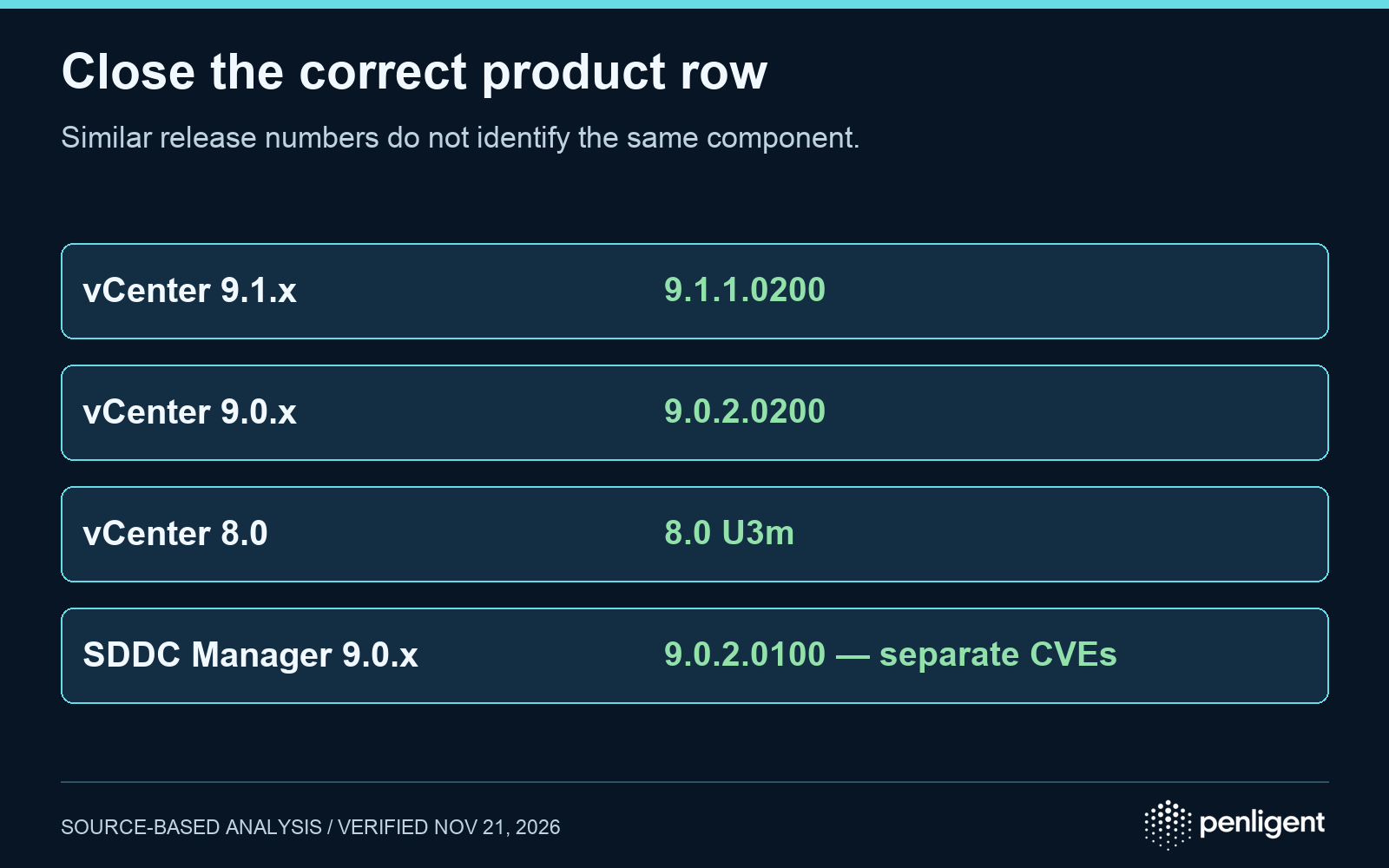
The most easily confused pair is vCenter 9.0.2.0200 and SDDC Manager 9.0.2.0100. The latter addresses the separate SDDC Manager vulnerabilities in the same VMSA. The shared advisory number does not make the two packages interchangeable. The vendor also says patches are cumulative; a supported newer release containing the correction can satisfy the requirement when compatibility is verified.
Network access matters even without Enhanced Linked Mode
The vendor’s attack condition is network access to vCenter. An internet-facing endpoint deserves immediate attention, but an internal management network is still reachable from any systems allowed onto it. Inventory the permitted paths from administrator workstations, VPN-connected devices, automation services, and other management systems. Treat that as exposure analysis, not proof of exploitation.
The FAQ explicitly says the vCenter issue exists whether or not Enhanced Linked Mode is used. Disabling or not deploying ELM is therefore not evidence that this CVE is inapplicable. Network restrictions may reduce reachability while an emergency change is prepared, but Broadcom lists no vendor workaround. Record any compensating control and its actual scope separately from the patch state.
This advisory is also not a guest-to-host escape. The vendor states that ESX is not affected by this VMSA. VMware Tools has a separate Windows guest issue, CVE-2026-123894, involving guest alias mapping and access to a local privileged process. Updating guest Tools cannot close the vCenter authentication-bypass finding.
Resolve the upgrade path before starting the change
The अक्सर पूछे जाने वाले प्रश्न identifies three planning details that change the work order. First, these vCenter updates are not eligible for vCenter Quick Patch. Second, engineered systems such as VxRail or SimpliVity require guidance from their own vendors. Third, the current correction can create a “Back-in-Time” upgrade restriction: the FAQ states that vCenter 8.0 U3m and 9.0.2.0200 block an upgrade to VCF 9.1.1, with compatibility expected through VCF 9.1.2.
That last item is a decision dependency, not a reason to silently postpone a security update. If an upgrade is already in progress, reconcile its target with the fixed branch and the vendor interoperability matrix. Assign an owner to the security exposure while the plan is resolved. Recheck the live FAQ and release documentation because upgrade compatibility can change after this assessment.
The vendor says virtual-machine workloads continue while vCenter is updated, while the management interface and some management operations are unavailable. Plan the maintenance window around management dependencies, backup readiness, encryption operations, and the product documentation. Do not turn that statement into a promise of zero operational impact for every integration.
Collect active-build evidence for every vCenter
Use the vSphere Client’s Summary tab or an already authenticated, authorized PowerCLI session. The vendor documents these read-only version fields after connecting with Connect-VIServer:
$global:DefaultVIServer.Version
$global:DefaultVIServer.Build
Retain the server identity alongside the result so evidence from one connection is not applied to another appliance. Record the product branch, active version/build, VMSA revision, supported update path, and verification time. Inventory every relevant vCenter, including those outside a linked group. Keep failed updates and unknown builds open.
The existing VMware CVE hub provides the broader multi-product inventory framework. This article’s closure decision is specifically the Directory Service authentication bypass and its branch-specific corrections.
Keep patch closure separate from incident review
The November 20 KEV entry records known exploitation and flags forensic triage. That makes historical exposure worth investigating while remediation proceeds. Preserve available access, authentication, administrative-change, and centralized security records before routine retention or maintenance removes them. Have the incident-response team assess unexpected identities, role changes, management access, and activity outside the normal administration pattern.
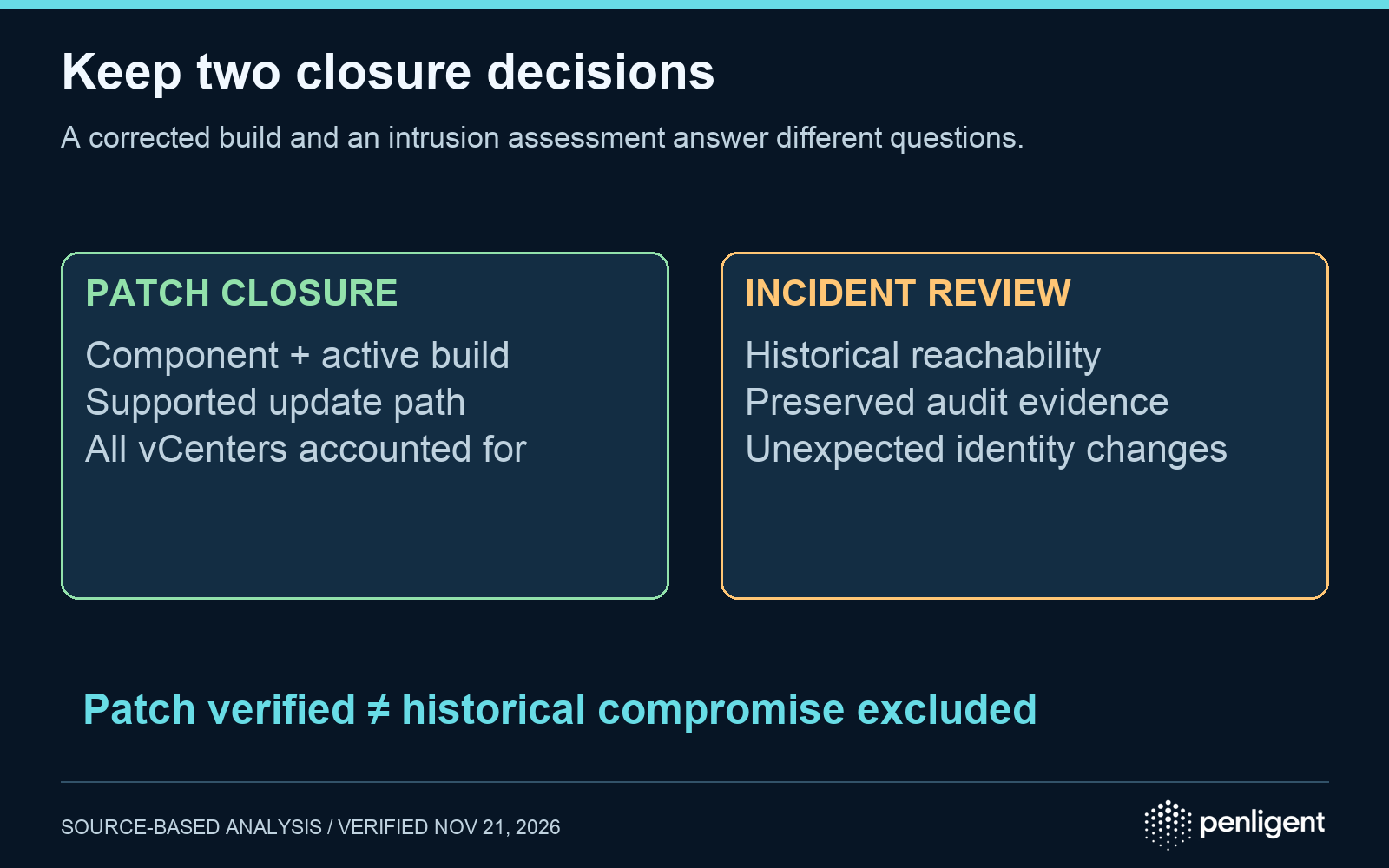
These are response questions, not an exploit-specific detector. The sources reviewed here do not provide a universal log signature that can prove a system was never exploited. A quiet log search may reflect limited retention or visibility. Similarly, a corrected running build demonstrates the current patch state; it cannot establish that no unauthorized access occurred before installation.
| Decision | Minimum useful evidence | What it does not prove |
|---|---|---|
| Patch complete | Correct vCenter component, supported corrected branch, active build, and all in-scope appliances accounted for | No earlier intrusion |
| Exposure bounded | Documented permitted network paths and the period each control was active | No attacker could ever reach the service |
| Incident assessment complete | Recorded evidence scope, investigation results, limitations, and accountable response decision | Perfect visibility into missing historical telemetry |
For authorized security work using पेनलिजेंट, keep the infrastructure owner’s patch evidence and the incident assessment attached to separate conclusions. The following video demonstrates a general product workflow; it is not a vCenter exploit reproduction or proof of remediation.
Method: AI assisted organization. Facts were checked against VMSA-2026-0009.1, Broadcom’s linked FAQ, the CVE record, and the current CISA KEV entry on November 21, 2026. The component reconciliation and closure tables are defensive analysis. No first-hand compromise detection or exploit test is claimed.
 Hindi
 English
 German
 French
 Spanish
 Portuguese
 Japanese
 Korean
 Arabic
 Turkish
 Hebrew