
CVE-2026-76844 affects webpack-dev-middleware when publicPath lacks a trailing slash. A request can share the configured text prefix without belonging beneath the intended URL directory, and the remaining path can escape the output root when resolved. The maintainer advisory identifies 7.4.6 and 8.3.0 as patched releases for the 7.x and 8.x lines, respectively.
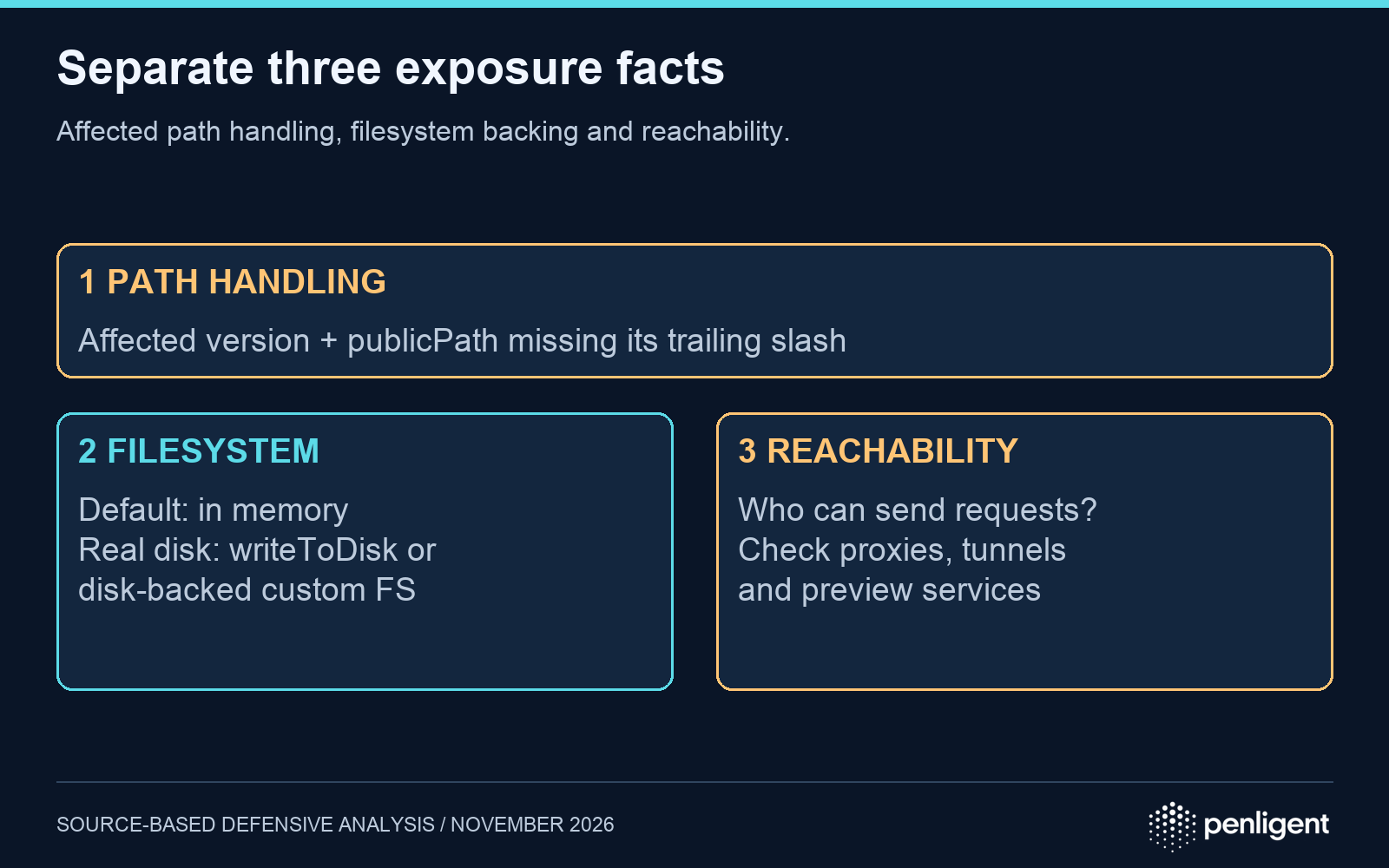
Real disk exposure has an additional prerequisite: the advisory says the application must use writeToDisk: true or a custom outputFileSystem backed by disk. The default in-memory filesystem should not be described as automatically exposing the host’s private disk files. Assess the installed middleware, the effective publicPath, the filesystem, and who can reach the running server as separate facts.
Choose the correct fixed branch
| Installed line | Maintainer affected range | Remediation for this issue |
|---|---|---|
| 8.x | 8.0.0 through releases before 8.3.0 | 8.3.0 or a later compatible release containing the fix |
| 7.x | 7.1.0 through releases before 7.4.6 | 7.4.6 or a later compatible release containing the fix |
| 6.x | Advisory lists the 6.1.2-and-later portion of this line without a patched 6.x version | Upgrade to the supported 7.4.6 or 8.3.0 fix line as the advisory directs |
| 5.x | Advisory lists the 5.3.4-and-later portion of this line without a patched 5.x version | Upgrade to the supported 7.4.6 or 8.3.0 fix line as the advisory directs |
These ranges are not evidence that older 5.x or 6.x releases are safe: the advisory links this issue to the earlier CVE-2024-29180 path traversal. Closing the 2024 finding is not sufficient to close the newer boundary-check bypass. Check runtime compatibility before a major-version migration; do not mechanically force an unsupported dependency override.
Why a prefix check is weaker than path containment
The official patch adds a check after the filename is resolved. It computes the relative path from outputPath to the final filename and rejects a parent escape or an absolute result. The placement matters: checking the URL before removing publicPath cannot establish where the resulting filesystem path will land.
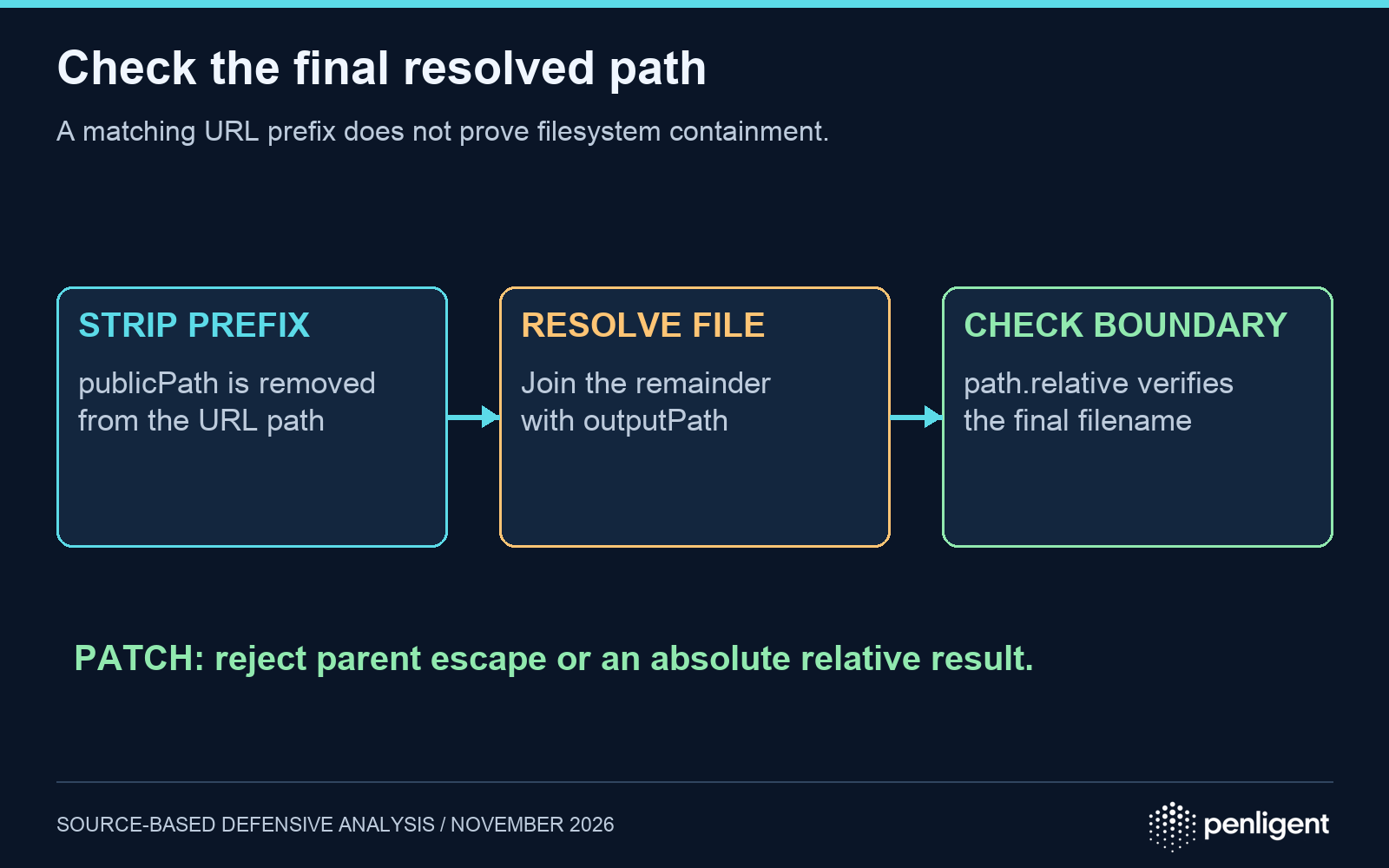
A publicPath ending in a slash supplies the documented workaround for this issue. For example, use /assets/ rather than /assets. Apply that change to the effective serving configuration, not merely a configuration file which a wrapper or command-line option replaces. The middleware documentation describes publicPath, writeToDisk, and outputFileSystem; use those options to trace the actual serving path.
Use three separate exposure questions
| Observed state | What can be concluded | Next evidence |
|---|---|---|
| Affected version; publicPath has no trailing slash; server reachable; disk-backed configuration | Matches the advisory’s real-disk exposure conditions | Prioritize remediation and review the exposure window |
| Affected version and qualifying publicPath; default memory filesystem | Do not infer access to arbitrary host disk files | Verify no wrapper or custom filesystem changes that assumption; still upgrade |
| Affected version; publicPath ends in a slash | Matches the documented workaround for this issue | Keep configuration evidence and deploy a fixed release |
| Only a package-lock entry is known | Runtime exposure remains unresolved | Identify whether and how the dependency serves requests |
Network reachability changes the population that can send requests; it does not repair path resolution. Include shared developer machines, remote workspaces, preview services, reverse proxies, and tunnels in the inventory where they exist. Record unknown reachability explicitly rather than equating a development label with network isolation.
Inspect the resolved package and the running service
npm ls webpack-dev-middleware webpack-dev-server
npm explain webpack-dev-middleware
Run these read-only inventory commands in the application’s actual dependency environment. Inspect every resolved middleware instance, including transitive copies selected by webpack-dev-server. A changed top-level manifest cannot prove that an already running container or development process has loaded the fixed version. After updating the lockfile, rebuild the deployed artifact and restart the relevant service through the project’s normal process.
Demonstrate containment without reading any file
The following Node.js example models the patch’s final-path property using synthetic POSIX paths. It opens no files and makes no HTTP requests. It is an explanation of containment logic, not a reproduction of webpack’s complete URL parsing or an assertion that a deployed server is vulnerable.
const path = require('node:path').posix;
const root = '/sandbox/build';
for (const candidate of ['main.js', '../outside-canary.txt']) {
  const resolved = path.resolve(root, candidate);
  const relative = path.relative(root, resolved);
  const escapes = relative === '..' ||
    relative.startsWith('../') || path.isAbsolute(relative);
  console.log({ candidate, escapes });
}
Expected output marks main.js as contained and the parent-relative candidate as escaping. This result verifies only the demonstrated property. A meaningful regression check for an owned application uses a disposable instance with the same publicPath and filesystem configuration, a harmless canary outside its output root, and a normal generated asset as a positive control. The outside canary must not be served; the normal asset must remain available. Avoid testing with credentials, environment files, or production secrets.
What to retain when closing the finding
Keep the dependency-tree output, image or build identifier, effective publicPath, filesystem configuration, server reachability, and isolated positive/negative results. A 404 from a proxy or a stopped compiler does not establish application-level containment; identify which layer rejected the test. If a vulnerable disk-backed instance was reachable, review accessible file permissions and the period of exposure. Lack of an access-log match alone does not prove no file was read.
펜리전트 can be included in the team’s authorized validation workflow; keep the finding’s evidence attached to the exact service configuration. The video below is a general product workflow demonstration, not evidence that CVE-2026-76844 was exploited or patched in any environment.
Method: AI assisted article organization. Version and mechanism claims were checked against the maintainer advisory, linked patch, and versioned documentation. The local example and acceptance plan illustrate defensive checks; no production exploitation or independent webpack vulnerability reproduction is claimed.
 Korean
 English
 German
 French
 Spanish
 Portuguese
 Japanese
 Hindi
 Arabic
 Turkish
 Hebrew