
Reviewed October 20, 2026. PentAGI is an open-source, self-hosted AI penetration testing system developed by VXControl. It coordinates agents, model providers, tools, and persistent assessment data. In a PentAGI vs Penligent comparison, the first decision is whether you want to operate that configurable stack or evaluate a packaged testing workflow. The answer depends on your target, budget, and need to modify the system—not on which product uses the stronger autonomy claim.
For a solo tester, start with three questions: how much setup you want to own, what one completed assessment actually costs, and whether you can reproduce the resulting findings. PentAGI deserves a trial when source access and self-hosting matter. Penligent deserves a trial when its packaged workflow and credit model fit your work. Neither product’s documentation proves a higher success rate on your application.
Editorial disclosure: This comparison is published by Penligent. It reviews current official product documentation rather than reporting an independent head-to-head benchmark. Recommendations below describe evaluation choices, not measured product superiority. Enterprise capabilities are separated from open-source capabilities wherever the distinction changes the decision.
| Your priority | Starting shortlist | What to verify before committing |
|---|---|---|
| Modify the agent stack and choose your own infrastructure | PentAGI open source | Provider compatibility, installation burden, permission boundaries, and maintenance |
| Try a packaged workflow for an authorized personal project | Penligent and PentAGI interactive assistant | Time to first reproducible finding, intervention effort, and full cost |
| Keep assessment data within a controlled environment | A deployment-specific review of either product | Actual model, embedding, search, telemetry, and storage paths |
| Produce client-ready branded reports | PentAGI Enterprise and the applicable Penligent plan | Edition, export formats, editability, evidence attachments, and redaction |
| Choose the cheapest tool | Measure both on the same small lab | Software fees, model use, credits, retries, hosting, and review time |
What is PentAGI, and where is the official project?
Use the VXControl PentAGI repository to identify the official project, source, license, and release history. PentAGI is more than a vulnerability scanner: its agents can plan work and execute tools through a configured environment. That architectural description is not a guarantee of reliable exploitation, complete coverage, or safe behavior on an arbitrary target. Those outcomes still require evaluation.
The architecture documentation separates the core Docker services from optional knowledge-graph and observability components. A flow has its own tool sandbox; command output and assessment context are retained for continued work. This lets a user inspect the system at a level unavailable in a closed implementation, while also making the user responsible for operating the selected components.
“Self-hosted” describes where the platform runs. It does not establish where every piece of data is processed. A cloud model, remote embedding endpoint, web search provider, browser fetch, or update check can cross the network boundary. Before submitting private code, customer credentials, or internal hostnames, trace each enabled service. Treat offline operation as a configuration and verification task rather than a consequence of downloading source code.
PentAGI vs Penligent at a glance
The table compares documented product choices, not a scorecard from a live benchmark. The source baseline is the PentAGI product overview, its Enterprise edition comparison, and Penligent’s current public product and plan descriptions. Tool counts, model names, and report formats are useful inventory details; they do not independently measure assessment quality.
| Decision | PentAGI | Penligent | Practical test |
|---|---|---|---|
| Deployment ownership | Self-hosted platform with configurable supporting services | Packaged application workflow; private deployment requires a separate availability and configuration check | Record installation work, network paths, updates, and recovery procedure |
| Model choice | Cloud providers, local models, and compatible gateways are documented | Confirm the models and settings available in the installed product and chosen plan | Run the same approved task with a recorded configuration |
| Operator involvement | Autonomous flows and an interactive assistant are documented | Public materials emphasize prompt editing, scope control, and customizable actions | Change a hypothesis and narrow scope during a lab assessment |
| Reporting | Open source offers Markdown/PDF; Enterprise documents additional report tooling | Public plans describe evidence and reproduction steps in PDF/Markdown reporting | Export one real finding and replay it without the original conversation |
| Cost structure | Open-source license plus model, infrastructure, and operation costs; Enterprise is separate | Free access and paid credit plans; check current plan terms | Compare cost per reviewed, reproducible finding |
| Performance | No benchmark is established by this article | No benchmark is established by this article | Include known vulnerable and patched cases and record misses and false positives |
PentAGI’s interactive assistant means it should not be described as offering only unattended automation. Its Enterprise documentation also describes report corrections and client-oriented exports. Comparing those features with Penligent requires matching editions and examining the actual interaction, not inferring that one product lacks a feature because another product markets it more prominently.
Is PentAGI free? Separate the license from the operating bill
The open-source repository carries an MIT license, while Enterprise is a distinct commercial offering. A zero software license charge does not make hosted inference, storage, search integrations, or your time free. Local inference changes the spending categories: it can replace some provider charges with hardware, energy, capacity planning, and maintenance. It does not eliminate the cost of completing and reviewing the assessment.
Pricing checked October 25, 2026. The plans displayed on Penligent’s official AI pentesting page offer one free test task. With the 13,000-credit package selected, Pro displays $99.90 per month on monthly billing or $89.92 per month billed annually. The annual figure is a monthly equivalent for an annual commitment; it is not the month-to-month price. Credits are a usage allowance, not a guaranteed number of completed assessments or findings. Confirm the selected package, billing cycle, renewal, and checkout terms before paying.
The $19.90 Trial Task Top-Up adds 2,000 credits to an existing trial task through a one-time payment. It does not create another task or unlock Pro capabilities. The current plan grid places report export, task re-testing, scheduled execution, and concurrent tasks under Pro. Use the free task to establish whether your authorized target is reachable and the workflow produces reviewable evidence; if a client engagement requires an exported report or repeat testing, confirm those entitlements before committing. More credits cannot fix an inaccessible login flow or an undefined test objective.
| Cost component | Self-hosted open-source evaluation | Packaged credit-plan evaluation |
|---|---|---|
| Software access | Check the license and whether an Enterprise feature is needed | Check the selected plan and included capabilities |
| Inference | Measure provider usage or local compute | Check what credit consumption includes and whether other services are required |
| Retries and exploration | Include unsuccessful paths and repeated model calls | Include credits spent on retries and repeated assessments |
| Infrastructure | Account for host, storage, backups, and monitoring | Account for any local or supporting infrastructure still required |
| Human effort | Installation, upgrades, triage, finding review, and report preparation | Onboarding, configuration, finding review, and report preparation |
| Output quality | Count independently reproducible findings | Use the same acceptance standard |
A fair comparison counts failed runs as well as successful ones. Suppose an inexpensive run produces ten unverified claims and requires two hours of review, while a more expensive run produces one defensible finding. Neither the claim count nor the raw run price alone answers which workflow costs less. Track money, review time, and accepted findings separately before choosing a combined measure.
Software and service cost = license + inference + hosting + search + storage
Completed-assessment effort = setup + execution supervision + triage + reporting + retest
Cost per accepted finding = measured assessment cost / independently accepted findings

If accepted findings = 0, report the result as no accepted finding.
Do not manufacture a favorable ratio by excluding failed runs.
A small cost worksheet you can run offline
The following is an illustrative calculator, not measured PentAGI or Penligent pricing. Replace every assumption with your own usage records. It does not call either product, submit a target, or estimate how many vulnerabilities a tool will find. Keep the optional value assigned to your time visible so that cash spend and opportunity cost remain distinguishable.
from decimal import Decimal as D

# Illustrative inputs only; replace with measured values.
software = D("0")
inference = D("12")
hosting_share = D("3")
other_services = D("0")
review_hours = D("1.5")
optional_hourly_value = D("20")
accepted_findings = 2

cash = software + inference + hosting_share + other_services
with_time = cash + review_hours * optional_hourly_value
print("Cash spend:", cash)
print("Cash plus optional time valuation:", with_time)
print("Review hours:", review_hours)
if accepted_findings:
    print("Cash per accepted finding:", cash / accepted_findings)
else:
    print("No accepted finding; do not report a cost-per-finding ratio.")
Setup: what a solo tester needs to check
For PentAGI, follow the current installation documentation for the release you choose. Identify the required core services first, add one supported model provider, and run a small task before enabling optional components. Adding a knowledge graph and several observability stacks at the start can obscure whether a failure comes from the target, the model, or the platform. Optional services should solve a measured need rather than serve as an adoption checklist.
Do not copy deployment commands from an old comparison without reviewing them against the current release. Record the image tags or digests, configuration version, model identifier, and enabled integrations. Keep credentials outside screenshots and shared reports. When reviewing a Compose deployment, avoid printing a fully resolved configuration into a public ticket: environment values may be expanded and expose secrets.
# Run only in the directory for a deployment you administer.
# These commands inspect local tooling/configuration; they do not test a target.
docker --version
docker compose version
docker compose config --quiet
docker compose config --services

# Review actual runtime details only after your approved installation.
docker compose ps
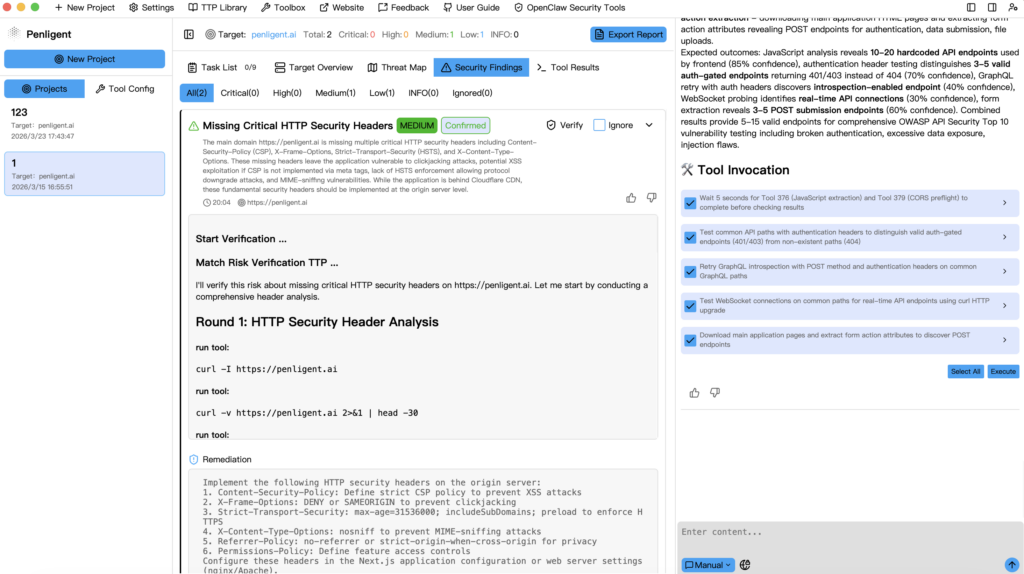
For Penligent, install the supported package for your operating system, check that the runtime and required tools are available, and run an authorized lab assessment. A packaged application can still require local paths, credentials, network access, or tool configuration. Measure the time until you obtain a result you can verify, not merely the time until a window opens.
Keep deployment choice separate from product availability. Penligent’s roadmap update dated October 19 says its private deployment edition is planned within the next month, with applications through the official website once available. That is a planned release, not proof that an isolated deployment can be ordered or used today. Confirm availability and the actual data paths before evaluating a private-network engagement.
Operator control: test the intervention rather than the label
PentAGI documents both interactive assistance and safeguards around autonomous flows. Its agent documentation describes turn limits and repeated-call detection, as well as optional monitoring and planning settings. These are relevant controls, but a limit on model turns is not the same as an authorization policy for every command or network destination.
During a pilot, ask the tool to assess a small owned application, then change a meaningful condition: remove one path from scope, replace a test account, or request that a hypothesis be abandoned. Observe whether the new instruction affects the next action and whether the record shows the change. A polished answer acknowledging the request is weaker evidence than a stopped action and a correctly scoped continuation.
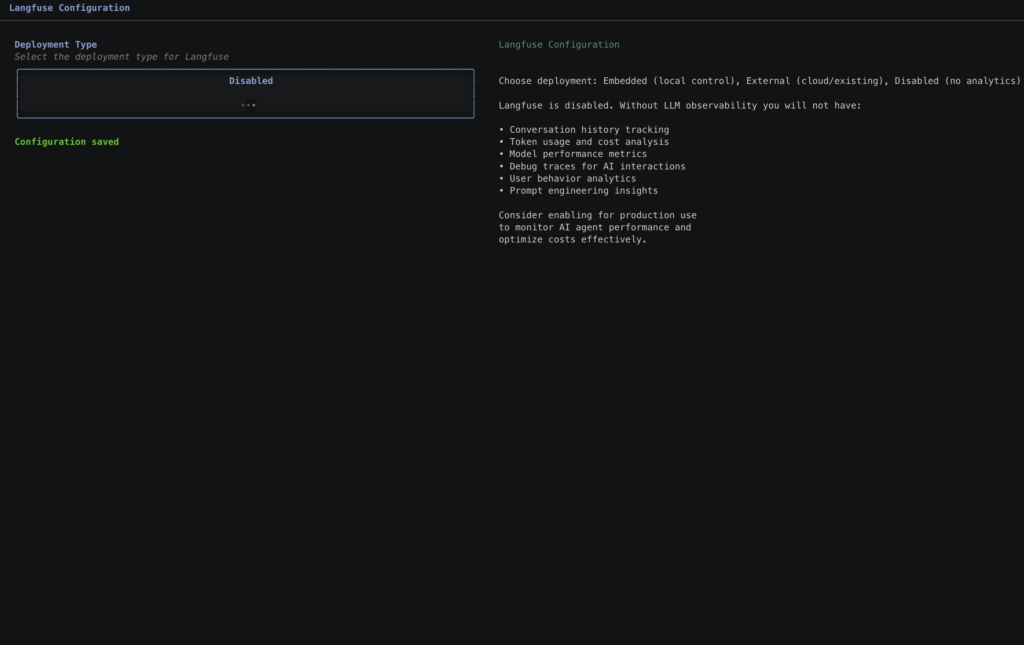
Use the same procedure for Penligent’s documented prompt editing and scope controls. Determine which settings are enforced by the runtime or network and which are instructions interpreted by the model. The distinction matters because an agent can encounter hostile content while testing. Sensitive credentials and network access should remain limited even if the model misunderstands a page, a tool response, or an application error.
Use one known vulnerable case and one patched control
An assessment can look persuasive while producing an invalid conclusion. Build a small owned test set with a documented vulnerable case, a fixed version of the same case, and a page that returns an authentication error. Give both products the same scope and credentials. The fixed case tests whether the agent distinguishes old knowledge from current behavior; the authentication case tests whether it confuses inability to test with a secure result.
For an authorization test, use two lab identities and one object owned by each. Define the expected access matrix before starting. Observe actual responses and side effects, then repeat the request independently. A response code alone does not prove a cross-account disclosure; the returned object and its ownership must support the finding. The same reasoning applies regardless of which product generated the hypothesis.
Pilot case: lab application only
Identity A owns object A
Identity B owns object B

Expected: A can read A; B can read B
Expected: A cannot read B; B cannot read A

Finding evidence:
- Request and identity context, with secrets protected
- Object ownership and expected policy
- Observed response and relevant side effect
- Independent replay
- Patched control and retest result

Inconclusive: authentication failed or the required state was unavailable| Pilot observation | Acceptable interpretation | What to request next |
|---|---|---|
| Known vulnerable case is reproduced | Evidence supports that specific finding | Replay from a clean state and compare the fixed case |
| Patched case is still reported vulnerable | Potential false positive or incomplete fix | Inspect the exact behavior and validate the patch state |
| Login fails and the tool reports no issues | Coverage is incomplete | Repair authentication and repeat the scoped test |
| Report contains a request absent from traces | The report is not yet defensible | Locate the artifact or remove the unsupported claim |
| Tool stops before a prohibited step | A useful observed boundary | Repeat with another route and record the enforcement mechanism |
Reports: inspect the edition and the underlying evidence
PentAGI open source documents Markdown and PDF output. Its Enterprise reporting description adds templates, corrections, and additional delivery features. Therefore, the useful question is not whether PentAGI “has reports,” but whether the edition you intend to use produces the document and artifacts your engagement requires.
For either product, export one finding and hand it to someone who did not watch the run. They should be able to identify the target and account context, follow the reproduction steps, see the observed result, and distinguish impact from speculation. Require missing evidence to remain visibly missing. A longer narrative, a high severity label, or an automatically generated remediation paragraph should not compensate for a broken reproduction.
Check redaction and retention before sharing output. HTTP evidence may contain credentials and personal data; command output can reveal local paths; screenshots can show internal infrastructure. An editable report is useful because a reviewer can correct language and remove secrets, but editing must not silently change the underlying observations. Preserve the protected source artifacts alongside the reviewed deliverable.
Which should you try first?
Try PentAGI first when modifying the stack, inspecting implementation details, selecting providers, or operating the infrastructure is part of your objective. Start with the open-source edition unless a specific requirement leads you to Enterprise. Make that decision from the feature and support requirement, not from an assumption that “open source” means either an incomplete product or free operations.
Try Penligent when you want to evaluate its packaged workflow and the current credit plan against a concrete personal testing task. Use a small authorized target, preserve the evidence, and check the consumption before scaling. A useful first trial demonstrates a finding you can explain and retest; it does not need an impressive count of generated alerts.
If your actual requirement is a fully isolated deployment, pause the comparison at that requirement and verify it directly. Model and embedding inference, search, updates, artifact storage, and telemetry need separate answers. A local interface or a self-hosted backend alone does not establish that assessment data stays within your chosen boundary.
Questions to answer before paying or expanding the deployment
Is PentAGI only a scanner? No. Its documented architecture includes agent planning and tool execution. That broader architecture still needs to demonstrate useful, reproducible outcomes on your target.
Can I use PentAGI without buying Enterprise? The open-source edition is MIT licensed. Verify that the functions you need are in that edition and budget separately for the model and infrastructure you choose.
Does PentAGI support a human-guided workflow? Yes, an interactive assistant is documented. Test the actual intervention and scope behavior rather than treating autonomous and supervised operation as mutually exclusive categories.
Which is cheaper for an individual tester? The answer depends on usage, infrastructure, failed runs, and review effort. Compare measured cash spend and accepted findings on the same task, and keep annual-billing equivalents separate from month-to-month prices.
Can either product replace a professional assessment? A product can assist or automate parts of a defined engagement. The required coverage, judgment, evidence review, and responsibility remain properties of the engagement. Documentation alone cannot establish equivalence to a full assessment.
What should count as a successful trial? Correct handling of scope and authentication, a defensible finding or a clearly bounded inconclusive result, an inspectable execution record, and an independent retest. Add a patched control so that the evaluation tests restraint as well as discovery.
Choose the workflow that reduces the cost of producing defensible security evidence under your constraints. Source access, convenience, autonomy, and report features matter when they help complete that task. Keep the pilot record so a future model update, product release, or price change can be evaluated against the same standard.
 English
 German
 French
 Spanish
 Portuguese
 Japanese
 Korean
 Hindi
 Arabic
 Turkish
 Hebrew