
A browser extension bug is usually a local story. A message validation mistake, a permissive content script, an overly broad host pattern, then a patch and a short postmortem. ShadowPrompt is not that kind of story.
The disclosed chain against Anthropic’s Claude Chrome extension mattered because the extension was not a passive helper. Claude in Chrome is designed to read webpages, click buttons, navigate sites, and work from a browser side panel while the user browses. Anthropic’s own help documentation also describes Chrome-side debugging features, browser control, and integration with Claude Code for a build-test-verify loop. That means the security question is not just whether an attacker can run JavaScript somewhere. It is whether an attacker can make a privileged browser agent treat hostile instructions as the user’s intent. (Claude Help Center)
According to Koi’s research and follow-on reporting from The Hacker News, the answer was yes. The chain combined two conditions: the extension trusted any *.claude.ai origin for a prompt-carrying message path, and an Arkose Labs CAPTCHA component hosted on a-cdn.claude.ai contained a DOM-based XSS issue in an older still-live version. The result was a zero-click prompt injection path. A victim only needed to visit a malicious page. No copy-paste. No approval dialog. No obvious handoff. The injected prompt landed in Claude’s side panel as if the user had typed it. (Koi)
That is why this incident deserves more than a news recap. It exposed a structural weakness that will keep showing up across browser AI, desktop AI, coding agents, and tool-using assistants: trusted origin is not the same thing as user authorization. Once an AI system can read, decide, and act across a high-value environment, every shortcut in the trust boundary becomes part of the control plane. (Claude API Docs)
Claude Extension Prompt Injection, the facts that matter first
Before getting into architecture and design lessons, it helps to pin down the basic facts.
Koi published the original ShadowPrompt research on March 26, 2026. Their write-up described a vulnerability chain in the Claude Chrome extension that allowed any website to silently inject prompts into the extension by combining a permissive origin allowlist with a DOM-based XSS in Arkose Labs code hosted on a-cdn.claude.ai. The Hacker News summarized the same finding the same day and reported that Anthropic had tightened origin checks in extension version 1.0.41 while Arkose Labs later fixed the XSS on February 19, 2026. (Koi)
The public timeline is unusually important here because it clarifies what is known and what is not. Koi says the issue was reported to Anthropic on December 26, 2025, confirmed on December 27, 2025, patched in the extension on January 15, 2026, and fully closed after Arkose Labs fixed the XSS on February 19, 2026, with retesting completed on February 24, 2026. That supports a careful conclusion: the chain was real, the vendors responded, and the disclosed issue is patched. Public reporting does not establish confirmed mass exploitation in the wild. (Koi)
ShadowPrompt rapid facts
| Campo | Detail |
|---|---|
| Affected surface | Claude Chrome extension, also described by Anthropic as Claude in Chrome (Claude Help Center) |
| Core issue | Zero-click prompt injection via trusted subdomain plus DOM-based XSS chain (Koi) |
| Research name | ShadowPrompt (Koi) |
| Key trust flaw | Extension accepted prompt-carrying messages from any *.claude.ai origin (Koi) |
| Exploit bridge | DOM-based XSS in Arkose Labs CAPTCHA component hosted on a-cdn.claude.ai (Koi) |
| Publicly recommended safe extension floor | 1.0.41 or higher (Koi) |
| Extension-side fix date in Koi timeline | January 15, 2026 (Koi) |
| Arkose XSS fix date in Koi timeline | February 19, 2026 (Koi) |
| Current public status | Patched chain, with older versions still worth inventorying and removing (Koi) |
Claude in Chrome security, why the blast radius was larger than a normal extension bug
Many security write-ups jump straight into the exploit chain and skip the product model. That is a mistake. If you do not understand what the tool can do, you cannot judge what compromise means.
Anthropic’s own documentation says Claude in Chrome lets Claude read, click, and navigate websites from the browser side panel while the user browses. It can also integrate with Claude Code so users can build in the terminal, verify in the browser, and debug using console logs, network requests, and DOM state. The same help material says browser use carries inherent risks, which is not legal boilerplate here. It is the correct architectural warning. (Claude Help Center)
Anthropic’s safety documentation is even more explicit. The “Using Claude in Chrome Safely” page says the biggest risk facing browser-using AI tools is prompt injection, where hidden instructions in web content can trick Claude into taking unintended actions. That page also states that Claude in Chrome can run JavaScript on webpages and, when JavaScript execution is enabled for a site, can access the same data the browser can on that page, including login sessions and stored website data. Anthropic adds an important caveat: output filters are not a security boundary. (Claude Help Center)
The platform docs around computer use and Claude Desktop reinforce the same point from another angle. Anthropic says computer use can open apps, control the screen, and work directly on a machine, but also warns that the trust boundary is different and that screenshots or on-screen content may contain prompt injection attempts. The company has added classifiers that try to detect those attacks and push the model toward asking for confirmation, but it also states that the risk is not solved and that end users should be informed of the relevant dangers. (Claude API Docs)
This matters because ShadowPrompt was not just a bug that let a site whisper text into a model. It was a bug that let hostile content steer an agent with browser context, browsing state, extension permissions, and a side-panel execution path. Once the assistant can read a logged-in page, click through a workflow, inspect the DOM, and operate across multiple tabs, “prompt injection” stops sounding abstract and starts looking like delegated action abuse. (Claude Help Center)
Why browser AI changes the threat model
| Capability | Why it exists | Why compromise matters |
|---|---|---|
| Read page content | Summarization, extraction, comparison, task assistance (Claude Help Center) | A hostile prompt can steer access to sensitive data already visible in the session (Claude Help Center) |
| Click and navigate | Workflow automation, form filling, multi-step browsing (Claude Help Center) | A manipulated agent can take actions inside trusted sessions instead of only reading content (Claude Help Center) |
| Run JavaScript on sites | Interaction with rich web apps and dynamic state (Claude Help Center) | If the agent is subverted, the same capability becomes an access path to browser-visible data and actions (Claude Help Center) |
| Read console logs, network requests, DOM state | Developer debugging and build-test-verify workflows (Claude Help Center) | Browser bugs can expose not just user content but debugging context and development workflows (Claude Help Center) |
| Work with Claude Desktop and Claude Code | Cross-surface productivity and automation (Claude Help Center) | A single trust error can bridge browsing, development, and local execution contexts (Claude API Docs) |

ShadowPrompt, the attack chain step by step
The strength of Koi’s disclosure is that it does not rely on vague language. It lays out a concrete chain with a clear transition at every step. Those transitions are where the real lessons live.
Step one, a prompt-carrying message path trusted too many origins
Koi says the Claude extension exposed a messaging path through chrome.runtime.sendMessage() and that one message type, onboarding_task, accepted a prompt parameter and sent it directly to Claude for execution. The critical design choice was origin trust. According to Koi, any page on any *.claude.ai subdomain could send that prompt and the extension would execute it. The problem was not merely that a web page could talk to the extension. The problem was that the extension collapsed multiple subdomains into one trust decision. (Koi)
That is exactly the kind of decision that looks reasonable during development. A product has one main domain, a handful of support or CDN subdomains, maybe a few onboarding surfaces, maybe a CAPTCHA or static-asset host, and the engineering instinct is to say they all belong to us. In browser security terms, that assumption is brittle. In AI security terms, it is dangerous, because now “belongs to us” can mean “allowed to command the agent.” (Koi)
Step two, third-party code was running inside a first-party trust boundary
The second step is the architectural one defenders should remember after the extension version numbers fade away. Koi says Anthropic used Arkose Labs for CAPTCHA verification and that challenge components were hosted on a-cdn.claude.ai. In other words, third-party vendor code was running on a first-party subdomain that the extension trusted. (Koi)
That pattern is not rare. Organizations frequently place vendor components behind branded subdomains for performance, cookie scope, deployment simplicity, or UX continuity. But once a browser extension or internal service treats that host as equivalent to the primary application origin, the organization has effectively elevated supplier code into the same trust zone as the core product. ShadowPrompt is a reminder that brand alignment and security equivalence are not the same thing. (Koi)
Step three, an older Arkose component still exposed a DOM-based XSS path
Koi says the vulnerable Arkose component accepted messages from any website through postMessage, failed to check event.origin, and merged attacker-controlled data into application state. Combined with HTML rendering in the component, that created DOM XSS. The researcher then brute-forced older versioned URLs and found that an older still-live version remained exploitable even though the current version no longer had the issue. (Koi)
That detail is easy to overlook, but it matters. ShadowPrompt was not only about a present-tense coding bug. It was also about version lifecycle and asset hygiene. A stale, reachable component on a trusted subdomain became the missing rung in the exploit ladder. That kind of lag is common in static asset hosting, CDN paths, rollout windows, and vendor-served components. (Koi)
A simplified version of the unsafe message handling pattern looks like this:
window.addEventListener("message", function (event) {
  // Unsafe pattern: no origin validation
  if (event.data.message === "assign_session_data") {
    appState.stringTable = event.data.stringTable;
    render(appState);
  }
});
The point of this snippet is not to reproduce the exact production code. It is to show the class of failure. If the receiver accepts data from any parent, assumes the content is trustworthy, and later renders attacker-controlled values as HTML or otherwise executable content, the origin problem is already severe before the XSS primitive is even discussed. That is the first review question defenders should ask across browser components and embedded widgets. (Koi)
Step four, JavaScript execution on a-cdn.claude.ai became extension control
Once the attacker had JavaScript execution on a-cdn.claude.ai, Koi says the last step was straightforward. The injected script sent a message to the Claude extension with type: 'onboarding_task' and an attacker-controlled prompt in the payload. Because the extension trusted the *.claude.ai origin, the prompt was accepted and landed in Claude’s side panel as if it came from the user. (Koi)
Koi’s simplified proof-of-concept looked like this:
chrome.runtime.sendMessage(
  'fcoeoabgfenejglbffodgkkbkcdhcgfn',
  {
    type: 'onboarding_task',
    payload: { prompt: 'ATTACKER_CONTROLLED_PROMPT' }
  }
);
Again, the lesson is broader than this exact message shape. The extension did not verify human intent. It verified origin membership. That distinction is the whole incident in one sentence. (Koi)
Step five, zero-click was plausible because the chain stayed mostly invisible
Koi says the chain could run from an invisible iframe, with the attacker page embedding the vulnerable Arkose component, delivering the XSS payload through postMessage, and triggering the extension message silently. The victim did not need to click anything or approve an extension request. (Koi)
That is what makes “zero-click prompt injection” a meaningful description here rather than hype. The system being hijacked was not the user’s keystrokes. It was the agent’s intake path. If the assistant can receive instructions from a trust boundary the user never sees, the exploit is already downstream of normal awareness cues. (Koi)
ShadowPrompt chain breakdown
| Estágio | Componente | Trust assumption | Actual flaw | Resultado |
|---|---|---|---|---|
| 1 | Claude extension messaging API | Any *.claude.ai origin is acceptable for prompt-carrying messages | Overly broad origin allowlist for onboarding_task path (Koi) | Any trusted subdomain could submit a prompt to Claude |
| 2 | a-cdn.claude.ai | First-party subdomain implies safe execution context | Third-party Arkose component hosted inside first-party namespace (Koi) | Supplier code gained first-party trust value |
| 3 | Arkose game-core component | Parent-to-child data is benign | postMessage receiver did not validate event.origin; attacker-controlled data reached rendering path (Koi) | DOM XSS on trusted subdomain |
| 4 | Extension message injection | Trusted origin equals trusted user request | Extension accepted attacker-supplied prompt as user-equivalent input (Koi) | Claude received attacker instructions |
| 5 | Browser AI execution | Agent follows legitimate task requests | Agent acts on hostile instructions with browser capabilities (Claude Help Center) | Data access, page actions, cross-site abuse potential |
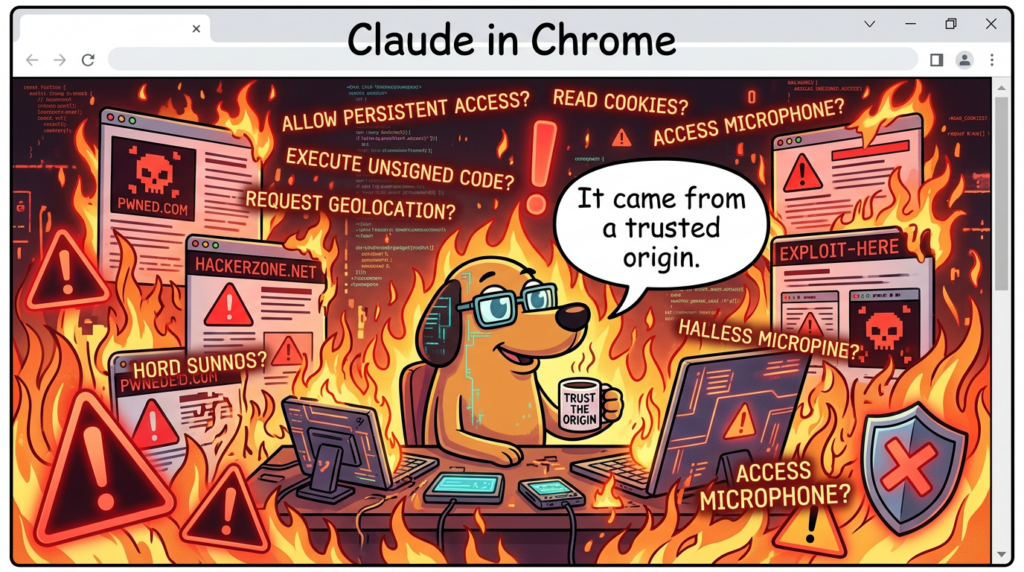
Claude in Chrome security, why this was more than an XSS bug
Traditional XSS analysis asks three questions. Can an attacker execute script. What page context is compromised. Can the attacker steal data or act as the user. Those questions still matter, but ShadowPrompt adds a fourth: can the attacker coerce a trusted assistant into acting as a more capable deputy than the page itself.
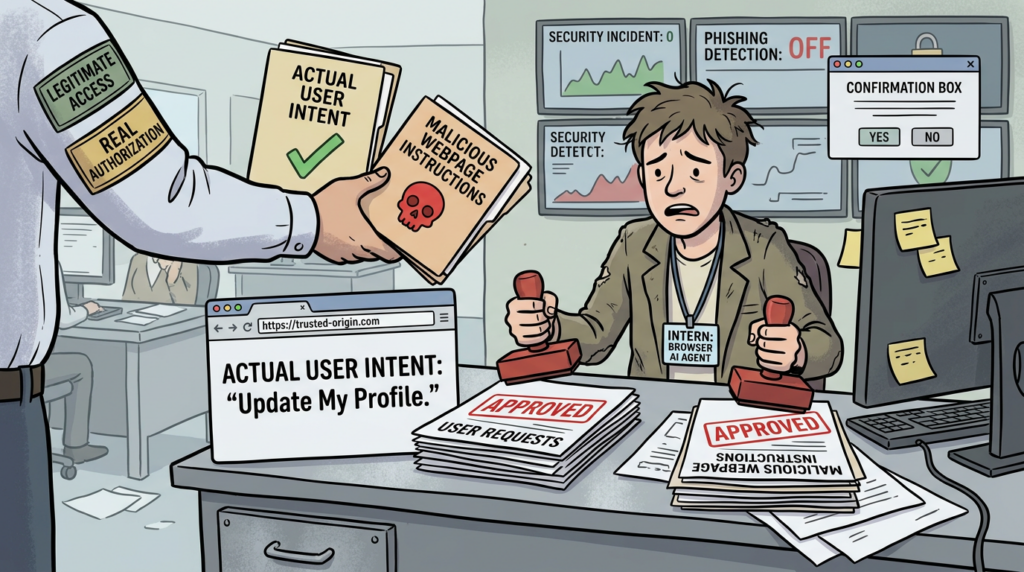
This is why the incident sits much closer to the confused deputy pattern than to ordinary client-side injection. Penligent’s recent piece on AI agent security beyond IAM puts the modern version of the problem clearly: identity can confirm who authenticated, but it does not automatically preserve why an action should happen or whether the next step still aligns with user intent. In ShadowPrompt, the extension had enough authority to receive prompts and drive browser actions, but it did not have a reliable way to distinguish a user-approved task from a hostile prompt arriving through a trusted-looking path. (Penligente)
Anthropic’s own platform documentation is consistent with that framing. The company says prompt injection remains a major security challenge for browser-based AI agents, especially as models take more real-world actions. The computer use docs explicitly acknowledge that content on webpages or in images can conflict with user instructions and cause Claude to make mistakes, even with classifier-based defenses layered on top. (Anthropic)
There is a broader ecosystem signal here too. Unit 42’s March 2026 research on Gemini Live in Chrome described “agentic browsers” as assistants embedded into side panels with the ability to perform multi-step operations on what the user sees, and showed how extension-based compromise could lead to local file access, screenshots, camera and microphone exposure, and broader privacy invasion. The implementation details were different from ShadowPrompt, but the security direction was the same: once the assistant is a privileged surface inside the browser, compromise does not need a classic remote code execution chain to become serious. (Unit 42)
What an attacker could realistically do
Koi’s public write-up is intentionally blunt about the potential blast radius. The researcher says the chain could be used to steal a Gmail access token, read Google Drive, export LLM chat history, and send emails as the user. That is not a claim that all of those actions were observed in the wild. It is a statement about the privileges reachable through a manipulated browser assistant operating inside already-authenticated browsing sessions. (Koi)
Anthropic’s own “Using Claude in Chrome Safely” page supports that threat model. It says prompt injection scenarios identified in testing could manipulate Claude into extracting and sharing sensitive information, deleting important files, or performing unintended actions on websites. It also notes that when JavaScript execution is enabled, Claude can access the same data the browser can on that page, including login sessions and stored site data. (Claude Help Center)
The most useful way to think about the blast radius is by role.
Personal user blast radius
A personal user who runs Claude in Chrome while signed into mail, cloud storage, chat tools, and personal SaaS has the kind of blended session state that attackers love. A manipulated assistant could attempt to read visible content, navigate to high-value pages, extract data from logged-in sessions, or trigger actions inside those sessions. Whether a given attempt succeeds depends on permissions, site-specific protections, model behavior, and user approvals, but the risk is not theoretical enough to dismiss. Anthropic explicitly warns against using the extension casually on untrusted or high-risk content. (Claude Help Center)
Enterprise knowledge worker blast radius
For enterprise users, the problem expands from personal privacy to cross-system business exposure. The assistant may be able to reach internal documentation, customer records, support portals, project management systems, and cloud dashboards through the same browser environment. Even when direct access to certain categories is blocked by the vendor, Anthropic’s own admin controls documentation recommends restrictive allowlists during rollout and emphasizes prompt injection risks to organization owners. That guidance only makes sense because the extension is operating close to sensitive workflows by design. (Claude Help Center)
Developer and technical buyer blast radius
Developers are a special case because Anthropic advertises a build-test-verify model where Claude Code works with the Chrome extension and Claude can read console errors, network requests, and DOM state. If a browser-side agent is compromised in that context, the blast radius is not limited to reading a rendered page. It can affect testing logic, debugging context, access to developer-facing tools, and the confidence teams place in automated verification. That is one reason browser AI security should be discussed alongside coding-agent security, not as a separate consumer feature problem. (Claude Help Center)
High-sensitivity roles
Anthropic’s own safety materials say certain categories such as banking, investment, adult content, and cryptocurrency are blocked by default, and that some high-risk actions such as purchasing require confirmations. Those controls help. They do not eliminate the need for internal role-based policy. Teams should assume finance, identity administration, incident response, support escalation, executive operations, and legal review roles have far less tolerance for browser AI ambiguity than ordinary research or marketing use. (Claude Help Center)
Personal and enterprise blast radius comparison
| User type | Typical reachable context | What changes the risk | Defensive priority |
|---|---|---|---|
| Personal user | Mail, storage, consumer SaaS, chat, social accounts | Signed-in sessions and JavaScript-enabled site permissions (Claude Help Center) | Update extension, limit permissions, avoid untrusted sites |
| Knowledge worker | Docs, CRM, ticketing, HR portals, collaboration tools | Cross-system browser context and retained sessions (Claude Help Center) | Restrictive allowlists, pilot-only rollout, role scoping |
| Developer | Devtools, app sessions, logs, test workflows, Claude Code integration | Build-test-verify loop and debugging access (Claude Help Center) | Separate dev browser profiles, stronger change verification |
| High-sensitivity role | Financial or regulated workflows, identity and access tools | Irreversible actions and higher-value data | Consider disabling extension or using only on tightly constrained sites |
Anthropic knew prompt injection was the problem, and that is part of the story
One of the most interesting parts of ShadowPrompt is that Anthropic had already spent months publicly talking about prompt injection as the central risk for browser AI.
When Anthropic announced the Claude in Chrome pilot in August 2025, it said the point was to test browser-based AI capabilities while addressing prompt injection risks and building safety measures before broader release. By November 2025, Anthropic’s blog on browser-use prompt injection defenses said prompt injection was “far from a solved problem,” especially as models take more real-world actions, and described webpages as a major attack surface for agents that browse on a user’s behalf. (Anthropic)
Anthropic’s Transparency Hub goes further. In the section summarizing Claude Opus 4.5 safeguards, the company says it ran an adaptive evaluation measuring the robustness of Claude for Chrome against prompt injection, gave attackers 100 attempts per environment, and reduced success to 1.4 percent with new safeguards, compared with 10.8 percent for Claude Sonnet 4.5 under previous safeguards. On the end-user safety page, Anthropic separately says its current configuration reduces attack success rates to approximately 1 percent in internal testing that combines known effective techniques. Those two figures describe different evaluation contexts, but together they show a company that was already investing heavily in model-side and system-side resistance. (Anthropic)
That makes ShadowPrompt more instructive, not less. It shows that model robustness and content classifiers are necessary but insufficient. If the platform itself misidentifies who is allowed to supply instructions, the defense can fail one layer earlier than the model’s reasoning about prompt injection. A classifier can help the assistant question suspicious page content. It cannot compensate for a message path that imports hostile instructions from a source the extension has already decided to trust. (Claude API Docs)
In other words, the lesson is not that Anthropic ignored prompt injection. The lesson is that browser AI security is a systems problem. Model safeguards help. Permission prompts help. High-risk action confirmations help. But a browser agent also needs strict source validation, narrow trust zones, careful vendor-component isolation, and an authorization model that maps to human intent rather than domain naming conventions. (Claude Help Center)
What was fixed, and what that did not magically solve
Koi’s disclosure timeline says Anthropic deployed an extension-side fix on January 15, 2026, adding a strict origin check that required exactly https://claude.ai, and that the proof of concept no longer worked on January 18 because non-claude.ai origins were rejected as untrusted. Koi also says Arkose Labs fixed the XSS on February 19, 2026, after the issue was reported through its own disclosure channel. The Hacker News reported the same overall repair sequence. (Koi)
That fix matters because it closes the disclosed chain in the right place. The problem was not only the XSS. The problem was also that a broad subdomain pattern was accepted as authoritative for prompt submission. Tightening the origin check to the exact expected origin is the correct architectural move for that message path. (Koi)
Still, defenders should avoid taking the wrong comfort from a vendor patch. ShadowPrompt does not imply that Claude in Chrome is uniquely insecure, and the patch does not imply that browser AI security is now solved. The class of risk remains: untrusted content can still try to influence an agent; third-party components can still collapse trust boundaries; and approval systems can still become weak under routine use. Anthropic’s own documentation says the chance of attack remains non-zero even after its layered safety measures. (Claude Help Center)
What defenders should verify now
The most common defensive mistake after a headline bug is to stop at version hygiene. For this class of issue, that is not enough.
1. Confirm extension versions and remove stale installs
Koi says users should verify the Claude Chrome extension is version 1.0.41 or higher. That is the minimum immediate check. In practice, enterprise defenders should go further and inventory every endpoint, every browser profile, and every managed extension deployment path. Stale browser profiles, unmanaged test machines, contractor laptops, and secondary Chrome channels are where old versions linger. (Koi)
2. Review where the extension is allowed to operate
Anthropic’s admin controls for Team and Enterprise let owners enable or disable Claude in Chrome, configure allowlists and blocklists, and start with a restrictive allowlist during pilot rollout. That is not optional hygiene. It is part of the core security model. If the extension is broadly allowed across the open web, prompt injection risk expands with every unfamiliar content surface. (Claude Help Center)
3. Reassess permission mode defaults
Anthropic’s permissions guide says Claude in Chrome supports both “Ask before acting” and “Act without asking.” The former has obvious friction costs, but it preserves a meaningful checkpoint before execution. In most enterprise settings, letting a browser agent act without asking across a wide site set is difficult to justify unless the environment is extremely controlled and low-sensitivity. (Claude Help Center)
4. Audit trusted subdomains and third-party hosting patterns
ShadowPrompt should trigger a broader review of any place where supplier code or embedded widgets run on branded subdomains that other systems trust. The review question is not only “does this component have an XSS.” It is “what else trusts this origin, and what capabilities does that trust unlock.” This includes extensions, first-party APIs, identity-side assumptions, content-security exceptions, postMessage receivers, and internal onboarding or helper flows. (Koi)
5. Revisit postMessage handling in web properties
The unsafe pattern disclosed by Koi is simple enough that teams should assume it may exist elsewhere. Any message listener that does not validate event.origin, normalize message schemas, and tightly constrain how data reaches rendering or execution sinks deserves scrutiny. Browser-side widget ecosystems are full of this class of bug. (Koi)
A safer pattern is conceptually simple:
const ALLOWED_PARENT = "https://claude.ai";

window.addEventListener("message", function (event) {
  if (event.origin !== ALLOWED_PARENT) return;
  if (!event.data || event.data.message !== "assign_session_data") return;

  const safeData = validateAndNormalize(event.data);
  renderSafely(safeData); // no HTML sinks for untrusted fields
});
No single code idiom solves every application. The point is architectural: explicit origin matching, schema validation, and safe rendering should all be present before a message is treated as trusted application state. (Koi)
6. Separate high-sensitivity roles from broad browser AI use
Anthropic blocks some high-risk categories by default and recommends cautious usage, but organizations still need their own policy. Finance teams, identity admins, executives, legal operations, and incident responders should not have the same browser AI exposure model as general users. In many environments, the right default is either no extension at all for those roles or allowlist-only usage on a very small set of internal domains. (Claude Help Center)
7. Treat patch verification as a workflow, not a checkbox
This is the place where a restrained mention of Penligent is natural. For issues like ShadowPrompt, the hard part after patching is not reading the advisory. It is proving that the vulnerable behavior is gone across real browser paths, real sessions, and real business workflows. That often means reconstructing triggering conditions, replaying safe variants of the chain, checking whether a patched environment still allows an unexpected state transition, and keeping evidence that the validation was actually performed. Penligent’s own site describes agentic workflows users control and repeatedly emphasizes verified findings, reproducible PoCs, and report output rather than scan-only claims. In a post-patch verification workflow, that kind of bias toward reproducibility is more useful than another dashboard saying every host is “compliant.” (Penligente)
A second natural place to think about tools like Penligent is regression testing. The fastest way to lose confidence in browser AI security is to patch a disclosed chain while leaving adjacent ones untested. Teams that already run black-box validation for web apps, extensions, and AI-adjacent execution paths will be better positioned than teams that only rely on release notes and policy documents. (Penligente)
A practical control table for enterprise defenders
| Controle | Por que é importante | Source support |
|---|---|---|
| Force extension updates and remove stale versions | The disclosed chain is patched, but older versions may remain installed | (Koi) |
| Restrictive site allowlists | Limits where browser AI can operate and where hostile content can reach it | (Claude Help Center) |
| Default to Ask before acting | Preserves approval boundary before execution | (Claude Help Center) |
| Role-based deployment | High-sensitivity roles have different exposure tolerance | (Claude Help Center) |
| Audit trusted subdomains and widget hosts | Third-party code on first-party origins can silently inherit privilege | (Koi) |
| Review postMessage receivers | Missing origin validation is a recurring browser weakness | (Koi) |
| Keep validation evidence | Version checks do not prove behavior changed in real workflows | (Penligente) |
Related CVEs that help explain the bigger pattern
ShadowPrompt is easier to understand when placed next to adjacent AI assistant failures. The goal is not to imply the same exploit conditions everywhere. The goal is to show the recurring security shape: user intent, trusted context, and executable authority drift apart.
CVE-2025-59536, Claude Code trust dialog bypass
NVD says versions of Claude Code before 1.0.111 were vulnerable to code injection because of a startup trust dialog bug and could be tricked into executing code contained in a project before the user accepted the startup trust dialog. Exploitation required starting Claude Code in an untrusted directory. This is relevant to ShadowPrompt because both incidents are fundamentally about trust being granted before the system has earned it. In one case, project code ran before a trust decision was complete. In the other, a prompt was accepted because the origin looked trusted even though no human authorized the action. (NVD)
CVE-2026-25723, Claude Code file-write restriction bypass
NVD says Claude Code before 2.0.55 failed to properly validate certain commands using piped sed operations with echo, allowing attackers to bypass file-write restrictions and write to sensitive directories such as .claude or outside the project scope. Exploitation required the ability to execute commands through Claude Code with the “accept edits” feature enabled. This is relevant because it shows how seemingly local policy gaps in agent execution can become persistence or privilege-extension channels once the attacker reaches the command path. (NVD)
CVE-2024-5184, EmailGPT prompt injection
NVD describes CVE-2024-5184 as a prompt injection vulnerability in EmailGPT that allowed a malicious user to inject a direct prompt, take over the service logic, leak hard-coded system prompts, or execute unwanted prompts. This one matters because it demonstrates that prompt injection is not a theoretical concern invented for browser agents. It is already being tracked as a formal vulnerability class in AI systems. ShadowPrompt extends the same logic into a much higher-value environment: a browser assistant operating across live sessions and web actions. (NVD)
CVE-2026-24307, M365 Copilot input validation issue
NVD says improper validation of specified input in M365 Copilot allowed an unauthorized attacker to disclose information over a network. The public NVD entry is sparse compared with the Claude-related CVEs above, but it is still useful here because it shows that cross-product AI assistant risk often starts with input validation and ends with information disclosure or action drift. The attack surface is not “AI” in the abstract. It is the interface between untrusted input and privileged helper behavior. (NVD)
Related CVEs in one view
| CVE | Produto | Relevant failure type | Why it matters here | Patch condition |
|---|---|---|---|---|
| CVE-2025-59536 | Claude Code | Trust granted before user acceptance | Mirrors the “authorization arrived too early” problem | Fixed in 1.0.111 (NVD) |
| CVE-2026-25723 | Claude Code | Validation failure enabling writes outside intended scope | Shows how agent execution paths turn local gaps into stronger compromise paths | Fixed in 2.0.55 (NVD) |
| CVE-2024-5184 | EmailGPT | Prompt injection | Confirms prompt injection is a formal vulnerability class, not just a research talking point | Public NVD entry, no browser specifics (NVD) |
| CVE-2026-24307 | M365 Copilot | Improper input validation causing information disclosure | Broadens the lesson beyond one vendor or browser extension | Public NVD entry, vendor advisory referenced (NVD) |

Design lessons for browser AI assistants and agent builders
The immediate fixes for ShadowPrompt were sensible. The long-term lessons are more important.
Wildcard origin trust is too coarse for agent control paths
A broad subdomain rule might be tolerable for static assets or low-risk UX integrations. It is not a good foundation for a path that can inject tasks into an assistant that acts on the user’s behalf. Message origins for action-bearing or prompt-bearing operations should be exact, minimal, and explicitly tied to the intended product surface. ShadowPrompt shows what happens when convenience outruns authorization design. (Koi)
First-party subdomains cannot safely stand in for first-party code
If supplier code is hosted on a branded subdomain, every system that trusts that hostname inherits the vendor’s attack surface. That does not mean third-party components should never exist. It means they should not silently inherit privileges intended for core application origins. Separate hostnames, separate policies, separate trust treatment, and, where possible, separate execution environments are the safer pattern. (Koi)
Model-side defenses are necessary, but platform boundaries decide whether they matter
Anthropic’s public work on prompt injection defenses is serious and technically meaningful. The company has clearly invested in training, classifiers, red teaming, action confirmations, and deployment controls. But the company’s own documentation also repeatedly says risk is still non-zero. ShadowPrompt illustrates why: a browser AI system is not secured only by making the model harder to trick. It is also secured by deciding who is allowed to talk to it, how tasks are authorized, how permissions are segmented, and how external components are isolated. (Anthropic)
Approval fatigue is a security problem, not just a UX problem
Anthropic’s Claude Code materials explicitly discuss user approval, permission prompts, and prompt fatigue mitigation. The same logic applies to browser assistants. If a system asks for permission constantly, users approve reflexively. If it asks too rarely, the agent gets too much room to improvise. The correct answer is not simply “more prompts” or “fewer prompts.” It is narrower defaults, smaller trust zones, higher-sensitivity confirmations, and better evidence that the system is still operating on the user’s intent. (Anthropic)
Browser AI security is now an execution-boundary problem
The cleanest way to understand ShadowPrompt is to stop thinking of Claude in Chrome as a glorified sidebar. Anthropic’s help center describes a browser extension that can read, click, navigate, inspect, and integrate with broader agentic workflows. Unit 42 describes the same industry shift in other browser assistants as the rise of “agentic browsers.” Penligent’s recent AI agent security writing frames the same change in enterprise terms: the real risk starts after authentication, once a trusted system is deciding what to do next on a user’s behalf. Those are different sources speaking to the same architectural change. (Claude Help Center)
That is the real significance of ShadowPrompt. The exploit chain is patched. The lesson is not.
A future browser assistant may use stronger classifiers, tighter prompts, safer defaults, better plans, richer permissions, and more effective red teaming. None of that will be enough if it still confuses branded origin with human authorization, if supplier code can slip into privileged trust zones, or if teams deploy it broadly before they have a clear execution governance model. Browser AI is useful precisely because it acts. That means its security failures are about action too. (Anthropic)
Further reading
- Koi, ShadowPrompt: How Any Website Could Have Hijacked Claude’s Chrome Extension (Koi)
- The Hacker News, Claude Extension Flaw Enabled Zero-Click XSS Prompt Injection via Any Website (Notícias do Hacker)
- Anthropic, Piloting Claude in Chrome (Anthropic)
- Anthropic Help Center, Get started with Claude in Chrome (Claude Help Center)
- Anthropic Help Center, Using Claude in Chrome Safely (Claude Help Center)
- Anthropic Help Center, Claude in Chrome Permissions Guide (Claude Help Center)
- Anthropic Help Center, Claude in Chrome admin controls (Claude Help Center)
- Anthropic, Mitigating the risk of prompt injections in browser use (Anthropic)
- Anthropic Transparency Hub, prompt injection evaluations for Claude for Chrome (Anthropic)
- Anthropic platform docs, Computer use tool (Claude API Docs)
- NVD entries for CVE-2025-59536, CVE-2026-25723, CVE-2024-5184, and CVE-2026-24307 (NVD)
- Unit 42, Taming Agentic Browsers: Vulnerability in Chrome Allowed Extensions to Hijack New Gemini Panel (Unit 42)
- Penligent, AI Agent Security Beyond IAM, Why the Real Risk Starts After Authentication (Penligente)
- Penligent, Chrome security flaw enabled spying via Gemini Live assistant (Penligente)
- Penligent, Claude Code Remote Control Security Risks — When a Local Session Becomes a Remote Execution Interface (Penligente)
- Penligent homepage (Penligente)

 Portuguese
  English
  German
  French
  Spanish
  Japanese
  Korean
  Hindi
Hindi  Arabic
  Turkish
  Hebrew