
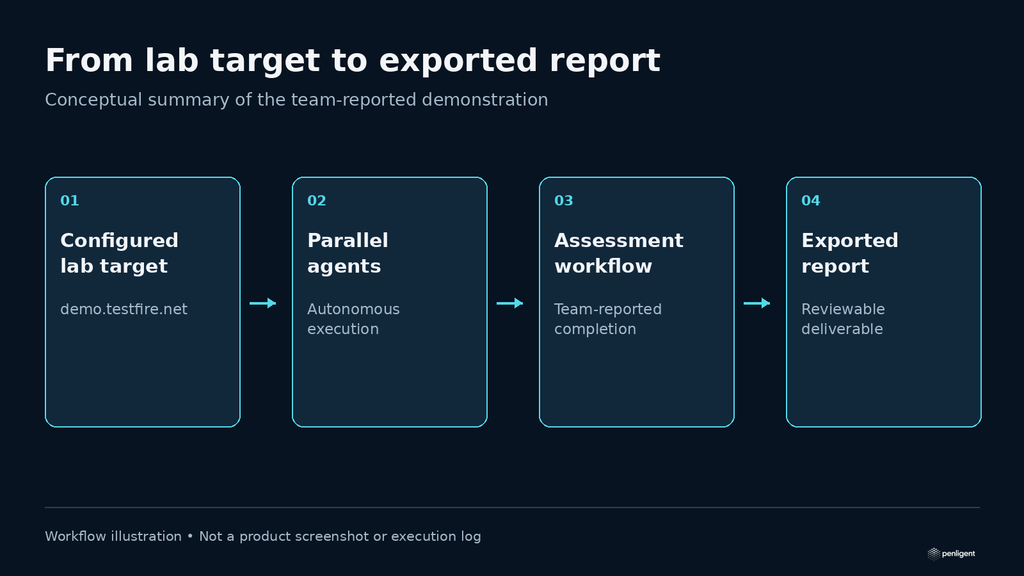
In a Penligent 3.0 demonstration on demo.testfire.net, parallel agents executed the assessment workflow autonomously, and the team exported the final security report in approximately 20 minutes. The team estimates the cost of this demonstration at $30–50 per run. The case shows the product workflow from a configured lab target to report export.
The results and estimates below were supplied by the Penligent team. They describe this demonstration and its environment. Actual coverage, time and usage depend on the application and test configuration.
The demonstration at a glance
| Item | Reported demonstration result |
|---|---|
| Produto | Penligent 3.0 |
| Alvo | demo.testfire.net, the Altoro Mutual demonstration application |
| Execução | Parallel agents with autonomous task execution |
| Approximate duration | 20 minutes |
| Estimated run cost | $30–50, as reported by the Penligent team |
| Completed output | An exported security assessment report |
| Repeat validation | Individual findings can be tested again; a post-fix comparison is not documented in this case |
A demonstration application with a clear testing purpose
The target was the Altoro Mutual application at demo.testfire.net. HCL’s AppScan tutorial identifies it as a website created for demonstration purposes. It provides a useful setting for showing a security-testing workflow without presenting the exercise as an assessment of a real customer’s banking system.
For a buyer, the relevant question is how the product moves from a configured target to a usable output. This demonstration follows that workflow through autonomous execution and report export. Its completion statement refers to the team’s reported lab assessment, rather than a scored evaluation against a published inventory of every vulnerability in the application.
Parallel agents carried out the test workflow
After task setup, Penligent 3.0 used parallel agents to execute the lab assessment automatically. The operator did not have to issue each testing command individually. The reported outcome was completion of the lab workflow and export of the report.
The practical benefit to evaluate is the amount of work the system can carry through to a deliverable. A useful demonstration lets a viewer follow the task as it runs, inspect the evidence associated with a finding, and see the resulting report. That connects the product’s autonomous execution to something a security engineer or consultant can review.
Explore Penligent 3.0 for an authorized testing task.
Approximately 20 minutes and an estimated $30–50 per run
The team reports approximately 20 minutes for this demonstration and an estimated $30–50 cost per run. These are demonstration-specific figures, not a fixed price or completion-time commitment for an arbitrary application. A larger target, different model configuration, authentication requirements or additional testing can change both figures.
When evaluating a similar task, record the inputs and outputs together: the configured target, the work completed, elapsed time and actual usage. This makes the cost meaningful. A low-cost run that never reaches the required workflow and a run that exports a reviewable report are different outcomes.
Report export supports the handoff
The final output in this demonstration was an exported security assessment report. Penligent’s reporting is intended to support technical evidence collection and review in SOC 2 and ISO/IEC 27001-related assessment workflows.
AICPA’s SOC 2 description criteria concern an examination of a service organization’s controls, while ISO/IEC 27001 defines requirements for an information security management system. A penetration test report can contribute supporting evidence; it does not itself constitute a SOC 2 examination report or an ISO/IEC 27001 certificate.
Repeat a finding when you need another observation
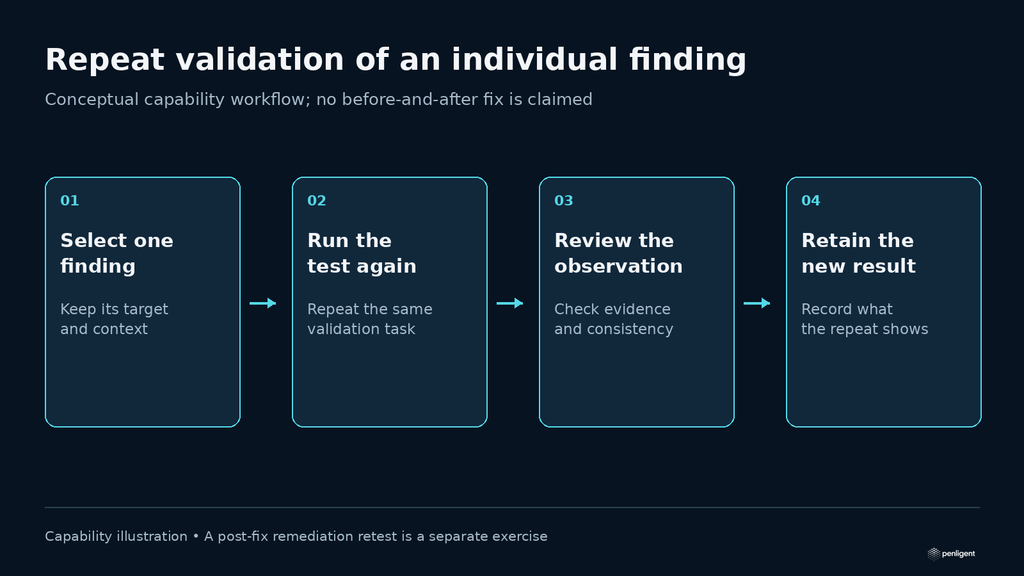
Penligent can run a test against the same individual finding again. This can help an operator examine whether the observed behavior repeats or collect another result for review.
A remediation retest answers a different question: whether a change fixes the original issue while preserving legitimate behavior. This case does not document a patched application or a before-and-after remediation comparison. The demonstrated outcome remains autonomous lab execution followed by report export.
Try Penligent’s workflow on a target you are authorized to test.
Evaluate the workflow on your own authorized target
Use one clearly scoped task to judge whether the workflow fits your needs. Identify the application, the permitted actions and the result you want to inspect. Then review the execution evidence and exported output alongside the time and usage consumed.
Penligent product overview
The video below is a general product overview; it is not the recording of this Testfire run.
 Portuguese
 English
 German
 French
 Spanish
 Japanese
 Korean
 Hindi
 Arabic
 Turkish
 Hebrew