Introduction: When the “Swiss Army Knife” Cuts You
On December 9, 2025, the Microsoft Security Response Center (MSRC) dropped a bombshell during its monthly “Patch Tuesday”: a critical 0-Day vulnerability in Windows PowerShell, tracked as CVE-2025-54100.
With a CVSS score of 7.8 (High), this vulnerability affects a massive swath of the Windows ecosystem—from legacy servers to the latest Windows 11 builds. Because PowerShell is deeply integrated into the OS fabric, this flaw provides attackers with a dangerous “Living-off-the-Land” (LotL) opportunity, allowing them to execute malicious code using trusted, native system tools.
Whether you are a SysAdmin managing a server farm or a security researcher, ignoring this patch is not an option. This guide provides a technical breakdown of the flaw, the official patch matrix, and the necessary code refactoring to keep your scripts running safely.
Windows PowerShell 0-Day CVE-2025-54100
Technical Deep Dive: The Mechanics of CVE-2025-54100
To understand the severity of this issue, we must look at the underlying weakness: CWE-77 (Improper Neutralization of Special Elements used in a Command).
The Vulnerability Logic
The core issue lies in how Windows PowerShell sanitizes user input before passing it to the command line interpreter. When an application or script constructs a PowerShell command using untrusted input without proper filtering, it opens the door to Command Injection.
Attack Scenario (Conceptual Proof of Concept)
Disclaimer: The following code is for educational purposes only.
Imagine a legitimate administrative script designed to read log files based on user input:
However, if an attacker exploits CVE-2025-54100 on an unpatched system, they could input:
app.log; Start-Process calc.exe
The parser, failing to neutralize the semicolon (;), interprets this as two distinct commands:
Read the log:Get-Content C:\\Logs\\app.log
Execute Payload:Start-Process calc.exe (In a real attack, this would be a ransomware downloader or a C2 beacon).
The Attack Vector: “Local” but Lethal
Microsoft classifies this as a “Local” attack vector. This means an attacker typically needs:
Low-level access to the system, OR
To convince a user to execute a malicious file (Social Engineering/Phishing).
Once successful, they can leverage this injection to escalate privileges or move laterally across the network.
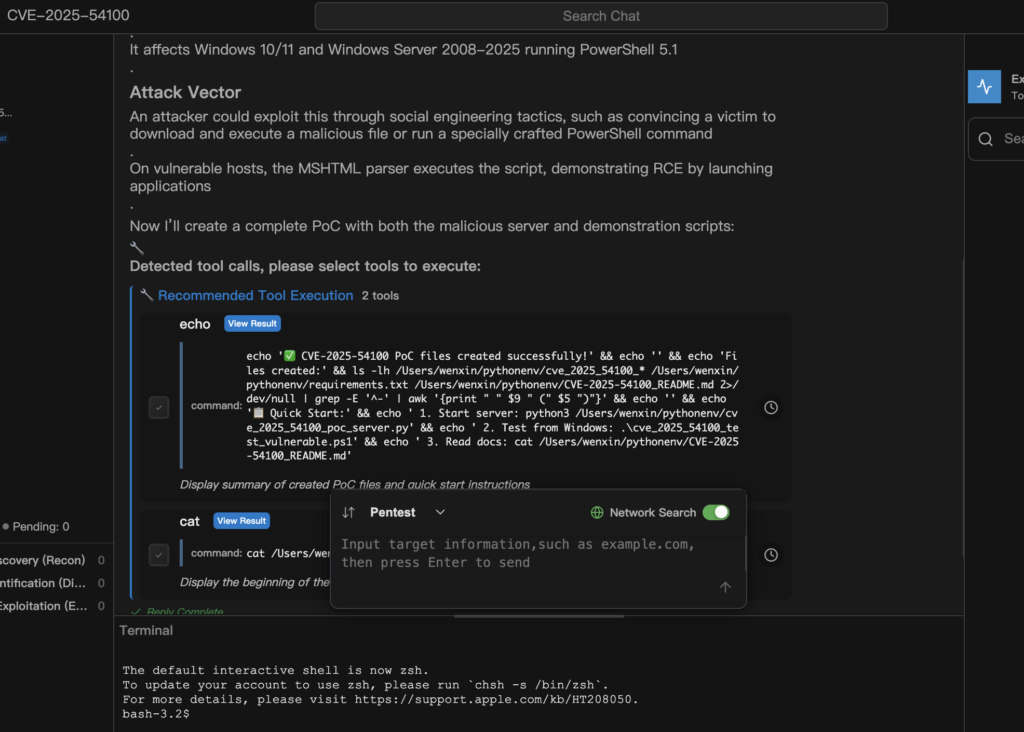
Windows PowerShell 0-Day CVE-2025-54100 PoC
The Patch Matrix: Identify Your Critical Updates
Microsoft has released emergency security updates. IT Administrators should prioritize the following KBs immediately via WSUS, SCCM, or manual download.
OS Version
Severity
Critical KB Patch ID
Deployment Notes
Windows Server 2025
Alta
KB5072033
Requires Reboot
Windows 11 (24H2 / 25H2)
Alta
KB5074204
Cumulative Update
Windows Server 2022
Alta
KB5074204
Priority Install
Windows Server 2019
Alta
KB5074353
–
Windows 10 (22H2)
Alta
KB5071546
Security-only update available
Windows Server 2012 R2
Médio
KB5071544
ESU (Extended Support) only
Critical Warning: Because this patch modifies core PowerShell binaries, a system reboot is mandatory. Ensure you schedule maintenance windows accordingly to avoid service disruptions.
The “Gotcha”: Fixing Broken Scripts After Patching
Security usually comes at the cost of convenience. The updates for CVE-2025-54100 (specifically inside KB5074204 e KB5074353) introduce stricter security controls on web requests.
The Problem: Invoke-WebRequest Failures
After patching, you may notice your automation scripts failing with the following error:
“The response content cannot be parsed because the Internet Explorer engine is not available, or Internet Explorer’s first-launch configuration is not complete.”
This happens because Microsoft is finally severing the link between PowerShell and the legacy Internet Explorer parsing engine to reduce the attack surface.
The Fix: Code Refactoring
You must update your scripts to stop relying on IE for DOM parsing. The solution is to force the use of the Basic Parsing mode.
The Broken Code (Legacy)
PowerShell
# This relies on the IE engine, which is now restricted or removed $response = Invoke-WebRequest -Uri "<https://api.penligent.ai/status>" Write-Output $response.Content
The Secure Code (Best Practice)
PowerShell
# Adds the -UseBasicParsing switch for speed, security, and compatibility $response = Invoke-WebRequest -Uri "<https://api.penligent.ai/status>" -UseBasicParsing Write-Output $response.Content
Pro Tip for Admins:
Use a regex search in your IDE (VS Code / ISE) to scan your script repository:
Find:Invoke-WebRequest\\s+(?!.*-UseBasicParsing)
Action: Append UseBasicParsing to these instances.
Defense in Depth: Beyond the Patch
Patching is reactive. To protect against future 0-days, you must adopt a “Defense in Depth” strategy for PowerShell.
A. Enforce Constrained Language Mode
For non-administrative users, PowerShell should run in Constrained Language Mode. This severely limits the ability to call Windows APIs or compile arbitrary .NET code.
PowerShell
`# Verify your current mode $ExecutionContext.SessionState.LanguageMode
Target output for standard users: ConstrainedLanguage`
B. Enable Script Block Logging
Attackers love PowerShell because it runs in memory (fileless). To catch them, you must log the actual code being executed.
GPO Path:Computer Configuration > Administrative Templates > Windows Components > Windows PowerShell > Turn on PowerShell Script Block Logging.
C. SIEM Detection Rules
Update your SOC monitoring rules to flag potential exploitation attempts:
Process Hierarchy: Alert if powershell.exe is spawned by Office apps (Word, Excel).
Suspicious Arguments: Look for heavily obfuscated commands or the usage of EncodedCommand.
Event ID 4104: Scan script block logs for keywords like Invoke-Expression ou IEX combined with network calls.
The disclosure of CVE-2025-54100 serves as a stark reminder: Identity and Configuration are the new perimeter. While the immediate fix is applying the December KBs (KB5072033/KB5074204), the long-term solution lies in hardening your environment against the abuse of native tools.
Your Action Plan:
Audit: Scan your network for unpatched Windows endpoints.
Patch: Deploy the December security updates immediately.
Refactor: Update your automation scripts to use UseBasicParsing.
The AI infrastructure landscape is facing a severe security challenge. NVIDIA Merlin, the industry-standard framework for building high-performance recommender systems