
On March 19, 2026, Ubiquiti disclosed CVE-2026-22557, a path traversal vulnerability in the UniFi Network Application. The NVD entry describes it as a flaw that a malicious actor with network access could exploit to access files on the underlying system, and those files could then be manipulated to access an underlying account. The same record shows a CVSS v3.1 vector of AV:N, AC:L, PR:N, UI:N, S:C, C:H, I:H, A:H, which yields a 10.0 base score. Public advisory summaries also show that the affected scope spans the main stable branch, a release candidate branch, and UniFi Express builds. (NVD)
That matters because UniFi Network is not just another edge-web interface. Ubiquiti describes it as the platform behind internet gateways, WiFi, switching, traffic dashboards, topology maps, and management workflows, and its own help center says many people still refer to it informally as the UniFi Controller. Ubiquiti also says the preferred deployment model is on a UniFi Cloud Gateway rather than on a generic server or laptop, but it still documents self-hosted Windows, macOS, and Linux deployments, remote management through Site Manager, and manual update paths for self-hosted servers. In other words, this is a management plane, not a brochure site. Bugs here sit close to configuration, identity, topology, and operational control. (Ubiquiti Help Center)
There is another reason to stay disciplined with this CVE: the public record is still incomplete in several important ways. As of March 20, CyberScoop reported that Censys had not observed a public proof of concept and had no confirmed exploitation in the wild, even while warning that a low-complexity path traversal bug would likely be easy to automate once the vulnerable endpoint became known. That means defenders should move fast without pretending the public knows more than it does. The right tone is urgency without invention. (CyberScoop)
CVE-2026-22557 at a glance
The official facts are already enough to justify emergency treatment. The flaw is classified as CWE-22, improper limitation of a pathname to a restricted directory, commonly referred to as path traversal. The attacker does not need prior privileges according to the published CVSS vector. The scope is marked as changed, which means the impact boundary crosses beyond the vulnerable application itself into another security authority or trust domain. That is the most important clue in the record. This is not being scored as a narrow read-only application bug. It is being scored as a control-plane issue with potential effects on the underlying system and account context. (NVD)
Just as important is what has not been publicly documented. Ubiquiti has not publicly named the exact endpoint, parameter, parser, route, or file operation that makes exploitation possible. The official text does not say whether the primitive is limited to reading, whether some form of write or overwrite is also possible, or which exact artifact on disk bridges the gap from file access to account access. Security coverage has translated the vendor’s wording into phrases such as account takeover or account hijacking, which may be a reasonable shorthand for operational risk, but the public source material still stops at “files on the underlying system” and “underlying account.” Treat that ambiguity as part of the engineering picture rather than an inconvenience to be written away. (NVD)
The table below summarizes the public state of knowledge as of March 25, 2026. It is consolidated from NVD, Ubiquiti advisory summaries, and reputable security reporting. (NVD)
| Öğe | Publicly established | Still not publicly established |
|---|---|---|
| Güvenlik açığı sınıfı | Path traversal, CWE-22 | Exact vulnerable code path |
| Ciddiyet | CVSS 3.1 10.0 | Environmental severity in a specific deployment |
| Attacker requirements | Network access, no privileges, no user interaction per CVSS vector | Whether internet exposure is required in any real exploit path |
| Impact statement | Access to files on the underlying system that could be manipulated to access an underlying account | Exact artifact or sequence that turns file access into account compromise |
| Patch status | Fixed releases published by Ubiquiti | Public exploit validation details from vendor |
| Exploitation status | No public PoC or confirmed in-the-wild exploitation reported by Censys to CyberScoop as of March 20 | Whether opportunistic scanning is now active after disclosure |
What Ubiquiti disclosed, and what defenders should not assume
When vendors publish a short advisory for a high-impact management product, engineers naturally start filling the gaps themselves. Sometimes that is useful. Sometimes it creates folklore. CVE-2026-22557 is exactly the kind of case where the difference matters.
The public record supports five solid conclusions. First, this is a network-reachable flaw. The CVSS vector is explicit on that point. Second, it does not require authentication. Third, it does not require user interaction. Fourth, it involves directory boundary escape or file path restriction failure, not memory corruption. Fifth, the assessed impact extends far enough beyond the application boundary to justify a changed scope and full confidentiality, integrity, and availability impact ratings. Those are not interpretive leaps. They are in the published record. (NVD)
What the record does not support is an exact exploit story. There is no public vendor write-up saying the bug sits in a file download endpoint, a backup import route, a log viewer, a template include path, a firmware-support helper, or any other specific feature. There is also no official public statement saying the issue is already being exploited, no public vendor PoC, and no public indication that the vulnerable endpoint discloses its presence through an obvious unauthenticated banner. CyberScoop’s reporting is useful precisely because it avoids overselling. Censys told the outlet that no public PoC or confirmed exploitation had been observed at that point, while also warning that trivial automation could follow quickly once the path became known. (CyberScoop)
That combination should shape defensive behavior. Patch as though exploitation is imminent. Hunt as though reconnaissance may already be underway. Write documentation as though you may need to justify every assumption later. Do not, however, let the lack of a public exploit convince you that delay is rational. A path traversal flaw with a published CVSS 10 score in a widely deployed management plane is the kind of issue that moves from “not yet public” to “widely scripted” very quickly once somebody isolates the route and the normalization mistake behind it. (NVD)
The official wording around the impact is worth slowing down on. “Could be manipulated to access an underlying account” is narrower than an explicit remote code execution statement, but broader than a simple disclosure-only bug. It points to a follow-on consequence inside the host or service identity context. That is exactly why teams should resist both kinds of distortion. Do not water it down into “just path traversal.” Do not inflate it into “confirmed root RCE” either. The public evidence supports something more serious than arbitrary file read in a low-value application and less explicit than a published end-to-end shell chain. That middle ground is still severe enough to warrant emergency action. (NVD)
Why CVE-2026-22557 earned a CVSS 10 score
Path traversal bugs do not always score anywhere near 10. Many are ugly but constrained. Some require an authenticated context, some are locked to low-sensitivity files, some need user interaction, and some do not cross the application boundary in a way that justifies changed scope. CVE-2026-22557 is being scored at the opposite end of that spectrum.
Start with the obvious parts of the vector. Network attack vector means the vulnerable functionality is reachable over the network. Low attack complexity means the scoring source does not believe unusual race conditions, environment-specific timing, or highly delicate preconditions are necessary for success. No privileges required means the attacker does not need an account to trigger the flaw. No user interaction means there is no phishing or victim click dependency for the vulnerable step itself. Even before impact is considered, that is already a hostile combination. (NVD)
Then come the impact metrics. High confidentiality impact, high integrity impact, and high availability impact are not handed out casually. Combined with changed scope, they tell you the scoring source sees a plausible path from the application bug into materially important assets beyond the immediate request context. In practical terms, that means the flaw is being treated as something that could affect the underlying system or security boundary in a broad way, not merely expose a small sliver of static content. That is consistent with the advisory language about underlying system files and underlying account access. (NVD)
The scope change matters more than many readers realize. In CVSS terms, changed scope means a successful exploit can impact resources beyond the authority that originally enforced the vulnerable component’s security controls. For a management application, that is exactly the kind of escalation defenders should fear: the controller is supposed to mediate access to network state, device state, and sometimes remote administration workflows, but the vulnerability can break out of that mediated boundary. That is why the problem feels larger than the phrase “path traversal” suggests to non-specialists. (NVD)
OWASP and MITRE help explain the class without overstating this case. OWASP defines path traversal as an attack that accesses files and directories outside the intended web root or restricted folder by manipulating variables with dot-dot-slash sequences, encoded variants, or absolute paths. CWE-22 frames the issue more generally as failure to neutralize special path elements such that a path resolves outside the restricted directory. On an ordinary low-trust content endpoint, that may expose a few files. In a management plane, the same primitive can strike configuration, identities, logs, trust stores, backups, database artifacts, or service-owned application data. The difference is not the CWE name. The difference is where the bug lives. (OWASP)
This is also why defenders should not become fixated on whether the first public exploit will be a clean, single-request miracle. Management-plane compromise rarely depends on one theatrical payload. Often the real operational risk is that a seemingly simple boundary failure lands the attacker in a place where sensitive state is stored, reused, synchronized, or trusted. Even when the published advisory does not spell out each step, the score is telling you the vendor or CNA believes the end state can be serious across confidentiality, integrity, and availability. That is the right lens here. (NVD)
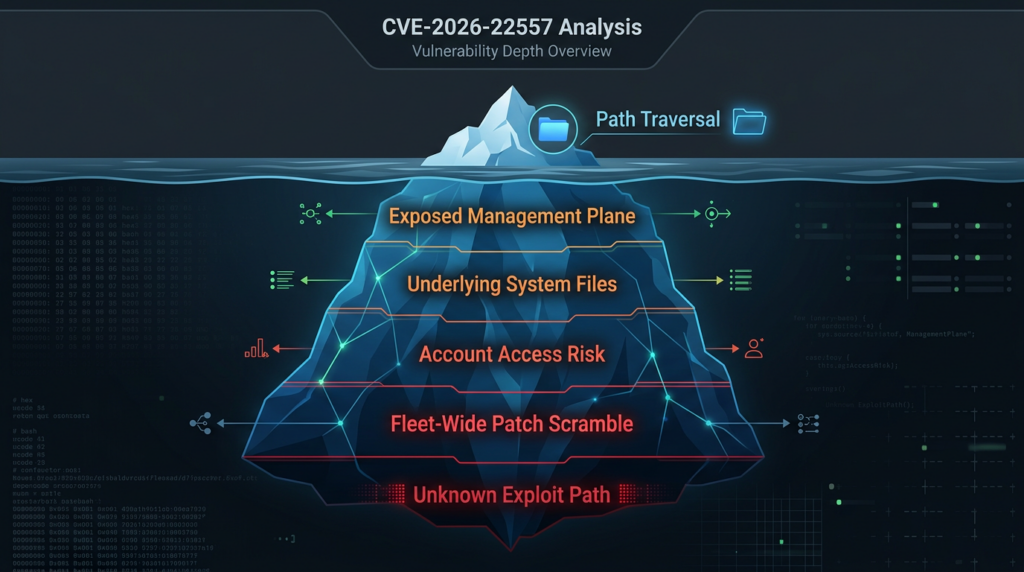
CVE-2026-22557 affected versions and fixed releases
The most useful thing Ubiquiti did for defenders was publish clear fixed-version targets across multiple branches. The most useful thing defenders can do in response is avoid treating “UniFi” as one monolith. This advisory touches several deployment tracks, and teams that only patch the obvious stable self-hosted branch can still miss exposed or semi-exposed management nodes elsewhere. The version matrix below consolidates the affected and fixed releases reflected in public advisory summaries and release references. (CCB Safeonweb)
| Product line or branch | Publicly stated affected versions | Publicly stated fixed target |
|---|---|---|
| UniFi Network Application, official release branch | 10.1.85 and earlier | 10.1.89 or later |
| UniFi Network Application, release candidate branch | 10.2.93 and earlier | 10.2.97 or later |
| UniFi Express running UniFi Network application | 9.0.114 and earlier | Update UniFi Express firmware to 4.0.13 or later, which updates the application to 9.0.118 or later |
| UniFi Network Server in the same bulletin context | Advisory summary points to Version 10.1.89 or later for the server-side update path | 10.1.89 or later |
Two practical cautions belong here. First, “UniFi Network Application” and “UniFi Network Server” are easy to blur together in internal conversations, especially in shops where some sites run on consoles and others are self-hosted. Ubiquiti’s help center explicitly distinguishes between the UniFi Network application deployed on Windows, macOS, or Linux and the broader UniFi OS-based console world. That distinction matters during incident response because the update mechanism, operational owner, maintenance path, and visibility differ. (Ubiquiti Help Center)
Second, do not assume the absence of public version disclosure on internet scans means the absence of risk. CyberScoop reported that the software does not expose what version it is running, so internet-wide scans cannot cleanly separate vulnerable instances from patched ones. That means external exposure data is useful for triage, but not enough for closure. Inventory still has to come from your own fleet. (CyberScoop)
CVE-2026-22557 and the UniFi Network attack surface
The phrase “attacker with access to the network” deserves real attention. It does not mean “the whole internet” and it does not mean “only somebody already authenticated to UniFi.” It means the vulnerable service must be reachable from the attacker’s position on some network path. That can include public internet exposure, but it can also include branch LAN exposure, a compromised VPN-connected endpoint, an attacker who already landed on another server, or a malicious insider with reach to the controller segment. The correct defensive question is therefore not “Is our controller on the public internet?” It is “From which trust zones can an attacker talk to this service today?” (NVD)
Ubiquiti’s own documentation shows why this question is broader than many teams think. For self-hosted servers, the company instructs users to enable ports such as TCP 8080, TCP 8843, UDP 10001, and UDP 3478 on local firewalls, and to access the application locally through HTTPS on port 8443. It also documents remote management through unifi.ui.com and says remote management is enabled by default during setup, with upstream requirements that include TCP 443 and 8883. None of those facts prove CVE-2026-22557 is reachable through each one of those paths, but they do show that UniFi deployments often participate in broader networked management workflows and are not isolated local-only tools by default. (Ubiquiti Help Center)
The exposure picture in public reporting reinforces that point, though it also shows why defenders should be careful with headline numbers. BleepingComputer reported that Censys was tracking nearly 29,000 internet-exposed UniFi Network endpoints, mostly in the United States, while CyberScoop, citing Censys the next day, reported nearly 88,000 publicly exposed UniFi Network Application hosts. Those are not small differences. They likely reflect differences in timing, filters, product signatures, or scan logic. The useful takeaway is not the exact number. The useful takeaway is that there is a large internet-facing footprint and that outside observers cannot reliably tell which instances are patched. (BleepingComputer)
That uncertainty changes how you should prioritize containment. If you know a controller is internet-reachable, the answer is not to wait for cleaner scanning intelligence. It is to reduce exposure first and then finish version confirmation. If the controller is not internet-reachable but is broadly reachable across flat internal networks, treat that as a real risk anyway. Management planes are especially dangerous in post-compromise scenarios because they concentrate network knowledge and administrative pathways. A compromised laptop in the right VLAN or VPN group can be enough to turn “not public” into “reachable.” That is exactly the kind of nuance hidden by simplistic exposure debates.
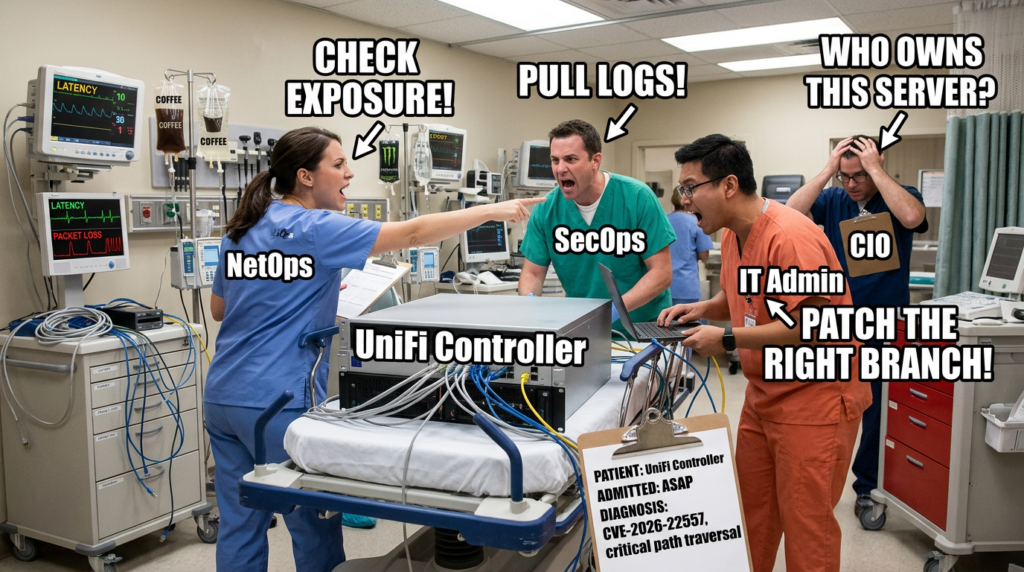
There is also a social trap here. Teams often classify controller products as “infrastructure” and therefore assume they are naturally better governed than application servers. In reality, many controller deployments live in the gray zone between networking, systems, and security operations. Some are maintained by infrastructure teams, some by regional IT, some by MSPs, and some by the person who first installed them years ago and never truly handed them off. CVE-2026-22557 should be read as a reminder that ownership ambiguity is itself an attack surface. The patch may be published, but if nobody can confidently say where every UniFi management endpoint lives, the real risk remains open.
How path traversal becomes account access in a management plane
The heart of CVE-2026-22557 is easy to name and hard to operationalize: path traversal. The public challenge is that the advisory does not tell us which file operation went wrong. Even so, the class is well understood, and the class alone already explains why a control-plane product is uniquely sensitive.
OWASP’s description is straightforward. A path traversal attack aims to access files and directories outside the intended folder by manipulating path variables with dot-dot-slash sequences, encoded forms, or absolute paths. The Web Security Testing Guide says testing this class requires first enumerating input vectors and then methodically applying traversal techniques. CWE-22 describes the same failure from the developer’s side: external input is used to build a pathname that is supposed to stay under a restricted parent directory, but special elements are not properly neutralized, so the path resolves elsewhere. (OWASP)
On a low-value web endpoint, that may be bad but contained. On a management plane, file boundaries often overlap with operational trust boundaries. Configuration files may carry service credentials, API tokens, trust relationships, or backend connection details. Logs can expose request history, identifiers, or stack traces that sharpen later exploitation. Backup artifacts can compress a great deal of sensitive state into a convenient package. Database-adjacent files, session materials, or locally trusted metadata can bridge the gap from “I can read or reach the wrong path” to “I can act as the wrong identity.” The public record for CVE-2026-22557 does not confirm any single one of those artifacts, but the official impact language strongly suggests that the vulnerable file boundary is materially meaningful rather than cosmetic. (NVD)
That is why “account access” should be interpreted carefully. In some bugs, account compromise follows because sensitive credential material is exposed. In others, it follows because application state can be modified or a trusted file can be replaced, poisoned, or replayed. In still others, the attacker does not get a clean credential at all but gains an equivalent authorization outcome through session or configuration abuse. The advisory does not tell us which model applies here. Defenders do not need that certainty to act. What they need is to treat the system as a high-value store of authorization-relevant material and to investigate accordingly.
The changed-scope CVSS assessment supports that mindset. If the vulnerable application were simply disclosing non-critical local content, the score would look very different. A changed-scope 10.0 assessment tells you the file boundary crosses into something the scorer considers security-significant outside the initial request authority. That alone is enough to justify aggressive segmentation, emergency patching, and review of adjacent trust stores.
There is another technical reason to be cautious: path traversal bugs often hide behind ordinary features. Export handlers, import routines, theme resources, support bundles, log viewers, attachment or backup helpers, template fetches, and device-artifact lookups are all common places where filename or path input becomes trusted too early. Because the advisory does not name the affected feature, defenders should not narrow their mental model to one route type. Hunting should cover the whole management surface, especially unauthenticated or pre-session endpoints exposed through direct access or reverse proxies.
This is also where overconfident vulnerability writing goes wrong. When details are sparse, people tend to project the last familiar traversal bug onto the new one. If the last famous case was a read primitive, they assume this one is read-only. If the last case led to arbitrary file write, they assume this one does too. If the last case chained quickly into RCE, they write as though RCE is already proven here. That is not analysis. It is template reuse. The responsible way to talk about CVE-2026-22557 is to combine the official description with the operational reality of management-plane software: boundary escape here is severe because the target stores trusted state, not because we have already seen a flashy exploit chain.
CVE-2026-22557 and the first 24 hours for defenders
When a controller or management-plane product takes a CVSS 10 hit, the first day should be boring, disciplined, and fast. Most teams lose time in exactly the wrong places: debating whether public exposure is required, waiting for a proof of concept, or chasing perfect asset inventory before reducing obvious risk. For CVE-2026-22557, the right order is simpler.
First, identify every UniFi management deployment you own or operate. That means console-based appliances, UniFi Express devices, Windows or macOS self-hosted servers, Linux self-hosted servers installed from Ubiquiti packages, lab instances, DR instances, and MSP-managed customer sites. Do not let the word “application” fool you into ignoring hardware-backed deployments. The public version matrix explicitly spans both software branches and UniFi Express. (CCB Safeonweb)
Second, cut unnecessary exposure before you finish patching. If any controller is reachable directly from the internet, pull it behind a VPN, management bastion, or tightly restricted allowlist. If remote management is not essential during the maintenance window, disable or restrict it. Ubiquiti says remote management is enabled by default during setup and depends on upstream connectivity. That convenience is valuable in normal operations and undesirable during emergency triage. (Ubiquiti Help Center)
Third, patch the right branch, not the branch you happen to remember from last quarter. Stable self-hosted releases need 10.1.89 or later. Release-candidate environments need 10.2.97 or later. UniFi Express requires the firmware path that moves the embedded application to 9.0.118 or later. Advisory summaries also point to UniFi Network Server version 10.1.89 or later in the same bulletin context. Mixed fleets are where patch campaigns fail. (CCB Safeonweb)
Fourth, preserve evidence before and after change. Ubiquiti’s update guidance explicitly recommends downloading a backup before upgrading self-hosted servers. Its Linux documentation also gives standard log locations for server.log ve mongod.log. Backups are not just for rollback. They are also part of disciplined incident handling when you are trying to answer whether suspicious access predated the patch. (Ubiquiti Help Center)
Fifth, remember that maintenance does not necessarily mean taking the network down. Ubiquiti’s update documentation states that when instances of the Network Application are closed prior to installation, the network continues functioning as normal, devices remain connected, and traffic continues to be routed. That is useful operationally because it removes one common excuse for delay. Patch windows still need coordination, but “we cannot touch the controller because the entire site will fail” is not supported by the vendor’s own update guidance for the application layer. (Ubiquiti Help Center)
The table below is the practical order of work I would use for most teams. It is derived from the public version guidance, update guidance, and the known characteristics of the vulnerability. (NVD)
| Zaman penceresi | Primary goal | What good looks like |
|---|---|---|
| First 2 hours | Exposure triage | All publicly reachable controllers identified, externally reachable ones restricted or isolated |
| First 4 hours | Version triage | Each deployment mapped to stable, RC, Express, or server update path |
| First 8 hours | Evidence preservation | Backups saved, logs collected, reverse proxy and access logs retained |
| İlk 12 saat | Patch execution | Each branch updated to the correct fixed release |
| İlk 24 saat | Validation and hunt | Post-upgrade verification complete, log review for traversal patterns started, residual exposure reduced |
How to verify exposure across self-hosted servers, consoles, and MSP fleets
The hardest part of emergency patching is rarely the upgrade command. It is knowing where the product actually exists. CVE-2026-22557 is a good example because UniFi deployments have a habit of spreading across official consoles, side-car self-hosted servers, lab boxes, remote offices, and customer environments.
For self-hosted Linux servers, Ubiquiti’s documentation is especially useful because it makes the packaging model explicit. The company documents installation and upgrade via APT, names the package as unifi, documents service control via sudo service unifi, and identifies the core log paths on disk. That gives defenders a simple starting point for version checks, service state confirmation, and quick local evidence collection. (Ubiquiti Help Center)
A practical minimum check on a Debian or Ubuntu host is this:
dpkg -l | grep -i unifi
apt-cache policy unifi
sudo service unifi status
sudo tail -n 200 /usr/lib/unifi/logs/server.log
sudo tail -n 200 /usr/lib/unifi/logs/mongod.log
The point of those commands is not elegance. It is speed. You want to know whether the host is actually running UniFi, what package version APT believes is installed, whether the service is active, and what the recent application and database logs look like before and after maintenance. Ubiquiti’s published Linux instructions support this workflow because they explicitly document the package name, service controls, and log locations. (Ubiquiti Help Center)
For self-hosted Windows and macOS environments, the public documentation is less command-oriented but still useful. Ubiquiti’s help center documents the installer locations, the local access pattern through https://localhost:8443, the required firewall ports, and the fact that self-hosting is an advanced setup intended for users comfortable with network administration. That is a polite way of saying many small and mid-sized environments may have these instances running outside fully managed server pipelines. During CVE response, assume some of them are “pet” systems until proven otherwise. (Ubiquiti Help Center)
For UniFi Express and console-backed deployments, version verification often lives in the device or site management workflow rather than in a package manager. The key operational point is that UniFi Express remediation is expressed through firmware version 4.0.13 or later, which in turn moves the embedded Network application to 9.0.118 or later. Teams that only search package repositories for unifi will miss those devices. (UI Community)
For organizations using UniFi Site Manager or broader remote administration, there is another trap: central visibility can create false reassurance. Ubiquiti says Site Manager acts as a central hub for managing deployments and that remote management is enabled by default during setup. That is useful for finding sites, but it also means the management fabric itself deserves review during emergency response. Verify which sites are still remotely manageable, whether any inherited exposure rules are too broad, and whether any customer or branch instances remain on the wrong release track. (Ubiquiti Help Center)
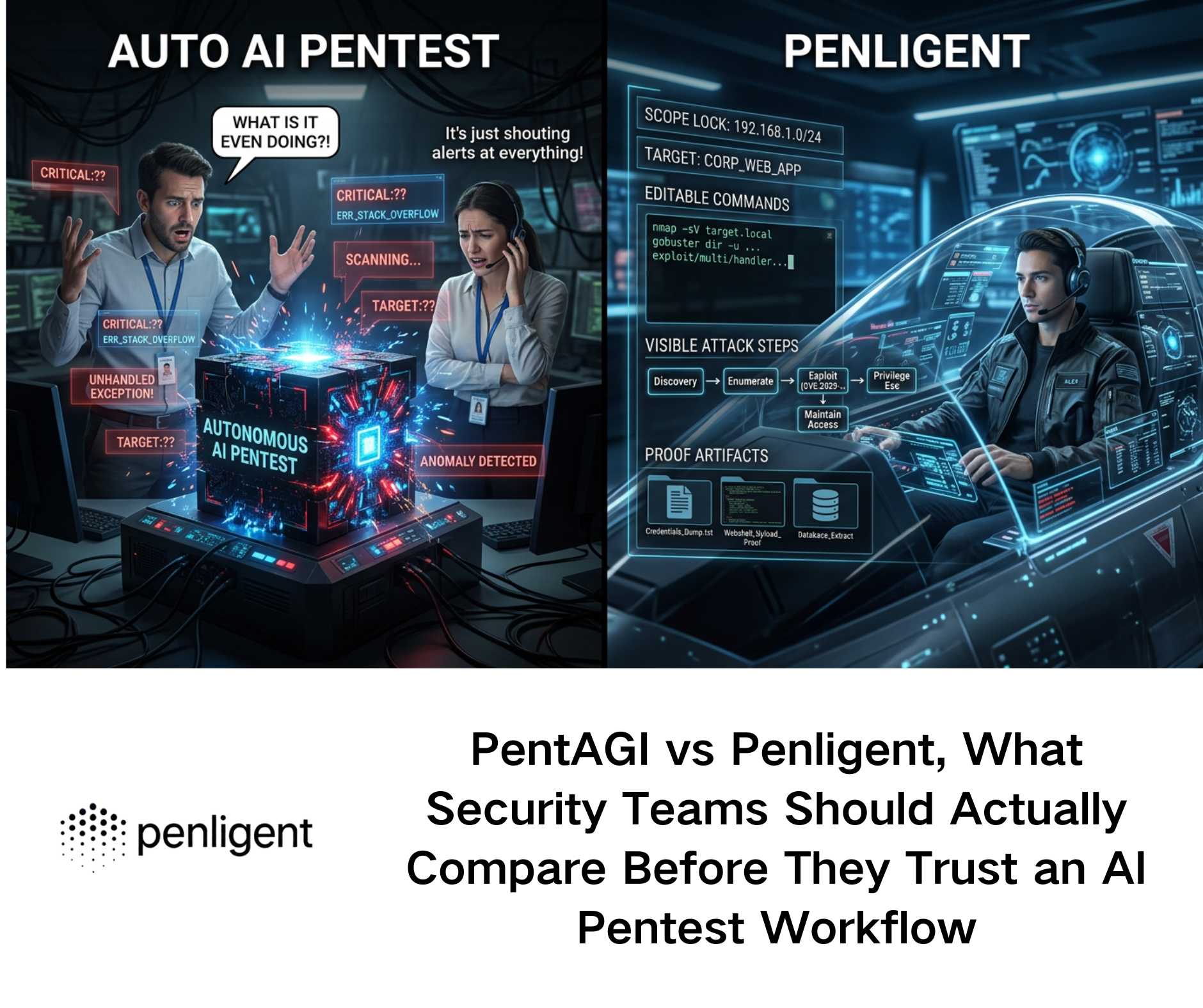
This is one of the places where an automated validation workflow can help without hijacking the article. In practice, teams often struggle less with the patch itself than with locating every instance, constraining scope, preserving evidence, and proving after the fact that the fleet was actually retested. That is the natural place for an agentic testing platform such as Penligent: asset discovery to find shadow or forgotten instances, operator-controlled validation to confirm exposure and retest after upgrades, and reproducible evidence generation so another engineer can check the same artifact trail later. Penligent’s public materials emphasize editable prompts, scope control, tool orchestration, and report generation rather than a black-box “trust us” model, which is the right posture for controller and management-plane workflows. (Penligent)
The same point holds after patching. The problem is not simply “did we run updates.” It is “can we show which instances existed, what state they were in, what changed, and whether the risky behavior is gone.” That is the difference between maintenance and security verification. In environments with many sites or customer-owned deployments, the paperwork and evidence trail become part of the technical work, not an afterthought.
CVE-2026-22557 patching and containment, with minimal drama
Patching guidance for this CVE is refreshingly concrete, which means the real work is operational hygiene. On Linux-hosted servers, Ubiquiti’s documented path is either a manual download-and-install flow or an APT-managed flow. On APT-based systems, its help center provides the repository setup and then uses the same package upgrade command defenders should already recognize from normal package management. (Ubiquiti Help Center)
A straightforward Linux update sequence looks like this:
sudo apt-get update && sudo apt-get install unifi -y
sudo service unifi status
That is not creative, and that is exactly why it is good. Emergency patching should feel routine whenever possible. Before you do it, take the backup Ubiquiti recommends. After you do it, confirm service health, confirm the expected version, and immediately re-run whatever exposure checks your environment supports. (Ubiquiti Help Center)
If your deployment is not Linux-based, the same principle still applies: use the correct product-specific update path, not a generic forum recipe. Ubiquiti documents the separate workflows for self-hosted Windows and macOS installations, and it explicitly notes that updates for self-hosted Network Servers must be manually checked and initiated each time. That single sentence matters because it tells you not to assume these environments are auto-healing. Many will sit vulnerable until a human actually touches them. (Ubiquiti Help Center)
Containment should run in parallel with patching, not after it. Temporary controls worth considering include removing direct internet reachability, enforcing source-IP restrictions for management endpoints, limiting access to a management VPN, and reducing lateral reach from ordinary user VLANs or branch segments into the controller plane. Ubiquiti’s remote-management documentation also makes clear that connectivity depends on specific upstream ports and settings. If you do not need that path during the incident window, reduce it. Convenience can be restored later. (Ubiquiti Help Center)
Reverse proxies and WAFs can provide a temporary choke point, but they are not a substitute for upgrading. OWASP’s path traversal guidance is one reason why: traversal attempts do not always appear as a plain ../ string. They can show up in encoded, double-encoded, or otherwise normalized forms, and the effective interpretation can change between proxy and application layers. A temporary rule may reduce noise or block opportunistic probes, but it is not a complete fix. (OWASP)
If you still need a temporary control while a change window is being coordinated, keep it modest and honest. For example, a reverse proxy in front of the controller can refuse obvious traversal payloads while you finish the upgrade:
location / {
    if ($request_uri ~* "(?:\.\./|%2e%2e%2f|%2e%2e/|..%2f|%252e%252e%252f)") {
        return 403;
    }
    proxy_pass https://unifi_backend;
}
That kind of filter can be useful for emergency friction, especially against broad internet scanning, but it should be described exactly as that: emergency friction. It is not a reliable long-term mitigation for a published path traversal bug in a management plane.
Detection and hunting for CVE-2026-22557 activity
Detection for a path traversal issue like this should start one layer above the application and then move inward. Reverse proxy logs, web server access logs, WAF telemetry, and load balancer request records are often the first reliable source because they record requests even when the application fails in a noisy or unexpected way.
OWASP’s testing guidance highlights the reality defenders need to mirror: path traversal is not just one string. It is a family of path manipulation attempts. That means your hunting logic should look for plain traversal, encoded traversal, double-encoded traversal, attempts to supply absolute paths, and suspicious requests to features that plausibly interact with files, exports, logs, support bundles, backups, attachments, templates, or imports. (OWASP)
A simple SIEM hunt for HTTP request logs might start like this:
index=web OR index=proxy OR index=waf
(
  uri_path="*../*" OR
  uri_query="*../*" OR
  uri_path="*..%2f*" OR
  uri_query="*..%2f*" OR
  uri_path="*%2e%2e%2f*" OR
  uri_query="*%2e%2e%2f*" OR
  uri_path="*%252e%252e%252f*" OR
  uri_query="*%252e%252e%252f*"
)
| stats count values(src_ip) values(http_method) values(uri_path) values(status) by host
| sort - count
This will not catch every encoding trick, and it will absolutely produce false positives in some environments. That is fine. The goal in the first day is broad visibility. Tune later. During an emergency, missing noisy probes because the query was too elegant is worse than reviewing a few harmless hits.
If you front UniFi with NGINX or another reverse proxy, start by pulling a tight slice of recent requests around patch deployment and disclosure time. Look for unusual unauthenticated requests, bursts from unfamiliar sources, repeated 400 or 404 patterns carrying encoded traversal sequences, or requests to paths that seem designed to fetch artifacts rather than render UI pages. Because the vulnerable route is not publicly named, defenders should resist overfitting detection to one guessed endpoint.
On the host side, Ubiquiti’s Linux documentation is useful because it identifies server.log ve mongod.log as primary log locations. Even if those logs do not give you a smoking gun, they can help answer secondary questions: did the application restart unexpectedly, did errors spike during a suspicious window, did the backing store behave abnormally, and did anything change during or before patching? (Ubiquiti Help Center)
A minimal Linux collection sequence could look like this:
sudo cp /usr/lib/unifi/logs/server.log /var/tmp/unifi-server.log.$(date +%F-%H%M%S)
sudo cp /usr/lib/unifi/logs/mongod.log /var/tmp/unifi-mongod.log.$(date +%F-%H%M%S)
sudo grep -Ei "error|exception|forbidden|unauth|denied|travers" /usr/lib/unifi/logs/server.log | tail -n 200
That final grep is intentionally broad and imperfect. It is not meant to be a forensic silver bullet. It is a fast sanity check while you preserve full logs elsewhere.
Where EDR or file-auditing controls exist, a more valuable hunt is often “what did the UniFi service process touch that it does not usually touch?” Path traversal problems are boundary problems. Boundary problems frequently manifest as unexpected file-open attempts, failed access checks, or bursts of access to paths outside the application’s normal working set. The exact telemetry depends on the platform, but the question is universal.
Defenders should also think in time windows, not just signatures. Because CyberScoop reported no public PoC or confirmed exploitation as of March 20, some teams may assume only post-disclosure activity matters. That is too narrow. If the issue was found through bug bounty or internal research, independent researchers or attackers may have reached similar findings earlier. Hunt both before and after disclosure, especially on exposed controllers. (CyberScoop)
There is one more subtle detection lesson here. Because CyberScoop also reported that public scanning cannot distinguish vulnerable from patched versions, external noise will not reliably tell you whether your instance was targeted opportunistically after disclosure. Some actors will scan blindly. Others will enrich targets with banners, site metadata, IP reputations, or prior fingerprints. Your internal logs and network telemetry are therefore more important than internet-wide chatter for answering the question that matters: did anyone actually touch your controller in a suspicious way?
Safe validation for authorized testing teams
Security engineers and pentesters have a different job from incident responders, but the same discipline applies. The public record on CVE-2026-22557 is sparse enough that the safest useful validation pattern is still a black-box, boundary-oriented one. Authorized testing should aim to answer three questions: is the relevant surface reachable, can untrusted input influence a filesystem-relevant path, and can the tester prove unauthorized boundary crossing without escalating into destructive behavior?
OWASP’s Web Security Testing Guide is the right starting frame. It recommends first enumerating input vectors and then methodically applying traversal techniques. In practical terms, that means looking for any request component that could plausibly influence file retrieval, file selection, export, logging, diagnostics, support-bundle creation, template references, or import/export helpers. Headers, query parameters, route variables, JSON fields, and form fields are all candidates. The absence of a public endpoint makes careful surface mapping more important, not less. (OWASP)
In an authorized environment, the next step is controlled mutation rather than aggressive exploitation. Test plain traversal and encoded variants against suspected file-path inputs. Check for changes in status codes, error signatures, response length, timing, or access-control behavior that indicate boundary confusion. If the route appears to normalize or reject some patterns, stop assuming that means safety. Encoded and double-encoded forms often behave differently across layers, which is exactly why OWASP treats traversal as a testing family rather than a single payload check. (OWASP)
The right stopping point in production is usually earlier than many testers think. If you can demonstrate that an unauthenticated or otherwise unauthorized request crosses a path boundary or accesses data outside the intended trust zone, you generally have enough to support remediation. You do not need to push onward into session theft, credential replay, or any attempt to convert the flaw into account-level action inside a live business environment. For a controller product, the safer professional standard is proof of boundary failure plus reproducible evidence, not maximum theatrics.
That is one reason modern DAST and validation platforms matter in this class of issue. Ubiquiti’s public record does not hand defenders a neat one-shot indicator. Teams have to combine inventory, surface discovery, stateful testing, and evidence collection. Penligent’s public materials describe a workflow built around active testing, tool orchestration, controllable scope, and report generation, which makes sense in exactly this kind of scenario. The useful role is not “let the AI free.” The useful role is faster asset discovery, safer retest loops after patching, and a cleaner evidence trail when multiple teams need to verify the same finding independently. (Penligent)
The practical output from a good validation workflow for CVE-2026-22557 should include four artifacts: the target and deployment branch you tested, the class of input vector examined, the observable indication of path-boundary failure or proper rejection, and the post-fix retest result. That is the kind of record that actually helps operations, audit, and engineering. It is also the kind of record that survives handoff.
Why CVE-2026-22558 and CVE-2026-22559 matter in the same conversation
CVE-2026-22557 should not be read in isolation because Ubiquiti disclosed it as part of a broader bulletin. NVD describes CVE-2026-22558 as an authenticated NoSQL injection vulnerability in the UniFi Network Application that could allow a malicious actor with authenticated network access to escalate privileges. It carries a HackerOne-supplied CVSS 3.1 score of 7.7 and maps to CWE-943. That matters because it means the same product line had a separate privilege-boundary problem disclosed at the same time. (NVD)
For defenders, the lesson is not “these issues are definitely chainable.” There is no public evidence in the sources reviewed that documents a real exploit chain combining CVE-2026-22557 and CVE-2026-22558. The lesson is subtler and more useful: when a management platform ships a critical unauthenticated path-boundary flaw and a separate authenticated privilege-escalation flaw in the same disclosure window, you should treat the whole platform as a priority hygiene event. Patch both. Retest both. Review exposure, trust assumptions, and administrative sprawl around both.
The same bulletin also references CVE-2026-22559 in UniFi Network Server. Publicly, the picture there is thinner. The CVE.org record was still a reserved placeholder at the time of research, while Ubiquiti’s advisory snippet described an improper input validation issue that could allow unauthorized access to an account if the account owner were socially engineered. That is enough to justify tracking it, but not enough to write confident technical claims about exploit mechanics. This is exactly the kind of situation where honest incompleteness is a mark of rigor, not weakness. (CVE)
The table below is the right way to hold these three issues in one frame. It reflects the public state of disclosure, not hypothetical chaining. (NVD)
| CVE | Public description | Attacker precondition | Why it matters right now |
|---|---|---|---|
| CVE-2026-22557 | Path traversal in UniFi Network Application | Network access, no privileges, no user interaction per CVSS | Critical control-plane boundary failure with potential underlying account impact |
| CVE-2026-22558 | Authenticated NoSQL injection in UniFi Network Application | Authenticated network access | Indicates separate privilege-boundary weakness in the same platform |
| CVE-2026-22559 | Improper input validation issue in UniFi Network Server, public details still sparse | Publicly incomplete | Must be tracked because it appears in the same vendor bulletin, but should not be overdescribed |
What CVE-2026-22557 teaches developers and product teams
Even without source code, CVE-2026-22557 teaches a familiar lesson: file boundaries are security boundaries. Teams often act as though access control lives in session middleware and identity providers while path handling is “just implementation detail.” That mindset is wrong, especially in management software.
The first engineering failure pattern is string filtering without canonicalization. Removing literal ../ or blocking one variant is not the same as proving the final resolved path remains under an approved base directory. OWASP and CWE guidance both exist because this mistake has survived every web stack and every framework generation. The secure pattern is to resolve the candidate path against a known base, normalize or canonicalize it, and then verify the resulting path still begins with the trusted base directory. Anything else is theater. (OWASP)
A language-agnostic safe pattern looks like this:
Path base = Paths.get("/srv/unifi/allowed").toRealPath();
Path candidate = base.resolve(userSuppliedPath).normalize();

if (!candidate.startsWith(base)) {
    throw new SecurityException("Path traversal detected");
}
The point is not that every implementation must look exactly like Java Yol. The point is that security comes from resolution plus boundary validation, not from searching for suspicious substrings.
The second failure pattern is inconsistent path handling across layers. Reverse proxies, frameworks, routers, static file helpers, archive handlers, and application code may all decode, normalize, or rewrite parts of a request differently. A filter that runs too early can miss the effective path that the business logic later uses. That is why temporary proxy rules are useful only as stopgaps and why permanent fixes belong in the code that actually resolves file paths.
The third failure pattern is architectural, not syntactic. Teams let too many security-significant artifacts live in the same trust domain as convenience features. If support bundles, logs, exports, templates, cached artifacts, and operational credentials all sit under broadly reachable application-owned storage, then a traversal bug has many ways to become a serious incident. The better design is separation: distinct storage roots, least-privileged service accounts, minimized local secrets, and clear barriers between user-reachable features and identity-bearing materials.
The fourth failure pattern is underestimating management software because it is “internal.” Internal software is often the last place where filesystem trust boundaries receive serious adversarial testing. Yet internal or administrative software is exactly where operators store the things attackers want most. CVE-2026-22557 is a strong reminder that management planes deserve the same boundary-hardening discipline that security teams demand from public SaaS apps.
The fifth lesson is procedural. High-value runtime features should have explicit negative testing for traversal during release engineering. OWASP’s testing guidance is not academic here. Enumerating input vectors and then applying path manipulation techniques should be part of pre-release validation for any feature that retrieves, exports, imports, renders, or bundles files. In a mature engineering organization, this is not a one-time pentest note. It is regression coverage.
Common mistakes teams will make with CVE-2026-22557
The first common mistake is equating “not exposed to the internet” with “not urgent.” The official description only says the attacker needs access to the network. That includes post-compromise internal positions, partner or MSP pathways, branch segments, and flat administrative VLANs. Management-plane issues often become lateral-movement accelerators precisely because defenders mentally classify them as “not public.” (NVD)
The second mistake is patching only the obvious server branch and forgetting about release-candidate environments, appliances, or UniFi Express. Public summaries already show multiple affected tracks. If your organization treats labs, pilots, and branch appliances as operational side notes, this is where those side notes become real exposure. (CCB Safeonweb)
The third mistake is waiting for a public exploit before changing anything. CyberScoop’s reporting is valuable because it says two things at once: no public PoC or confirmed in-the-wild exploitation had been observed, and once the endpoint is known, automation is expected to be easy. That is not a reason to relax. That is a reason to get ahead of the exploit tutorial cycle. (CyberScoop)
The fourth mistake is performing the update and declaring victory without evidence preservation, log review, or retesting. Ubiquiti’s own documentation recommends backups before upgrade and publishes the log locations defenders need on Linux. Use them. Upgrading without checking whether the service was probed before the patch is an operational blind spot, not a completed response. (Ubiquiti Help Center)
The fifth mistake is overclaiming in internal comms. Engineers who tell leadership “this is confirmed RCE” without public evidence may win a faster change window and lose credibility later. Engineers who call it “just directory traversal” may do the opposite. The better message is also the more accurate one: this is a critical unauthenticated path traversal issue in a network management plane, scored 10.0, with potential impact on underlying account access and a large public exposure footprint. That is already enough.
CVE-2026-22557 is a control-plane problem first
The best way to understand CVE-2026-22557 is not as a generic web bug and not as a vendor-specific curiosity. It is a control-plane problem. It lives in software that administers network devices, exposes management workflows, and often sits at the intersection of identity, topology, configuration, and remote operations. That is why a path traversal flaw here earns emergency treatment.
The public record still leaves important technical details undisclosed. That should not make defenders timid. It should make them precise. Patch the right branches. Reduce exposure. Preserve evidence. Hunt broadly for traversal attempts and unusual file-boundary behavior. Treat the related UniFi issues in the same disclosure window as part of a broader hygiene event. And when you write your own internal incident notes, keep a bright line between what the vendor has said, what trusted reporting has observed, and what your team has verified in your own environment. (NVD)
Further reading on CVE-2026-22557
- NVD entry for CVE-2026-22557. (NVD)
- CVE.org record for CVE-2026-22557. (CVE)
- Ubiquiti Security Advisory Bulletin 062, including affected and fixed branches in public summaries. (CCB Safeonweb)
- Ubiquiti Help Center, Introduction to UniFi. (Ubiquiti Help Center)
- Ubiquiti Help Center, Self-Hosting a UniFi Network Server. (Ubiquiti Help Center)
- Ubiquiti Help Center, Updating Self-Hosted UniFi Network Servers. (Ubiquiti Help Center)
- Ubiquiti Help Center, Updating and Installing Self-Hosted UniFi Network Servers on Linux. (Ubiquiti Help Center)
- Ubiquiti Help Center, Enabling UniFi Remote Management. (Ubiquiti Help Center)
- OWASP Web Security Testing Guide, Testing Directory Traversal File Include. (OWASP)
- OWASP Path Traversal reference. (OWASP)
- MITRE CWE-22 reference. (CWE)
- CyberScoop reporting on exploitation status and public exposure measurements. (CyberScoop)
- BleepingComputer reporting on affected stable versions and exposure context. (BleepingComputer)
- Overview of Penligent.ai’s Automated Penetration Testing Tool. (Penligent)
- DAST Tools in 2026, a runtime testing article relevant to verification and retesting of web-layer flaws. (Penligent)
- AI Pentest Tool, What Real Automated Offense Looks Like in 2026, relevant to evidence-driven validation workflows. (Penligent)

 Turkish
  English
  German
  French
  Spanish
  Portuguese
  Japanese
  Korean
  Hindi
Hindi  Arabic
  Hebrew