
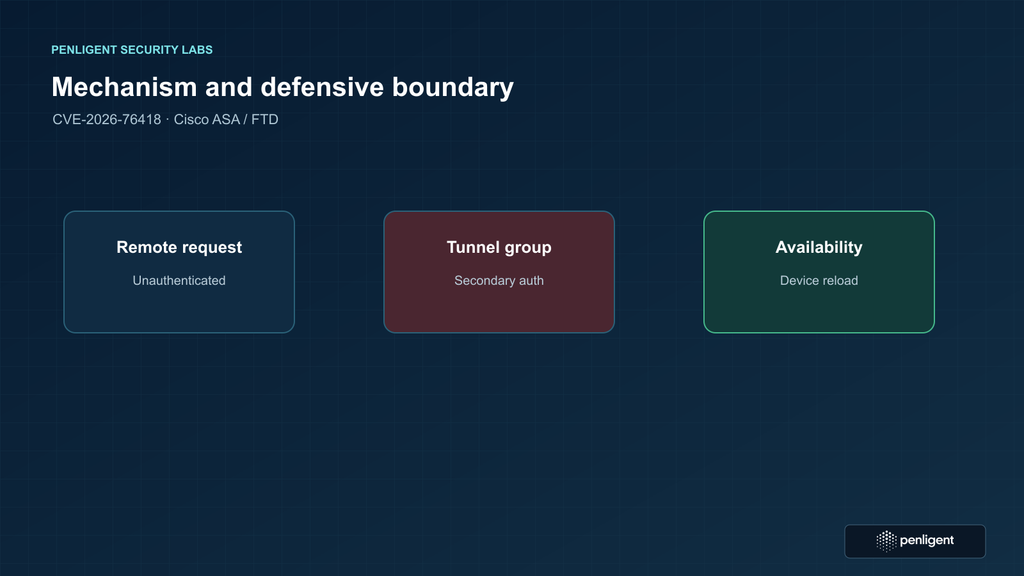
Cisco has confirmed active exploitation of CVE-2026-76418, a denial-of-service vulnerability in the Remote Access SSL VPN service of Cisco Secure Firewall Adaptive Security Appliance (ASA) Software and Cisco Secure Firewall Threat Defense (FTD) Software. A remote attacker does not need a VPN account to reach the affected processing path. The exposure is conditional: the device must run an affected release, its SSL remote-access VPN login service must be reachable, and a relevant tunnel group must have secondary authentication configured. A successful attack can make the firewall reload unexpectedly and interrupt service.
The response should begin with evidence, not a test packet. Identify every externally reachable ASA and FTD gateway, compare its exact software release with Cisco’s fixed-release table, and review every connection profile that can be selected or used as the default. Do not send crafted requests to see whether the appliance reboots. Cisco says the vulnerability is actively exploited and provides fixed software; that is enough to prioritize a controlled upgrade without reproducing the outage.
This distinction matters because a single device can serve thousands of remote users, terminate site-to-site or other firewall traffic, and provide a path to internal applications. Availability impact can therefore extend beyond the SSL VPN itself. Conversely, the vulnerability is not a claim that every Cisco firewall, every VPN protocol, or every Remote Access VPN configuration is vulnerable. The release and tunnel-group conditions in the Cisco security advisory for CVE-2026-76418 are the authoritative starting point.
What CVE-2026-76418 means for firewall operators
Cisco classifies this issue as High with a CVSS 3.1 base score of 8.6. The published vector is AV:N/AC:L/PR:N/UI:N/S:C/C:N/I:N/A:H. In practical terms, the vendor describes a network-reachable, unauthenticated denial of service with high availability impact. The advisory attributes the defect to logic errors when secondary authentication is configured on a tunnel group. A crafted request while connecting to SSL Remote Access VPN can cause an affected device to reload. The security bulletin was first published on October 28, 2026, and Cisco states that its Product Security Incident Response Team became aware of active exploitation during October 2026.
These details answer several operational questions directly. A successful VPN login is not required. A working second-factor service does not by itself remove the vulnerable processing condition. The attack does not require a victim to click a link or approve a prompt. Cisco’s stated impact is device reload and denial of service; the advisory does not describe remote code execution, authentication bypass, configuration disclosure, or data theft. Incident reports should preserve that distinction. A reboot is serious, but it is not evidence on its own that an attacker gained an interactive session or extracted data.
The record is available through the CVE Program’s CVE-2026-76418 record ve NIST National Vulnerability Database entry. Cisco’s advisory remains the best source for product-specific exposure and fixed releases because it documents the exact configuration checks. Aggregator summaries can be useful for inventory, but they should not replace the vendor’s conditions when deciding whether a particular connection profile is affected.
| Question | Confirmed answer | What an operator should verify |
|---|---|---|
| Which products? | Cisco Secure Firewall ASA Software and Cisco Secure FTD Software, when the affected conditions are present. | Product family, exact release, deployment mode, and whether the SSL VPN service is enabled. |
| What service? | Remote Access SSL VPN. | Whether the login service is reachable from the Internet or another untrusted network. |
| What configuration matters? | A secondary authentication server group configured in the relevant tunnel-group scope, including default-group cases. | Every connection profile and the default DefaultWEBVPNGroup, not only groups shown on the login page. |
| Must the attacker authenticate? | No successful VPN login is required to reach the vulnerable processing path. | Do not treat successful authentication controls as a substitute for patching. |
| What is the stated result? | An unexpected device reload leading to denial of service. | Correlate reload and outage evidence; do not infer a different impact without evidence. |
| Is active exploitation confirmed? | Yes. Cisco says PSIRT became aware of active exploitation in October 2026. | Use the advisory’s current version and exploitation information during response. |
| Is there a workaround? | No complete workaround. Cisco documents a mitigation that disables secondary authentication or, in one case, the tunnel-group list. | Evaluate security and user impact before using the temporary mitigation; plan an upgrade. |
How the affected configuration fits together
ASA and FTD Remote Access VPNs use connection profiles, commonly called tunnel groups, to select connection-specific settings. A profile can specify authentication, authorization, address assignment, group policy, and other session behavior. An installation may expose a list of profiles to users, select a profile by another configured mapping, or rely on the default connection profile. A profile’s secondary authentication setting identifies another authentication server group for the additional credential check. Cisco’s command reference explains that secondary-authentication-server-group associates a secondary AAA group with a tunnel group when double authentication is enabled. The feature is legitimate and can be part of an organization’s access policy; the CVE concerns a logic error in the SSL VPN request handling when this setting is present.
The name “secondary authentication” can invite a misleading conclusion: because a user must satisfy two checks, an unauthenticated remote party should not be able to affect the device. Authentication is a session-control decision, however, and the vulnerable logic is reached while processing a connection attempt. Cisco explicitly says that successful VPN login is not required to reach the affected processing path. The second credential protects access to a session, but it does not prevent every pre-authentication parser or state-machine path from executing. That is why an account inventory or a review of MFA enrollment alone cannot answer the exposure question.
The distinction between a secondary authentication server and an authorization server also matters. Operators sometimes use “MFA,” “double authentication,” “secondary AAA,” and “authorization” loosely in change tickets. Cisco’s command reference and configuration guides describe the relevant CLI attribute as secondary-authentication-server-group. A profile with a separate authorization policy is not automatically the same condition. The assessment should inspect the deployed configuration for the exact attribute named by the advisory, rather than infer exposure from a policy label or from the presence of an external identity provider.
In simplified form, the documented condition is the intersection of three facts: the installed software is affected; the SSL Remote Access VPN service is enabled and reachable; and the relevant tunnel-group scope uses a secondary authentication server group. If any one of these facts is absent, the advisory’s documented vulnerable configuration does not apply as stated. That is not a substitute for checking Cisco’s product scope or a later advisory revision, but it provides a sound way to triage the first pass.
The service check is not limited to whether a web page is visible at the usual login URL. Deployments may use alternate interface addresses, NAT, load balancers, split DNS, or a cloud edge. A firewall might also be reachable only from partner networks or a corporate WAN rather than from the public Internet. “Reachable” should be assessed from the attacker’s plausible network position described by the advisory, using existing architecture records and approved exposure monitoring. Do not scan third-party ranges or send crafted requests to a production device.
The configuration check is not limited to the connection profiles shown in a drop-down. Cisco specifically says that when tunnel-group-list enable is configured, administrators should check all tunnel groups, including the default tunnel group, for the secondary authentication setting. When the list is absent or disabled, the default group still matters. A profile can be selected by group URL, a preconfigured client profile, or other routing behavior without appearing in an interactive selection list. A hidden or unadvertised profile is not equivalent to a removed profile.
This also means administrators should avoid a partial text search that only returns profiles with a familiar business name. The review needs an inventory of all configured remote-access tunnel groups, the default group, and the contexts or interfaces where a secondary group can be applied. Cisco’s documentation includes interface-specific options for the secondary authentication server group. If an organization uses multi-context mode, multiple devices, or configuration generated by a management center, validate the effective deployed configuration on each appliance and context, not only a high-level policy object.
Attack path and availability impact
A defensible attack-path description should stay at the level Cisco has published. An attacker with network access to the SSL Remote Access VPN login service sends a crafted request. Under the relevant secondary-authentication configuration, a logic error can lead to an unexpected reload. The device becomes unavailable during the reload and recovery period, and existing VPN sessions may be interrupted. Repeated disruption can prevent staff, suppliers, and responders from reaching systems that rely on remote access.
That sequence does not require a successful login, but it does require the device to expose the vulnerable service and configuration. This is an important difference between vulnerability severity and universal exposure. A gateway can run an affected version and still not meet the documented condition if Remote Access SSL VPN is disabled, the relevant endpoint is not reachable from the attacker’s network, or no applicable tunnel group uses secondary authentication. On the other hand, assuming that a gateway is safe because its login page is not advertised or because the default profile is not displayed is not sufficient: the active configuration and network path need to be checked.
The CVSS vector helps explain the rating without predicting the outcome of a real incident. AV:N reflects network attack; PR:N and UI:N indicate no privileges or victim interaction are required in the stated scenario; A:H reflects high availability impact. The Scope Changed value indicates an impact beyond the vulnerable component’s security authority in the CVSS model. The zero confidentiality and integrity values reflect Cisco’s published scoring, not proof that every downstream service is unaffected. If a firewall reload disconnects administrators or blocks access to other protected systems, the business consequence can be broad even while the vulnerability’s direct confidentiality and integrity impact remain scored as none.
Organizations should therefore evaluate blast radius by topology. Ask which services traverse the gateway, which identities use the SSL VPN, whether the device also performs site-to-site VPN or network segmentation, how high availability is configured, and whether management access depends on the same path. A redundant pair reduces some forms of downtime but does not automatically make the vulnerable condition harmless. If both peers run affected software with the same vulnerable connection profile, a shared trigger may affect both, or an incident may move between peers. Cisco’s advisory does not state that high availability prevents exploitation.
Service availability planning should include the time needed for the device to reload, restore control-plane state, re-establish routing and tunnels, and allow remote users to reconnect. It should also consider secondary effects: a surge of reconnect attempts, delayed authentication to an external AAA service, or support staff temporarily losing their remote path. A technically short restart can create a longer business interruption if the surrounding access dependencies are not ready.
Keep the incident conclusion proportional to evidence. A reload near a period of suspicious network activity is a reason to investigate, not automatic proof of CVE exploitation. Similar symptoms can result from maintenance, hardware faults, other software defects, power interruption, or operator changes. Conversely, lack of a visible login event does not exclude this CVE because Cisco states that a successful login is unnecessary. The right conclusion may be “possible exploitation under investigation” until crash data, logs, traffic metadata, and configuration conditions are correlated.
The article’s exposure infographic should show the preconditions and service outcome without depicting the request format. A generic envelope at the boundary is enough. Publishing a concrete trigger would not help an operator decide whether a configuration is exposed; it would create an unnecessary availability risk. The practical defensive work is a configuration audit and upgrade, not a production exploit test.
Products, releases, and fixed versions
Cisco lists affected release families separately for ASA and FTD. The listed fixed releases are the first releases in those trains that include a correction for this CVE. They are not a recommendation to ignore later fixes, and they are not a substitute for confirming that a target release supports the hardware, management center, and features in a particular deployment. Cisco’s product-specific Software Checker can compare a selected release with advisories and return the first fixed version. Run it for the exact product and release rather than comparing only a major version number.
| Ürün | Release train shown by Cisco | First fixed release in advisory |
|---|---|---|
| ASA Software | 9.16 and earlier | 9.16.4.104 |
| ASA Software | 9.18 | 9.18.4.96 |
| ASA Software | 9.20 | 9.20.4.50 |
| ASA Software | 9.22 | 9.22.3.200 |
| ASA Software | 9.23 | 9.23.1.48 |
| ASA Software | 9.24 | 9.24.1.27; Cisco also lists 9.24.10.1 |
| FTD Software | 7.0 and earlier | 7.0.11 |
| FTD Software | 7.2 | 7.2.13 |
| FTD Software | 7.4 | 7.4.9 |
| FTD Software | 7.6 | 7.6.7 |
| FTD Software | 7.7 | 7.7.14 |
| FTD Software | 10.0 | 10.0.3 |
| FTD Software | 10.1 | 10.1.1 |
The versions above are reproduced from the Cisco advisory’s fixed-release table. Cisco notes that its PSIRT validates only the affected and fixed release information documented in the advisory. The advisory presents two fixed entries under ASA 9.24. Treat them as Cisco-listed fixed targets, then use the software checker and the current release documentation to select the appropriate supported train. Do not interpolate a release for an unlisted branch or assume that the next release number is safe.
Release trains that do not appear in a short table require care. Cisco’s advisory names specific branches, and its vulnerability conditions can vary by product. If a device reports a train not shown in the table, do not decide that it is unaffected solely because the number is absent. Check the current Cisco advisory, its machine-readable CSAF statement, Software Checker, and Cisco support guidance for that exact product and release. Preserve the query result with the device record so that another engineer can reproduce the decision.
Similarly, a device that has a “recommended” release in a compatibility page may still need a later release to remediate a security advisory. Cisco’s advisory tells customers to follow the security fix when it recommends a later version than the recommended release document. This is why a patch decision should reconcile three dimensions: the security fix, the hardware and management compatibility, and the maintenance train supported by the organization.
ASA and FTD are related product families, but their upgrade paths are not interchangeable. ASA release selection depends on hardware, ASDM or other management compatibility, feature support, and the current train. FTD may be managed by Secure FMC or Secure Firewall Device Manager, and the management platform imposes its own upgrade order and compatibility constraints. Use the ASA compatibility guide for ASA hardware and software combinations and the FTD compatibility guide for FTD releases and management combinations. These links help choose a viable target; they do not override the advisory’s first-fixed versions.
For ASA changes, Cisco’s ASA upgrade planning guide explains the preparation and path-selection process. For FTD managed by FMC, Cisco’s Secure Firewall Management Center install and upgrade guide index links to the appropriate version-specific procedure. Read the guide for the exact source and destination releases; intermediate upgrades may be required. A rushed direct jump that is unsupported by the management center can create more downtime than the vulnerability response prevents.
A “fixed release” is a software property, while a “remediated asset” is an operational conclusion. The asset is not complete until its observed running version is at or above a Cisco-confirmed fixed target, the deployed configuration matches the intended security policy, and the service works after the change. A downloaded image, a scheduled change, or a successful management-center job is evidence of progress, not proof that the vulnerable appliance is fixed.
Safe exposure assessment without triggering a reload
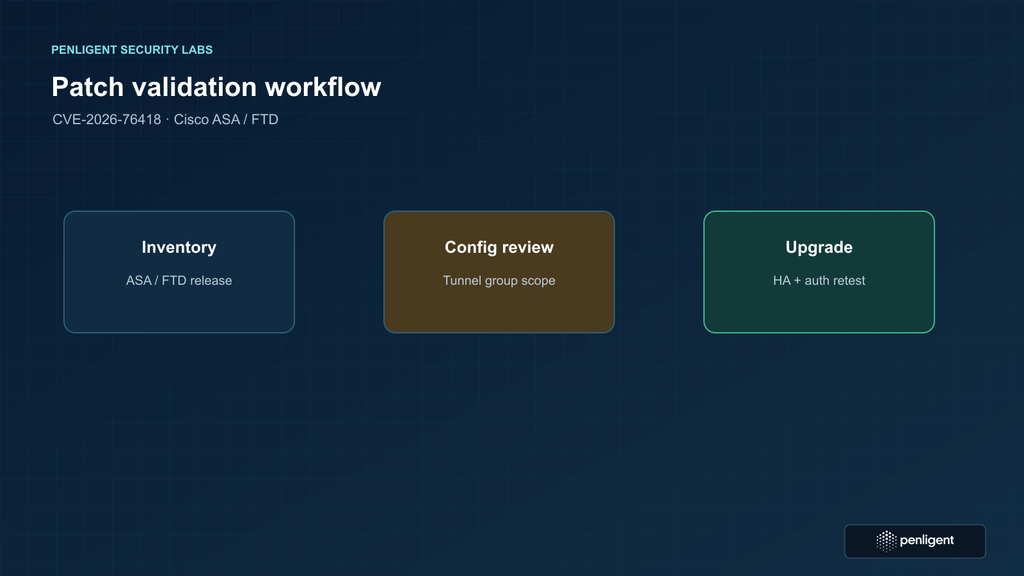
Begin with an inventory assembled from device management, network diagrams, external attack-surface records, and service ownership. Include production, disaster-recovery, laboratory, and temporarily deployed gateways. Capture the product and model, serial or cloud identity, software release, management plane, operating mode, HA peer, internet-facing interface, public address or upstream NAT, and the group responsible for maintenance. Inventory data decays quickly; a vulnerability response should reconcile it with current device evidence.
For ASA, collect the running software release from the device’s operational status and verify it with the relevant show-version output. For FTD, record the deployed version from FMC or FDM and, where appropriate, the resulting device running configuration. Avoid relying only on an image repository or a management center’s target-version field: the target and active version can differ during a staged upgrade or a failed deployment. Store a dated capture with the asset record.
Next, establish whether SSL Remote Access VPN is enabled and on which interface. Cisco’s advisory uses a running configuration containing webvpn ve enable <interface_name> as the indicator for an enabled SSL VPN interface. FTD administrators should review the deployed Remote Access VPN policy in FMC or FDM as well as the resulting configuration. A policy that exists in the management center but was never successfully deployed does not prove that the data-plane service is listening; conversely, a stale central object should not lead an operator to ignore a live configuration.
Then inspect tunnel groups. If tunnel-group-list enable is configured, review all tunnel groups and the default DefaultWEBVPNGroup için secondary-authentication-server-group. If the list is disabled or absent, still review the default group. Cisco explicitly warns that disabling the visible list does not remove exposure when the default group uses secondary authentication. Do not limit the review to groups displayed on the login page.
The ASA CLI supports show commands for examining configuration without changing it. For example, a qualified operator can retrieve the relevant running-config sections and perform a local search for the exact setting. The Cisco ASA VPN connection-profile documentation ve ASA show-command reference describe the relevant profile and inspection context. Confirm syntax against the release and deployment mode in use. Never paste an unreviewed change command into a production console as a “check.”
A configuration export may contain usernames, server names, addresses, secrets, or other sensitive details. Run searches within an approved administrative workstation or secure configuration-analysis system. Avoid uploading a complete running configuration to public search engines, online paste services, chat tools, or a vendor checker that does not need those contents. Record a minimal finding such as “secondary authentication present in group X” and protect the underlying export under the organization’s configuration-handling rules.
Finally, establish reachability from the relevant network zones. Reuse existing firewall rules, NAT configuration, remote access inventory, external monitoring, DNS, and approved asset-discovery data. If a validation connection is necessary, use an ordinary authorized health check that does not attempt to exercise the vulnerable path. The objective is to determine whether the service is exposed to a plausible attacker, not to force the appliance to parse a request intended to crash it. A browser request to the login page is still a connection attempt; do not use production devices for ad hoc manual probing if the policy forbids it.
Classify the evidence in a short record:
| Evidence question | Evidence to retain | Decision use |
|---|---|---|
| Is the software affected? | Product name, exact running version, capture time, Cisco Software Checker result, and advisory revision. | Selects whether the version falls below a fixed target or needs Cisco clarification. |
| Is SSL RAVPN enabled? | Approved configuration extract or deployed FMC/FDM policy and the observed interface state. | Establishes whether the relevant service is present. |
| Is the login service reachable? | Network path, interface/NAT policy, exposure-monitoring result, and applicable source zones. | Establishes whether an unauthenticated party can reach the service. |
| Is secondary authentication configured? | All applicable tunnel groups, including default profile, with secret values redacted. | Establishes whether the documented configuration condition is present. |
| Is there evidence of prior disruption? | Reload reason, crash data, management events, VPN availability, monitoring, and time-correlated network metadata. | Supports investigation; a reload alone does not prove exploitation. |
Keep the evidence fresh. A change to an FMC policy, a connection profile, a NAT rule, or an upstream load balancer can change exposure. A snapshot taken before the last deployment should not be treated as the live configuration. If asset automation is available, have it collect versions and approved configuration indicators on a recurring schedule and alert on drift. Keep the collection read-only and avoid asking an automation platform to send a crafted SSL VPN request.
Access should follow least privilege. A version check may be available through a read-only role, while a configuration export may require a higher role. Separate the people who collect evidence from those who approve mitigations and execute a reload if that fits the change process. This reduces accidental configuration changes during rapid triage and gives incident responders a clear chain of custody for evidence.
The presence of another authentication factor does not make this vulnerability inapplicable; it is the condition that makes certain profiles vulnerable. This counterintuitive configuration dependency can lead to defensive changes that create new risk if done hurriedly. Preserve the exact profile names and AAA dependencies in the evidence package. When a temporary mitigation is being evaluated, the change reviewer needs to know which user communities will lose a factor or need a different connection method.
A safe validation exercise for a lab or change window
A safe proof of remediation should demonstrate that an asset meets the vendor’s fixed-version target and that the ordinary business workflow still functions. It should not attempt to prove the flaw by causing a reload. For a production device, combine configuration review, exact version evidence, and a controlled normal VPN login with monitoring. For a laboratory device, use the same approved configuration profile and representative clients, but still avoid a crash trigger unless Cisco provides a safe vendor test and the exercise is explicitly authorized with a recovery plan.
The following educational pseudocode compares an inventory record with the advisory’s fixed-version policy. It reads a local JSON file supplied by the network team; it makes no network connection, does not parse a running configuration, and does not change a firewall. The release comparison is deliberately supplied by a validated policy table rather than implemented as a loose string comparison, because version ordering and release branches should be confirmed against Cisco’s tool and documentation.
inventory = read_json("approved-firewall-inventory.json")
fixed_policy = read_json("cisco-cve-2026-76418-fixed-policy.json")

for device in inventory:
    if device.owner_approved is not true:
        report(device.id, "NEEDS OWNER REVIEW")
        continue

    version_status = fixed_policy.lookup(device.product, device.release)
    config_status = device.secondary_auth_in_scope
    service_status = device.ssl_ravpn_reachable_from_untrusted_zone

    if version_status == "unknown":
        report(device.id, "CHECK CISCO SOFTWARE CHECKER")
    elif version_status == "affected" and config_status and service_status:
        report(device.id, "PRIORITIZE FIXED RELEASE")
    elif version_status == "affected":
        report(device.id, "AFFECTED RELEASE; VERIFY CONFIGURATION AND REACHABILITY")
    else:
        report(device.id, "VERSION AT OR ABOVE VERIFIED FIXED TARGET")
The data model should distinguish gerçek, falseve unknown. A missing config export is not equivalent to “no secondary authentication.” A firewall with unknown reachability is not automatically internal. Unknown values should create a follow-up task, not a green status. The policy file should include the advisory URL, advisory version/date, product train, fixed target, and date the release mapping was reviewed.
For an operational test after upgrading, define success criteria before the window. At minimum, record the running version; confirm the intended connection profiles and group mappings; establish that primary and secondary authentication servers are reachable; complete a normal authorized connection; confirm user address assignment and policy; and verify that the device remains stable under expected load. In an HA deployment, verify peer health and the organization-approved failover behavior. A test should be scoped to the normal application workflow and must not send a crafted request to trigger the vulnerability.
A good test plan is explicit about exclusions. It should say that it does not test exploitation, does not send malformed or crafted protocol input, does not access third-party networks, and does not use the production login page for arbitrary fuzzing. If security testing requires protocol fuzzing, plan it on an isolated, disposable device with vendor guidance and a dedicated recovery process. Do not confuse that specialized research activity with the routine patch-verification exercise most administrators need.
Record both expected and observed results. For example, expected behavior might be that an authorized employee can connect through the correct profile, complete both authentication stages, receive the intended access policy, and disconnect cleanly. Observed results should include the test account class (not the secret), source zone, time, selected profile, result, device version, and log references. If the connection fails, stop and determine whether the cause is an upgrade regression, an AAA outage, a profile mismatch, or a network path issue before declaring the security change unsuccessful.
Do not use “no reload during a five-minute test” as the main evidence that the issue is fixed. A negative exploit test is inherently weak and can be dangerous; the absence of a crash in one sample does not prove absence of a flaw. A fixed-release version check is stronger, and the configuration review confirms the original precondition. The service test validates operational readiness, not vulnerability existence.
Temporary mitigation and its security cost
Cisco’s advisory does not provide a complete workaround that preserves the vulnerable feature unchanged. It describes mitigation options that remove the secondary-authentication condition from the affected tunnel group, and it discusses disabling the tunnel-group list in a particular configuration. These actions change the authentication and connection-selection behavior. They can reduce the documented exposure condition, but they do not turn an affected software release into a fixed release.
Removing a second authentication factor can materially lower account-protection strength. It may also conflict with policy, insurance conditions, contractual requirements, or a zero-trust design. A change ticket should therefore describe the mitigation as a temporary risk acceptance or emergency containment measure, identify the affected user population, and name the date by which the fixed software must be installed. The ticket should include a rollback procedure that restores the approved secondary authentication configuration after the upgrade.
Before changing a profile, map the dependency chain. Identify the primary authentication method, secondary server group, group policy, address pool, authorization attributes, certificate requirements, posture checks, and any remote-access client profile that selects the tunnel group. Removing one line can cause users to fall through to a different policy or to authenticate with an unintended factor. Test the proposed change with a controlled account and an alternate administrative path before applying it broadly.
Use compensating controls only where they are technically meaningful and already supported by the architecture. A restrictive source-network policy can reduce reachability but may not help when users connect from changing networks. A managed access gateway or upstream allowlist can limit exposure while a patch window is arranged, but it should not be described as a vendor workaround unless Cisco documents it. Increased monitoring can improve detection; it cannot prevent the vulnerable logic from being reached. Treat external exposure reduction, monitoring, and feature changes as separate controls with separate owners.
When a temporary mitigation is applied, capture before-and-after evidence. Record the profile, the previous and new settings, the change time, the approver, the expected effect, the test result, and the next review date. Monitor failed logins, successful sessions, help-desk reports, AAA health, and VPN availability. If users are moved to a single-factor flow, make that change visible in access reviews and return to the intended policy immediately after the fixed release is validated.
A mitigation can also create a false sense of completion. Configuration drift, a second profile, or a default group can leave a vulnerable condition in place even after one named profile is changed. Re-run the all-profile review after the change and after the upgrade. A central management policy should be compared with the device’s effective configuration so that an un-deployed or partially deployed change does not receive a green status.
Planning the upgrade and the maintenance window
Start by selecting an approved fixed release for each product and branch. The release should remediate CVE-2026-76418, support the hardware or virtual platform, remain compatible with the management system, and satisfy the organization’s maintenance baseline. Cisco’s fixed versions are minimum security targets in the advisory. A later supported release can be preferable when it includes other needed fixes, but it must be checked for feature changes and migration requirements.
Build a dependency map before scheduling the change. For ASA, include ASDM or the current management workflow, licensing, interface and routing behavior, certificate stores, remote-access client packages, external AAA servers, and any automation that expects a specific command or output. For FTD, include FMC or FDM version, device and policy deployment state, Snort or inspection policy dependencies, certificate enrollment, remote-access VPN objects, and the management-channel path. Include the HA pair, failover links, monitoring, logging collectors, and the out-of-band console.
Back up configuration and record the current operational baseline. A backup is useful only if it can be restored on the target release and its sensitive values remain protected. Capture interface status, routing neighbors, VPN tunnel counts, remote-access sessions, AAA health, certificate expiration, HA state, and relevant monitoring alerts. Use an approved secure repository; do not put a running configuration or private key in a ticket comment or an unprotected local folder.
Prepare a maintenance communication that names the user-visible effect. Remote users may be disconnected while the active peer reloads, while the standby peer is upgraded, or while sessions are re-established. The communication should give support staff the alternate access path, the expected start and end times, and the symptoms that should be escalated. If the VPN gateway protects a response team, arrange an independent channel before starting. A remote-only administrator should not begin an upgrade without a tested out-of-band path.
Use the upgrade order specified by Cisco for the deployment. In an HA pair, follow the supported active/standby sequence and monitor failover state at every stage. Do not improvise a simultaneous upgrade because both devices appear healthy. A pair with mismatched releases may be supported only for a limited transition state; the exact compatibility rules depend on product and release. The Cisco ASA installation and upgrade guide index and the FTD management guides provide version-specific procedures.
After the image is installed, wait for the device to reach the expected control-plane state before testing users. Confirm that interfaces, routes, NAT, access rules, certificates, AAA connectivity, and logging destinations are present. Confirm that the remote-access policy is deployed and that the intended connection profiles still map to the right group policies. An upgrade that fixes the CVE but drops a certificate chain or changes an AAA timeout is not operationally complete.
Make the rollback boundary explicit. Define which observation triggers a rollback, who can authorize it, how configuration and images are restored, and how user communication changes. A rollback should not silently return the appliance to an affected release without an exception decision. If a rollback is required, apply the least disruptive temporary containment that Cisco supports, record the exposure, and schedule a new fixed-release window with the new failure evidence attached.
When the change is complete, update the asset record with the observed running release and the advisory reference. Attach the version output, configuration review result, normal VPN test, HA result, monitoring period, and approver. Keep the evidence long enough to support incident response, audits, and later vulnerability-management reconciliation. A patch dashboard that only records “change successful” cannot prove that the affected configuration was removed.
Detection, triage, and incident response
Detection for this CVE is primarily an availability and configuration problem. Useful signals include an unexpected reload, a crash or traceback record, simultaneous loss of remote-access sessions, a sudden increase in VPN reconnects, and a matching spike of unusual connection attempts at the SSL VPN boundary. None of these indicators is unique to CVE-2026-76418. Their value increases when they occur on a device that matches the vulnerable version and tunnel-group conditions.
Start with the device’s reload reason and crash evidence. Preserve the original files before a cleanup process rotates them. Record the local time zone, clock state, NTP status, and the corresponding UTC window. Export relevant management, VPN, AAA, interface, and failover logs to a protected system. If the device sends logs to a collector, compare collector arrival times with on-box timestamps; a network outage or reload can create gaps that look like the device stopped generating events.
Review monitoring telemetry around the event. Look for loss of health checks, management-channel disconnects, HA state transitions, routing neighbor changes, and changes in VPN session counts. Correlate those signals with change tickets, power and hardware alerts, and planned maintenance. A clean timeline helps distinguish a software reload from a facility event, an operator action, or a different denial-of-service condition.
Inspect the exposed-service context without replaying suspicious requests. Identify the public or partner-facing interface, upstream NAT, load balancer, and source networks observed during the window. Use retained flow metadata or firewall telemetry to determine whether a client repeatedly connected to the SSL VPN service. Avoid collecting or distributing full packet payloads unless the incident process requires them and the data is handled securely. The objective is to establish reachability and correlation, not to reproduce the trigger.
Preserve configuration evidence from before and after the event if available. A profile may have been changed after the reload, and a later configuration snapshot can hide the original condition. Use device configuration archives, management audit records, and approved backups to reconstruct the relevant state. Mark each fact as observed, inferred, or unknown. This prevents a response team from turning a plausible hypothesis into an unsupported incident conclusion.
If active exploitation is suspected, prioritize recovery and evidence together. Stabilize the gateway with the Cisco fixed release or an approved containment, but do not erase crash files or overwrite logs before collection. Notify the incident owner, network owner, and security response team. Cisco’s security advisory and PSIRT guidance can be used to align escalation. A vendor support case may require serial information, software version, crash data, configuration excerpts, and a timeline; prepare those without sharing secrets unnecessarily.
Assess the business impact separately from the technical cause. Record the duration and scope of VPN unavailability, the number of affected remote users, critical workflows that missed their recovery objective, and whether alternate access was available. If the gateway also carried site-to-site VPN or segmentation functions, document any non-SSL-VPN consequences. The CVE’s published direct impact is availability, but a prolonged outage can cause missed operational or regulatory obligations.
After recovery, hunt for recurrence and related weakness. Search for other devices with the same product and release, the same tunnel-group pattern, or the same externally reachable exposure. Review whether an emergency mitigation weakened MFA and whether users received the intended communication. Update detections for unexpected reloads and VPN outage bursts. Close the incident only when the fixed version is observed, the relevant configuration is reviewed, evidence is retained, and the exception or mitigation record is resolved.
Using authoritative sources in a vulnerability program
A reliable workflow uses different sources for different questions. The Cisco advisory answers product scope, configuration conditions, exploitation status, and fixed releases. The CVE record provides the identifier and canonical vulnerability description. NVD provides an independent vulnerability record and scoring context. Cisco configuration and upgrade documentation explains how to inspect a deployed device and execute a supported change. CISA’s Known Exploited Vulnerabilities Catalog can add federal prioritization when the CVE is listed, but it should not replace Cisco’s product conditions.
Store source metadata with the finding. Include the URL, title, publication or revision date, the date your team reviewed it, and the exact claim taken from it. This is useful when advisories change fixed releases or update exploitation notes. A vulnerability ticket with only a copied CVE number cannot show why a device was classified as exposed or why a temporary mitigation was selected.
Map the finding to asset and control records. The asset record should hold the observed product and release; the configuration record should hold the relevant tunnel-group fact; the network record should hold reachability; and the change record should hold the upgrade and verification evidence. A single “patched” field collapses these distinct questions and makes exceptions hard to audit.
Use an exception only when the reason is concrete. Examples include unsupported hardware, a vendor-approved maintenance delay, a dependency on a management release, or a documented emergency change freeze. The exception should name the affected assets, the exposure conditions, the compensating controls, the owner, the expiry date, and the next review. Do not treat “the device has MFA” as an exception because MFA is part of the documented exposure condition.
Risk ranking should combine technical severity with exposure and evidence. CVSS 8.6 is high, but active exploitation and placement at an Internet-facing access boundary increase the action priority. A lab device with no reachable SSL RAVPN may still need updating through normal lifecycle work, while a production gateway with the documented condition deserves an emergency window. The same number can therefore produce different deadlines for different assets, provided the rationale is recorded.
Automation can help with the repetitive parts. A scheduled inventory can compare observed versions with a signed policy file, identify tunnel groups containing the exact setting, and attach reachability evidence. It should flag unknown values for review and avoid changing configuration. A management platform can enforce an approved target release after a human change decision, but it should not be asked to prove remediation through an exploit attempt. The safest automation is the one that makes the evidence easy to inspect.
Common mistakes during CVE-2026-76418 response
Checking only the default user-facing profile. The default group matters, but so do other tunnel groups and profiles selected by group URL or client settings. Review the complete effective configuration.
Assuming a successful MFA test proves safety. A normal login proves that the authentication workflow works for that test account. It does not prove that the pre-authentication vulnerable path cannot be reached.
Turning off the second factor and closing the ticket. This may remove a documented condition, but it weakens access control and leaves the software unpatched. Track it as temporary containment with an expiry.
Testing production with a crafted request. A denial-of-service issue is not validated safely by making the device reload. Use fixed-version evidence, configuration review, and normal service tests.
Comparing release numbers as plain text. Cisco branches contain different numbering conventions. Use the vendor Software Checker and the exact fixed-release table.
Assuming HA eliminates the problem. A peer can share the affected release and configuration. Verify both nodes, the failover state, and the supported upgrade order.
Using a single monitoring gap as proof of attack. Reloads, clock drift, collectors, and network changes can all produce gaps. Correlate crash data, configuration, exposure, and flow evidence.
Leaving the fixed release undocumented. A device can be upgraded correctly and still appear vulnerable in asset tools. Record the observed running version and the evidence date.
SSS
What is CVE-2026-76418?
- It is a high-severity denial-of-service vulnerability in the Remote Access SSL VPN processing of Cisco ASA and Cisco FTD software under a documented secondary-authentication tunnel-group configuration.
- Cisco says an unauthenticated remote attacker can cause an affected device to reload, interrupting availability.
- Cisco also reports active exploitation, which makes timely remediation more urgent than a version-only severity label suggests.
Does an attacker need a valid VPN account?
- No successful VPN login is required to reach the vulnerable processing path described by Cisco.
- The attacker still needs network access to the SSL Remote Access VPN service, and the target must meet the affected release and configuration conditions.
- Do not use the absence of valid accounts or the presence of MFA as a reason to postpone the upgrade.
Are all Cisco ASA and FTD SSL VPN deployments vulnerable?
- No. Cisco’s conditions include the affected software release, an enabled and reachable SSL Remote Access VPN service, and a relevant secondary-authentication server-group configuration.
- Review every connection profile and the default profile. Do not infer safety from a hidden profile or an unadvertised login option.
- Use the current Cisco advisory and Software Checker for the exact product and release.
Can I safely test the vulnerability by sending a request?
- Do not send a crafted trigger to a production or shared gateway. The stated outcome is an unexpected reload and denial of service.
- Use read-only version and configuration checks, approved reachability evidence, and ordinary authorized VPN tests after upgrading.
- Any exploit research belongs in an isolated lab with vendor guidance, an explicit authorization, and recovery equipment.
Is disabling secondary authentication a fix?
- It can remove a documented exposure condition in some configurations, but it weakens authentication and is not a software fix.
- If used as emergency containment, document the affected profiles, user impact, compensating controls, owner, and expiry date.
- Upgrade to a Cisco fixed release and restore the intended authentication policy as soon as possible.
Which versions fix CVE-2026-76418?
- Cisco lists ASA fixed releases including 9.16.4.104, 9.18.4.96, 9.20.4.50, 9.22.3.200, 9.23.1.48, and the listed 9.24 fixed releases.
- For FTD, Cisco lists fixed releases including 7.0.11, 7.2.13, 7.4.9, 7.6.7, 7.7.14, 10.0.3, and 10.1.1.
- Confirm the exact branch and supported destination with Cisco Software Checker and the current advisory before scheduling.
What should be verified after the upgrade?
- Confirm the observed running version, effective tunnel-group configuration, SSL RAVPN reachability, certificates, primary and secondary AAA connectivity, and management state.
- In HA deployments, confirm both peers, failover health, and the supported upgrade sequence.
- Complete an ordinary authorized login through the intended profile, monitor stability, and retain the evidence with the change record.
Does an unexpected reload prove CVE exploitation?
- No. A reload can have many causes, including maintenance, hardware, power, another defect, or a different denial-of-service condition.
- On a device that meets the vulnerable conditions, a reload with correlated boundary activity deserves investigation.
- Preserve crash data, logs, flow metadata, configuration history, and a precise timeline before making an attribution.
How does Penligent fit into the workflow?
- A security team can use an authorized penetration-testing and validation workflow to verify exposure evidence, patch state, and normal access behavior across its own assets.
- The safe objective is repeatable evidence collection and remediation validation, not a destructive proof-of-concept against a live VPN gateway.
- Keep Cisco’s advisory and the device’s effective configuration as the source of truth for product scope and fixed versions.
Sonuç
CVE-2026-76418 deserves rapid treatment because it combines a network-reachable pre-authentication path, high availability impact, a common remote-access role, and Cisco-confirmed active exploitation. The most useful first action is a three-way check: exact running release, effective tunnel-group configuration, and reachability of the SSL Remote Access VPN service. That check identifies which devices meet the documented exposure conditions without putting production availability at risk.
For exposed devices, select a Cisco fixed release that is supported by the hardware and management platform, perform the upgrade through the approved maintenance path, and verify both the security condition and the user workflow afterward. Treat any temporary removal of secondary authentication as emergency containment with an explicit expiry. Preserve the version, configuration, reachability, HA, test, and monitoring evidence so the finding can be audited and closed on facts.
When an unexpected reload has already occurred, investigate carefully. Correlate device evidence, network telemetry, change history, and the documented vulnerability conditions. The goal is to restore a reliable remote-access boundary while retaining enough evidence to decide whether the event was exploitation, another technical fault, or an operational change. A fixed release plus a validated service and a retained record is the durable remediation outcome.
 Turkish
  English
  German
  French
  Spanish
  Portuguese
  Japanese
  Korean
  Hindi
Hindi  Arabic
  Hebrew