
Penligent Logo
  • Pricing
  • Docs
  • AI Pentest
  • Pentest Report
service@penligent.ai

Product

  • Pricing
  • FAQ

Resources

  • Docs
  • Hacking Labs
  • Tech Support

Company

  • About

Legal

  • Terms
  • Security
  • Privacy
Language
English
English中文日本語한국어EspañolFrançaisPortuguês (Brasil)DeutschРусскийالعربية
© 2026 Future Share LLC.
Disclaimer: Penligent is for authorized security testing only. You must have explicit permission from the target owner. Unauthorized use is prohibited and solely your responsibility.

Penligent User Guide · Docs Overview

Quick Links
Quick Start
Feature Guide
Global OverviewProject OverviewAgent Work StatusTarget OverviewAttack Path ManagementKey FindingsTool ResultsAsset ManagementScheduled TasksExport a Project ReportSettings

Penligent User Guide

Feature Guide

The project navigation bar provides views for the project overview, agent work status, target overview, attack path management, key findings, and tool results. Use Export Report on a project page to export a report for that project.
Agent Work Status

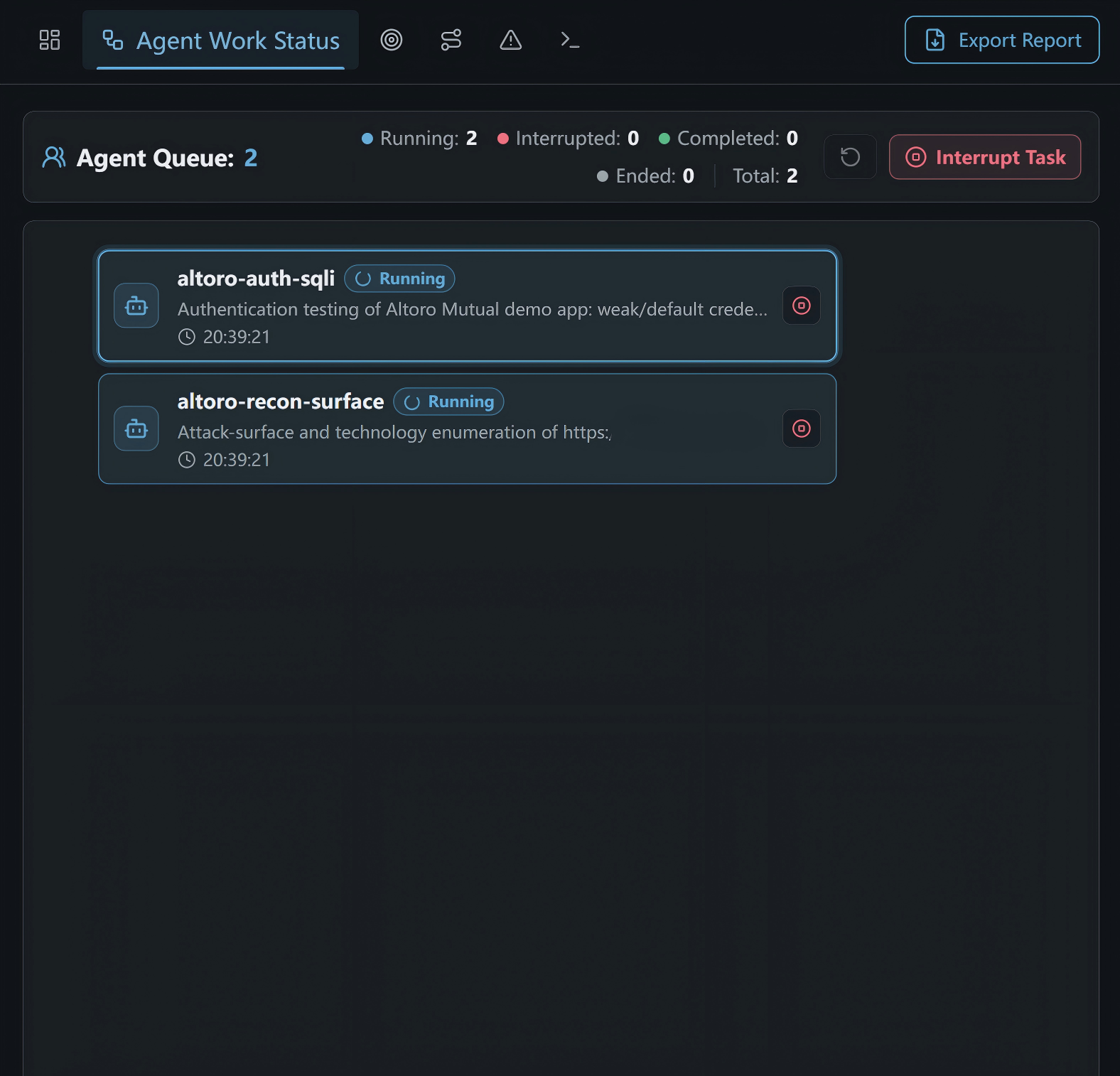
View the Task Queue

Agent work status and task queue
  • The queue summary shows task counts for Running, Interrupted, Completed, Ended, and Total.
  • Each task entry shows the agent name, status, task description, and elapsed time.
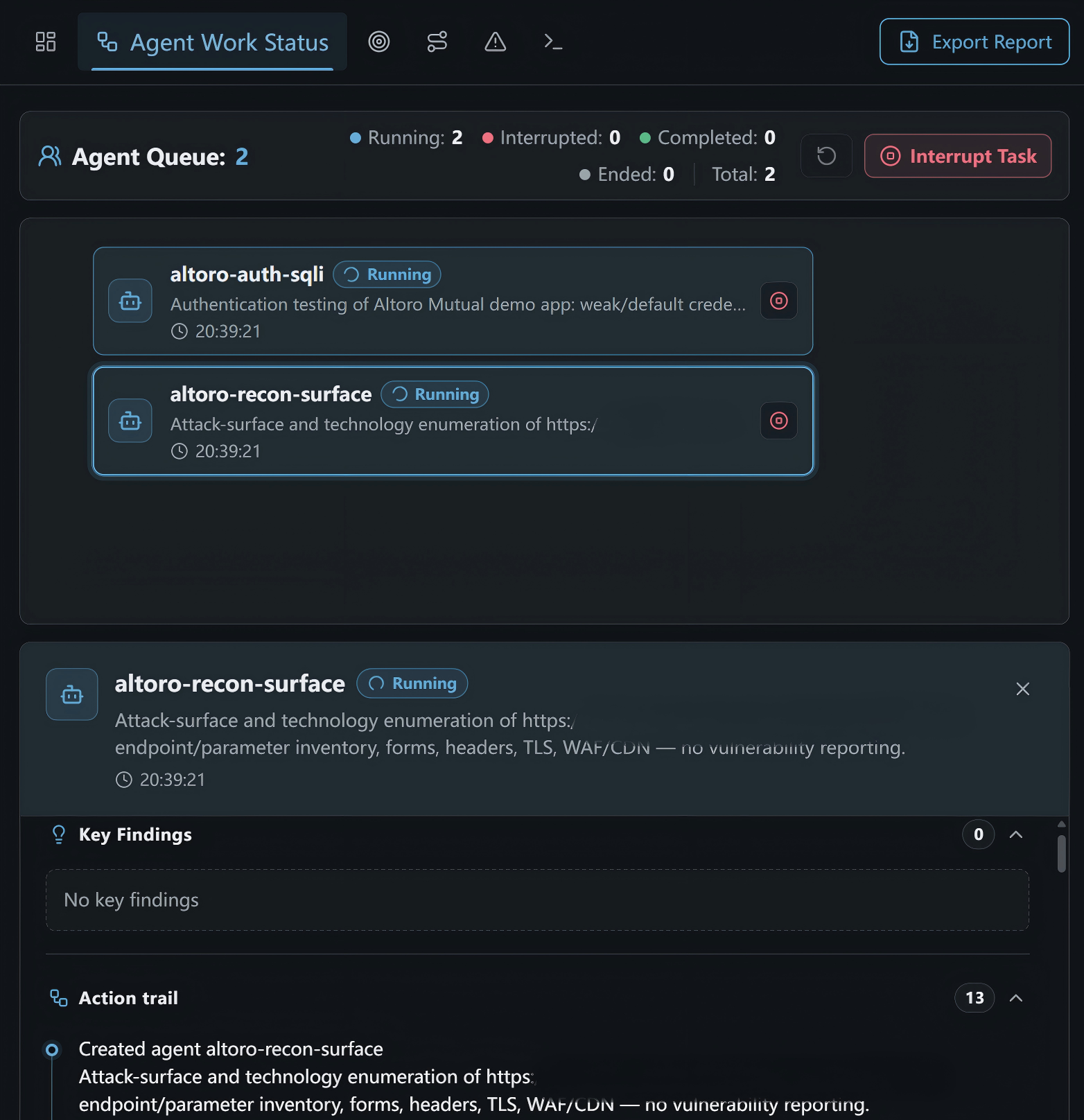
  • Select a task entry to expand its details.
  • Use the stop control beside an individual task to stop it, or click Interrupt Task to interrupt the current run.
  • Click the refresh control near the queue summary to reload the status.

Review Task Findings and Action Trail

Agent task details, key findings, and action trail

When a task is expanded, you can review:

  • Key Findings: Findings associated with the task and their count. No key findings or a count of 0 means none have been recorded yet.
  • Action trail: Actions recorded while the task was created and executed. Use the control beside the section title to expand or collapse it.
  • The task details area may contain additional execution information; scroll within the area to review it.