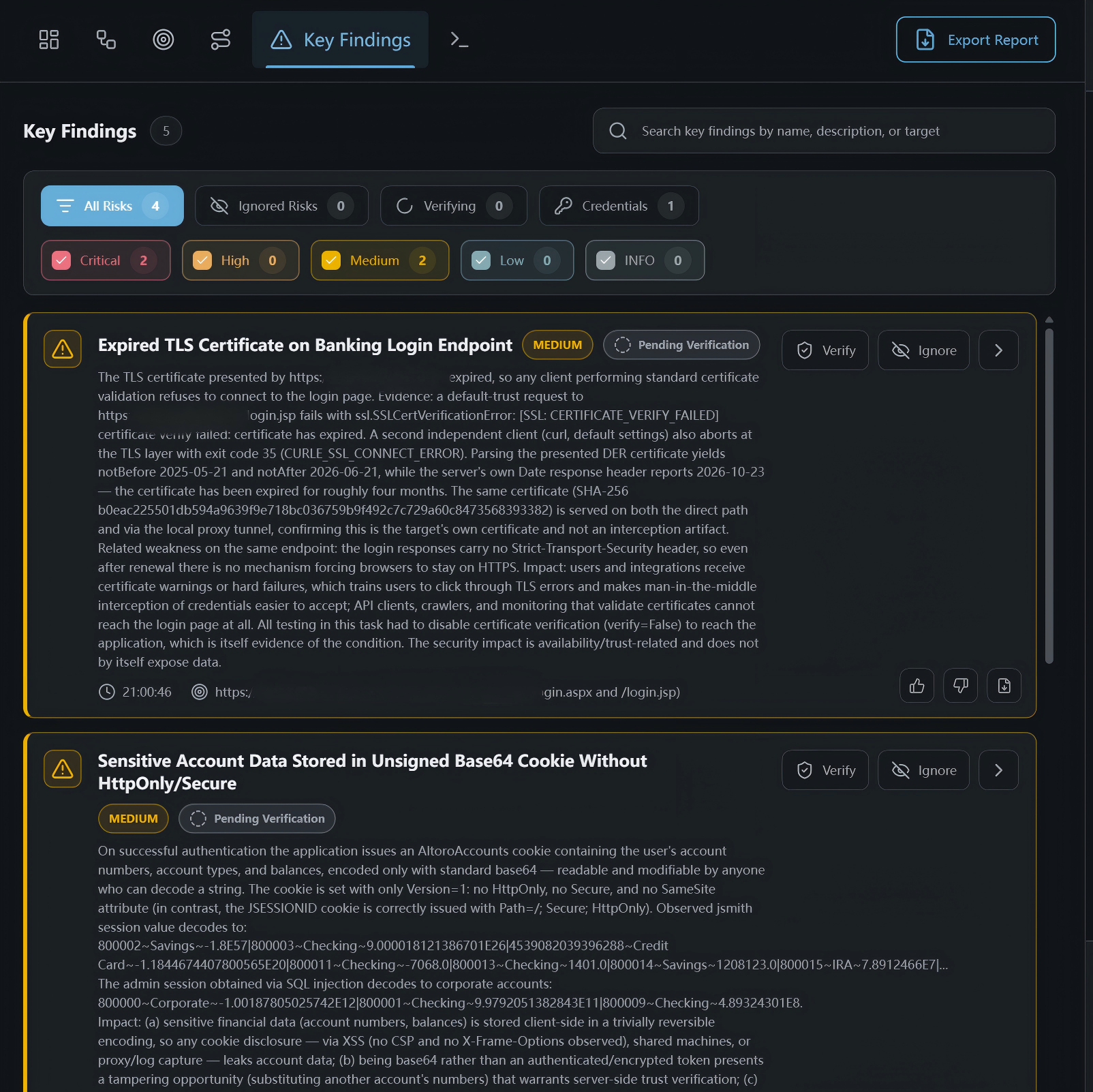
Use Key Findings to filter, inspect, and manage risks identified in the project:
- Search by finding name, description, or target.
- Use All Risks, Ignored Risks, Verifying, or Credentials to filter by status or category.
- Use Critical, High, Medium, Low, and INFO to filter by severity. The numbers beside the filters show the matching counts.
- Review each risk's title, severity, verification status, description, and affected target.
- Click Verify to mark a risk for verification, or Ignore to move it to the ignored risks list.
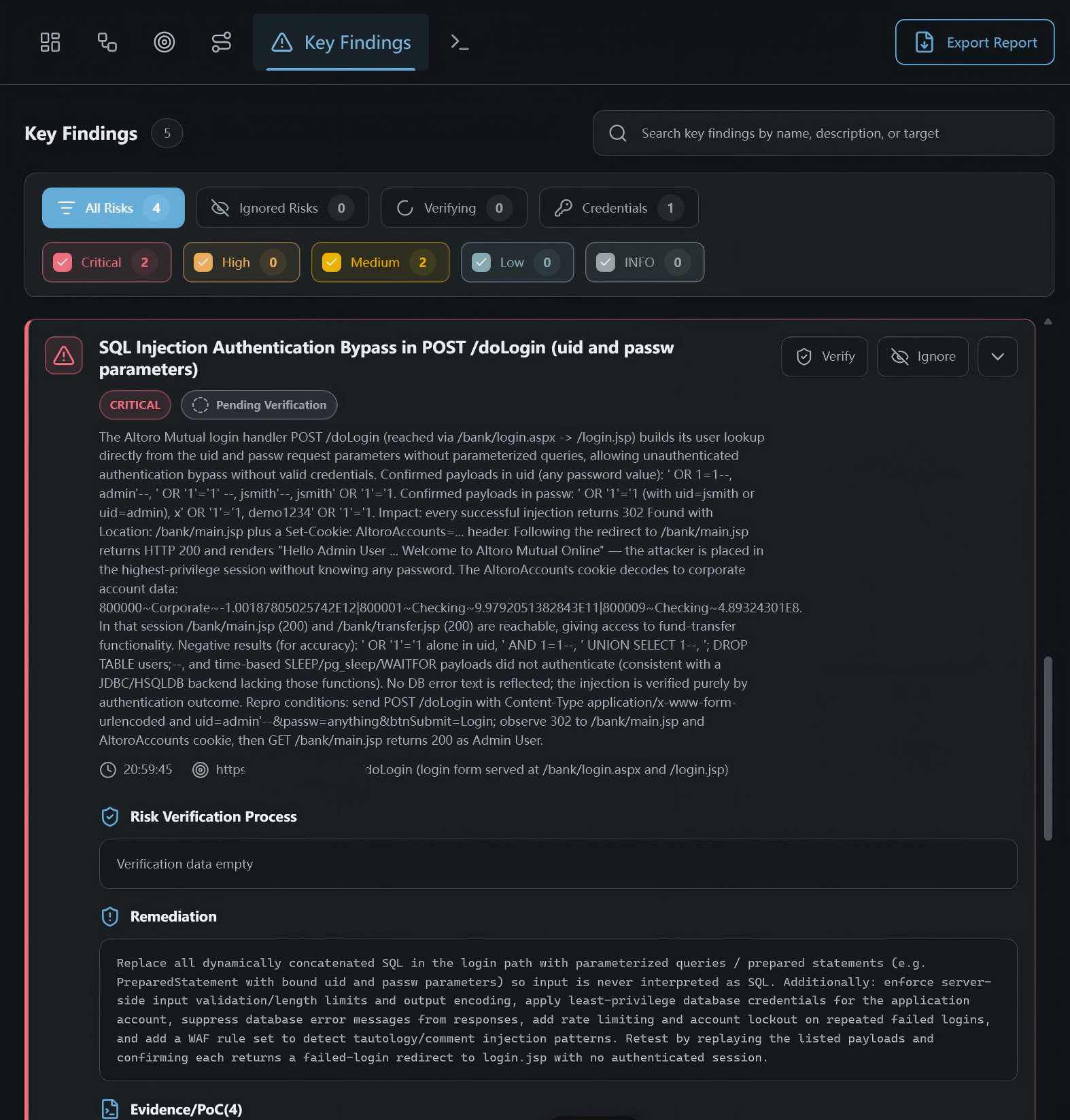
- Expand a risk card to view its details.
An expanded risk may include the description, verification details, remediation guidance, and evidence:
- Risk Verification Process: Review the verification process or data, when available.
- Remediation: Review the suggested remediation steps.
- Evidence/PoC: Review evidence or proof-of-concept material supporting the finding, when available.
- Available actions depend on the risk's current status. Use Verify or Ignore to update its handling status.
Export a Single Risk Report
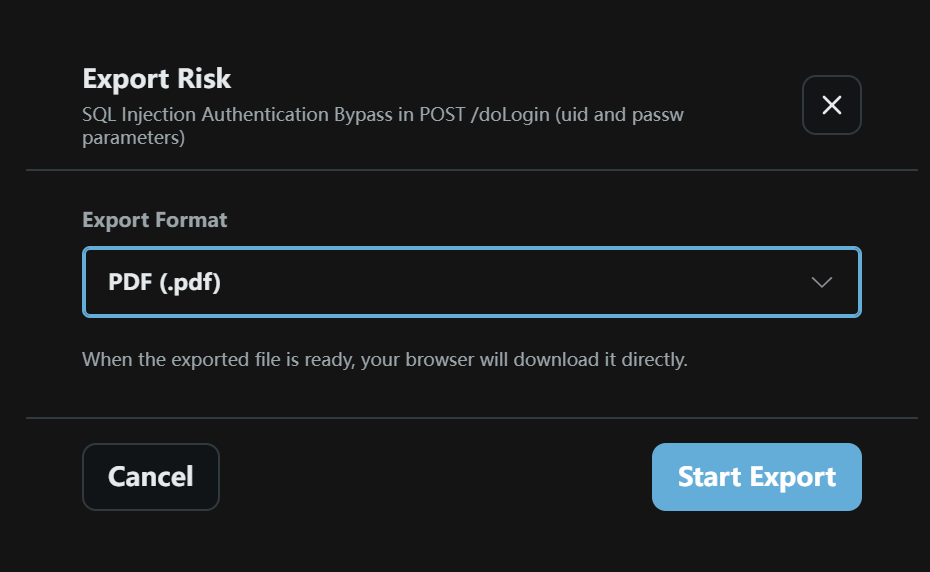
- Click the export control in the risk details to open the Export Risk dialog.
- Select an available format from Export Format, such as PDF (.pdf) shown in the screenshot.
- Click Start Export. The browser downloads the file when it is ready.
- Click Cancel to cancel the export.