Penligent Logo
  • Pricing
  • Docs
  • AI Pentest
  • Pentest Report
service@penligent.ai

Product

  • Pricing
  • FAQ

Resources

  • Docs
  • Hacking Labs
  • Tech Support

Company

  • About

Legal

  • Terms
  • Security
  • Privacy
Language
English
English中文日本語한국어EspañolFrançaisPortuguês (Brasil)DeutschРусскийالعربية
© 2026 Future Share LLC.
Disclaimer: Penligent is for authorized security testing only. You must have explicit permission from the target owner. Unauthorized use is prohibited and solely your responsibility.

Penligent User Guide · Docs Overview

Quick Links
Quick Start
InstallConfigure the Python EnvironmentCreate a Penetration Testing ProjectInteract with a Task Using the Agent Console
Feature Guide

Penligent User Guide

Quick Start

Interact with a Task Using the Agent Console

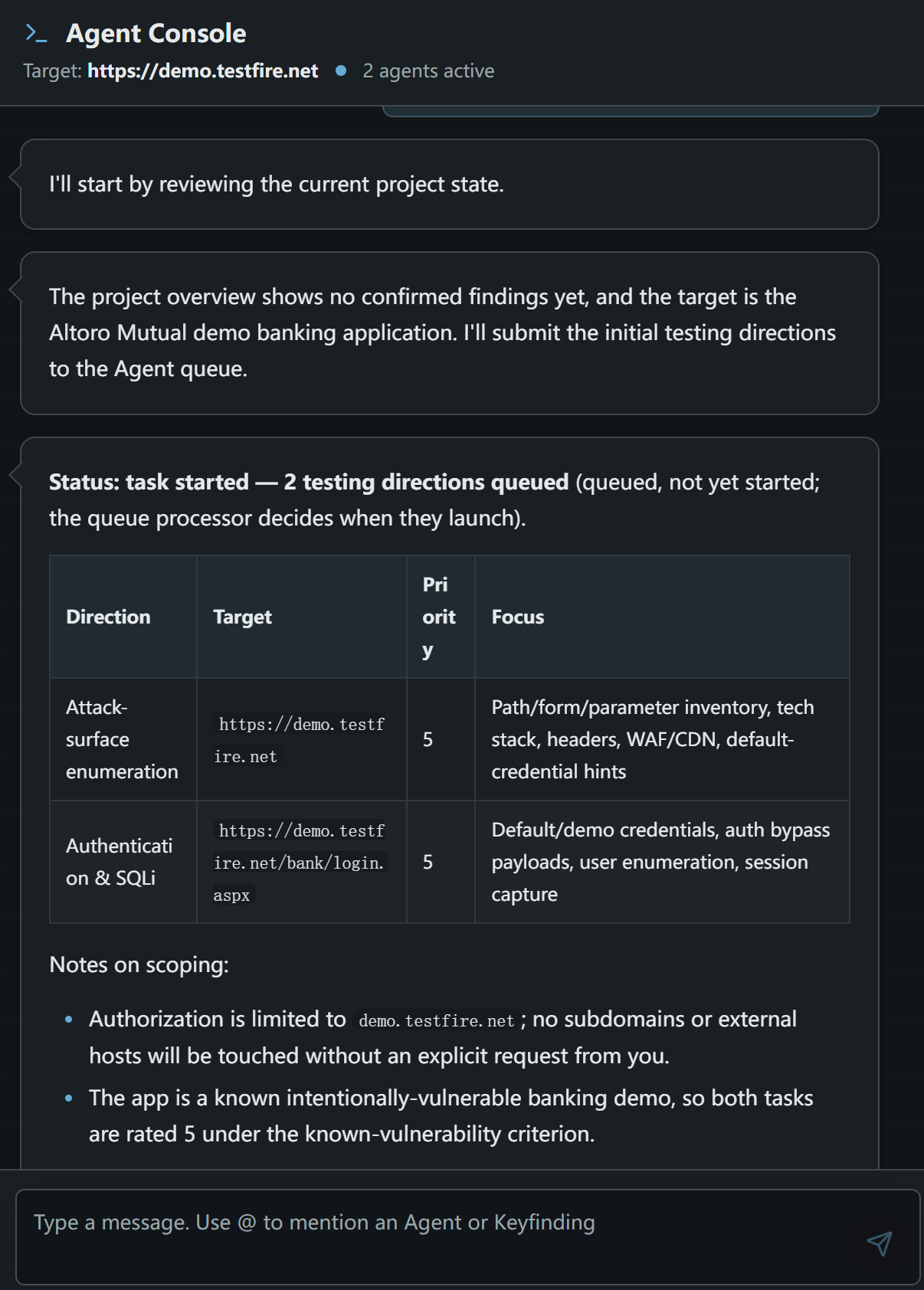
Use the Agent Console to send questions, context, and follow-up instructions to agents, and to review their responses and task updates.

Agent Console conversation and testing directions
  • Review task statuses, queued testing directions, and information returned by agents in the conversation.
  • Enter a question, business context, or additional instruction in the message box, then send it.
  • Type @ to mention a specific Agent or Keyfinding.
  • Keep any scope updates within the authorized targets. A queued status in the Agent Console does not necessarily mean the task has started.