
1) Why this keyword is popping: it violates the “default tools are safe” assumption
The fastest way to understand why “Notepad RCE” started trending is to look at how major outlets framed it:
- “Microsoft fixes Notepad flaw… malicious Markdown links” (The Verge)
- “Notepad’s new Markdown feature added a severe vulnerability…” (Windows Central)
- “Notepad’s new Markdown powers served with a side of RCE” (המרשם)
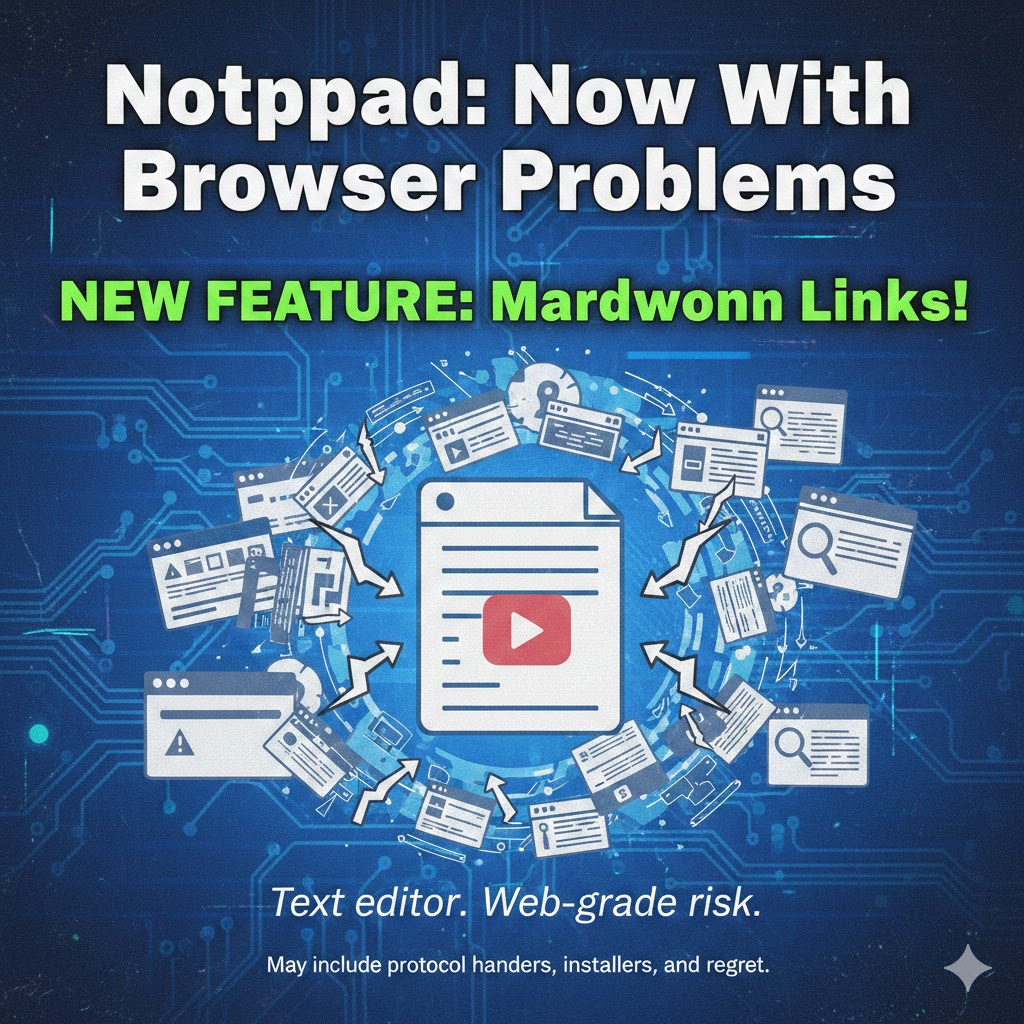
Those headlines are engineered around a single tension: a historically “boring” utility gained a browser-adjacent capability (clickable links + protocol launching), and the trust boundary moved overnight. (BleepingComputer)
The CTR-shaped query cluster you should cover
Even without your Search Console data, you can infer the highest-click phrasing by observing recurring headline vocabulary across top publishers (because that vocabulary is designed to match user intent):
| High-click phrasing | The question the reader really asks | Why it wins clicks |
|---|---|---|
| Notepad RCE / Notepad remote code execution | “How can a text editor execute anything?” | cognitive shock + urgency |
| Markdown links / clicking a Markdown link | “What’s the trigger? Is this phishable at scale?” | maps cleanly to user behavior/policy |
| execute silently / without warning | “Is there a prompt bypass?” | ties directly to impact severity |
| Patch Tuesday / Feb 2026 update | “Where’s the fix, and how do I prove it?” | operationally actionable |
| file:// / ms-appinstaller:// / unverified protocols | “Which schemes are the real attack surface?” | gives defenders concrete control points |
Your article should not “sprinkle keywords.” It should answer each of these as an engineering problem: evidence, controls, detection, and measurable risk reduction. (BleepingComputer)
2) What CVE-2026-20841 actually is and why the “RCE vs local” debate is a trap
2.1 The authoritative definition (NVD/NIST)
NVD describes CVE-2026-20841 as improper neutralization of special elements used in a command (CWE-77) in the Windows Notepad App, enabling an attacker to execute code locally. (NVD)
Crucially, the record shows a change history: it was revised from “execute code over a network” to “execute code locally,” and the CVSS vector was adjusted accordingly (from AV:N to AV:L), with a CNA base score shown as 7.8 (High) on NVD at the time of capture. (NVD)
2.2 The reproducible trigger path (what defenders can test)
BleepingComputer provides the most operationally useful public breakdown:
- Affected: Windows 11 Notepad versions 11.2510 and earlier
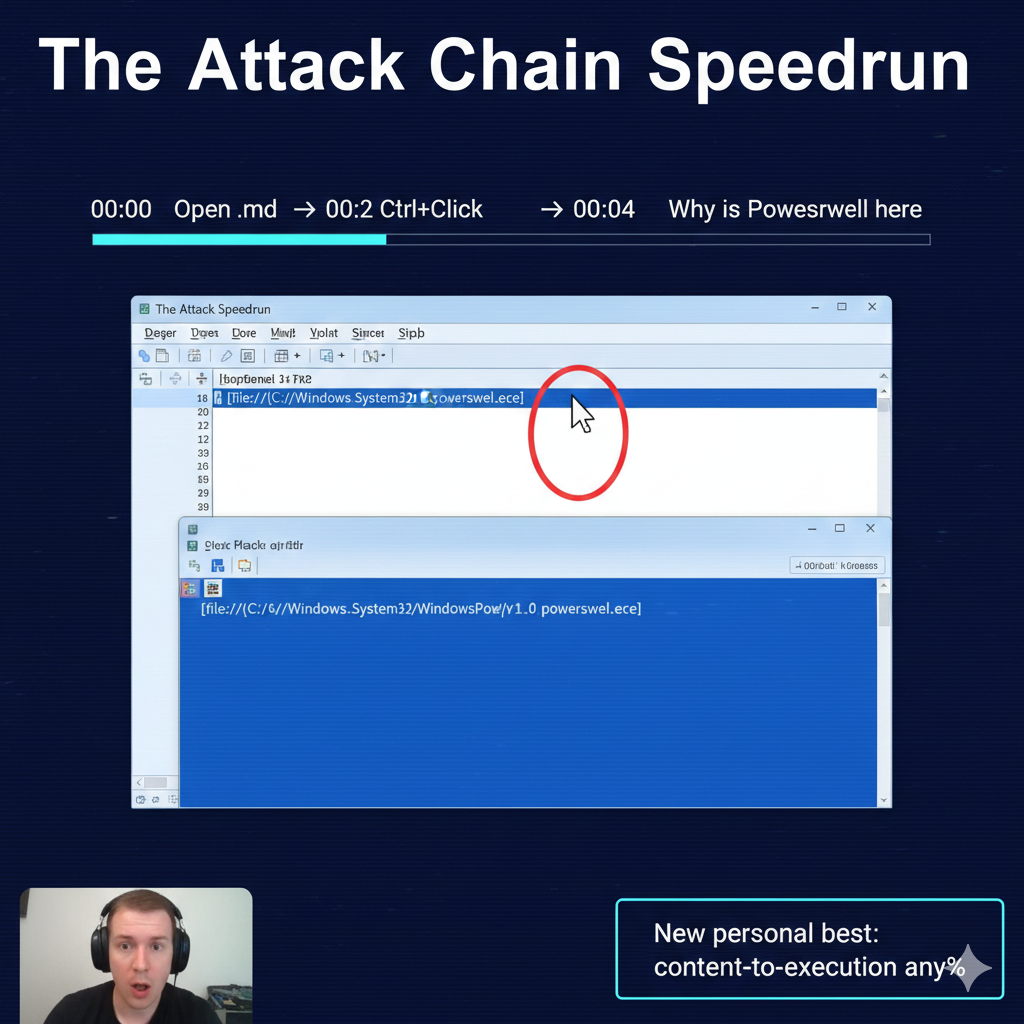
- Behavior: Markdown renders clickable links; Ctrl+Click triggers launching
- Schemes: links can point to executables via
file://or use special URIs likems-appinstaller:// - Fix behavior: Notepad now shows warnings for links that are not
http://אוhttps://(BleepingComputer)
This matters because the exploitability isn’t about a complex memory corruption chain. It’s about a newly introduced “content → protocol handler → execution” pathway inside a highly trusted default app. (BleepingComputer)
3) The real lesson: this is a “Content-to-Execution Primitive” case study
Treat CVE-2026-20841 as a reusable model, not a one-off:
If an app renders untrusted content into clickable actions, it becomes part of your execution surface—whether or not it calls itself a browser. (BleepingComputer)
3.1 Preconditions and attacker economics
Public scoring and reporting converge on a key point: user interaction is required (open file + click). (BleepingComputer)
Attackers turn UI requirements into scale by using:
- phishing attachments (“runbook.md”, “incident-notes.md”)
- repo artifacts (README.md, issue templates)
- internal knowledge base exports and shared docs
3.2 The true hazard is protocol handlers, not Markdown
After patching, Notepad warns on non-http(s) schemes—helpful, but not definitive. A prompt can still be socially engineered. (BleepingComputer)
Your threat model should explicitly track:
- scheme inventory (
file:,ms-appinstaller:,ms-settings:,ms-search:, etc.) (BleepingComputer) - parent-child process anomalies (Notepad spawning shells/installers)
- remote execution adjacency (SMB-hosted payload references) (BleepingComputer)
4) What the patch did: turning “updated” into “provably safe”
4.1 Observed patch behavior
BleepingComputer’s testing indicates the fix introduced warnings when clicking links that do not use http:// או https://. (BleepingComputer)
That’s a reduction in silent execution risk, but it’s not equivalent to eliminating the execution primitive.
4.2 Why prompt-based mitigations don’t close the class of risk
The chain shifts from:
- silent execution אל:
- prompted execution
In practice, “prompted execution” remains exploitable under pressure, urgency, or authority cues. Therefore, your control set must include:
- version evidence (fleet proof)
- policy constraints (deny execution paths even if clicked)
- telemetry + detection (catch what still slips through)
5) Immediate verification you can run today
5.1 Verify Notepad (Store app) package version via PowerShell
Get-AppxPackage -Name Microsoft.WindowsNotepad |
  Select-Object Name, PackageFullName, Version, InstallLocation

Get-AppxPackage -Name Microsoft.WindowsNotepad |
  Select-Object PSComputerName, Name, Version |
  Export-Csv .\\notepad_versions.csv -NoTypeInformation
Why this matters: public reporting explicitly called out 11.2510 and earlier as vulnerable in the tested scenario. Your remediation story becomes credible when you can export proof. (BleepingComputer)
5.2 Behavior check: does Notepad still allow non-http(s) clicks without warning?
In an isolated lab, open a Markdown file and attempt a non-http(s) scheme click. The patched behavior should present a warning prompt. (BleepingComputer)
6) Detection engineering: catch the execution chain, not the CVE string
6.1 Sigma rule: Notepad spawning suspicious children
title: Suspicious Child Process Spawned by Windows Notepad (Markdown Link Abuse Pattern)
id: 6c31e7d2-0a7d-4b1d-8e45-2e2b9c8f1b19
status: experimental
description: Detect suspicious child processes spawned by Windows Notepad consistent with click-to-execution via protocol handlers.
author: SOC Engineering
date: 2026/02/14
references:
  - <https://nvd.nist.gov/vuln/detail/CVE-2026-20841>
  - <https://www.bleepingcomputer.com/news/microsoft/windows-11-notepad-flaw-let-files-execute-silently-via-markdown-links/>
logsource:
  product: windows
  category: process_creation
detection:
  parent_notepad:
    ParentImage|endswith: '\\notepad.exe'
  suspicious_child:
    Image|endswith:
      - '\\cmd.exe'
      - '\\powershell.exe'
      - '\\pwsh.exe'
      - '\\wscript.exe'
      - '\\cscript.exe'
      - '\\msiexec.exe'
      - '\\rundll32.exe'
      - '\\regsvr32.exe'
  condition: parent_notepad and suspicious_child
falsepositives:
  - Rare automation; validate command line and user context.
level: high
Rationale: the publicly described chain relies on link click → protocol launch → downstream execution. Child process anomalies are durable signals even when the exact scheme changes. (BleepingComputer)
6.2 Microsoft Defender KQL: Notepad as the initiating process
DeviceProcessEvents
| where InitiatingProcessFileName =~ "notepad.exe"
| where FileName in~ ("cmd.exe","powershell.exe","pwsh.exe","wscript.exe","cscript.exe","msiexec.exe","rundll32.exe","regsvr32.exe")
| project Timestamp, DeviceName, AccountName,
          InitiatingProcessFileName, InitiatingProcessCommandLine,
          FileName, ProcessCommandLine, FolderPath
| order by Timestamp desc
Enhancements you can add:
- time-window correlation around
.mdopen events - scheme hunting in command line artifacts (normalize encoding/case) (BleepingComputer)
7) Hardening strategy: layered controls that survive social engineering
7.1 Control matrix (copy-paste ready)
| שכבה | בקרה | עדיפות | תוצאה |
|---|---|---|---|
| Patch | Ensure Notepad updated past vulnerable range | P0 | Removes “silent click” behavior (at minimum prompts) (BleepingComputer) |
| Execution policy | WDAC/AppLocker: restrict script hosts & LOLBins | P0–P1 | “Clicked” no longer equals “executed” |
| Network | SMB egress governance, remote execution adjacency reduction | P1 | Reduces remote payload feasibility (BleepingComputer) |
| איתור | Sigma + MDE KQL for Notepad child processes | P1 | Detects real abuse vs theory |
| Training | Non-http(s) scheme awareness | P2 | Helpful, never sufficient |
8) Related CVEs you should mention
CVE-2026-20841 sits in a broader family: security prompts and “internet-origin” boundaries failing under real attacker workflows.
- CVE-2026-21510 (Windows Shell protection mechanism failure) appears in CISA’s Known Exploited Vulnerabilities context on NVD—useful as a “this class is actively exploited” anchor. (NVD)
- CVE-2024-21412 (SmartScreen / Mark-of-the-Web bypass) has extensive public analysis describing exploitation and impact. (www.trendmicro.com)
- CVE-2023-36025 (SmartScreen security feature bypass) similarly reflects how prompts/boundaries can be subverted. (NVD)
- CVE-2025-15556 (Notepad++ WinGUp updater integrity verification) shows how “trusted tools” become execution vehicles when update trust breaks. (NVD)
Your narrative improves when you frame this as reducing all “content/link/shortcut → execution” pathways, not chasing a single CVE at a time.
If your readers care about automated validation and pentest-assisted verification, CVE-2026-20841 is a clean example of what modern teams actually need:
- prove fleet versions are remediated
- validate whether risky scheme launches still occur
- ship detection content and a repeatable report
Relevant internal links from Penligent’s own library:
- Notepad RCE analysis: Markdown expands trust boundaries (Penligent)
- CVE-2026-20841 PoC + detection framing (validation-oriented) (Penligent)
9) Enterprise rollout playbook: make the fix durable at scale
CVE-2026-20841 is a reminder that modern endpoint risk isn’t only about exploitable memory bugs. It’s about trust boundaries moving: “open a document” becomes “trigger an action,” and the action may launch protocol handlers, installers, or script hosts.
So the enterprise goal isn’t merely “upgrade Notepad.” The goal is:
- Version proof (fleet-level evidence you’re not in the vulnerable range)
- Execution controls (even if a user clicks, the endpoint can’t pivot into easy execution primitives)
- High-signal telemetry (Notepad shouldn’t be an initiating process for shells/installers in a healthy environment)
The patch changes behavior (warnings on non-http(s) links) per public reproduction. But prompt-based safety is not a control boundary—it’s a UX boundary. (See earlier section + BleepingComputer’s reproducible notes.)
10) Intune + App Control for Business (WDAC) deployment template
10.1 Why WDAC is the right “second layer”
App Control for Business (the modern WDAC experience) is built for a simple promise: only trusted code runs, including EXEs, MSIs, scripts, and PowerShell (with constrained language behavior in some scenarios). That’s exactly what you want when a click chain tries to turn “viewing content” into “executing code.”
10.2 Two deployment paths in Intune
Path A — Endpoint security > App Control for Business (recommended starting point)
Intune supports App Control for Business policies under Endpoint security, using the ApplicationControl CSP. It’s designed for managing allowed apps at scale, and it also supports managed installers (so apps deployed by Intune can be automatically tagged as trusted).
Path B — Custom OMA-URI (for fully custom policies / multiple-policy format)
If you need your own circle-of-trust, multiple policies, deny-only policies, or advanced composition, Microsoft documents how to deploy policies through Custom OMA-URI with the ApplicationControl CSP (Windows 10 1903+ / Windows 11).
10.3 The safest WDAC rollout pattern for this CVE class
This is the pattern that minimizes “oops we bricked endpoints” while still materially reducing click-to-execution risk:
Stage 0 — Prepare a “baseline allow” + “surgical deny” design
Don’t start with an aggressive allowlist unless your org already runs WDAC.
Instead:
- Base policy: Windows + Microsoft-signed + Store-signed apps (broadly compatible baseline)
- Supplemental deny policy: deny a small set of high-abuse execution primitives if they’re not business-critical (or deny them only outside approved paths)
Microsoft explicitly supports deny policies layered with allow rules (multiple-policy format), and provides design guidance for deny policies.
Stage 1 — Audit mode first (and log for 7–14 days)
You want to answer: “What would have broken?” before you enforce. App Control policies support audit-mode workflows as a safe deployment method. (Also recommended in Microsoft’s base policy examples guidance.)
Stage 2 — Enforce on a pilot ring (IT + Security + willing engineering groups)
Use ring-based assignments in Intune.
Stage 3 — Broader enforcement + exceptions as supplemental allow
Avoid punching giant holes in the base policy. Use supplemental allow policies for known-good lines of business applications.
10.4 Minimal WDAC policy template: “baseline allow + deny a small set of LOLBins”
Important boundaries (so you don’t over-promise): WDAC is not a “parent-child process control.” It won’t say “Notepad can’t spawn PowerShell.” What WDAC יכול do is: block or audit execution of the target binaries (PowerShell, wscript, msiexec, etc.) unless they match your allow rules. That’s still extremely valuable: the click chain fails at the execution step.
Option A: Deny policy (supplemental) — start tiny and measurable
Pick 1–3 binaries that are rarely needed on standard user endpoints but high value to attackers. Example candidates (org-dependent):
wscript.exe/cscript.exe(script hosts)regsvr32.exe/rundll32.exe(living-off-the-land loaders)mshta.exe(if present/used)wmic.exe(Microsoft’s deny-policy docs even use it as an example)
Microsoft’s deny policy guidance illustrates the “Allow All rules + deny specific binaries” composition conceptually (so your deny policy doesn’t unintentionally negate other allowlists).
WDAC XML skeleton (multiple-policy format; placeholders you must replace)
<?xml version="1.0" encoding="utf-8"?>
<SiPolicy xmlns="urn:schemas-microsoft-com:sipolicy" PolicyType="Supplemental Policy">
  <VersionEx>1.0.0.0</VersionEx>

  <!-- IMPORTANT: Set a unique GUID without braces -->
  <PolicyID>YOUR-POLICY-GUID-HERE</PolicyID>
  <BasePolicyID>YOUR-BASE-POLICY-GUID-HERE</BasePolicyID>

  <Rules>
    <!-- Keep audit first in pilot; switch to Enabled:Enforced later -->
    <Rule>
      <Option>Enabled:Audit Mode</Option>
    </Rule>
  </Rules>

  <FileRules>
    <!-- Example deny rules (illustrative). Use Publisher rules where possible. -->
    <FileRule Id="ID_DENY_WSCRIPT" FriendlyName="Deny wscript.exe" Action="Deny">
      <FileName>wscript.exe</FileName>
    </FileRule>
    <FileRule Id="ID_DENY_CSCRIPT" FriendlyName="Deny cscript.exe" Action="Deny">
      <FileName>cscript.exe</FileName>
    </FileRule>
    <FileRule Id="ID_DENY_RUNDLL32" FriendlyName="Deny rundll32.exe" Action="Deny">
      <FileName>rundll32.exe</FileName>
    </FileRule>
  </FileRules>
</SiPolicy>
How to make this real (recommended):
- Start from Microsoft’s example base policies and build from there
- העדפה signature/publisher rules over file-name rules where possible (more robust, fewer false positives) (learn.microsoft.com)
10.5 Convert policy XML → binary, then deploy via Intune OMA-URI (copy/paste workflow)
Microsoft’s deployment guide is explicit: you must convert XML into binary before deploying.
PowerShell conversion flow (simplified)
# 1) Path to your policy XML
$Xml = "$env:USERPROFILE\\Desktop\\MyAppControlPolicy.xml"

# 2) Convert XML -> CIP (binary)
# Microsoft documents conversion steps for App Control policies
ConvertFrom-CIPolicy -XmlFilePath $Xml -BinaryFilePath "$env:USERPROFILE\\Desktop\\MyPolicy.cip"
Intune Custom OMA-URI profile settings (Windows 10 1903+ / Windows 11)
Microsoft’s documented values:
- OMA-URI:
./Vendor/MSFT/ApplicationControl/Policies/_Policy GUID_/Policy - Data type: Base64 (file)
- Upload: your binary policy file (rename
{GUID}.cipאל{GUID}.binbefore uploading, per doc guidance) (learn.microsoft.com)
That OMA-URI line is the thing people get wrong most often—use it exactly as documented, and do not include curly braces around the GUID.
Operational gotchas you should build into the plan
- Size limit: custom OMA-URI policies have a documented limit (350,000 bytes). Keep deny policies small; use signature rules and multiple policies if needed. (learn.microsoft.com)
- Restart behaviors: built-in Intune policies historically used AppLocker CSP and could trigger restarts; Microsoft notes newer deployment experience and CSP differences. (learn.microsoft.com)
- Device scope: App Control policies apply at the device level; plan ring assignments accordingly. (learn.microsoft.com)
11) SIEM field mapping table: normalize “Notepad → suspicious child” across data sources
The detection concept is stable: Notepad initiating shells/installers/script hosts is rare and high-signal in most enterprise baselines (and aligns with the click-to-execution chain described publicly).
But the practical pain is: every telemetry source names fields differently. Below is a mapping table so you can port the same analytic across environments.
11.1 Core analytic fields (what you actually need)
At minimum:
parent_process_name(Notepad)child_process_name(cmd/powershell/msiexec/wscript/rundll32/…)parent_command_line(helps confirm.mdopened / rendering context)child_command_line(scheme / payload hints)userוlogonהקשרhost/device_idtimestamp
11.2 Mapping table (Sysmon, Security 4688, MDE, Elastic ECS, Splunk CIM, Sentinel)
| Concept | Sysmon Event ID 1 | Windows Security 4688 | Microsoft Defender (DeviceProcessEvents) | Elastic ECS | Splunk CIM |
|---|---|---|---|---|---|
| Timestamp | UtcTime | TimeCreated | Timestamp | @timestamp | _time |
| Host / Device | Computer | ComputerName | DeviceName | host.name | dest / dvc |
| User | User | SubjectUserName / NewProcessName הקשר | AccountName | שם המשתמש | user |
| Parent Image | ParentImage | Creator Process Name (varies by audit schema) | InitiatingProcessFileName / InitiatingProcessFolderPath | process.parent.executable | process_parent / parent_process |
| Parent Cmdline | ParentCommandLine | Process Command Line (if enabled) | InitiatingProcessCommandLine | process.parent.command_line | process_parent_command_line |
| Child Image | Image | NewProcessName | FileName / FolderPath | process.executable | תהליך |
| Child Cmdline | CommandLine | Process Command Line | ProcessCommandLine | process.command_line | process_command_line |
| Process ID | ProcessId | NewProcessId | ProcessId | process.pid | process_id |
| Parent PID | ParentProcessId | (not always present) | InitiatingProcessId | process.parent.pid | parent_process_id |
| Hashes | Hashes | (not native) | SHA1/SHA256 (varies) | process.hash.* | process_hash |
| Integrity level | IntegrityLevel | (limited) | (limited) | process.integrity_level | process_integrity_level |
Notes for practitioners
- Windows Security 4688 requires command-line auditing to be enabled if you want
Process Command Line. - Sysmon gives you the cleanest parent-child linkage out of the box.
- MDE gives you consistent naming and fast hunting with
DeviceProcessEvents.
11.3 A single “portable” analytic statement (SIEM-agnostic)
Alert when parent process is Notepad ו child process is a scripting host, command interpreter, installer, or LOLBin loader, especially when the child command line includes suspicious schemes (
file:,ms-appinstaller:) or points to user-writable / network locations.
This is the kind of statement that ports cleanly into Splunk, Sentinel, Elastic, Panther, Sumo, etc.
12) Intune/WDAC + detection: how to prove control effectiveness to audit / customers
Here’s a pragmatic “proof packet” many enterprise teams use:
- Inventory evidence: exported Notepad package versions fleet-wide (CSV snapshot)
- Policy evidence: Intune policy assignment + device compliance status
- Enforcement evidence: WDAC/App Control event logs showing blocked (or audited) executions for targeted binaries
- Detection evidence: SIEM queries + sample hits (ideally from a lab simulation)
- Exception governance: documented allow exceptions via supplemental policies, tied to business justification
This shifts the conversation from “we installed updates” to “we reduced the execution surface and can demonstrate it.”
13)References
- NIST NVD — CVE-2026-20841 (definition, CWE, CVSS change history)
- BleepingComputer — reproduction details and post-patch warning behavior
- The Register — Patch Tuesday context and summary framing
- The Verge — mainstream summary and why it spread
- Help Net Security — vulnerability summary within Patch Tuesday set
- Penligent — Notepad RCE: Markdown expands browser-sized risk
- Penligent — CVE-2026-20841 PoC + detection mindset

 Hebrew
  English
  German
  French
  Spanish
  Portuguese
  Japanese
  Korean
  Hindi
Hindi  Arabic
  Turkish