
Why “CVE-2025-53770” became an emergency keyword overnight
CVE-2025-53770 isn’t a theoretical lab bug. It’s a critical SharePoint Server remote code execution vulnerability that Microsoft publicly acknowledged as 적극적으로 악용된 in July 2025, targeting on-premises SharePoint Server deployments (not SharePoint Online). (microsoft.com)
Rapid7 summarized the situation the way responders felt it in real time: a zero-day, exploited before broad disclosure, described as unauthenticated deserialization of untrusted data, with a critical severity score. (Rapid7)
CISA escalated the operational impact by adding CVE-2025-53770 to the 알려진 익스플로잇 취약점(KEV) 카탈로그 shortly after the exploitation became public, which is one of the clearest “treat this as real” signals in U.S. defensive practice. (CISA)
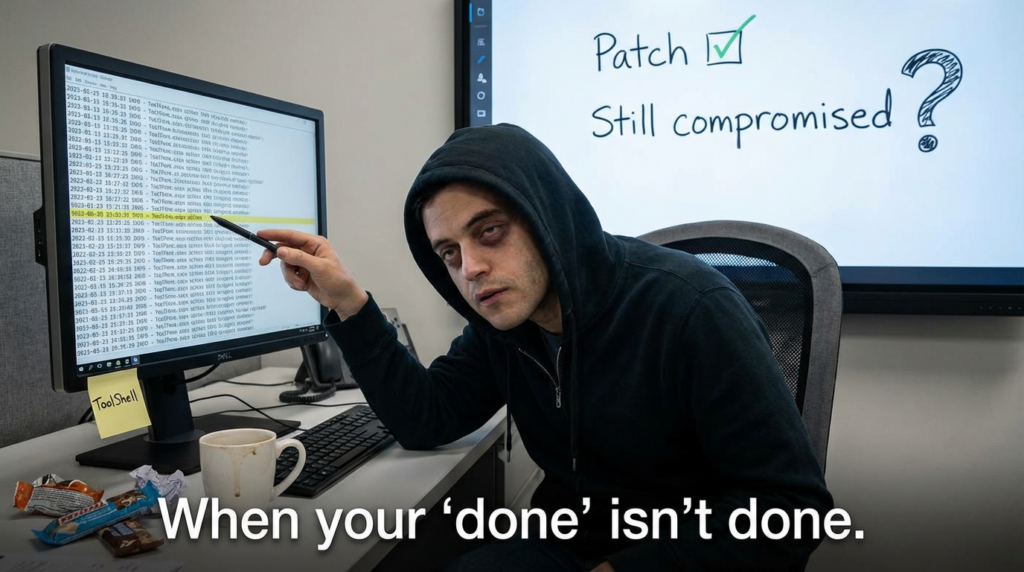
The reason “ToolShell” keeps showing up alongside this CVE is that multiple incident analyses describe CVE-2025-53770 as part of a chain—and chains are what break defenders’ assumptions. (recordedfuture.com)
The single sentence definition you can use in a war room
CVE-2025-53770 is a critical vulnerability in on-premises Microsoft SharePoint Server that can enable remote code execution, and it has been exploited in the wild as part of the ToolShell exploit chain. (microsoft.com)
That sentence matters because it also implies what it is not:
- not “just” a SharePoint Online issue (Microsoft and national advisories repeatedly distinguish on-prem vs cloud) (microsoft.com)
- not a “patch and forget” event if attackers extracted durable materials (more on that below) (recordedfuture.com)
What ToolShell means in practice and why 53770 is the headline
Public reporting consistently frames ToolShell as an evolution of a chain first demonstrated around Pwn2Own Berlin 2025, later observed in broad scanning and exploitation. (recordedfuture.com)
Microsoft’s July 2025 security blog connects the new disclosures directly to earlier SharePoint issues, stating that updates address vulnerabilities in CVE-2025-53770 related to CVE-2025-49704, and that CVE-2025-53771 is a bypass related to CVE-2025-49706. (microsoft.com)
That relationship is the story:
- CVE-2025-53770 is treated as the “critical execution enabler” in many response writeups. (Rapid7)
- CVE-2025-53771 is commonly described as a bypass component in the chain and shows up in “patch-bypass / boundary-bypass” discussions. (microsoft.com)
If you only remember one operational lesson: when an attacker path includes bypass + execution, your remediation must include both patching and proof.
The CVE cluster you’ll see referenced with 53770
You can think about this cluster in two layers: “the CVE you must prioritize now” and “the CVEs that explain how ToolShell evolved.”
The priority layer
| 항목 | Role in public ToolShell narratives | Why defenders should care |
|---|---|---|
| CVE-2025-53770 | Critical RCE, actively exploited; described as unauthenticated deserialization | Direct compromise risk for exposed on-prem SharePoint; KEV-listed means urgent action (Rapid7) |
| CVE-2025-53771 | Frequently paired with 53770 as a bypass component | Patch/bypass relationships are exactly how “we patched” becomes “we’re still exploitable” (microsoft.com) |
The “how we got here” layer
| 항목 | Why it keeps showing up | Defensive takeaway |
|---|---|---|
| CVE-2025-49704 | Referenced by Microsoft as related to 53770 | Reminds teams that adversaries iterate on fixes and edge cases (microsoft.com) |
| CVE-2025-49706 | Referenced as the earlier issue for which 53771 is a bypass | Boundary bypasses often reappear as variant paths (microsoft.com) |
The real risk: compromise that outlives patching
The most important “don’t sleep on this” theme in multiple writeups is the possibility that attackers may extract cryptographic materials (often discussed in terms of MachineKey or authentication-related keys). That’s the kind of asset that can let an attacker re-enter 또는 impersonate even after servers are rebooted and updated, depending on what was stolen and how it’s used in that environment. (recordedfuture.com)
This is why you’ll see guidance and IR playbooks emphasize key rotation and broader credential hygiene as part of response—not just patch deployment. (Cyber Security Agency of Singapore)
A practical way to frame it:
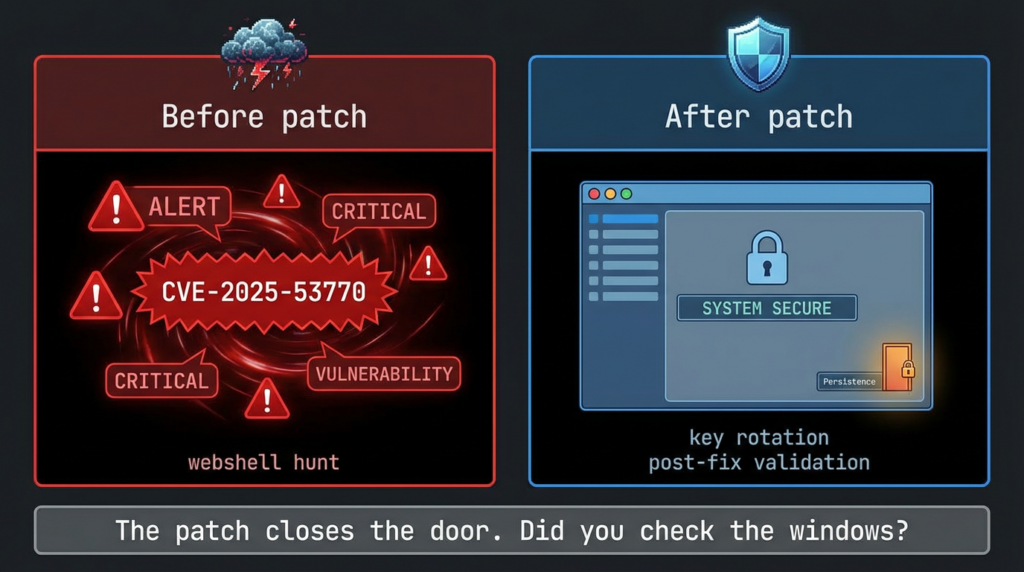
- Patch = closes the door you know about.
- Key/credential rotation + hunting = ensures the attacker didn’t copy your keys before you closed it.
What “exposed” actually means for 53770
This wave was repeatedly described as impacting on-prem SharePoint Server deployments, and Microsoft’s guidance is explicit that SharePoint Online is not the affected surface here. (microsoft.com)
So the exposure pattern that matters most is:
- internet-reachable SharePoint (direct or via permissive reverse proxy)
- legacy operational constraints (slow patching windows, customization dependencies)
- insufficient telemetry on IIS + SharePoint directories
Once a SharePoint server is internet-reachable, the exploitation lifecycle is brutally efficient: scan → fingerprint → exploit attempt → persistence actions if successful. Unit 42 telemetry, for example, described exploitation attempts in a defined window and suggested targeting behavior consistent with a prepared list. (Unit 42)
Detection and hunting: what to look at first without chasing ghosts
A good hunt is opinionated: it tells you what to check in the first hour, and what to ignore until you have signal.
1) IIS logs: “are we being touched?”
Start with your IIS logs on SharePoint front ends. You’re looking for abnormal patterns against sensitive SharePoint endpoints and tool surfaces. Unit 42 and several responder guides highlight the value of web telemetry for this wave. (Unit 42)
PowerShell triage: find suspicious hits for common tool page indicators (including ToolPane references discussed widely in ToolShell reporting).
# Adjust paths to match your IIS log location.
$logRoot = "C:\\inetpub\\logs\\LogFiles"
$needle  = "ToolPane.aspx"

Get-ChildItem -Path $logRoot -Recurse -Filter "*.log" -ErrorAction SilentlyContinue |
  Select-String -Pattern $needle |
  Select-Object Path, LineNumber, Line |
  Out-GridView
Fast frequency view (useful for spotting single-IP spikes or broad scanning):
$hits = Get-ChildItem "C:\\inetpub\\logs\\LogFiles" -Recurse -Filter "*.log" |
  Select-String "ToolPane.aspx" |
  ForEach-Object { $_.Line }

$hits | Group-Object | Sort-Object Count -Descending | Select-Object -First 25 Count, Name
What “good” looks like: a small number of expected administrative accesses from your own IP ranges.
What “bad” looks like: high-velocity access attempts from unknown sources, odd methods, and suspicious parameters.
2) File system: “did something land?”
Several summaries of the campaign describe suspicious .aspx artifacts being written during attacks. (Sumo Logic)
You should review:
- SharePoint web directories for unexpected new or modified .aspx files
- timestamp clustering (multiple files touched within minutes)
- presence of unusual, recently-created files in directories not typically modified post-deployment
PowerShell file review (example: last 14 days of modified ASPX under common web roots—tailor to your environment):
$roots = @(
  "C:\\inetpub\\wwwroot",
  "C:\\Program Files\\Common Files\\microsoft shared\\Web Server Extensions"
)

$since = (Get-Date).AddDays(-14)

foreach ($r in $roots) {
  if (Test-Path $r) {
    Get-ChildItem $r -Recurse -Include *.aspx -ErrorAction SilentlyContinue |
      Where-Object { $_.LastWriteTime -ge $since } |
      Select-Object FullName, LastWriteTime, Length |
      Sort-Object LastWriteTime -Descending
  }
}
3) Endpoint telemetry: “did SharePoint behave like a web server or like an operator?”
Even when exploitation begins at the web layer, successful compromise often leaves behavioral traces:
w3wp.exespawning abnormal children (environment-dependent; some orgs will never see this)- unusual outbound connections from SharePoint servers
- credential access behaviors nearby in time (domain context matters)
Unit 42’s writeup emphasizes telemetry-driven visibility into exploitation attempts and patterns. (Unit 42)
SIEM-ready queries you can adapt today
Splunk (IIS)
This is a generic pattern-based approach. Adjust fields to your IIS sourcetype.
index=web (sourcetype=iis OR sourcetype=ms:iis:default)
| search cs_uri_stem="*ToolPane.aspx*" OR uri_path="*ToolPane.aspx*"
| stats count by c_ip, cs_method, cs_uri_stem, status
| sort -count
Microsoft Sentinel / Defender (KQL concept)
The exact tables vary by ingestion, but the core idea is consistent: filter SharePoint servers + web logs + endpoint touches.
// Pseudocode style: adjust for your environment’s log tables and fields.
union isfuzzy=true
  W3CIISLog, DeviceNetworkEvents
| where tostring(Url) has "ToolPane.aspx"
| summarize Count=count() by RemoteIP, DeviceName, HttpMethod, bin(TimeGenerated, 1h)
| order by Count desc
If you want a curated starting point for structured detection content, Splunk published a SharePoint vulnerabilities analytics story during the 2025 wave that can help you shape your own detections even if you’re not on Splunk ES. (Sumo Logic)
Remediation: the order matters
1) Apply Microsoft’s security updates and guidance immediately
Microsoft’s MSRC guidance is direct: apply updates that fully protect affected supported versions of SharePoint against CVE-2025-53770 / 53771. (microsoft.com)
CISA’s alert reinforces that this is an active exploitation situation and provides a defensible escalation basis for emergency change windows. (CISA)
2) Reduce exposure while patching and hunting
When the attacker’s first step is “scan the internet for vulnerable servers,” exposure reduction is a containment control, not a nicety. Public reporting during the wave emphasized disconnecting or limiting exposure until patched and secured. (The Verge)
3) Treat key material as potentially compromised when evidence supports it
Multiple sources discuss the theft or exposure of MachineKey / cryptographic materials in the ToolShell context and tie remediation to rotation and cleanup. (recordedfuture.com)
Singapore’s CSA even published a structured remediation guide for compromised environments, emphasizing phased IR actions (identification → containment → eradication → recovery). (Cyber Security Agency of Singapore)
Practical point: don’t rotate keys blindly without coordinating with your SharePoint architecture and operational requirements—but don’t defer it to “later” if compromise is plausible.
How to prove you’re actually safe
For CVE-2025-53770 specifically, “proof” means three things:
- Asset proof: you can enumerate every on-prem SharePoint server and identify which were internet-reachable during the exploitation window. (microsoft.com)
- Update proof: you can show patch/application of Microsoft’s recommended updates across those servers. (microsoft.com)
- Behavioral proof: your logs and telemetry show:
- exploitation patterns stopped after mitigation
- no suspicious web artifacts remain
- no persistence mechanisms remain (especially those tied to stolen cryptographic material) (recordedfuture.com)
This is where a lot of programs struggle, because it’s not a single checkbox. It’s evidence.
ToolShell is a textbook case for “verification beats assumptions.” The hardest part for many teams wasn’t reading the CVE—it was turning a fast-moving advisory into a repeatable, auditable workflow: discovery → safe validation → remediation evidence → retest.
If you’re using Penligent as an AI-assisted penetration testing platform, the most natural application here is evidence-based validation:
- confirming exposure paths and externally reachable surfaces
- running safe checks that support “fixed vs still risky” decisions
- collecting artifacts (logs, version evidence, endpoint responses) into a report that security leadership can sign off on
For background on Penligent’s evidence-driven framing, these internal references are relevant:
- “What is Penetration Testing: The Engineering of Verified Risk” (microsoft.com) (Penligent internal link list below)
- “AI Agents Hacking in 2026: Defending the New Execution Boundary” (microsoft.com)
(Links are provided at the end under “Internal links.”)
Quick reference checklist for CVE-2025-53770 response
| 목표 | What to do | What “done” looks like |
|---|---|---|
| Stop active risk | Reduce internet exposure; isolate where needed | No public reachability for at-risk servers during remediation window (CISA) |
| Close the exploited door | Apply Microsoft updates for 53770 | Patch status verified across all supported versions (microsoft.com) |
| Detect exploitation | Hunt IIS logs + endpoint telemetry | High-confidence timeline: probed vs exploited vs clean (Unit 42) |
| Remove persistence | Check for suspicious ASPX/artifacts; rotate keys when warranted | No webshells; key/credential actions completed & documented (Sumo Logic) |
| Prove closure | Retest + audit artifacts | Evidence pack: exposure, patch, hunting results, post-fix validation |
참조
- Microsoft MSRC customer guidance for SharePoint vulnerability CVE-2025-53770 (active attacks, patch guidance). (microsoft.com)
- Microsoft Security Blog: disrupting active exploitation of on-prem SharePoint vulnerabilities (relationships between 53770↔49704 and 53771↔49706). (microsoft.com)
- Rapid7 analysis: zero-day exploitation of SharePoint servers via CVE-2025-53770 (deserialization framing, severity, exploitation context). (Rapid7)
- Palo Alto Networks Unit 42: exploitation telemetry and observed activity patterns. (Unit 42)
- CISA alert: Microsoft guidance on exploitation; KEV addition for CVE-2025-53770. (CISA)
- Recorded Future: ToolShell chain overview; emphasis on cryptographic key theft/persistence risk. (recordedfuture.com)
- Tenable FAQ: exploitation impact and MachineKey exposure discussion. (Tenable®)
- Singapore CSA advisory: remediation guide for compromised SharePoint environments (phased IR playbook). (Cyber Security Agency of Singapore)
- Canadian Centre for Cyber Security advisory (clear statement: on-prem impacted; deserialization; SharePoint Online not impacted). (Canadian Centre for Cyber Security)
- Penligent: “AI Agents Hacking in 2026: Defending the New Execution Boundary” (internal). https://www.penligent.ai/hackinglabs/ai-agents-hacking-in-2026-defending-the-new-execution-boundary/
- Penligent: “What is Penetration Testing: The Engineering of Verified Risk” (internal). https://www.penligent.ai/hackinglabs/what-is-penetration-testing-the-engineering-of-verified-risk/
- Penligent: “Vulnerability Management Tools: A Complete 2026 Guide” (internal). https://www.penligent.ai/hackinglabs/ko/vulnerability-management-tools-a-complete-2026-guide/
 Korean
  English
  German
  French
  Spanish
  Portuguese
  Japanese
  Hindi
Hindi  Arabic
  Turkish
  Hebrew